Processing Throughput in Document AI: 2026 Guide
<p>Discover what processing throughput in Document AI is and how to optimize your workflow. Unlock efficiency and scalability today!</p>


Processing throughput in Document AI is defined as the rate at which a system processes documents or pages per unit of time, typically measured in documents per minute or pages per hour. This metric is the primary indicator of a Document AI pipeline’s capacity, not just its speed on a single file. For decision-makers managing high-volume workflows, understanding throughput at the stage level separates systems that scale from systems that collapse under load. Platforms like Google Document AI, along with OCR benchmarking frameworks, use throughput as the baseline for evaluating production readiness.
How is processing throughput measured in document AI?
Processing throughput is measured as the number of documents or pages a pipeline completes per unit of time, but that single number tells only part of the story. Stage-level metrics are the real signal. A pipeline typically moves documents through OCR, data extraction, and embedding generation. Each stage has its own throughput rate, and the slowest stage determines the ceiling for the entire system.
The standard units for measuring document processing speed are:
- Documents per minute (DPM) or documents per hour (DPH) for batch workflows
- Pages per second (PPS) for high-frequency pipelines
- Median queue wait time (P50) to measure typical delay between intake and processing
- P95 queue wait time to capture the worst-case delay experienced by 95% of documents
- Concurrency rate to understand how many documents the system handles simultaneously
Queue wait time is the metric most teams ignore. End-to-end throughput drops when ingestion rates exceed downstream extraction capacity, creating hidden delays that never show up in API response logs. A system can report fast API times while documents sit in a backlog for minutes.
Pro Tip: Slice your stage-level metrics by document type and region. A single average throughput number across mixed document types masks the bottlenecks that will hurt you at scale.

The table below shows how to structure throughput measurement across a standard Document AI pipeline:
| Pipeline Stage | Key Metric | Unit | Why It Matters |
|---|---|---|---|
| OCR | Pages processed | Pages/second | Bottleneck for scanned documents |
| Data Extraction | Fields extracted | Records/minute | CPU-bound; sensitive to document complexity |
| Embedding Generation | Vectors created | Embeddings/second | GPU-bound; bottleneck for text-native files |
| Queue Wait | Backlog delay | P50/P95 seconds | Reveals hidden capacity gaps |
| End-to-End | Total documents | Docs/hour | Capacity planning baseline |
What factors affect document AI throughput?
The factors affecting Document AI performance fall into two categories: document characteristics and infrastructure decisions. Both shift the location of your bottleneck, often without warning.
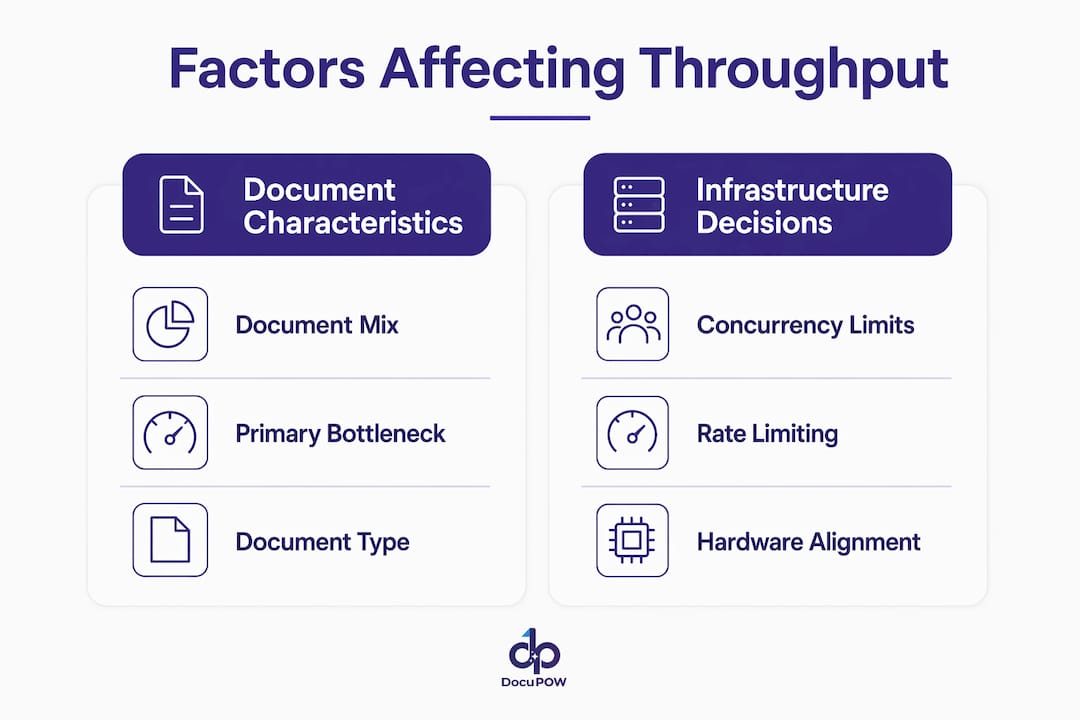
Document mix is the most underestimated variable. Throughput comparisons across vendors must normalize for document mix because scanned versus text-native documents influence capacity and manual review burden in fundamentally different ways. A pipeline optimized for clean, text-native PDFs will degrade sharply when you introduce high-DPI scans, handwritten forms, or multi-language tables.
The bottleneck also shifts based on document type. For scanned documents, OCR is the primary constraint. For text-native files, embedding generation dominates. Example pipelines improve total processing time from 28 minutes to 17 minutes by accelerating both OCR and embedding on higher-tier GPUs. That 39% reduction comes entirely from identifying which stage was the actual bottleneck, not from general hardware upgrades.
The comparison below shows how bottleneck location changes with document type:
| Document Type | Primary Bottleneck | Secondary Bottleneck | Recommended Fix |
|---|---|---|---|
| Scanned images (high DPI) | OCR | Queue wait | GPU acceleration for OCR |
| Text-native PDFs | Embedding generation | Extraction | Higher-tier GPU, micro-batching |
| Handwritten forms | OCR + extraction | Manual review queue | Specialized OCR models |
| Mixed document batches | Varies by batch | Queue management | Stage-level monitoring |
Infrastructure decisions compound these effects. Scaling throughput by pushing concurrency too high can backfire due to overhead, throttling, or resource contention. Micro-batching, which accumulates small batches processed within strict latency windows, improves GPU utilization and reduces cost per page without sacrificing acceptable latency. This is the technique most teams skip because it requires more pipeline engineering upfront.
Rate limiting adds another layer of complexity. Production endpoints use organization-level per-minute rate limits to maintain consistent throughput. When load exceeds these limits, queue wait times increase without triggering immediate failures. The system appears healthy in monitoring dashboards while documents pile up invisibly.
Pro Tip: Never benchmark throughput with a single document type. Run your load tests with a representative sample of your actual document mix, including your worst-case files, before committing to a hardware or vendor configuration.
How can businesses optimize document AI throughput?
Optimizing throughput for document processing requires a structured approach. Speed improvements without measurement are guesses. Here is a practical sequence for decision-makers:
-
Profile your document workload first. Categorize documents by type, page count, language, and image quality. This profile determines where your bottleneck will appear before you run a single test.
-
Run load tests with latency percentiles. Load testing should include median and tail latency metrics with concurrency increases, not just single-request times. A system that handles 10 concurrent documents well may collapse at 100.
-
Instrument every pipeline stage separately. Measuring only the final API response time misses queue delays that reduce effective throughput. Use end-to-end tracing tools to capture time spent at each stage, including time waiting in queue.
-
Match hardware to your bottleneck. GPU acceleration delivers the most value for OCR and embedding stages. CPU-bound extraction steps benefit more from horizontal scaling and optimized parsing logic than from GPU investment.
-
Implement micro-batching for GPU stages. Micro-batching strategies optimize GPU occupancy and minimize overhead, improving throughput without pushing latency beyond acceptable limits. This is especially effective for embedding generation in text-native document pipelines.
-
Plan for burst tolerance explicitly. Planning for burst tolerance and the pipeline’s ability to recover from volume surges is a key operational consideration beyond average throughput. Define your acceptable queue backlog depth and build auto-scaling triggers around it.
-
Integrate throughput metrics into operational dashboards. Stage-level throughput data should feed directly into workflow automation alerts. When a stage’s P95 queue wait exceeds your SLA threshold, the system should trigger scaling or rerouting automatically, not wait for a human to notice.
For teams managing high-volume document processing, the difference between a well-tuned pipeline and an unmonitored one is not marginal. It shows up in missed SLAs, delayed financial close cycles, and compounding manual review backlogs.
How does throughput relate to document processing speed?
Throughput and latency are related but distinct metrics, and confusing them leads to poor infrastructure decisions. Latency measures how long a single document takes to process. Throughput measures how many documents a system processes per unit of time. A system can have low latency on individual documents and still deliver poor throughput under real-world load.
The relationship breaks down under concurrency. High throughput at low concurrency can hide unacceptable waits under realistic loads. When 500 documents arrive simultaneously, even a fast system will queue most of them. The user experience depends on P95 and P99 wait times, not on the median.
The right metric depends on your use case:
- Interactive applications (real-time data extraction, live document review) require low latency. P50 and P95 response times matter most.
- Batch workflows (overnight invoice processing, bulk contract analysis) require high throughput. Documents per hour and queue recovery time matter most.
- Mixed workloads require both. You need throughput capacity for the batch load and latency headroom for the interactive requests that arrive during the same window.
Throughput evaluation must focus on tail latency percentiles such as P95 and P99 alongside concurrency thresholds to avoid operational collapse hidden by averages. A system that looks healthy at P50 can be failing 5% of your highest-priority documents. For compliance-sensitive workflows, that 5% is not acceptable. Aligning throughput goals with SLA commitments requires tracking the full distribution of processing times, not just the average.
Key takeaways
Effective Document AI throughput management requires stage-level measurement, hardware alignment, and tail latency monitoring to prevent hidden bottlenecks from undermining SLA performance.
| Point | Details |
|---|---|
| Measure stage by stage | Track OCR, extraction, and embedding throughput separately to locate the actual bottleneck. |
| Include queue wait time | P50 and P95 queue metrics reveal hidden delays that API response times never capture. |
| Match hardware to bottleneck | GPU acceleration helps OCR and embedding; CPU scaling helps extraction-heavy pipelines. |
| Normalize for document mix | Throughput benchmarks are only valid when tested against your actual document distribution. |
| Plan for burst scenarios | Define acceptable queue backlog depth and automate scaling before peak loads arrive. |
Why most teams measure throughput wrong
Most teams I work with measure throughput by looking at API response times and calling it done. That is the single most common mistake in Document AI operations, and it is expensive.
The real problem is that queue wait time is invisible unless you instrument for it specifically. I have seen pipelines where the API reports a 2-second response time while documents are waiting 4 minutes in the intake queue. The team believes the system is fast. The business is missing its SLA by a factor of ten. End-to-end tracing is not optional. It is the only way to see what is actually happening.
The second issue is bottleneck blindness. Teams optimize OCR because that is the obvious target. Then they upgrade their OCR hardware and discover that embedding generation is now the constraint. The bottleneck shifted, and they did not see it coming because they were not tracking stage-level metrics. Adaptive measurement, where you monitor every stage continuously and alert on relative changes, solves this. It requires more setup, but it pays back immediately when you avoid a capacity crisis during a peak processing window.
My advice for decision-makers: before you spend on hardware or new vendors, spend two weeks instrumenting your current pipeline properly. The data will tell you exactly where to invest. Aligning throughput goals with business outcomes, such as financial close timelines or compliance deadlines, also changes the conversation. Throughput is not a technical metric. It is a business metric with a direct line to cost and risk.
— Sameer
How DocuPOW helps you hit your throughput targets
Processing throughput is only as useful as the platform tracking and acting on it. DocuPOW’s AI document automation platform is built for organizations running high-volume, complex document workflows where stage-level performance directly affects financial visibility and operational decisions.

DocuPOW’s autonomous agents process documents without rigid templates, which means throughput stays consistent even as your document mix changes. Real-time analytics surface stage-level bottlenecks before they become SLA violations. For teams in industries like real estate document workflows or manufacturing, where document volume spikes are predictable and costly, DocuPOW’s platform provides the throughput monitoring and back-office automation needed to scale without adding headcount. Explore DocuPOW’s high-volume processing strategies to see how throughput optimization translates into measurable business results.
FAQ
What is processing throughput in document AI?
Processing throughput in Document AI is the rate at which a system processes documents or pages per unit of time, measured in documents per minute or pages per hour. It reflects the system’s total capacity across all pipeline stages, not just the speed of a single document.
How do you measure throughput in a document AI pipeline?
Measure throughput at each pipeline stage separately, including OCR, extraction, and embedding, using pages per second and queue wait time percentiles such as P50 and P95. Measuring only the final API response time misses hidden queue delays that reduce effective throughput.
What is the difference between throughput and latency in document processing?
Latency measures how long a single document takes to process. Throughput measures how many documents a system handles per unit of time. High throughput does not guarantee low latency under concurrent load, which is why both metrics must be tracked together.
Why does document type affect throughput so much?
Scanned documents make OCR the primary bottleneck, while text-native PDFs shift the constraint to embedding generation. Throughput benchmarks that ignore document mix overestimate real-world capacity and underestimate the impact of accuracy problems on manual review queues.
How can businesses improve document AI throughput without adding cost?
Micro-batching GPU stages, profiling your document workload before scaling, and instrumenting queue wait times at each pipeline stage are the highest-return improvements. Identifying the actual bottleneck stage before investing in hardware prevents spending on the wrong constraint.
Recommended
See DocuPOW on your documents.
Stop building templates. Start extracting data.