What Is Autonomous Document Processing for Business
<p>Discover what is autonomous document processing and how it revolutionizes business workflows. Explore its AI-driven benefits today!</p>


Autonomous document processing is defined as an AI-driven system that independently ingests, extracts, validates, and acts on data from business documents with minimal human intervention. Unlike basic optical character recognition tools, it combines natural language processing (NLP), machine learning, and computer vision to handle unstructured content across invoices, contracts, HR forms, and compliance records. The industry standard term for this category is intelligent document processing (IDP), and autonomous document processing represents its most advanced form. Platforms like Microsoft Copilot Studio and IBM IDP demonstrate how far this technology has moved beyond simple text conversion. For business professionals managing high document volumes, the difference between traditional processing and autonomous automation is the difference between a manual assembly line and a self-directing factory floor.
What is autonomous document processing and how does it work?
Autonomous document processing works through a five-stage pipeline that moves a document from raw input to a completed business transaction without a human touching every step.
-
Document ingestion. The system monitors sources like email inboxes, SharePoint libraries, and API feeds for new documents. Enterprise autonomous agents pull files on triggers, meaning a new invoice arriving in a shared inbox is captured and queued within seconds, not hours.
-
AI-driven extraction. OCR converts scanned images or PDFs to machine-readable text. NLP then interprets meaning, context, and relationships within that text. Machine learning models trained on thousands of prior documents identify fields like vendor name, total amount, and payment terms, even when document layouts vary by supplier.
-
Validation and reasoning. Extracted data is checked against business rules. A purchase order amount that exceeds an approval threshold triggers a flag. A contract date that falls outside a permitted range gets escalated. The Microsoft Copilot Studio Document Processing Agent uses GPT-4.0 to apply multi-step reasoning during this phase, combining generative AI with deterministic rule checks.
-
Human-in-the-loop exception handling. Autonomous does not mean unsupervised. Systems escalate uncertain cases to human reviewers based on confidence scores or business rules. A document with a confidence score below a set threshold goes to a reviewer queue rather than proceeding silently through the workflow.
-
Integration and audit trail generation. Validated data routes to ERP systems like SAP, CRM platforms like Salesforce, or HR tools like Workday. APIs connect extracted outputs to ServiceNow, Teams, Slack, and SharePoint, so the processed data lands exactly where downstream teams need it. Every action, including reviewer overrides, is logged in a tamper-evident audit trail.
Pro Tip: Before selecting a platform, map every document source your team currently uses. Systems that cannot ingest from your existing email, cloud storage, or ERP feed will create manual handoff points that defeat the purpose of automation.
A practical architecture separates two distinct functions: document intelligence (extracting queryable structured data) and autonomous action execution (triggering downstream transactions). Keeping these layers modular means your extraction engine can be reused across workflows while each business process consumes validated data independently.

How does autonomous processing compare to traditional OCR and IDP?
The three generations of document processing technology differ most sharply in how much human judgment they require and how they handle documents they have never seen before.
Traditional OCR tools convert images to text but struggle with complex layouts and have no decision-making capability. They require rigid templates, break when a vendor changes their invoice format, and produce raw text that still needs a human to interpret and route. Intelligent document processing added NLP and machine learning to OCR, enabling field extraction and basic classification. But most IDP systems still rely on pre-trained models for specific document types and escalate exceptions to human queues by default.
Autonomous document processing goes further by introducing adaptive AI agents that self-route documents, detect anomalies, flag compliance issues, and generate responses based on business rules. These agents learn from feedback loops over time, improving accuracy without manual retraining cycles.
| Feature | Traditional OCR | Intelligent document processing | Autonomous document processing |
|---|---|---|---|
| Human intervention required | High (every document) | Medium (exceptions and setup) | Low (exceptions only) |
| Decision-making capability | None | Rule-based | Adaptive AI agents |
| Handles new document formats | No | Limited | Yes, with learning |
| Audit trail generation | Manual | Partial | Automatic and tamper-evident |
| Integration with ERP/CRM | Manual export | Semi-automated | Native API integration |
| Continuous learning | No | No | Yes |
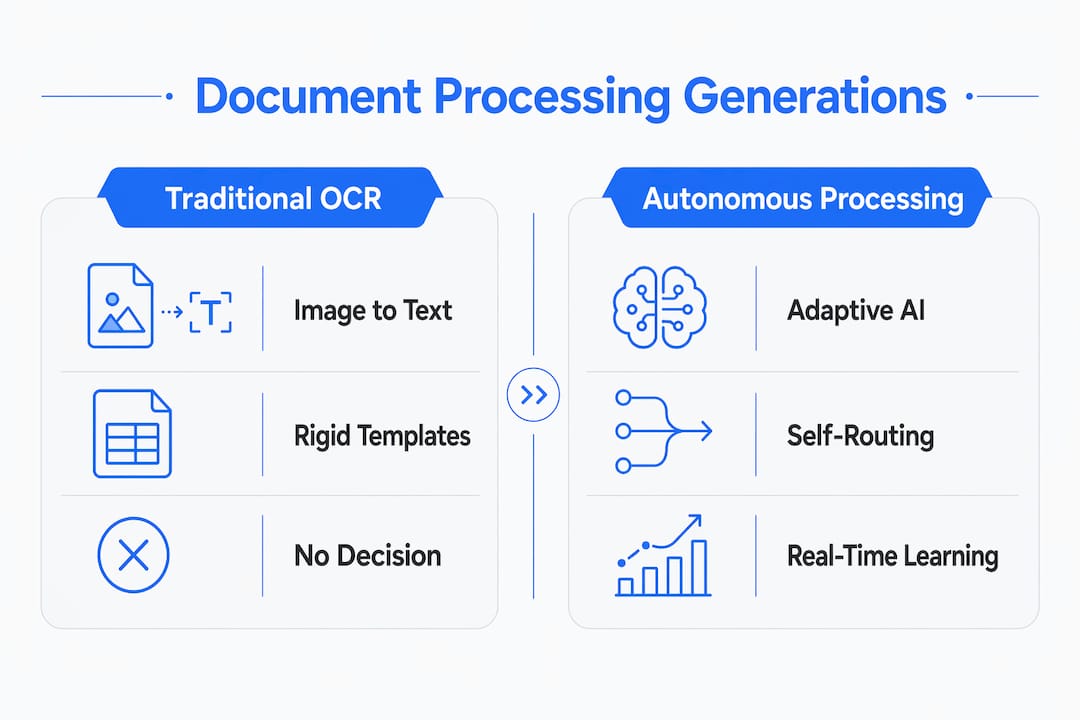
The table makes the business case visible. Moving from OCR to autonomous processing is not an incremental upgrade. It is a structural shift in how document data flows through your organization.
Pro Tip: If your current IDP system requires a consultant to retrain models every time a supplier changes their invoice template, that is a strong signal you are still operating in the second generation, not the third.
What are the real-world benefits of autonomous document processing?
The practical benefits of document processing at this level of autonomy fall into four categories that matter directly to finance, legal, HR, and operations teams.
-
Labor cost reduction. Finance teams processing thousands of invoices monthly spend significant time on manual data entry, matching, and approval routing. Autonomous systems handle classification, extraction, validation, and routing without staff involvement on standard documents. Teams redirect that capacity to exception resolution and vendor relationship management instead.
-
Error reduction and data accuracy. Manual data entry carries an inherent error rate. Autonomous systems improve accuracy by automating classification, extraction, validation, and routing across document types including invoices, contracts, and HR forms. Fewer errors in source data means fewer downstream corrections in ERP and CRM records.
-
Compliance and audit readiness. Regulated industries like insurance and financial services face document retention and audit requirements that are expensive to satisfy manually. Tamper-evident audit trails that capture ingestion timestamps, model versions, classification decisions, and reviewer overrides satisfy regulatory requirements without reconstructing manual steps after the fact. DocuPOW’s insurance workflow solutions are built around exactly this compliance architecture.
-
Cross-department applications. In legal departments, autonomous agents extract key clauses, dates, and obligations from contracts and flag deviations from standard terms. In HR, they process onboarding documents, verify credentials, and update employee records in Workday without manual input. In real estate, they handle lease abstractions, title documents, and closing packages at a scale no manual team can match.
Feedback loops and context awareness enable these systems to learn over time while making real-time decisions. A system processing construction contracts for six months will outperform the same system on day one because it has learned the specific language patterns, exception types, and routing rules your organization uses.
How to implement autonomous document processing successfully
Successful implementation depends less on the technology you choose and more on the decisions you make before deployment.
-
Evaluate integration APIs first. A system that cannot connect to your existing SAP, Salesforce, or SharePoint environment will require custom middleware that adds cost and fragility. Confirm native connectors before evaluating any other feature. DocuPOW’s AI document automation platform is built with pre-configured integrations for common enterprise stacks.
-
Define decision boundaries and validation gates. Configurable thresholds and business rules determine when agents escalate rather than produce unreliable outputs silently. Define these boundaries before go-live, not after your first batch of misrouted documents.
-
Balance autonomy with human review workflows. Design reviewer queues for exceptions from the start. Autonomous processing reduces human touchpoints but does not eliminate them. Teams need clear ownership of the exception queue and defined response time standards.
-
Build auditability into the architecture. Immutable audit trails that log every extraction, decision, and override are not optional for regulated industries. Confirm that your chosen platform generates these logs automatically and stores them in a format your compliance team can access without vendor assistance.
-
Plan change management alongside technical deployment. Staff who previously handled manual document routing need retraining on exception management and quality review. Teams that understand why the system escalates certain documents will resolve exceptions faster and provide better feedback for model improvement.
Organizations that treat implementation as a technical project alone consistently underperform compared to those that treat it as an operational change program with technology as the enabler.
Key takeaways
Autonomous document processing delivers measurable efficiency and accuracy gains only when organizations combine adaptive AI agents with well-defined decision boundaries, human oversight workflows, and tamper-evident audit trails.
| Point | Details |
|---|---|
| Core definition | Autonomous document processing uses NLP, machine learning, and computer vision to handle documents end-to-end with minimal human input. |
| Human oversight remains essential | Systems escalate low-confidence documents to reviewers; autonomy reduces touchpoints but does not eliminate human accountability. |
| Audit trails are non-negotiable | Tamper-evident logs capturing every extraction, decision, and override are required for compliance and regulatory readiness. |
| Integration determines ROI | Native API connections to SAP, Salesforce, and Workday determine whether extracted data reaches downstream systems without manual handoffs. |
| Implementation is an operational change | Defining decision boundaries and retraining staff on exception management matters as much as the technology selection itself. |
Why “autonomous” deserves more scrutiny than it gets
I have watched organizations buy autonomous document processing platforms expecting a hands-off system and then spend the first six months frustrated that humans are still involved. That frustration comes from a misreading of what autonomous actually means in an enterprise context.
The word implies independence. What it actually delivers is conditional independence. The AI agent concept is powerful precisely because it operates within defined boundaries, not outside them. The moment you remove those boundaries in the name of full automation, you get silent errors that compound across thousands of documents before anyone notices.
The organizations I have seen get the most value from this technology are the ones that invest heavily in the exception workflow, not the automation workflow. They treat the human review queue as a strategic feedback mechanism, not a failure mode. Every escalated document is a data point that improves the model and tightens the decision boundaries over time.
My honest advice: do not evaluate autonomous document processing platforms on how few humans they require. Evaluate them on how well they handle the documents they cannot process confidently. That is where the real quality gap between platforms shows up, and it is the capability that protects you when document volumes spike or a new document type enters your workflow without warning.
The future of this technology points toward deeper integration with predictive analytics and real-time financial visibility, which is exactly where platforms like DocuPOW are heading. But the foundation is always the same: reliable extraction, honest escalation, and an audit trail you can defend in front of a regulator.
— Sameer
See autonomous document processing in action with DocuPOW
DocuPOW applies autonomous document processing across industries where document volume and accuracy directly affect revenue and compliance outcomes.
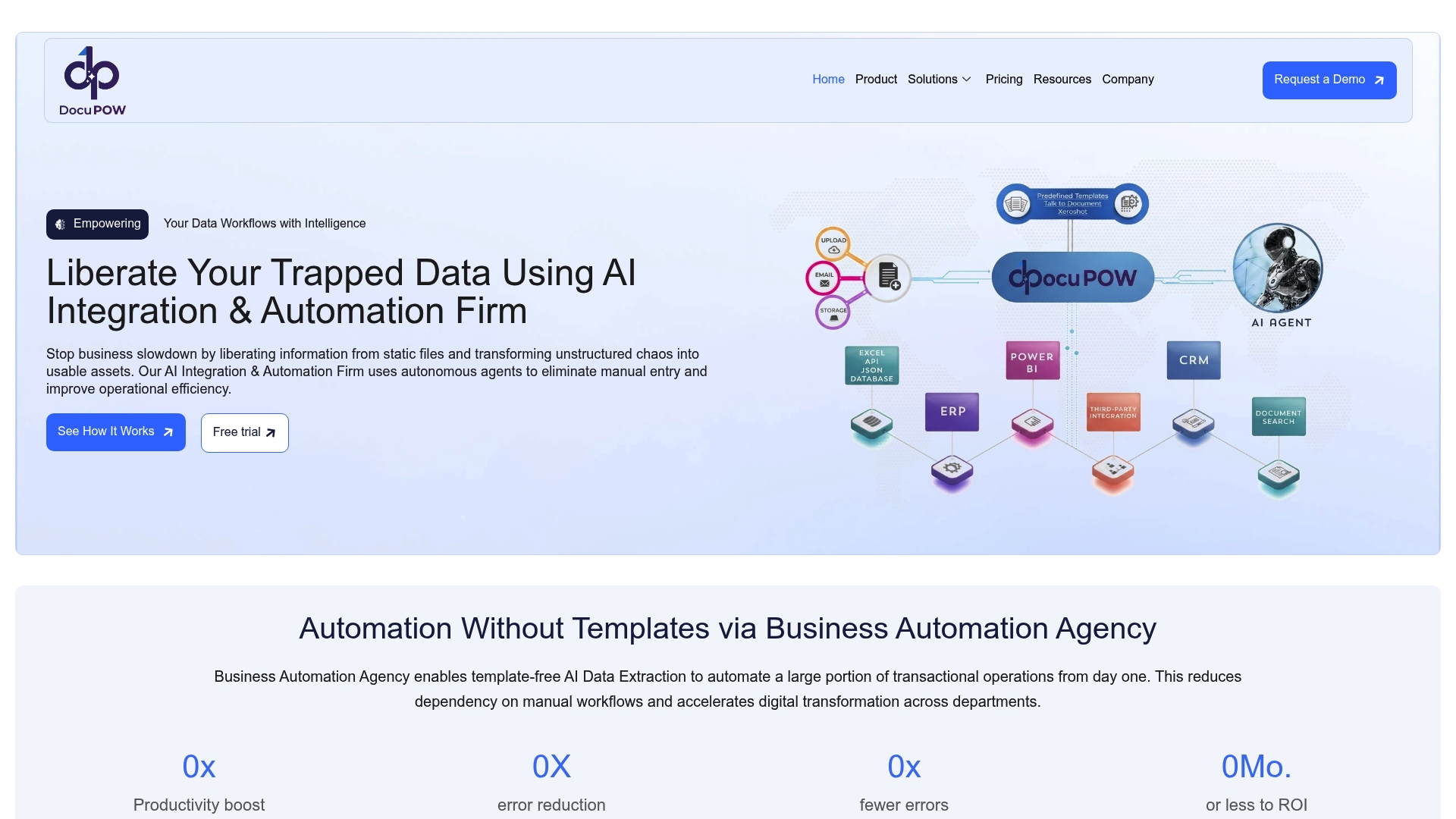
For real estate teams managing lease abstractions, title documents, and closing packages, DocuPOW’s real estate document automation handles extraction and routing at scale without template dependency. The platform’s AI agents understand document context, not just field positions, which means new document formats do not require manual reconfiguration. If you are evaluating platforms for high-volume environments, the DocuPOW product overview details the full capability set including real-time analytics and integration architecture. For organizations processing at scale in 2026, the high-volume processing guide covers the operational practices that separate efficient deployments from costly ones.
FAQ
What is autonomous document processing?
Autonomous document processing is an AI-driven system that independently ingests, extracts, validates, and routes data from business documents using NLP, machine learning, and computer vision. It handles end-to-end document workflows with minimal human intervention, escalating only low-confidence cases for review.
How is autonomous document processing different from OCR?
Traditional OCR converts images to text but has no decision-making capability and requires rigid templates. Autonomous document processing adds adaptive AI agents that classify, extract, validate, and route documents independently, handling new formats without manual retraining.
Does autonomous document processing eliminate human review entirely?
No. Even highly autonomous systems escalate uncertain cases to human reviewers based on confidence scores or business rules. Human oversight remains a core component of reliable autonomous workflows, not an optional add-on.
What systems can autonomous document processing integrate with?
Autonomous document processing platforms connect to ERP systems like SAP, CRM platforms like Salesforce, HR tools like Workday, and communication platforms like Teams and Slack through native APIs, routing validated data directly into existing business workflows.
What industries benefit most from autonomous document processing?
Finance, legal, HR, real estate, insurance, and construction teams all benefit from autonomous document automation. High-volume, document-intensive workflows with compliance requirements see the strongest return, particularly where manual data entry errors carry financial or regulatory consequences.
Recommended
See DocuPOW on your documents.
Stop building templates. Start extracting data.