What Is Document Workflow Automation? A 2026 Guide
<p>Discover what document workflow automation is and how it streamlines approval processes, enhances compliance, and boosts efficiency in 2026.</p>


Document workflow automation is the use of software to route documents through defined review, approval, and storage steps with minimal human intervention, replacing manual tasks like emailing files and chasing approvals in spreadsheets. Where a finance manager once forwarded invoices by hand and tracked sign-offs in Excel, an automated system handles every step from intake to archive. Technologies like Intelligent Document Processing (IDP) and audit trail systems sit at the core of modern implementations. The result is faster cycle times, fewer errors, and compliance records that build themselves. This guide explains how the process works, what it delivers, and how to design it right.
What is document workflow automation and how does it work?
Document workflow automation uses software to handle the document lifecycle as a repeatable process, from the moment a file enters a system to the moment it reaches secure archiving. The underlying model is straightforward: a trigger starts the workflow, rules define what happens next, and actions execute automatically without anyone manually forwarding or following up.
The trigger can be a document upload, a form submission, an email attachment, or an event in a connected system like a CRM or ERP. Once triggered, the workflow engine applies routing rules. A contract above a certain dollar value routes to legal and finance simultaneously. A vendor invoice below a threshold routes directly to accounts payable for single-step approval. These conditional paths are defined once and then run without supervision.
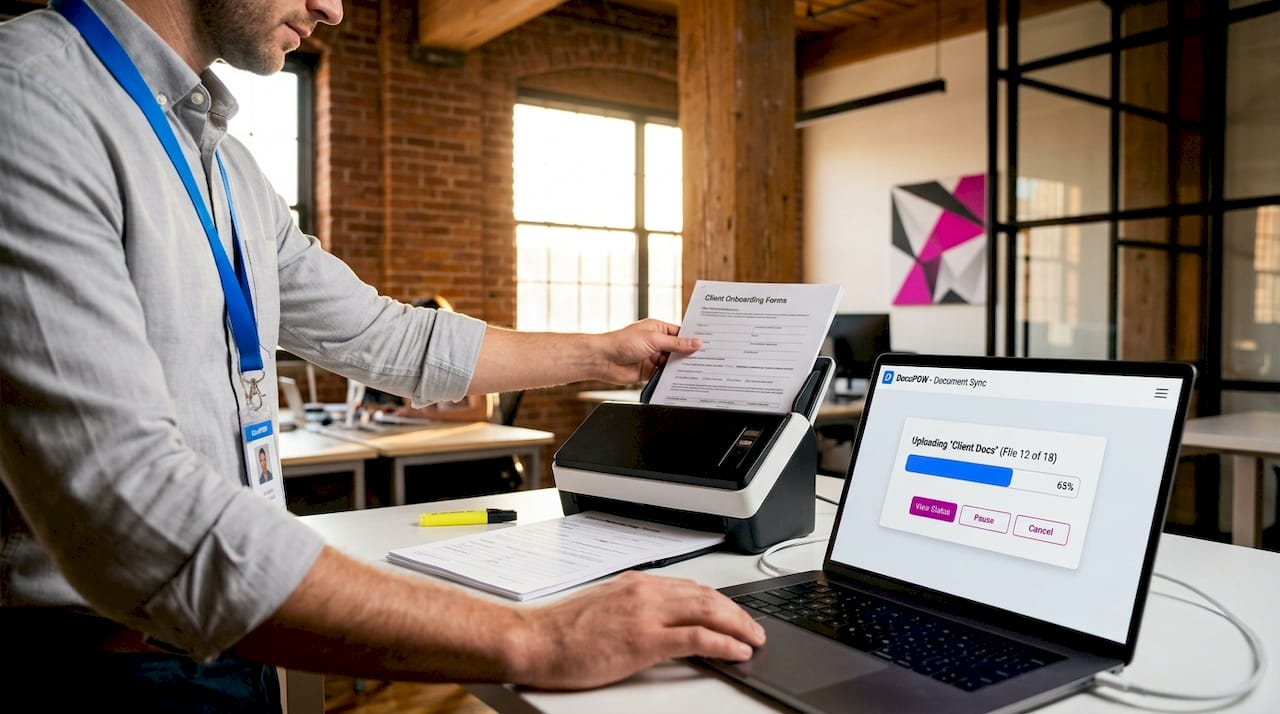
Intelligent Document Processing sits inside this model as the layer that reads and understands documents. IDP goes beyond basic OCR by extracting named fields like vendor name, invoice total, and due date, then using that data to make routing decisions. A purchase order with a missing approval code gets flagged and returned automatically. A completed insurance claim with all required fields routes straight to the adjuster queue.
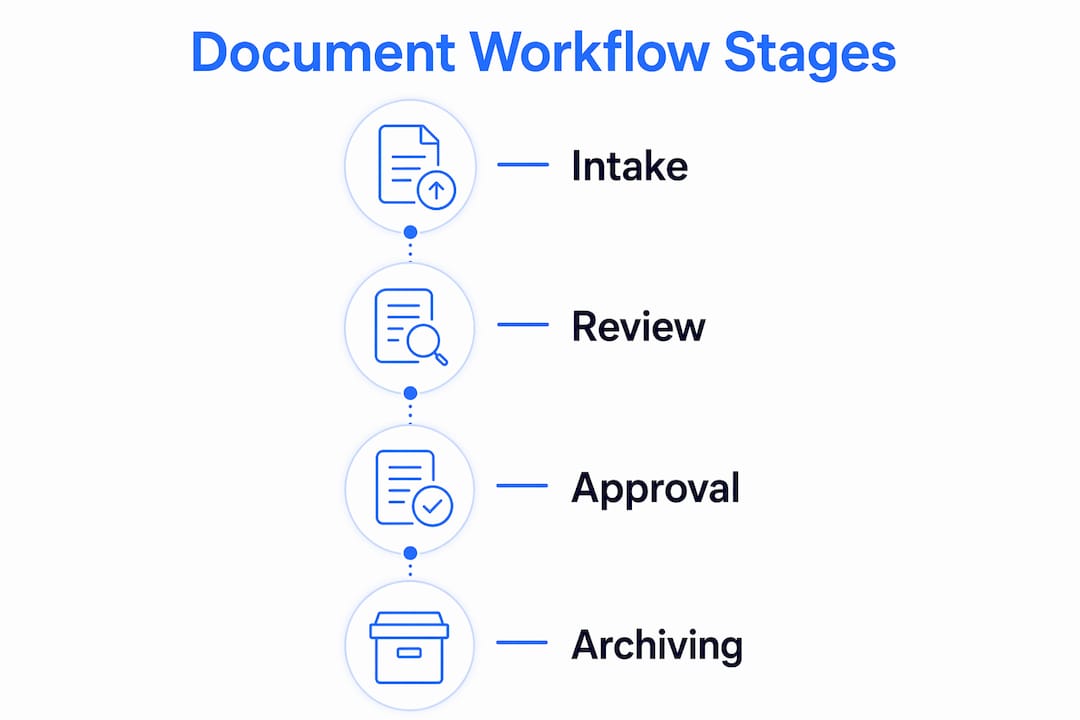
The end-to-end lifecycle runs through four stages: intake, review, approval, and archiving. Each stage can include parallel steps (multiple reviewers working simultaneously) or sequential steps (one reviewer must approve before the next is notified). Every action at every stage is logged, creating a record that supports compliance reporting without any extra effort.
Pro Tip: Map your current document process on paper before configuring any automation tool. Identify every handoff, every decision point, and every person who touches the document. Automation amplifies whatever process you give it, so a poorly mapped process produces a faster version of the same problem.
What are the key benefits of automating document workflows?
Automated workflows can cut administrative costs by 30 to 40% and reduce processing errors by up to 90%. Those numbers reflect what happens when you remove the friction of manual handoffs, re-keying data, and hunting down approvals across email threads.
The specific advantages break down across five areas:
- Speed. Approval cycles that once took days or weeks compress to hours. A mortgage application that required a loan officer to physically route documents between departments can move through digital review in the same afternoon.
- Accuracy. IDP extracts and validates data fields before any human sees the document, catching mismatches and missing information at intake rather than after processing.
- Compliance. Every action is timestamped and attributed to a specific user, creating the kind of audit trail that satisfies SOX, HIPAA, and GDPR requirements without manual preparation.
- Visibility. Managers see exactly where every document sits in the workflow in real time. Bottlenecks become visible immediately rather than surfacing only when a deadline is missed.
- Cost reduction. Fewer manual steps mean fewer labor hours spent on low-value tasks. Rework from errors drops sharply when validation happens automatically at intake.
Workflow automation handles repetitive tasks like data entry and approvals to reduce manual effort while maintaining consistency across every transaction. For a department processing hundreds of documents per week, that consistency is as valuable as the speed gain. One missed approval in a regulated industry can trigger an audit. Automation makes the compliant path the only path.
The compliance benefit deserves special attention for managers in regulated industries. Automated approval workflows create audit evidence as a byproduct of normal operations, eliminating the need for manual audit preparation. Every delegation, escalation, and document version is recorded continuously. When an auditor asks for evidence of who approved a specific contract revision, the system produces it in seconds.
How to design effective document workflows with clear roles and audit trails
The most common reason document workflow projects fail is that teams start from a list of task statuses rather than from a model of who is responsible for what decision. Starting from responsibility and decision rights is the foundation of a dependable workflow. A status like “under review” tells you nothing about who owns the next action or what authority they have to approve, reject, or escalate.
Effective workflow design begins with three questions for each step: Who has the authority to act? What conditions trigger escalation? What evidence must the system capture? Answering these before touching any software prevents the most expensive redesign cycles.
The distinction between a compliance-grade audit trail and a basic activity log matters enormously in regulated environments. The table below shows the difference:
| Feature | Basic activity log | Compliance-grade audit trail |
|---|---|---|
| Actor identity | Username only | Full user identity with role |
| Timestamp | Action time | Action time plus session context |
| Data visibility | Status change only | Field-level before and after states |
| Version tracking | None | Document version ID at each step |
| Justification capture | None | Required comment on rejection or escalation |
| Export capability | Manual screenshot | Structured export for auditors |
Compliance-grade audit trails must capture actor identity, timestamps, actions, version IDs, prior versus new states, and justifications. This completeness prevents audit failures from evidence gaps. A basic log that records “document approved by jsmith at 14:32” fails a HIPAA audit. A compliance trail that records the document version, the field values at approval, and the approver’s stated authority passes it.
Escalation paths are equally important. If a reviewer does not act within a defined window, the workflow should automatically notify their manager and reassign the task. This prevents documents from stalling silently in someone’s queue. Define escalation thresholds during design, not after the first missed deadline.
Pro Tip: Build your audit trail requirements before selecting a workflow tool, not after. Many platforms log actions but do not capture field-level state changes or support structured export. Discovering this gap after deployment means rebuilding the workflow from scratch.
What tools and technologies power document workflow automation?
The technology stack behind document workflow automation typically combines three layers: document understanding, workflow orchestration, and system integration. Separating document understanding from orchestration improves automation reliability because each layer can be optimized independently.
The core technologies and capabilities to evaluate include:
- IDP platforms that extract structured data from unstructured documents, including PDFs, scanned forms, and email attachments, without relying on rigid templates. DocuPOW uses autonomous agents that understand document context rather than matching fixed field positions, which handles variation across vendor formats without manual reconfiguration.
- Workflow orchestration engines that manage routing rules, parallel and sequential approvals, notifications, and escalations. Platforms like Microsoft Power Automate and ServiceNow handle orchestration for general business processes, while purpose-built document automation platforms offer deeper document-specific logic.
- OCR and AI classification that identify document type at intake and route accordingly. An incoming PDF might be a contract, an invoice, or a compliance certificate. AI classification determines which workflow applies before any human reviews it.
- Integration connectors that link the workflow to existing business systems. A workflow that extracts invoice data but cannot write it to SAP or Oracle still requires manual re-entry. Native connectors or API-based integrations to ERP, CRM, and email platforms close that gap.
- Version control and notification systems that track every document revision and alert stakeholders at each transition. For industries like logistics and shipping, automated routing and version control across shipping manifests and compliance documents reduces costly errors in high-volume operations.
The intelligent document processing layer is where the most significant capability gains are happening in 2026. Machine learning models trained on domain-specific document types now achieve extraction accuracy that matches or exceeds manual data entry, while processing documents in seconds rather than minutes. For managers evaluating tools, the key question is not whether a platform uses AI, but whether its AI handles the specific document types and variation your organization actually processes.
Key Takeaways
Document workflow automation delivers measurable efficiency, accuracy, and compliance gains only when the underlying process design starts from clear responsibility models and compliance-grade audit trail requirements.
| Point | Details |
|---|---|
| Core definition | Automation routes documents through intake, review, approval, and archiving with minimal manual intervention. |
| IDP drives accuracy | Intelligent Document Processing extracts and validates field-level data before routing, cutting errors at the source. |
| Audit trails require completeness | Compliance-grade trails capture actor identity, timestamps, field states, and justifications, not just status changes. |
| Design from responsibility first | Start workflow design with decision rights and escalation paths, not task statuses, to avoid costly redesigns. |
| Cost and error reduction | Automated workflows can cut administrative costs by 30 to 40% and reduce processing errors by up to 90%. |
Why most automation projects underdeliver, and what actually fixes it
I have seen organizations invest in capable workflow platforms and still end up with the same bottlenecks they started with. The platform was not the problem. The process design was. Teams mapped their existing email-based process into the new tool and called it automation. What they got was a digital version of the same broken handoffs.
The organizations that get real results do one thing differently. They treat the automation project as a process redesign project first and a technology project second. They ask who owns each decision, not just who performs each task. They define what “approved” actually means in terms of data completeness and authority level before they configure a single routing rule.
The other pattern I see consistently is underinvestment in the audit trail. Managers assume their platform logs everything they need until the first audit request arrives. Field-level state changes, justification capture, and structured export are not default features in most general-purpose workflow tools. You have to specify them as requirements before you sign a contract.
The future of this space is AI that handles document variation without template maintenance. The shift from rule-based extraction to context-aware agents means workflows can handle new document formats without IT involvement. That is the capability gap worth closing in 2026, and it is where purpose-built platforms are pulling ahead of general automation tools.
— Sameer
See how DocuPOW handles this for your team
DocuPOW’s intelligent document automation platform combines context-aware AI agents with compliance-grade audit trails and direct integration into ERP and CRM systems, covering every stage from intake to archive. Unlike template-dependent tools, DocuPOW handles document variation across vendor formats without manual reconfiguration. Industry-specific solutions are available for real estate workflows, insurance document processing, and manufacturing operations. If your team is processing documents manually or managing approvals across email, DocuPOW’s platform replaces that friction with a traceable, auditable process that runs without supervision.
FAQ
What is document workflow automation in simple terms?
Document workflow automation is software that moves documents through defined steps, such as review, approval, and storage, automatically, without manual forwarding or follow-up. It replaces email chains and spreadsheet tracking with a system that routes, notifies, and records every action.
How does IDP differ from basic OCR in document workflows?
OCR converts scanned images to text, while Intelligent Document Processing extracts specific named fields, validates their content, and uses that data to trigger routing decisions. IDP drives workflow logic; OCR only produces raw text.
What makes an audit trail compliance-grade?
A compliance-grade audit trail captures actor identity, timestamps, document version IDs, field-level before and after states, and justifications for each action. Basic logs that record only status changes do not meet SOX, HIPAA, or GDPR standards.
How long does it take to implement document workflow automation?
Implementation timelines vary by complexity, but a single well-defined workflow, such as invoice approval or contract review, can be configured and tested within two to six weeks when the process design and responsibility model are defined before configuration begins.
What is the biggest mistake organizations make when automating document workflows?
The most common mistake is mapping an existing broken process directly into the automation tool. Starting from a list of task statuses rather than from a clear model of decision rights and escalation paths produces a faster version of the same problem.
Recommended
See DocuPOW on your documents.
Stop building templates. Start extracting data.