Top 3 Docsumo.com Alternatives for Efficient Solutions 2026
Explore 3 top docsumo.com alternatives to choose efficient document processing solutions that streamline workflow and reduce manual errors.


Adapting document processing to new formats and scaling workflows without manual rule building slows teams down. Many platforms require strict templates, advance rule configuration, or expensive usage plans that complicate onboarding and grow costs for high volume teams. This comparison covers pricing, automation depth, and integration support so business teams can match a document processing platform to their volume and workflow without wasted setup.
Table of Contents
DocuPOW
At a Glance
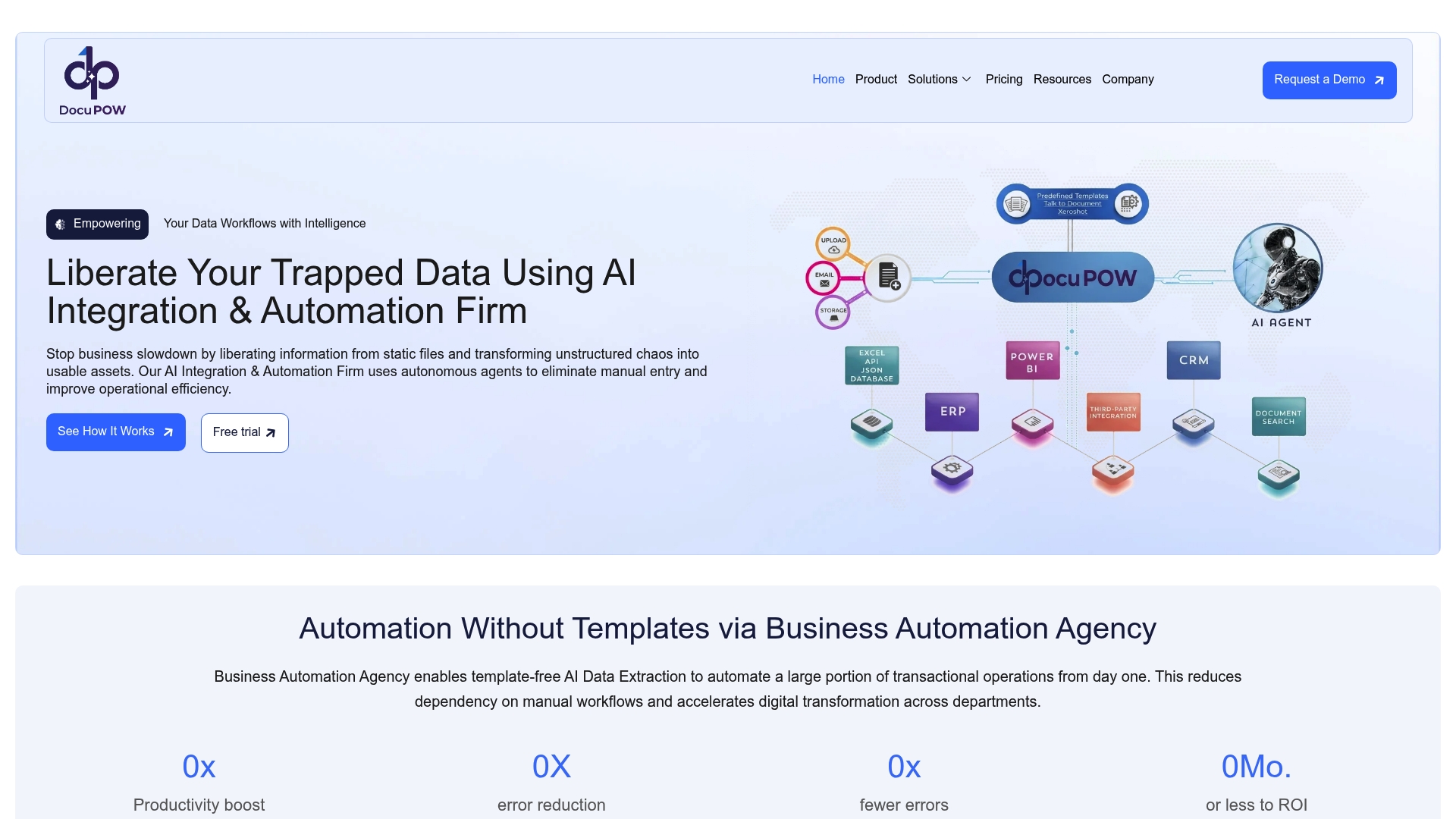
ZeroShot learning adapts DocuPOW to new document layouts without building templates. The platform uses autonomous agents that read context and extract fields from unstructured documents. That reduces manual mapping for large batches and speeds up onboarding of new suppliers.
Core Features
DocuPOW runs autonomous document processing that continuously improves accuracy through machine learning. It handles structured, semi structured, and unstructured documents in PDF, JPEG, and PNG and accepts inputs from email and API. The system integrates with enterprise software and supports customizable validation and enrichment workflows in an API first architecture.
Key Differentiator
The standout technical feature is ZeroShot learning, which extracts data from unfamiliar formats without labeled templates. That lowers setup time when document formats change frequently. Teams that receive diverse invoice and form layouts gain faster usable output and less manual labeling.
Pros
The AI adapts with each processed document and retrains models to improve extraction accuracy over time. Template free processing removes the need for per vendor rules and reduces triage work. Deep integration options let you push validated data into ERPs and CRMs or into analytics tools. Support for multiple input formats and API first workflows fits automation projects that must tie into core enterprise systems.
Cons
- Limited third party reviews. You should run a pilot to confirm accuracy for your document types.
Notable Integrations
DocuPOW connects to ERPs and CRMs and exposes APIs for custom links. It also connects with Power BI and Power Automate for reporting and workflow triggers.
- ERPs
- CRMs
- Power BI
- Power Automate
- APIs
Who It’s For
Large enterprises and organizations with high document volumes across departments will see the most benefit. Global manufacturers that need real time spend analysis and faster financial visibility match the platform well. Teams with internal developer resources will use the integration and customization options most effectively.
Unique Value Proposition
Autonomous agents that understand document context remove reliance on rigid templates and manual rules. That lets DocuPOW turn varied document feeds into structured, validated data quickly. With real time analytics and predictive insights available after extraction, finance and procurement teams can move from reactive reconciliation to proactive review. The net result is lower manual entry and clearer operational visibility across large document pipelines.
Real World Use Case
A global manufacturer replaced manual invoice sorting with DocuPOW extraction and feeding spend data into analytics. Finance saw faster access to vendor spend details and clearer routing of exceptions. That change supported quicker, data driven decisions across procurement and accounting.
Pricing
Pricing varies by plan and volume, with per page rates in tiered packages and custom enterprise agreements available. Organizations should request a quote to match expected volumes and required integrations.
Website: https://docupow.ai
Docparser

At a Glance
Starter plan begins at $32.50 per month. That entry price signals a pay for credits model rather than unlimited parsing. Docparser focuses on no code extraction across PDFs, Word files, images, CSV, XML, and spreadsheets. The offering includes advanced image preprocessing and an AI parsing option called DocparserAI.
Core Features
Docparser lets teams build parsing rules without writing code and process multiple layouts inside a single parser. It combines zonal OCR, table and form extraction, checkbox and barcode capture, and image deskewing and artifact removal. The platform offers export to Excel, CSV, JSON, and XML plus APIs and webhooks for automation.
Key Differentiator
Docparser pairs no code rule building with an AI parsing layer and support for multi layout parsing. That combination reduces manual rule crafting for predictable layouts while still letting teams tune rules for complex documents. The product also emphasizes direct API and webhook access for automation workflows.
Pros
Docparser is approachable for teams that lack developers because rule setup requires no code. Its OCR and pattern recognition handle images and table extraction reliably for many common document types. The platform supports a wide set of export formats and includes API and webhook options that let you push parsed data into downstream systems. Integration options cover both cloud storage and automation platforms, which helps connect parsing to existing workflows.
Cons
- Pricing can become expensive for very high volume use. This may push large throughput teams to seek usage agreements.
- Complex documents often need advanced rule tuning and manual adjustments. That work increases onboarding time for difficult layouts.
- The free tier is limited, and most useful features sit behind paid plans. Many capabilities depend on the plan level.
When It May Not Fit
If you process millions of pages per month, the credit based pricing could prove costly. Teams that need fully managed configuration for highly variable legal or scientific documents may find the rule tuning overhead prohibitive. Also, features like multi layout parsers and content summarization depend on plan level, which can restrict access for smaller budgets.
Notable Integrations
- Google Sheets
- Salesforce
- Microsoft Excel and OneDrive
- Dropbox
- Box
- Zapier
- Microsoft Power Automate
- Make (formerly Integromat)
Who It’s For
Docparser suits business teams and professionals who want to extract structured data from scanned documents without coding. Accounting, retail, eCommerce, logistics, manufacturing, and legal teams will find familiar workflows supported. Organizations that already use cloud storage or automation tools will gain the most immediate value from its integrations.
Real World Use Case
A retail operation uses Docparser to pull fields from shipping and delivery notes. The parser extracts order numbers, quantities, and carrier details into a spreadsheet. That reduces manual entry and speeds up fulfillment reconciliation.
Pricing
Docparser offers monthly subscription tiers starting at $32.50 per month for the Starter plan, with credits and parser limits that scale by tier. Larger organizations can request custom enterprise plans that adjust parser counts and usage limits.
Website: https://docparser.com
Parashift AI
At a Glance
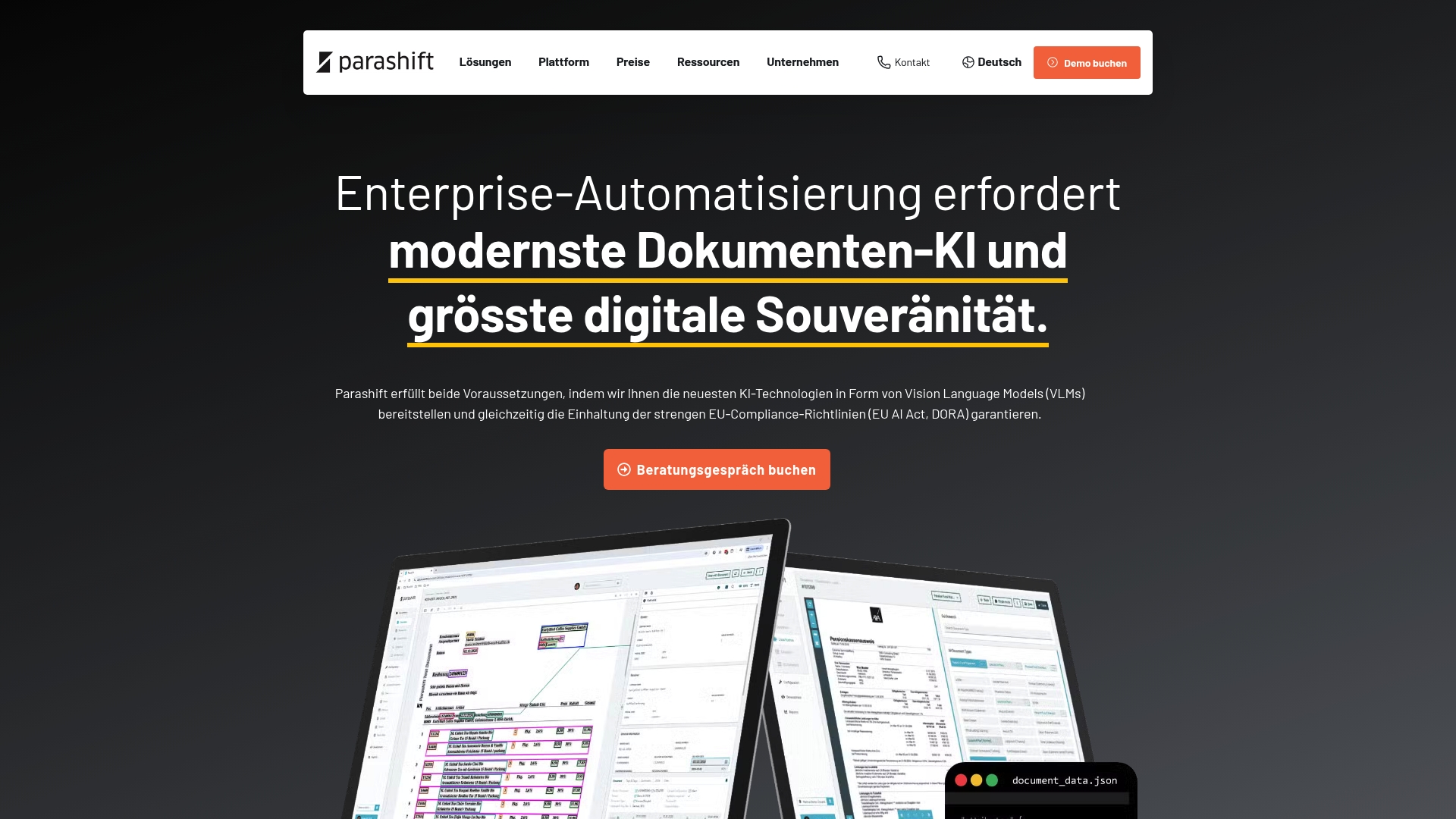
Parashift AI reports over 90% straight through processing (STP) and claims zero hallucinations using deterministic guardrails. The vendor positions the platform for regulated European customers by emphasizing data sovereignty and compliance with the EU AI Act and DORA. That combination aims to reduce manual work in document workflows while keeping data within European controls.
Core Features
Parashift delivers intelligent document processing with AI driven document and receipt separation, automated document classification, and AI data extraction. The platform includes an agentic OCR API for optical character recognition and supports multiple model options, including vision language models. Governance tools and deployment flexibility let teams pick private cloud or on premises installs to meet regulatory needs.
Key Differentiator
Parashift focuses on sovereign, compliance oriented models with deterministic guardrails that the vendor says prevent hallucinations. That focus targets organizations that must control where data lives and how AI decisions are governed. Private cloud and on premises deployment options reinforce the compliance focus for regulated sectors.
Pros
High compliance focus and European data sovereignty stand out for regulated teams. Multiple model options, including vision language models, give architects choices for accuracy and latency trade offs. Deterministic guardrails aim to reduce extraction errors, and the platform supports private cloud and on premises deployment to match strict hosting policies. That accuracy claim has strong appeal for audit sensitive processes.
Cons
- Platform implementation may be complex for smaller organizations unfamiliar with AI driven document processing.
- Cost and integration complexity might be a barrier for smaller companies or less regulated industries.
- Pricing is listed as not applicable and informational only, which leaves list prices and packaging unclear.
When It May Not Fit
Teams without internal technical resources will likely face a steeper setup and integration effort. Organizations that need a plug and play low cost tool for light volume processing may find the platform overly sophisticated. Small teams that prefer vendor hosted low touch setups may want a simpler entry product.
Notable Integrations
Parashift lists integrations with d.velop, JobRouter, and M-Files. Those connectors suit enterprise content management and workflow platforms common in European regulated environments. Integration options help embed extraction into document repositories and process automation systems.
Who It’s For
Mid sized to large enterprises in banking, insurance, healthcare, and logistics that require compliant, sovereign AI document processing will get the most value. Teams with internal IT or automation engineering capacity will use multiple model options and private cloud deployment best. Companies that must meet the EU AI Act or DORA are the primary fit.
Real World Use Case
Parashift’s marketing materials state a 70% reduction in manual effort after deployment at a major European bank. The vendor also reports over 90% processing accuracy in that deployment. Those figures indicate the platform is tuned for high volume financial documents where compliance and audit trails matter.
Pricing
Pricing is listed as not applicable and informational only. No public tiered prices are provided, so buyers should contact sales for custom quotes and deployment options. Expect enterprise licensing and optional private cloud costs based on volume and hosting choices.
Website: https://parashift.ai
Comparison of alternatives
Organizations seeking intelligent document processing solutions have options to suit diverse operational needs. Each platform offers distinct capabilities that align with specific workflows and requirements.
Document comprehension and processing adaptability
Among the reviewed platforms, DocuPOW excels in adapting to a variety of document formats through its proprietary ZeroShot learning technology. This eliminates the hassle of manual template creation, benefiting teams handling diverse supplier or vendor documents. In contrast, Docparser offers a user-friendly no-code interface ideal for small businesses during initial proof-of-concept implementations. While approachable, Docparser might require rule adjustments for poorly structured documents, leading to a slower implementation timeline for complex setups. Parashift AI stands apart for its compliance-oriented document storage and processing features that ensure adherence to strict European regulations, making it the favored choice for highly regulated industries.
Pricing and implementation flexibility
Docparser leads with transparent subscription models catering to businesses scaling document parsing processes incrementally, starting at $32.50/month. Conversely, Parashift AI and DocuPOW offer enterprise agreements with customizable pricing based on usage and deployment configurations. While Parashift’s compliance-centric pricing proves advantageous for its target demographic, smaller companies might find hidden costs challenging to forecast, making Docparser appealing in budget-limited scenarios. DocuPOW’s pricing model accommodates tailored integrations, appealing to large-scale enterprises with multi-department document workflows.
Best fit
- DocuPOW serves enterprises requiring template-independent solutions for high document varieties and workflows needing validated, structured data integration with multiple systems.
- Parashift AI is well-suited for organizations prioritizing strict data governance within European oversight frameworks, especially in finance and healthcare sectors.
- Docparser supports small-to-medium businesses looking to implement straightforward no-code document parsing and export workflows.
Our pick
DocuPOW offers adaptability through its advanced ZeroShot learning system, allowing processing of varied document formats without manual interventions. Enterprises handling large-scale, unpredictable document inflows and aiming to minimize manual setup time will find DocuPOW indispensable. Where simpler parsing needs are sufficient, Docparser provides a capable alternative that balances functionality and entry price effectively.
Intelligent document processing platforms offer features tailored to different organizational needs, with variations in functionality, user focus, and pricing structures.
| Product | Core Feature | Key Differentiator | Pricing | Notable Limitation |
|---|---|---|---|---|
| DocuPOW | Autonomous Document Processing | ZeroShot learning for adaptable data extraction | Price not published | Limited third-party reviews |
| Docparser | No-code parsing and multi-layout support | Flexible rule creation with an AI parsing layer | $32.50/month and up | Credits-based model can become expensive |
| Parashift AI | Compliance-focused document processing | Deterministic guardrails and European data sovereignty | Price not published | May be overly complex for small or non-technical organizations |
Facing Challenges in Choosing Docsumo.com Alternatives for Document Processing
Many teams struggle with rigid templates and high manual effort when switching document processing solutions. DocuPOW solves this by using autonomous agents that read document context and extract data without relying on fixed layouts. Global manufacturers and large enterprises appreciate how DocuPOW cuts manual entry and boosts financial clarity with real-time analytics.
Key benefits include:
- Template-free extraction for faster onboarding
- AI-driven improvements that increase accuracy over time
- Deep integration options for ERPs and analytics platforms
Learn more about DocuPOW’s AI integration and how it supports high-volume document workflows. See how your team can cut costs and speed decisions by using DocuPOW’s real-time analytics features to move from reactive reconciliation to proactive review.
FAQ
How does DocuPOW’s ZeroShot learning improve document processing?
DocuPOW’s ZeroShot learning adapts to new document layouts without building templates. This capability reduces manual mapping and speeds up onboarding of new suppliers. Organizations expecting frequent changes in document formats will benefit from faster processing and less time spent on setup.
What is the difference between DocuPOW and Docparser?
Docparser excels with advanced image preprocessing and a no-code extraction focus across multiple document types. On the other hand, DocuPOW’s ZeroShot learning allows it to manage unstructured documents efficiently, making it ideal for environments with diverse invoice formats. Teams seeking quick adaptation to varied document layouts should consider DocuPOW.
Which platforms does DocuPOW integrate with for enterprise solutions?
DocuPOW connects seamlessly with ERPs and CRMs, enhancing its usability in enterprise environments. This integration capability supports customizable validation and enrichment workflows. Businesses should look into these features to ensure alignment with their existing systems and improve overall process efficiency.
Can I trust DocuPOW for compliance in regulated industries?
While DocuPOW offers strong document processing capabilities, organizations in highly regulated sectors may need to assess its compliance features. Teams should conduct thorough pilots to ensure it meets specific regulatory requirements before full deployment.
What unique advantage does DocuPOW offer for large enterprises?
DocuPOW’s standout feature is its autonomous agents that understand document context, which eliminates reliance on rigid templates. This allows large enterprises to efficiently process high volumes of diverse documents and gain quicker insights into their operations.
Recommended
See DocuPOW on your documents.
Stop building templates. Start extracting data.