Document Classification: A Practical Guide for Professionals
Master Document Classification to streamline your workflow. Learn when to use rule-based, machine learning, or hybrid systems effectively.


TL;DR:
- Document classification assigns labels to documents to route and manage information efficiently.
- Hybrid approaches combining rules, machine learning, and human review are best for high-volume, diverse, or compliance-driven environments.
- Pre-ingestion classification keeps access controls and retention policies aligned, reducing costs and errors in production workflows.
Document classification automatically assigns category labels to documents so teams can route, secure, and act on information at scale. The bottom line: if your document volume is low and variability is predictable, rule-based systems work fine. Once volume climbs, document types diversify, or compliance requirements demand auditability, you need machine learning or a hybrid approach.
What goes in:
- Text content, visual layout, and metadata (file type, sender, date, size)
What comes out:
- Category labels, confidence scores, and routing decisions
What happens next:
- Retention scheduling, access control enforcement, and workflow routing to the right team or system
When to pick which approach:
- Rules-based: low volume, stable formats, strict compliance (e.g., a single invoice template from one vendor).
- ML/deep learning: high volume, variable formats, multiple document types across departments
- Hybrid: the practical default for most enterprises — rules handle the easy cases, ML handles the rest, and humans review low-confidence outputs
Table of Contents
- How does document classification work from ingestion to routing?
- What types of document classification should you use?
- How do you build an end-to-end ML workflow for document classification?
- Which model should you use for document classification?
- How do you evaluate a document classifier?
- Where does document classification deliver real ROI?
- What are the most common implementation failures and how do you avoid them?
- What accuracy should you realistically expect in production?
- What tools and integration patterns should you consider?
- Key Takeaways
- The part most guides skip: governance is the real bottleneck
- DocuPOW turns classification complexity into production-ready workflows
- Useful sources
- FAQ
How does document classification work from ingestion to routing?
Every production classifier runs through the same core stages, even when the underlying model differs. Understanding where each stage sits helps you make better engineering and governance decisions before you write a single line of code.
| Stage | What happens | Key governance decision |
|---|---|---|
| Ingestion | Documents enter the pipeline (email, upload, scan, API) | Define accepted formats and reject/quarantine rules |
| OCR / visual processing | Scanned images and PDFs are converted to machine-readable text | Choose OCR engine; set minimum DPI and quality thresholds |
| Text normalization | Tokenization, lowercasing, stopword removal, de-hyphenation | Decide language handling and domain-specific vocabulary |
| Feature extraction | Text n-grams, layout coordinates, metadata fields | Select feature set per model family |
| Model inference | Rules engine, ML model, or LLM assigns a candidate label | Set confidence threshold and fallback behavior |
| Confidence scoring | Model outputs a probability or score per class | Define routing tiers (auto-accept, review queue, reject) |
| Tagging and routing | Accepted labels trigger downstream actions | Map labels to retention policies and access controls |
| Audit and feedback | Human corrections feed back into training data | Schedule retraining cadence and ground-truth refresh |
One decision that catches teams off guard: whether to classify before or after ingestion. Classifying after ingestion is the default path of least resistance, but it creates a governance gap. Documents land in a shared repository without labels, which means access controls, retention policies, and downstream AI pipelines all operate on unlabeled data until the classifier catches up. Pre-ingestion classification closes that gap at the source.
A production GenAI IDP experiment at Associa found that first-page-only classification with OCR raised accuracy from 91% to 95% while cutting per-document cost roughly in half. That result points to a broader principle: you rarely need to process the full document to get a reliable label.
Pro Tip: Never classify after bulk ingestion if you can avoid it. Pre-ingestion labeling keeps your access controls and retention policies accurate from day one. Retrofitting labels onto an existing repository is expensive, error-prone, and often politically fraught.
What types of document classification should you use?
Choosing the right classification type is not a model question — it is an architecture question. The wrong taxonomy design will break a project even when the model itself performs well.
Content-based, structure-based, and intent-based classification
Content-based classification assigns labels based on what a document says. A legal brief, a medical record, and a financial statement each carry distinct vocabulary and semantic patterns that a trained model can separate reliably.

Structure/type-based classification focuses on the document’s physical form: is it a form, a letter, a table-heavy spreadsheet, a scanned ID? Layout features (field positions, table structures, header patterns) drive the label rather than the text itself. This approach works well for invoice routing and claims processing, where the document type determines the downstream workflow regardless of content.
Intent-based classification asks what the sender or author wants. A support ticket that says “my account is locked” has a clear intent (access recovery) even though the words vary wildly across customers. This type is common in customer service triage and procurement request handling.
Single-label vs. multi-label, flat vs. hierarchical
Single-label classification assigns one category per document. Multi-label allows several, which matters when a document genuinely belongs to more than one class — a contract addendum that is both a legal record and a financial commitment, for example.
Flat taxonomies are simpler to train and evaluate. Hierarchical taxonomies (e.g., Financial > Invoices > Purchase Orders) give you more granular routing but require more labeled data per leaf node and more careful evaluation at each level.
| Document type | Recommended classification type | Taxonomy shape |
|---|---|---|
| Vendor invoices | Structure/type-based | Flat or shallow hierarchy |
| Legal contracts | Content-based + multi-label | Hierarchical |
| Support tickets | Intent-based | Flat with escalation tiers |
| Regulatory filings | Content-based + multi-label | Hierarchical |
| Procurement documents | Structure + intent-based | Flat |
| HR records | Content-based | Hierarchical |
Decision cheat-sheet:
- High volume, low variability → rule-based or structure-based, flat taxonomy
- High variability, compliance-sensitive → content-based ML, hierarchical taxonomy with human review
- Mixed populations, rapid iteration needed → intent-based or LLM zero-shot, flat taxonomy to start
How do you build an end-to-end ML workflow for document classification?
Building a production classifier is a project management problem as much as a modeling problem. The labeling phase alone typically consumes 60–70% of total project time, and teams that underestimate it routinely miss their go-live dates.

| Phase | Key activities | Realistic timeline |
|---|---|---|
| Data collection | Sample across environments (on-prem, cloud, archived); document provenance and consent | 1 week |
| Labeling | Define label taxonomy, train annotators, measure inter-annotator agreement, resolve edge cases | 3 weeks |
| Train/val/test split | 70/15 or 80/10 split; stratify by class; hold out test set until final evaluation | 1 week |
| Model development | Baseline model, iterative improvement, cross-validation, staging evaluation | — |
| Deployment | API wrapping, confidence threshold tuning, routing integration, monitoring setup | — |
| Monitoring | Drift detection, retraining triggers, ground-truth refresh | Ongoing |
Primary cost drivers:
- Data labeling is almost always the largest line item. Professional annotation services charge per document or per label, and complex documents with ambiguous classes require senior annotators.
- OCR tuning adds cost when source documents are low-quality scans, handwritten, or in non-standard layouts.
- Integration with existing document stores, ERPs, or case management systems often takes longer than the modeling work itself.
For labeling quality, inter-annotator agreement (measured with Cohen’s kappa or Krippendorff’s alpha) should exceed 0.8 before you trust the training set. Below that threshold, the disagreement between annotators will show up as noise in your model’s predictions. Resolve edge cases with a written label guide, not ad hoc judgment calls.
A hybrid workflow that combines automated classification at scale with a suspect queue for low-confidence documents is the pattern that holds up in production. One large US bank project classified 35 million pages into 275 categories in 42 days using a combination of IDP, RPA, and AI with exactly this architecture.
Which model should you use for document classification?
The right model depends on how much labeled data you have, how much compute you can spend, and how explainable the output needs to be.
Rule-based systems
Rules engines use keyword lists, regex patterns, and field-position logic. They are fast, fully explainable, and require no training data. The catch: every new document variant requires a manual rule update. They work well when document formats are tightly controlled — a single vendor’s invoice template, a standardized government form — and when compliance teams need to audit exactly why a document received a given label.
Classical ML: SVMs, Naive Bayes, and tree-based models
Support Vector Machines and Naive Bayes classifiers train quickly on small labeled sets (a few hundred documents per class) and produce interpretable feature weights. They are the right starting point when you have limited labeled data and need fast iteration. Gradient-boosted trees (XGBoost, LightGBM) add more predictive power for structured feature sets without the compute overhead of deep learning.
Strengths and weaknesses:
- ✅ Fast to train, low compute, interpretable
- ✅ Perform well on clean, structured text
- ❌ Struggle with layout-heavy or visually complex documents
- ❌ Require careful feature engineering
Deep learning: CNNs, RNNs, and Transformer encoders
Convolutional neural networks handle layout-aware classification well — they can learn from the spatial arrangement of text blocks on a page. Transformer encoders (BERT, RoBERTa, LayoutLM) push accuracy higher on complex documents by capturing long-range semantic dependencies. The trade-off is data hunger: you typically need thousands of labeled examples per class to see the benefit over classical ML.
Strengths and weaknesses:
- ✅ Higher accuracy on complex, variable documents
- ✅ LayoutLM-style models handle both text and visual features
- ❌ Need large labeled datasets and GPU compute
- ❌ Less interpretable; harder to audit for compliance
LLM and zero/few-shot approaches
Large language models like GPT-4 or Claude can classify documents with no task-specific training data, using a prompt that describes the categories. This is the fastest path from zero to a working prototype — sometimes a matter of hours. The cost and latency per document are higher than a fine-tuned small model, and accuracy on domain-specific edge cases tends to lag behind a well-trained specialist model. Zero-shot LLMs are best used as a first-pass classifier or for rapid prototyping before you invest in labeling.
Strengths and weaknesses:
- ✅ No labeled data required; fast to prototype
- ✅ Handles multimodal inputs (text + image) with newer models
- ❌ Higher per-document cost and latency
- ❌ Output consistency varies; harder to constrain for regulated workflows
How do you evaluate a document classifier?
Accuracy alone will mislead you. On a dataset where 90% of documents are invoices, a model that labels everything as “invoice” hits 90% accuracy while being completely useless for every other class.
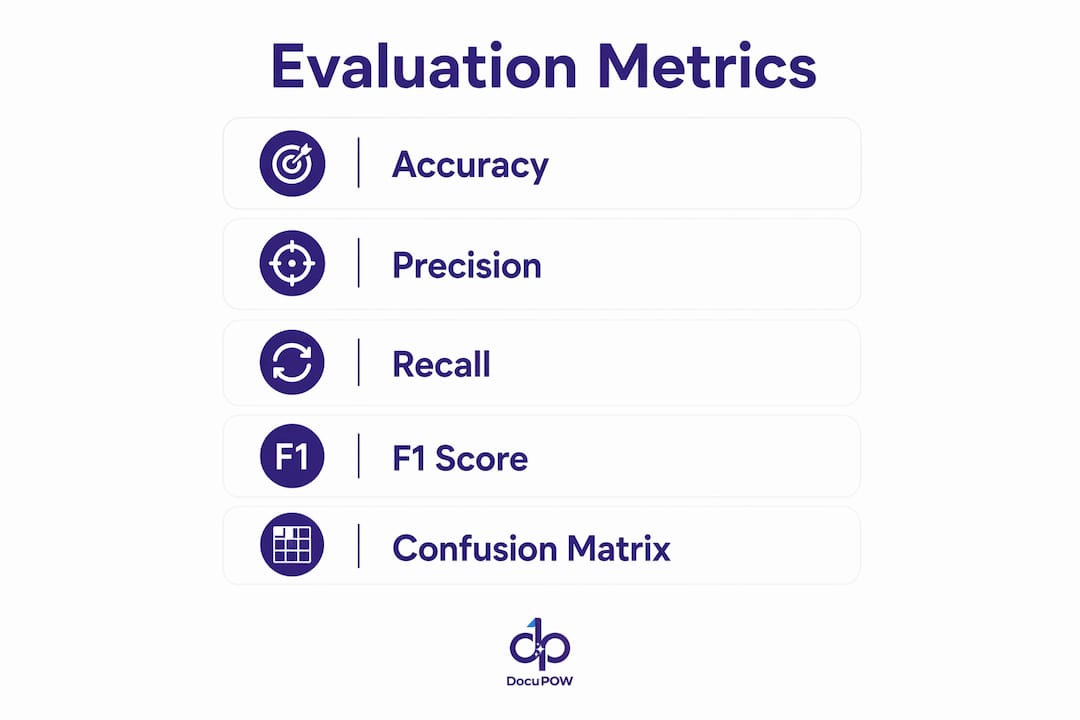
| Metric | What it measures | When it matters most |
|---|---|---|
| Accuracy | Correct predictions / total predictions | Balanced class distributions only |
| Precision | True positives / (true positives + false positives) | When false positives are costly (e.g., misfiling a legal record) |
| Recall | True positives / (true positives + false negatives) | When missing a document is costly (e.g., missing a compliance filing) |
| F1 score | Harmonic mean of precision and recall | Imbalanced classes; general-purpose evaluation |
| Macro F1 | Average F1 across all classes, unweighted | When every class matters equally regardless of frequency |
| Micro F1 | Aggregate TP/FP/FN across all classes | When overall volume matters more than per-class balance |
A confusion matrix tells you where the model fails, not just how often. If your classifier consistently confuses “purchase orders” with “vendor quotes,” that is a labeling problem or a feature engineering problem — not a model architecture problem. Fix the upstream issue before tuning hyperparameters.
For confidence calibration: a model that outputs 0.85 confidence should be correct roughly 85% of the time. If your model is systematically overconfident (outputs 0.9 but is only right 70% of the time), your routing thresholds will let too many errors through. Platt scaling or isotonic regression can recalibrate raw model scores.
Reporting checklist for governance:
- Dataset description: total documents, class distribution, date range, source systems
- Holdout methodology: how the test set was constructed and whether it was touched during development
- Sample sizes per class: flag any class with fewer than 50 test examples
- Per-class precision, recall, and F1 (not just overall averages)
- Calibration test results for the confidence threshold used in production
Validate against a ground-truth set of 30–100 verified documents before production deployment. That sample size is enough to surface systematic failure modes without requiring a full annotation sprint.
Where does document classification deliver real ROI?
The use cases below are not theoretical. They represent the workflows where classification has moved from pilot to production across US enterprises, and where the volume and accuracy thresholds make automation genuinely worthwhile.
- Invoice routing and AP automation: Classifying invoices by vendor, type, and approval tier before they enter an ERP cuts manual keying and routing time. AI-native IDP delivers high accuracy on mixed document populations with substantial per-document cost reductions compared to manual processing. At that accuracy level, the economics are straightforward for any AP team processing a considerable volume of invoices.
- Insurance claims triage: Classifying first notice of loss documents, medical records, and supporting attachments by claim type and urgency routes documents to the right adjuster in seconds rather than hours. Accuracy thresholds above 90% per class are typically required before insurers will remove human review from the critical path.
- Legal contract sorting: Contracts classified by type (NDA, MSA, SOW, amendment) and obligation category feed contract lifecycle management systems and trigger review deadlines. Multi-label classification handles documents that span multiple categories. For more on legal document governance, the complexity of contract portfolios makes hybrid classification the standard approach.
- Support ticket categorization: Intent-based classification routes tickets to the right team without human triage. Even a modest improvement in first-contact routing reduces handle time and improves SLA compliance.
- Records management and retention: Classifying documents by record type triggers the correct retention schedule automatically, reducing compliance risk from over-retention or premature deletion.
- Procurement documents: Purchase orders, RFQs, and vendor quotes classified at ingestion feed procurement analytics and approval workflows without manual sorting.
Volume threshold worth noting: automation typically becomes cost-justified at around 500 or more documents per month per document type, though that number drops quickly as document complexity increases.
What are the most common implementation failures and how do you avoid them?
Most classification projects that fail do not fail because of the model. They fail because of data quality, labeling inconsistency, or governance gaps that were never addressed before go-live.
Poor OCR quality is the single most common root cause of classification errors. A model trained on clean digital text will degrade sharply when deployed against low-resolution scans, handwritten annotations, or documents with complex multi-column layouts. Always benchmark OCR quality on your actual document population before selecting a model architecture.
Class imbalance skews training and evaluation. If 95% of your training documents are invoices and 5% are credit memos, the model will learn to predict “invoice” for ambiguous cases. Oversample minority classes, use class-weighted loss functions, and always evaluate per-class metrics rather than overall accuracy.
Label drift happens when the real-world distribution of documents shifts after training. A classifier trained on 2023 invoices may struggle with a new vendor’s 2025 template. Continuous validation against a held-out ground-truth set catches this before it becomes a production incident.
Ambiguous and unknown classes are the edge cases that break rule-based systems and confuse ML models alike. Build an explicit “unknown” or “other” class into your taxonomy and route those documents to human review rather than forcing a low-confidence label.
Overfit to vendor benchmarks is a subtler failure mode. A vendor demo that shows 98% accuracy on their curated test set may perform at 70% on your actual documents. Always test on your own data before committing to a platform.
Mitigation steps:
- Run a sampling audit before labeling: pull 200 random documents and manually review them to understand the real distribution
- Use confidence thresholds with explicit fallback queues rather than forcing every document to a label
- Build human-in-the-loop review into the workflow from day one, not as an afterthought
- Schedule retraining at a fixed cadence (quarterly is a reasonable starting point) and trigger ad hoc retraining when per-class F1 drops below your SLA threshold
Security and privacy checklist:
- Apply DLP scanning and PII redaction before documents enter the classification pipeline when handling sensitive data
- Keep human review for documents that contain PHI, PII, or attorney-client privileged content until you have validated accuracy above your compliance threshold
- Log every classification decision with the model version, confidence score, and timestamp for audit purposes
Pro Tip: Build your confidence threshold tiers before you deploy, not after your first production incident. A three-tier system (auto-accept above 0.90, human review between 0.60 and 0.90, reject/escalate below 0.60) gives you a defensible governance structure from day one.
What accuracy should you realistically expect in production?
Enterprise-scale AI-only classification on complex, unstructured documents typically achieves around 70% accuracy. That 30% miss rate is not a rounding error — it is a governance risk that breaks downstream pipelines, misfires access controls, and creates compliance exposure.
AI-native IDP approaches on mixed document populations reliably achieve 93–99% accuracy, but pure AI-only classification on complex or messy enterprise documents is capped at roughly 70%.
Governance checklist for production deployments:
- Maintain auditable label definitions with version history so you can trace why a document received a given label
- Keep a live ground-truth test set that is refreshed quarterly with newly labeled documents
- Run independent validation on the ground-truth set at each retraining cycle — do not let the team that built the model also validate it
- Route all classification errors surfaced by human reviewers back into the training pipeline with corrected labels
- Set a minimum per-class F1 threshold in your SLA and trigger a review when any class drops below it
Operational recommendations:
- Retraining cadence: quarterly for stable document populations, monthly for high-variability environments
- Ground-truth sample size: a minimum of 30–100 verified documents per class for validation, with larger samples for high-stakes classes
- Drift detection: monitor confidence score distributions weekly; a shift in the average confidence for a class is an early warning of distribution drift before accuracy degrades visibly
The ML-only approach reaches practical limits on records classification in regulated environments. Combining data placement rules with targeted ML and human review is the more pragmatic path for compliance-sensitive workflows.
What tools and integration patterns should you consider?
Tool selection is less about finding the best product and more about matching capabilities to your constraints: data residency, SLA requirements, file type coverage, and the auditability your compliance team will accept.
| Tool category | What it does | Key selection criteria |
|—|—|—|
| OCR / IDP platforms | Convert scanned documents to structured text; some include built-in classification | Accuracy on your document types; handwriting support; language coverage |
| NLP model hubs | Host pre-trained and fine-tuned text classifiers (Hugging Face, AWS SageMaker) | Model card transparency; fine-tuning support; inference latency |
| Multimodal LLM services | Zero/few-shot classification via API (OpenAI, Anthropic, Google Vertex AI) | Cost per document; rate limits; data residency and privacy terms |
| Rules engines | Pattern-matching and field-extraction logic | Maintainability; version control; integration with downstream systems |
| MLOps and monitoring | Track model performance, trigger retraining, log predictions (MLflow, Weights & Biases) | Drift detection; experiment tracking; audit log export |
| Document stores and lineage | Store classified documents with metadata and classification history | Metadata schema flexibility; lineage tracking; retention policy integration |
Integration patterns:
Pre-ingestion classification intercepts documents before they enter a repository and assigns labels at the point of capture. This is the governance-first pattern and the right default for regulated industries.
In-line inference classifies documents as they move through an existing pipeline without changing the ingestion architecture. Easier to deploy, but it leaves a window where documents are unlabeled.
Event-driven routing uses classification labels as triggers for downstream actions — an invoice label fires an AP workflow, a legal record label fires a retention policy. This pattern works well with message queues (Apache Kafka, AWS SQS) and enterprise API integration.
Human-review queues sit between the classifier and the downstream system, holding low-confidence documents for manual review before routing. Every production system needs this pattern.
Vendor selection checklist:
- What SLA does the vendor guarantee for classification accuracy on your document types?
- Where is data processed and stored? Does it meet your residency requirements?
- Can the vendor provide an independent validation report on a sample of your documents?
- What file types are supported natively (PDF, TIFF, DOCX, MSG, ZIP)?
- How are classification decisions logged and exported for audit?
For AI automation service selection, the answers to those questions matter more than any benchmark score on a vendor’s marketing page.
Key Takeaways
A hybrid classification approach — rules for predictable formats, ML for variable ones, and human review for low-confidence outputs — consistently outperforms any single-method strategy in production enterprise environments.
| Point | Details |
|---|---|
| Start with a ground-truth set | Validate against 30–100 verified documents per class before any production deployment. |
| Expect ~70% AI-only accuracy | Enterprise-scale AI-only classification on complex, unstructured documents consistently achieves around 70% accuracy. |
| Pre-ingestion labeling matters | Classifying before documents enter a repository keeps access controls and retention policies accurate from day one. |
| Evaluate per-class, not overall | Macro F1 and per-class precision/recall expose failure modes that overall accuracy hides. |
| DocuPOW for production pipelines | DocuPOW’s context-aware agents handle variable document formats without rigid templates, supporting auditable classification at scale. |
The part most guides skip: governance is the real bottleneck
The technical side of document classification is largely a solved problem. Pre-trained transformer models, zero-shot LLMs, and mature IDP platforms have made it genuinely accessible. What derails projects is not the model — it is the organizational work that surrounds it.
Most teams underinvest in three areas. First, label definitions. A taxonomy that looks obvious to the person who designed it will produce wildly inconsistent annotations when five different people apply it to ambiguous documents. The label guide is not a nice-to-have; it is the foundation of your training data quality. Second, confidence thresholds. Teams set a threshold once during development and never revisit it. As the document population shifts, that threshold becomes either too permissive (letting errors through) or too conservative (routing too much to human review). Third, retraining governance. Who owns the decision to retrain? Who validates the new model before it replaces the old one? Without clear answers, retraining either never happens or happens without proper validation.
The candid warning: if your organization cannot answer those three questions before go-live, pause the automation. A classifier running without governance controls does not reduce risk — it automates it at scale. Start with a small pilot on a single document type, get the governance structure right, then expand. The organizations that get classification right are not the ones with the best models. They are the ones that treat labeling, thresholds, and retraining as first-class engineering concerns.
DocuPOW turns classification complexity into production-ready workflows
Skipping the months-long build cycle for a custom classifier is possible when the underlying platform already understands document context. DocuPOW’s autonomous agents read documents the way a trained analyst would — recognizing structure, intent, and content without needing a rigid template for every format variation.
For operations teams running high-volume document processing, DocuPOW delivers three concrete outcomes:
- Reduced manual effort: context-aware extraction replaces manual keying across invoice, contract, and procurement workflows
- Faster routing: documents are classified and routed at ingestion, not after a human sorts the queue
- Auditable outputs: every classification decision carries a confidence score and a traceable label, meeting the governance requirements that compliance teams actually enforce
If you are evaluating whether to build internally or work with a vendor, the decision usually comes down to labeled data and integration complexity. When you have neither the labeled dataset nor the integration bandwidth, an internal pilot will take longer and cost more than most teams budget. See how DocuPOW’s platform works and decide whether it fits your timeline.
Useful sources
- Document classification — Wikipedia: Canonical definitions covering content-based vs. request-based classification and indexing approaches.
- AI File Classification: Why 30% Miss Rate Breaks Pipelines — Ohalo: Measured ~70% accuracy for AI-only classification on complex enterprise files; explains governance implications.
- AI Doc Processing 2026: 99% Accurate, 60–80% Cheaper — Stealth Agents: Industry research on AI-native IDP accuracy and per-document cost reduction benchmarks.
- How Associa transforms doc classification with the GenAI IDP Accelerator and Amazon Bedrock — Analytics Campus: Production case study showing first-page-only classification raising accuracy from 91% to 95%.
- 35+ Million Pages Case Study — Innovya Technologies: Large-scale hybrid classification project: 35M pages, 275 categories, 42 days.
- Sorry, AI-Driven Machine Learning Is Not an Easy Button for Record Classification — Today’s General Counsel: Argues for hybrid data placement plus targeted ML over pure ML for records classification.
- Understanding AI document classification — Softone Consultancy: Recommends constrained harness design and 30–100 document ground-truth validation before production.
FAQ
What are the four types of classified documents?
“Classified documents” in a security context refers to sensitivity tiers — Top Secret, Secret, Confidential, and Restricted — which govern access control, not content categorization. This is a separate concept from ML-based document classification, which assigns topic or type labels.
What are the main types of document classification in ML?
The four main types are content-based, structure/type-based, intent-based, and metadata-based classification. Each targets a different signal in the document and suits different downstream workflows.
How do I classify a document using machine learning?
Collect a labeled sample of documents, split into train/validation/test sets, train a model (start with a classical ML baseline), evaluate per-class F1, set confidence thresholds, and deploy with a human-review queue for low-confidence outputs.
What accuracy should I expect from an automated classifier?
AI-only systems on complex, unstructured enterprise documents typically achieve around 70% accuracy. AI-native IDP on mixed but well-defined document populations can reach 93–99%, reflecting the substantial accuracy difference between pure AI-only and hybrid/IDP approaches.
When does DocuPOW fit better than an internal build?
DocuPOW fits best when you lack a large labeled dataset or the integration bandwidth for a custom pipeline. Its context-aware agents handle variable document formats without template engineering, which shortens the path from pilot to production.
Recommended
See DocuPOW on your documents.
Stop building templates. Start extracting data.