Barcode Extraction From Documents: Pixels to Workflows for Developers
Learn how barcode extraction works, from image detection and decoding to GS1 parsing, JSON output, SDK and API integration, and document workflow automation.

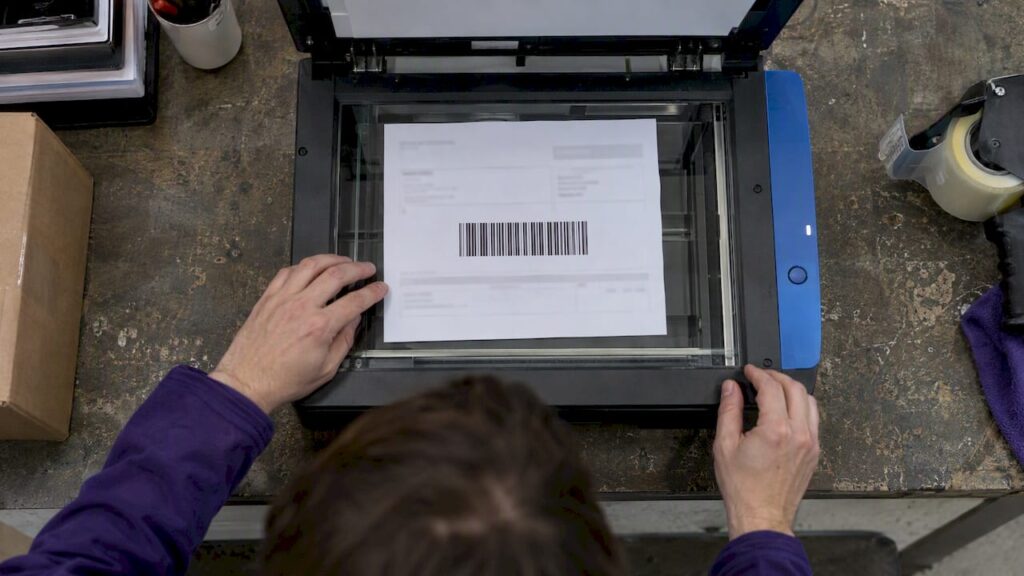
Barcode extraction automatically detects, decodes, and parses barcodes embedded in PDFs, scanned pages, and images, turning them into structured data a system can act on. The output typically lands as JSON, which drives document separation, routing, and ingestion into downstream systems. For low-volume or latency-sensitive jobs, an SDK fits best; for scalable managed extraction, an API usually wins; for end-to-end automation with human review, an agentic document processing platform is the stronger fit.
TL;DR:
- Scan at 300 DPI, preserve the blank margin around each code, limit JPEG compression, and test every adjustment against difficult real scans.
- GS1 workflows need Application Identifier parsing, correct FNC1 separators, and check digit validation; decoding a string alone does not produce usable fields.
- Use an SDK locally when latency or data control dominates, but your team owns upkeep; cloud APIs shift it to the provider.
- Log raw decoded values and send unreadable codes to manual review rather than dropping them; pilot with representative documents before wider rollout.
Table of Contents
- What barcode extraction is and how the workflow runs
- How detection and decoding actually work
- Supported barcode types and GS1 parsing considerations
- Practical setup: scanning and preprocessing for better results
- Integration options: SDKs, APIs, and workflow automation
- Common pitfalls and a troubleshooting checklist
- How DocuPOW applies agentic AI to barcode extraction
- Choosing between a managed platform and embedded SDKs
- How DocuPOW can help with barcode-heavy document automation
- FAQ
- Sources
What barcode extraction is and how the workflow runs
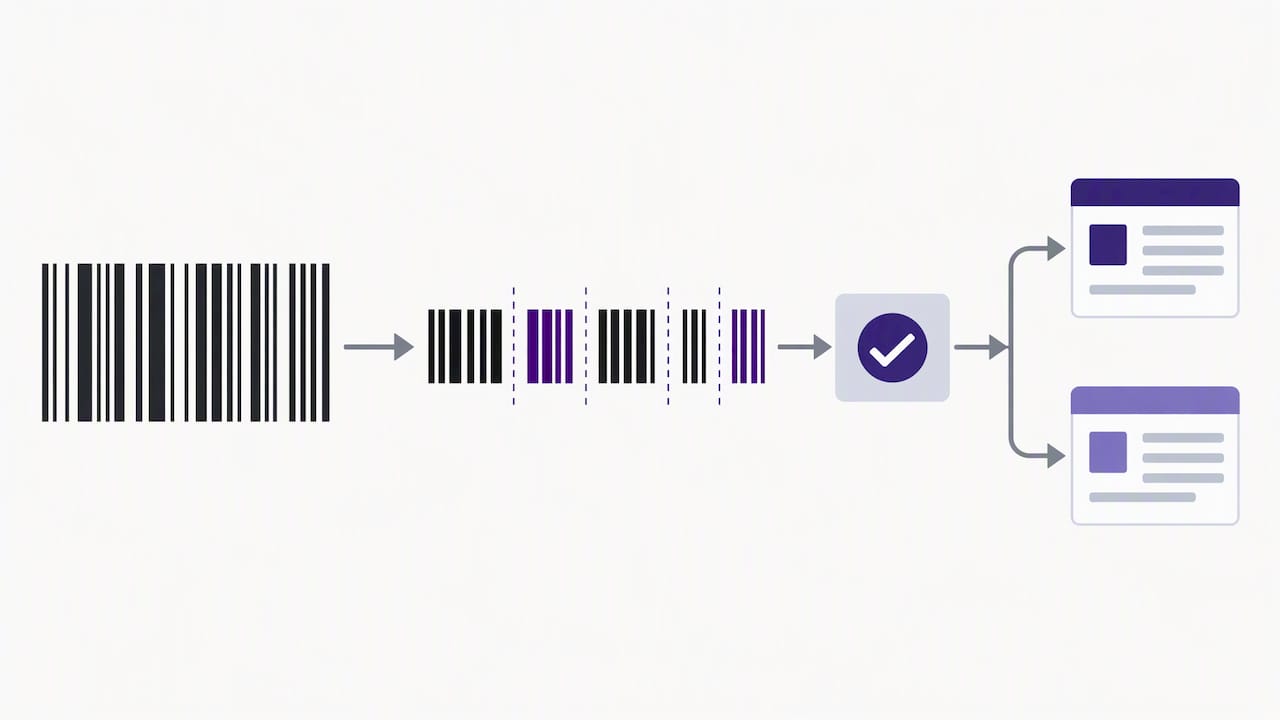
Barcode extraction is a pipeline, not a single step. A system detects a barcode region in an image or page, isolates it from surrounding content, decodes the pixel pattern into raw data, parses that data into meaningful fields, and exports the result to a database, workflow engine, or ERP.
This pipeline shows up across industries in different shapes:
- Inventory teams scan shipping labels to update stock counts without retyping SKUs.
- Accounts payable departments pull invoice barcodes to match documents to purchase orders.
- Logistics providers decode shipping barcodes to route packages and update tracking status.
- Healthcare facilities extract codes from patient wristbands or lab labels to reduce manual ID entry.
Each case replaces a manual lookup, where a person reads a code, types it, or re-keys it into another system, with automatic decoding that feeds structured data straight into a workflow. The payoff grows with volume: a handful of documents a day barely justifies automation, but thousands of pages make manual entry both slow and error-prone.
How detection and decoding actually work
Barcode detection relies on image analysis that finds patterns distinct from surrounding text and graphics. OpenCV’s barcode detection tutorial describes methods that analyze gradient orientation coherence across small patches of an image, since the parallel bars of a linear barcode produce a consistent gradient direction that text and photos do not.
Once a candidate region is found, decoding depends on a few processing steps:
- Binarization (often Otsu’s method or adaptive local thresholding) converts grayscale pixels into clean black and white before decoding.
- Super-scaling enlarges small or low-resolution codes so fine bar widths become distinguishable.
- Morphological operations and rotation correction clean up noise and straighten skewed codes.
Decoder libraries like zxing-cpp implement a multi-format reader that cycles through symbology-specific decoders and supports a “try harder” mode that trades speed for accuracy on difficult images. Built-in check digits then confirm the decoded value matches the symbology’s error-checking rule.
Pro Tip: Enable “try harder” mode only on your first decode pass across a batch; running it on every image adds latency without much benefit on clean scans.
Supported barcode types and GS1 parsing considerations
Documents commonly carry a mix of 1D and 2D symbologies, and a capable reader needs to recognize all of them rather than one or two:
- UPC-A and UPC-E, common on retail products.
- EAN-8 and EAN-13, the international retail equivalents.
- Code 39 and Code 128, frequent on shipping and inventory labels.
- QR codes, Data Matrix, PDF417, and Aztec, used for denser data payloads on forms, IDs, and parcels.
- MaxiCode, used in parcel sortation.
Recognizing the symbology is only half the job. The GS1 Barcode Syntax Resource explains that structured retail and logistics barcodes encode data using Application Identifiers (AIs), short numeric prefixes that label each data segment, such as batch number, expiration date, or GTIN. A raw decoded string without AI parsing is just a block of digits; parsing it against the GS1 syntax dictionary is what makes the batch, lot, and expiry fields usable downstream.
GS1’s own syntax dictionary and conformance tests exist specifically because AI parsing errors break downstream systems; validating parsed output against those tests catches malformed strings before they reach inventory or compliance records.
Validation should also check FNC1 separator placement between variable-length AI fields and confirm check digits on the encoded identifier itself, not just the barcode’s own checksum.
Practical setup: scanning and preprocessing for better results
Extraction accuracy often has less to do with the decoder and more to do with the image quality feeding it. A few parameter choices make a measurable difference before any code changes:
- Scan at 300 DPI for most barcode sizes, and consider up-sampling small or dense codes like Data Matrix rather than scanning at a fixed low resolution.
- Keep color mode and compression settings conservative; heavy JPEG compression introduces artifacts along bar edges that confuse decoders.
- Preserve the quiet zone, the blank margin around a barcode, since cropping too tightly is a common cause of failed reads.
- Run a preprocessing sequence of deskew, denoise, binarize, and morphological cleanup before cropping the barcode region.
- Tune parameters iteratively against a representative sample set rather than a single test image, since scanner variance affects real-world results more than lab conditions suggest.
Pro Tip: Keep a small folder of your worst-performing scans and rerun every parameter change against that set first; it surfaces regressions faster than testing on clean samples.
Integration options: SDKs, APIs, and workflow automation
Three implementation routes cover most use cases, and the right one depends on where control and maintenance should sit. An embedded SDK runs on-premises or at the edge, which keeps data local and avoids network latency, but it puts ongoing maintenance on your own team. A cloud API shifts that maintenance burden off your plate and scales elastically, at the cost of sending documents to an external service and accepting its latency profile.
Decoded output typically arrives as a JSON object containing a few consistent fields:
- The decoded payload string itself.
- The symbology identified (QR, Code 128, Data Matrix, and so on).
- A bounding box marking the barcode’s location on the page.
- The page number, for multi-page documents.
In practice, these fields feed workflow logic. The Ricoh CloudStream workflow manual shows barcode values used as separation triggers that split a multi-document batch into individual files, as variables that carry metadata between steps, and as routing conditions that send a document to a specific queue or reviewer based on its decoded content. Multi-barcode pages need clear ordering rules and sanitization before those values populate downstream fields.
Common pitfalls and a troubleshooting checklist
Most decoding failures trace back to a short list of causes, and checking them in order saves time:
- Resolution too low for the barcode’s module size, especially on dense 2D codes.
- Heavy scan compression that blurs bar edges.
- Rotated, skewed, or partially occluded barcodes on the page.
- Missing or cropped quiet zones around the code.
- Poor contrast from faded printing or colored backgrounds.
Parsing failures are a separate category: a malformed Application Identifier, a missing FNC1 separator, or a check-digit mismatch will produce a decoded that looks successful but carries unusable data.
| Symptom | Likely cause | Fix |
|---|---|---|
| No barcode detected | Resolution or contrast too low | Rescan at higher DPI, improve lighting |
| Decode fails intermittently | Rotation or compression artifacts | Add deskew step, reduce compression |
| Decoded but data looks wrong | Check-digit mismatch | Re-validate against symbology checksum |
| GS1 fields missing | AI parsing error | Validate against GS1 syntax dictionary |
Operational teams reduce repeat failures by logging raw payloads for every document, tuning parameters against real samples rather than guesses, and routing unreadable codes to a manual QC queue instead of silently dropping them.
How DocuPOW applies agentic AI to barcode extraction
We built our platform around template-free, agentic extraction that adapts to a document’s layout instead of requiring a predefined template for every format. That matters for barcode-heavy workflows, where label placement, page order, and symbology mix vary constantly between vendors, shipments, or departments.
Our agents handle the full sequence inside one workflow:
- Detect and decode barcodes alongside surrounding text and structured fields.
- Validate decoded values and route exceptions to a human-in-the-loop audit step when confidence drops or compliance requires review.
- Feed validated data into real-time analytics so teams see extraction results without a separate reporting step.
Manufacturing teams processing labels and shipping documents at scale can see a practical example on our manufacturing solutions page, and our AI document processing case studies walk through similar end-to-end automation scenarios.
Choosing between a managed platform and embedded SDKs
Deployment speed, control, and long-term maintenance pull in different directions, and the right call depends on who owns the outcome. Compliance-driven buyers tend to prefer a managed platform with built-in audit trails; engineering teams with tight latency needs often prefer an SDK they can tune directly. Either way, run a pilot on a representative document sample before committing to a wide rollout. A clean test set hides problems a messy real-world batch will expose immediately.
— Syed Naveed Abbas
How DocuPOW can help with barcode-heavy document automation
We designed our platform for teams whose documents mix barcodes, printed text, and variable layouts across vendors, locations, or departments. Because our extraction is agentic and template-free, you avoid building and maintaining a separate template for every label format, and our workflow orchestration handles extraction, validation, routing, and human-in-the-loop audit in one connected process rather than a stack of disconnected tools.

If you are evaluating how this fits your own document volume, our pricing page lists the Starter plan starting at $99 per month and the Professional plan starting at $499 per month, with Enterprise pricing available on request. You can also review our high-volume document processing guide before requesting a demo.
FAQ
How can I convert a PDF file to a barcode?
Converting a PDF into a barcode means generating a new barcode image encoding specific data, then placing it on the PDF page, which is the reverse of extraction. Most barcode generation libraries or online tools accept a text string and output a barcode image in a chosen symbology, which you then embed into the PDF layout.
How can I extract data from documents?
Document data extraction combines techniques like OCR for text, barcode decoding for encoded labels, and layout analysis for tables and form fields, depending on what the document contains. Platforms like ours use agentic, template-free extraction to pull structured data from mixed-content documents without building a separate template for each layout.
How do I convert data into a barcode?
You convert data into a barcode using an encoding library that maps your input string into the bar or module pattern defined by a chosen symbology, such as Code 128 or QR. The resulting image must preserve quiet zones and sufficient module size so a decoder can later read it reliably.
How can I extract a QR code from a PDF document?
Extracting a QR code from a PDF requires rendering the PDF page to an image, then running a QR-capable decoder, such as a multi-format reader, against that image to locate and decode the code. Pages scanned at adequate resolution with intact quiet zones around the QR code decode more reliably than low-resolution or cropped scans.
What barcode formats should extraction software support?
Capable extraction software should support common 1D formats like UPC, EAN, and Code 128, alongside 2D formats like QR, Data Matrix, PDF417, and Aztec, since documents often mix several types. Enterprise and retail workflows also need GS1 Application Identifier parsing to make the decoded data usable in inventory and compliance systems.
Sources
A few references cover the technical and standards ground this guide draws on. The OpenCV barcode detection tutorial documents the detection and decoding algorithm itself. The GS1 Barcode Syntax Resource is the standards authority for Application Identifier parsing and conformance testing. The zxing-cpp project offers an open-source, multi-format decoder implementation worth reviewing directly. The Ricoh CloudStream manual shows how barcode variables and separation steps work inside a production document workflow. If you are planning a pilot, MyTekRescue’s guide to piloting workflow automation outlines a practical approach to proving ROI before a wider rollout.
- Barcode detect and decode (OpenCV tutorial)
- GS1 Barcode Syntax Resource user guide
- zxing-cpp README
- Workflow processing steps | CloudStream manual
Recommended
See DocuPOW on your documents.
Stop building templates. Start extracting data.