How to Automate Data Entry: A Practical Guide for 2026
Learn how to automate data entry step by step: pick the right tasks, choose a method, add validation and review, secure the data and measure the savings.


To automate data entry, pick one high-volume workflow with clear rules, capture the source data with software instead of retyping it, validate every field against rules, send the result straight into the system that needs it, and route anything doubtful to a person. Start small, measure the before and after, then expand. This guide walks through each step, the three main technical approaches, how to handle spreadsheets and web forms, and the security controls U.S. businesses should put in place.
TL;DR
- Automate tasks with clear rules first: invoice totals, form answers, order details, web-form leads. Keep messy or judgment-heavy cases with people.
- Match the method to the job: RPA for repeated clicks in a screen, scripts for transformations and API calls, AI extraction for documents that arrive in many layouts.
- Accuracy comes from validation rules plus a human review queue for exceptions, not from trusting any tool blindly.
- Treat the vendor as part of your security perimeter: encryption, access limits and contract terms on data use and deletion.
- Baseline your minutes per document, error rate and rework cost before you start, so you can prove the result.
Table of Contents
- What automated data entry actually does
- Which tasks to automate first
- Step by step: how to automate data entry
- Choosing the right approach
- Automating spreadsheet-to-system entry
- Making accuracy a feature, not a hope
- Security and compliance for U.S. organizations
- Measuring time, cost and error reduction
- Our perspective
- Put it into practice with DocuPOW
- Common mistakes to avoid
- FAQ
- Sources
What automated data entry actually does
Manual data entry means a person reads a value in one place and types it into another: an invoice number from a PDF into an accounting system, a customer name from an email into a CRM, a line from a spreadsheet into a web form. Automation replaces that retyping with software that finds the value, checks it and delivers it.
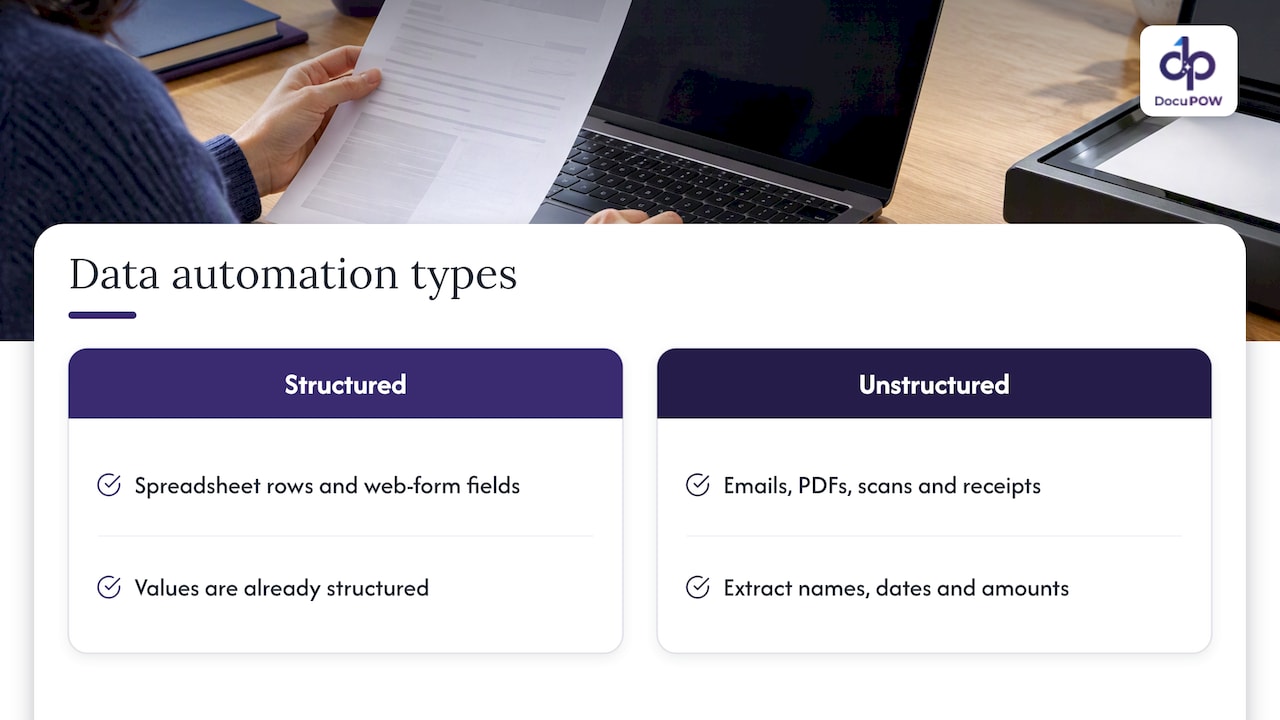
There are two broad kinds of work. The first is moving data that is already structured, such as rows in a spreadsheet or fields in a web form. The second is pulling data out of unstructured sources. According to Vengreso, automation can extract fields such as names, dates, invoice numbers and amounts from emails, PDFs, scans, receipts and notes, then pass them to spreadsheets, CRMs or accounting systems.
The second kind is where most teams lose the most hours, because documents rarely look the same twice. A supplier changes its invoice layout, a customer sends a photo instead of a PDF, and a fixed template breaks. That is the problem modern document intelligence is built to solve.
Which tasks to automate first
Not every task deserves automation on day one. The best candidates share three traits: high volume, stable rules and a clear definition of “correct.”
Vengreso describes good candidates as tasks with clear rules, such as copying form answers into a spreadsheet, extracting invoice totals or moving a web-form lead into a CRM. It also notes that messy handwriting, identity matching and contract or order discrepancies generally still need human judgment.
A useful way to sort your own list is to ask three questions of each task:
- How often does it happen? Daily or weekly tasks pay back quickly. A quarterly task rarely justifies a build.
- Can you write the rule down? If a new hire could follow a checklist, software can too.
- What does a mistake cost? Errors that trigger a wrong payment or a compliance issue need review steps, not just speed.
If you want a worked example of sorting rule-based work from exception-heavy work, this breakdown of what to automate first shows the same logic applied to a restaurant operation, and the principle carries over to back-office paperwork.
A quick scoring table
| Task | Volume | Rules clear? | Automate now? |
|---|---|---|---|
| Invoice header and total capture | High | Yes | Yes, with validation |
| Web-form leads into CRM | High | Yes | Yes |
| Purchase order line items | Medium to high | Mostly | Yes, with exception review |
| Handwritten intake forms | Medium | No | Partly, with human review |
| Matching customer identities across records | Medium | No | Assist only, person decides |
| Contract clause discrepancies | Low | No | Flag for review |
Step by step: how to automate data entry
1. Map the current workflow
Follow one document from arrival to final system. Write down where it comes from (email, portal, mail, EDI), who touches it, which fields are keyed, which system receives them and where it gets stuck. Most teams find two or three hidden steps, such as a manager re-checking totals in a separate spreadsheet.
2. Baseline the numbers
Before changing anything, measure: documents per week, minutes per document, share of documents that need corrections, and the time those corrections take. Without this you cannot show savings later.
3. Choose the method
The right method depends on the data source and the skills on your team. The next section compares them.
4. Define validation rules
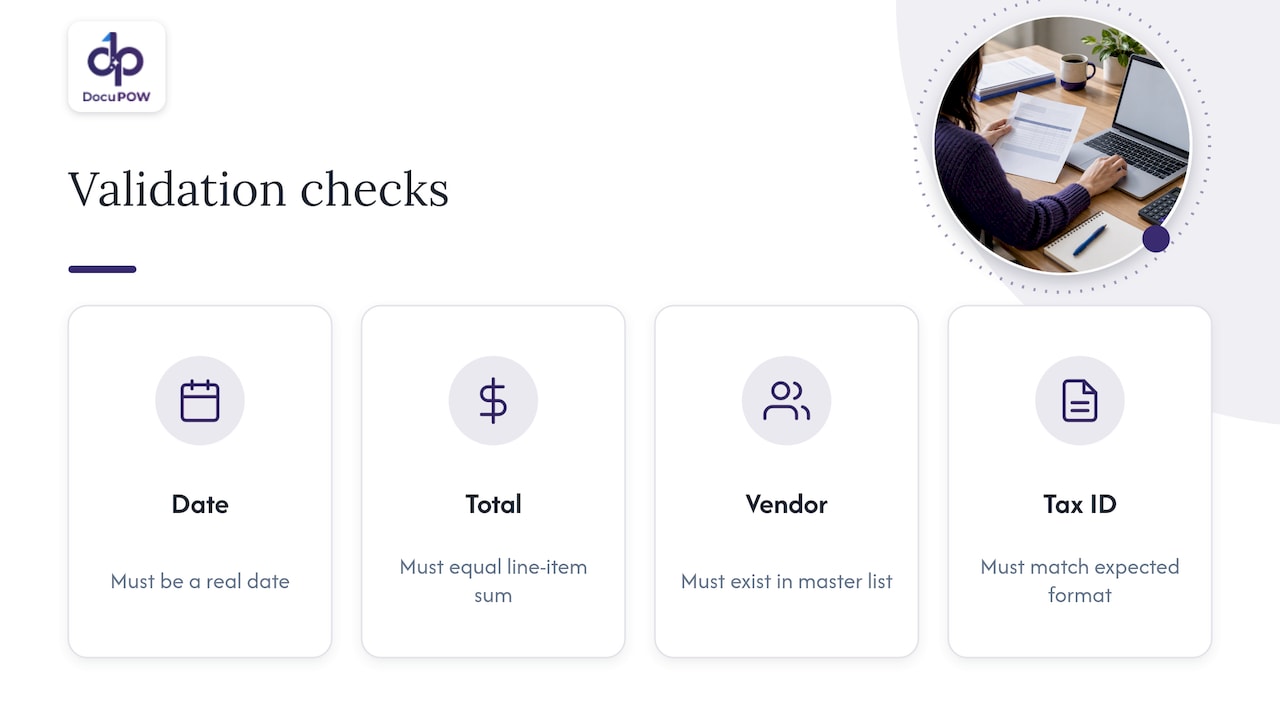
List what “valid” means for each field. A date must be a real date. A total must equal the sum of its line items. A vendor must exist in your master list. A tax ID must match the expected format. Rules like these catch most errors before they reach your system of record.
5. Design the exception path
Decide in advance what happens when a rule fails or the software is unsure. The usual answer is a review queue where a person sees the original document next to the extracted values, fixes the field and approves. That keeps speed for the clean majority and control for the rest.
6. Pilot on one document type
Run the new process in parallel with the old for a few weeks on a single document type, such as supplier invoices. Compare outputs field by field and tune the rules.
7. Connect to the destination
Deliver the validated data directly into the ERP, CRM or accounting system through an API or a native integration, so nobody exports and re-imports files by hand.
8. Monitor and expand
Track the share of documents that pass without review, the exception rate by field and the turnaround time. Once the first workflow is stable, add the next document type.
Choosing the right approach
Three approaches cover most situations, and they are often combined.
| Approach | Best for | Skills needed | Weak spot |
|---|---|---|---|
| Robotic process automation (RPA) | Repeating clicks and keystrokes in an application with no API | Process analyst, some configuration | Breaks when the screen layout changes |
| Scripts (for example Python) | Data transformation, file handling, API calls | Developers | Needs maintenance and engineering time |
| AI document extraction | PDFs, scans, emails and forms in varied layouts | Little coding; integration setup | Needs validation rules and review for low-confidence fields |
Older template-based OCR sits between these: it reads text, but each new layout needs a new template. If your suppliers or customers send documents in dozens of formats, templates become a maintenance job of their own. Template-free extraction reads the document the way a person would, finding the invoice number or the ship-to address by meaning rather than by position. For a deeper explanation, see our guide to AI data extraction for business professionals.
Automating spreadsheet-to-system entry
A common request is to move rows from a spreadsheet into a website or business application. The right answer depends on what the destination offers.
- The destination has an import function. Use it. Clean the columns, match the required headers and upload a CSV. This is the cheapest path.
- The destination has an API. A small script or an integration tool can read each row and post it as a record. Add a log of successes and failures so nobody has to guess what was loaded.
- The destination has neither. RPA can fill the web form field by field. It works, but it is the most fragile option, so keep volumes modest and monitor it.
Whichever route you choose, validate the spreadsheet first. Duplicate rows, trailing spaces, mixed date formats and missing required fields cause most failed loads. Do a dry run on ten rows before the full batch, and keep the original file so you can reconcile counts afterward.
Making accuracy a feature, not a hope
Automation does not remove errors by itself. It moves where you catch them. Build in these controls:
- Field-level validation. Format checks, range checks and lookups against master data.
- Cross-checks. Line items against totals, purchase order numbers against open orders, quantities against receipts.
- Confidence thresholds. Anything the software is unsure about goes to a person.
- Audit trail. Record who approved a correction and what the original value was.
- Sampling. Even when documents pass automatically, review a small random sample each week to catch drift.
For finance teams, the highest-value place for these controls is before posting. Our page on invoice data extraction for finance teams covers how to catch errors before they reach the ledger, and the receipt data extraction page covers expense documents and the record-keeping questions that come with them.
Security and compliance for U.S. organizations
Automated entry means sensitive documents, such as invoices, bank details, employee forms and patient records, now flow through another system. Plan for that.
The Federal Trade Commission’s small-business cybersecurity guidance recommends multi-factor authentication, limiting access to sensitive assets, encrypting sensitive data at rest and in transit, and keeping security software updated. The same page says to address vendor security in your contracts, including how vendors may use, share, retain and delete your data, and to verify vendor compliance rather than relying on assurances alone.
If your team handles taxpayer information, the IRS checklist for safeguarding taxpayer data adds specifics: a risk assessment, a written information-security plan, periodic testing, safeguards for service providers, unique user identifiers, controlled privileges, encryption, system-log review, vulnerability scans and secure disposal.
For a structured way to think about risk over time, NIST describes a lifecycle in its Risk Management Framework bulletin: categorize your information and systems, select and implement controls, assess them, authorize acceptable risk, and monitor continuously.
A practical vendor checklist follows from this:
- Is data encrypted in transit and at rest?
- Can you restrict who sees which documents, and is access logged?
- Does the contract say how long your data is kept and how it is deleted?
- Can a person review and override extracted values, with a record of the change?
- Can you verify the vendor’s claims, for example through documentation you can request?
If you handle regulated data such as health records, ask your compliance counsel which rules apply to your documents before you send them to any automation platform.
Measuring time, cost and error reduction
Return on automation is easy to show if you captured a baseline. Track four numbers for the same workflow, before and after:
- Handling time per document, from arrival to posted record.
- First-pass accuracy, the share of documents with no corrections needed.
- Rework time, the hours spent fixing errors found downstream.
- Throughput, documents processed per person per week.
A simple monthly estimate: documents per month multiplied by minutes saved per document, divided by 60, multiplied by the loaded hourly cost of the person doing the work. Subtract the subscription and the time spent reviewing exceptions. Use your own measured numbers rather than industry averages, since error rates and handling times vary widely between companies and document types.
Also count what is harder to price: faster vendor payments that capture early-payment discounts, quicker quote turnaround for sales, and audit preparation that no longer means hunting through inboxes.
Our perspective
We built DocuPOW around a simple observation: the expensive part of data entry is not typing, it is understanding. A person reading an invoice knows which number is the total, which date is the due date and what to do when something looks off. Template-based tools cannot do that, so teams end up maintaining templates instead of eliminating work.
That is why we focus on template-free, agentic extraction that adapts to layouts it has not seen before, then validates each result against a schema before anything is written to your systems. We pair that with human-in-the-loop review, so the exceptions that really need judgment get it, and with end-to-end workflows that carry the data into your ERP or CRM rather than stopping at a text export.
Our advice to any team starting out: choose one document type with real volume, set clear validation rules and let the software handle the clean majority. You will learn quickly where your exceptions come from, and that knowledge is what makes the second and third workflows easy.
Syed Naveed Abbas
Put it into practice with DocuPOW
If your documents arrive as PDFs, scans and emails in many layouts, DocuPOW is designed to read them without templates, validate the fields, route exceptions to a reviewer and send the clean data to your systems through API integrations. You can start with prebuilt workflows such as automated invoice processing, or look at the full platform.

Plans are published on our pricing page: Starter is $99 per month, Professional is $499 per month, and Enterprise is priced on request. Our security overview explains how we handle encryption and access.
Common mistakes to avoid
- Automating a broken process. If the workflow has pointless approval steps, fix them first.
- Skipping the exception path. The first unreadable document will otherwise stall the whole flow.
- Starting with the hardest document. Win with a clean, high-volume type, then expand.
- Letting data leave the system. Exporting extracted data to loose spreadsheets recreates the manual step you removed. Deliver it straight to the system of record.
- Not retraining the team. People move from typing to reviewing. Give them clear guidance on what to check and when to escalate.
FAQ
Can you automate data entry without coding?
Yes. No-code and low-code tools, along with AI extraction platforms, let non-developers set up capture, validation and delivery through configuration screens. You may still need help from IT to connect your ERP or CRM through an API, but you do not need to write the extraction logic yourself.
What is the difference between OCR and automated data entry?
OCR converts an image of text into machine-readable characters. Automated data entry goes further: it identifies which text is which field, validates it and delivers it to a system. Template-based OCR also needs a new template for every layout, while template-free extraction adapts to new layouts.
How accurate is automated data entry?
It depends on the document quality, the method and your validation rules. The practical approach is to measure first-pass accuracy on your own documents during a pilot, set confidence thresholds and send uncertain fields to a human reviewer. Sampling approved documents each week keeps accuracy visible over time.
Which tasks should stay manual?
Keep work that needs judgment with people: unclear handwriting, matching identities across records and resolving discrepancies between contracts and orders. Software can flag and prepare these cases, but a person should make the final call.
Is it safe to send sensitive documents to an automation platform?
It can be, if the vendor encrypts data, limits access, logs activity and agrees in writing to how your data is used, kept and deleted. The FTC advises verifying vendor compliance instead of relying only on assurances, so ask for documentation before you sign.
Sources
- How to Automate Data Entry: Methods, Tools, and Where It Fits (Vengreso)
- Cybersecurity for Small Business (Federal Trade Commission)
- Checklist for Safeguarding Taxpayer Data (IRS)
- ITL Bulletin: The Next Generation Risk Management Framework (NIST)
- Restaurant Operations Automation: What to Automate First (RESTOBOT)
Recommended
See DocuPOW on your documents.
Stop building templates. Start extracting data.