Automated Document Verification: How It Works and What to Require
Automated document verification checks documents for accuracy, completeness and consistency without manual review. See the workflow, fraud checks, controls and rollout steps.

Automated document verification is software that reads a document, pulls out its data, checks that data against rules and trusted records, and sends only the doubtful cases to a person. It goes further than scanning, which only turns paper into pixels, and further than extraction, which only copies fields. Verification answers a different question: can this document be trusted, and is it ready to enter your systems?
This guide explains the steps in a verification workflow and the documents it suits. It also covers how systems flag problems, what US teams should require on security, and how to roll it out.
TL;DR
- Verification adds a decision to extraction: each document is accepted, rejected or sent to a reviewer, based on rules and cross-checks.
- A solid workflow has five stages: intake, extraction, validation, exception review and posting to the system of record.
- Confidence thresholds decide when a human steps in, so reviewers see only the documents that need judgment.
- Treat security as a requirement from day one: access limits, logging, encryption and an audit trail for every decision.
- Start with one high-volume document type, measure your own baseline, then expand.
Table of Contents
- What automated document verification means
- How an automated verification workflow runs
- Which documents and workflows suit it
- How systems catch altered, incomplete or inconsistent documents
- Security, privacy and audit controls to require
- Integration: what to evaluate before you commit
- Measuring the effect
- Our perspective
- Try it on your own documents
- A practical rollout plan
- FAQ
- Sources
What automated document verification means
Three terms get mixed up, and the difference matters when you buy.
| Capability | What it does | What it leaves undone |
|---|---|---|
| Scanning / OCR | Converts an image or PDF into text | Does not know what the text means or whether it is right |
| Data extraction | Finds fields such as invoice number, total, vendor | Does not check whether the values are plausible or consistent |
| Verification | Validates fields against rules, other documents and records, then routes the result | Needs sensible rules and a review path for exceptions |
The gap between the first and third rows is wide. Character recognition alone can be unreliable when image quality varies: a NIST evaluation of machine-print OCR found error rates ranging from 1% to 74% across Federal Register pages with different print and image quality. That study is old and the technology has moved on, but the lesson holds. Reading is the easy part. Knowing when a reading is wrong is what verification adds.
In practice, “document verification” covers two jobs that are often sold together:
- Identity and credential checks, such as confirming a driver’s license, a professional license or an insurance certificate is genuine and unexpired.
- Business document checks, such as confirming an invoice matches its purchase order, a contract carries the agreed terms, or a claim form is complete.
This article focuses mainly on the second job, the administrative and financial documents that move through finance, procurement, legal, HR and operations. The same workflow logic applies to both.
How an automated verification workflow runs
1. Intake
Documents arrive by email, upload, API, shared folder or scanner. The system should accept the formats you really receive: PDFs, photos taken on phones, spreadsheets, multi-page bundles. Email is often the largest source, so inbox capture matters. If your files arrive that way, see how email document ingestion turns inbox attachments into structured data.
2. Classification and extraction
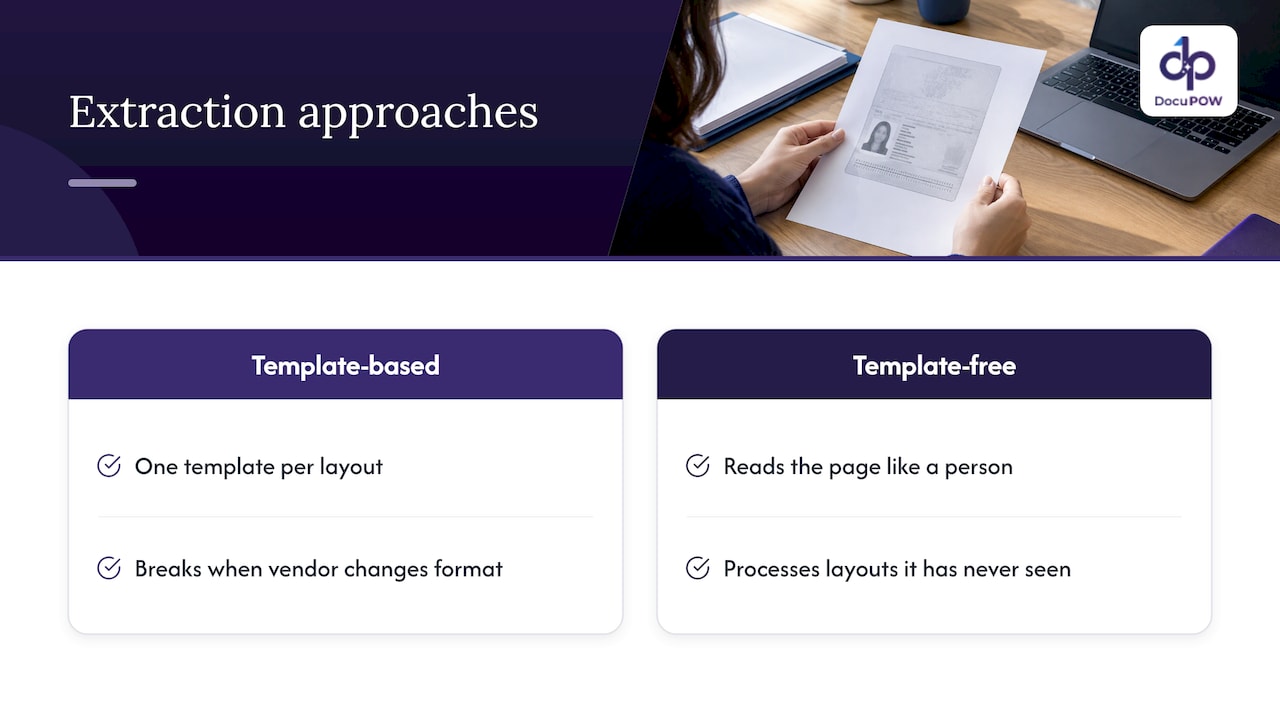
The system works out what each file is (invoice, bill of lading, W-9, lease, claim form) and pulls out the fields. Older tools depend on templates, one per layout, which break when a vendor changes its format. Template-free approaches read the page the way a person does, so a layout the system has never seen still gets processed. Our own approach to this is described on the zero-shot extraction page.
3. Validation
This is where verification happens. Typical checks include:
- Format checks: dates are real dates, tax IDs have the right number of digits, currency amounts parse.
- Arithmetic checks: line items add up to the subtotal, tax and total reconcile.
- Completeness checks: required fields, signatures and attachments are present.
- Cross-document checks: invoice versus purchase order versus receiving record (the familiar three-way match).
- Reference checks: vendor name and bank details match your master data; a license number matches the issuing registry.
- Schema checks: the output fits the structure your database or ERP expects, so a bad record never gets in.
4. Exception review
Documents that fail a rule or fall below a confidence threshold go to a person, with the problem highlighted and the source page beside the extracted value. Good design keeps the reviewer’s job to a quick decision: confirm, correct or reject. Every correction should be logged.
5. Posting and audit trail
Verified data goes to the ERP, CRM, accounting system or database by API. The system keeps a record of what was read, which rules ran, who approved exceptions and when. That record is what an auditor will ask for.
Which documents and workflows suit it
Verification pays off where documents are numerous, varied and tied to money or compliance.
- Accounts payable: invoices checked against purchase orders and vendor records. Our automated invoice processing flow is built for this.
- Procurement and supply chain: purchase orders, packing lists, bills of lading and customs paperwork, where a mismatch holds up a shipment. See how we approach supply chain document extraction.
- Manufacturing: certificates of conformance, inspection reports and compliance records. Our guide to AI for manufacturing documents goes deeper.
- Legal: contracts checked for required clauses, dates and parties. Read more on legal document analysis.
- HR onboarding: I-9 supporting documents, certifications and signed forms confirmed complete before a start date.
- Insurance and healthcare administration: claim forms, policy documents, provider credentials and expiring licenses.
- Real estate: purchase agreements, disclosures and closing documents, where a missing signature can stall a transaction. See our real estate solutions.
How systems catch altered, incomplete or inconsistent documents
No system spots every forgery, and it is worth being clear about what automation does well.
Internal consistency. Totals that do not add up, dates that fall out of order, a ship-to address that does not match the customer on file, or a bank account that differs from the vendor’s history are all rule-based flags that software applies tirelessly across every page.
Cross-referencing. Comparing a document against another document or a record catches mismatches a skimming human misses at 4 p.m. on a Friday.
Pattern signals. Duplicate invoice numbers, round-number amounts, or a change in a vendor’s usual format can raise a flag for a closer look.
Image-level signals. Some specialized tools analyze image artifacts and security features, which matters most for identity documents rather than routine business paperwork.
What these checks produce is a risk signal, not a verdict. That is why the human review step is not an afterthought. It is the part of the design that makes automation safe to run at volume.
When a person should look
Set rules for human review before launch. A practical starting list:
- Confidence on a key field falls below your threshold.
- A cross-check fails, such as a price variance above your tolerance.
- A new vendor, new bank account or changed remittance details appear.
- Amounts exceed an approval limit.
- The document type is unrecognized.
Then tune the thresholds from real review data. If reviewers approve 99% of a certain flag unchanged, loosen it. If errors slip through a certain field, tighten it.
Security, privacy and audit controls to require
Verification platforms handle invoices, contracts, IDs and records, so security is a buying criterion, not a footnote.
The FTC’s guide to protecting personal information recommends practical safeguards such as limiting access to sensitive data, using strong passwords and monitoring security logs. Those basics translate directly into a checklist for any vendor you evaluate:
| Control | What to ask for |
|---|---|
| Access | Role-based permissions, so staff see only the documents their job requires |
| Encryption | Encryption in transit and at rest |
| Logging | A tamper-evident record of every view, edit and approval |
| Retention | Configurable retention and deletion rules matched to your policies |
| Human review trail | Each override recorded with user, time and reason |
| Data minimization | Capture and keep only the fields the process needs |
On the last point, privacy-by-design principles argue for limiting personal data exposure during AI processing, a theme raised in comments submitted to NIST on AI data protection. In a document workflow, that can mean masking fields a reviewer does not need to see.
For a fuller treatment, our guides on NIST-aligned controls for secure AI processing and zero trust document access walk through the controls in more detail. If your documents include health or financial information, confirm with your compliance counsel which rules apply to you.
Integration: what to evaluate before you commit
Verification only saves time if clean data lands where people work. Evaluate:
- API and connectors. Can the system push to your ERP, CRM or database, and pull reference data back for matching?
- Schema enforcement. Does it validate output against your target structure before posting?
- Workflow orchestration. Can it handle multi-step routing, approvals and escalations, or only extract?
- Setup effort. How long before a new document type works? Template-based tools need work per layout.
- Reviewer experience. Is the source page shown next to each value?
- Developer tools. Can your IT team extend it without vendor tickets?
- Volume. Can it handle your peak, such as month-end close?
A pilot with a defined scope beats a broad rollout. Our guides on moving 90-day pilots into production and proving template-free file management in 4 to 8 weeks outline how we structure that.
Measuring the effect
Vendors quote impressive percentages, and those numbers depend heavily on the starting point, the document mix and how you define an error. Rather than adopt anyone’s headline figure, measure your own before and after on a single document type:
- Cycle time: from receipt to posted record.
- Touch rate: share of documents that needed a human.
- Error rate: corrections found downstream, in audit or by customers and vendors.
- Exception rate and causes: which rules fire most, and why.
- Cost per document: staff time plus rework.
Two to four weeks of baseline data, then the same metrics after launch, give you a number your CFO will accept.
Our perspective
Most verification projects stall for the same reason: the extraction layer depends on templates. Every new vendor layout becomes a maintenance ticket, and the exceptions pile up faster than the team can clear them.
We built DocuPOW around the opposite assumption. Documents are messy and keep changing, so the system should read them the way an experienced clerk does, without a template for each layout. Our agents extract, validate against strict schemas and orchestrate the next step, so a verified record goes straight into the core system.
We also believe verification should never be a black box. That is why DocuPOW includes human-in-the-loop audit review, and why our document querying shows transparent source citations. Reviewers see the evidence, decisions are logged, and compliance teams get the trail they need.
Automation should remove repetitive work, not remove accountability. Done well, your people stop retyping and start deciding.
Syed Naveed Abbas
Try it on your own documents
DocuPOW combines template-free extraction, multi-step workflows, human-in-the-loop review and ERP/CRM integration in one platform. Plans start with Starter at $99 per month and Professional at $499 per month, and Enterprise is available for larger needs. See the pricing page for what each includes.
If you would rather see it on your own paperwork first, start a free trial or explore the DocuPOW platform.
A practical rollout plan
- Pick one document type with high volume and clear rules, such as vendor invoices.
- Write down the checks a skilled employee performs, including the ones nobody has documented.
- Set review thresholds conservatively at first.
- Run in parallel for a few weeks, comparing automated and manual results.
- Review exceptions weekly and adjust rules.
- Expand to the next document type once the first is stable.
FAQ
What is automated document verification?
It is the use of software to extract data from documents and check it against rules, other documents and trusted records. Clean documents pass through automatically, and doubtful ones go to a human reviewer. The goal is accurate data in your systems with less manual checking.
How is it different from OCR?
OCR converts images to text and stops there. Verification adds validation, cross-checks and routing, so you know whether the data is reliable before it reaches your database.
How long does verification take?
For documents that pass every check, processing is typically near real time. Exceptions take as long as your review team takes to clear them, which is why queue design and thresholds matter as much as software speed.
Can automation replace human review entirely?
For routine, low-risk documents it can approve most items without a touch. For high-value, unusual or ambiguous items, we recommend keeping a person in the loop, with every decision logged for audit.
Sources
- NIST: Impact of image quality on machine print optical character recognition
- FTC: Protecting Personal Information, A Guide for Business
- NIST: Comments on data protection, security and privacy in AI
Recommended
See DocuPOW on your documents.
Stop building templates. Start extracting data.