AI Agents for Small Businesses: 2026 Practical Guide
Discover how AI agents for small businesses can automate tasks, improve efficiency, and deliver quick ROI. Transform your operations today!


TL;DR:
- AI agents automate multi-step workflows for small businesses, increasing efficiency in document processing and customer service. They require careful deployment, supervision, and clean processes to deliver measurable ROI and minimize operational risk. Success depends on accurate data, human oversight, and phased implementation with clear performance tracking.
AI agents for small businesses are specialized software programs that automate repetitive, rule-based tasks without requiring human input for each step. Unlike basic chatbots that handle a single exchange, AI agents complete multi-step workflows end to end, from extracting invoice data to routing approvals. The industry term for this category is “agentic AI,” and it covers everything from document processing to customer query triage. On no-code platforms, deployment takes 1.5 to 3 hours, with measurable ROI appearing within 30–60 days. Structured document workflows reach accuracy rates of 95–99%, making them one of the fastest wins available to small business owners today.
1. What are the top AI agent types for small businesses?
The ten categories below cover the most practical applications for small business operations. Each one targets a specific workflow where manual effort is high and the rules are clear enough for automation to succeed.
1. Automated document processing agents These agents extract data from invoices, receipts, purchase orders, and forms. They push that data directly into accounting or ERP systems, cutting manual entry time significantly. Businesses processing high volumes of structured documents see the fastest returns here.
2. Customer query triage and reply drafting agents These agents read incoming customer messages, classify them by topic and urgency, and draft replies for human review. They function as automated customer service tools that reduce response time without removing the human from the final send decision.
3. AI scheduling and calendar management assistants These virtual assistants for SMEs handle meeting requests, check availability, send confirmations, and reschedule conflicts. They work well for service businesses where appointment volume is high and scheduling errors are costly.

4. Inventory monitoring and exception flagging agents These agents watch stock levels against defined thresholds and alert the right person when action is needed. They do not place orders autonomously unless explicitly configured to do so, which keeps human judgment in the loop for purchasing decisions.
5. Research and knowledge management assistants These agents search internal documents, databases, or the web and return structured summaries. They save hours of manual research for small teams that need competitive intelligence or regulatory updates.
6. Sales lead and CRM data automation agents These agents pull contact data from emails, forms, and web sources, then populate CRM records automatically. They reduce the data entry burden that causes CRM adoption to fail in small businesses.
7. Email classification and prioritization bots These agents sort incoming email by category, urgency, and sender type. They surface the messages that need immediate attention and archive the rest, cutting inbox management time for owners who handle their own communications.
8. Meeting follow-up and action item summarizers These agents process meeting transcripts and extract decisions, owners, and deadlines. Agentic AI workflows commonly include meeting follow-ups as one of the first successful pilots for small teams.
9. Content drafting helpers for marketing or client communication These agents generate first drafts of newsletters, social posts, or client update emails based on a brief or template. A human editor still reviews and approves, but the blank-page problem disappears.
10. Workflow coordination agents connecting multiple tools These agents act as connectors, triggering actions across platforms when a condition is met. For example, when a signed contract lands in a shared folder, the agent creates a project record, notifies the team, and logs the event.
Pro Tip: Start with one agent in one workflow. Owners who try to automate five processes at once typically see none of them succeed in the first 60 days.
2. What features define effective AI agents for small business workflows?
Choosing the right AI solution for your small business comes down to six criteria. The tool itself matters less than whether it fits your existing processes and data quality.
Accuracy on structured documents
Structured document automation delivers 95–99% accuracy on invoices, receipts, and standard forms. That number drops sharply when documents contain unstructured text, handwriting, or judgment calls. Know which document types you are automating before you commit to a platform.
Ease of deployment
No-code and low-code platforms let non-technical owners configure agents without writing code. The best platforms offer pre-built connectors for common tools like QuickBooks, Salesforce, and Gmail. If setup requires a developer, the total cost of ownership rises faster than most small business budgets allow.
Integration with existing tools
An AI agent that cannot connect to your CRM, accounting software, or email creates more work, not less. Prioritize platforms with native integrations over those requiring custom API work. Check the integration list before signing any contract.
Human review gates
Human-in-the-loop controls reduce operational risk and build trust in AI outputs during early adoption. Configure agents to draft or flag, not to act autonomously, until you have at least two weeks of clean performance data. This is especially critical for financial approvals and customer-facing communications.
Logging and audit trails
Effective AI agent rollouts include audit trails that log triggers, proposed actions, approval decisions, and error reasons. These logs are your safety net when something goes wrong and your evidence when something goes right.
Clean processes before automation
Clean, documented business processes matter more than the AI tool choice for successful automation. If your current invoice approval process has three people doing it differently, the agent will inherit that inconsistency. Fix the process first, then automate it.
Pro Tip: Before evaluating any platform, write down the exact steps a human takes to complete the task you want to automate. If you cannot write it down clearly, the agent cannot follow it reliably.
3. How to implement AI agents safely and measure ROI
A staged rollout protects your business from costly mistakes and gives you the data to justify scaling. Follow this sequence.
Step 1: Identify the right starting task
Target repetitive, rules-based tasks with minimal judgment required. Invoice data extraction, appointment confirmations, and email sorting are strong starting points. Avoid automating tasks that require context, negotiation, or relationship management in the first phase.
Step 2: Measure baseline performance
Baseline measurement before automation is the step most small businesses skip, and it is the one that undermines ROI justification later. Time the task manually. Count errors and rework instances. Record cycle time from start to finish. These numbers become your benchmark.
Step 3: Run a supervised pilot
Deploy the agent in draft or read-only mode for at least one to two weeks. Have a team member review every output before it triggers any downstream action. This phase reveals edge cases your process documentation missed.
“The most effective AI adoption balances helpful automation with cautious pilot testing and human oversight to avoid costly errors. Rushing past the pilot phase is the single most common reason small business AI projects fail to deliver lasting value.”
Step 4: Track the right metrics
Measure time saved per task, error rate before and after, and cycle time reduction. AI agents reduce time on repetitive tasks by up to 40% in structured workflows. If your pilot does not show improvement within 30 days, the problem is usually data quality or process inconsistency, not the agent itself.
Step 5: Assign governance roles
Name one person as the AI tool owner for each agent. That person reviews logs, handles exceptions, and decides when to expand the agent’s permissions. Without a named owner, accountability dissolves and errors go unaddressed.
Step 6: Scale only on confirmed data
Expand the agent’s scope only after the pilot data confirms consistent improvement. Scaling a flawed process faster is the most expensive mistake in AI implementation.
4. Situational recommendations: matching AI agents to your business
Not every AI tool for entrepreneurs fits every business. The right choice depends on your document volume, task type, and technical resources.
| Business Profile | Best AI Agent Type | Priority Metric |
|---|---|---|
| Invoice-heavy (300+ docs/month) | Document processing agent | Accuracy rate, cycle time |
| Customer-service heavy | Query triage and reply drafting | Response time, resolution rate |
| Service business (appointments) | Scheduling assistant | No-show rate, booking errors |
| Limited technical resources | Built-in platform AI features | Setup time, support quality |
| Multi-tool workflow coordination | Workflow connector agent | Integration depth, error logging |
For businesses processing over 300 documents monthly, structured document AI offers the fastest ROI. The volume justifies the setup time and the accuracy gains compound quickly. Businesses below that threshold often get better results from built-in AI features inside tools they already pay for, such as accounting software with receipt scanning or email platforms with smart sorting.
Businesses with limited technical resources should prioritize platforms with native AI features before building custom solutions. The AI automation services guide covers evaluation criteria for platforms suited to small business document workflows.
A few warnings apply regardless of business type:
-
Never automate judgment-heavy tasks without a human review gate in place.
-
Avoid platforms that cannot export your data if you switch vendors.
-
Do not let a vendor’s demo data substitute for a test on your actual documents.
Budget-conscious owners can adopt incrementally. Start with one free or low-cost agent, prove the ROI, then use those savings to fund the next implementation. This approach keeps risk low and builds internal confidence in AI tools over time.
Key takeaways
AI agents deliver the most value for small businesses when deployed on structured, rules-based tasks with clean data, supervised pilots, and named human owners accountable for each workflow.
| Point | Details |
|---|---|
| Start with structured tasks | Invoice extraction and email sorting deliver the fastest, most measurable ROI. |
| Measure before you automate | Record baseline task time and error rates before deploying any agent. |
| Use human-in-the-loop controls | Run agents in draft mode for at least one to two weeks before granting autonomous action. |
| Audit trails are non-negotiable | Logs of triggers, actions, and decisions protect you legally and operationally. |
| Clean processes beat better tools | Fix inconsistent workflows before automating them or the agent inherits the problem. |
What I have learned about AI agents after watching small businesses adopt them
The loudest promise in AI right now is full automation. I want to push back on that directly. Targeting 100% touchless processing is a mistake for most small businesses. The realistic ceiling for structured document workflows sits closer to 80–89%, and pushing past that produces diminishing returns while increasing the risk of undetected errors.
The businesses I have seen succeed with AI agents share one trait: they treated the pilot phase as a learning exercise, not a proof of concept to be rushed through. They measured baseline performance, ran supervised tests, and only expanded after the data confirmed improvement. The ones that failed skipped the baseline measurement entirely and then could not explain why the agent was not delivering value.
The other pattern worth naming: AI agents amplify whatever data and process quality you already have. If your invoice data is inconsistent, the agent will extract inconsistent data faster. That is not a technology problem. It is a process problem that no tool can fix on its own.
My honest recommendation is to treat AI as a productivity multiplier for your existing team, not a replacement for human judgment. The owners who get the most out of these tools are the ones who stay curious, stay skeptical, and keep a human in the loop until the data earns their trust.
— Sameer
DocuPOW’s approach to document automation for small businesses
Small businesses that process high volumes of invoices, contracts, or operational forms need accuracy they can rely on. DocuPOW delivers 95–99% accuracy on structured documents without requiring rigid templates, because its autonomous agents understand document context rather than matching fixed fields.
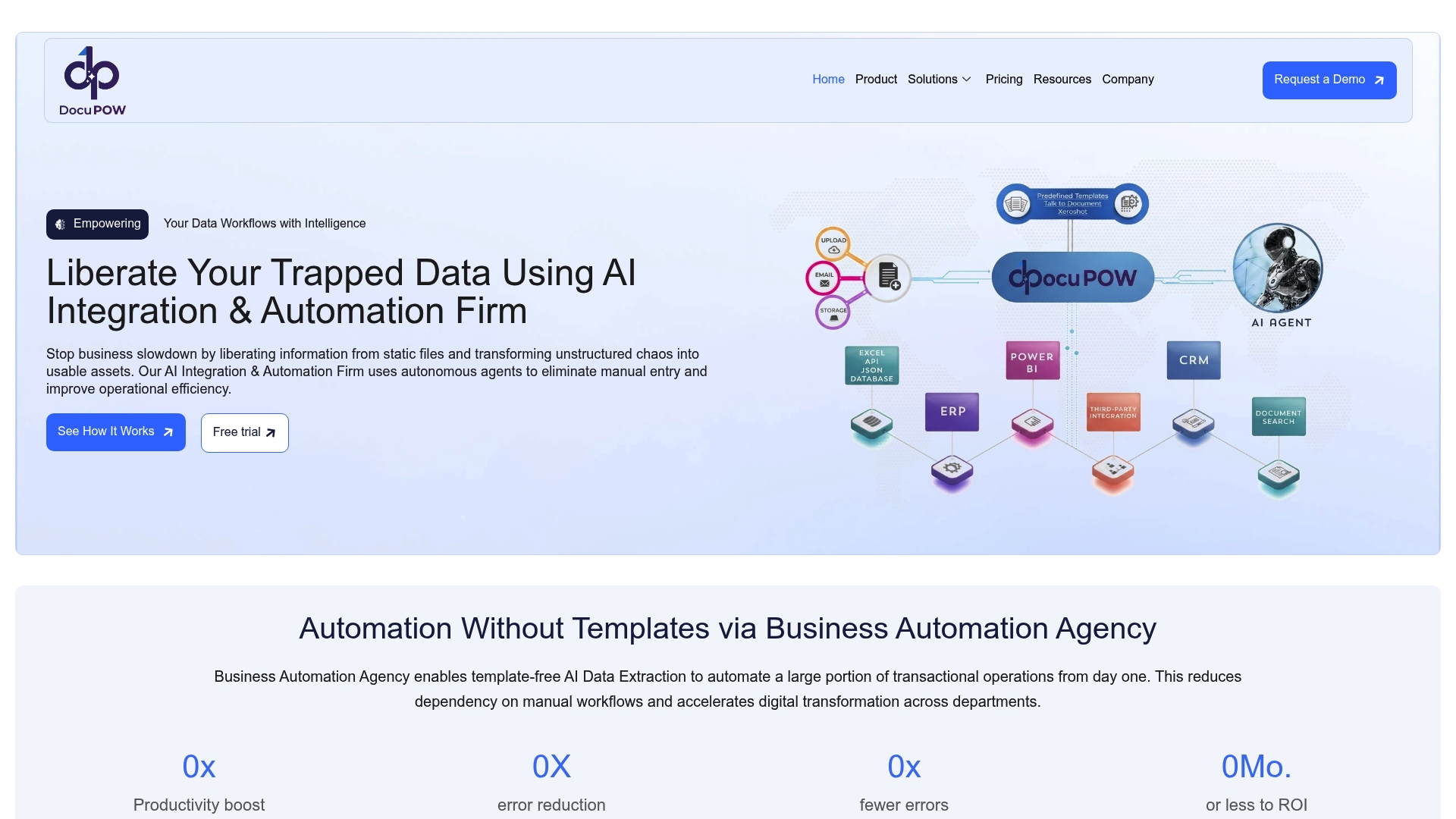
DocuPOW connects to your existing accounting, CRM, and operations tools, so there is no rip-and-replace required. Built-in governance features keep a human in the loop for approval-required actions, and full audit trails log every extraction and decision. Whether you work in real estate document workflows, construction operations, or general back-office processing, DocuPOW’s intelligent document automation platform is built to deliver measurable results from day one.
FAQ
What is an AI agent, and how does it differ from a chatbot?
An AI agent completes multi-step workflows end to end, while a chatbot typically handles a single exchange and stops. Agents can extract data, route approvals, update records, and trigger follow-up actions without human input at each step.
How long does it take to deploy an AI agent for a small business?
On no-code platforms, deployment typically takes 1.5 to 3 hours. Measurable ROI appears within 30–60 days when the agent is applied to a structured, rules-based task with clean input data.
What accuracy can small businesses expect from document processing agents?
Structured document automation, covering invoices, receipts, and standard forms, achieves 95–99% accuracy. Accuracy drops for unstructured or judgment-heavy documents, which require human review gates.
How can AI help small businesses without adding operational risk?
Deploying agents in read-only or draft-only mode with human approval before autonomous action is the most effective risk control. Audit trails that log every trigger and decision provide accountability and support safe scaling.
What tasks should small businesses avoid automating?
Tasks requiring negotiation, relationship context, or subjective judgment should not be fully automated. Automating only rule-based and auditable tasks reduces risk and aligns with regulatory guidance on responsible AI use in business.
Recommended
See DocuPOW on your documents.
Stop building templates. Start extracting data.