SOC 2 Document AI: What to Verify Before You Automate
What a SOC 2 report proves about AI document processing, which controls matter, and how CCPA, GLBA and GDPR change what you must check before you automate.


SOC 2 document AI is AI that reads, extracts and routes your business documents inside a vendor environment whose security controls an independent CPA firm has examined against the AICPA Trust Services Criteria. A SOC 2 report is useful evidence, but it is only the start: you also need to know which controls cover your documents, whether the AI’s output is validated, and whether a human can review what the system decided. DocuPOW is built around those three points: encrypted, cloud-native processing, strict schema validation and human-in-the-loop audit review.
TL;DR
- A SOC 2 report describes controls a vendor has in place and, in a Type 2 report, whether they operated consistently over time. It is an attestation, not a pass or fail certificate. (KPMG)
- SOC 2 was not designed as a full AI risk framework. For document AI, processing integrity (is the extracted data complete, valid and accurate?) deserves the most attention. (Schellman)
- Privacy laws add duties on top of SOC 2. California’s updated CCPA regulations took effect January 1, 2026, and the ADMT rules follow in 2027.
- Automation supports an audit; it does not replace the auditor or human sign-off on exceptions.
- Choose a platform that validates output against a schema, keeps a human review step and cites the source of every answer.
Table of Contents
- What SOC 2 means for document AI
- What a SOC 2 report does not cover on its own
- The controls that matter across a document workflow
- How to read a SOC 2 report for a document platform
- Automation helps the audit, and a human stays in the loop
- Privacy laws that sit on top of SOC 2
- A short evaluation guide for your team
- Where DocuPOW fits
- Our perspective
- FAQ
- Sources
What SOC 2 means for document AI
SOC 2 is a reporting framework from the American Institute of CPAs, not a law. A service provider’s management writes a description of its system, an independent CPA firm tests the controls against the Trust Services Criteria, and the result is a report you can read. KPMG’s overview says the examination shows where controls are in place, where they deviate from the intended design, and whether they operate consistently over time (KPMG, 2025).
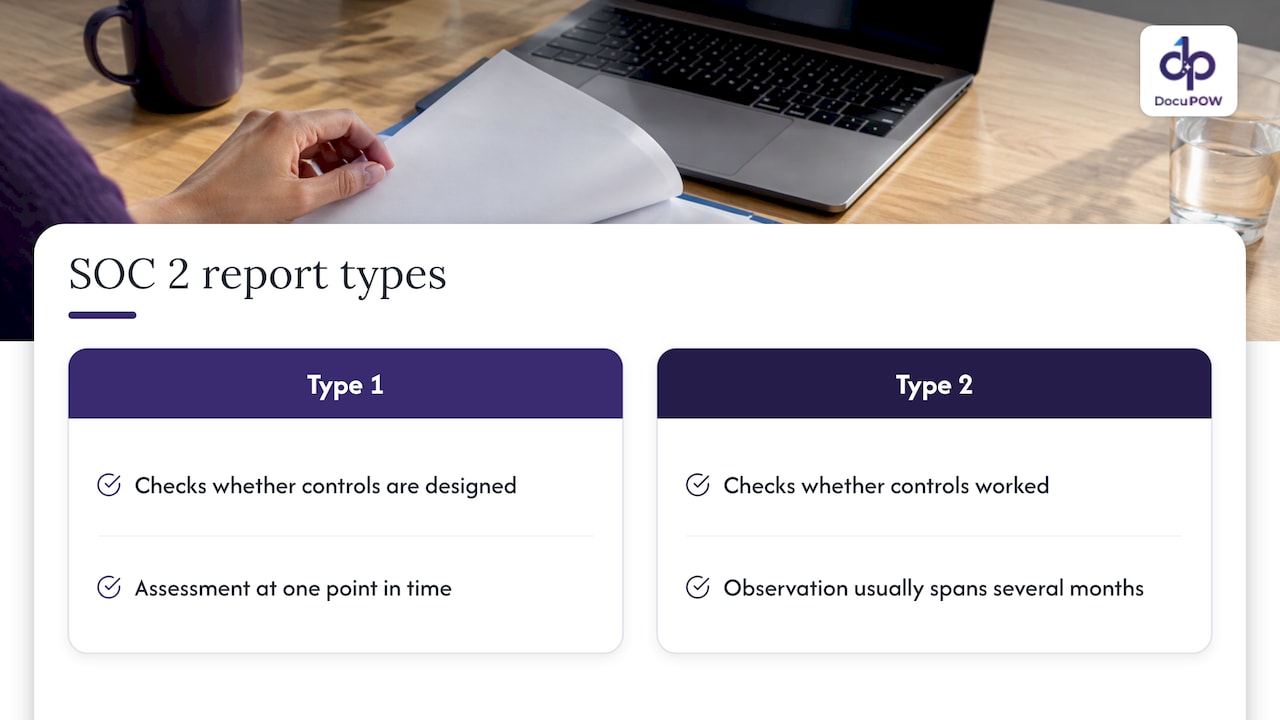
There are two report types. A Type 1 report covers whether controls are designed properly at a single point in time. A Type 2 report covers whether they worked across an observation period, usually several months. For a system that handles invoices, contracts, claims, employee files or patient forms, the Type 2 report is the one that tells you how the vendor behaved day to day.
The five Trust Services Criteria are security, availability, processing integrity, confidentiality and privacy. Security is mandatory in every SOC 2 report. The others are included when the vendor’s commitments call for them, so two vendors that both say “SOC 2” can have very different scopes.
What a SOC 2 report does not cover on its own
The criteria were written before AI document processing became common. Schellman, a firm that performs SOC examinations, notes that SOC 2 is not meant to be a comprehensive AI risk management framework, and that ISO 42001 was created to cover AI-specific topics such as fairness, bias and safety. Organizations can add testing of ISO 42001’s 38 Annex A controls to Section 4 of a SOC 2 report to show AI controls (Schellman, Nov. 4, 2024).
For document AI the most relevant criterion is processing integrity. Schellman explains that organizations want to confirm that transactions are processed completely, validly, accurately, in a timely way and with authorization, and that invalid outputs from hallucinations, data poisoning or improper configuration are monitored and remediated. In plain terms: when a model reads a purchase order and posts a total to your ERP, something has to check that total before it lands.
That is why the question to ask is not only “Does the platform have a SOC 2 report?” but also “What stops a wrong value from reaching my systems, and who sees it first?”
The controls that matter across a document workflow
A document workflow has more stages than a single upload box: ingestion, extraction, validation, review, delivery into core systems, storage, search and support access. Each stage is a place where SOC 2 controls should apply. The table maps the common criteria to what a buyer can reasonably look for.
| Area | What it covers in a document workflow | What good evidence looks like |
|---|---|---|
| Access (CC6) | Who can open documents and extracted data: MFA, role-based access, single sign-on, removal of departed users | Authentication logs, provisioning and deprovisioning records, privileged access reviews |
| Monitoring (CC7) | Detecting misuse, anomalies and incidents in document systems | Vulnerability scan results, incident records, monitoring logs across the whole period |
| Change management (CC8) | How model, code and configuration changes are approved and rolled back | Change approval workflows, rollback records |
| Processing integrity | Whether extracted output is complete, accurate and authorized | Validation rules, exception handling, review records |
| Confidentiality and privacy | Protecting contracts, financial data and personal information | Encryption in transit and at rest, retention and deletion practices |
The CC6, CC7 and CC8 evidence examples come from a practitioner mapping of what auditors request from document automation vendors (The Paper Trail, Sept. 2026). Schellman adds that AI-specific controls fit under CC6 for access, CC4 for monitoring intended use, CC8.1 for the development lifecycle and CC9.2 for the AI supply chain.
If you are building your own control inventory, a SOC 2 compliance checklist is a handy way to organize documents and audit trails by control family. IT and security teams reviewing AI environments will also find a breakdown of SOC 2 certified AI platforms that walks through access management, MFA, encryption and monitoring.
How to read a SOC 2 report for a document platform
A report is long, and most of its value is in a few places. When your security, legal or procurement team receives one, work through these in order:
- The auditor’s opinion. An unqualified opinion means the auditor found the controls fairly described and effective. Anything else needs a closer read.
- The scope. Confirm the system described includes the extraction, workflow and storage components you will actually use, not only the vendor’s website or corporate IT.
- The observation period. A Type 2 period should be recent enough to reflect today’s product.
- Test results and exceptions. Section IV lists each control tested and any deviations. Exceptions are normal; what matters is how the vendor responded.
- Subservice organizations. Cloud hosting and AI model providers are often carved out, which means their controls are covered by their own reports.
- Complementary user entity controls. These are the things the report expects you to do, such as managing your own user accounts and reviewing exceptions.
The last point matters most for document teams. The vendor’s controls protect the platform; your configuration decides who in your company can see payroll files or claims. Plan the roles, the review queues and the retention settings before the first batch goes in.
Automation helps the audit, and a human stays in the loop
Two separate ideas share the phrase “SOC 2 automation”. One is automating your compliance evidence. The other is automating the documents your business runs on. Both come with the same principle: automation supports the work and a person remains accountable.
On the audit side, a SOC 2 auditor remains responsible for judging the quality, completeness and reliability of evidence, and system-generated logs with full workflow history are more defensible than files assembled by hand. For Type 2, evidence has to be uninterrupted across the period (thesoc2.com).
On the document side, the same logic applies to AI extraction. A sound design has four habits:
- Write down what a correct extraction looks like before go-live, field by field.
- Keep the source page and a timestamp for every extracted value.
- Route exceptions to a person who signs off.
- Log what the AI did, and sample its work on a schedule.
These habits are close to the practical guidance published on AI in SOC 2 programs (COMPLYAN, Nov. 2026), and they translate directly to invoices, contracts, onboarding forms and claim files. A platform that builds the review step into the workflow gives your auditors a record they can follow without reconstruction.
Privacy laws that sit on top of SOC 2
SOC 2 speaks to security controls. The laws below speak to what you may do with personal information. Match them to the documents you process.
CCPA and California’s new rules
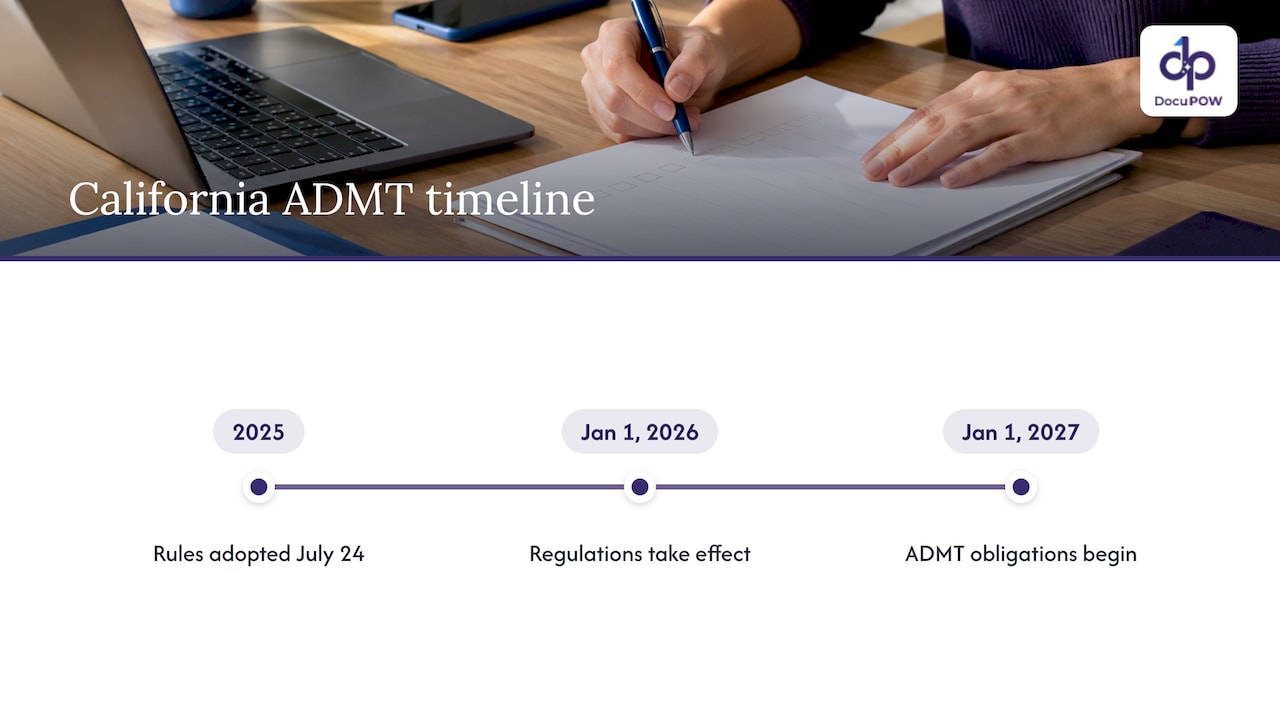
If your documents contain personal information about California residents, the CCPA applies when your business meets its thresholds. The California Privacy Protection Agency’s board adopted regulations on risk assessments, annual cybersecurity audits and automated decisionmaking technology (ADMT) on July 24, 2025, and they took effect January 1, 2026 (CPPA).
The regulations define ADMT as technology that processes personal information and replaces or substantially replaces human decisionmaking, where “substantially replace” means the output is used to decide without human involvement (CPPA regulation text). That definition is the reason human review matters beyond audit comfort: a workflow in which a person reviews and can change the AI’s output is a different thing from one that decides on its own.
The ADMT obligations in Article 11 apply from January 1, 2027. They include a pre-use notice, opt-out or appeal rights, access rights, and a plain-language description of how the technology works. Businesses must offer at least two easy opt-out methods and stop processing within 15 business days of an opt-out (Hunton, AI Year in Review 2025). The cybersecurity audit provisions also extend to service-provider systems, so your vendor’s evidence can become part of your own audit (ACC resource guide).
GLBA for financial information
Financial institutions covered by the Gramm-Leach-Bliley Act’s FTC Safeguards Rule must run a written information security program and oversee their service providers. A practitioner guide describes the program as including a designated Qualified Individual, a written risk assessment, access controls, encryption at rest and in transit, MFA, secure disposal and change management, and says AI systems used for tasks such as underwriting, fraud detection and claims processing are in scope (Digital520 field guide). If you process loan files, KYC records or claims, confirm the current requirements with your counsel and on the FTC’s own pages.
The practical overlap with SOC 2 is large: encryption, MFA, access control, change management and vendor oversight appear in both.
GDPR for EU data
If your documents include data about people in the European Union, the GDPR applies to that data regardless of where your company sits. In April 2025 the European Data Protection Board said legitimate interest can be a lawful basis for developing or deploying AI models, but the bar is high, and businesses buying AI should perform thorough due diligence on the provider (Debevoise). European data protection officers also point to the right to object to automated decisions and the right to meaningful information about the logic involved, and note that AI systems may be more likely to need a data protection impact assessment (CEDPO, 2023).
Across all three regimes, the habits that satisfy a SOC 2 auditor are the same ones regulators look for: documented decisions, traceable evidence and contractual control over vendors. The ACC’s guidance for in-house counsel recommends tailoring safeguards to size and risk, contractually requiring them of service providers, and keeping documentation of risk assessments, audits and incident response.
A short evaluation guide for your team
Different departments care about different parts of the same platform. Use this split to divide the work:
- IT and security: access model, SSO and MFA, encryption, API integration paths, subservice organizations.
- Finance and accounting: validation of totals and line items, exception queues, a trail from each posted value back to its source page.
- Legal and compliance: retention settings, audit trail, which privacy laws apply to which document sets.
- HR and healthcare: how personal and patient information is separated and who can view it.
- Operations and procurement: how many document types arrive in unpredictable layouts, since that drives setup effort.
That last point is where template-based OCR tends to break. Every new supplier layout needs a new template, and every template is another configuration to review and change-control. Template-free extraction reduces how much of that configuration exists in the first place.
Where DocuPOW fits
DocuPOW is an agentic document intelligence platform. It reads documents without templates, validates extracted data against a strict schema, orchestrates multi-step workflows, and sends results into ERP and CRM systems through an API. Its human-in-the-loop audit review lets a person check and approve what the system extracted, and its conversational querying gives answers with source citations. Processing runs on a cloud-native architecture with bank-grade encryption, built for high-volume environments.
The plans are published: Starter is $99 per month and Professional is $499 per month. Enterprise is priced on request. You can compare them on the DocuPOW pricing page, or see how the platform handles extraction, validation and workflow in one place.
If your team is mapping SOX controls as well, the guide to SOX documentation automation covers that side. To see how exceptions are routed and resolved, read about document exception handling.
Our perspective
Most buyers start with the badge: does the vendor have a SOC 2 report? We think the better starting point is the document itself. A report tells you how a vendor protects its environment. It cannot tell you whether a supplier invoice in an unfamiliar layout was read correctly.
That is why we built DocuPOW around three ideas. First, extraction should not depend on templates, because every template is something to maintain and a place where errors hide. Second, extracted data should be checked against a strict schema before it reaches a core database. Third, a person should be able to review and approve what the system produced, with the source of each value visible.
Those choices also make audits easier to live with. When the evidence of what happened to a document sits in the workflow itself, finance, legal and compliance teams do not have to rebuild it later. And when privacy rules turn on whether a person was involved in a decision, a review step is a design feature, not an afterthought.
Our advice to any team starting out: write down what a correct result looks like for your five most important document types, decide who reviews exceptions, and build from there.
Syed Naveed Abbas
FAQ
Is SOC 2 a certification?
No. SOC 2 is an attestation report issued by an independent CPA firm. It describes the controls a company has, the tests performed and any exceptions found, so there is no pass mark. Read the opinion, scope and observation period rather than looking for a badge.
What is the difference between SOC 2 Type 1 and Type 2 for document processing?
Type 1 reports on whether controls are designed appropriately at one point in time. Type 2 reports on whether they operated effectively over a period, typically several months. For a platform that will hold your invoices, contracts or personal records, Type 2 gives stronger assurance about day-to-day operation.
Does SOC 2 cover AI risks like wrong extractions?
Partly. Processing integrity speaks to whether output is complete, valid, accurate and authorized, but the criteria were not built as an AI risk framework. Schellman notes that ISO 42001 controls can be added to a SOC 2 report for AI-specific topics. Schema validation and human review inside the workflow address accuracy directly.
Does using AI to process documents trigger CCPA rules on automated decisionmaking?
It can, depending on the use. The CPPA defines ADMT as technology that replaces or substantially replaces human decisionmaking, meaning decisions made without human involvement. Article 11 obligations apply from January 1, 2027. Review your specific use cases with your counsel.
Sources
- KPMG: Organization Controls (SOC 2 reporting whitepaper), 2025
- Schellman: How to Incorporate AI Controls into Your SOC 2 Examination
- The Paper Trail: SOC 2 Type II Requirements for Document Automation Vendors
- thesoc2.com: Evidence collection automation and what SOC 2 auditors accept
- California Privacy Protection Agency: CCPA Updates
- CPPA: Text of Regulations, Title 11
- Hunton: Artificial Intelligence, AI Year in Review 2025
- ACC: Comprehensive Resource Guide on Federal and State Cybersecurity Requirements
- Digital520: Compliance Practitioners Field Guide to AI
- Debevoise: GDPR Considerations When Developing and Deploying AI Models
- CEDPO: AI and Personal Data, A Guide for DPOs
- Bitrupt: SOC 2 Compliance Checklist for Service Organizations
- AllMind: Which AI Investment Research Platforms Are SOC 2 Certified?
Recommended
See DocuPOW on your documents.
Stop building templates. Start extracting data.


