OCR Automation for Business: The 2026 Enterprise Guide
Discover how OCR automation transforms document management with AI. Achieve over 98% accuracy and streamline your business processes today!


TL;DR:
- OCR automation converts images into structured data with over 98% accuracy, integrated into enterprise systems. Success depends on data quality, workflow redesign, and proper system integration, not just OCR capability. Most project failures stem from inadequate system and master data management rather than OCR technology itself.
OCR automation is defined as the process of using optical character recognition combined with AI to convert image-based documents into structured, machine-readable data that feeds directly into enterprise systems. Modern platforms go far beyond simple text extraction. Enterprise-grade AI systems achieve over 98% accuracy for critical fields, requiring only 1–3% human review to maintain regulatory compliance. That level of accuracy makes OCR automation the foundation of any serious document management strategy, whether your teams process invoices, contracts, purchase orders, or compliance records. Integrating OCR output directly into ERP and CRM systems is what separates true automation from a digitization project.
How does OCR automation work?
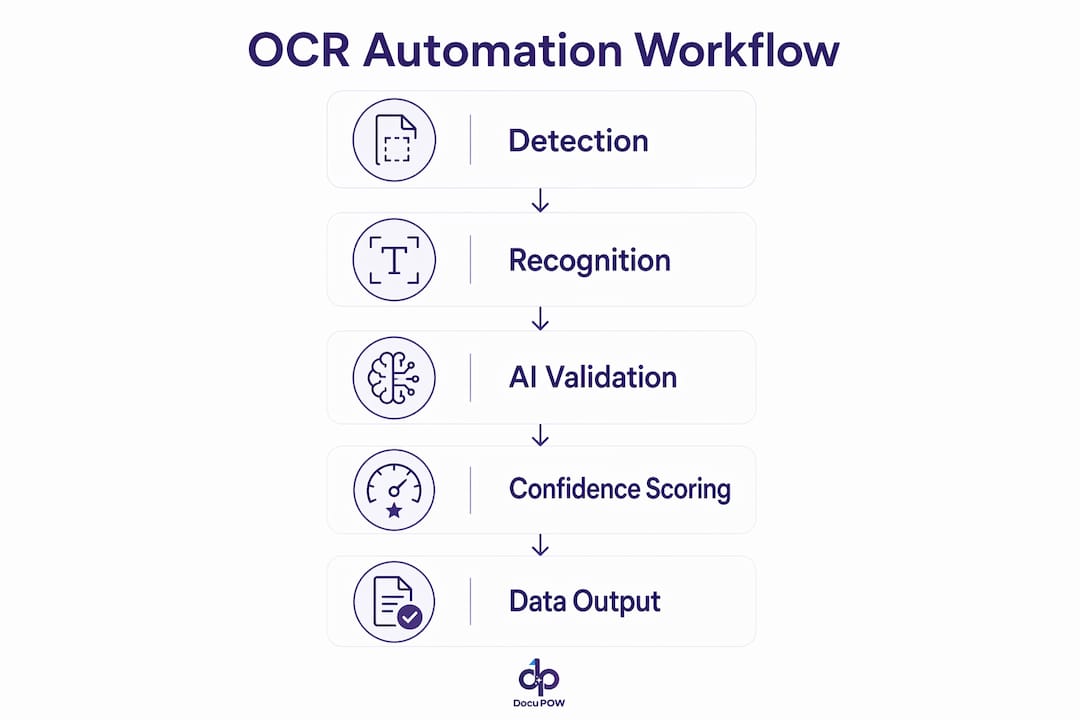
OCR automation follows a defined pipeline. The system first detects text regions in an image or scanned document, then applies recognition algorithms to convert those regions into character strings. Layout analysis follows, mapping where each string sits within the document structure. Semantic understanding is the final step, where the system interprets what each piece of text means in context, such as identifying a number as an invoice total rather than a phone number.

Modern systems use AI enhancements that traditional optical character recognition never had. Vision transformers and multimodal language models such as LayoutLM process both the visual layout and the text content simultaneously. This allows the system to understand a table of line items on an invoice the same way a trained accountant would. Intelligent document processing platforms extract validated data including invoice totals and line items rather than just raw text strings.
Confidence scoring is the mechanism that keeps accuracy high at scale. Every extracted field receives a confidence score. Fields that score below a defined threshold route automatically to a human reviewer. Embedding OCR inside large multimodal language models simplifies architecture but reduces explainability, which limits its use in high-compliance workflows. For regulated industries, a dedicated OCR engine paired with a validation layer is the more auditable choice.
Integration is where the pipeline closes. Processed data exits the system as JSON payloads delivered through APIs, webhooks, or pre-built connectors to ERP, accounting, and CRM platforms. Manual file uploads limit automation benefits significantly. A well-designed integration architecture is what makes the difference between a document scanning solution and a true end-to-end workflow.
- Text detection: Locates text regions in scanned images or PDFs.
- Character recognition: Converts detected regions into character strings using trained models.
- Layout analysis: Maps text to its structural position, such as header, line item, or footer.
- Semantic extraction: Assigns meaning to each field based on document type and context.
- Confidence scoring: Flags low-confidence fields for human review before data enters downstream systems.
Pro Tip: Set your confidence thresholds by field type, not by document type. An invoice total may require 99% confidence before auto-posting, while a secondary reference field may be acceptable at 90%.
What are the benefits of OCR automation over manual methods?
The most direct benefit of automated text recognition is speed. A human data entry operator processes one document at a time. An OCR automation system processes thousands simultaneously, with no fatigue and no shift constraints. Manual data entry carries a 2–3% error rate, while AI-validated automation pushes accuracy above 99%. That gap translates directly into fewer reconciliation cycles, fewer compliance exceptions, and lower correction costs.
Compliance is a second major gain. Every extracted field carries a timestamp, a confidence score, and an audit trail. Human reviewers leave no such record by default. Automated workflows create the documentation that auditors and regulators require, without additional effort from your teams. This is particularly valuable in accounts payable, contract management, and regulated manufacturing environments.
Organizations that redesign workflows around OCR output achieve up to 80% reduction in manual data entry and faster financial close cycles. That figure only applies when teams redesign the process end-to-end, not when they simply add OCR to an existing manual workflow. The distinction matters enormously for ROI calculations.
Modern machine learning OCR systems also handle document variety that would overwhelm a template-based approach. Handwritten text, mixed-language documents, variable table layouts, and non-standard formats are all within scope for AI-powered systems. That flexibility makes them practical for global operations where document formats change by vendor, region, or document type.
- Speed: Thousands of documents processed per hour versus dozens per operator per day.
- Accuracy: AI validation pushes field-level accuracy above 99%, far beyond manual entry rates.
- Compliance: Automated audit trails satisfy regulatory requirements without extra documentation effort.
- Flexibility: AI-based image to text conversion handles handwriting, tables, and variable layouts natively.
- Productivity: Teams shift from data entry to exception handling and analysis, higher-value work.
What are the best practices for implementing OCR automation at scale?
Implementation failures in OCR automation rarely come from the OCR engine itself. They come from the systems around it. Master data quality significantly impacts OCR automation success, and organizations should allocate 20–30% of project time to data cleansing and normalization before go-live. A dirty vendor list or an invalid cost center code will cause a correctly extracted invoice to fail downstream, regardless of how accurate the OCR was.
The following steps represent a proven implementation sequence for enterprise deployments:
- Audit master data first. Clean vendor lists, GL codes, and cost center data before connecting any OCR output to your ERP or accounting system.
- Define confidence thresholds by field. Set strict thresholds for high-risk fields such as payment amounts, and more permissive thresholds for reference fields. Thresholds of 99% for invoice totals and 90% for secondary fields are a documented starting point.
- Design exception routing before launch. Every document that falls below threshold needs a defined path to a human reviewer, with a response SLA attached.
- Replace template-based systems with AI models. Template-based OCR silently breaks when vendor invoice formats change. Template-agnostic AI models with confidence monitoring are more resilient and require less maintenance.
- Engineer integrations for production reliability. Most production failures occur at integration points. Design for idempotency, retry logic, and stable webhook handling from day one.
- Build feedback loops into the workflow. Machine learning OCR systems improve from human corrections over time. Capture reviewer decisions and feed them back into the model to reduce future review volume.
Pro Tip: Never configure automatic retries for permanent errors such as authentication failures or malformed documents. Track retries by error cause to prevent duplicate transactions from entering your ERP.
The table below summarizes the most common implementation risks and the controls that address them.
| Risk | Control |
|---|---|
| Poor master data quality | Allocate 20–30% of project time to data cleansing before integration |
| Template drift from vendor format changes | Deploy template-agnostic AI extraction with confidence monitoring |
| Integration failures and duplicate transactions | Design idempotency and retry logic into all API and webhook connections |
| Low confidence fields entering downstream systems | Define field-level confidence thresholds and route exceptions to human review |
| Model degradation over time | Implement feedback loops that train the model on reviewer corrections |
How do you measure and maximize ROI from OCR automation?
ROI from OCR workflow automation is measurable from the first month of production. The key performance indicators that matter most are accuracy rate per field type, the percentage of documents requiring manual review, throughput in documents per hour, and cost per document processed. Tracking these four metrics gives a clear picture of where the system performs well and where it needs adjustment.
Confidence policy tuning is the primary lever for improving ROI after go-live. A policy set too conservatively routes too many documents to human review, which defeats the purpose of automation. A policy set too loosely allows errors into downstream systems, which creates reconciliation costs. The right balance depends on your risk tolerance by document type and the cost of an error in each workflow.
Redesigning business workflows around OCR output rather than layering OCR onto existing manual processes is the single most important factor in maximizing return. Consider accounts payable as a concrete example. A team that adds OCR to a manual approval process still routes paper through the same steps. A team that redesigns the process around straight-through processing, with OCR as the entry point, eliminates most of those steps entirely.
Contract management is a second high-value use case. Extracting key dates, obligation clauses, and counterparty names from contracts at ingestion means legal and operations teams work from structured data rather than searching PDFs. That shift reduces risk and accelerates decision-making without adding headcount. For teams exploring AI-powered data extraction, the contract management use case often delivers the fastest visible ROI.
- Accuracy rate: Measure field-level accuracy, not document-level. A document can pass while containing a critical field error.
- Manual review percentage: Target below 5% for mature deployments. Above 10% signals a confidence policy or data quality problem.
- Throughput: Documents processed per hour, tracked against volume peaks to identify bottlenecks.
- Cost per document: Total system cost divided by volume. This metric drops as volume scales and model accuracy improves.
Key Takeaways
OCR automation delivers maximum business value when AI-validated extraction, well-designed confidence policies, and end-to-end workflow redesign work together from the start.
| Point | Details |
|---|---|
| Accuracy above 99% is achievable | AI validation combined with confidence scoring pushes field accuracy well beyond manual entry rates. |
| Workflow redesign drives ROI | Adding OCR to an existing manual process yields modest gains. Redesigning the process around OCR output delivers up to 80% reduction in manual entry. |
| Master data quality is foundational | Allocate 20–30% of project time to cleaning vendor lists and GL codes before connecting OCR to any downstream system. |
| Confidence thresholds must be field-specific | Invoice totals require stricter thresholds than reference fields. Define policies before go-live, not after. |
| Integration engineering prevents production failures | Idempotency, retry logic, and stable webhook design stop duplicate transactions and transient failures from corrupting data. |
Why I think most OCR projects underdeliver, and what actually fixes it
Most OCR automation projects I have seen fail for the same reason. Teams treat OCR as a drop-in replacement for a data entry clerk rather than as the foundation for a redesigned process. The technology works. The workflow design does not.
The shift from basic optical character recognition to intelligent document processing is real and significant. Modern AI models that combine OCR, layout analysis, and semantic extraction in a single pass are genuinely more capable than anything available five years ago. But capability does not equal deployment success. Integration quality and master data sanitation determine outcomes far more than the choice of OCR engine.
The emerging trend worth watching is multimodal AI models that process documents without a separate OCR step. These systems are faster to deploy and require less infrastructure. The tradeoff is reduced explainability, which matters in regulated industries. For high-volume document processing in finance or manufacturing, a dedicated extraction layer with auditable confidence scores remains the more defensible architecture.
My honest recommendation is to resist the temptation to automate everything at once. Start with one high-volume, well-defined document type. Measure accuracy and review rates for 60 days. Then expand. Teams that follow this sequence build confidence in the system and catch integration problems before they scale.
Human review is not a failure state. For critical fields in regulated workflows, a 1–3% human review rate is the correct target, not a problem to eliminate. The goal is to make that review fast, well-informed, and exception-driven rather than routine.
— Sameer
DocuPOW brings enterprise-grade document automation to your workflows
DocuPOW is built for organizations that need AI-powered document processing at scale, without the template maintenance and integration fragility that plague older systems. Its autonomous agents understand document context without rigid templates, extracting structured data from invoices, contracts, and operational records with high accuracy.
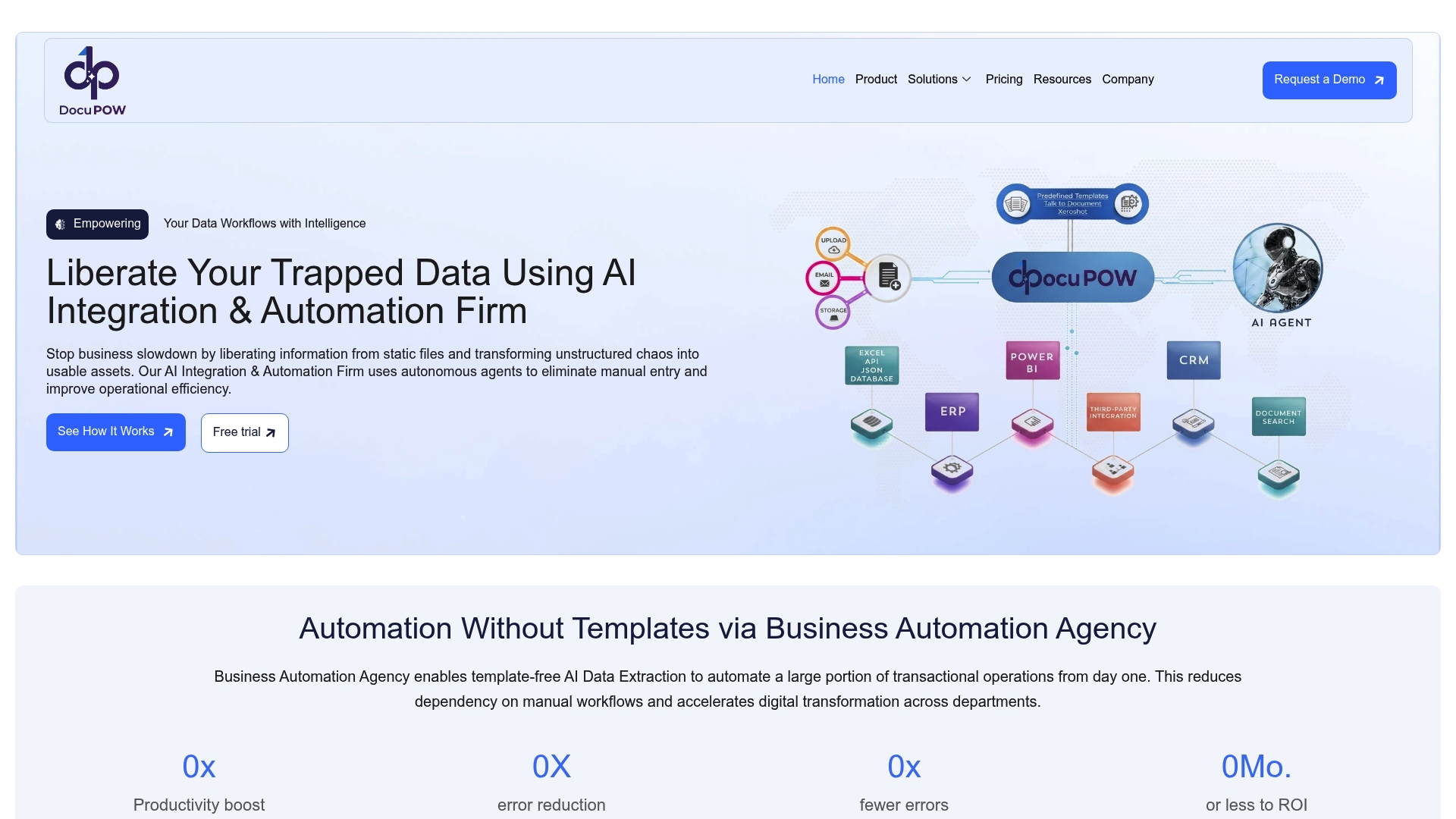
DocuPOW connects directly to ERP, accounting, and CRM systems through APIs and pre-built connectors, closing the loop between document ingestion and business action. Teams in real estate, construction, and operations use DocuPOW to cut manual entry, improve compliance, and accelerate financial close. The platform’s built-in confidence policies and real-time analytics give operations leaders the visibility they need to manage exceptions and track performance. Explore the AI workflow automation guide to see how enterprise teams are structuring their deployments, or review DocuPOW’s operations solutions for workflow-specific details.
FAQ
What is OCR automation?
OCR automation is the use of optical character recognition technology combined with AI to convert scanned or image-based documents into structured data that integrates directly into business systems such as ERP or CRM platforms.
How accurate is AI-powered OCR automation?
Enterprise-grade AI OCR systems achieve over 98% accuracy for critical fields, with AI validation pushing field-level accuracy above 99% and requiring only 1–3% human review for compliance.
What is the difference between traditional OCR and intelligent document processing?
Traditional OCR extracts raw text strings from images. Intelligent document processing validates extracted data, handles variable layouts and handwriting, and delivers structured outputs ready for downstream systems.
Why do OCR automation projects fail?
Most failures occur at integration points or due to poor master data quality. Dirty vendor lists and invalid cost center codes cause correctly extracted data to fail in downstream systems, regardless of OCR accuracy.
How do I set confidence thresholds for OCR workflows?
Set thresholds by field type based on risk. A documented starting point is 99% confidence for invoice totals and 90% for secondary reference fields, with documents below 97% overall routed for human review.
Recommended
See DocuPOW on your documents.
Stop building templates. Start extracting data.