90 Day Agentic AI Powered Information Accessibility for Enterprises
Turn invoices, contracts, and claims into queryable data with agentic, template free AI. See a 90 day rollout, procurement checks, and expected ROI in...


AI-powered information accessibility turns static documents into structured, queryable data your systems can act on. For enterprise teams, that means invoices, contracts, and claims stop sitting in folders and start feeding analytics, workflows, and decisions. Most deployments hit measurable ROI within 6 to 12 months, provided a human review loop backs the extraction.
TL;DR:
- Without governance controls, errors from low-confidence extractions can spread widely and impact legal and compliance outcomes.
- Setting confidence thresholds between 85 and 90 percent ensures most fields route automatically while low-confidence data goes to human review.
- Proper classification and filtering before extraction help prevent sensitive or irrelevant documents from entering AI workflows, reducing risk.
- A typical pilot phase lasts 90 days, with initial discovery, focused testing, and scaled deployment to validate accuracy and process improvements.
- Vendors should provide detailed API, confidence scoring, audit trails, and support for sensitive data handling to ensure operational and legal compliance.
Table of Contents
- What Is AI-Powered Information Accessibility, and How Does It Differ From OCR?
- Why Enterprise Teams Are Prioritizing This Now
- How Does the Extraction Pipeline Actually Work?
- What Governance Controls Keep AI Extraction Safe?
- What Does a 90-Day Rollout Look Like?
- What Should Procurement Ask Before Signing a Vendor?
- Why Template-Free, Agent-Based Extraction Scales Better
- See AI-Powered Information Accessibility in Action
- Sources
- FAQ
What Is AI-Powered Information Accessibility, and How Does It Differ From OCR?
AI-powered information accessibility, more precisely called intelligent document processing (IDP), converts PDFs, scanned forms, emails, and images into structured data that analytics tools and business systems can query directly. That’s a distinct capability from plain optical character recognition, which just turns pixels into text strings with no understanding of what those strings mean.
Enterprise document estates break down into three categories, and each demands a different extraction strategy:
- Structured documents — forms and templates with fixed fields, like standardized purchase orders.
- Semi-structured documents — invoices and receipts that share a general layout but vary by vendor.
- Unstructured documents — contracts, emails, and inspection reports with no predictable layout at all.
Legacy OCR reads characters. Modern IDP reads context: it recognizes that a number near the word “Total” on page two of an invoice is likely the amount due, even when the vendor’s template has never been seen before. That contextual reasoning is what Databricks points to as the foundation for retrieval-augmented and agentic AI workflows. Classification models now hit 95 to 99% accuracy on trained document types, which is the benchmark worth holding vendors to before you sign anything.
Why Enterprise Teams Are Prioritizing This Now
The ROI case for information accessibility tools rests on three levers: automation rate, exception reduction, and freeing up staff for higher-value work. When a process that used to require manual review on every document drops to exception-only review, the savings compound fast.
High-value use cases cluster in a handful of areas:
- Accounts payable automation — matching invoices to purchase orders without manual keying.
- Contract intelligence — surfacing renewal dates, indemnity clauses, and pricing terms across thousands of agreements.
- KYC and compliance intake — extracting identity and entity data from inconsistent onboarding documents.
- Logistics and supply chain — reading bills of lading, customs forms, and delivery confirmations at volume.
One documented deployment cut weekly invoice processing from 8 hours to 45 minutes at 92% accuracy, which is the kind of shift that turns a two-person data-entry function into a one-person exception-review function. Payback windows for these projects typically land between 6 and 12 months, tracked against KPIs like straight-through processing rate, cost per document, and hours redeployed to analysis work instead of transcription.
How Does the Extraction Pipeline Actually Work?
Every credible IDP system runs the same five-stage pipeline: ingest, classify, extract, validate, and route. Each stage exists to catch a specific failure mode before it reaches your ERP or CRM.
- Ingest pulls documents from email, scanners, shared drives, or APIs. Failure mode: inconsistent file formats. Mitigation: normalize to a common format before classification.
- Classify identifies document type. Failure mode: misrouted document types with lookalike layouts. Mitigation: confidence thresholds that flag ambiguous cases for human review.
- Extract pulls the actual field data. Failure mode: low-confidence fields passed through as if certain. Mitigation: field-level confidence scoring, not just document-level.
- Validate cross-checks extracted values against business rules or source systems. Failure mode: silent errors in downstream systems. Mitigation: automated reconciliation against master data.
- Route sends validated data to its destination workflow. Failure mode: orphaned records with no owner. Mitigation: explicit routing rules tied to exception queues.
On architecture, you’re choosing between platform-native extraction tied to a cloud ecosystem you’ve already standardized on, a general-purpose IDP platform, or agentic, template-free parsing that adapts to new layouts without retraining from scratch. Platform-native tools reduce friction if you’re already locked into that ecosystem; neutral, agent-based platforms serve better when your document sources span vendors, formats, and business units. For teams building retrieval or RAG workflows on top of extracted data, chunking strategy matters as much as extraction accuracy. Splitting a contract clause across two chunks can break its meaning entirely and raise hallucination risk downstream.
Pro Tip: Set your extraction confidence threshold at 85 to 90% before a field routes automatically. Anything below that goes to human review, not straight into your general ledger.
What Governance Controls Keep AI Extraction Safe?
Extraction speed without governance is how errors spread across millions of records before anyone notices. That’s the core warning from Moor Insights & Strategy on agentic AI and unstructured content: agents that act fast on bad data create risk fast, too.
The fix starts before extraction, not after. ATechReview’s analysis recommends classifying and scoping document sets first, removing records that shouldn’t be indexed at all, whether for privilege, consent, or retention reasons.
- Screen for retention, privilege, and consent obligations at the point of ingestion, not after data is already searchable.
- Apply role-based access controls at the retrieval layer so extracted data inherits the same permissions as its source document.
- Log every query and extraction event for audit purposes.
- Hold field-level accuracy to the 85 to 95% range and route anything below that to human review.
Field-level accuracy in this range, paired with a retraining cycle, is what turns a pilot into something legal and compliance teams will actually sign off on.
What Does a 90-Day Rollout Look Like?
A realistic pilot-to-production timeline runs in three phases over 90 days:
- Weeks 1 to 3: Discovery and scoping. Inventory document types, define governance boundaries, and pick one category to pilot.
- Weeks 4 to 8: Pilot. Run extraction against a single document type, baseline accuracy and processing time, and set an automation target.
- Weeks 9 to 12: Production rollout. Scale to additional document types, establish the retraining cadence, and hand operations to the process owner.
Track automation rate, exception rate, mean processing time, and cost per document throughout. Those four numbers tell you within one quarter whether the pilot is worth scaling. For a deeper operational walkthrough, DocuPOW’s guide for business professionals covers pilot sizing in more detail.
What Should Procurement Ask Before Signing a Vendor?
Evaluate on operational fit, not feature lists. The strongest technical criteria include API connectors to your existing ERP and CRM, data residency guarantees, and a documented retraining process for when accuracy drifts.
- Does the platform expose confidence scores at the field level, or only at the document level?
- What human-in-the-loop tools exist for reviewing low-confidence extractions?
- Can it produce an audit trail showing which model version processed which document? Learn more about how AI enhances compliance workflows in our partner article on How AI transforms security compliance: faster, smarter.
- Does it support redaction and masking for sensitive fields before data reaches downstream systems?
- What does a 30-day pilot look like, and what accuracy baseline will it report against?
Vendors that expose model choice, confidence scores, and audit trails as standard features tend to outcompete opaque ones once legal and compliance get a seat at the procurement table.
Why Template-Free, Agent-Based Extraction Scales Better
Template-based extraction breaks the moment a vendor changes their invoice layout. Agentic, template-free systems read documents the way a trained analyst does, by understanding context and intent rather than matching a fixed pattern. That distinction matters most at scale, when a manufacturer’s document estate spans thousands of supplier formats that no template library could ever anticipate.
Some manufacturers using this approach report improved financial visibility and faster data-driven decisions once extraction stops depending on rigid templates. DocuPOW’s own research on agentic discovery explores how autonomous agents can turn document archives into searchable knowledge bases rather than static storage.
— Syed Naveed Abbas
See AI-Powered Information Accessibility in Action
If your document estate spans dozens of vendor formats, template-based tools will always be one layout change behind. Some platforms are built around autonomous agents that read documents for context and intent, so extraction keeps working when a supplier changes their invoice template without warning.

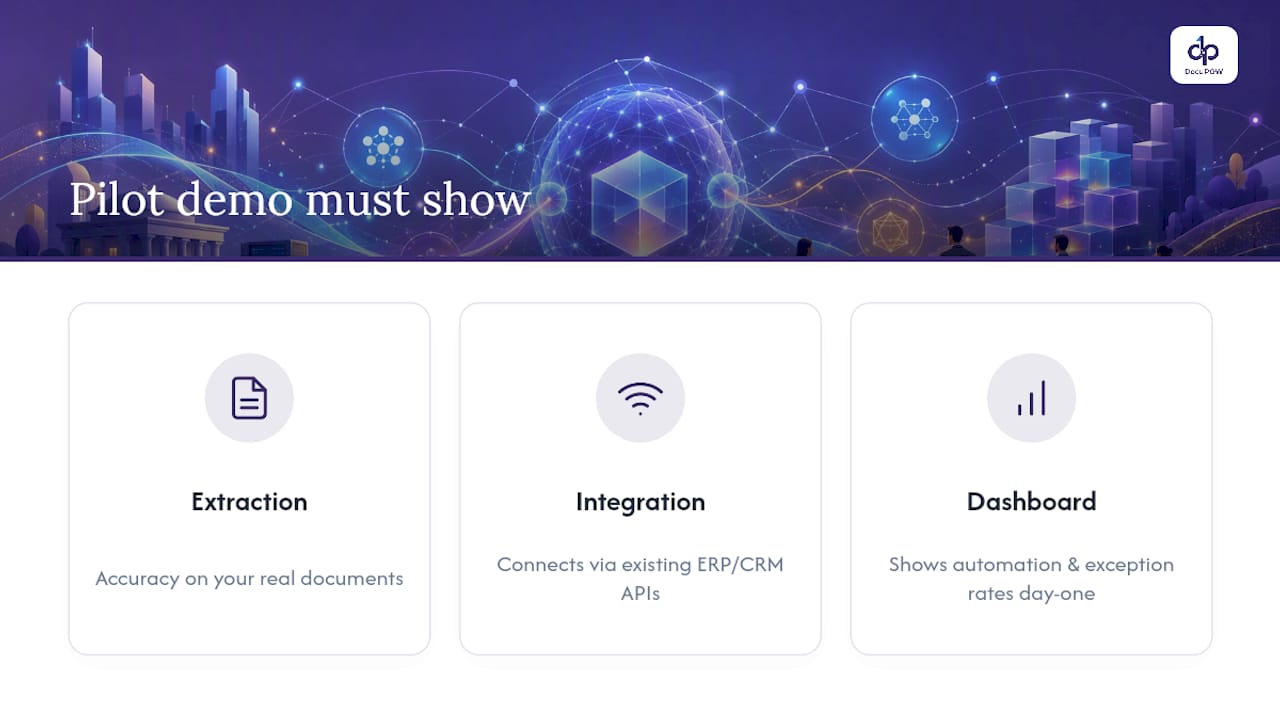
A pilot worth running should demonstrate three things: extraction accuracy on a real sample of your own documents, proof that the platform connects cleanly to your ERP or CRM through existing APIs, and a dashboard showing automation rate and exception rate from day one. Some platforms offer real-time analytics and predictive insights to answer exactly those questions before you commit to a full rollout.
Manufacturers and operations teams managing high document volume can review best practices for scaling document processing or start with a solution built for their industry, including construction and real estate document workflows. If your documents span multiple formats and vendors, request a pilot and see your own data extracted before you decide anything.
Sources
For deeper technical grounding, see Databricks on intelligent document processing and Moor Insights & Strategy on agentic AI bottlenecks.
- AI Document Automation: Extract, Process & Route at Scale
- What is Intelligent Document Processing? | Databricks Blog
- Using Unstructured Content For Agentic AI: A Big Enterprise Bottleneck – Moor Insights & Strategy
- The Hidden Cost of Unstructured Data in Enterprise AI Workflows – ATechReview
- What Is Unstructured Data? Enterprise Guide to AI | Unstructured
FAQ
How Long Does an IDP Pilot Take to Show ROI?
Most enterprise deployments reach measurable ROI within 6 to 12 months, with a 90-day pilot typically enough to validate accuracy and automation targets before scaling.
What Accuracy Rate Should I Expect From AI Extraction?
Field-level extraction typically runs 85 to 95% at initial deployment, improving to 92 to 98% after several months of retraining.
Do I Need Human Review If Extraction Accuracy Is High?
Yes. Human-in-the-loop review on low-confidence fields, generally anything below an 85 to 90% threshold, is what keeps errors from reaching financial or compliance systems.
How Is This Different From Basic OCR Software?
OCR reads characters; AI-powered information accessibility platforms like DocuPOW read context and intent, extracting meaning without relying on fixed templates.
What Governance Steps Come Before Extraction?
Classification and scoping come first: removing ineligible or sensitive records and applying retention and access rules before any data becomes searchable.
Recommended
See DocuPOW on your documents.
Stop building templates. Start extracting data.