AI Automation Services: A 2026 Business Guide
<p>Discover how AI Automation Services can transform your business by enhancing speed, accuracy, and cost control in 2026. Learn more!</p>


AI automation services are the practice of deploying artificial intelligence to replace manual, rule-based business tasks with intelligent, self-managing workflows. The industry term for this discipline is intelligent automation, which combines machine learning, natural language processing, and process orchestration into a single operational layer. Businesses that adopt these services report measurable gains in speed, accuracy, and cost control. Providers like Winder.AI and AI Adoption Agency have built entire service models around delivering these gains at production scale. Whether your team processes invoices, reviews contracts, or handles customer support tickets, AI-driven automation removes the bottleneck of human repetition and replaces it with consistent, auditable output.
What are AI automation services and how do they work?
AI automation services use artificial intelligence to identify, execute, and monitor tasks that previously required human input. Unlike traditional rule-based automation, which breaks when inputs vary, AI-powered automation services adapt to context. A system trained on invoice formats, for example, can extract line items from a document it has never seen before, without a template.
The core architecture typically includes a data ingestion layer, an AI processing engine, and an output connector that feeds results into your existing tools. Integrating AI into existing platforms reduces friction and focuses human effort on exceptions rather than routine processing. This means your team spends less time on data entry and more time on decisions that require judgment.
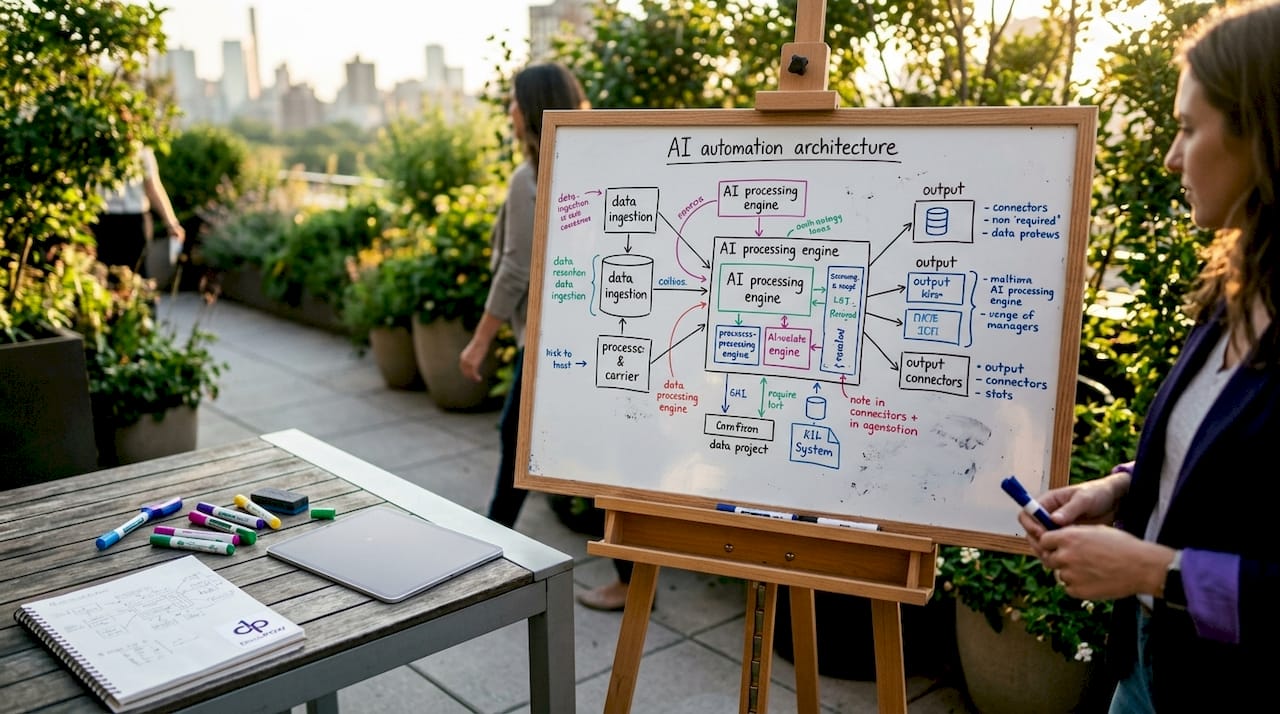
Teams across industries apply this model to a wide range of tasks. Automating customer service tickets, sales leads, invoice processing, and HR onboarding demonstrates how broadly these services apply across departments. The underlying principle is the same in every case: AI handles the volume, humans handle the edge cases.
How do AI automation services improve document processing?
Document processing is where AI automation delivers the clearest, fastest return. Manual data entry from invoices, contracts, purchase orders, and compliance forms is slow, error-prone, and expensive. AI process automation replaces that cycle with continuous, accurate extraction.
Tasks that benefit most from AI workflow automation include:
- Invoice processing: Extracting vendor names, line items, totals, and payment terms without manual keying
- Contract review: Flagging non-standard clauses, missing signatures, and expiration dates automatically
- Data entry from forms: Pulling structured data from PDFs, scanned documents, and emails into CRM or ERP systems
- Customer support triage: Classifying and routing tickets based on content and urgency
- HR onboarding documents: Verifying completeness and populating employee records
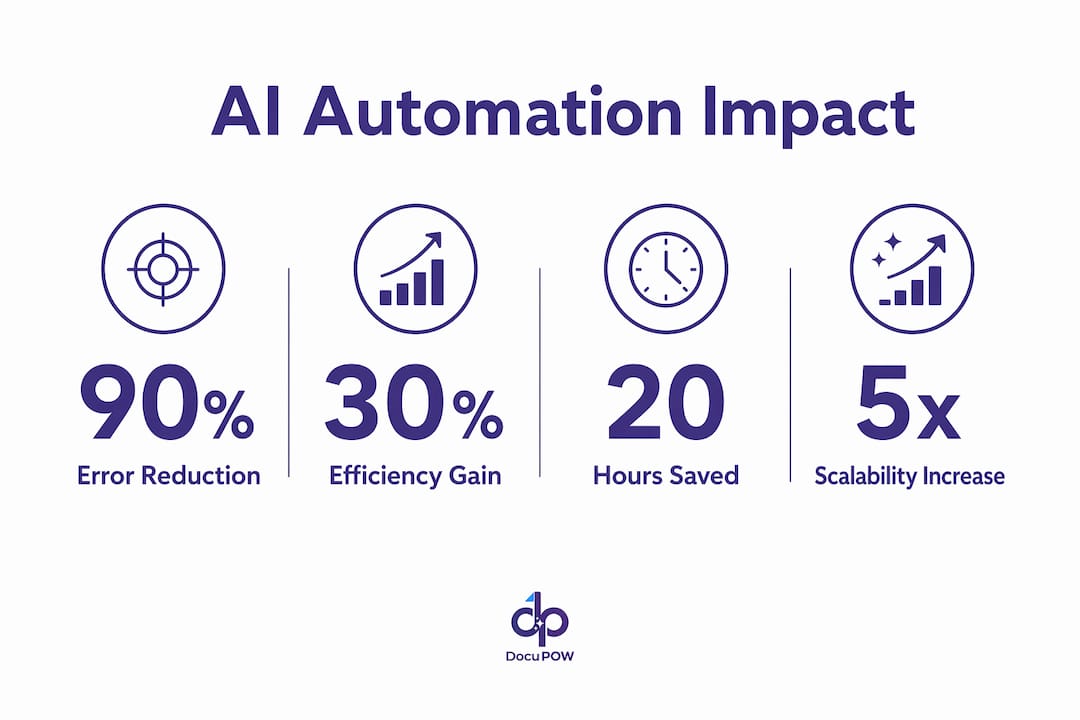
Professional AI automation services improve KPIs by 30–90% through structured deployment. That range reflects the difference between automating a single task and rebuilding an entire workflow end to end.
Reliability is built into production-grade deployments through human-in-the-loop checkpoints, audit logs, and exception queues. These controls mean a flagged document gets routed to a human reviewer rather than silently failing. For regulated industries, this governance layer is not optional.
Pro Tip: Map your current error rate and processing time before you deploy anything. Without a baseline, you cannot measure whether the automation is actually working.
Managed AI automation services vs. no-code DIY tools
The most common mistake teams make is treating no-code platforms as equivalent to managed AI automation services. They are not the same product.
| Feature | No-code tools (e.g., Zapier, Make) | Managed AI automation services |
|---|---|---|
| Governance | None by default | Audit logs, versioned prompts, SLAs |
| Reliability | Fragile; breaks on input changes | Hardened infrastructure with error handling |
| Compliance support | Minimal | Maps to frameworks like NIST AI RMF |
| Maintenance | Self-managed | Named engineers, ongoing operations |
| Best for | Simple, low-risk tasks | Complex, regulated, high-volume workflows |
Low-trust no-code tools lack governance and break in production. That is a serious risk when the process involves financial data, customer records, or compliance documentation. A broken Zapier chain that silently drops invoice data costs far more to fix than the subscription saved.
Managed services from providers like Winder.AI follow a structured engagement model. Managed providers maintain and operate automations post-build, offering SLAs, exception handling, and named engineers. That ongoing relationship is what separates a production system from a prototype.
For teams in regulated environments, production-grade AI automation with full governance is the only responsible path. Versioned prompts, audit trails, and risk framework alignment are not features you add later. They must be built in from the start.
Pro Tip: Ask any vendor to show you their audit log and exception handling process before signing a contract. If they cannot demonstrate both, the system is not production-ready.
How to choose and implement AI automation services effectively
Choosing the right AI automation service starts before you talk to any vendor. The selection process is a scoping exercise, not a shopping trip.
- Audit your current workflows. Identify which tasks consume the most time, generate the most errors, or create the most downstream rework. These are your automation candidates.
- Quantify the cost. Measure hours spent, error rates, and cycle times. Discovery sprints and pre-commitment audits prevent automating broken processes and quantify ROI before any build begins.
- Prioritize by impact, not complexity. The highest-volume, most repetitive task is usually the best starting point, not the most technically interesting one.
- Choose a phased engagement model. AI automation services typically follow Discovery (2–3 weeks), Build (6–10 weeks), and ongoing Run phases. Pricing for focused workflows runs approximately $5,000–$8,000 for Discovery, $15,000–$40,000 for Build, and $2,000–$6,000 per month for Run.
- Plan for integration. Your automation must connect to the tools your team already uses, whether that is Salesforce, Slack, an ERP, or a document management system. Isolated automations create new silos.
- Build in monitoring from day one. Human-in-the-loop operations and continuous performance reporting prevent the failures that come from “set and forget” deployments.
The most expensive automation mistakes happen before code is written. Wrong scoping, poor task sequencing, and chasing flashy AI demos instead of measurable cost or cycle time reduction are the three most common causes of failed projects.
Pro Tip: Treat your first automation as a proof of concept with a defined success metric. If it does not hit the target within 90 days, stop and reassess before scaling.
What AI automation platforms and services are available in 2026?
The market for AI automation agency services has matured significantly. Teams now have options across the full spectrum from self-serve platforms to fully managed engagements.
- Winder.AI offers managed AI business automation with named engineers, SLAs, and production-grade infrastructure for enterprise teams.
- AI Adoption Agency provides structured Discovery, Build, and Run engagements with entry-level packages starting at $249–$899 and enterprise engagements starting at $100,000.
- Arahi.ai focuses on rapid deployment, with 200+ pre-built templates and 1,500+ integrations configurable in plain English without engineering resources.
| Provider | Best for | Deployment speed | Governance |
|---|---|---|---|
| Winder.AI | Enterprise, regulated industries | 6–10 weeks | Full SLA, audit logs |
| AI Adoption Agency | Mid-market, structured ROI focus | 2–8 weeks | Versioned prompts, compliance |
| Arahi.ai | SMB, rapid prototyping | 1 day to weeks | Template-based |
For document-intensive workflows, DocuPOW’s AI document automation platform adds a layer of contextual intelligence that goes beyond standard template matching. Its autonomous agents extract data from documents they have never seen before, which is critical for teams dealing with variable formats across suppliers or clients.
Businesses save over 20 hours per week by outsourcing manual repetitive tasks to managed services. That figure compounds quickly across a team of ten or twenty people.
What business outcomes do AI automation services deliver?
The outcomes from machine learning automation are consistent across industries: less manual work, fewer errors, and faster cycle times. The degree of improvement depends on how well the process was scoped and how mature the underlying data is.
“Effective AI automation rebuilds workflows by integrating AI into existing tools, handling background tasks and leaving humans to focus on exceptions.” — Winder.AI
Teams that automate invoice processing and data entry typically see error rates drop sharply within the first quarter. The reason is straightforward: AI does not misread a field because it is tired or distracted. It applies the same logic to the ten-thousandth document as it did to the first.
Operational efficiency gains of 30% or more are common in document-heavy back-office functions. That efficiency translates directly into cost reduction, faster financial close cycles, and better visibility into operational data. For global manufacturers and construction firms, where document volume is high and errors carry real financial consequences, the ROI case is clear.
Scalability is the less-discussed benefit. A manual process that handles 500 invoices per month cannot handle 5,000 without hiring more staff. An automated system scales with volume at near-zero marginal cost.
Key Takeaways
Production-grade AI automation services deliver measurable operational gains when scoped correctly, governed properly, and maintained continuously.
| Point | Details |
|---|---|
| Audit before automating | Map error rates and cycle times before any build to establish a measurable baseline. |
| Managed beats DIY for complex tasks | No-code tools lack governance; managed services include audit logs, SLAs, and named engineers. |
| Phased engagement reduces risk | Discovery, Build, and Run phases keep costs controlled and ROI visible at each stage. |
| Document processing is the fastest win | Invoice extraction, contract review, and data entry deliver the clearest and fastest returns. |
| Ongoing monitoring is non-negotiable | Human-in-the-loop checkpoints and continuous reporting prevent silent failures post-deployment. |
Why most AI automation projects fail before they start
The pattern I see most often is teams that buy a platform before they understand their process. They sign up for a managed service, hand over a workflow description, and expect the vendor to figure out the rest. That almost never works.
The real work of AI automation is process archaeology. You have to dig into what actually happens, not what the process map says should happen. Those two things are almost always different. The gaps between them are where automation breaks.
I have watched organizations spend $50,000 on a Build phase only to discover the underlying data was inconsistent, the approval logic was undocumented, and the “simple” task they wanted to automate had seventeen edge cases nobody had written down. A proper Discovery sprint would have surfaced all of that in two weeks for a fraction of the cost.
The other mistake I see is treating automation as a one-time project. The best-performing teams I have worked with treat their automations as products. They have owners, they have metrics, and they have a review cycle. When a model drifts or a document format changes, someone is responsible for catching it. That discipline is what separates a system that runs for three years from one that quietly fails after six months.
If you are evaluating AI automation agency services right now, ask the vendor one question: “Who owns this after go-live?” The answer will tell you everything about whether they are selling you a product or a project.
— Sameer
DocuPOW’s approach to AI-driven document automation
Teams that process high volumes of documents across variable formats need more than a workflow tool. They need a system that understands context.
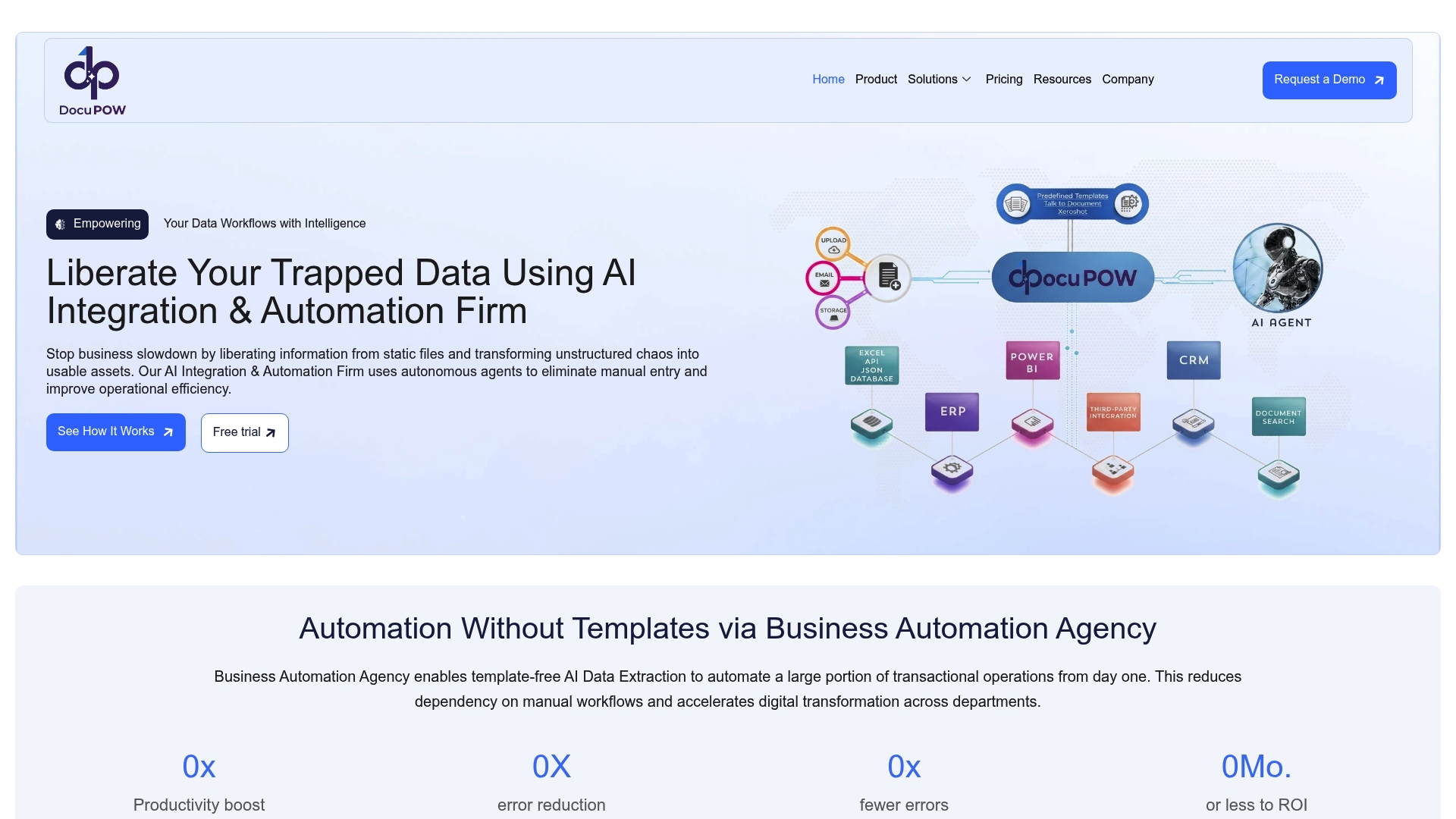
DocuPOW applies autonomous AI agents to extract data from invoices, contracts, purchase orders, and compliance documents without relying on fixed templates. For industries like real estate and construction, where document formats vary by client and project, that flexibility is the difference between a working system and a constant maintenance burden. DocuPOW connects directly to existing back-office tools and delivers real-time analytics so teams can act on data the same day it arrives. Teams looking to move from manual processing to fully automated back-office operations can see how DocuPOW handles production-scale document intelligence.
FAQ
What are AI automation services?
AI automation services use artificial intelligence to replace manual, repetitive business tasks with intelligent, self-managing workflows. They differ from traditional automation by adapting to variable inputs rather than breaking when conditions change.
How long does it take to deploy AI automation?
Deployment timelines range from a single day for template-based platforms to 8 weeks for full production builds. A structured engagement typically includes a 2–3 week Discovery phase before any build begins.
What is the difference between managed AI automation and no-code tools?
Managed AI automation services include governance, audit logs, SLAs, and named engineers who maintain the system post-launch. No-code tools like Zapier or Make lack these controls and are not suitable for regulated or high-risk workflows.
How much do AI automation services cost?
Entry-level packages start at $249–$899, while full Discovery, Build, and Run engagements for focused workflows typically range from $25,000 to $90,000. Enterprise engagements start at $100,000.
What processes should businesses automate first?
Start with the highest-volume, most repetitive tasks that generate measurable errors or delays. Invoice processing, data entry, and customer support triage consistently deliver the fastest and most measurable returns.
Recommended
See DocuPOW on your documents.
Stop building templates. Start extracting data.