Author: Tasnim Khan

  • Artificial Intelligence Integration Services: 2026 Guide

    Artificial Intelligence Integration Services: 2026 Guide


    TL;DR:

    • AI integration services embed AI into business systems to automate data handling and decision-making processes. Successful projects use phased deployment, focus on robust validation controls, and prioritize vendor transparency on failure management. Proper knowledge transfer and governance are essential to prevent vendor lock-in and ensure operational resilience.

    Artificial Intelligence Integration Services are defined as the process of embedding AI capabilities directly into existing business systems to automate, classify, and interpret data at scale. For document-heavy organizations, this is the difference between manual bottlenecks and real-time decision-making. Only 39% of technology leaders are confident their AI investments will yield positive financial returns. That gap exists because most teams focus on the technology itself rather than the integration quality behind it. Organizations with mature, AI-ready data capabilities achieve 65% better business outcomes. That number makes the case for getting integration right from the start, not as an afterthought.

    What are Artificial Intelligence Integration Services?

    Artificial Intelligence Integration Services connect AI models, including machine learning integration pipelines, natural language processing engines, and computer vision systems, to the workflows your teams already use. The industry term for this discipline is intelligent system integration, and it covers everything from API connections to full-scale AI deployment services that replace manual document handling. The goal is not to install a new tool. The goal is to make your existing systems smarter without rebuilding them from scratch.

    Hands coding AI integration in private office

    For document workflows specifically, this means AI reads incoming files, extracts structured data, routes exceptions to human reviewers, and feeds clean records into your ERP or CRM. A manufacturer receiving hundreds of purchase orders daily does not need a bigger data entry team. They need an AI layer that reads each document, validates the data, and flags only the records that need a human decision. That is what mature AI integration solutions deliver.

    How do you evaluate AI service providers?

    Choosing the wrong AI service provider is expensive. Most teams make the mistake of evaluating vendors on team size, certifications, or the sophistication of their demo environment. Businesses most often fail by selecting partners based on buzzwords rather than production track record and a problem-first approach.

    A structured evaluation framework assigns weight to four factors:

    • Production track record (30%): Has the vendor deployed AI in production environments similar to yours? Ask for references from clients who went live, not just pilot customers. Any vendor scoring below 3 out of 5 on production maturity should be disqualified early.
    • Technical depth (20%): Can the team explain their model selection rationale, data pipeline architecture, and failure handling without defaulting to marketing language?
    • Data governance (20%): Does the vendor maintain audit trails, enforce access controls, and document data lineage? Governance is not optional for regulated industries.
    • Change management (20%): Does the vendor have a plan for training your team, managing resistance, and measuring adoption after go-live?

    Evaluation criteria weights place production track record at 30%, with technical depth, data governance, and change management each at 20%. That weighting reflects where real projects fail most often.

    Pro Tip: Ask every vendor candidate one specific question: “Describe a production failure you experienced and how you resolved it.” Vendors who give a concrete, honest answer demonstrate the operational maturity you need. Vendors who deflect or describe only successes are a red flag.
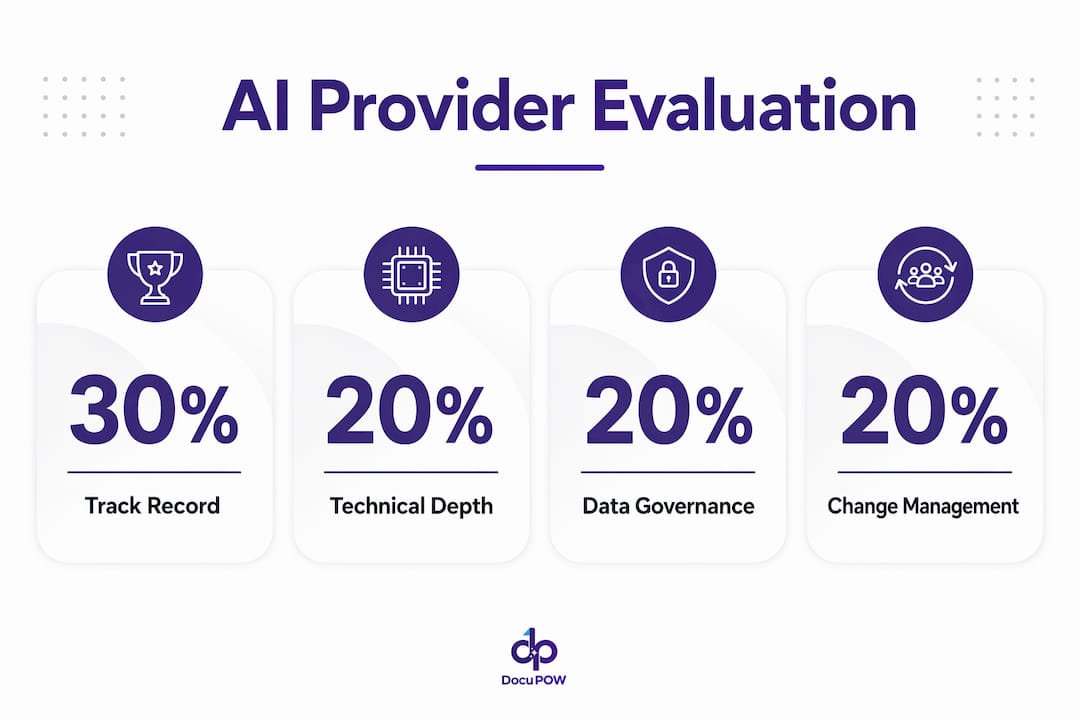
    Infographic of AI provider evaluation criteria

    What does a phased AI integration approach look like?

    Successful AI integration does not happen in a single deployment sprint. Phased integrations with short proof-of-concept pilots lasting 4–8 weeks, followed by structured legacy system integration, reduce long-term dependency risks significantly. That timeline is not arbitrary. It gives your team enough data to validate model performance before committing to a full rollout.

    A practical phased approach follows this sequence:

    1. Proof of concept (weeks 1–8): Run the AI model against a representative sample of your real documents. Measure extraction accuracy, exception rates, and processing speed. Set a minimum accuracy threshold before advancing.
    2. Legacy system integration (weeks 9–20): Connect the validated AI layer to your existing ERP, document management system, or workflow tool. Build the routing logic that sends exceptions to human reviewers.
    3. Parallel operation (weeks 21–28): Run AI and manual processes side by side. Compare outputs daily. This phase catches edge cases that the pilot missed.
    4. Full deployment and monitoring: Transition fully to AI-driven processing with live dashboards tracking accuracy, throughput, and error rates.

    Knowledge transfer is the step most vendors skip. Your team needs architecture documentation, operational runbooks, training sessions, and full source code ownership before the vendor relationship ends. Without these deliverables, you trade one dependency for another. Comprehensive knowledge transfer is what separates a successful integration from a long-term vendor lock-in situation.

    Pro Tip: Build a “day two” clause into your contract. This requires the vendor to provide a defined set of knowledge transfer deliverables, including runbooks and architecture diagrams, before final payment is released. It changes the incentive structure immediately.

    What are the technical risks in AI document processing?

    Document processing is not a single technical problem. Thoughtworks research identifies three distinct challenges: layout-aware text extraction, structural table parsing, and semantic interpretation. Each requires a different technical approach. Treating them as one problem leads to overengineered solutions that are fragile and expensive to maintain.

    The most dangerous risk in document AI is silent failure. Silent failure occurs when incorrect data passes through the system without triggering any error alert. A misread invoice total or a misclassified vendor code propagates through your ERP undetected. By the time someone notices, the downstream damage to compliance records or financial reports is already done.

    Validation and routing controls are the technical safeguards that prevent silent failure. These include:

    • Confidence thresholds: The AI flags any extraction below a set confidence score for human review rather than auto-approving it.
    • Schema validation: Every extracted record is checked against expected data types and value ranges before it enters your system.
    • Human-in-the-loop routing: Low-confidence or anomalous documents go to a reviewer queue, not directly to your database.
    • Audit trails: Every AI decision is logged with a timestamp, model version, and confidence score for traceability.

    Validation and human-in-the-loop review are mandatory controls, not optional enhancements. Teams that treat them as phase-two features consistently experience data quality problems within the first 90 days of production.

    Overengineering positional accuracy in layout extraction adds fragility without meaningful accuracy gains. A document AI system that breaks every time a vendor changes their invoice template is not production-ready. The better approach is training models on document intent rather than pixel-level position.

    How does AI integration benefit document workflows across industries?

    Mature AI integration solutions deliver measurable outcomes across manufacturing, real estate, construction, healthcare, and supply chain operations. Enterprises using mature AI integrations achieve improved automation in document workflows, which directly enhances decision-making speed and operational efficiency. The benefit is not theoretical. It shows up in processing time, error rates, and staff capacity.

    Specific document types that AI integration handles effectively include purchase orders, invoices, bills of lading, compliance certificates, contracts, and inspection reports. Each of these documents contains structured and unstructured data that traditional rule-based systems handle poorly. AI models trained on real document variation handle them accurately at scale.

    The business outcomes from AI-driven document automation include:

    • Faster invoice approval cycles, reducing days payable outstanding
    • Fewer manual data entry errors, which lowers rework costs and audit risk
    • Real-time visibility into document status across the supply chain
    • Compliance documentation that is complete, timestamped, and audit-ready without manual assembly
    • Staff redeployment from data entry to higher-value analysis and decision-making

    Operational agility is the outcome that surprises most teams. When your document processing runs on AI, you can absorb volume spikes, such as end-of-quarter purchase order surges, without adding headcount. That capacity flexibility has direct financial value. For real-world examples of AI document processing in manufacturing and logistics, the pattern is consistent: accuracy improves, cycle times drop, and teams shift from reactive firefighting to proactive planning.

    Compliance is another underrated benefit. Regulated industries require complete audit trails for every document decision. AI systems with proper governance built in generate those trails automatically. Manual processes rarely do.

    Key Takeaways

    Successful AI integration for document workflows requires production-proven vendors, phased implementation, and mandatory validation controls to prevent silent failures and long-term operational dependencies.

    Point Details
    Evaluate on production track record Weight vendor selection 30% on production maturity; disqualify any vendor below 3 out of 5.
    Use a phased rollout Run a 4–8 week proof of concept before committing to full legacy system integration.
    Treat document processing as three problems Layout extraction, table parsing, and interpretation each need a distinct technical approach.
    Mandate validation controls Confidence thresholds and human-in-the-loop routing are required to prevent silent data failures.
    Require knowledge transfer deliverables Architecture docs, runbooks, and source code ownership must be contractual, not optional.

    Why most AI integration projects underdeliver

    I have reviewed enough AI integration projects to recognize the pattern early. The vendor presents a polished demo. The procurement team is impressed by the interface. The contract gets signed. Then, six months into production, the team discovers that the model was never tested on their actual document formats, the vendor has no rollback plan, and the knowledge transfer “deliverables” amount to a slide deck.

    The teams that get this right share one habit: they evaluate vendors on how they handle failure, not how they describe success. Governed systems thinking means the vendor can show you their monitoring dashboards, explain their rollback procedure, and name the specific failure modes they have encountered in production. That level of transparency is rare. When you find it, it is worth paying for.

    The other mistake I see repeatedly is treating knowledge transfer as a courtesy rather than a contractual obligation. Your team needs to own the system after the vendor leaves. If you cannot explain how the model works, retrain it on new document types, or diagnose a drop in accuracy, you are not running an AI integration. You are renting one. That distinction matters enormously when the vendor raises prices or exits the market.

    Governance, monitoring, and rollback capabilities matter more than any individual feature. A system that can detect its own degradation and alert your team is worth more than one with a better extraction accuracy score on day one.

    — Sameer

    DocuPOW’s approach to document workflow AI

    DocuPOW builds AI integration specifically for document-heavy operations, using autonomous agents that read documents in context rather than matching against fixed templates. That architecture handles the document variation that breaks rule-based systems.
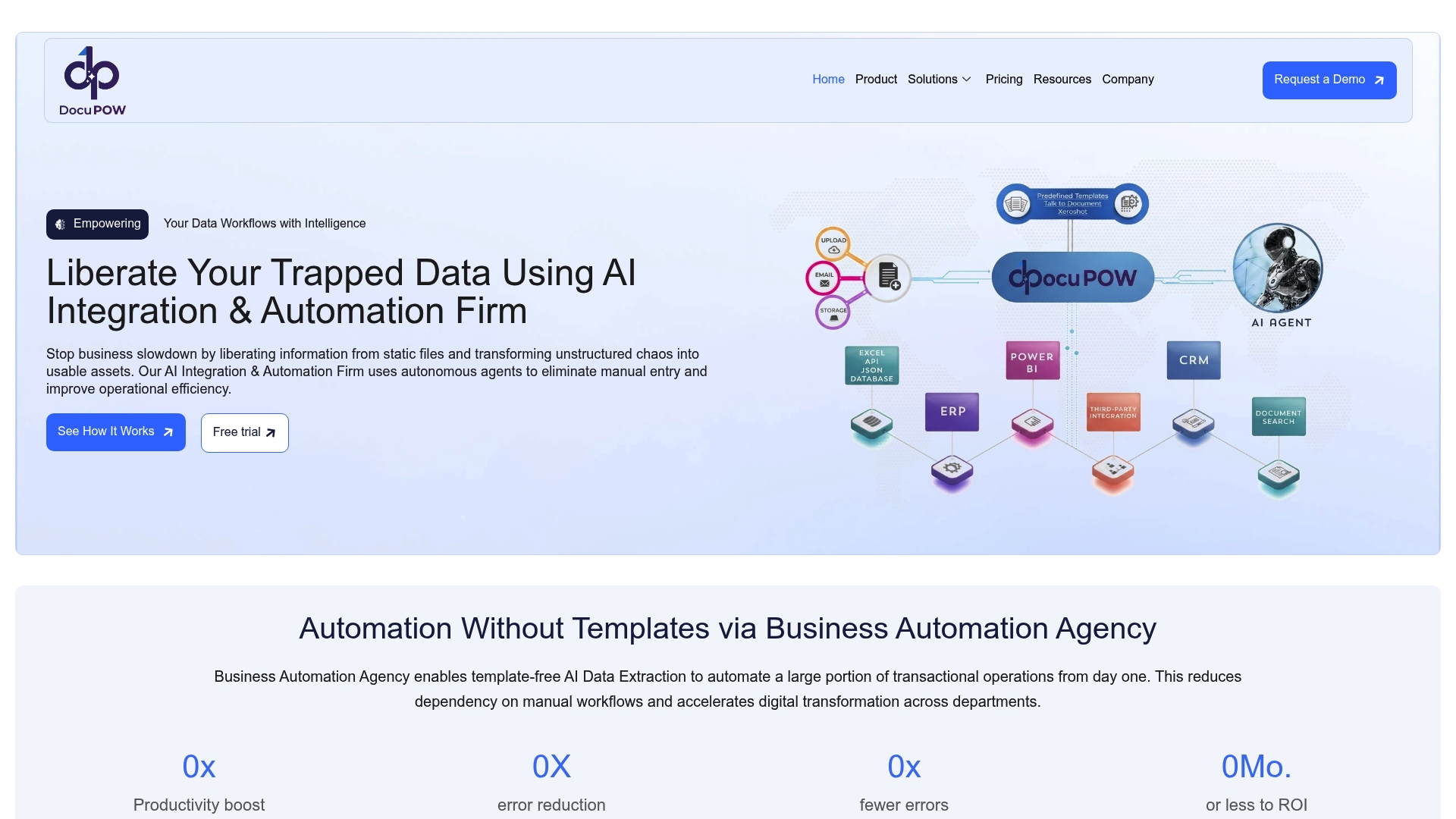
    https://docupow.ai

    Teams working with DocuPOW get a phased implementation approach, starting with a proof-of-concept phase on their actual document types, followed by structured integration into existing ERP and workflow systems. The platform includes real-time analytics and confidence-scored extraction, so your team always knows where the AI is certain and where it needs human review. For organizations ready to move from manual document handling to AI-driven document workflows, DocuPOW provides the operational support and governance structure that production deployments require. You can also review high-volume document processing best practices to prepare your team before the first integration phase begins.

    FAQ

    What are Artificial Intelligence Integration Services?

    Artificial Intelligence Integration Services embed AI models into existing business systems to automate data extraction, classification, and routing. For document workflows, this means AI reads incoming files and feeds structured data into your ERP or workflow tools without manual entry.

    How long does an AI integration project take?

    A proof-of-concept phase typically runs 4–8 weeks, followed by legacy system integration and parallel operation phases. Full production deployment for a document workflow integration commonly takes 6–9 months depending on system complexity.

    What is silent failure in document AI?

    Silent failure occurs when an AI system processes incorrect data without triggering an error alert, allowing bad records to propagate through downstream systems undetected. Confidence thresholds and human-in-the-loop routing controls are the primary safeguards against it.

    How do I evaluate AI service providers for document processing?

    Weight your evaluation 30% on production track record, 20% each on technical depth, data governance, and change management. Ask vendors to describe a specific production failure and how they resolved it before making any selection decision.

    What knowledge transfer should I require from an AI integration vendor?

    Require architecture documentation, operational runbooks, model training guides, and full source code ownership as contractual deliverables. These items should be tied to final payment to create the right incentive for the vendor to complete them properly.
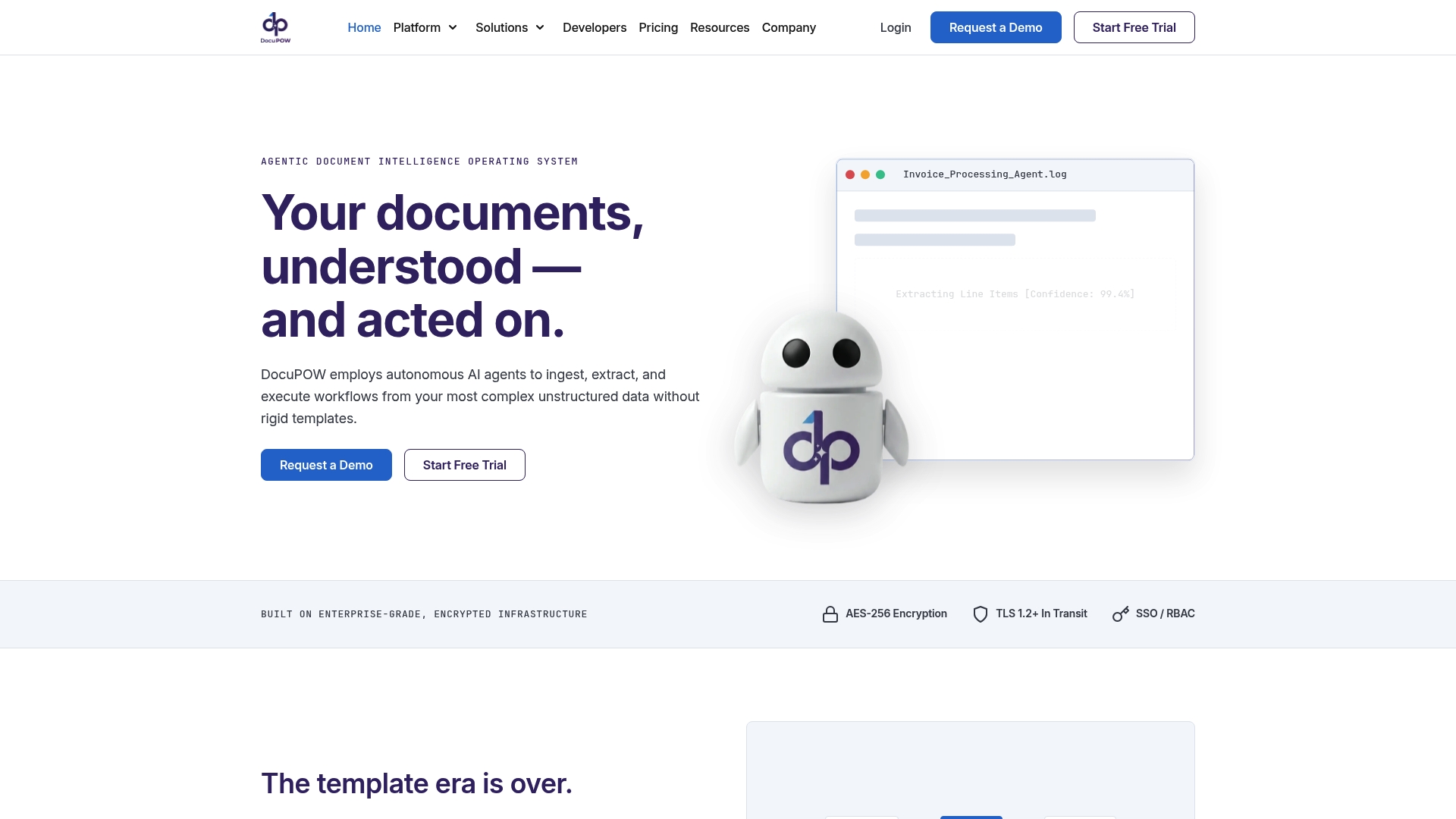
  • Top 6 Most Reliable Data Extraction Service Alternatives 2026

    Top 6 Most Reliable Data Extraction Service Alternatives 2026

    Processing high volumes of mixed business documents without losing accuracy or traceability is time consuming and prone to errors. Many data extraction services require manual template setup, complex rules, or hidden pricing that limits scale and transparency. This comparison measures accuracy, deployment choices, and integration features so teams can select the right service for their document workflow needs.

    Table of Contents

    DocuPOW

    https://docupow.ai

    At a Glance

    Zero shot extraction of 100+ fields from unseen document types works without training data. Autonomous AI agents read, understand, and route unstructured business documents into workflows and system updates. The platform removes template requirements and reduces manual data entry while preserving source citations for audit trails.

    Core Features

    DocuPOW uses natural language schema definitions and AI that adapts to varied document layouts and document types. The visual builder, DocuPOW Flow, orchestrates end to end document processes with human in the loop controls. Every extracted data point ties back to a verifiable source through Infinity, so teams retain traceable evidence for audits. The system also handles complex tables and nested line items so accounting fields map correctly.

    Key Differentiator

    The platform relies on advanced zero shot AI models that adapt instantly to new document formats without templates or retraining. That approach removes long training cycles and cuts the overhead of maintaining many extraction rules. For organizations processing mixed document types at scale, this changes how quickly data becomes system ready for ERPs and CRMs.

    Pros

    No templates or rigid rules are required, and the system adapts to irregular layouts while reporting confidence scores and source citations. The platform runs process automation that can validate totals, match purchase orders, and write results directly to ERPs via API or direct writes. Real time analytics and predictive insights help teams detect exceptions earlier and improve financial visibility and accuracy. Transparency with verifiable citations makes audits faster and reduces dispute resolution time.

    Cons

    • High initial setup complexity for some enterprise configurations and custom workflows.

    Notable Integrations

    • API
    • ERP systems via direct write or API
    • MCP compatible AI assistants such as Claude

    Who It’s For

    Enterprises and large teams that process complex unstructured documents at scale will benefit most. Global manufacturers, financial institutions, and logistics operators with heavy invoice and order flows gain faster financial visibility. Organizations that require audit trails and human in the loop oversight will find DocuPOW fits operational controls.

    Unique Value Proposition

    Autonomous agents run end to end document workflows with human in the loop controls. That capability turns unstructured files into system ready records and lets teams update ERPs and CRMs automatically. The result is faster financial visibility and earlier intervention on predicted exceptions, reducing manual reconciliation work.

    Real World Use Case

    A financial institution uses DocuPOW to extract thousands of supplier invoice fields and validate totals. The system matches invoices to purchase orders and writes reconciled records into the ERP while preserving audit citations. This reduced manual effort and lowered reconciliation errors while keeping traceable evidence for compliance.

    Pricing

    Starts at $99/month for 400 credits for the Starter tier, with higher tiers for professional and enterprise levels. Enterprise features such as custom SLAs and dedicated support require direct engagement and may affect pricing. Smaller teams should evaluate credit consumption against expected document volumes.

    Website: https://docupow.ai

    ABBYY FineReader Engine

    https://abbyy.com

    At a Glance

    The vendor advertises a pretrained recognition accuracy of 90%+. That claim is the most concrete technical metric ABBYY highlights for automated text capture and extraction.

    ABBYY pairs that recognition claim with enterprise tooling aimed at large-scale document projects. The marketing emphasizes uses across finance, healthcare, and manufacturing.

    Core Features

    ABBYY combines AI-powered document understanding with a low code platform that teams can configure without extensive developer work. The product set includes pretrained recognition models, tools for process mining and optimization, and connectors designed for enterprise deployment.

    These capabilities target capture from scanned images, PDFs, and unstructured documents while supporting many languages and file types. The platform scope ranges from single workflows to broad automation across back office systems.

    Key Differentiator

    ABBYY’s single most distinct claim is the pairing of high pretrained recognition accuracy with a low code deployment path. That combination aims to reduce the time between pilot and production for complex document projects.

    This accuracy claim sits behind product options that let organizations scale recognition and add process mining to analyze how documents move through operations.

    Pros

    ABBYY reports it is trusted by over 10,000 organizations, including Fortune 500 firms. That scale shows in vendor investments in enterprise features such as language support and broad document type coverage.

    The vendor reports 95% recognition accuracy out of the box, which vendors cite to shorten model training for common document classes. ABBYY also offers tools for process analysis so teams can find bottlenecks and tune capture rules.

    These strengths suit programs that need centralized management, language breadth, and enterprise integrations for downstream systems.

    Cons

    • Website pages report some 404 errors, which limits public access to detailed technical documentation and integration guides.
    • The product suite can be complex to deploy. Buyers often need dedicated professional services or internal implementation resources.
    • Third party reviewers advise careful product selection among ABBYY offerings to avoid buying a module that does not match a specific workflow.

    When It May Not Fit

    Small teams that need a lightweight plug and play capture tool will likely find ABBYY more than they need. Organizations without implementation support may struggle to configure advanced process mining and enterprise connectors. Buyers wanting full public documentation before engagement may be delayed by missing pages.

    Who It’s For

    Large enterprises seeking scalable, AI driven document processing and automation will get the most value. The product targets centralized IT teams, shared services centers, and operations groups managing high document volumes across multiple business units.

    Real World Use Case

    ABBYY cites customers such as FinTrU, Vinmar, and Carlsberg using the platform to automate regulatory compliance, invoice processing, and order management. Those deployments reduced manual data entry and supported faster handoff to ERP and compliance systems.

    Pricing

    Pricing is not published on the public site. The product is sold for enterprise projects and typically requires a sales conversation to get a quote and deployment options. Licensing models and support levels vary by deployment scope and scale.

    Website: https://abbyy.com

    UiPath

    https://uipath.com

    At a Glance

    Agentic AI that links human, robotic, and AI agents drives UiPath’s enterprise automation ambitions. The platform emphasizes orchestration across people, attended bots, and unattended robots to handle repeatable and decisioned work. That design targets large-scale rollouts with governance and control.

    Core Features

    UiPath offers tools to build, orchestrate, and govern automation workflows and to deploy both attended and unattended robots. The platform includes prebuilt solutions for industry and department use and connects to AI models, APIs, and third-party systems. End to end process automation and orchestration is supported with management and monitoring capabilities.

    Key Differentiator

    UiPath centers on agentic AI that coordinates human, robotic, and AI agents to run complex enterprise processes. That focus fits organizations aiming for broad automation coverage and strict governance. It differs from DocuPOW by prioritizing agent orchestration and enterprise governance rather than autonomous document-first extraction.

    Pros

    UiPath’s agentic approach lets teams combine human judgment with automated actors for tasks that require exceptions or approvals. The platform ships industry and department solution templates that reduce build time for common processes. Governance, security controls, and a developer community with certifications support large IT teams and center of excellence models. The vendor also wins recognition for document mining and analytics as part of its automation suite.

    Cons

    • Complexity can be high for teams without automation architects. Large deployments need planning and governance resources.
    • Enterprise features raise the learning curve. Smaller IT teams may struggle to run a full automation lifecycle.
    • Pricing specifics are not listed in the product brief. Smaller organizations should budget for potential cost and implementation effort.

    When It May Not Fit

    Organizations that need a light, single-purpose document extractor will likely find UiPath more than they need. Small businesses with limited automation staff may prefer simpler tools with lower setup overhead. Projects with tight budgets and no dedicated automation governance may face long timelines and higher total cost of ownership.

    Notable Integrations

    • Microsoft
    • SAP
    • Peak.ai
    • Coded agents
    • API automation

    Who It’s For

    Large enterprises and government agencies that need scalable, AI-enabled automation across multiple departments will match UiPath’s strengths. Teams that require governance, audit trails, and certification pathways will gain from the platform. Organizations planning broad process transformation and allocating dedicated automation resources will extract the most value.

    Real World Use Case

    UiPath’s marketing materials state that Omega Healthcare increased productivity by 100%, Johnson Controls saved $18M, and Uber achieved $22M in savings after automating processes. Those vendor-reported results illustrate how broad automation programs can cut manual effort and reduce cycle times when implemented at scale.

    Pricing

    Plans and pricing are listed on the vendor site. Specific tier details and cost examples are not provided in the product summary, so procurement should request enterprise quotes and total cost estimates for licensing, implementation, and governance services.

    Website: https://uipath.com

    Ephesoft

    https://ephesoft.com

    At a Glance

    Ephesoft reports a patented machine learning classification that adapts to diverse document types with high accuracy. The product supports cloud, on-premises, and hybrid deployment models to match enterprise constraints. Organizations use it for invoice processing, mailroom intake, and records digitization.

    Core Features

    Ephesoft captures data from both digital files and scanned paper, and it applies machine learning for document classification and extraction. The platform offers APIs and out of the box connectors so it integrates with ERP, RPA, BPM, and ECM systems. Deployment flexibility covers cloud, on premises, and hybrid setups for teams with varying compliance and infrastructure needs.

    Key Differentiator

    The platform centers on a patented machine learning based classification engine that learns from examples to improve extraction accuracy over time. That approach helps when documents arrive in many formats and templates. The vendor highlights industry recognition from third party reports for its intelligent document processing capabilities.

    Pros

    Ephesoft shows strong machine learning capabilities that reduce manual sorting and improve classification after initial training. Its flexible deployment choices let IT teams place processing where compliance or latency requirements demand. The product integrates with common enterprise tools and offers APIs for custom workflows, which helps connect capture to downstream ERP and automation systems.

    Cons

    • Limited public pricing: detailed costs are not listed and typically require a custom quote, which makes budget planning harder.

    • Complex initial setup: some customers report that installation and tuning need technical expertise or professional services for peak accuracy.

    • Migration friction: moving into the Kofax environment can require retraining and configuration changes for existing customers.

    When It May Not Fit

    If your team lacks technical staff or access to professional services, the initial setup could slow adoption. Organizations with small document volumes may find the implementation effort disproportionate to gains. If you need transparent list pricing for fast evaluation, Ephesoft will likely require contact with sales for a quote.

    Notable Integrations

    • ERP systems
    • RPA tools such as UiPath and Blue Prism
    • Content management systems like Alfresco and Nuxeo
    • Microsoft SharePoint and Power BI
    • APIs and connectors for custom integrations

    Who It’s For

    Enterprises and government agencies with high volume document intake will get the most from Ephesoft. Teams that must keep processing on premises for compliance will value the hybrid and on premises options. Organizations that already run RPA or ERP platforms will appreciate the connector set.

    Real World Use Case

    A large financial institution uses Ephesoft Transact to automate invoice and accounts payable processing. The system extracts vendor, date, and totals from varied invoice layouts and passes data into the ERP. That setup reduced manual keying and improved visibility into cash flow.

    Pricing

    Pricing is not explicitly listed. Costs are typically customized based on deployment model, volume, and desired modules. Expect to contact sales for a tailored quote and implementation estimate.

    Website: https://ephesoft.com

    Parseur

    https://parseur.com

    At a Glance

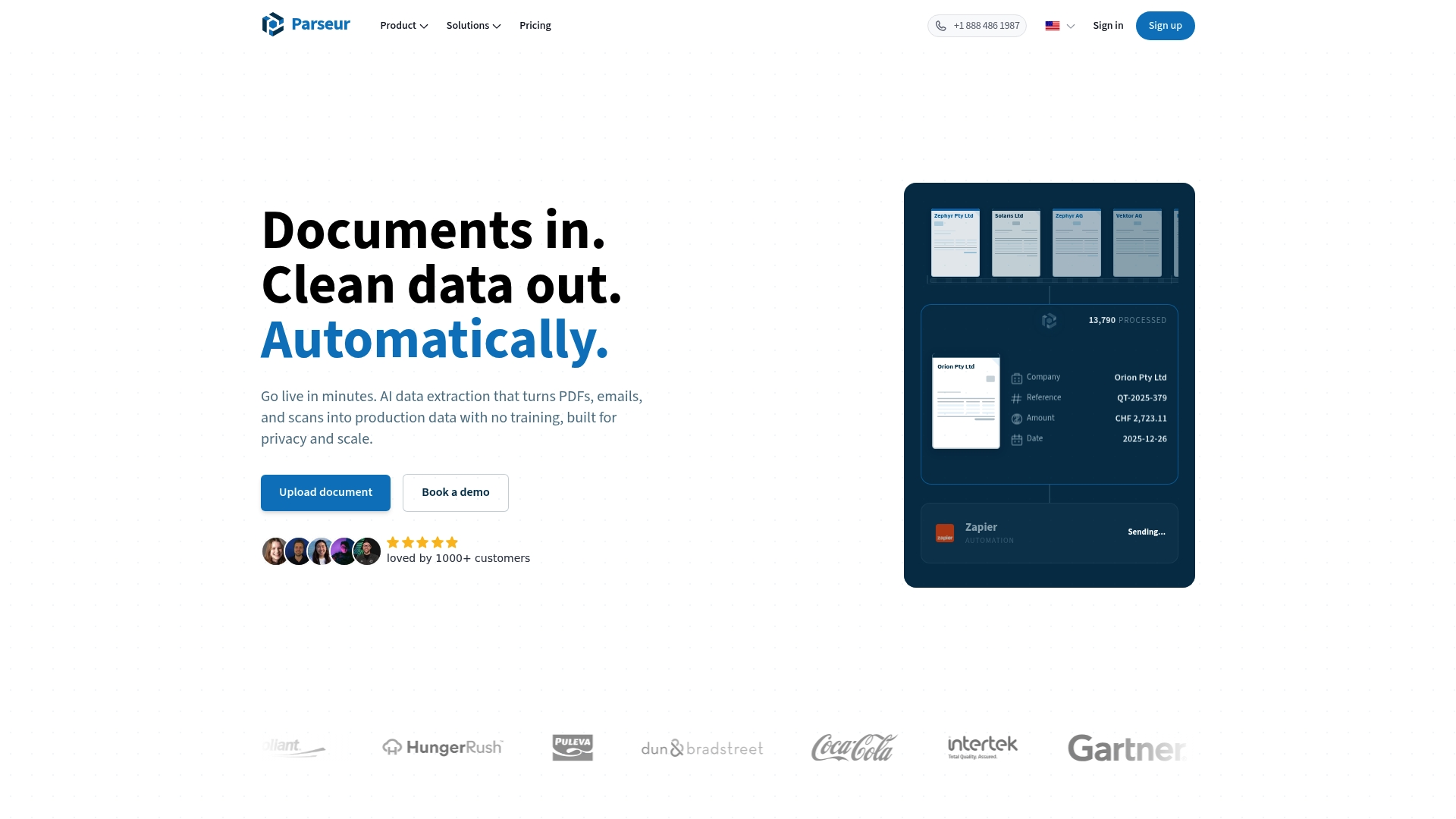
    Parseur’s marketing materials claim AI driven instant extraction that needs no training or templates and handles multiple layouts out of the box. The vendor advertises high uptime and auto scaling. The company also states GDPR and SOC 2 compliance and that HIPAA is in progress, and it claims connectors to thousands of apps.

    Core Features

    Parseur accepts documents via email, API, and direct upload, then runs parsing with Vision AI, Text AI, or template rules. Extracted fields are normalized and validated before real time exports to downstream systems. The product also includes fast OCR and connectors for common automation workflows.

    Key Differentiator

    The main distinction is the emphasis on instant, template free extraction for multi layout documents. That approach favors teams that must get reliable outputs the same day they begin. It fits buyers who prioritize rapid deployment over deep context aware document agents.

    Pros

    Setup requires no model training, so teams can parse common documents quickly and start routing data to other systems. Parseur supports invoices, receipts, bank statements, resumes, and varied PDF layouts, which suits companies with mixed document fleets. That uptime and scaling claim makes it practical for high volume ingestion, and the vendor’s compliance statements back a privacy focused posture. Native connectors and automation platform links reduce custom integration work.

    Cons

    • Pricing details and usage limits are not specified; the site says free to start but does not list tier limits or cost per document.
    • The marketing material does not detail how it handles highly complex layouts or deeply nested tables, so edge case performance is unclear.
    • No on premises deployment option is described, so organizations that require isolated infrastructure will need a different solution.

    When It May Not Fit

    If your workflows require on premises processing, Parseur is not a match because it operates as a cloud only solution. Organizations that need heavy customization of parsing logic or advanced context reasoning may find the product too focused on rapid, template free extraction. Teams expecting explicit published SLAs or transparent per document pricing will need more detail than the vendor provides.

    Notable Integrations

    Excel, Google Sheets, Zapier, Webhooks, Power Automate, Airtable, and Slack are listed as direct connectors. These integrations let you move parsed fields into spreadsheets, automation flows, or messaging channels without building custom middleware.

    Who It’s For

    Teams and businesses that need automated, scalable document extraction without investing in model training or heavy development will get the most value. Small to mid sized operations that process invoices, orders, resumes, or shipping documents will appreciate the quick setup. Enterprises that accept cloud based services and want connectors to existing automation platforms will also find this useful.

    Real World Use Case

    A finance team used Parseur to capture invoice line items from mixed supplier PDFs and emailed receipts. The company cut manual data entry hours and reduced posting errors by routing validated fields directly into accounts payable. That workflow sped approvals and kept parsed records tied to compliance controls.

    Pricing

    Parseur advertises a free starting tier followed by usage based pricing described as pay as you grow. Specific tier limits and per document rates are not listed publicly in the product copy.

    Website: https://parseur.com

    super.AI

    https://super.ai

    At a Glance

    super.AI reports Bureau Veritas cut processing time by 75% for data capture tasks. That customer result highlights handling of high-volume extraction across mixed document types. The platform pairs automated extraction with human review to reduce error rates in production workflows.

    Core Features

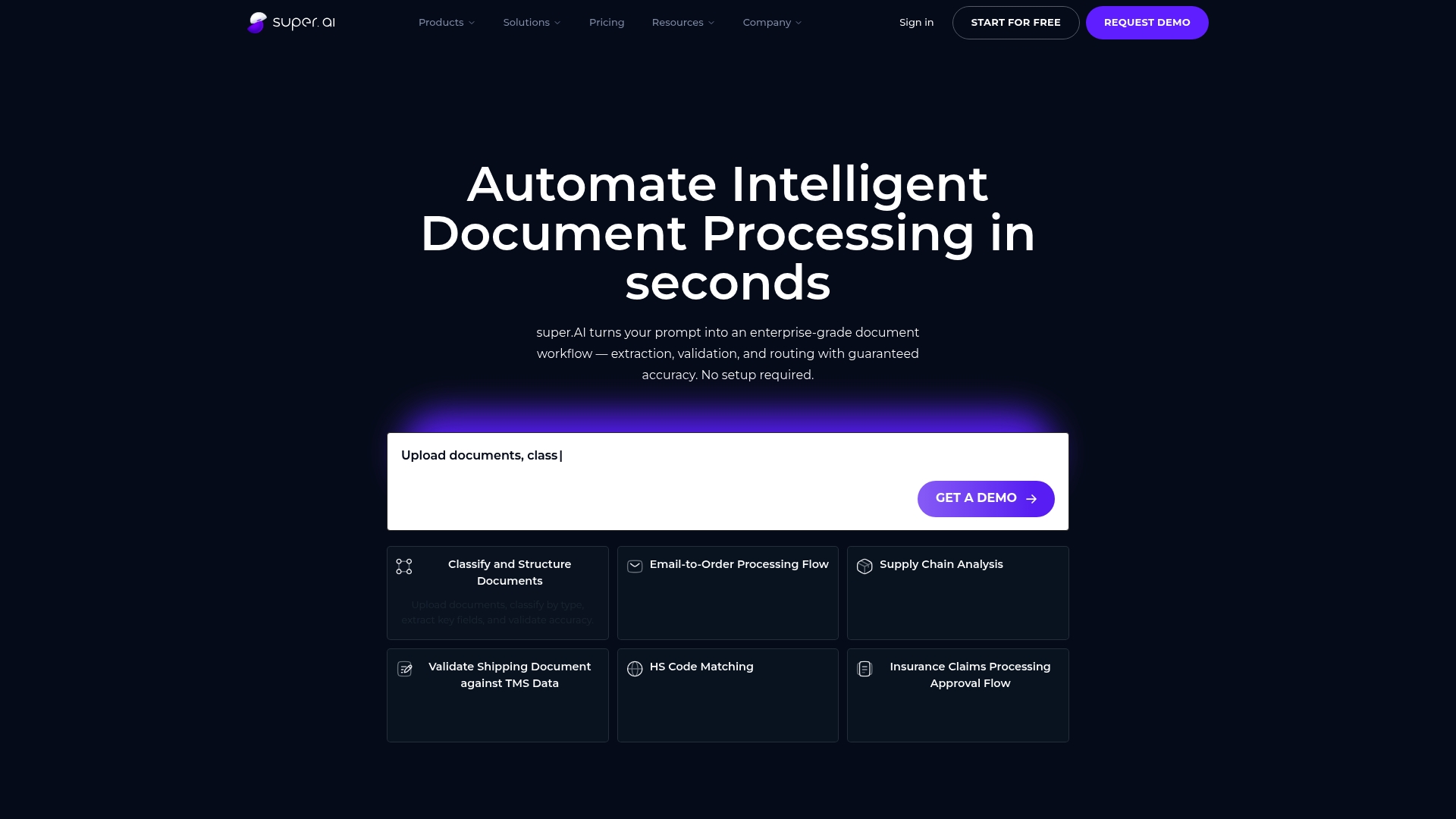
    The product can classify and structure documents automatically and extract key fields from invoices, bills, customs forms, and other formats. It validates extracted data in real time against enterprise systems and supports human in the loop review to catch edge cases. Pre-built connectors and APIs allow routing to ERP, CRM, and cloud systems while letting teams select different AI models per workflow.

    Key Differentiator

    The vendor says built in human in the loop review delivers guaranteed accuracy at scale without complex setup. That human review sits inside configurable workflows and elevates machine output before final routing. The combination reduces error volume while preserving automation throughput. Teams keep control of edge decisions through a review queue and policy controls.

    Pros

    According to the vendor, super.AI offers guaranteed service level agreements and human review to support accuracy requirements. It supports many document types and languages, which helps multinational operations. Deployment options include enterprise installations and a self service entry point, so teams can pilot before scaling. The product integrates with major enterprise systems and can run with multiple AI models to balance speed and precision.

    Cons

    • Setup complexity grows for very large enterprise deployments and may require dedicated technical resources.

    • Customizing workflows for highly specialized document types can be time consuming for internal teams.

    • The system depends on external AI models, and performance can vary with model selection.

    When It May Not Fit

    If you lack engineering capacity to build and maintain custom extractors, this product may require more internal work than a plug and play tool. If your documents are extremely novel or highly experimental, the vendor notes performance can vary on those file types. Small teams with low monthly volumes may find the enterprise options heavier than their needs.

    Notable Integrations

    • Salesforce
    • SAP
    • IBM
    • Oracle
    • SAS
    • ServiceNow
    • Snowflake
    • UiPath

    Who It’s For

    Large enterprises in logistics, finance, insurance, and supply chain will get the most from this product. Teams that must process high volumes of mixed-format documents and meet strict accuracy targets will benefit. Organizations that already operate ERP or data platforms will find the connector set useful.

    Real World Use Case

    Bureau Veritas saw a large time reduction in data capture tasks using the product, and that reduction demonstrates how automation plus human review can cut manual hours. Risk teams used the review queue to handle exceptions without stopping the main workflow. Finance groups routed validated fields directly into accounting systems to reduce reconciliation time.

    Pricing

    The vendor does not publish standard list pricing and appears to use custom enterprise contracts for large deployments. The vendor advertises a free self service option that includes 25,000 credits for testing and light use. Expect negotiated rates for volume processing and enterprise controls.

    Website: https://super.ai

    Comparison of alternatives

    Organizations processing unstructured document formats for data extraction will find compelling differences among the evaluated platforms. The following analysis explores how these platforms excel in unique dimensions and their use cases.

    Adaptive capability versus pretrained accuracy

    DocuPOW stands out by providing zero-shot AI models for handling undefined document formats, ensuring operational flexibility and reducing configuration overhead. Conversely, ABBYY FineReader Engine emphasizes high-accuracy OCR with pretrained models, beneficial for applications with repetitively standardized documents requiring recognition performance without further algorithm refinement. Enterprise-level clients focusing on adaptive versatility would benefit from DocuPOW’s flexibility, whereas predetermined accuracy under uniform workflows positions ABBYY favorably.

    Scalability and strategic implementation

    UiPath’s integration of attended and unattended robotic process automation caters to organizations implementing workflows requiring structured governance and multitiered agent orchestration. DocuPOW, while excelling in document-specific handling, does not prioritize multitier collaborations. Enterprises envisioning diverse operational strategies might prefer UiPath, which scales with tailored human-automated agent allocations allowing intricate governance models.

    Best fit

    • Enterprises seeking adaptive, autonomous capabilities for mixed-format document extraction and auditability should evaluate DocuPOW.
    • Teams prioritizing OCR with language support and process mining within centralized management will find ABBYY FineReader Engine beneficial.
    • Small to medium organizations requiring no-code deployment and straightforward document parsing favor Parseur.
    • Multinational corporations preferring human-in-the-loop capabilities for complex policy controls can consider super.AI.

    Our pick

    DocuPOW distinguishes itself through its advanced zero-shot extraction models, enabling dynamic adjustment to varied, unstructured documents without retraining. This makes it an solution for enterprises requiring adaptation. However, organizations requiring specialized centralized workflows with high initial pretrained accuracy,~ such as ABBYY FineReader Engine offers, might consider alternatives.

    When evaluating intelligent document processing tools, key features such as adaptability, deployment options, and pricing become crucial factors.

    | Product Name | Key Differentiator | Best For | Pricing | Notable Limitation |
    | DocuPOW | Zero-shot AI for mixed document types | Enterprises handling large-scale complex documents | Starts at $99/month | High initial setup complexity for enterprise configurations |
    | ABBYY FineReader Engine | High pretrained accuracy with low-code integration | Large organizations with multilingual needs | Price not published | Some online documentation missing |
    | UiPath | Agentic AI combining humans and bots | Governments and large-scale enterprises | Price not published | High complexity for small IT teams |
    | Ephesoft | Machine learning classification engine | Entities needing on-premises and hybrid deployments | Price not published | Complex setup requiring technical expertise |
    | Parseur | Rapid template-free extraction | Mid-sized businesses needing quick implementation | Pay-as-you-grow model | No on-premises deployment offered |
    | super.AI | Human review for guaranteed accuracy | Logistics and finance enterprises with strict accuracy targets | Free start with 25,000 credits | Setup complexity for large deployments |

    What Challenges Do Most Reliable Data Extraction Services Solve?

    Organizations handling large volumes of unstructured documents need a solution that adapts quickly without relying on rigid templates. DocuPOW meets this need with autonomous AI agents that read and extract data from multiple document types instantly. This approach reduces manual data entry, delivers real-time analytics, and preserves audit trails to improve financial clarity for global manufacturers and large teams.

    Explore how DocuPOW’s AI-driven workflows can accelerate your document processing and cut reconciliation errors. Learn more about our solution in the AI Archives – DocuPOW and related insights in the research Archives – DocuPOW.

    See the impact firsthand by visiting https://docupow.ai and start importing your documents to extract complex fields without templates.

    FAQ

    How does DocuPOW handle complex tables in document processing?

    DocuPOW efficiently processes complex tables and nested line items, ensuring that accounting fields map correctly. The system excels in extracting data from various document layouts without rigid templates. Organizations can expect accurate data extraction, which simplifies financial document management.

    What is the difference between DocuPOW and ABBYY FineReader Engine?

    ABBYY FineReader Engine excels with a pretrained recognition accuracy of over 90%, making it suitable for companies needing reliable text capture from various document types. In contrast, DocuPOW’s zero shot AI adaptation allows it to quickly respond to new document formats without lengthy training cycles, making it more efficient for businesses frequently handling diverse documents.

    Which platform is best for high-volume invoice processing and audit trails?

    DocuPOW is ideal for organizations requiring audit trails, as it preserves verifiable citations for compliance and oversight. The platform’s design targets enterprises involved in high-volume invoice processing while retaining necessary audit capabilities for transparency and accountability.

    Can I use super.AI for document workflows that involve human review?

    Yes, super.AI emphasizes human in the loop review for enhanced accuracy in document workflows. This feature allows users to ensure correct outputs before finalization, making it suitable for high-volume processing where quality assurance is crucial. DocuPOW, while also focusing on automated workflows, may be better for teams prioritizing rapid data extraction.

    How does pricing for DocuPOW compare to other services like Parseur?

    DocuPOW starts at $99 per month for 400 credits, providing a clear pricing tier for organizations. In contrast, Parseur offers a free starting tier but does not specify usage limits or costs per document, making budgeting more complex for potential users.