Touchless Invoice Processing: Finance Benchmarks Beyond OCR
Benchmarks and a practical roadmap show finance teams how template free agentic automation can raise touchless invoice rates and cut manual review.

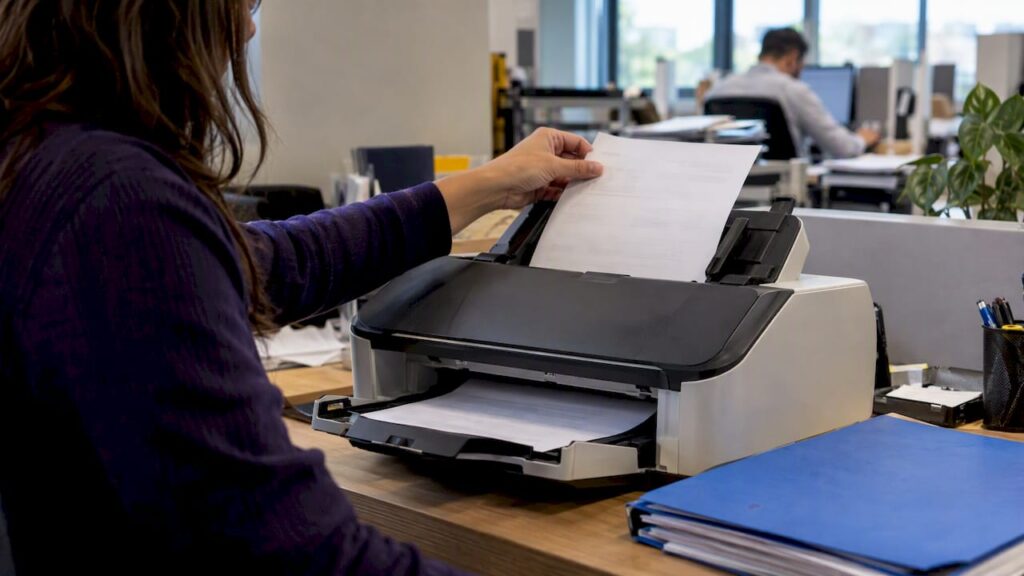
Touchless invoice processing is when an invoice moves from receipt to scheduled payment without manual data entry or routing, as long as it passes the configured business rules. The main payoff is fewer manual touches, fewer keying and matching errors, and a shorter cycle from receipt to payment. The sections below cover the common blockers that keep invoices from going touchless and a practical roadmap for raising your rate.
TL;DR:
- PO matched invoices and structured eInvoices are the easiest candidates; one off service bills and judgment calls usually still require human review.
- Clean supplier records and configure approvals inside the workflow before expanding automation, because missing remittance details and disconnected systems send invoices back to manual queues.
- Pilot intelligent capture with your 20 highest volume suppliers, keep human review for exceptions, and expand only after the pilot’s exception rate stabilizes.
- Track touchless rate, exception rate, cycle time, and cost per invoice monthly; workflow tools reach about 70% of organizations, while eInvoicing adoption is 67%.
Table of Contents
- What touchless invoice processing actually means
- How automation differs from true touchless processing
- What blocks invoices from going touchless
- How AI and intelligent data capture raise touchless rates
- Benefits and KPIs that prove the business case
- A step-by-step roadmap to raise your touchless rate
- Realistic benchmarks from industry research
- How agentic document automation supports touchless goals
- Setting realistic expectations for the rollout
- Ready to reduce manual invoice handling?
- FAQ
- Sources
What touchless invoice processing actually means
Touchless processing is not the same as having automation software installed. It is a measurable outcome: the percentage of invoices that complete the full cycle, from capture through approval to payment scheduling, without a person keying a field, hunting for an approver, or correcting a mismatch.
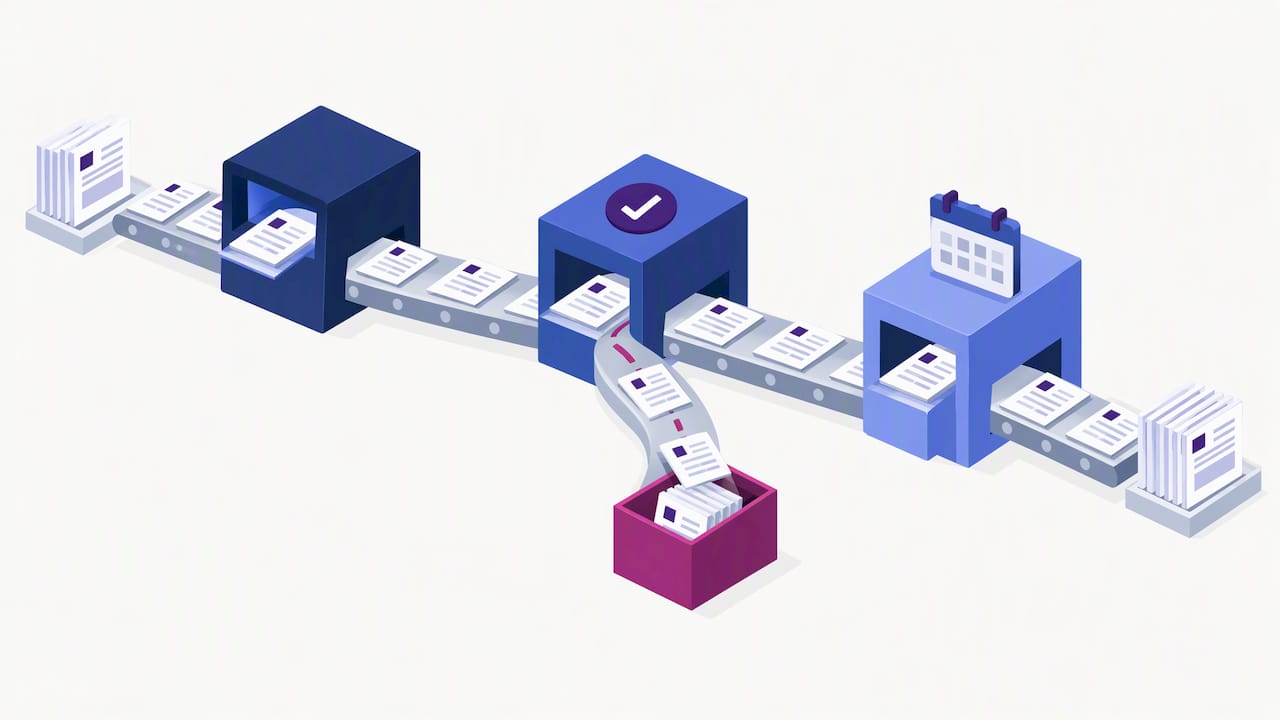
Some invoices are natural candidates. PO-matched invoices and structured eInvoices tend to go touchless because their data already lines up with a purchase order or a standard schema. Complex non-PO invoices, one-off service bills, and anything requiring judgment calls usually still need a human somewhere in the chain.
A few terms are worth knowing before you dig further:
- OCR/IDP: optical character recognition and intelligent document processing extract data from scanned or digital invoice files.
- Three-way match: the system compares the invoice, the purchase order, and the receiving record before approving payment.
- Business-rule engine: the logic that decides whether an invoice passes automatically or needs a human review.
How automation differs from true touchless processing
Plenty of software gets marketed as “automated” while still requiring a person to fix fields, confirm a match, or push an invoice through an approval step by hand. That is assisted work, not touchless processing. The distinction matters because it changes what you should measure and what you should expect to pay for.
- Assisted automation speeds up a task but still needs a human decision somewhere in the flow, such as correcting a misread field on a scanned invoice.
- Touchless processing means an invoice that satisfies all configured rules clears the entire cycle with zero manual intervention.
- Decisive factors are rule coverage and supplier data quality: incomplete rules or messy supplier records force exceptions back into a queue a person has to clear.
What blocks invoices from going touchless
Even strong automation stalls when the underlying data or process has gaps. The usual culprits show up again and again across AP teams.
- Exceptions and variances: price, quantity, or tax mismatches against the purchase order or receiving record trigger a manual review.
- Approval bottlenecks: ad-hoc signoffs outside the configured workflow stall invoices waiting on a person’s attention.
- Inconsistent supplier data: missing remit-to details, inconsistent naming, or nonstandard formats break automated matching.
- Disconnected systems: invoices stuck in email inboxes or standalone tools never reach the ERP integration that drives straight-through processing.
Pro Tip: Fix supplier master data before you add more automation. Clean data prevents exceptions that no amount of software logic can catch after the fact.
How AI and intelligent data capture raise touchless rates
Modern intelligent data capture closes many of the gaps that used to force manual review. Instead of relying on rigid templates tied to a single supplier’s invoice layout, template-free extraction adapts to new formats as they arrive, which matters when you work with hundreds of suppliers who each format invoices differently.
- Template-free, agentic extraction reads varying invoice layouts without a maintenance cycle every time a supplier changes its format.
- Natural language processing maps fields semantically, so a line labeled “Bill-To” and one labeled “Customer” are recognized as the same data point.
- Predictive matching suggests likely purchase order matches before an exception is routed to a person, cutting the queue down.
- Human-in-the-loop auditing keeps a reviewer in the loop on edge cases while the system learns from corrections over time.
Nearly 70% of AP leaders make decisions based on inaccurate internal assumptions because the metrics they track measure activity rather than actual performance against peers, according to IOFM’s benchmarking research. That gap is exactly where better data capture and clearer metrics make the most difference: teams that cannot see their real exception rate cannot fix it.
Benefits and KPIs that prove the business case
Raising your touchless rate only matters if you can show the effect in numbers finance leadership cares about. A handful of KPIs cover most of what you need.
- Touchless rate: the share of invoices completing the cycle with no manual intervention.
- Cost per invoice and cycle time: both typically fall as touchless rates climb, since fewer invoices sit in a human queue.
- Invoice volume per FTE and exception rate: together they show whether your team can absorb volume growth without adding headcount.
- DSO and fraud exposure: faster, rule-based processing can shorten days sales outstanding on the payables side and reduce the manual steps where fraud typically slips through.
Routing and approval workflow solutions are used by about 70% of organizations, and eInvoicing adoption sits around 67%, both of which materially enable straight-through processing when suppliers participate, according to Ardent Partners’ State of ePayables research. Report these KPIs on a recurring cadence to finance leadership rather than as a one-time project update.
A step-by-step roadmap to raise your touchless rate
Getting from a low touchless rate to a high one is a sequence, not a single software purchase. The order matters because each step depends on the one before it.
- Run a benchmarking assessment using IOFM’s AP benchmarking metrics to find out where your invoice cycle time, cost per invoice, and exception rate actually stand against peers.
- Push supplier adoption of eInvoicing and standard formats, since technology alone does not guarantee touchless rates without supplier participation, per Ardent Partners.
- Prioritize business-rule configuration for your highest-volume invoice types first, since that is where small rule improvements have the biggest cumulative effect.
- Pilot an intelligent data capture approach that keeps a human-in-the-loop review step for exceptions, then expand scope once the pilot’s exception rate stabilizes.
- Monitor and scale by tracking the KPIs above monthly and widening rule coverage to more invoice types and more suppliers over time.
Pro Tip: Pilot with your top 20 suppliers by invoice volume first. A smaller, high-impact group surfaces data and rule gaps faster than spreading a pilot thin across hundreds of low-volume vendors.
Realistic benchmarks from industry research
Setting a target touchless rate without context leads to disappointment either way: too low a goal leaves savings on the table, too high a goal sets your team up to fail. Peer benchmarking research gives a sturdier starting point than guesswork.
- IOFM’s year-long study of more than 600 AP teams found that leaders frequently rely on misleading internal metrics instead of peer benchmarking data, which skews expectations in both directions.
- Routing and approval workflow solutions let PO-based invoices that pass pre-configured rules move straight through, while exceptions route for resolution, per Ardent Partners.
- Stage your targets around supplier onboarding milestones and rule coverage expansion rather than a single fixed deadline.
How agentic document automation supports touchless goals
Template-free, agentic extraction adapts to unseen invoice layouts without the template maintenance cycle that slows down traditional OCR setups, which matters most for manufacturers and multi-supplier environments where formats shift often. End-to-end workflow orchestration paired with real-time analytics helps AP teams resolve exceptions faster and spot where rule coverage needs work before it becomes a recurring bottleneck.
- Template-free extraction reduces setup and ongoing maintenance as supplier invoice formats change.
- Workflow orchestration connects capture, matching, and approval into one continuous process instead of separate manual handoffs.
- Real-time analytics surface exception patterns and improvement opportunities as they happen rather than at month-end close.
- Human-in-the-loop auditing preserves a compliance checkpoint while the system improves from each correction.
Vendors handling financial data are increasingly expected to carry SOC assurance that documents how they control access to sensitive invoice and payment information, a relevant checkpoint when evaluating any platform touching your AP data.
Setting realistic expectations for the rollout
Touchless processing is not a flip-the-switch outcome. Start with supplier onboarding and your highest-volume invoice types, since that combination delivers the fastest visible lift. Expect incremental gains through a series of pilots rather than one dramatic jump, and treat cross-team governance between AP, procurement, and IT as just as important as the software itself.
— Syed Naveed Abbas
Ready to reduce manual invoice handling?
If your team is stuck correcting fields and chasing approvals, agent-based extraction that adapts to new invoice layouts without a template rebuild can help close that gap. A platform that pairs template-free data capture with workflow orchestration and human-in-the-loop review can help resolve exceptions without slowing the invoices that should already be moving straight through.

Compare Starter, Professional, and Enterprise plans or start a 30 to 60 day proof of concept to see how your own invoice volume performs before committing to a full rollout.
FAQ
Can AI be used for invoice processing?
Yes, AI is commonly used for invoice processing through intelligent data capture that reads fields from scanned or digital invoices, matches them against purchase orders, and routes exceptions for review. Template-free, agentic approaches extend this by adapting to new supplier invoice layouts without manual template setup.
Is Vim part of SAP?
Vendor Invoice Management (VIM) is a document and workflow module built to run alongside SAP, not a native SAP component itself. It is typically layered on top of an SAP environment to handle invoice capture, workflow, and approval routing.
What are the three types of invoices?
The three common invoice types AP teams work with are standard invoices, PO-based invoices matched against a purchase order, and recurring invoices for repeat charges like subscriptions or service contracts. PO-based invoices are generally the easiest to push toward touchless processing since they already have structured data to match against.
What is the best automated invoice processing software?
The right choice depends on your invoice volume, supplier mix, and how varied your invoice formats are. Teams dealing with nonstandard, frequently changing invoice layouts across many suppliers tend to benefit from a template-free, agentic extraction approach that adapts without constant reconfiguration, rather than a template-based tool that needs setup work for every new format.
Sources
- Benchmarking – Measure your AP Performance (IOFM)
- State of ePayables (Part Six): ePayables Adoption Must Increase – Payables Place (Ardent Partners)
- AICPA SOC guidance
Recommended
See DocuPOW on your documents.
Stop building templates. Start extracting data.