AI-Powered Workflows: The 2026 Guide for US Businesses
Discover how AI-Powered Workflows transform US businesses. Automate processes, increase efficiency, and adapt to change seamlessly.


TL;DR:
- AI-powered workflows automate business processes using artificial intelligence to interpret inputs, make decisions, and execute actions across multiple systems without continuous human intervention. They handle unstructured data, adapt to variability, and integrate human oversight, significantly surpassing traditional automation in scope. For document-heavy tasks, platforms like DocuPOW provide specialized, context-aware extraction that general tools struggle to achieve.
AI-powered workflows are end-to-end automated business processes that use artificial intelligence to interpret inputs, make decisions, and execute actions across multiple systems without continuous human intervention. Unlike traditional rule-based automation, which breaks the moment an input falls outside its predefined script, AI-driven workflows adapt. They handle unstructured data, learn from feedback, and route exceptions intelligently. An invoice arrives, gets classified by an AI model, triggers a three-way match against the purchase order and receipt, flags any discrepancy for human review, and posts the result to the ERP. No one touched it. That is the core idea.
AI workflows handle 60–80% of business tasks, while traditional automation typically reaches only 20–30%. This capability stems from AI’s ability to process variable and unstructured data formats. That difference traces back to one capability: the ability to process variability. Support tickets, vendor contracts, scanned receipts, and customer emails all arrive in formats that rigid rules cannot parse. AI can.
Key characteristics that separate AI-powered workflows from legacy automation:
- Event-driven triggers: A real-time event (an email, a file upload, a form submission) kicks off the workflow automatically.
- Adaptive decision-making: Machine learning models classify, score, and route data based on learned patterns, not hardcoded conditions.
- Multi-system orchestration: A single workflow can touch a CRM, an ERP, a cloud storage service, and a communication platform in one pass.
- Human-in-the-loop design: Exceptions and low-confidence decisions escalate to a human reviewer rather than failing silently.
- Closed-loop learning: Outcomes feed back into the model, improving accuracy over time.
How AI-powered workflows actually work
The architecture of an AI workflow has distinct layers, and understanding them separates teams that deploy successfully from those stuck in perpetual pilots.

The core technology stack draws on four AI disciplines working together. Machine learning handles classification and prediction. Natural language processing (NLP) parses unstructured text, whether that is a vendor email or a customer complaint. Computer vision reads scanned documents, images, and PDFs. Decision intelligence ties the outputs of those models to business rules and routes the result to the right action or person.
Those disciplines sit inside a layered workflow architecture:
- Event trigger layer: Monitors data sources and fires the workflow when a condition is met.
- Integration API layer: Connects the workflow to external systems, pulling and pushing data in real time.
- AI model layer: Classifies, extracts, scores, or generates content from the incoming data.
- Business rules layer: Applies deterministic guardrails (approval thresholds, compliance checks, routing logic) on top of the probabilistic AI output.
- Exception handling layer: Catches low-confidence results and routes them to a human reviewer.
- Feedback loop: Captures reviewer decisions and retrains or fine-tunes the model over time.
The distinction between layers four and three is worth dwelling on. Mature AI workflows do not run on AI alone. They blend probabilistic models with deterministic rules precisely because a model that is 94% accurate on invoice classification still fails on 6% of invoices, and in a high-volume finance operation, that 6% is thousands of documents a month. The business rules layer catches those cases before they reach the ERP.
Data quality is the variable most teams underestimate. An AI model trained on incomplete or inconsistent internal data will produce unreliable outputs regardless of how sophisticated the model is. A meaningful share of any AI implementation budget should go toward data quality activities before the first model is trained. Teams that skip this step tend to find their pilots never graduate to production.
Observability is the other non-negotiable. Enterprise-grade workflows need full trace logs of every AI input, decision, and output. Without that audit trail, compliance teams cannot sign off, and operations teams cannot diagnose failures. The “black box” problem is not a philosophical concern; it is a practical blocker to production deployment.
Pro Tip: Before selecting any AI workflow platform, ask the vendor to show you a sample trace log from a live workflow. If they cannot produce one, observability is not a first-class feature in their product.
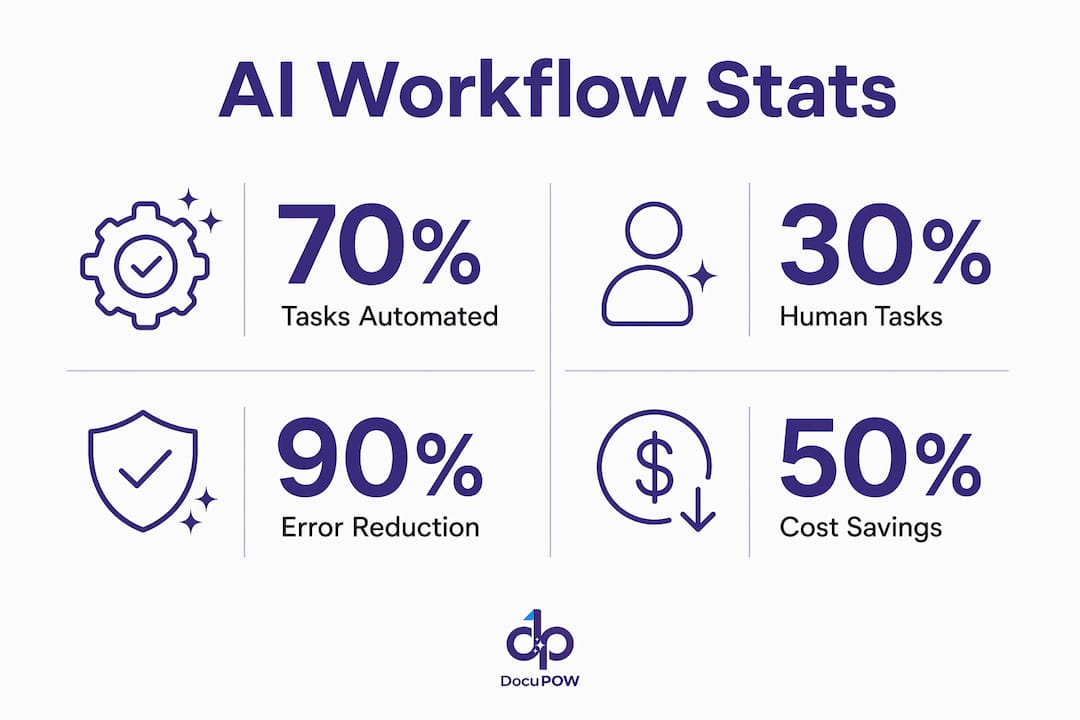
The 30% rule holds that AI should automate approximately 70% of repetitive, data-heavy tasks while humans retain the remaining 30% involving creativity, judgment, and ethical oversight. This balance maintains productivity gains without removing human accountability from high-stakes decisions.
What are the best AI workflow automation tools in 2026?
Nineteen platforms dominate the US market for AI workflow automation in 2026, spanning no-code builders, developer-first tools, enterprise RPA suites, and specialized document intelligence platforms. The right choice depends on your team’s technical depth, your existing software stack, and how much workflow complexity you need to handle.
The canonical comparison across features, pricing tier, best-fit use case, integration breadth, and ease of use:
| Tool | Key Capabilities | Pricing Model | Best For | Integrations | Ease of Use |
|---|---|---|---|---|---|
| Gumloop | Event-driven orchestration, API connectors | Tiered SaaS | Flexible AI integration across diverse workflows | Strong API ecosystem | Moderate |
| Zapier | Low-code triggers, AI steps, extensive app connections | Free tier; paid from $20/mo | SMBs automating everyday tasks | Extensive app connections | Very easy |
| n8n | Open-source, self-hostable, code-optional nodes | Free self-hosted; cloud plans available | Custom, extensible AI workflows | Community-driven connectors | Moderate |
| Make | Visual drag-and-drop builder, AI decision modules | Free tier; paid plans available | Teams wanting a visual workflow builder | Wide SaaS coverage | Easy |
| ChatGPT | LLM agents, scheduled tasks, file/tool access | Plus/Team/Enterprise tiers | LLM-powered workflow planning and execution | Business tool integrations | Easy |
| Relay.app | AI-enhanced event-driven flows, SaaS orchestration | Tiered SaaS | Enterprises integrating AI across SaaS platforms | Multi-SaaS focus | Easy |
| Pipedream | Code-first, extensive API connectors, serverless | Free tier; paid plans | Technical teams building custom AI workflows | Extensive API library | Technical |
| Lindy AI | Adaptive ML decision-making, process automation | Tiered SaaS | Process-intensive industries needing dynamic flows | Growing connector set | Moderate |
| Vellum AI | Analytics-embedded workflow tuning | Tiered SaaS | Data-driven workflow optimization | Analytics integrations | Moderate |
| StackAI | Observability, compliance monitoring, reporting | Tiered SaaS | End-to-end workflow insight and control | Enterprise connectors | Moderate |
| Workato | Enterprise connector library, governance, recipes | Enterprise pricing | Large enterprises with complex integration needs | Extensive connectors | Moderate |
| Domo | BI plus embedded workflow automation | Enterprise pricing | Combining reporting with automated workflows | Data source integrations | Moderate |
| ServiceNow | IT/business process automation, AI service mgmt | Enterprise pricing | IT service and business operations automation | Deep enterprise stack | Complex |
| UiPath | RPA plus AI extensions, document understanding | Free community; enterprise tiers | Expanding RPA programs to AI workflows | Strong enterprise connectors | Moderate |
| Automation Anywhere | RPA plus AI, cloud-native bots | Enterprise pricing | Integrating AI into existing automation pipelines | Comprehensive enterprise | Complex |
| Microsoft Power Automate | Low-code, Azure AI, Microsoft 365 native | Included in M365; standalone plans | Businesses in the Microsoft ecosystem | Microsoft 365, Azure | Easy |
| ProcessMaker | Flexible process modeling, AI decision layers | Tiered SaaS | Customizable process automation with AI | Broad API support | Moderate |
| Wrk | Rapid deployment, operations-focused automation | Tiered SaaS | Operations teams reducing repetitive workflows | Growing integrations | Easy |
| Tray.ai | AI decision nodes, scalable integrations | Enterprise pricing | Scalable AI-powered integrations at enterprise scale | Powerful connector library | Moderate |
A few distinctions worth calling out in prose, because the table cannot capture everything.
Zapier remains the fastest path from zero to a working automation for non-technical teams. Its G2 reviews consistently highlight the breadth of its app library and the speed of setup. The trade-off is depth: complex conditional logic and custom AI model integration push against Zapier’s limits quickly.
n8n sits at the opposite end of the control spectrum. Self-hosting means your data never leaves your infrastructure, which matters for healthcare, finance, and government workflows. The community-driven development model produces a fast-moving connector library, though you need engineering resources to get the most out of it.
Microsoft Power Automate is the default choice for any organization already running Microsoft 365. Azure AI Services plug in natively, and the licensing is often already paid for. The Capterra reviews for Make tell a similar story on the visual side: teams that want to see their workflow as a diagram rather than a list of steps tend to prefer Make’s canvas.
ServiceNow and Workato target enterprises where workflow governance, audit trails, and multi-department orchestration are non-negotiable. Both carry enterprise price tags, but they also carry the connector libraries and compliance features that mid-market tools cannot match.
UiPath and Automation Anywhere are the right answer when you already have an RPA program and want to layer AI on top. UiPath’s Document Understanding module, for example, handles invoice and contract extraction without requiring a separate AI platform.
ChatGPT’s Work mode deserves a specific mention. OpenAI’s agent framework lets you build workflows that run on schedules, connect to business tools, and execute complex multi-step tasks asynchronously, using your organization’s own files and context. For teams already using ChatGPT Enterprise, this is a low-friction entry point into agentic automation.
Pro Tip: Match the tool to your team’s weakest link, not its strongest. A developer-friendly platform like Pipedream is wasted on a team without engineering support. A no-code tool like Zapier or Make will frustrate a team that needs custom logic. Audit your internal skills before shortlisting vendors.
How to implement AI workflow automation effectively
Implementation fails more often at the organizational layer than the technical one. The architecture can be sound, the tool well-chosen, and the pilot impressive, yet the workflow never reaches production because the data was not ready, the legacy system could not be integrated, or the team was not trained. Here is how to avoid each of those outcomes.
Planning and deployment steps
- Map the process before touching a tool. Document every step, every decision point, and every system involved in the target workflow. Identify where humans currently intervene and why.
- Assess data readiness. Audit the data sources the AI will consume. Inconsistent formats, missing fields, and duplicate records will degrade model performance. Budget time and resources for cleanup before model training begins.
- Select the tool based on integration depth. The platform that connects most cleanly to your existing stack is usually the right one, even if a competitor has a more impressive feature list.
- Run a scoped pilot. Pick one workflow, one business unit, and a defined success metric. A pilot that tries to automate everything at once teaches you nothing useful.
- Build in human-in-the-loop checkpoints. Define which decision types require human review and at what confidence threshold the AI should escalate. Do not skip this step in the name of speed.
- Instrument for observability from day one. Configure trace logging before the pilot goes live. You will need those logs to diagnose failures and satisfy compliance requirements.
- Scale with governance. Before rolling out to additional workflows or departments, establish a workflow governance policy: who can publish a workflow, who reviews changes, and how exceptions are tracked.
Addressing enterprise fragmentation
Enterprise system fragmentation is the single most common reason AI workflow projects stall. Organizations running SAP, Salesforce, a legacy ERP, and three different document management systems face a genuine integration challenge that no single AI platform solves out of the box. The practical answer is to treat integration as a first-class workstream, not an afterthought. Assign an integration architect to the project early, map every API endpoint the workflow will touch, and test connectivity before the pilot begins.
Change management is the other underestimated variable. Research from Harvard Business Review shows that AI initiatives succeed when everyone is brought on board early, not just the technical team. End users who understand why a workflow is being automated, and who have input into its design, adopt it faster and flag edge cases that the technical team would have missed.
Training should be role-specific. Finance staff running an automated AP workflow need to know how to handle escalations, not how the underlying model works. IT staff need to understand the trace logs and alert thresholds. Executives need the dashboard metrics that show ROI. One generic training session serves none of those audiences well.
Pro Tip: Run a “failure mode” workshop before go-live. Ask the team to list every way the workflow could produce a wrong result, and build an exception-handling rule for each one. This exercise surfaces edge cases faster than any QA process.
Measuring ROI and performance
The metrics that matter most in the first 90 days are cycle time reduction, error rate, and exception volume. Cycle time tells you whether the automation is actually faster than the manual process. Error rate tells you whether the AI model is performing as expected. Exception volume tells you whether your confidence thresholds are calibrated correctly. A high exception rate usually means the model needs more training data or the threshold is set too conservatively.
Longer-term ROI metrics include cost per transaction, headcount redeployment, and compliance audit pass rate. AI tools improve speed, accuracy, and insight generation across administrative and knowledge workflows, but the gains compound over time as the model improves through closed-loop feedback. Set a 12-month review cadence to reassess model performance and retrain where accuracy has drifted.
Security and compliance considerations
AI workflows that touch financial data, personally identifiable information, or regulated content require explicit compliance controls. Data residency, encryption in transit and at rest, role-based access controls, and audit logging are baseline requirements. For workflows subject to SOX, HIPAA, or GDPR, the observability layer described earlier is not optional. Every AI decision that affects a regulated output needs a traceable record.
Vendor due diligence should include a review of the platform’s SOC 2 Type II certification, data processing agreements, and model training data policies. Some platforms train their models on customer data by default; others offer data isolation. Know which category your vendor falls into before you sign.
How DocuPOW approaches document workflow automation
DocuPOW occupies a specific and well-defined position in the AI workflow space: it focuses on document-centric workflows, the category where most enterprise automation projects hit their hardest wall. Invoices, purchase orders, contracts, shipping manifests, and compliance certificates arrive in dozens of formats, and most automation platforms require a rigid template for each one. DocuPOW’s autonomous agents read document context rather than matching against a fixed template, which means a new vendor invoice format does not break the workflow.
For global manufacturers, the practical impact shows up in accounts payable and financial reporting. When an invoice arrives, DocuPOW extracts the relevant fields, validates them against the purchase order and receipt, flags discrepancies, and feeds clean data to the ERP. The real-time analytics layer surfaces exceptions and trends as they happen, giving finance teams visibility they previously had to build manually in spreadsheets.
The platform’s AI integration architecture connects via API to existing enterprise systems, which means it does not require replacing the ERP or the document management system. It sits between the document source and the downstream system, handling the extraction and validation layer that those systems were never designed to perform.
Pro Tip: If your organization processes more than a few hundred documents per month across multiple formats, template-based extraction tools will create ongoing maintenance overhead every time a vendor changes their invoice layout. Context-aware extraction eliminates that maintenance cycle.
Real-time predictive insights let operations teams shift from reactive to proactive. Instead of discovering a batch of misclassified invoices at month-end close, the team sees the anomaly flagged in the dashboard the day it occurs. That shift from reactive to proactive is where the cost reduction actually materializes, not just in labor hours saved, but in the downstream errors that never happen.
DocuPOW’s approach aligns directly with the enterprise AI workflow guide principle that the most durable automation targets specific, high-volume bottlenecks with a purpose-built intelligence layer rather than trying to automate everything with a general-purpose platform.
DocuPOW handles what general workflow tools miss
If the tools compared above are your primary candidates for broad workflow automation, DocuPOW is worth considering as a complementary layer for the document-heavy processes those platforms struggle with.
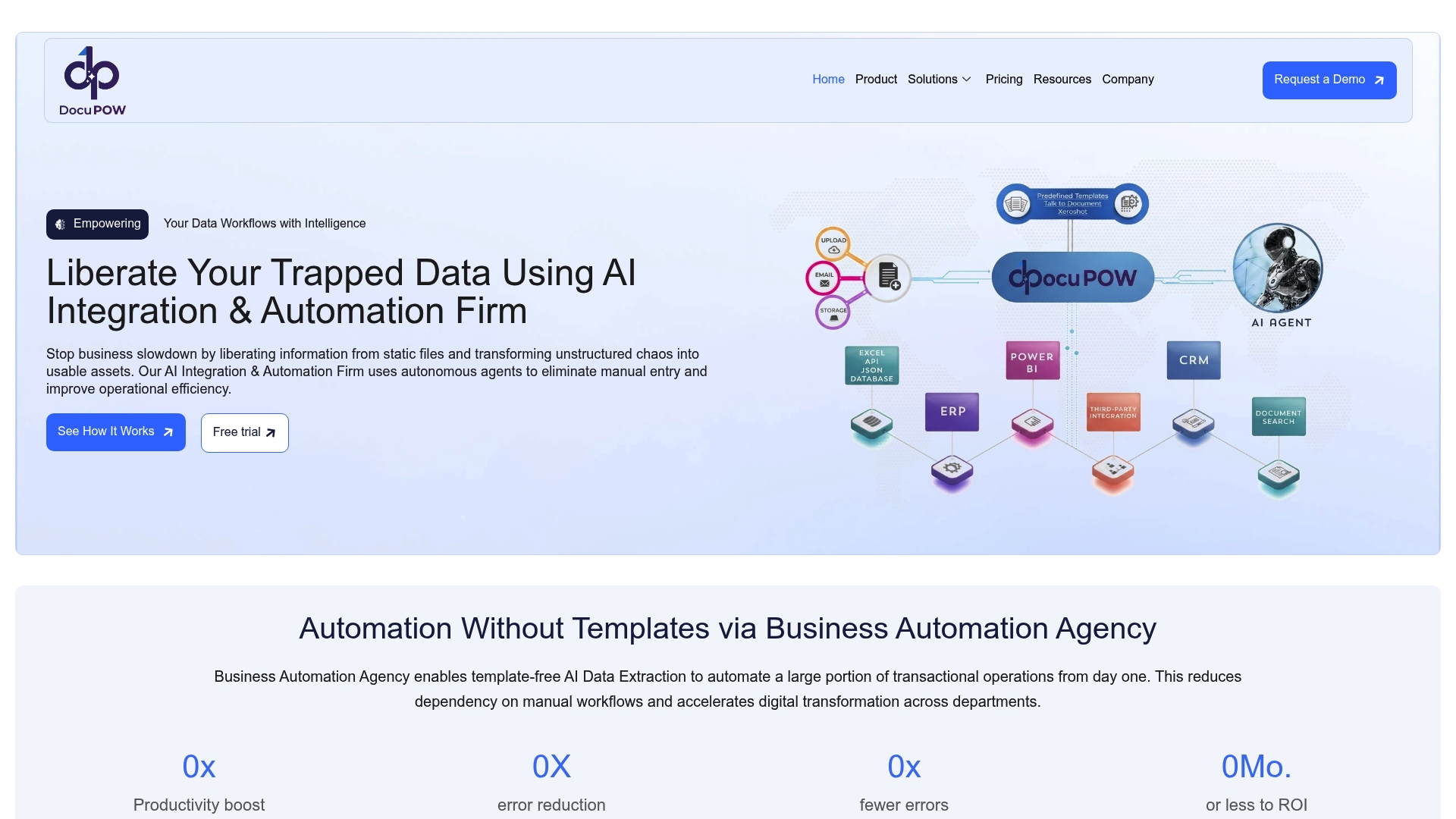
General-purpose platforms like Zapier, Make, or even Workato handle trigger-action logic well. Where they fall short is in reading a scanned PDF invoice from a vendor you have never seen before and extracting the right fields with high confidence. That is a document intelligence problem, and it requires a different kind of AI than a workflow orchestration engine provides. DocuPOW’s back office automation fills that gap directly, handling high-volume document processing for operations teams that need accuracy at scale.
For manufacturers, distributors, and any organization running a high-volume AP or procurement operation, the combination of a general workflow platform for orchestration and DocuPOW for document intelligence tends to outperform either tool alone. You get the breadth of a platform like Workato or Power Automate and the depth of a purpose-built document AI. The document process automation benefits are most visible in finance and operations, where document volume is high and error costs are real.
Key Takeaways
AI-powered workflows deliver their greatest value when AI decision-making is combined with deterministic business rules, human-in-the-loop exception handling, and full observability across every step.
| Point | Details |
|---|---|
| AI vs. traditional automation | AI workflows handle 60–80% of business tasks; traditional automation typically reaches only 20–30%. |
| The 70/30 design rule | Automate roughly 70% of repetitive tasks with AI; keep the remaining 30% involving judgment with humans. |
| Observability is required | Full trace logs of AI decisions are non-negotiable for compliance and production deployment. |
| Tool selection principle | Match the platform to your integration stack and team’s technical depth, not just the feature list. |
| DocuPOW’s role | For document-intensive workflows, DocuPOW’s context-aware extraction handles formats that template-based tools cannot. |
FAQ
What are AI-powered workflows?
AI-powered workflows are automated business processes that use artificial intelligence to interpret inputs, make decisions, and execute actions across multiple systems without continuous human intervention. They differ from traditional automation by handling unstructured data and adapting through machine learning feedback.
What is the 30% rule for AI?
The 30% rule holds that AI should automate approximately 70% of repetitive, data-heavy tasks while humans retain the remaining 30% involving creativity, judgment, and ethical oversight. This balance maintains productivity gains without removing human accountability from high-stakes decisions.
Can ChatGPT create workflows?
Yes. ChatGPT’s Work mode lets you build workflows that run on schedules, connect to business tools, and execute multi-step tasks asynchronously using your organization’s own files and context. OpenAI’s agent framework supports recurring business deliverables without manual triggering.
What are the best AI workflow tools for US businesses in 2026?
The strongest options depend on use case: Zapier and Make for no-code simplicity, n8n for open-source control, Workato and ServiceNow for enterprise governance, UiPath and Automation Anywhere for RPA-to-AI expansion, Microsoft Power Automate for Microsoft 365 environments, and DocuPOW for document-intensive back office workflows.
Recommended
See DocuPOW on your documents.
Stop building templates. Start extracting data.