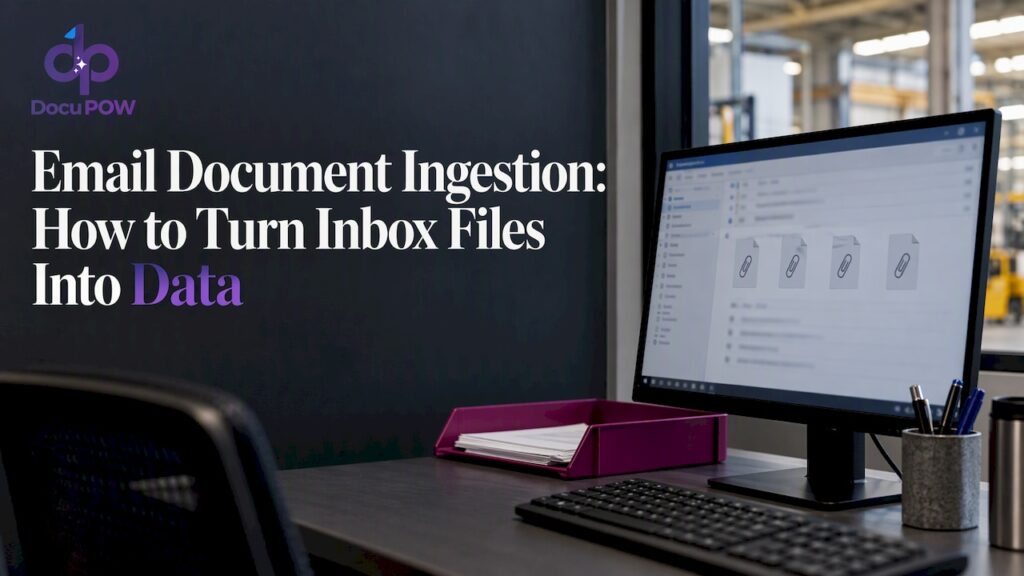
PII Detection in Documents: How to Find and Redact It
How to detect PII in PDFs, scans and contracts, automate redaction without leaving recoverable text, and test accuracy before you trust any tool.

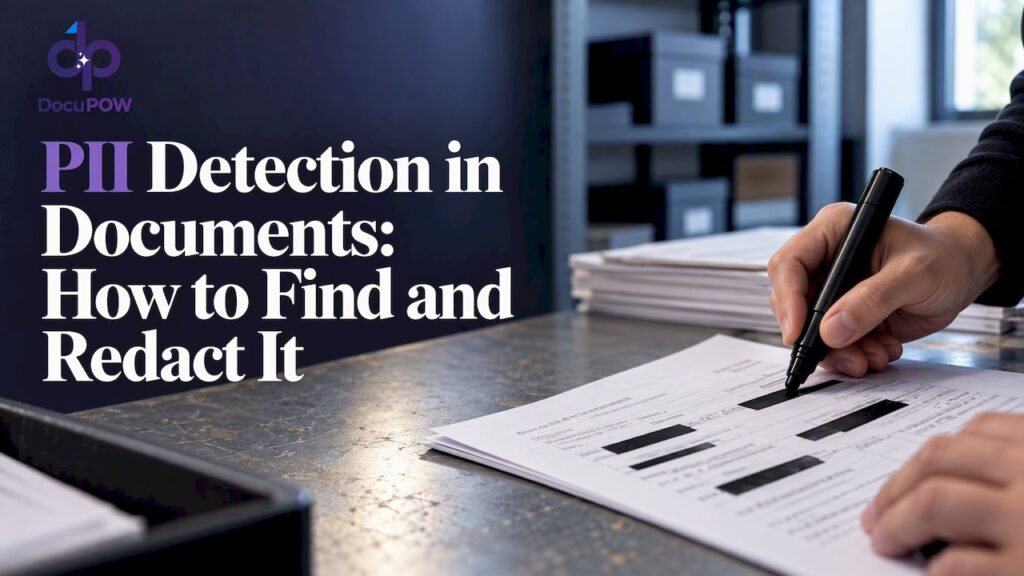
Detecting PII in documents means scanning contracts, invoices, forms and scans for data that can identify a person, then flagging, masking or removing it under rules you define. The reliable approach layers several methods: pattern matching for structured identifiers, AI for context, OCR for scanned pages, and human review for the cases where a miss would be costly. Then you test the whole pipeline against documents you labeled yourself.
This guide covers what counts as PII in business files, how detection works, where AI helps and where it fails, how to automate redaction so the data is truly gone, and what to look for in software.
TL;DR
- PII is any information that can distinguish or trace a person, alone or combined with other data. Business documents carry far more of it than most teams expect.
- Good detection is layered: patterns, dictionaries, AI classification and OCR together, with human review on uncertain or high-stakes results.
- Detection is not redaction. A black box drawn over text can leave the underlying text recoverable, so verify that removal is real.
- Measure recall and precision on a labeled sample of your own documents, and rerun the test whenever the OCR, rules or model change.
- For health data covered by HIPAA, the de-identification rules are specific. Do not assume they apply to every document or every kind of PII.
Table of Contents
- What counts as PII in a business document
- How PII detection in documents works
- What AI can and cannot do here
- Detection is not redaction
- How to test accuracy before you trust it
- Safeguards and rules for U.S. organizations
- What to look for in PII redaction software
- Where this fits in a document workflow
- Perspective: detect where the data enters
- Try it on your own documents
- FAQ
- Sources
What counts as PII in a business document
NIST defines PII as information that can distinguish or trace an individual’s identity, either alone or when combined with other linked or linkable information. Its examples include names, Social Security numbers, biometric records, dates and places of birth, and medical, educational, financial or employment information.
The last part of that definition matters for documents. A single line may look harmless: a job title, a ZIP code, a birth year. Together they can point to one person. That is why a detector that only hunts for nine-digit Social Security numbers misses much of the real exposure.
The FTC’s business guidance names names, Social Security numbers, credit card information and account data as personal information companies commonly hold about customers and employees. In practice, here is where it tends to hide:
| Document type | Typical PII inside |
|---|---|
| Invoices and purchase orders | Contact names, remit-to addresses, bank account details, tax IDs |
| Employment files | SSNs, birth dates, home addresses, salary, emergency contacts |
| Contracts and leases | Signatory names, personal addresses, signatures, guarantor financials |
| Claims and medical forms | Diagnoses, policy numbers, patient identifiers, dates of service |
| Customer support attachments | Photos of IDs, card numbers pasted into emails, scanned forms |
| Shipping and customs paperwork | Consignee names, phone numbers, delivery addresses |
Most of these are PDFs, scans or photos, not tidy database columns. That shapes everything about how detection has to work.
How PII detection in documents works
Practitioners rarely rely on one technique. Documentation from data-discovery tools describes a layered stack: regular expressions, dictionaries, similarity matching, AI classification, exact-data matching, document fingerprinting, and OCR run before detection so scanned pages can be read at all. Each layer covers a weakness in another.
Pattern matching and dictionaries
Regular expressions are fast and predictable. They are good at things with a fixed shape: email addresses, phone numbers, SSN formats, card numbers that pass a checksum. Dictionaries help with known lists such as first names or internal employee names. Both are cheap to run and easy to explain to an auditor.
They break when formatting varies. A nine-digit number could be an SSN, a part number or an invoice reference. A pattern alone cannot tell the difference.
Context-aware AI
AI models read the words around a candidate. “SSN: 123-45-6789” and “PO 123-45-6789” look identical to a pattern but different to a model that understands the label and layout. Models can also catch PII with no fixed format, such as a person’s name in a free-text clause or a home address in a paragraph.
OCR for scans and images
If a page is an image, there is no text to search until OCR converts it. Detection quality is capped by OCR quality: a smudged digit or a misread name will be missed or mislabeled downstream. This is why OCR defects belong in your test set, not in a footnote.
Exact-data matching
If you already hold a list of customers or employees, you can match documents against it directly. This produces very few false positives for people you know about, but it says nothing about people who are not on the list.
What AI can and cannot do here
AI helps, and the evidence says to treat it as a component rather than a verdict.
A 2023 TrustNLP study found that an open-source detection library and regular expressions caught emails and phone numbers relatively well but struggled with Social Security numbers and credit card numbers. It also named language-, country- and context-specific formatting as major limitations. If your documents include non-US formats or multiple languages, expect gaps.
Vendors of AI models say the same. OpenAI states that its Privacy Filter is not an anonymization tool, a compliance certification, or a substitute for policy review in high-stakes settings. It also advises evaluating any such system against your own taxonomy and policies, since performance may vary across languages, scripts, naming conventions and domains.
Two practical conclusions follow:
- Define what PII means for your organization first. A hospital, a staffing agency and a manufacturer have different lists.
- Keep a person in the loop for low-confidence results and for categories where a miss creates legal exposure.
Detection is not redaction
Finding PII is the first half. Removing it so it cannot come back is the second, and it is where many workflows fail quietly.
NIST defines redaction as removing information from a document or dataset for legal or security purposes. The word that matters is removing. Covering text visually is not removing it.
The National Vulnerability Database documents this failure in a real tool: a white-out style redaction in an online PDF editor may leave the underlying text or PDF object information recoverable. Anyone who copies the text or inspects the file could read what you thought was hidden.
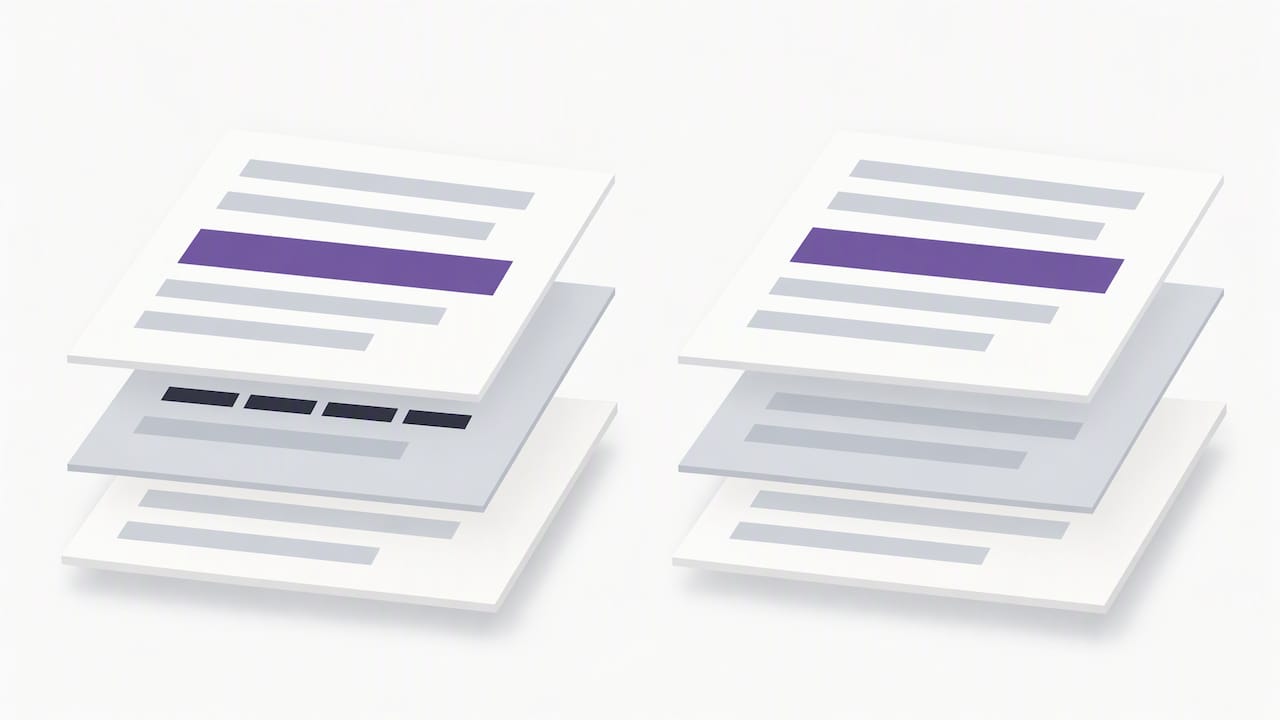
The same principle applies to deletion. The FTC notes that deleting files with ordinary keyboard or mouse commands is not enough because recoverable data may remain, and says paper records should be shredded, burned or pulverized before disposal. For electronic media, NIST SP 800-88 Rev. 2, published in September 2025, defines media sanitization as rendering access to target data infeasible for a specified level of effort, and recommends a program scaled to the sensitivity of the information.
A safe automated redaction pattern
- Detect candidates with layered methods.
- Replace each hit with a neutral placeholder such as a category label, or burn the redaction into a new flattened file rather than layering a shape over the old one.
- Keep a mapping table in a restricted location if you need to restore values later.
- Open the output and try to select, search and copy text from the redacted areas. Check metadata too.
- Store or share only the sanitized version, and handle the original under your retention rules.
This mirrors guidance from Lawrence Berkeley National Laboratory for working with language models: detect PII, replace it with placeholders, send only the sanitized text to the model, and optionally map placeholders back afterward. The same guidance calls redaction the safest option, because once data is sanitized it can be used with any model without concern about that data leaving the environment.
How to test accuracy before you trust it
Vendor accuracy numbers come from someone else’s documents. Yours include odd layouts, old scans and local conventions. The LBNL guidance gives a workable test plan:
- Build a labeled set. Pull a representative sample of real documents and have people mark every PII instance by hand.
- Measure recall and precision. Recall is the share of real PII you caught. Precision is the share of your flags that were real. For redaction, recall matters most, because a miss is a leak.
- Read the errors. Look at every false positive and every missed item, and sort them by cause.
- Stress the edges. Include unusual names, abbreviations, non-English text, OCR defects, and identifiers that look like ordinary numbers.
- Retest after changes. Rerun the whole suite whenever the model, OCR engine, rules or library changes.
The guidance also recommends local or controlled processing for high-sensitivity data. If you cannot say where a document goes during detection, you have not finished evaluating the tool.
Safeguards and rules for U.S. organizations
There is no single U.S. law that governs PII in every document. Your obligations depend on the data type, your industry and the states where your people and customers live. These official sources give a solid backbone.
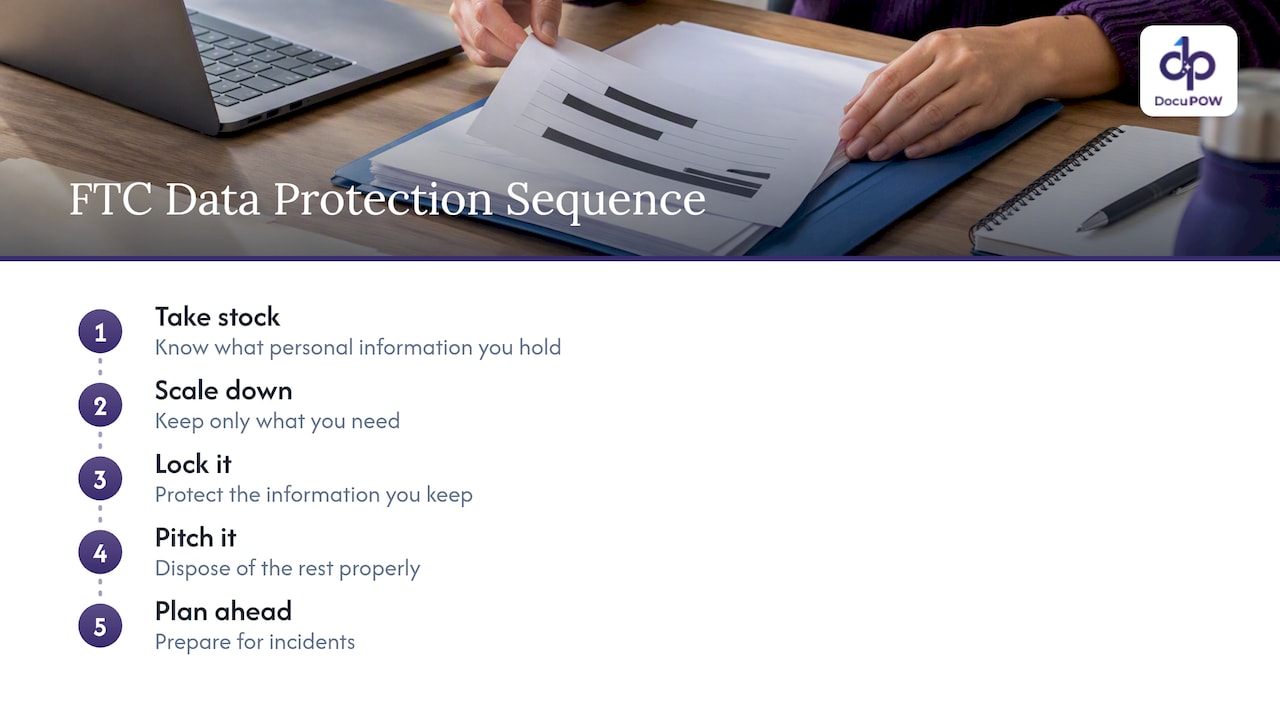
Start with an inventory. The FTC’s guide to protecting personal information boils down to a sequence: take stock, scale down, lock it, pitch it, plan ahead. That means knowing what you hold, keeping only what you need, protecting what you keep, disposing of the rest properly, and preparing for incidents. NIST SP 800-122 adds that you should identify PII across all systems, including databases, shared drives, backups and sites run by contractors. Document stores and email attachments are the usual blind spot.
Mind the health data rules. For protected health information under HIPAA, HHS recognizes two de-identification methods: Expert Determination and Safe Harbor. That guidance applies to de-identifying PHI under the HIPAA Privacy Rule. It does not automatically cover every business document or every kind of PII. If you handle patient records, confirm the approach with your privacy officer or counsel.
Do not stop at security controls. NIST’s privacy engineering work draws a line between privacy risk and ordinary security risk, noting that security controls alone do not fully address authorized processing, consent, transparency or permitted uses of PII. Encrypting a file protects it from outsiders. It does not decide whether you should be holding or using it. Detection and redaction help with the second question by shrinking what you keep.
For how we map secure processing to NIST controls, see our guide to NIST-aligned controls for secure AI processing.
What to look for in PII redaction software
The market spans open-source libraries, data-discovery suites, PDF editors and document automation platforms. Rather than rank products, judge any of them on these criteria:
| Capability | Why it matters | What to ask |
|---|---|---|
| Document coverage | Real files are scans, photos, tables and mixed layouts | Does it handle image-only PDFs and handwriting-adjacent forms? |
| Layered detection | Patterns alone miss context, AI alone misses fixed formats | Which methods run, and can you add custom rules? |
| True redaction | Visual masks can leave text recoverable | Is the output flattened? Is text removed from the file and metadata? |
| Human review | Low-confidence hits need a decision | Can reviewers approve, edit and see why something was flagged? |
| Audit trail | You must show what was removed, by whom and when | Is every action logged and exportable? |
| Data handling | Sensitive files should not travel freely | Where is data processed, and how is it encrypted? |
| Integration | Redaction at the end of a manual process still leaves risk upstream | Can it connect to your ERP, CRM or storage through an API? |
| Testability | You need to prove accuracy on your own data | Can you run a labeled sample before committing? |
Be cautious with free online redaction tools for anything sensitive. You are uploading the exact data you are trying to protect, and the recoverable-text problem above has hit real products.
Where this fits in a document workflow
PII detection works best as a step inside a larger process, not a separate cleanup project. An invoice arrives, fields are extracted, personal data is identified, uncertain items go to a reviewer, and the clean record flows to your ERP. Doing it at intake means personal data never spreads to the shared drives and inboxes where it is hardest to find later.
That is the view behind our document automation platform. It reads documents without templates, so a new layout from a new vendor does not require a new setup, and our workflow overview shows how extraction, review and downstream steps connect. If you also want to query documents and see where an answer came from, our piece on document question answering covers what to check.
Perspective: detect where the data enters
Most teams we talk to treat PII as a storage problem. They lock down folders and buy encryption, then discover that copies of the same passport scan, W-4 or signed lease sit in six places. We think the better question is where personal data enters your company and what happens to the document in the first minute.
That is why we build around agents that understand a document’s context instead of matching templates. A template knows where a Social Security number sat on last year’s form. An agent that reads the page can recognize what a field is even when the layout is new. We pair that with human-in-the-loop audit review, because we do not believe any model, ours included, should be the last line of defense on a high-stakes record. The reviewer sees the result, confirms or corrects it, and the decision is recorded.
We also hold to a simple rule: no one should have to take accuracy on faith. Run your own labeled sample, measure the misses, and decide where automation ends and review begins. Sources and transparent citations back to the original page make that review faster.
— Syed Naveed Abbas
Try it on your own documents
If your team handles invoices, contracts, onboarding files or claims, a short pilot on a sample of your real documents will tell you more than any demo. DocuPOW plans start at $99 per month for Starter and $499 per month for Professional, and Enterprise is priced on request. See the pricing page for what each plan includes.

Bring a labeled sample, including your ugliest scans, and measure recall and precision before you commit. That is the standard we would hold any vendor to, including us.
FAQ
What is the difference between PII detection and PII redaction?
Detection finds personal information and labels it. Redaction removes it so it can no longer be read or recovered. A tool can do the first without the second, so confirm that redacted output has the text actually removed, not just covered.
Can AI find all the PII in a document?
No. Studies and model providers both report weaker results on some identifiers, such as SSNs and card numbers, and on unusual languages, formats or domains. Use AI alongside patterns, OCR and human review, and measure results on your own documents.
Is PII the same as PHI?
Not exactly. PHI is health information held by HIPAA-covered entities and their business associates, and it is governed by HIPAA rules. PII is the broader idea of information that can identify a person. Health data can be both, and HIPAA de-identification guidance applies only to PHI.
How do I check that a PDF is really redacted?
Open the redacted file and try to select, search and copy text from the covered areas. Check the metadata and any earlier versions too. If anything comes back, the redaction was only visual, and the file should be regenerated with the text removed.
Where should I start if I have no inventory of our PII?
Start where documents enter the company: invoices, HR files, contracts and customer attachments. Then extend to shared drives, backups and contractor-managed systems, as NIST SP 800-122 recommends. Keep only what you need and dispose of the rest properly.
Sources
- NIST CSRC Glossary: personally identifiable information
- FTC: Protecting Personal Information, A Guide for Business
- FTC: Protecting Personal Information (PDF)
- TrustNLP 2023: Detecting Personal Information in Training Corpora
- OpenAI: Introducing OpenAI Privacy Filter
- NIST CSRC Glossary: redaction
- NVD: CVE-2022-30350
- NIST SP 800-88 Rev. 2, Guidelines for Media Sanitization
- Lawrence Berkeley National Laboratory: Handling PII and Sensitive Data with LLMs
- NIST SP 800-122, Guide to Protecting the Confidentiality of PII
- HHS: Guidance on De-identification of Protected Health Information
- NIST ITL Bulletin, April 2017: Building the Bridge Between Privacy and Security
Recommended
See DocuPOW on your documents.
Stop building templates. Start extracting data.