Author: tasnimkhan

  • Intelligent Data Extraction Services: 2026 Business Guide

    Intelligent Data Extraction Services: 2026 Business Guide


    TL;DR:

    • Intelligent Data Extraction Services use AI to convert unstructured documents into structured, validated data. They outperform basic OCR and web scraping by understanding document context, handling layout variation, and connecting directly to enterprise systems. Implementing hybrid models with schema validation and phased deployment ensures reliable, scalable automation for high-volume workflows.

    Intelligent Data Extraction Services (IDS) are the industry term for AI-powered systems that convert unstructured documents into structured, machine-readable data using technologies like natural language processing (NLP), optical character recognition (OCR), machine learning, and computer vision. Unlike basic OCR or manual data entry, these services understand document context, validate extracted fields against business rules, and feed clean data directly into enterprise workflows. DocuPOW builds on this foundation with autonomous agents that process documents without rigid templates. For organizations drowning in invoices, contracts, and forms, automated data extraction is no longer optional. It is the operational baseline for competing in 2026.

    What are Intelligent Data Extraction Services?

    Intelligent Data Extraction Services go far beyond reading text off a page. OCR alone reads text but lacks the context awareness and validation capabilities found in full Intelligent Document Processing (IDP). That distinction matters enormously in practice. A purchase order contains vendor names, line items, totals, and tax codes. OCR captures the characters. IDS understands which field is which, cross-checks the math, and flags discrepancies before the data reaches your ERP system.

    Side profile IT specialist reviewing data printouts

    The core value is turning trapped, unstructured information into structured, actionable data at scale. Think of a global manufacturer receiving thousands of supplier invoices monthly in different formats, languages, and layouts. Manual entry is slow, error-prone, and expensive. Intelligent data retrieval automates that entire pipeline, from document ingestion to validated database entry, without a human touching each record.

    DocuPOW represents this category well. Its autonomous agents read document context and extract fields without relying on pre-built templates, which means a new supplier format does not require a developer to build a new extraction rule. That template-free approach is what separates modern intelligent document processing from legacy systems.

    How do Intelligent Data Extraction Services differ from traditional OCR and data scraping?

    The confusion between IDS, OCR, and data scraping services is common and costly. Each technology solves a different problem at a different level of sophistication.

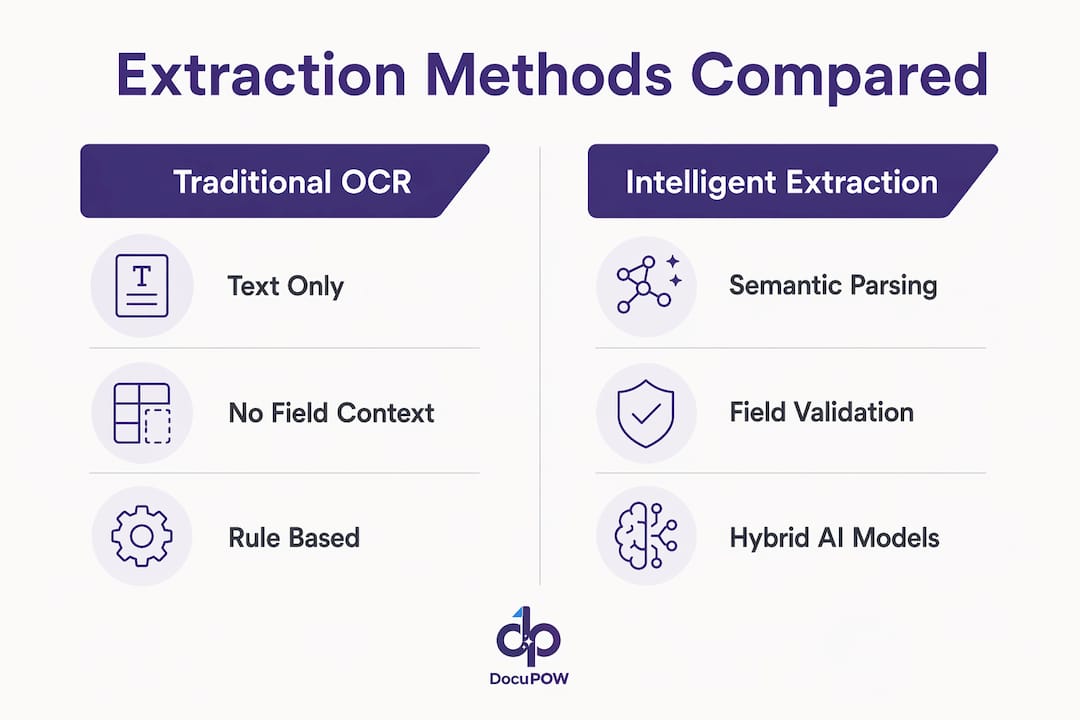
    Traditional OCR converts scanned images into text strings. It does not know that “NET 30” is a payment term or that “$4,500.00” belongs to a subtotal field. It produces a flat text output and stops there. Basic web scraping services go one step further by pulling structured data from HTML pages, but they break the moment a website changes its layout or adds bot detection.
    Infographic comparing IDS and traditional OCR methods

    Intelligent Data Extraction Services operate at a higher level entirely. They parse document structure, infer field semantics, validate outputs against defined schemas, and adapt to format variations without manual reconfiguration.

    Capability Traditional OCR Basic data scraping Intelligent Data Extraction
    Reads text from images Yes No Yes
    Understands field context No Partial Yes
    Validates against business rules No No Yes
    Handles layout variation No No Yes
    Processes tables and handwriting Limited No Yes
    Integrates with ERP/CRM Manual Manual Automated

    Pro Tip: If your current system requires a developer to update extraction rules every time a supplier changes their invoice layout, you are using a template-based tool, not true IDS. The cost of that maintenance compounds fast across hundreds of document types.

    What are the core technologies used in Intelligent Data Extraction Services?

    Modern extraction services combine several AI disciplines into a single pipeline. No single technology handles every document type well on its own.

    • Natural Language Processing (NLP): Identifies entities, relationships, and intent within text. NLP is what allows a system to recognize “Invoice Date: March 15, 2026” as a date field rather than a generic string.
    • Machine learning models: Trained on large document datasets, these models classify document types, locate field boundaries, and improve accuracy over time with feedback loops.
    • Computer vision: Processes the visual layout of a document, including column alignment, table structures, and spatial relationships between elements.
    • Multimodal AI: Modern document intelligence decomposes documents into searchable features including text, tables, charts, and annotations. This enables semantic search across decades of archived files, not just keyword matching.

    The most reliable production systems use hybrid architectures. Hybrid extraction models combine deterministic parsing for layout detection with AI semantic understanding for field inference, achieving accuracy up to 90.7%. That outperforms pure cloud AI solutions on complex, variable document types.

    Schema validation is the final layer that most teams underestimate. Strict JSON and Pydantic schema definitions enable automated validation and programmatic error handling before any data reaches a database. Without schema enforcement, extraction errors propagate silently into downstream systems and corrupt reporting.

    Pro Tip: Avoid fully end-to-end “black box” AI models for critical financial or legal documents. Hybrid pipelines that use deterministic parsing for layout and large language models for semantic inference give you accuracy, cost control, and auditability in one architecture.

    How can businesses implement Intelligent Data Extraction Services effectively?

    Deployment speed is faster than most teams expect. Initial extraction workflows can be operational within one hour when connecting AI-based extraction services to cloud databases. That speed is real, but it applies to simple, well-structured documents. Scaling to complex, variable formats takes more deliberate planning.

    A phased rollout is the proven path. Starting with a single high-frequency, low-variance document type builds trust in the AI model and the human review workflow before you add complexity. For most manufacturers, that means starting with a standard purchase order or remittance advice, not a multi-page contract.

    Follow these steps for a reliable implementation:

    1. Identify your highest-volume document type. Pick the document your team processes most often with the least format variation. This is your pilot.
    2. Define your extraction schema. List every field you need, its data type, and its validation rule. A vendor ID must be numeric. A date must follow ISO 8601. Write these rules before you configure anything.
    3. Connect to your target system. Map extracted fields to your ERP, CRM, or database columns. Test with a sample batch of 50–100 real documents before going live.
    4. Build a human-in-the-loop review queue. Flag low-confidence extractions for human review. Use those corrections to retrain the model. Accuracy improves with each reviewed batch.
    5. Address infrastructure before scaling. Infrastructure bottlenecks including proxy management, anti-bot bypass, and dynamic content rendering cause more production failures than the AI models themselves. Solve these before expanding document volume.
    6. Expand to adjacent document types. Once your pilot document type runs at acceptable accuracy, apply the same schema-driven approach to the next highest-volume type.

    Pro Tip: Build automated retry logic into your extraction pipeline from day one. When a document fails schema validation, the system should automatically re-attempt extraction with adjusted parameters before routing to human review. This single step cuts manual review queues significantly.

    What are the key benefits and challenges of using Intelligent Data Extraction Services?

    The business case for automated data extraction is direct. Speed, accuracy, and cost savings all improve simultaneously when you replace manual entry with AI-driven extraction.

    Core benefits:

    • Speed: Extraction that takes a human 10 minutes per document runs in seconds at scale.
    • Accuracy: Hybrid models achieve up to 90.7% accuracy on complex documents, and accuracy improves with feedback loops.
    • Cost reduction: Eliminating manual data entry reduces labor costs and the downstream cost of correcting entry errors.
    • Data completeness: AI extraction captures fields that manual processes routinely miss, including embedded tables, footnotes, and secondary line items.
    • Scalability: Volume spikes, like month-end invoice surges, do not require hiring temporary staff.

    The challenges are real and worth planning for:

    • Data variability: Documents from different vendors, regions, or time periods vary in layout, language, and quality. No model handles every variation perfectly out of the box.
    • Model hallucination: AI models can invent plausible-sounding field values when confidence is low. Schema validation and human review catch most of these errors, but they require deliberate design.
    • Infrastructure complexity: Proxy rotation, anti-bot measures, and dynamic rendering are infrastructure problems that block scaling more often than model accuracy does.
    Performance area Manual processing Intelligent Data Extraction
    Processing speed Minutes per document Seconds per document
    Accuracy on structured docs Variable, human error-prone Up to 90.7% with hybrid models
    Scalability Limited by headcount Scales with compute
    Error detection Post-entry audit Real-time schema validation
    Integration Manual export/import Direct ERP/CRM connection

    The organizations that get the most value from smart data processing are those that treat it as a workflow redesign, not just a software purchase. The technology works. The implementation discipline is what determines the outcome.

    Key takeaways

    Intelligent Data Extraction Services deliver reliable, scalable document automation when built on hybrid AI architectures, strict schema validation, and phased deployment starting with high-frequency document types.

    Point Details
    IDS goes beyond OCR Intelligent extraction understands field context and validates data; OCR only reads text.
    Hybrid models outperform pure AI Combining deterministic parsing with AI semantics achieves up to 90.7% accuracy on complex documents.
    Schema validation is non-negotiable JSON/Pydantic schemas catch extraction errors before they reach your database.
    Start narrow, then scale Begin with one high-frequency document type to build model trust before expanding.
    Infrastructure limits scale Proxy management and dynamic rendering cause more production failures than AI model quality.

    Why schema-first thinking changes everything in data extraction

    Most teams I see evaluate extraction services by asking “how accurate is the AI?” That is the wrong first question. The right question is “how does the system handle errors when the AI is wrong?”

    Every AI model produces incorrect outputs sometimes. The difference between a production-grade extraction system and a prototype is what happens at that moment. Systems built on strict schema definitions catch errors immediately, trigger automated retries, and route failures to human review with full context. Systems built on vague natural language prompts pass errors downstream silently.

    I have watched organizations spend months chasing data quality problems in their ERP systems, only to trace the root cause back to an extraction pipeline with no validation layer. The AI was performing fine. The missing schema was the problem.

    The second thing I would push back on is the instinct to automate everything at once. Phased rollouts feel slow, but they build the organizational trust that makes full automation sustainable. A team that has seen the system handle 10,000 purchase orders correctly will approve the next phase quickly. A team burned by a bad batch on day one will resist automation for years.

    Multimodal understanding is the capability that will separate leading platforms from the rest over the next three years. Text extraction is largely a solved problem for clean, structured documents. The hard work is in tables, handwritten annotations, embedded images, and mixed-format files. Platforms that handle all of those in a single pipeline, without routing to separate specialized models, will win on both accuracy and operational simplicity.

    For any business leader evaluating document automation solutions right now: ask vendors to show you their error handling, not just their accuracy numbers. The accuracy demo is easy to stage. The error handling is where real systems are built.

    — Sameer

    DocuPOW’s approach to enterprise-ready document extraction

    Organizations that have moved past the pilot stage know that extraction accuracy is only part of the equation. The other part is what happens when documents arrive in unexpected formats, at unexpected volumes, at month-end.
    https://docupow.ai

    DocuPOW addresses both sides. Its autonomous agents extract data from any document format without templates, validate outputs against defined schemas in real time, and connect directly to ERP and CRM systems. For teams managing high-volume document workflows, DocuPOW’s platform handles volume spikes without manual intervention. The intelligent data extraction solutions built into DocuPOW cover supply chain, manufacturing, construction, and back-office operations. If your team is still manually keying data from documents, that is the problem DocuPOW is built to solve.

    FAQ

    What is the difference between OCR and Intelligent Data Extraction?

    OCR converts scanned images into raw text without understanding field context or validating data. Intelligent Data Extraction uses NLP, machine learning, and schema validation to identify, classify, and verify each extracted field against business rules.

    How long does it take to deploy an AI data extraction workflow?

    Initial extraction workflows can be operational within one hour for simple, structured document types connected to cloud databases. Complex, variable document types require additional schema definition and testing time.

    What accuracy can businesses expect from intelligent data extraction?

    Hybrid extraction models that combine deterministic layout parsing with AI semantic understanding achieve accuracy up to 90.7% on complex documents. Accuracy improves further with human-in-the-loop feedback loops over time.

    Why do intelligent extraction systems fail in production?

    Infrastructure issues including proxy management, anti-bot bypass, and dynamic content rendering cause more production failures than AI model quality. Addressing infrastructure before scaling is the most effective way to prevent pipeline failures.

    What document types can Intelligent Data Extraction Services handle?

    Modern IDS platforms process invoices, purchase orders, contracts, forms, and mixed-format files including tables, handwritten annotations, and embedded images. Multimodal extraction decomposes documents into text, table, chart, and annotation features for full semantic retrieval.


  • AI Data Extraction for Business Professionals: 2026 Guide

    AI Data Extraction for Business Professionals: 2026 Guide


    TL;DR:

    • AI data extraction automates the retrieval of structured information from unstructured documents using schema-driven methods. It outperforms traditional template-based approaches by offering higher accuracy, faster processing speeds, and preservation of document layout across diverse formats. These benefits improve efficiency in industries like finance, healthcare, and real estate by enabling scalable, high-quality data automation.

    AI data extraction is the process of using artificial intelligence to pull structured information from unstructured documents automatically. The industry term for this broader discipline is intelligent document processing (IDP), and AI data extraction is its core function. Modern systems combine natural language processing (NLP), machine learning, and schema-driven processing to convert PDFs, invoices, contracts, and images into clean, usable data. DocuPOW applies this approach through autonomous agents that read document context rather than matching fixed templates. For business professionals managing high document volumes, the difference between template-based and AI-driven extraction is the difference between a brittle process and one that scales.

    How does AI data extraction work?

    AI data extraction operates through a pipeline of coordinated technologies. The process starts with document ingestion, where the system accepts files across formats. Then OCR (optical character recognition) converts scanned images into machine-readable text. NLP models interpret meaning, and a schema layer defines exactly which fields to extract.

    Hands loading documents into scanner for data extraction

    The most significant shift in recent years is the move from template-based extraction to declarative schema definitions. Declarative schemas let business professionals specify the fields they need using a JSON structure, without any prior training data or template configuration. The AI reads the schema, locates the relevant data in the document, and returns structured output. This means you can point the system at a new document type on Monday and have clean data by Tuesday, with no model retraining required.

    Modern extraction pipelines also handle format diversity at scale. Advanced AI extraction can process over 100 document formats, including PDFs, DOCX files, spreadsheets, images, and websites, through a single API call. That breadth matters for operations teams dealing with supplier invoices, scanned receipts, and web-sourced data all in the same workflow.

    Key components in a production-grade AI extraction pipeline include:

    • OCR layer: Converts scanned pages and images into text while preserving spatial layout
    • NLP engine: Interprets field labels, sentence structure, and contextual meaning
    • Schema definition: Declares target fields in JSON format without model retraining
    • Confidence scoring: Assigns a reliability score to each extracted field
    • Citation metadata: Records the source location of each extracted value for audit trails

    Pro Tip: Always review per-field confidence scores before sending extracted data downstream. A field with a low confidence score signals ambiguity in the source document, not a system failure. Flag those fields for human review rather than letting errors propagate into your ERP or CRM.

    What performance benchmarks does AI extraction offer vs. traditional methods?

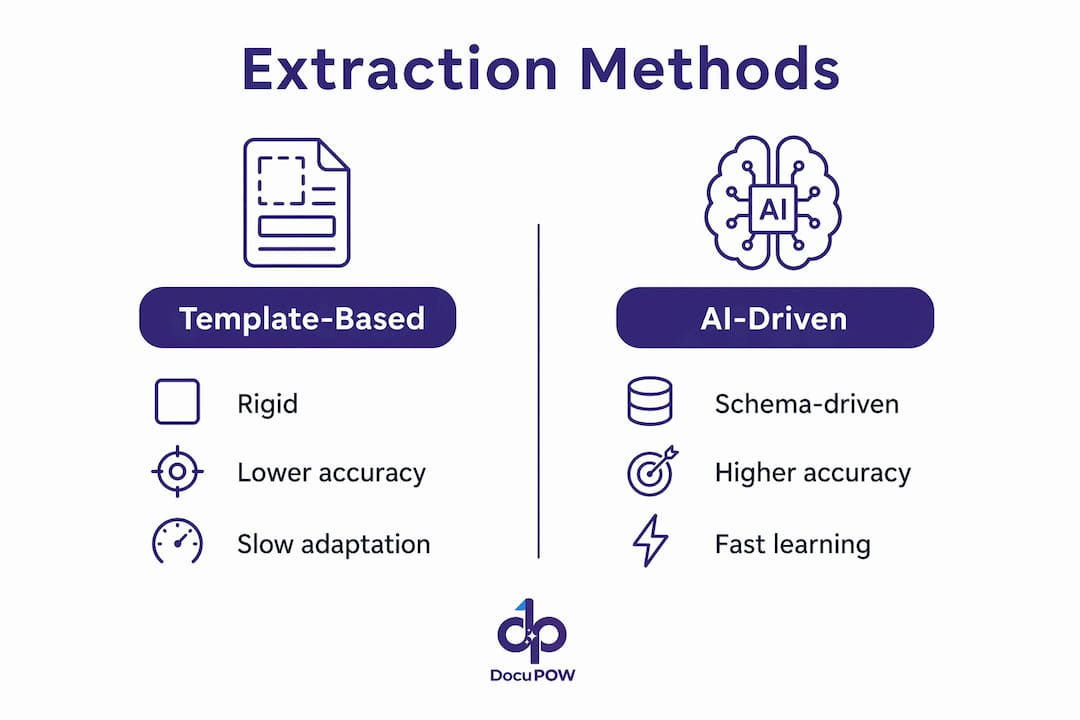
    Infographic comparing AI and template-based extraction methods

    The accuracy gap between template-based and AI-driven extraction is measurable and significant. Template-based extraction typically suffers a 12–28 point F1 score drop when processing new document formats. F1 score measures the balance between precision and recall, so a 20-point drop means roughly one in five extracted values is wrong or missing. That error rate is unacceptable at scale.

    LLM-based intelligent extraction methods drop only 2–6 F1 points when encountering new formats. That gap closes because the model understands language and context rather than relying on fixed field positions. A supplier invoice from a new vendor no longer breaks the extraction job.

    Speed is the second dimension where modern AI extraction separates itself. Specialized extraction engines with Rust cores achieve processing speeds 15–40 times faster than equivalent open-source libraries across common formats like PDF, DOCX, and XLSX. Faster throughput means finance teams can close books faster and operations teams can process inbound shipment documents in near real time.

    Spatial fidelity is a less-discussed but critical factor. Modern extraction engines preserve table structures and document layout, which are essential for accurate downstream analysis. Older flattening techniques collapse tables into unstructured text, destroying the row-column relationships that give the data meaning.

    Dimension Template-based extraction LLM-based AI extraction
    F1 score drop on new formats 12–28 points 2–6 points
    Processing speed Baseline 15–40x faster (Rust-core engines)
    New document type setup Manual template rebuild Schema definition only
    Table and layout preservation Often lost Maintained (spatial fidelity)
    Retraining required Yes, per new format No

    What are the real-world applications of AI data extraction?

    Intelligent document processing platforms extend well beyond simple text extraction. IDP platforms connect extracted data directly to business process automation, linking field values to workflows for tasks like policy administration, claim resolution, and purchase order matching. The data does not just get extracted. It gets routed, validated, and acted on.

    The industries seeing the clearest returns include:

    • Finance and accounting: Automated retrieval from invoices, bank statements, and expense receipts feeds directly into ERP systems, cutting manual entry and accelerating month-end close. Teams using automated financial data extraction report fewer reconciliation errors and faster audit cycles.
    • Healthcare: Medical forms, prior authorization documents, and clinical records contain dense, variable data. AI extraction pulls structured fields from these documents and routes them to patient management systems without manual transcription.
    • Real estate: Lease agreements, title documents, and property disclosures contain dozens of critical fields. Real estate document workflows benefit from AI extraction that reads variable clause structures rather than fixed field positions.
    • Manufacturing and supply chain: Bills of lading, quality certificates, and supplier invoices arrive in hundreds of formats. Automated extraction in manufacturing reduces receiving errors and speeds up supplier payment cycles.
    • Insurance: IDP accelerates claim resolution and supports early fraud detection by automating extraction from FNOLs, medical records, and supporting documents.

    Document types that benefit most from AI-driven automated data retrieval include invoices, contracts, purchase orders, shipping manifests, medical intake forms, research papers, and regulatory filings. The common thread is high volume combined with structural variability. When no two documents look exactly alike, template-based tools fail and AI-driven tools thrive.

    Pro Tip: Start your IDP rollout with the document type that causes the most downstream errors in your current process. Fixing one high-impact extraction point delivers faster ROI than spreading effort across every document type at once.

    How can businesses implement AI data extraction effectively?

    The starting point for any implementation is schema design. Define the fields your business needs from each document type in a structured format. JSON schema definitions steer the AI toward exactly the right fields without requiring custom model training. This approach cuts setup time from weeks to hours for most document types.

    A practical implementation follows these steps:

    1. Audit your document inventory. List every document type entering your workflows, their formats, and the fields your teams extract manually today.
    2. Define schemas per document type. Write JSON schemas specifying field names, data types, and any validation rules. Start with your highest-volume document type.
    3. Connect via API. Most production-grade AI extraction platforms expose a REST API. Send documents to the endpoint and receive structured JSON in return.
    4. Validate with confidence scores. Set a confidence threshold for each field. Route low-confidence extractions to a human review queue rather than passing them downstream automatically.
    5. Integrate with downstream systems. Map extracted fields to your ERP, CRM, or workflow platform. Use the citation metadata to maintain a full audit trail from source document to database record.
    6. Monitor and refine. Track field-level accuracy over time. When accuracy drops on a specific field, review the source documents for structural changes and update the schema accordingly.

    Common challenges include OCR quality on low-resolution scans and document variability across vendors. For OCR issues, pre-processing steps like image deskewing and contrast normalization improve text quality before extraction begins. For variability, schema-driven AI extraction handles the differences automatically because it reads meaning rather than position.

    DocuPOW’s platform applies this schema-driven approach through autonomous agents, making it well-suited for back-office automation scenarios where document formats change frequently and manual setup time is a bottleneck.

    Key Takeaways

    AI data extraction delivers the greatest value when schema-driven methods replace rigid templates, enabling accurate, high-speed processing across variable document formats at scale.

    Point Details
    Schema-driven extraction wins JSON schemas extract target fields without model retraining, cutting setup from weeks to hours.
    Accuracy gap is measurable LLM-based tools drop only 2–6 F1 points on new formats versus 12–28 points for template-based systems.
    Speed advantage is real Rust-core extraction engines process documents 15–40 times faster than standard open-source libraries.
    Confidence scores are mandatory Per-field confidence scores identify ambiguous extractions before errors reach downstream systems.
    Industry applications are broad Finance, healthcare, real estate, manufacturing, and insurance all benefit from AI-driven automated data retrieval.

    Why I think most businesses are still thinking about this the wrong way

    The conversation I hear most often goes like this: a team evaluates AI extraction tools, picks one based on a demo with clean sample documents, and then hits a wall three months later when real-world documents break the system. The problem is not the tool. The problem is that teams treat document extraction as a one-time configuration project rather than an ongoing data quality discipline.

    The shift to declarative schemas changes this dynamic fundamentally. When your extraction logic lives in a JSON schema rather than a hand-built template, updating it takes minutes. That means your extraction system can evolve as fast as your document landscape does. I have seen operations teams cut their document exception rate by focusing obsessively on schema maintenance rather than chasing a perfect initial setup.

    The other thing most articles skip is the importance of spatial fidelity. A lot of teams evaluate extraction tools by testing on simple text fields and miss the fact that their most valuable data lives inside tables. A tool that flattens a financial statement into unstructured text has destroyed the data before you even start analyzing it. Always test with your most complex document type, not your simplest.

    My practical advice: pick a platform that exposes confidence scores at the field level, supports schema updates without retraining, and preserves document layout. Those three criteria eliminate most of the failure modes I have seen in production deployments. Vendor selection based on demo performance on clean documents is the single most common mistake in this space.

    — Sameer

    DocuPOW’s AI-powered platform for document extraction

    DocuPOW is an intelligent document automation platform built on schema-driven AI extraction and autonomous agents that read document context rather than matching templates.

    https://docupow.ai

    Teams across manufacturing, real estate, supply chain, and finance use DocuPOW to process high volumes of variable documents with accuracy that template-based tools cannot match. The platform supports high-volume document workflows with real-time analytics and full audit trails from source document to structured output. For teams managing property documents, DocuPOW’s real estate extraction solutions handle lease agreements, title documents, and disclosures without manual field mapping. Visit DocuPOW to see how the platform fits your document processing needs.

    FAQ

    What is AI data extraction?

    AI data extraction is the automated process of pulling structured fields from unstructured documents using NLP, machine learning, and schema-driven processing. It replaces manual data entry with accurate, high-speed retrieval across formats like PDFs, images, and DOCX files.

    How does AI extraction differ from traditional OCR?

    Traditional OCR converts images to text but does not interpret meaning or structure. AI extraction adds NLP and schema logic on top of OCR output, identifying specific fields and their values regardless of where they appear in the document.

    What is an F1 score in the context of data extraction?

    An F1 score measures the balance between precision and recall in extraction accuracy. Template-based tools drop 12–28 F1 points on new document formats, while LLM-based tools drop only 2–6 points, making AI methods significantly more reliable across variable documents.

    Do AI extraction tools require training data for new document types?

    Schema-driven AI extraction requires no training data for new document types. Defining a JSON schema with the target fields is sufficient for the system to extract accurately from documents it has never seen before.

    What industries benefit most from intelligent data extraction?

    Finance, healthcare, real estate, manufacturing, insurance, and supply chain operations all benefit from intelligent data extraction. Any industry processing high volumes of variable documents, such as invoices, contracts, or medical forms, sees measurable gains in speed and accuracy.

  • Top 3 Best Automated Document Processing Services 2026

    Managing large volumes of varied documents takes too much manual work for operations, finance, and procurement teams. Template based systems require constant rule mapping and force manual setup for every new document type. This comparison covers extraction method, compliance, and workflow integration so teams can select a service that fits their volume and regulatory needs.

    Table of Contents

    DocuPOW

    https://docupow.ai

    At a Glance

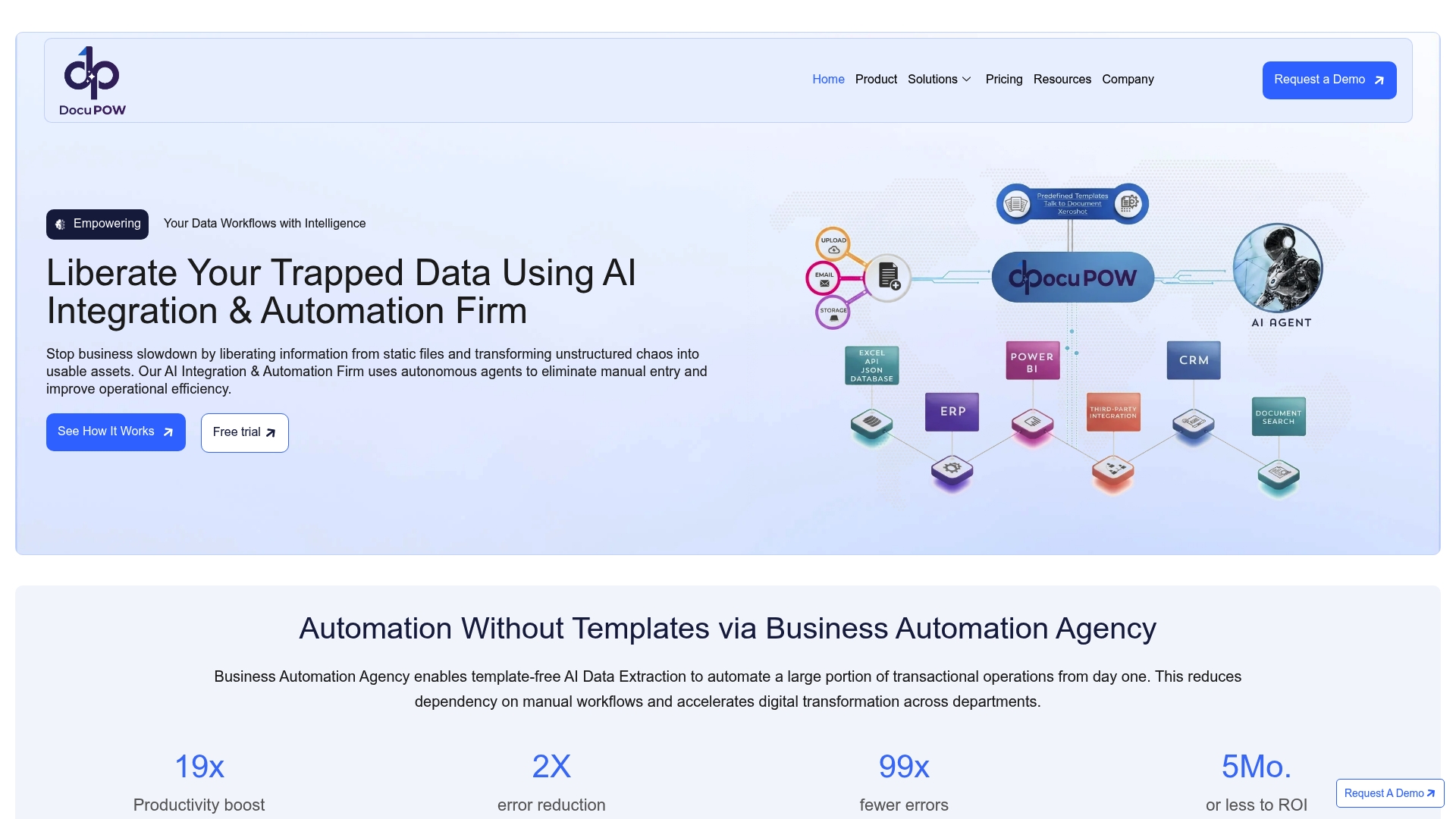
    ZeroShot learning lets DocuPOW extract data from new document types without templates or prior training. The system handles handwritten notes and unstructured files while learning to improve extraction accuracy over time. Large manufacturers use its output for near real time spend analytics and faster procurement decisions.

    Core Features

    DocuPOW uses ZeroShot learning to pull fields from invoices, contracts, and forms with no manual mapping. It includes document search, visual bounding boxes for verification, and a user friendly interface for review and correction. The product follows an API first model so you can connect AI agents, ERP and CRM systems, Power BI, and Power Automate for downstream workflows and analytics.

    Key Differentiator

    The standout capability is the platform’s ZeroShot approach that removes the need for templates. That reduces upfront setup for new document types and shortens time to value for large volume workloads. Teams that process diverse document formats will spend less time building extraction rules and more time acting on the extracted data.

    Pros

    DocuPOW improves accuracy through continuous learning, which means extraction quality rises as the system sees more examples. It accepts complex, unstructured, and handwritten documents that break traditional template based tools. The API first design and explicit support for ERP, CRM, Power BI, and Power Automate make it practical for enterprise automation and reporting. Real time analytics and a conversational interface let finance and operations teams query document data without building reports.

    Cons

    • Complexity in initial setup and integration for highly specialized legacy systems.

    Notable Integrations

    • ERP systems for posting and reconciliation.
    • CRM systems for linkages to sales and contract records.
    • Power BI for operational dashboards and spend analytics.
    • Power Automate for workflow orchestration.
    • APIs for custom system integration and AI agent workflows.

    Who It’s For

    Large enterprises that process high volumes of varied documents and require template free automation. Procurement, finance, and legal teams that need faster access to accurate document data will benefit. Organizations planning multi system integrations and centralized analytics will see the most value.

    Unique Value Proposition

    Autonomous agents that understand document context let DocuPOW translate documents into actionable data without extensive manual mapping. That capability reduces manual entry work and improves financial visibility for procurement and operations teams. With real time analytics and predictive insights, teams can shift from reactive fixes to earlier interventions that reduce late fees and process exceptions.

    Real World Use Case

    A global manufacturer replaced manual document sorting with DocuPOW driven extraction. The company gained real time spend analytics, cut late payment penalties, and sped decision making across procurement and operations. The result came from combining template free extraction, system integration, and live analytics.

    Pricing

    Pricing follows a tier based model with per page rates. Typical public rates range from $0.15 to $0.25 per page, and the vendor offers custom enterprise options for high volume contracts and bespoke integrations. Detailed quotes require direct engagement with the vendor.

    Website: https://docupow.ai

    Docparser

    https://docparser.com

    At a Glance

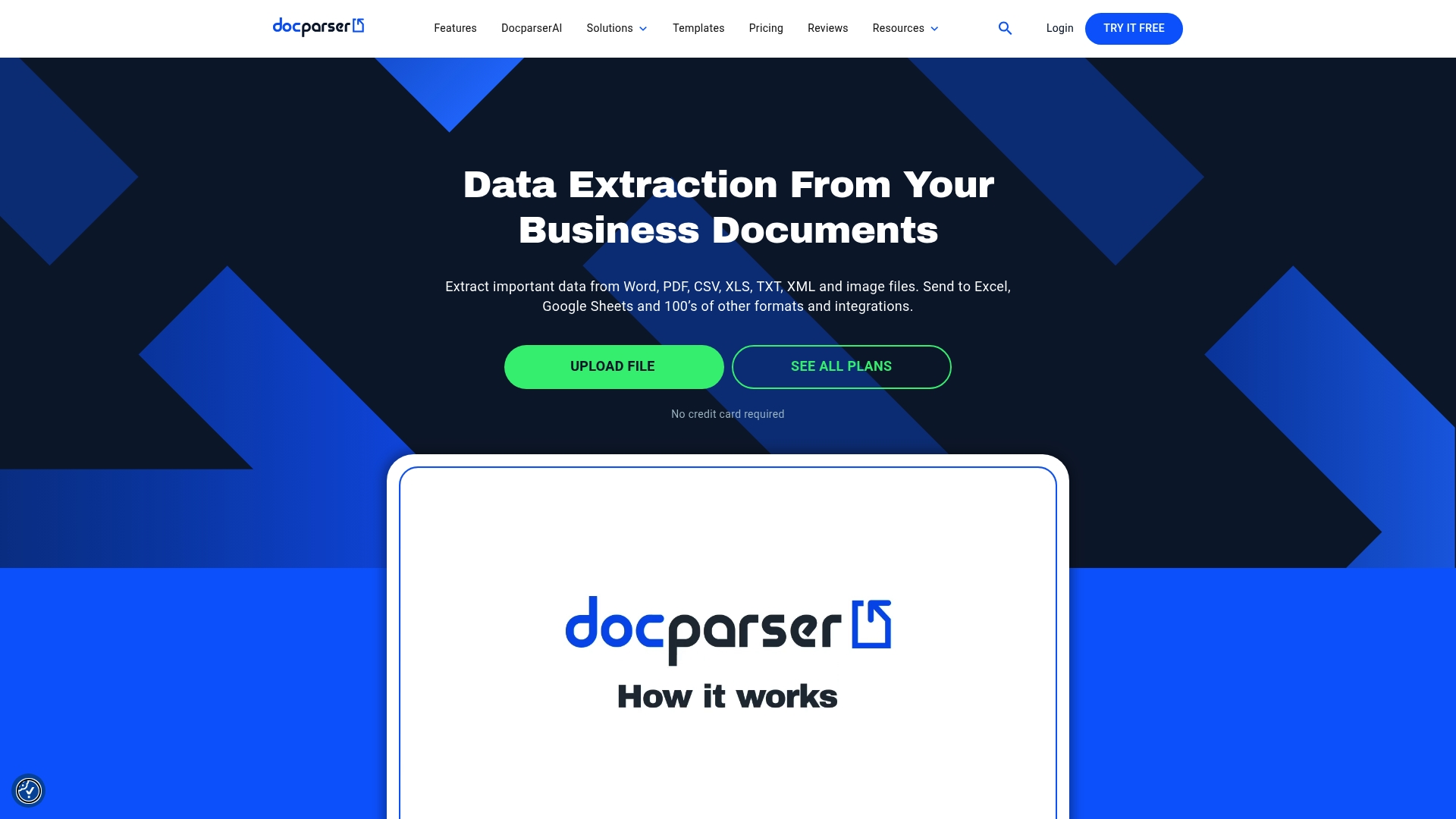
    The Starter plan begins at $39 per month and includes 100 parsing credits. Docparser extracts data from Word, PDF, image files, and spreadsheets using OCR, pattern recognition, and anchor keywords. That mix targets teams that need high volume, rule driven extraction for predictable document formats.

    Core Features

    Docparser reads Word, PDF, CSV, XLS, TXT, XML, and image files and applies OCR for scanned documents. The platform offers a visual rules’ builder that needs no code, table and repetition recognition, and image preprocessing for cleaner extraction. Outputs include Excel, CSV, JSON, XML, and Webhooks API for real-time delivery to other systems.

    Key Differentiator

    The product centers on a no code visual rules builder with advanced pattern recognition and multi layout support for documents that change layout often. That approach favors teams who can define rules and templates rather than teams that need autonomous context aware agents. Compared with DocuPOW, Docparser serves buyers who prefer explicit rule mapping over agent driven interpretation.

    Pros

    Docparser handles high volumes while supporting many file types, which extends automation beyond invoices to contracts and catalogs. The visual rule editor and pre-built templates let non developers build extraction logic and test results quickly. Integrations with Google Sheets, Zapier, Power Automate, Microsoft Excel OneDrive, and Salesforce CRM allow parsed data to flow into accounting, ERP, and CRM pipelines.

    Cons

    • Creating complex rules has a learning curve for teams new to document mapping.

    • Workflows with many steps or highly complex rules can show occasional performance slowdowns.

    • Lower tier plans have limited retained data policies, so long term storage requires external systems.

    • PDF mapping can feel restrictive when documents deviate widely from expected templates.

    When It May Not Fit

    Docparser is the wrong choice if you need autonomous, context aware extraction that adapts without explicit rules. It also may not fit teams that require long term document retention on entry level plans. Buyers without staff able to build and maintain rules may hit productivity limits quickly.

    Notable Integrations

    • Google Sheets

    • Zapier

    • Power Automate

    • Microsoft Excel/OneDrive

    • Salesforce CRM

    Who It’s For

    Small to large enterprises that need automated data extraction from invoices, purchase orders, bank statements, contracts, and HR forms. Best fit for operations, finance, and logistics teams that can invest in rule building and maintain templates. Also suitable for service providers that process predictable document sets.

    Real World Use Case

    A logistics company configures Docparser to read delivery notes and shipping orders, extract line items, and push records into inventory and shipment tracking systems. That setup reduces manual entry and updates tracking systems in near real time.

    Pricing

    Monthly subscription plans start at $39 per month for the Starter plan with 100 parsing credits. Higher tiers and custom enterprise pricing are available for larger volumes and advanced retention needs.

    Website: https://docparser.com

    Parashift AI

    https://parashift.ai

    At a Glance

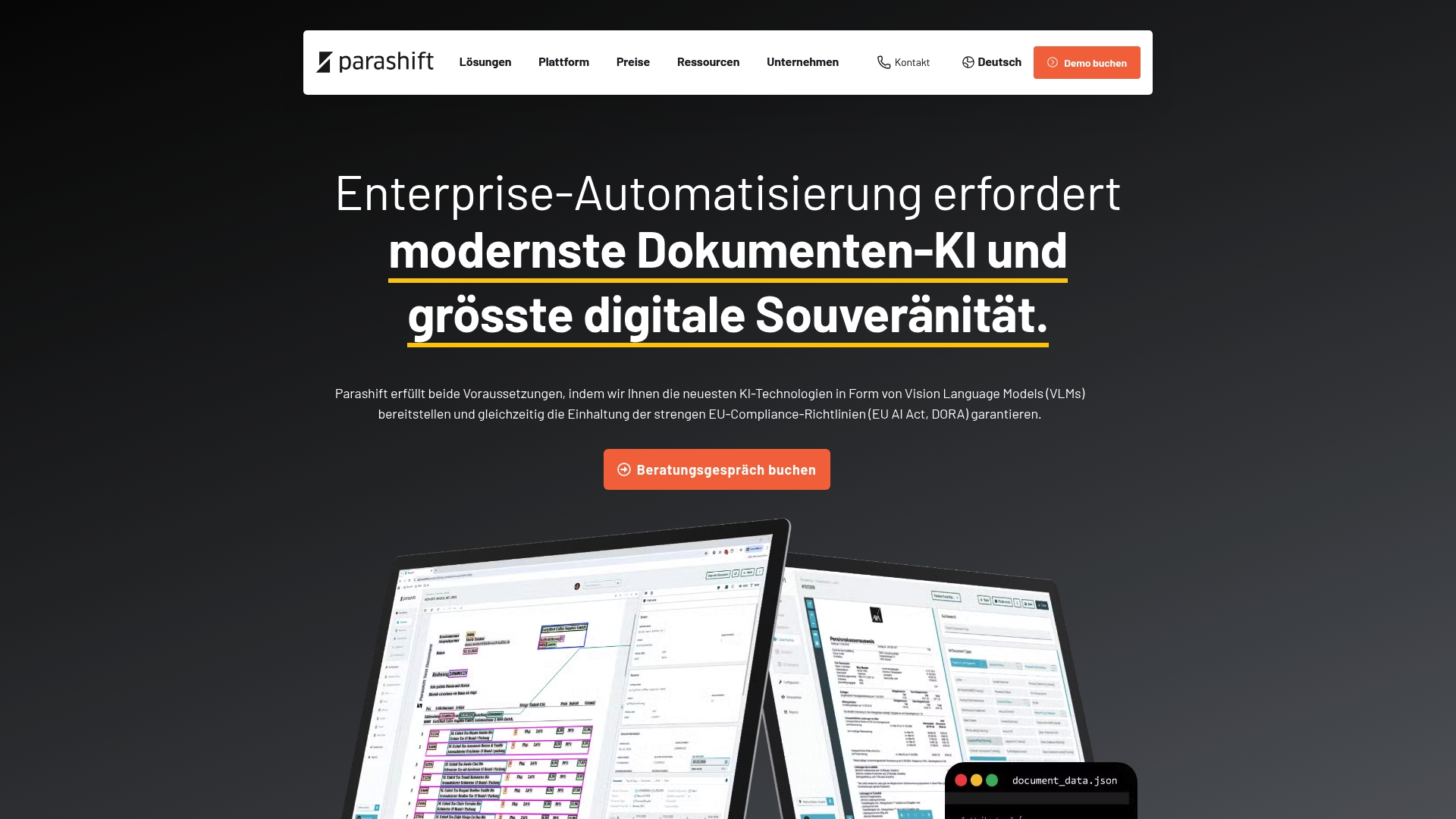
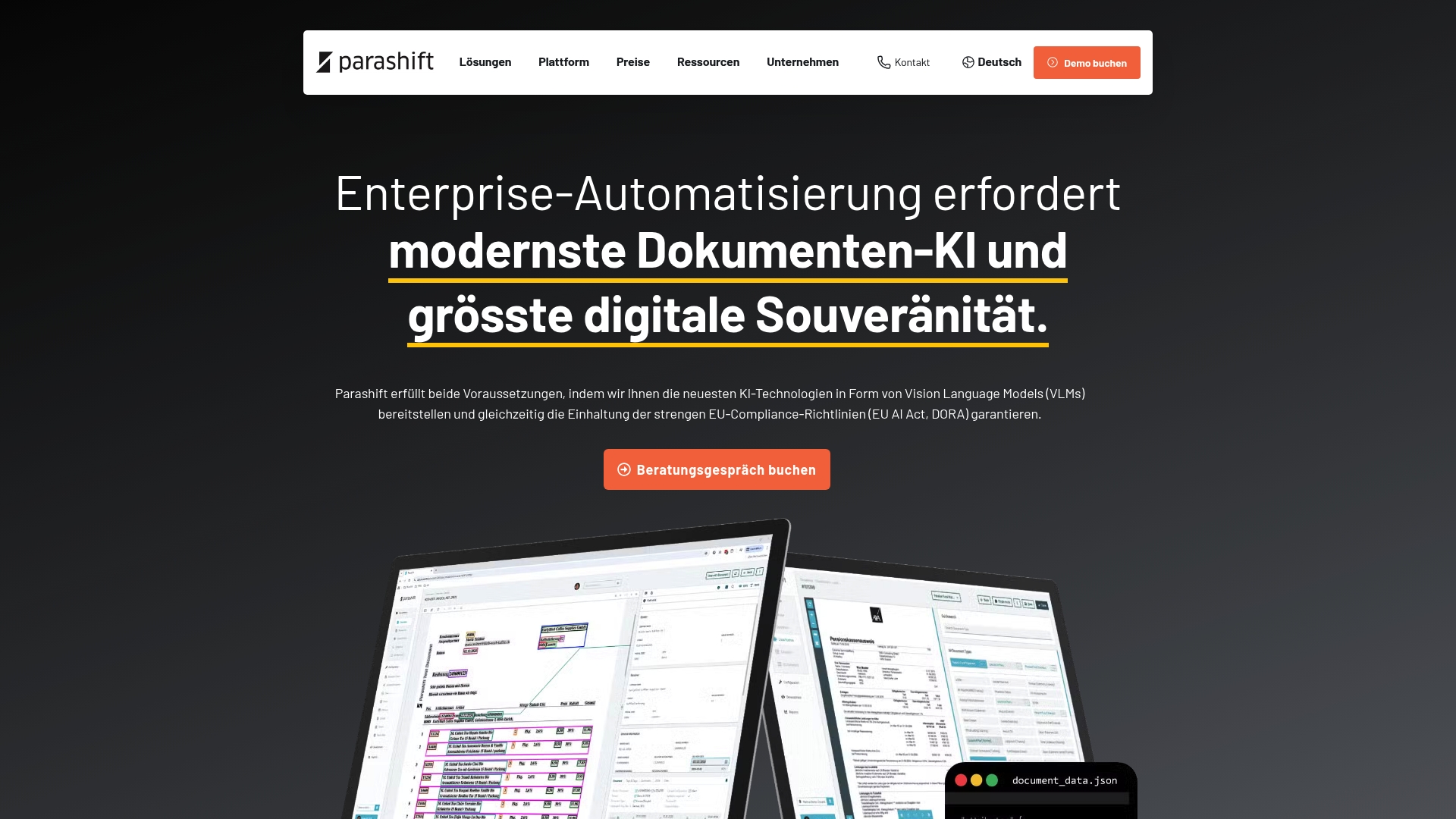
    Parashift AI reports over 90% straight-through processing for high volume document flows. The vendor states compliance with EU data sovereignty requirements and alignment with the EU AI Act and DORA regulations. The platform combines proprietary models and third party support to target regulated European environments.

    Core Features

    Parashift AI delivers intelligent document processing with automated document separation and segregation, AI document classification, and AI data extraction. It exposes an agentic document extraction OCR API for programmatic access and supports trainable, enterprise models alongside third party models. Deployment can run in private cloud or on premise to keep data under customer control.

    Key Differentiator

    The product uses a tri model strategy that pairs proprietary vision language models, Swarm Learning, and third party model support. That mix aims to keep model training and inference within an EU native infrastructure while allowing hybrid model selection. That compliance claim and the tri model approach serve as the primary technical distinction.

    Pros

    Parashift AI supports strict European compliance and data sovereignty, which matters for banks and insurers that keep data inside EU borders. The platform reports the high straight through processing figure above, and that accuracy claim suggests material reduction in manual review for common document types. Deployment options for private cloud and on premise give IT teams direct control over data and operations.

    Cons

    • Integration can be complex and may require specialized technical expertise, according to third party reviews.

    • Pricing is not fully transparent and requires tailored quotes to get exact costs.

    • Smaller organizations may face a learning curve to exploit advanced AI model features and Swarm Learning.

    When It May Not Fit

    If you lack internal AI or integration expertise, deployment in private cloud or on premise will likely demand outside help. Organizations with minimal regulatory constraints and simple invoice flows may find the platform more than they need. Firms that require clear list pricing up front will need to budget for a quote based procurement process.

    Notable Integrations

    Parashift AI connects to established ECM and workflow tools. Notable integrations include:

    • d.velop
    • JobRouter
    • M-Files

    Who It’s For

    Mid to large European enterprises in regulated sectors will get the most from Parashift AI. Ideal buyers operate in banking, healthcare, logistics, or insurance and need strict EU data control. Teams that must combine vendor models with locally trained models will find the architecture useful.

    Real World Use Case

    A European bank used the platform to reach the straight through processing rate cited above for incoming invoices and KYC documents. The deployment ran in a private cloud to preserve EU data sovereignty and meet regulatory workflows. That setup reduced manual verification steps while keeping audit trails under bank control.

    Pricing

    Parashift AI uses a tier based cloud subscription model where costs decrease as volumes scale. Exact pricing requires a tailored quote from the vendor. Expect volume based discounts and scope based estimates for private cloud or on premise deployments.

    Website: https://parashift.ai

    Comparison of alternatives

    Selecting an automated document processing service depends on critical considerations such as data compliance, adaptability, and cost-effectiveness.

    Versatility and adaptability

    DocuPOW’s ZeroShot learning technology stands as a defining advantage, enabling the platform to extract data from unstructured and handwritten documents without relying on predefined templates. This capability makes it a flexible option for enterprises managing diverse document types, reducing setup time significantly. On the other hand, Docparser utilizes a rule-based extraction approach that excels in predictable document flows, favoring smaller businesses and teams with stable workflows over dynamic variability, but limited in adapting to document structure changes.

    Regulatory suitability

    Parashift AI is noted for its high compliance with strict European data regulations, including EU AI Act and DORA standards, and supports private cloud and on-premise deployment. This makes it a prime candidate for sectors like finance and healthcare where legal and sovereignty requirements must be adhered to rigorously. While DocuPOW addresses large enterprise needs effectively, it does not exclusively focus on meeting stringent geographical compliance mandates as enforced within the EU, giving Parashift AI a distinct edge in regulated environments.

    Best fit

    • Large Enterprises with High Document Variability: DocuPOW’s ZeroShot learning excels for teams capturing data from diverse and unpredictable file types, driving significant efficiency.
    • Teams Relying on Rule-Based Systems: Docparser offers rule-driven extraction tailored to consistent document layouts and straightforward workflows.
    • Regulated Industries: Parashift AI ensures strict compliance within the European Union with its privacy measures and extensive model support.

    Our pick

    DocuPOW is the recommended choice for its ZeroShot learning capabilities, bypassing the need for templates and facilitating handling of unstructured and handwritten documents. For users requiring flexible, context-aware automation in scalable enterprise settings, DocuPOW delivers operational agility. However, firms in strictly regulated industries or those heavily reliant on predefined rules might benefit more from considering Parashift AI or Docparser, respectively.

    Automated document processing services offer efficiency enhancements for enterprises handling diverse file formats. Below is a comparison of leading solutions highlighting key features and considerations.

    Product Key Feature Best For Pricing Limitation
    DocuPOW ZeroShot learning for template-free extraction Large enterprises with diverse document needs $0.15–$0.25 per page Complex integration with specialized legacy systems
    Docparser Visual no-code rules builder Teams needing high-volume structured parsing Starting at $39/month Complex rules have a learning curve
    Parashift AI EU-regulated compliance and private cloud options European companies in regulated sectors Price not published Requires expertise for integrations

    How Can Large Enterprises Handle Diverse Document Workloads Efficiently?

    DocuPOW solves the problem of processing high volumes of varied documents without relying on rigid templates. Many teams struggle with manual entry and slow turnaround, especially procurement, finance, and legal groups that need fast access to accurate data. DocuPOW uses AI-powered autonomous agents that understand document context, reducing manual mapping and increasing operational accuracy.

    Organizations gain benefits such as real-time analytics and predictive insights that enhance decision making and cut costs. Learn more about how DocuPOW liberates trapped data and supports multi-system integration at DocuPOW.

    https://docupow.ai

    Empower your teams to move from reactive tasks to proactive strategies. Visit DocuPOW and import your documents to see your extracted data ready for actionable analytics in moments.

    FAQ

    What is unique about DocuPOW’s data extraction capability?

    DocuPOW uses ZeroShot learning to extract data without needing templates. This capability allows it to handle handwritten notes and unstructured files effectively, improving extraction accuracy over time. Organizations looking for efficient document processing should consider DocuPOW for its rapid adaptability to new document types.

    How does DocuPOW compare to Docparser in terms of rule definition?

    Docparser features a no-code visual rules builder that allows teams to define precise extraction rules for various document types. In contrast, DocuPOW’s ZeroShot approach eliminates the need for such rules, making it ideal for organizations that handle diverse document formats. Choose DocuPOW for a faster setup when working with varied documents, while Docparser may suit those needing strict rule definitions.

    Can DocuPOW integrate with other enterprise systems?

    Yes, DocuPOW follows an API-first model, enabling connections with AI agents, ERP, and CRM systems, as well as Power BI and Power Automate. This integration capability makes it practical for enterprise automation and reporting, ensuring teams can leverage document data effectively across their workflows.

    What are the pricing options for DocuPOW?

    DocuPOW has a tier-based pricing model with rates ranging from $0.15 to $0.25 per page. Organizations processing high volumes of documents may find custom enterprise pricing options beneficial for better rates and features tailored to their needs.

    How does the learning capability of DocuPOW provide value?

    DocuPOW improves extraction quality through continuous learning, meaning accuracy increases as the system encounters more document examples. This advancing accuracy enhances the efficiency of procurement and operations teams by reducing manual review and enabling faster decision making.

  • Enterprise Automation Services: 2026 Business Guide

    Enterprise Automation Services: 2026 Business Guide


    TL;DR:

    • Enterprise automation services use RPA, AI, and low-code platforms to replace manual workflows across departments. They enable rapid deployment, improve operational efficiency, and require strategic governance for successful scaling. Organizations need a phased approach, a Center of Excellence, and proper documentation to avoid compliance issues and achieve long-term growth.

    Enterprise automation services are defined as technology-driven frameworks that integrate robotic process automation (RPA), AI, and low-code platforms to replace manual workflows with governed, repeatable digital processes. The industry term “business process automation” covers the same ground, but enterprise automation services specifically addresses cross-departmental deployment at scale. Modern platforms can deploy workflows in days, not months, delivering measurable ROI across finance, HR, and supply chain. DocuPOW represents the next step in this evolution, applying autonomous AI agents to extract and act on data trapped inside documents without rigid templates. For any organization serious about enterprise digital transformation, understanding the full technology stack and deployment options is the starting point.

    What are the primary enterprise automation services technologies?

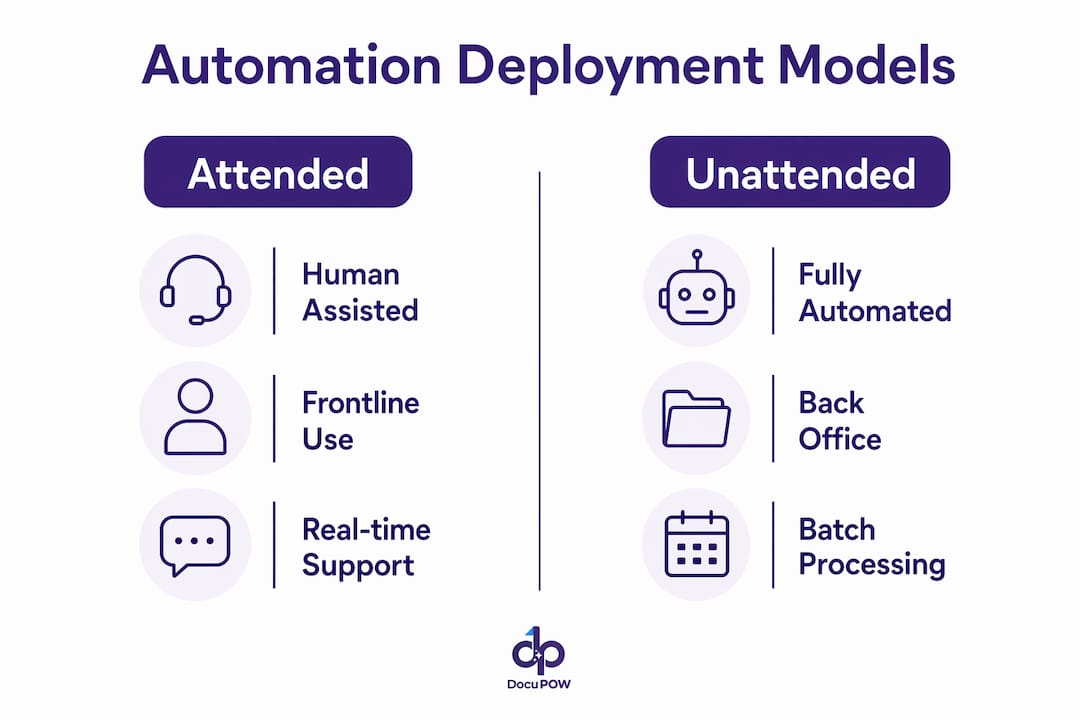
    Infographic comparing attended and unattended automation models

    The technology stack behind modern automation has expanded well beyond basic RPA. Three primary deployment models now address varying operational demands: attended, unattended, and hybrid automation. Each model serves a different operational context, and choosing the wrong one wastes budget and creates friction.

    Team collaborating on automation technologies roadmap

    Deployment model How it works Best use case
    Attended automation Bot runs alongside a human, triggered by user action Customer service, real-time data lookup
    Unattended automation Bot runs independently on a schedule or event trigger Invoice processing, payroll, batch reporting
    Hybrid automation Combines attended and unattended bots in one workflow Complex approvals requiring human sign-off

    Beyond deployment models, the technology categories themselves have grown more sophisticated. Hyperautomation integrates Generative AI, Intelligent Document Processing (IDP), and Agentic Process Automation (APA) to handle tasks that once required human judgment. That shift matters because rule-based RPA alone cannot read an unstructured contract or interpret a supplier email. Combining RPA with AI gives organizations both execution speed and cognitive decision-making in a single workflow.

    RPA executes repetitive UI tasks while AI provides the cognitive layer on top. The strongest automation programs use both integrated together, not as separate tools. DocuPOW’s approach reflects this directly: its autonomous agents understand document context rather than following fixed extraction templates, which means they handle variation the way a trained analyst would.

    Pro Tip: Map each department’s workflows before selecting a deployment model. Finance typically benefits from unattended batch processing, while HR onboarding often needs hybrid models that keep a human in the loop for compliance sign-offs.

    How do workflow automation solutions accelerate operational efficiency?

    The business case for workflow automation solutions is grounded in speed and cost reduction. No-code and low-code platforms shifted implementation timelines from months to days for core business process deployments as of Q2 2026. That compression means organizations can test, iterate, and scale automation without waiting for long IT development cycles.

    The operational gains show up most clearly in three areas:

    • Finance: Automated invoice matching, payment reconciliation, and financial reporting reduce manual data entry errors and close books faster. DocuPOW’s financial data extraction capabilities give finance teams real-time visibility into payables and receivables without manual re-keying.
    • HR: Onboarding workflows, benefits enrollment, and compliance documentation can run on automated triggers. A new hire’s paperwork moves through approvals without anyone chasing signatures.
    • Supply chain: Purchase order processing, shipment tracking updates, and vendor invoice reconciliation are high-volume, repetitive tasks that automation handles faster and with fewer errors than manual teams.

    The cumulative effect across these functions is significant. Organizations that automate document-heavy back-office processes free up staff for analysis and decision-making rather than data entry. That reallocation of human effort is where the real productivity gain lives.

    Pro Tip: Build a governance framework before you scale. Unmanaged automation workflows, sometimes called “shadow automation,” create technical debt that surfaces as compliance failures during audits. Document every automated process from day one.

    What strategic considerations enable successful automation scaling?

    Scaling automation from a single department to an enterprise-wide capability requires more than adding more bots. Most organizations fail to scale because they treat automation as a collection of individual tools rather than a strategic infrastructure. The following steps address the most common failure points.

    1. Establish a Center of Excellence (CoE). A dedicated CoE governs automation standards, manages security, and maintains a reusable component library. Without a CoE, automation programs fragment into disconnected projects that cannot share assets or enforce compliance policies.
    2. Separate RPA from AI responsibilities. RPA handles task execution: clicking, copying, pasting, and form-filling at scale. AI handles cognitive decisions: classifying documents, interpreting unstructured text, and flagging anomalies. Conflating the two leads to over-engineering simple tasks or under-powering complex ones.
    3. Audit shadow automation regularly. No-code tools make it easy for business teams to build their own workflows without IT oversight. Those undocumented workflows become liabilities when they break or face a compliance audit. A quarterly shadow automation review catches problems before they escalate.
    4. Manage technical debt proactively. Every automation added without documentation or version control adds to the debt load. Assign ownership to each automated process and require change-log updates whenever a workflow is modified.
    5. Align automation goals with business outcomes. Automation projects that start with a technology choice rather than a business problem tend to stall. Define the metric you want to move, such as invoice processing time or error rate, before selecting a platform.

    The CoE model also provides the governance layer needed for security and regulatory compliance. In regulated industries like healthcare, financial services, and manufacturing, an ungoverned automation program is a liability, not an asset.

    How can businesses implement and integrate automation services today?

    Practical implementation follows a phased approach that reduces risk and builds internal confidence. Jumping straight to enterprise-wide deployment without a pilot phase is the most common and most expensive mistake organizations make.

    • Phase 1: Pilot. Select one high-volume, well-documented process. Invoice processing or employee onboarding both work well. Run the automation in parallel with the manual process for four to six weeks to validate accuracy and catch edge cases.
    • Phase 2: Small-scale deployment. Expand to three to five related processes within the same department. This phase tests your governance framework and builds the team’s ability to manage automated workflows.
    • Phase 3: Cross-functional scaling. Use the lessons from Phase 2 to extend automation across departments. At this stage, unified orchestration that connects people, systems, and AI under a single control plane becomes critical.

    Platform selection matters at every phase. Platforms that integrate with ERP, CRM, and core business systems reduce the custom integration work required at each expansion step. DocuPOW’s AI workflow automation connects directly with existing operational systems, so document data flows into the right system of record without manual handoffs.

    Intent-based design is an emerging capability worth evaluating during platform selection. It lets business users describe a problem in plain language and receive an automated solution blueprint, which reduces the gap between what IT builds and what operations actually needs. That alignment shortens deployment cycles and improves adoption rates.

    Governance does not stop at deployment. SLA-driven monitoring tracks whether automated processes are meeting performance targets. When a workflow degrades, the monitoring system alerts the CoE before the problem affects downstream operations. Build monitoring into the deployment plan from the start, not as an afterthought.

    Key takeaways

    Enterprise automation services deliver the most value when organizations treat them as a governed infrastructure rather than a collection of individual tools.

    Point Details
    Choose the right deployment model Match attended, unattended, or hybrid automation to each department’s specific workflow needs.
    Combine RPA with AI RPA handles task execution; AI handles cognitive decisions. Both together outperform either alone.
    Build a CoE early A Center of Excellence governs standards, security, and reusability before scaling enterprise-wide.
    Prevent shadow automation Document every automated workflow from day one to avoid compliance failures during audits.
    Phase your implementation Pilot one process, validate results, then expand. Skipping the pilot phase is the costliest mistake.

    Why I think most automation programs stall before they scale

    After watching dozens of organizations go through automation initiatives, the pattern is consistent. The pilot succeeds. The team celebrates. Then the program quietly stalls at three to five automations and never reaches enterprise scale. The reason is almost never the technology.

    The real obstacle is organizational. Teams build automations without a CoE, without documentation standards, and without a clear owner for each workflow. Six months later, a process breaks during an audit and nobody knows who built it or how it works. That single incident kills executive confidence and freezes the entire program.

    Intent-based design addresses part of this problem by making automation more accessible to business users. But accessibility without governance makes the shadow automation problem worse, not better. The organizations that scale successfully treat their automation program the way they treat their ERP: as infrastructure that requires ownership, version control, and a support model.

    The other shift I have seen work is reframing automation as a data strategy, not just a process efficiency play. When you automate document processing with a platform like DocuPOW, you are not just removing manual steps. You are creating a structured data feed that powers analytics, forecasting, and decision-making. That framing gets CFO and COO buy-in far faster than a cost-reduction pitch alone.

    Automation is not a project with an end date. It is a capability that compounds over time. The organizations that treat it that way are the ones still expanding their programs three years in.

    — Sameer

    DocuPOW’s approach to enterprise automation

    Businesses that are ready to move beyond basic workflow tools need a platform built for document-heavy operations at scale.

    https://docupow.ai

    DocuPOW applies autonomous AI agents to intelligent document processing, extracting structured data from invoices, contracts, purchase orders, and reports without fixed templates. That means the system handles variation across document formats the way a trained analyst would, without manual reconfiguration. For global manufacturers and operations teams, DocuPOW delivers real-time analytics and predictive insights that shift teams from reactive data entry to proactive decision-making. Explore the full DocuPOW automation platform to see how it fits your operational environment.

    FAQ

    What are enterprise automation services?

    Enterprise automation services are technology frameworks that use RPA, AI, and low-code platforms to replace manual business processes with governed, repeatable digital workflows across multiple departments.

    How does RPA differ from AI in automation?

    RPA executes repetitive, rule-based UI tasks like data entry and form-filling. AI provides cognitive decision-making for tasks like document classification and anomaly detection. The most effective automation programs combine both.

    What is a Center of Excellence in automation?

    A Center of Excellence is a dedicated internal team that governs automation standards, manages security, and maintains reusable workflow components to support enterprise-wide scaling.

    How long does it take to deploy enterprise automation?

    Modern no-code and low-code platforms can deploy core business process automations in days rather than months, though full enterprise-wide scaling follows a phased approach over several months.

    What is shadow automation and why does it matter?

    Shadow automation refers to undocumented workflows built by business teams outside IT oversight. These workflows create compliance and technical debt risks that surface during audits or when a process breaks unexpectedly.

  • Business Automation Agency: Top 10 Picks for 2026

    Business Automation Agency: Top 10 Picks for 2026


    TL;DR:

    • A business automation agency designs workflows that focus on revenue-impacting processes and delivers quick results. The best agencies map workflows, recommend platform-agnostic solutions, and provide ongoing support to ensure automation success. Choosing the right partner involves evaluating their experience, process focus, and ability to demonstrate return on investment.

    A business automation agency is a specialized firm that designs, builds, and deploys automated workflows to replace manual processes across sales, operations, finance, and document management. The right agency does more than install software. It maps your revenue-critical processes, calculates ROI before a single tool goes live, and delivers working automations in weeks, not months. Businesses save an average of 114 hours per employee annually through AI automation, and 77% of small businesses now use at least one AI tool. Choosing the wrong partner wastes both. This guide names the top 10 agencies, compares them side by side, and tells you exactly how to pick the right one for your operation.

    What criteria define the best business automation agencies in 2026?

    The best agencies focus on workflows that directly affect revenue before touching back-office tasks. Lead follow-up automation alone can recover 40–60% of lost potential revenue. That single metric separates agencies that drive growth from those that just reduce paperwork.

    Strong agencies share five defining traits:

    • Revenue-first workflow focus. They target lead management, invoice processing, and client onboarding before expense reports or HR forms.
    • Process mapping before tool selection. They document your current workflow, identify bottlenecks, and calculate the cost of manual work before recommending any platform.
    • Platform-agnostic recommendations. Agencies that provide platform-agnostic advice add the most value because they match tools to your needs, not their preferred vendor relationships.
    • Rapid delivery timelines. A 4–6 week implementation window for core automations is the current industry standard. Longer timelines signal over-engineering.
    • Ongoing optimization. Post-launch support and performance reviews are non-negotiable. Automations degrade as business processes change.

    Pro Tip: Ask every agency candidate to show you a sample ROI calculation from a past client engagement. Agencies that cannot produce one are guessing at your return.

    Top 10 business automation agencies and what sets them apart

    The market for automation consulting services has grown significantly. These ten agencies represent the strongest options across different business sizes, industries, and automation needs.

    1. DocuPOW

    DocuPOW specializes in AI-powered document workflow automation for organizations handling high volumes of complex documents. Its autonomous agents extract data from unstructured files without rigid templates, which eliminates the manual rekeying that slows finance and operations teams. Global manufacturers use DocuPOW to gain real-time financial visibility and cut processing errors. The platform includes predictive analytics that shift teams from reactive to proactive decision-making.

    Man reviewing document automation workflow at laptop

    2. USTech Automations

    USTech Automations focuses on small business automation with a complete playbook approach. The agency maps every revenue-generating workflow before recommending tools, and it publishes detailed ROI benchmarks for common automations like CRM follow-up sequences and invoice routing. Implementation timelines average 4–6 weeks for core workflow builds. Their strength is translating complex automation logic into plain-language process maps that non-technical owners can manage.

    3. Rippling

    Rippling delivers unified platform automation that combines HR, IT, and payroll into a single data model. Unified platform automation provides more powerful workflow automation than piecemeal tools because all data lives in one place. When an employee is hired, Rippling automatically provisions software access, runs payroll setup, and routes compliance documents without manual handoffs. This makes Rippling the strongest choice for businesses where HR and IT workflows create the biggest operational drag.

    4. Automaziot

    Automaziot structures its engagements around a six-stage consulting process: discovery, audit, strategy, roadmap, implementation, and ongoing optimization. The agency offers a free initial consultation, which lets you test their process mapping skills before any financial commitment. Automaziot handles both strategy-only engagements and full builds, depending on your internal technical resources. Their audit stage is particularly thorough, scoring every automation opportunity on time saved, error reduction, and business impact.

    5. MakeAutomation

    MakeAutomation scores automation opportunities on three dimensions: time saved, error reduction, and business impact. Effective agencies prioritize high-impact workflows using exactly this kind of structured scoring. The agency specializes in custom integrations between CRMs, ERPs, and document management systems. Their consulting-only service model works well for businesses that have internal developers but need expert workflow strategy.

    6. Aplos AI

    Aplos AI focuses on operational efficiency automations with measurable outcomes. Automated appointment reminders cut no-show rates by 30–50%, and Aplos AI builds this type of high-impact, low-complexity automation as entry points for larger engagements. The agency targets service businesses where scheduling, client communication, and billing create the most manual work. Pricing is project-based, and most initial automations deploy within three weeks.

    7. BizTech Automation Consulting

    BizTech Automation Consulting follows the SBA-aligned principle that successful automation starts with operational pain points, not technology selection. The agency runs pilot projects before full rollout, which verifies ROI with real data before you commit to a larger build. This approach reduces implementation risk significantly. BizTech works primarily with SMBs in manufacturing, healthcare, and professional services.

    8. Automation agency for workflow automation (no-code specialists)

    Several agencies now specialize in no-code workflow automation using platforms like Zapier, Make (formerly Integromat), and n8n. These agencies serve non-technical business owners who need automations built and maintained without custom code. Typical projects include automated lead routing, email sequence triggers, and document generation from form submissions. Project costs run lower than custom-code agencies, and delivery timelines are often under two weeks for standard workflows.

    9. Digital transformation services agencies

    Larger digital transformation services firms offer automation as part of broader technology overhauls. These agencies suit enterprises that need automation integrated with legacy ERP systems, compliance frameworks, and multi-department workflows. Engagements typically run 3–6 months and include change management support. The tradeoff is higher cost and longer timelines compared to specialist automation agencies.

    10. Industry-specific automation specialists

    Vertical-focused agencies build automations for specific industries such as real estate, construction, and healthcare. DocuPOW, for example, offers dedicated real estate automation solutions that handle contract processing, compliance document routing, and data extraction from property files. Industry specialists deliver faster results because they start with pre-built workflow templates for common processes in your sector. The limitation is narrower scope if your needs span multiple industries.

    Comparing top agencies across key features

    The table below maps the most relevant decision criteria across agency types.

    Agency / Type Core Specialty Implementation Time Service Model Best For
    DocuPOW AI document workflows, data extraction 2–4 weeks Full build + platform Manufacturers, finance, compliance teams
    USTech Automations Revenue workflow automation 4–6 weeks Consulting + build SMBs prioritizing sales and revenue ops
    Rippling HR, IT, payroll unification Varies by module Platform + consulting Growing teams with HR/IT complexity
    Automaziot Six-stage consulting process 4–8 weeks Strategy or full build Businesses needing structured audit first
    MakeAutomation CRM and ERP integrations 3–6 weeks Consulting-only option Businesses with internal developers
    Aplos AI Service business operations 2–3 weeks Full build Scheduling-heavy service businesses
    BizTech SMB process automation 4–6 weeks Pilot-first build Manufacturing, healthcare, professional services
    No-code specialists Zapier/Make/n8n workflows 1–2 weeks Full build Non-technical owners, tight budgets
    Digital transformation firms Enterprise-wide automation 3–6 months Full transformation Enterprises with legacy systems
    Industry specialists Vertical-specific workflows 2–4 weeks Full build Real estate, construction, healthcare

    Startups and small businesses get the fastest ROI from no-code specialists or agencies like Aplos AI and USTech Automations. Enterprises with document-heavy compliance requirements get more value from DocuPOW or digital transformation firms. Consulting and implementation are distinct services, so you can hire for strategy only if your team can handle the build.

    How to choose the right agency for your needs

    Start by identifying which workflows cost you the most in manual time or lost revenue. Small businesses with systematic workflow automation grow revenue 2.1 times faster than those without it. That growth comes from automating the right processes first, not all processes at once.

    Use this checklist before signing with any agency:

    • Map your top three revenue-impacting workflows. These are the processes where delays or errors directly cost you money or customers.
    • Assess your internal technical capability. If you have developers, a consulting-only engagement may be enough. If you do not, you need a full-build agency.
    • Demand pricing transparency upfront. Vague “custom pricing” without a clear project scope is a red flag.
    • Request a free discovery or ROI audit call. Most reputable agencies offer one. Use it to test their process mapping skills and see if they ask the right questions.
    • Ask about post-launch optimization. Automations that run without review degrade over time. Confirm the agency includes ongoing support or a clear handoff plan.

    Pro Tip: Run a pilot project on one workflow before committing to a full engagement. Real pilot data beats any agency’s projected ROI estimate.

    The most critical step in successful automation is focusing on operational challenges rather than technology. Agencies that lead with tool recommendations before understanding your workflows are selling products, not solving problems.

    Key takeaways

    A business automation agency delivers the fastest ROI when it targets revenue-generating workflows first, uses platform-agnostic recommendations, and validates results through pilot projects before full deployment.

    Point Details
    Revenue workflows first Automate lead follow-up and invoice processing before back-office tasks for faster returns.
    Pilot before full rollout Test one workflow with real data to verify ROI before committing to a full agency engagement.
    Match agency type to your size Startups benefit from no-code specialists; enterprises need full-build or transformation firms.
    Demand process mapping Any agency that skips workflow mapping and jumps to tool selection is not worth hiring.
    Ongoing optimization matters Automations degrade as processes change; confirm post-launch support before signing.

    Why I think most businesses automate in the wrong order

    The most common mistake I see is businesses hiring an automation agency to fix their expense reporting or HR onboarding first. Those are real pain points, but they are not where the money is. The fastest returns come from automating the workflows that touch revenue directly: lead follow-up, quote generation, invoice processing, and contract routing.

    I have watched companies spend months building beautiful back-office automations and then wonder why their revenue numbers did not move. The answer is always the same. They optimized processes that were invisible to customers and prospects. Meanwhile, leads were sitting in a CRM for three days waiting for a human to send a follow-up email.

    The agencies that deliver the best outcomes are the ones that ask “where are you losing money?” before they ask “what tools do you use?” That question changes the entire engagement. It shifts the focus from technology to business outcomes, which is where automation ROI actually lives.

    My advice: take the free discovery call that most reputable agencies offer, and use it to test whether the agency asks about your revenue workflows or your software stack. The answer tells you everything about how they think. Agencies that lead with document process automation benefits tied to financial outcomes are the ones worth hiring in 2026.

    — Sameer

    DocuPOW brings AI-powered document automation to your operations

    Document workflows sit at the center of most operational bottlenecks, from purchase orders stuck in email to compliance documents that require manual review before approval. DocuPOW addresses this directly with AI agents that extract data from any document type without templates, routing information to the right system in real time.

    https://docupow.ai

    DocuPOW works alongside your existing agency relationships or as a standalone platform for document-heavy operations. Its back-office automation capabilities cover everything from financial data extraction to compliance document processing. Teams in manufacturing, real estate, and construction use DocuPOW to cut processing time and reduce errors without rebuilding their existing systems. Visit DocuPOW’s operations platform to see how document automation fits your workflow.

    FAQ

    What does a business automation agency actually do?

    A business automation agency maps your existing workflows, identifies high-impact automation opportunities, and builds or configures automated systems to replace manual tasks. Engagements range from strategy-only consulting to full implementation and ongoing support.

    How long does it take to see ROI from automation?

    Most agencies deliver initial automations within 4–6 weeks, and revenue-focused workflows like lead follow-up typically show measurable ROI within the first month of operation.

    What is the difference between automation consulting and full implementation?

    Consulting covers strategy, process mapping, and tool recommendations. Full implementation means the agency builds and deploys the automations. Businesses can hire for strategy only, build only, or both depending on their internal resources.

    Which workflows should a small business automate first?

    Lead follow-up automation has the highest revenue impact for small businesses, as missing follow-up accounts for 40–60% of lost potential revenue. Start there before automating back-office processes.

    How do I evaluate whether an agency is worth hiring?

    Ask for a sample ROI calculation from a past engagement, request a free discovery call, and confirm they map your workflows before recommending tools. Agencies that lead with technology recommendations before understanding your processes prioritize their vendor relationships over your results.

  • AI Automation Services: A 2026 Business Guide

    AI Automation Services: A 2026 Business Guide

    AI automation services are the practice of deploying artificial intelligence to replace manual, rule-based business tasks with intelligent, self-managing workflows. The industry term for this discipline is intelligent automation, which combines machine learning, natural language processing, and process orchestration into a single operational layer. Businesses that adopt these services report measurable gains in speed, accuracy, and cost control. Providers like Winder.AI and AI Adoption Agency have built entire service models around delivering these gains at production scale. Whether your team processes invoices, reviews contracts, or handles customer support tickets, AI-driven automation removes the bottleneck of human repetition and replaces it with consistent, auditable output.

    What are AI automation services and how do they work?

    AI automation services use artificial intelligence to identify, execute, and monitor tasks that previously required human input. Unlike traditional rule-based automation, which breaks when inputs vary, AI-powered automation services adapt to context. A system trained on invoice formats, for example, can extract line items from a document it has never seen before, without a template.

    The core architecture typically includes a data ingestion layer, an AI processing engine, and an output connector that feeds results into your existing tools. Integrating AI into existing platforms reduces friction and focuses human effort on exceptions rather than routine processing. This means your team spends less time on data entry and more time on decisions that require judgment.

    Close-up of AI automation architecture whiteboard

    Teams across industries apply this model to a wide range of tasks. Automating customer service tickets, sales leads, invoice processing, and HR onboarding demonstrates how broadly these services apply across departments. The underlying principle is the same in every case: AI handles the volume, humans handle the edge cases.

    How do AI automation services improve document processing?

    Document processing is where AI automation delivers the clearest, fastest return. Manual data entry from invoices, contracts, purchase orders, and compliance forms is slow, error-prone, and expensive. AI process automation replaces that cycle with continuous, accurate extraction.

    Tasks that benefit most from AI workflow automation include:

    • Invoice processing: Extracting vendor names, line items, totals, and payment terms without manual keying
    • Contract review: Flagging non-standard clauses, missing signatures, and expiration dates automatically
    • Data entry from forms: Pulling structured data from PDFs, scanned documents, and emails into CRM or ERP systems
    • Customer support triage: Classifying and routing tickets based on content and urgency
    • HR onboarding documents: Verifying completeness and populating employee records

    Professional AI automation services improve KPIs by 30–90% through structured deployment. That range reflects the difference between automating a single task and rebuilding an entire workflow end to end.

    Reliability is built into production-grade deployments through human-in-the-loop checkpoints, audit logs, and exception queues. These controls mean a flagged document gets routed to a human reviewer rather than silently failing. For regulated industries, this governance layer is not optional.

    Infographic showing key AI automation impact statistics

    Pro Tip: Map your current error rate and processing time before you deploy anything. Without a baseline, you cannot measure whether the automation is actually working.

    Managed AI automation services vs. no-code DIY tools

    The most common mistake teams make is treating no-code platforms as equivalent to managed AI automation services. They are not the same product.

    Feature No-code tools (e.g., Zapier, Make) Managed AI automation services
    Governance None by default Audit logs, versioned prompts, SLAs
    Reliability Fragile; breaks on input changes Hardened infrastructure with error handling
    Compliance support Minimal Maps to frameworks like NIST AI RMF
    Maintenance Self-managed Named engineers, ongoing operations
    Best for Simple, low-risk tasks Complex, regulated, high-volume workflows

    Low-trust no-code tools lack governance and break in production. That is a serious risk when the process involves financial data, customer records, or compliance documentation. A broken Zapier chain that silently drops invoice data costs far more to fix than the subscription saved.

    Managed services from providers like Winder.AI follow a structured engagement model. Managed providers maintain and operate automations post-build, offering SLAs, exception handling, and named engineers. That ongoing relationship is what separates a production system from a prototype.

    For teams in regulated environments, production-grade AI automation with full governance is the only responsible path. Versioned prompts, audit trails, and risk framework alignment are not features you add later. They must be built in from the start.

    Pro Tip: Ask any vendor to show you their audit log and exception handling process before signing a contract. If they cannot demonstrate both, the system is not production-ready.

    How to choose and implement AI automation services effectively

    Choosing the right AI automation service starts before you talk to any vendor. The selection process is a scoping exercise, not a shopping trip.

    1. Audit your current workflows. Identify which tasks consume the most time, generate the most errors, or create the most downstream rework. These are your automation candidates.
    2. Quantify the cost. Measure hours spent, error rates, and cycle times. Discovery sprints and pre-commitment audits prevent automating broken processes and quantify ROI before any build begins.
    3. Prioritize by impact, not complexity. The highest-volume, most repetitive task is usually the best starting point, not the most technically interesting one.
    4. Choose a phased engagement model. AI automation services typically follow Discovery (2–3 weeks), Build (6–10 weeks), and ongoing Run phases. Pricing for focused workflows runs approximately $5,000–$8,000 for Discovery, $15,000–$40,000 for Build, and $2,000–$6,000 per month for Run.
    5. Plan for integration. Your automation must connect to the tools your team already uses, whether that is Salesforce, Slack, an ERP, or a document management system. Isolated automations create new silos.
    6. Build in monitoring from day one. Human-in-the-loop operations and continuous performance reporting prevent the failures that come from “set and forget” deployments.

    The most expensive automation mistakes happen before code is written. Wrong scoping, poor task sequencing, and chasing flashy AI demos instead of measurable cost or cycle time reduction are the three most common causes of failed projects.

    Pro Tip: Treat your first automation as a proof of concept with a defined success metric. If it does not hit the target within 90 days, stop and reassess before scaling.

    What AI automation platforms and services are available in 2026?

    The market for AI automation agency services has matured significantly. Teams now have options across the full spectrum from self-serve platforms to fully managed engagements.

    • Winder.AI offers managed AI business automation with named engineers, SLAs, and production-grade infrastructure for enterprise teams.
    • AI Adoption Agency provides structured Discovery, Build, and Run engagements with entry-level packages starting at $249–$899 and enterprise engagements starting at $100,000.
    • Arahi.ai focuses on rapid deployment, with 200+ pre-built templates and 1,500+ integrations configurable in plain English without engineering resources.
    Provider Best for Deployment speed Governance
    Winder.AI Enterprise, regulated industries 6–10 weeks Full SLA, audit logs
    AI Adoption Agency Mid-market, structured ROI focus 2–8 weeks Versioned prompts, compliance
    Arahi.ai SMB, rapid prototyping 1 day to weeks Template-based

    For document-intensive workflows, DocuPOW’s AI document automation platform adds a layer of contextual intelligence that goes beyond standard template matching. Its autonomous agents extract data from documents they have never seen before, which is critical for teams dealing with variable formats across suppliers or clients.

    Businesses save over 20 hours per week by outsourcing manual repetitive tasks to managed services. That figure compounds quickly across a team of ten or twenty people.

    What business outcomes do AI automation services deliver?

    The outcomes from machine learning automation are consistent across industries: less manual work, fewer errors, and faster cycle times. The degree of improvement depends on how well the process was scoped and how mature the underlying data is.

    “Effective AI automation rebuilds workflows by integrating AI into existing tools, handling background tasks and leaving humans to focus on exceptions.” — Winder.AI

    Teams that automate invoice processing and data entry typically see error rates drop sharply within the first quarter. The reason is straightforward: AI does not misread a field because it is tired or distracted. It applies the same logic to the ten-thousandth document as it did to the first.

    Operational efficiency gains of 30% or more are common in document-heavy back-office functions. That efficiency translates directly into cost reduction, faster financial close cycles, and better visibility into operational data. For global manufacturers and construction firms, where document volume is high and errors carry real financial consequences, the ROI case is clear.

    Scalability is the less-discussed benefit. A manual process that handles 500 invoices per month cannot handle 5,000 without hiring more staff. An automated system scales with volume at near-zero marginal cost.

    Key Takeaways

    Production-grade AI automation services deliver measurable operational gains when scoped correctly, governed properly, and maintained continuously.

    Point Details
    Audit before automating Map error rates and cycle times before any build to establish a measurable baseline.
    Managed beats DIY for complex tasks No-code tools lack governance; managed services include audit logs, SLAs, and named engineers.
    Phased engagement reduces risk Discovery, Build, and Run phases keep costs controlled and ROI visible at each stage.
    Document processing is the fastest win Invoice extraction, contract review, and data entry deliver the clearest and fastest returns.
    Ongoing monitoring is non-negotiable Human-in-the-loop checkpoints and continuous reporting prevent silent failures post-deployment.

    Why most AI automation projects fail before they start

    The pattern I see most often is teams that buy a platform before they understand their process. They sign up for a managed service, hand over a workflow description, and expect the vendor to figure out the rest. That almost never works.

    The real work of AI automation is process archaeology. You have to dig into what actually happens, not what the process map says should happen. Those two things are almost always different. The gaps between them are where automation breaks.

    I have watched organizations spend $50,000 on a Build phase only to discover the underlying data was inconsistent, the approval logic was undocumented, and the “simple” task they wanted to automate had seventeen edge cases nobody had written down. A proper Discovery sprint would have surfaced all of that in two weeks for a fraction of the cost.

    The other mistake I see is treating automation as a one-time project. The best-performing teams I have worked with treat their automations as products. They have owners, they have metrics, and they have a review cycle. When a model drifts or a document format changes, someone is responsible for catching it. That discipline is what separates a system that runs for three years from one that quietly fails after six months.

    If you are evaluating AI automation agency services right now, ask the vendor one question: “Who owns this after go-live?” The answer will tell you everything about whether they are selling you a product or a project.

    — Sameer

    DocuPOW’s approach to AI-driven document automation

    Teams that process high volumes of documents across variable formats need more than a workflow tool. They need a system that understands context.

    https://docupow.ai

    DocuPOW applies autonomous AI agents to extract data from invoices, contracts, purchase orders, and compliance documents without relying on fixed templates. For industries like real estate and construction, where document formats vary by client and project, that flexibility is the difference between a working system and a constant maintenance burden. DocuPOW connects directly to existing back-office tools and delivers real-time analytics so teams can act on data the same day it arrives. Teams looking to move from manual processing to fully automated back-office operations can see how DocuPOW handles production-scale document intelligence.

    FAQ

    What are AI automation services?

    AI automation services use artificial intelligence to replace manual, repetitive business tasks with intelligent, self-managing workflows. They differ from traditional automation by adapting to variable inputs rather than breaking when conditions change.

    How long does it take to deploy AI automation?

    Deployment timelines range from a single day for template-based platforms to 8 weeks for full production builds. A structured engagement typically includes a 2–3 week Discovery phase before any build begins.

    What is the difference between managed AI automation and no-code tools?

    Managed AI automation services include governance, audit logs, SLAs, and named engineers who maintain the system post-launch. No-code tools like Zapier or Make lack these controls and are not suitable for regulated or high-risk workflows.

    How much do AI automation services cost?

    Entry-level packages start at $249–$899, while full Discovery, Build, and Run engagements for focused workflows typically range from $25,000 to $90,000. Enterprise engagements start at $100,000.

    What processes should businesses automate first?

    Start with the highest-volume, most repetitive tasks that generate measurable errors or delays. Invoice processing, data entry, and customer support triage consistently deliver the fastest and most measurable returns.

  • Top 3 Docsumo.com Alternatives for Efficient Solutions 2026

    Top 3 Docsumo.com Alternatives for Efficient Solutions 2026

    Adapting document processing to new formats and scaling workflows without manual rule building slows teams down. Many platforms require strict templates, advance rule configuration, or expensive usage plans that complicate onboarding and grow costs for high volume teams. This comparison covers pricing, automation depth, and integration support so business teams can match a document processing platform to their volume and workflow without wasted setup.

    Table of Contents

    DocuPOW

    https://docupow.ai

    At a Glance

    ZeroShot learning adapts DocuPOW to new document layouts without building templates. The platform uses autonomous agents that read context and extract fields from unstructured documents. That reduces manual mapping for large batches and speeds up onboarding of new suppliers.

    Core Features

    DocuPOW runs autonomous document processing that continuously improves accuracy through machine learning. It handles structured, semi structured, and unstructured documents in PDF, JPEG, and PNG and accepts inputs from email and API. The system integrates with enterprise software and supports customizable validation and enrichment workflows in an API first architecture.

    Key Differentiator

    The standout technical feature is ZeroShot learning, which extracts data from unfamiliar formats without labeled templates. That lowers setup time when document formats change frequently. Teams that receive diverse invoice and form layouts gain faster usable output and less manual labeling.

    Pros

    The AI adapts with each processed document and retrains models to improve extraction accuracy over time. Template free processing removes the need for per vendor rules and reduces triage work. Deep integration options let you push validated data into ERPs and CRMs or into analytics tools. Support for multiple input formats and API first workflows fits automation projects that must tie into core enterprise systems.

    Cons

    • Limited third party reviews. You should run a pilot to confirm accuracy for your document types.

    Notable Integrations

    DocuPOW connects to ERPs and CRMs and exposes APIs for custom links. It also connects with Power BI and Power Automate for reporting and workflow triggers.

    • ERPs
    • CRMs
    • Power BI
    • Power Automate
    • APIs

    Who It’s For

    Large enterprises and organizations with high document volumes across departments will see the most benefit. Global manufacturers that need real time spend analysis and faster financial visibility match the platform well. Teams with internal developer resources will use the integration and customization options most effectively.

    Unique Value Proposition

    Autonomous agents that understand document context remove reliance on rigid templates and manual rules. That lets DocuPOW turn varied document feeds into structured, validated data quickly. With real time analytics and predictive insights available after extraction, finance and procurement teams can move from reactive reconciliation to proactive review. The net result is lower manual entry and clearer operational visibility across large document pipelines.

    Real World Use Case

    A global manufacturer replaced manual invoice sorting with DocuPOW extraction and feeding spend data into analytics. Finance saw faster access to vendor spend details and clearer routing of exceptions. That change supported quicker, data driven decisions across procurement and accounting.

    Pricing

    Pricing varies by plan and volume, with per page rates in tiered packages and custom enterprise agreements available. Organizations should request a quote to match expected volumes and required integrations.

    Website: https://docupow.ai

    Docparser

    https://docparser.com

    At a Glance

    Starter plan begins at $32.50 per month. That entry price signals a pay for credits model rather than unlimited parsing. Docparser focuses on no code extraction across PDFs, Word files, images, CSV, XML, and spreadsheets. The offering includes advanced image preprocessing and an AI parsing option called DocparserAI.

    Core Features

    Docparser lets teams build parsing rules without writing code and process multiple layouts inside a single parser. It combines zonal OCR, table and form extraction, checkbox and barcode capture, and image deskewing and artifact removal. The platform offers export to Excel, CSV, JSON, and XML plus APIs and webhooks for automation.

    Key Differentiator

    Docparser pairs no code rule building with an AI parsing layer and support for multi layout parsing. That combination reduces manual rule crafting for predictable layouts while still letting teams tune rules for complex documents. The product also emphasizes direct API and webhook access for automation workflows.

    Pros

    Docparser is approachable for teams that lack developers because rule setup requires no code. Its OCR and pattern recognition handle images and table extraction reliably for many common document types. The platform supports a wide set of export formats and includes API and webhook options that let you push parsed data into downstream systems. Integration options cover both cloud storage and automation platforms, which helps connect parsing to existing workflows.

    Cons

    • Pricing can become expensive for very high volume use. This may push large throughput teams to seek usage agreements.
    • Complex documents often need advanced rule tuning and manual adjustments. That work increases onboarding time for difficult layouts.
    • The free tier is limited, and most useful features sit behind paid plans. Many capabilities depend on the plan level.

    When It May Not Fit

    If you process millions of pages per month, the credit based pricing could prove costly. Teams that need fully managed configuration for highly variable legal or scientific documents may find the rule tuning overhead prohibitive. Also, features like multi layout parsers and content summarization depend on plan level, which can restrict access for smaller budgets.

    Notable Integrations

    • Google Sheets
    • Salesforce
    • Microsoft Excel and OneDrive
    • Dropbox
    • Box
    • Zapier
    • Microsoft Power Automate
    • Make (formerly Integromat)

    Who It’s For

    Docparser suits business teams and professionals who want to extract structured data from scanned documents without coding. Accounting, retail, eCommerce, logistics, manufacturing, and legal teams will find familiar workflows supported. Organizations that already use cloud storage or automation tools will gain the most immediate value from its integrations.

    Real World Use Case

    A retail operation uses Docparser to pull fields from shipping and delivery notes. The parser extracts order numbers, quantities, and carrier details into a spreadsheet. That reduces manual entry and speeds up fulfillment reconciliation.

    Pricing

    Docparser offers monthly subscription tiers starting at $32.50 per month for the Starter plan, with credits and parser limits that scale by tier. Larger organizations can request custom enterprise plans that adjust parser counts and usage limits.

    Website: https://docparser.com

    Parashift AI

    https://parashift.ai

    At a Glance

    Parashift AI reports over 90% straight through processing (STP) and claims zero hallucinations using deterministic guardrails. The vendor positions the platform for regulated European customers by emphasizing data sovereignty and compliance with the EU AI Act and DORA. That combination aims to reduce manual work in document workflows while keeping data within European controls.

    Core Features

    Parashift delivers intelligent document processing with AI driven document and receipt separation, automated document classification, and AI data extraction. The platform includes an agentic OCR API for optical character recognition and supports multiple model options, including vision language models. Governance tools and deployment flexibility let teams pick private cloud or on premises installs to meet regulatory needs.

    Key Differentiator

    Parashift focuses on sovereign, compliance oriented models with deterministic guardrails that the vendor says prevent hallucinations. That focus targets organizations that must control where data lives and how AI decisions are governed. Private cloud and on premises deployment options reinforce the compliance focus for regulated sectors.

    Pros

    High compliance focus and European data sovereignty stand out for regulated teams. Multiple model options, including vision language models, give architects choices for accuracy and latency trade offs. Deterministic guardrails aim to reduce extraction errors, and the platform supports private cloud and on premises deployment to match strict hosting policies. That accuracy claim has strong appeal for audit sensitive processes.

    Cons

    • Platform implementation may be complex for smaller organizations unfamiliar with AI driven document processing.
    • Cost and integration complexity might be a barrier for smaller companies or less regulated industries.
    • Pricing is listed as not applicable and informational only, which leaves list prices and packaging unclear.

    When It May Not Fit

    Teams without internal technical resources will likely face a steeper setup and integration effort. Organizations that need a plug and play low cost tool for light volume processing may find the platform overly sophisticated. Small teams that prefer vendor hosted low touch setups may want a simpler entry product.

    Notable Integrations

    Parashift lists integrations with d.velop, JobRouter, and M-Files. Those connectors suit enterprise content management and workflow platforms common in European regulated environments. Integration options help embed extraction into document repositories and process automation systems.

    Who It’s For

    Mid sized to large enterprises in banking, insurance, healthcare, and logistics that require compliant, sovereign AI document processing will get the most value. Teams with internal IT or automation engineering capacity will use multiple model options and private cloud deployment best. Companies that must meet the EU AI Act or DORA are the primary fit.

    Real World Use Case

    Parashift’s marketing materials state a 70% reduction in manual effort after deployment at a major European bank. The vendor also reports over 90% processing accuracy in that deployment. Those figures indicate the platform is tuned for high volume financial documents where compliance and audit trails matter.

    Pricing

    Pricing is listed as not applicable and informational only. No public tiered prices are provided, so buyers should contact sales for custom quotes and deployment options. Expect enterprise licensing and optional private cloud costs based on volume and hosting choices.

    Website: https://parashift.ai

    Comparison of alternatives

    Organizations seeking intelligent document processing solutions have options to suit diverse operational needs. Each platform offers distinct capabilities that align with specific workflows and requirements.

    Document comprehension and processing adaptability

    Among the reviewed platforms, DocuPOW excels in adapting to a variety of document formats through its proprietary ZeroShot learning technology. This eliminates the hassle of manual template creation, benefiting teams handling diverse supplier or vendor documents. In contrast, Docparser offers a user-friendly no-code interface ideal for small businesses during initial proof-of-concept implementations. While approachable, Docparser might require rule adjustments for poorly structured documents, leading to a slower implementation timeline for complex setups. Parashift AI stands apart for its compliance-oriented document storage and processing features that ensure adherence to strict European regulations, making it the favored choice for highly regulated industries.

    Pricing and implementation flexibility

    Docparser leads with transparent subscription models catering to businesses scaling document parsing processes incrementally, starting at $32.50/month. Conversely, Parashift AI and DocuPOW offer enterprise agreements with customizable pricing based on usage and deployment configurations. While Parashift’s compliance-centric pricing proves advantageous for its target demographic, smaller companies might find hidden costs challenging to forecast, making Docparser appealing in budget-limited scenarios. DocuPOW’s pricing model accommodates tailored integrations, appealing to large-scale enterprises with multi-department document workflows.

    Best fit

    • DocuPOW serves enterprises requiring template-independent solutions for high document varieties and workflows needing validated, structured data integration with multiple systems.
    • Parashift AI is well-suited for organizations prioritizing strict data governance within European oversight frameworks, especially in finance and healthcare sectors.
    • Docparser supports small-to-medium businesses looking to implement straightforward no-code document parsing and export workflows.

    Our pick

    DocuPOW offers adaptability through its advanced ZeroShot learning system, allowing processing of varied document formats without manual interventions. Enterprises handling large-scale, unpredictable document inflows and aiming to minimize manual setup time will find DocuPOW indispensable. Where simpler parsing needs are sufficient, Docparser provides a capable alternative that balances functionality and entry price effectively.

    Intelligent document processing platforms offer features tailored to different organizational needs, with variations in functionality, user focus, and pricing structures.

    Product Core Feature Key Differentiator Pricing Notable Limitation
    DocuPOW Autonomous Document Processing ZeroShot learning for adaptable data extraction Price not published Limited third-party reviews
    Docparser No-code parsing and multi-layout support Flexible rule creation with an AI parsing layer $32.50/month and up Credits-based model can become expensive
    Parashift AI Compliance-focused document processing Deterministic guardrails and European data sovereignty Price not published May be overly complex for small or non-technical organizations

    Facing Challenges in Choosing Docsumo.com Alternatives for Document Processing

    Many teams struggle with rigid templates and high manual effort when switching document processing solutions. DocuPOW solves this by using autonomous agents that read document context and extract data without relying on fixed layouts. Global manufacturers and large enterprises appreciate how DocuPOW cuts manual entry and boosts financial clarity with real-time analytics.

    Key benefits include:

    • Template-free extraction for faster onboarding
    • AI-driven improvements that increase accuracy over time
    • Deep integration options for ERPs and analytics platforms

    Learn more about DocuPOW’s AI integration and how it supports high-volume document workflows. See how your team can cut costs and speed decisions by using DocuPOW’s real-time analytics features to move from reactive reconciliation to proactive review.

    FAQ

    How does DocuPOW’s ZeroShot learning improve document processing?

    DocuPOW’s ZeroShot learning adapts to new document layouts without building templates. This capability reduces manual mapping and speeds up onboarding of new suppliers. Organizations expecting frequent changes in document formats will benefit from faster processing and less time spent on setup.

    What is the difference between DocuPOW and Docparser?

    Docparser excels with advanced image preprocessing and a no-code extraction focus across multiple document types. On the other hand, DocuPOW’s ZeroShot learning allows it to manage unstructured documents efficiently, making it ideal for environments with diverse invoice formats. Teams seeking quick adaptation to varied document layouts should consider DocuPOW.

    Which platforms does DocuPOW integrate with for enterprise solutions?

    DocuPOW connects seamlessly with ERPs and CRMs, enhancing its usability in enterprise environments. This integration capability supports customizable validation and enrichment workflows. Businesses should look into these features to ensure alignment with their existing systems and improve overall process efficiency.

    Can I trust DocuPOW for compliance in regulated industries?

    While DocuPOW offers strong document processing capabilities, organizations in highly regulated sectors may need to assess its compliance features. Teams should conduct thorough pilots to ensure it meets specific regulatory requirements before full deployment.

    What unique advantage does DocuPOW offer for large enterprises?

    DocuPOW’s standout feature is its autonomous agents that understand document context, which eliminates reliance on rigid templates. This allows large enterprises to efficiently process high volumes of diverse documents and gain quicker insights into their operations.

  • How to Automate Operational Reporting Workflows

    How to Automate Operational Reporting Workflows

    Automating operational reporting workflows is the practice of using software, APIs, and AI to replace manual data gathering, formatting, and report distribution with scheduled, self-running pipelines. Teams that implement this correctly reduce report creation from 15 hours per week to under 5 minutes end-to-end. The tools making this possible include workflow platforms like n8n, AI narrative engines like the Claude API, and distribution integrations with Slack and Gmail. For business analysts and operations managers, the payoff is not just speed. It is consistent, accurate data delivered to the right people without anyone touching a spreadsheet.

    What tools and prerequisites do you need to automate operational reporting workflows?

    The first requirement is documentation. You cannot automate what you have not mapped. Before touching any tool, write down every step your team takes to produce a report: where the data comes from, who pulls it, how it gets formatted, and where it goes. This step alone exposes redundancies and broken handoffs that would otherwise get baked into your automation.

    The second requirement is a stable data layer. Effective reporting automation uses a canonical data warehouse that unifies sources like your CRM, ERP, billing system, and product analytics under a single schema. Without this, your automated reports will surface conflicting numbers. Tools like dbt handle the transformation layer, turning raw database tables into clean, tested metrics your reports can trust.

    Hands typing on laptop in data-focused workspace

    With those foundations in place, you can select your toolset. The table below maps the core components to their roles:

    Tool category Example tools Role in the pipeline
    Workflow automation n8n, Zapier Schedules triggers and connects services
    Data transformation dbt, Fivetran Cleans and unifies raw data
    AI narrative generation Claude API, OpenAI API Converts metrics into plain-language summaries
    Report rendering Puppeteer, Pandoc Generates PDF or HTML output
    Distribution Slack API, Gmail API Delivers reports to recipients automatically

    Key prerequisites before you build:

    • Define your metrics clearly. Agree on how revenue, churn, or utilization are calculated before automating.
    • Establish data cutoff policies. Decide when data is “final” for each reporting period.
    • Assign ownership. Each data source needs a named owner who handles quality issues.
    • Test your data pipeline independently. Automation should not be the first place you discover data errors.

    Pro Tip: Start with one report that already works well manually. Automate it first, validate the output against your manual version for two weeks, then expand. This builds confidence and catches edge cases early.

    Step-by-step process to automate your reporting workflow

    A working automation pipeline follows a clear sequence. Each step hands off to the next, and each one has a specific tool doing a specific job.

    1. Schedule the trigger. Use a cron job inside n8n or a similar platform to fire the pipeline at a set time, such as every Monday at 6 a.m. This replaces the analyst who previously remembered to run the report.

    2. Extract the data. The workflow calls your data warehouse via API or SQL query. If you use dbt, your models are already tested and ready. The pipeline pulls only the metrics defined in your canonical layer.

    3. Transform and validate. Run lightweight checks inside the workflow: are row counts within expected ranges? Are any key metrics null? If a check fails, the pipeline sends an alert to Slack instead of distributing a broken report.

    4. Generate the narrative. Pass the validated metrics to the Claude API or a comparable AI model. Provide a structured prompt that specifies the report format, the audience, and the tone. The model returns a plain-language summary that explains what the numbers mean.

    5. Render the report. Use Puppeteer or Pandoc to convert the AI output and raw data into a formatted PDF or HTML document. This step handles branding, tables, and charts.

    6. Distribute automatically. The final step sends the rendered report to a Slack channel, an email list via Gmail API, or a shared dashboard. No human intervention is needed.

    Step Action Tool
    1. Trigger Schedule pipeline run n8n cron job
    2. Extract Pull metrics from warehouse SQL query or API
    3. Validate Check data quality n8n conditional logic
    4. Narrate Generate plain-language summary Claude API
    5. Render Format into PDF or HTML Puppeteer, Pandoc
    6. Distribute Send to Slack, email, dashboard Slack API, Gmail API

    Pro Tip: Build your validation step before your narrative step. An AI model given bad data will produce a confident, well-written summary of incorrect numbers. Catching errors before the narrative stage saves you from distributing misinformation.

    Infographic illustrating steps to automate reporting workflow

    How do you troubleshoot common obstacles in reporting automation?

    The most common cause of automation failure is automating a broken process. Most automation failures occur when teams skip documentation and stabilization, then wonder why their pipeline accelerates errors instead of eliminating them. If your manual report regularly contains data disputes, your automated version will produce those disputes faster and at scale.

    The second major obstacle is metric inconsistency. When different systems define “active users” or “monthly revenue” differently, automated reports surface contradictions that erode trust. A canonical data layer solves this, but only if it is governed. Governed feedback loops that centralize business rule definitions let you propagate changes across all reports instantly, replacing the chaos of disconnected spreadsheet updates.

    Common pitfalls and how to address them:

    • Undocumented edge cases. Month-end adjustments, refunds, and manual corrections often live only in someone’s memory. Document them before automating.
    • Fragile API connections. External data sources change their schemas. Build error handling that alerts your team when a source feed breaks.
    • No feedback mechanism. Report recipients notice errors that builders miss. Create a simple channel, such as a Slack thread or a form, where readers can flag issues.
    • Big-bang rollouts. Phased improvements prioritized by stabilizing inputs first, then automating reconciliations, then adding compliance controls, consistently outperform total overhauls.

    “Treating reporting automation purely as a technology project causes failures. Deep understanding of workflows and phased deployment is the difference between a pipeline that runs and one that gets trusted.”

    The teams that succeed treat automation as a process redesign project that happens to use software. The technology is the easy part.

    How does AI enhance operational report automation beyond dashboards?

    Traditional dashboards are reactive. They show you what happened after you log in and look. AI-driven insights agents proactively detect outliers, perform root-cause analysis, and generate plain-language incident summaries, cutting problem investigation time from days to minutes. That shift from reactive to proactive is the real efficiency gain in modern reporting workflow optimization.

    The specific capabilities AI adds to a reporting pipeline include:

    • Anomaly detection. The system flags when a metric deviates from its expected range, without waiting for an analyst to notice.
    • Root-cause analysis. When revenue drops, the AI cross-references related metrics, such as traffic, conversion rate, and refunds, to identify the likely cause.
    • Plain-language summaries. Operators read narrative summaries more than charts. Automated narrative generation converts data tables into sentences that non-technical stakeholders can act on immediately.
    • Proactive alerts. Instead of a weekly report, the system sends a message when something requires attention, regardless of the schedule.

    AI-driven reporting workflows save organizations 2 to 6 hours per week per employee by replacing manual data gathering and formatting. Across a team of ten analysts, that is up to 60 hours recovered every week. The role of AI agents in operational decisions is expanding precisely because the time savings compound at the team level, not just the individual level.

    The integration path is straightforward. Your n8n workflow calls the AI model after the data validation step. The model receives structured JSON with your metrics and returns a narrative block. That block gets inserted into your report template before rendering. No separate AI platform is required.

    Key takeaways

    Automating operational reporting workflows requires stable data, documented processes, and a phased rollout before any pipeline goes live.

    Point Details
    Document before automating Map every manual step and data source before writing a single line of automation logic.
    Build a canonical data layer Unify CRM, ERP, and billing data under one schema to prevent metric conflicts across reports.
    Validate data before narrating Run quality checks before passing metrics to an AI model to avoid distributing confident errors.
    Use phased rollouts Automate one working report first, validate it, then expand to avoid compounding broken processes.
    Add AI narrative generation Plain-language summaries drive faster decisions than charts alone, especially for non-technical stakeholders.

    Why I think most teams automate in the wrong order

    The standard advice is to pick a tool and start building. I have watched that approach fail repeatedly. Teams spend weeks configuring n8n workflows before they have agreed on what “monthly recurring revenue” means across their CRM and billing system. The pipeline runs perfectly and delivers wrong numbers on schedule.

    The teams that get this right spend the first two weeks doing nothing but mapping. They draw the actual workflow, not the calendar. They find the analyst who manually adjusts the export every quarter-end and document exactly what she changes and why. That knowledge becomes the business rule that goes into the governance layer.

    The second thing I would push back on is the instinct to automate everything at once. Phased deployment is not a compromise. It is the correct engineering approach. You stabilize inputs, automate one reconciliation, validate it for a month, then move to the next. Each phase builds trust with the stakeholders who receive the reports.

    The future of this work is not better dashboards. It is AI agents that monitor your operations continuously and surface the one thing that needs your attention today. That shift requires the same foundation: clean data, documented rules, and a pipeline you trust. Build the foundation first. The AI layer is straightforward once the data is reliable.

    — Sameer

    How DocuPOW fits into your automation pipeline

    Operational report automation depends on clean data extraction from the documents feeding your systems. Purchase orders, invoices, and operational records locked in PDFs or scanned files create gaps in your data layer before automation even begins.

    https://docupow.ai

    DocuPOW uses autonomous AI agents to extract data from documents without rigid templates, feeding your canonical data warehouse with accurate, structured records. For business analysts and operations managers, that means the data entering your reporting pipeline is clean from the source. Explore the document process automation benefits DocuPOW delivers for operations teams, or see how agentic AI back-office automation closes the gap between document intake and automated reporting.

    FAQ

    What is operational reporting workflow automation?

    Operational reporting workflow automation is the use of software, APIs, and AI to replace manual data collection, formatting, and report distribution with scheduled pipelines. Tools like n8n, dbt, and the Claude API handle each stage without human intervention.

    How much time can automation save on reporting?

    Automation can reduce report creation from 15 hours per week to under 5 minutes per pipeline run. At the team level, AI-driven workflows save 2 to 6 hours per employee per week.

    What should I do before automating my reports?

    Document every manual step, stabilize your data inputs, and define your metrics clearly before building any automation. Automating an undocumented or broken process accelerates errors rather than eliminating them.

    Do I need a data warehouse to automate reporting?

    A canonical data warehouse is the most reliable foundation for automated reporting. It unifies data from your CRM, ERP, and billing systems under a single schema, preventing metric conflicts that undermine report accuracy.

    What role does AI play in automated reporting?

    AI generates plain-language narrative summaries, detects anomalies, and performs root-cause analysis automatically. These capabilities shift reporting from reactive dashboards to proactive alerts that reach the right people before problems escalate.

  • AI Document Processing Factories: 6 Real-World Examples

    AI Document Processing Factories: 6 Real-World Examples

    An AI document processing factory is a structured, scalable workflow that uses OCR, AI agents, and validation pipelines to automate document-centric operations at volume. The examples of AI document processing factories covered here span vision care, Fortune 500 manufacturing, FMCG, food packaging, and steel production. Each case shows how real organizations replaced manual document handling with production-grade automation, cutting processing time, reducing errors, and maintaining compliance without sacrificing human oversight where it matters most.

    1. Examples of AI document processing factories: ZEISS vision prescription extraction

    ZEISS deployed a production-grade AI extraction system for vision prescription documents using zero labeled training data and achieved accuracy on par with specialized machine learning systems within two months. The workflow runs in a fixed sequence: pre-processing, OCR, then targeted large language model calls constrained to specific fields. That structure is the key design decision. ZEISS deliberately avoided fully autonomous AI agents because structured workflows deliver predictable, auditable results that free-running agents cannot guarantee in high-stakes environments.

    The system uses Dapr Workflow for durable state management. If a step fails mid-process, the workflow resumes from that exact point rather than restarting from scratch. That reliability feature matters enormously when processing medical documents where partial failures cannot be silently dropped.

    • Pre-processing normalizes document formats before any AI reads them
    • OCR converts scanned prescriptions into machine-readable text
    • Targeted LLM calls extract only the fields defined in the workflow
    • Constraints on AI outputs prevent hallucinated or out-of-range values
    • Event-driven scaling handles volume spikes without manual intervention

    Pro Tip: When designing AI workflows for regulated documents, constrain every AI output to a defined field type and value range. Unconstrained LLM outputs are the fastest path to compliance failures.

    2. Fortune 500 manufacturer: thousands of daily purchase orders automated

    A Fortune 500 manufacturer automated purchase order processing across thousands of daily orders using AI agents that extract line items, specifications, and pricing from PDFs, emails, Excel files, and EDI messages without any template training. The system integrates with SAP, Salesforce, Oracle, and Microsoft 365 through visual automation, meaning the AI interacts with existing interfaces the same way a human operator would. That approach eliminates the need for custom API development and reduces maintenance overhead significantly.

    Hands using tablet for purchase order processing

    The AI agents use visual automation to interact with enterprise systems, and the system self-heals from interface changes without developer intervention. That is a meaningful operational advantage. Most enterprise integrations break when a vendor updates a UI. This architecture does not.

    Performance metrics from this deployment set a clear benchmark for AI automation in document handling:

    1. 1-hour SLA from order receipt to system entry, regardless of document format
    2. 2-minute average processing time per purchase order across all formats
    3. Continuous availability with peak demand handled without adding staff
    4. Conflict detection that flags configuration mismatches and routes them to human review
    5. Zero template training required, with vision language models reading context and layout directly

    Pro Tip: Visual automation agents that interact with UIs rather than APIs are easier to maintain in multi-system environments. When one system updates its interface, the agent adapts without a developer rewriting integration code.

    3. Global FMCG brand: 100,000+ quality documents processed with AI

    A global FMCG brand used AI to process over 100,000 quality documents with extraction accuracy above 90% and an 80% reduction in manual review effort. The documents included test results, sign-off sheets, and compliance fields drawn from supplier quality PDFs. That volume and document variety would overwhelm any manual team operating at consistent accuracy.

    The most technically interesting design choice in this deployment was explicit handling of struck-out corrections. When a human reviewer crosses out a value on a quality form, most OCR systems either misread it or ignore it entirely. This pipeline detected struck-out values and routed those documents to a human review queue automatically. That single feature prevented a category of compliance errors that simpler systems miss entirely.

    • AI extracted test results, sign-off fields, and compliance data from quality PDFs
    • Struck-out corrections triggered automatic escalation to human reviewers
    • Domain expert validation compared AI outputs field by field against manual benchmarks before deployment
    • Accuracy above 90% was confirmed against the manual processing baseline
    • The 80% reduction in manual review effort freed quality teams for exception handling

    The validation phase before deployment is what separates a working AI document factory from a demo. Spritle’s approach required field-by-field accuracy comparisons to build client confidence before scaling. That rigor is non-negotiable in regulated sectors.

    4. Visán food manufacturer: packaging and nutritional sheet validation

    Crata AI built an automated validation system for Visán that compares packaging die-cuts against nutritional technical sheets and reduces review time by 60% per document while keeping human approval as the final step. The system checks regulatory compliance, internal brand rules, and marketing criteria across multiple languages and document sources simultaneously. That multi-criteria, multi-language scope is what makes this a genuine AI document factory rather than a simple comparison tool.

    The workflow generates structured error summaries and review checklists for each document pair. Human reviewers receive a pre-analyzed report rather than two raw documents to compare manually. That design compresses the cognitive load on reviewers and makes the human approval step faster and more reliable.

    1. Packaging die-cuts and nutritional sheets are ingested as paired document sets
    2. AI checks consistency across regulatory, internal, and marketing criteria
    3. Multi-language content is handled within a single validation pass
    4. Error summaries and checklists are generated automatically for each document pair
    5. Human reviewers approve or reject based on the AI-generated analysis

    The 60% reduction in review time per document compounds quickly at scale. For a manufacturer releasing dozens of product variants per quarter, that time saving translates directly into faster time to market and fewer compliance holds.

    5. GMH Group steel manufacturing: factory certificates at 99.79% accuracy

    GMH Group uses an AI solution called cbs AID to digitize complex factory certificates and achieves 99.79% data extraction accuracy integrated with SAP for green steel production planning. Factory certificates in steel manufacturing are dense, structured documents that record material composition, heat treatment, and quality test results. Errors in those documents create downstream production failures and compliance violations.

    The previous OCR system at GMH Group could not handle the document complexity reliably. The cbs AID solution replaced it with an AI-based extraction layer that feeds directly into SAP, eliminating manual re-entry between the certificate and the ERP system. That integration is what makes the accuracy figure operationally meaningful. A 99.79% extraction rate feeding directly into production planning removes a significant source of supply chain errors.

    • Factory certificates contain material, heat treatment, and quality test data critical to production
    • cbs AID extracts certificate data and pushes it directly into SAP without manual re-entry
    • 99.79% extraction accuracy supports green steel compliance reporting requirements
    • The solution replaced outdated OCR that could not handle document complexity at scale
    • Maintenance is simpler because the AI model can be updated without rebuilding the entire pipeline

    The green steel angle adds a compliance dimension beyond operational efficiency. Accurate certificate data feeds sustainability reporting, which is increasingly a regulatory requirement for steel producers in European markets.

    6. Comparing AI document factory architectures across industries

    The five cases above share common design principles but differ in document types, AI components, and integration depth. The table below maps each deployment against the dimensions that matter most for organizations evaluating AI automation in document handling.

    Case Document types AI approach Integration Accuracy Human review
    ZEISS Vision prescriptions OCR + constrained LLM via Dapr Workflow Internal systems On par with specialized ML Auditable, structured
    Fortune 500 manufacturer POs, emails, Excel, EDI Vision language models + visual UI automation SAP, Salesforce, Oracle, Microsoft 365 1-hour SLA, 2-min processing Conflict detection triggers review
    FMCG brand Quality PDFs, test results AI extraction + struck-out correction detection Internal quality systems 90%+ field accuracy 80% reduction in manual effort
    Visán Packaging die-cuts, nutritional sheets Multi-criteria AI validation Internal brand systems 60% review time reduction Human approval required
    GMH Group Factory certificates cbs AID extraction + SAP integration SAP ERP 99.79% extraction accuracy Minimal, exception-based

    The right architecture depends on document complexity, regulatory risk, and integration requirements. High-risk regulated documents like prescriptions and factory certificates favor structured, constrained workflows. High-volume transactional documents like purchase orders favor flexible vision-based agents. Quality and compliance documents benefit most from explicit validation phases with domain expert sign-off before scaling.

    For teams building their first AI document management system, the best practices for high-volume processing cover the workflow design principles that appear across all five cases above.

    Key takeaways

    Production-grade AI document factories succeed by combining structured workflows, domain validation, and targeted human review rather than relying on fully autonomous AI agents.

    Point Details
    Structured workflows outperform autonomous agents Constrained, stepwise AI pipelines deliver auditable results in regulated document environments.
    Domain validation before scaling is non-negotiable Field-by-field accuracy comparisons against manual benchmarks build the trust needed to deploy at volume.
    Human review handles exceptions, not routine work Routing ambiguous or flagged documents to humans preserves accuracy without slowing the main pipeline.
    Visual automation simplifies enterprise integration Agents that interact with UIs rather than APIs adapt to system changes without developer intervention.
    Accuracy compounds at scale A 99.79% extraction rate or 80% reduction in manual effort creates measurable operational gains across thousands of documents.

    What I’ve learned from watching AI document factories succeed and fail

    The cases above share one pattern that most organizations miss when they start building AI document automation: the workflow design matters more than the AI model choice. Teams spend weeks evaluating large language models and almost no time designing the step sequence, failure handling, and escalation logic. That is backwards.

    ZEISS’s decision to avoid fully autonomous agents and use a constrained, structured pipeline is the most instructive example in this article. The temptation to give an AI agent full autonomy over a document workflow is real, especially when the demos look impressive. The production reality is different. Unconstrained agents introduce unpredictability that is genuinely dangerous in medical, legal, or financial document contexts.

    The validation phase is the second thing organizations consistently underinvest in. The FMCG case shows what rigorous validation looks like: field-by-field comparison against a manual baseline, with domain experts signing off before any scaling happens. Most teams treat validation as a checkbox. The teams that build lasting AI document factories treat it as the most important phase of the project.

    The third pattern worth noting is modular architecture. Every successful deployment in these cases uses components that can be swapped independently. When a better OCR model becomes available, or when a new LLM outperforms the current one, a modular pipeline absorbs that upgrade without rebuilding the entire system. That is how you build something that stays accurate over years, not just months.

    — Sameer

    DocuPOW: AI document automation built for production environments

    DocuPOW applies the same principles seen across these case studies: template-free extraction, autonomous AI agents that understand document context, and direct integration with enterprise systems including SAP and Salesforce. The platform handles manufacturing document workflows and extends across operations, supply chain, and real estate with the same underlying extraction engine.

    https://docupow.ai

    Teams that need to move from manual document handling to automated pipelines can explore DocuPOW’s full platform to see how the architecture maps to their specific document types and compliance requirements. DocuPOW also covers industry-specific deployments for operations automation where document volume and accuracy requirements match the scale of the cases described above. Contact DocuPOW directly to discuss your document workflow requirements and get a deployment assessment.

    FAQ

    What is an AI document processing factory?

    An AI document processing factory is a structured, automated workflow that uses OCR, AI agents, and validation pipelines to extract, validate, and route data from documents at scale. It replaces manual document handling with repeatable, auditable processes that operate continuously without added staff.

    How accurate are AI document processing systems in production?

    Production deployments report accuracy ranging from 90%+ for complex quality documents to 99.79% for structured factory certificates. Accuracy depends on document type, workflow design, and the rigor of domain expert validation before deployment.

    Do AI document factories eliminate human review entirely?

    No. The most effective deployments keep human review for exception cases, ambiguous corrections, and high-risk decisions. Automation handles routine extraction while humans approve flagged or complex documents, which is the model used by Visán, the FMCG brand, and the Fortune 500 manufacturer cases.

    What enterprise systems do AI document factories integrate with?

    Production deployments integrate with SAP, Salesforce, Oracle, and Microsoft 365, among others. Visual automation agents interact with existing system interfaces directly, removing the need for custom API development in most cases.

    How long does it take to deploy a production-grade AI document factory?

    ZEISS reached production-grade accuracy within two months using zero labeled training data. Timelines vary by document complexity and integration requirements, but structured workflow approaches with constrained AI calls consistently reach deployment faster than fully custom machine learning solutions.

  • Benefits of Automated Data Extraction in Manufacturing

    Benefits of Automated Data Extraction in Manufacturing

    Automated data extraction in manufacturing is the process of using intelligent tools to capture, process, and analyze data from documents and production systems without manual input. The benefits of automated data extraction in manufacturing span every layer of operations: lower labor costs, fewer errors, faster reporting, and real-time visibility that manual processes simply cannot match. Technologies like intelligent document processing (IDP) and AI-based automation are now the standard for manufacturers who need to move faster than their competitors. Platforms like DocuPOW and Improvado have made these capabilities accessible to manufacturers of every size.

    1. What are the core benefits of automated data extraction in manufacturing?

    Automated data extraction advantages go far beyond saving time on paperwork. The real payoff is a shift in how your entire operation makes decisions. When data flows automatically from purchase orders, quality reports, and inspection records into your systems, your team stops chasing numbers and starts acting on them.

    Automation makes data processing faster, more consistent, and scalable, supporting growing manufacturing data volumes without adding headcount. That means a plant running 10 production lines can handle the same data workload as one running 100, without hiring proportionally more staff.

    Hands typing at manufacturing workstation

    Pro Tip: Start your automation rollout with the document type that causes the most bottlenecks, typically purchase orders or quality inspection reports, before expanding to other workflows.

    2. Reduced labor costs and manual effort

    Manual data entry in manufacturing is expensive and slow. Workers spend hours keying data from paper-based purchase orders, supplier invoices, and compliance documents into ERP systems like SAP or Oracle. Implementing IDP in manufacturing can reduce document processing labor by 75–80% and cut reporting time by up to 80%.

    That is not a marginal efficiency gain. A plant that previously needed a five-person data entry team can redirect most of that capacity to higher-value work like supplier relationship management or quality analysis. The cost savings compound quickly across multi-site operations.

    3. Dramatically improved data accuracy

    Human error in data entry is not a rare event. It is a predictable, recurring cost. A miskeyed part number on a purchase order can trigger a wrong shipment, a production delay, and a compliance flag, all from one typo. IDP systems classify and extract documents with 95%+ accuracy, flag exceptions automatically, and route workflows for human review only when needed.

    That 95%+ threshold matters because it is the point where automated output becomes more reliable than manual input at scale. Manufacturers using IDP report fewer rework cycles and cleaner audit trails as a direct result.

    4. Faster processing and near real-time reporting

    Speed is a competitive advantage in manufacturing. When a supplier ships a non-conforming batch, you need to know within hours, not days. Automation in data analytics cuts reporting time by 80%, giving operations teams near real-time visibility into production and supply chain performance.

    That kind of speed changes how plant managers operate. Instead of waiting for end-of-week reports, they can act on live data from the floor. Decisions about reordering, rerouting, or escalating quality issues happen in the same shift the problem appears.

    5. Scalability without proportional cost increases

    Manual data processes break down as production grows. Adding a new product line, a new supplier, or a new facility means more documents, more data, and more staff to handle it. Manual processes break down under growing data and channel complexity, while automation enables scalable, reliable data flow without added manual workload.

    This is the scalability argument that resonates most with manufacturing decision-makers. You can double your document volume without doubling your back-office headcount. That ratio is the financial case for automation in a single sentence.

    6. Enhanced compliance and quality assurance

    Compliance in manufacturing is not optional. ISO standards, FDA regulations, and customer-specific quality requirements all demand documented, traceable data. Automated data extraction improves compliance by maintaining audit trails and validating data automatically, reducing compliance risks across the production lifecycle.

    Automated validation catches missing fields, out-of-range values, and format errors before they reach your ERP or quality management system. That means fewer failed audits, fewer corrective action reports, and less time spent reconstructing paper trails after the fact.

    7. Better decision-making through consistent data

    Decisions are only as good as the data behind them. When data comes from manual entry across multiple teams and shifts, inconsistencies creep in. Automated extraction produces a single, consistent data stream that every department can trust.

    Automation shifts teams from reactive manual processing to building data products that drive revenue and competitive agility. For manufacturing, that means production planners, procurement leads, and quality managers all work from the same numbers at the same time.

    How does intelligent document processing integrate with manufacturing automation?

    Intelligent document processing (IDP) is a technology layer that combines computer vision, natural language processing (NLP), and AI to read, classify, and extract data from documents automatically. In manufacturing, the document types that benefit most from IDP include purchase orders, goods receipt notes, quality inspection reports, certificates of conformance, and supplier invoices.

    Here is what IDP handles in a typical manufacturing workflow:

    • Document ingestion: Scans, PDFs, and digital files are pulled in automatically from email, ERP portals, or shared drives.
    • Classification: The system identifies the document type without manual tagging, using AI trained on manufacturing document formats.
    • Data extraction: Key fields like part numbers, quantities, dates, and supplier codes are pulled out and mapped to your data schema.
    • Exception handling: Documents that fall below the confidence threshold are flagged and routed to a human reviewer, not silently passed through.
    • Workflow routing: Extracted data flows directly into downstream systems like SAP, Oracle, or a quality management platform.

    IDP integrates with business process management (BPM) tools and robotic process automation (RPA) platforms to create end-to-end workflow automation. The result is a document pipeline that runs without manual intervention for the vast majority of transactions. For manufacturers processing thousands of documents per month, that pipeline is the difference between a two-day processing cycle and a two-hour one.

    Comparing automated data extraction tools for manufacturing

    Not every platform fits every manufacturer. The right choice depends on document complexity, integration requirements, and the scale of your operations.

    Platform Core strength Best fit Integration depth
    DocuPOW Template-free AI extraction with autonomous agents Global manufacturers with complex, varied documents ERP, BPM, and API-level connections
    Improvado API-level pipeline orchestration with schema adaptation Data teams managing multi-source pipelines Marketing and operational data stacks
    Aptimeta IDP Manufacturing-specific IDP with compliance focus Mid-size manufacturers with high document volume Quality management and ERP systems

    DocuPOW’s approach is worth noting specifically. Unlike template-based systems that require manual configuration for each document type, DocuPOW uses autonomous agents that understand document context. That means a new supplier invoice format does not require a new template build. The system adapts. For manufacturers dealing with hundreds of supplier formats, that flexibility is a significant operational advantage.

    Pro Tip: When evaluating platforms, ask vendors specifically how their system handles documents it has never seen before. Template-dependent tools will require manual setup every time a new format appears. Template-free systems like DocuPOW handle novel formats automatically.

    What operational challenges does automated data extraction solve?

    Manufacturing operations face a specific set of data problems that manual processes cannot fix at scale. Automated data collection addresses each one directly.

    • Manual entry errors: A single transposition error on a part number can trigger a wrong shipment, a production stoppage, or a failed audit. Automated extraction eliminates the human input that causes these errors.
    • Processing delays: Purchase orders and quality reports that sit in email inboxes for days create downstream delays in production scheduling and supplier payment. Automation processes these documents in minutes.
    • Scaling bottlenecks: As production volume grows, manual data teams become the constraint. Automation removes that ceiling entirely.
    • Lack of real-time visibility: Without automated data pipelines, plant managers rely on reports that are hours or days old. Automated extraction feeds live dashboards with current production and quality data.
    • Limited supplier visibility: Tracking supplier performance manually across dozens of vendors is impractical. Automated extraction from supplier documents creates a consistent performance record without extra staff.

    The role of data extraction in operations is no longer just administrative. It is a core operational function that directly affects throughput, quality, and cost.

    Key Takeaways

    Automated data extraction in manufacturing is the single most direct path from document-heavy operations to data-driven decision-making at scale.

    Point Details
    Labor reduction is measurable IDP cuts document processing labor by 75–80%, freeing staff for higher-value work.
    Accuracy exceeds manual input IDP systems extract data at 95%+ accuracy, reducing rework and compliance failures.
    Reporting speed transforms decisions Automated pipelines cut reporting time by 80%, enabling same-shift operational responses.
    Scalability removes growth ceilings Automation handles growing document volumes without proportional increases in headcount.
    Pipeline monitoring is non-negotiable Automated data flows require observability and alerts to catch silent errors before they compound.

    Why most manufacturers underestimate what automation actually changes

    The conversation about automation in manufacturing almost always starts with cost savings. That is the right place to start, but it is the wrong place to stop. What I have seen repeatedly is that manufacturers who implement automated data extraction for the labor savings end up discovering something more valuable: they finally have data they can trust.

    That shift matters more than the headcount reduction. When your quality manager, procurement lead, and plant director all pull from the same clean data source, the arguments about whose numbers are right disappear. Decisions get made faster because no one is waiting for someone else to reconcile a spreadsheet.

    The piece most implementation plans miss is observability. Automated data pipelines need monitoring for schema changes and failures. Without alerts, a silent pipeline error can corrupt data for weeks before anyone notices. I have seen manufacturers run flawed production reports for months because no one built a check into the pipeline. The technology is not the hard part. The discipline of treating your data pipeline like a production asset, with maintenance schedules, alerts, and ownership, is where most rollouts either succeed or quietly fail.

    Choose platforms that give you audit trails and exception logs, not just extraction outputs. DocuPOW’s approach of flagging low-confidence extractions for human review is the right model. Automation should make errors visible, not invisible.

    — Sameer

    How DocuPOW supports manufacturing data extraction

    https://docupow.ai

    DocuPOW is built specifically for the document complexity that global manufacturers deal with every day. Its AI-powered autonomous agents extract data from purchase orders, quality reports, inspection certificates, and supplier invoices without requiring templates or manual configuration. That means your team spends zero time building extraction rules for new document formats.

    Manufacturers using DocuPOW report faster financial close cycles, cleaner audit trails, and real-time visibility into supplier and production performance. The platform connects directly to ERP and BPM systems, so extracted data flows into your existing workflows without manual handoffs. Explore DocuPOW’s manufacturing automation solutions to see how the platform handles your specific document types and integration requirements. You can also review document process automation benefits for a deeper look at operational impact.

    FAQ

    What is automated data extraction in manufacturing?

    Automated data extraction in manufacturing is the use of AI and IDP tools to capture and process data from documents like purchase orders, invoices, and quality reports without manual input. It replaces manual data entry with automated pipelines that feed directly into ERP and quality management systems.

    How much labor can IDP reduce in manufacturing?

    IDP can reduce document processing labor by 75–80% in manufacturing environments. That reduction applies to tasks like keying purchase order data, processing supplier invoices, and compiling quality inspection records.

    What document types does automated extraction handle?

    Automated extraction handles purchase orders, supplier invoices, goods receipt notes, quality inspection reports, certificates of conformance, and shipping documents. IDP systems classify and extract these document types automatically, regardless of format or layout.

    How does automated data extraction improve compliance?

    Automated extraction maintains complete audit trails and validates data fields automatically before they enter downstream systems. That process reduces the risk of missing or incorrect data reaching compliance-sensitive records.

    What should manufacturers look for in an extraction platform?

    Manufacturers should prioritize template-free extraction, 95%+ accuracy, ERP integration, and built-in exception handling with human review routing. Observability features like pipeline monitoring and alerts are critical for catching errors before they affect production data.