Invoice Data Extraction for Finance Teams: Catch Errors Before Posting
Learn how finance teams use agentic invoice extraction without templates, then validate fields with human review before sending data to spreadsheets or ERPs.


Invoice data extraction captures header and line-item fields from invoices and delivers them as CSV, Excel, JSON or API payloads, cutting manual entry. You can reach it through template-based tools or template-free, agentic models. Either way, safe automation depends on validation: pair extraction with human-in-the-loop review so a wrong amount never reaches your ledger unnoticed.
TL;DR:
- A published test reported 73% auto validation coverage at a 0.96% field level false positive rate across 11,253 enterprise invoices, not a universal guarantee.
- Test extraction approaches on your ten messiest suppliers, because clean invoices conceal layout failures; fixed templates need upkeep whenever suppliers change formats.
- Skip OCR for born digital PDFs with embedded text, straighten scans, and separate credit notes, statements, and remittance advice before extraction to prevent confident errors.
- Use one row per invoice for payment runs, expanded rows for cost coding and purchase order matching, and JSON with page locations for developer review.
Table of Contents
- What does invoice data extraction capture, and in what formats?
- How do the main extraction approaches compare?
- Which preprocessing steps improve extraction accuracy?
- How do you validate extracted data safely?
- What does a production workflow look like, step by step?
- How do you get extracted data into Excel, ERPs and APIs?
- Which KPIs prove the pilot is working?
- Where should you start? An editorial view
- How we help you extract invoice data without templates
- FAQ
- Sources
What does invoice data extraction capture, and in what formats?
Extraction software reads an invoice and returns two layers of data. The first is the invoice header. The second is the line items underneath it. Most finance teams need both, but not always in the same file.
Header fields usually include:
- Supplier name and remit-to address
- Invoice number, invoice date and due date
- Purchase order (PO) number
- Tax amounts and the invoice total
Line-item fields describe what you were billed for:
- Item description and quantity
- Unit price and line total
In a spreadsheet, line items expand into one row per item, with the header values repeated on each row. That makes pivot tables and PO matching easier, but it also makes the file longer. If you only need to pay the invoice, a single row per invoice is often enough.
The output format should follow the destination:
- Single-row CSV or Excel: one row per invoice, best for payment runs and quick reconciliation.
- Expanded line-item CSV or Excel: one row per line, best for cost coding and PO matching.
- JSON with bounding boxes and confidence scores: best for developers, because each field carries its location on the page and a reliability signal.
- API payloads: best when extracted data posts straight into an ERP.
Storing confidence and page location with every field costs little at extraction time. It pays off later, when a reviewer needs to see exactly where a number came from.
How do the main extraction approaches compare?
Several approaches are common, and they stack more than they compete. The right choice depends on how many different supplier layouts you receive and how much maintenance you can absorb.
- OCR plus templates: Optical character recognition turns pixels into text, and a template tells the system where each field sits. This works well when you have few layouts and want fast first results. It breaks the moment a supplier changes its format.
- Template-free machine learning: Research on extracting structured data describes a content-driven approach that combines OCR output, layout and token features to predict field values. The authors report better accuracy than template-driven systems on unseen layouts, with lower latency. New suppliers need little or no setup.
- Layout-aware text analysis: Work on scanned invoice images shows that processing text and layout signals together can reach recovery rates around 90% on some English test sets.
- VLM and agentic denoising: A vision-language model (VLM) reviews the page image and corrects OCR and language-model mistakes before validation. That correction step is what lets you automate more invoices under strict error limits.
The trade-offs are practical. Templates are the easiest to explain to an auditor but cost the most to maintain. Template-free models cut maintenance but need confidence scores and review queues to stay auditable. VLM stages add latency in exchange for coverage.
Pro Tip: Start with a sample of your ten messiest suppliers, not your ten cleanest. Layout variety is where approaches diverge, and a pilot on easy invoices tells you nothing.
Which preprocessing steps improve extraction accuracy?
Most extraction failures start before the model sees the page. A few ingest habits prevent them.
- Standardize file types. Accept PDFs and common image formats, and render PDF pages at a consistent resolution. Born-digital PDFs with embedded text should skip OCR where possible.
- Fix geometry first. Deskew tilted scans and crop away borders. Straightening a skewed page usually helps more than sharpening it, because sharpening amplifies noise without repairing line alignment.
- Normalize color channels. Convert to a consistent color mode so stamps, highlights and shaded table headers do not confuse text detection.
- Separate document types. Split credit notes, statements and remittance advices from true invoices before extraction. A statement parsed as an invoice produces confident, wrong data.
- Capture metadata at ingest. Record the source (email, portal, SFTP) and a timestamp for every file. Both help with duplicate detection, vendor matching and audit trails later.
If your inputs include crumpled or photographed documents, the same discipline applies to receipts. Our guide on receipt data extraction covers catching OCR errors on that kind of messy input.
How do you validate extracted data safely?
The core idea is that a wrong value accepted silently costs far more than a right value sent to a person. That is why safe pipelines are tuned around the field-level false positive rate (FPR): the share of accepted fields that turn out to be wrong. Rejections are cheap, because a reviewer fixes them. Undetected errors become overpayments and reversals.
The Safe Invoice Data Extraction paper frames production deployment as a multi-stage pipeline:
- OCR and language-model extraction produce candidate fields.
- VLM denoising corrects recognition errors.
- Conservative business rules check totals, dates and referential matches such as supplier and PO.
- A machine-learning gatekeeper, calibrated to an FPR target, decides what passes automatically.
The paper reports 73% auto-validation coverage at a 0.96% field-level FPR across 11,253 enterprise invoices. The paper reports auto-validation coverage of 73%, while error exposure stayed under one percent per field.
Everything that fails a check goes to a “Review Needed” queue. The best queues show the extracted row beside the source page, so a reviewer confirms or corrects in seconds. Invoice-processing guides from public agencies, such as this Concur reviewer workflow, describe the same pattern: processors validate key fields and line items, and can send an invoice back, which preserves the audit trail before posting.
Track these safety and coverage metrics:
- Field-level FPR, by field type
- Auto-validation coverage
- Share of invoices routed to review, and why
- Correction rate per reviewer decision
What does a production workflow look like, step by step?
A dependable workflow covers ingest, extract, validate, integrate and pilot.
- Ingest invoices from email, a supplier portal or SFTP, and tag each with source metadata.
- Extract in single-row or line-item mode, storing confidence scores and bounding boxes with every field.
- Validate with supplier reconciliation, PO matching and amount checks, then route anything doubtful to human review.
- Integrate through CSV or Excel exports for accountants, or through API and webhooks for direct ERP posting, mapping invoice-level and line-level fields deliberately.
- Pilot before scaling: assemble a test set with real layout variety, run it for a short period, and measure auto-validation coverage and FPR.
Pro Tip: Freeze your pilot test set and rerun it after every model or rule change. A fixed benchmark is the only way to tell whether a tweak helped or quietly raised your error rate.
Our touchless invoice processing resource goes deeper on finance benchmarks beyond OCR.
How do you get extracted data into Excel, ERPs and APIs?
Choose the integration pattern by how fast and how safely you need data to land.
- CSV or Excel suits human review and batch posting. Accountants can eyeball totals, and a mistake is easy to catch before import.
- JSON over an API suits real-time posting, where no one touches the invoice unless validation fails.
- Connector modes include scheduled batch exports, scheduled ingestion, and event-driven webhooks that fire when an invoice clears validation.
When mapping, keep invoice-level fields (supplier, number, totals) separate from line-level fields (description, quantity, price), and decide in advance how taxes and multiple currencies are handled. Our invoice data capture services page shows how this mapping looks in practice.
Watch for these common pitfalls:
- Duplicate posting when the same invoice arrives by email and portal
- Inconsistent vendor identifiers across systems
- Date and currency format mismatches, such as day-first versus month-first dates
If your ERP has unusual constraints, a bespoke build may be the faster route. Specialist teams such as CorLab Tech do custom AI development and complex integrations.
Which KPIs prove the pilot is working?
Pick a small set of measures before the pilot starts, so results cannot be argued after the fact.
- Field-level FPR: set a tolerance based on the cost of an undetected error for each field. Amounts and bank details deserve stricter limits than descriptions.
- Auto-validation coverage: the percentage of invoices or fields that clear without review.
- Manual hours saved: your headline ROI figure.
- Cost per invoice, reversal rate and reviewer turnaround: the secondary checks.
Accounts Payable Automation Trends 2025 reports that 66% of AP teams still enter invoice data into ERPs by hand. That manual share is the baseline your pilot should shrink.
For ROI, multiply reviewer minutes saved per invoice by invoice volume and loaded hourly cost, then subtract review time on the exceptions you still handle.
Where should you start? An editorial view
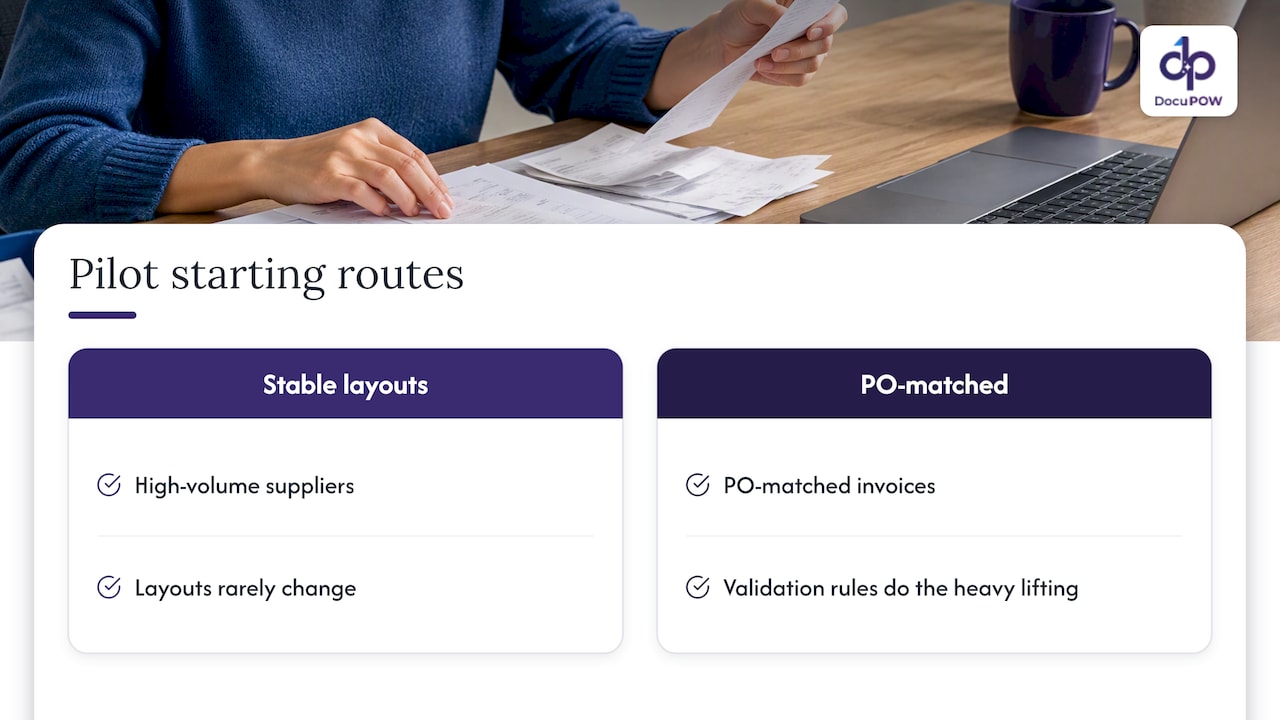
Most automation projects stall because they start with the hardest problem. Don’t. Begin with a high-volume stream of suppliers whose layouts rarely change, or with PO-matched invoices, where validation rules do the heavy lifting. Early wins buy you the sponsorship you need for messier streams.
Secure support across finance and IT before launch, and agree on rollback and audit procedures in writing. Industry research agrees on the shape of this: AP automation trends point to invoice data extraction as a top AI use case and recommend structured pilots, ROI monitoring and vendor transparency.
Document every validation rule, log every automated decision, and treat safety thresholds as living settings you revisit with data. The teams that keep their thresholds conservative early are the ones allowed to loosen them later.
— Syed Naveed Abbas
How we help you extract invoice data without templates
If your supplier base changes faster than a template library can keep up, we built our platform for that problem. Our agents extract invoice fields without rigid templates, so new layouts need little setup and less ongoing maintenance. Audit review keeps a person in the loop, and our API connects extracted data to your ERP.

Our Starter plan costs $99 per month and Professional costs $499 per month. Compare them on our pricing page, or read our guide to automating financial data extraction before you plan a pilot.
FAQ
What is invoice data extraction?
Invoice data extraction is the automated capture of fields such as supplier, invoice number, dates, taxes, totals and line items from invoices. The result is structured data you can send to a spreadsheet or accounting system instead of typing it in.
How do you capture invoice data?
You ingest the invoice from email, a portal or SFTP, run OCR and field detection, then validate the output against business rules. Anything uncertain goes to a person for review before the data posts to your system.
What does “invoice extracted” mean?
It means the system has read the document and produced structured field values, typically with confidence scores. It does not mean the data is approved. In review workflows like this invoice capture job aid, processors still verify imported fields against the source image.
Which solution can be used to extract data from scanned invoices?
OCR-based tools can read scanned invoices, and template-free machine learning models handle varied layouts better than fixed templates. Look for confidence scores, a review queue and export or API options, and test candidates on your own messiest scans.
Sources
- Safe Invoice Data Extraction: FPR-Constrained Validation with VLM Denoising
- Extracting structured data from invoices
- Information extraction from scanned invoice images using text analysis and layout features | Image Communication
Recommended
See DocuPOW on your documents.
Stop building templates. Start extracting data.