Document Approval Workflow: Design, Steps and Controls
Build a document approval workflow that moves fast and holds up in an audit: stages, owners, SLAs, validation rules and where AI extraction fits in.

A document approval workflow is the defined path a document takes from draft to approved, released and auditable: who reviews it, who has authority to approve it, what happens when changes are requested, and where the final version and its evidence live. The workflows that work share three traits. Each gate has one named owner. Each gate has a time limit. Every decision leaves a record you can reconstruct later. The rest of this guide shows how to build that, and where automation pays off most.
TL;DR
- Route documents through fixed stages (draft, review, revision, authorization, storage) and give each approval gate one named owner with explicit signing authority.
- Set a service level for every gate, such as 1 to 2 business days, and use automatic escalation instead of someone watching an inbox.
- Design the evidence first: the decision, the approver, the timestamp and the exact version reviewed should be captured by the workflow itself, not rebuilt before an audit.
- Validate the document’s data before it reaches a human approver, so reviewers decide on clean information instead of hunting for typos.
- Connect the workflow to the ERP, CRM or document system your team already uses, or you will end up with a shadow process.
Table of Contents
- What a document approval workflow actually is
- The stages, and what each one needs
- Four rules that keep approvals moving
- Validation rules: fix the data before a human sees it
- Where AI extraction fits in the workflow
- Build the evidence trail before you build the flow
- A worked example: supplier contract approval
- Our perspective
- Choosing tooling: what to ask
- Try it on your own documents
- Common mistakes to avoid
- FAQ
- Sources
What a document approval workflow actually is
Strip away the software and an approval workflow answers four questions about every document:
- Who must look at it, and in what order?
- Who is allowed to say yes?
- What happens on a no or a “change this”?
- Where does the approved version live, and what proves how it got there?
Guidance from PandaDoc describes an effective workflow as a structured, automated process that moves documents through predetermined stages: drafting, review, revision, authorization and storage. The aim is consistency, regulatory compliance and auditability. The same guidance says organizations that replace email-based routing with automated routing report more transparency, faster cycle times and fewer compliance risks from lack of oversight.
That last point is the real dividing line. A manual process lives in inboxes. A designed process lives in a system that knows the state of every document at every moment.
The stages, and what each one needs
Most document approval processes, whether for a purchase order, a contract, a policy or a supplier packet, follow the same five stages. What differs is the rules attached to each.
| Stage | What happens | What to define up front |
|---|---|---|
| Draft | The author prepares or receives the document | Required fields, template or source, naming and version rules |
| Review | Subject experts check content | Who reviews, in parallel or in sequence, and by when |
| Revision | Comments are resolved | Who owns the changes, and how a new version restarts review |
| Authorization | An approver signs off | Signing authority, thresholds, delegation rules |
| Storage | The approved version is filed | Where it lives, retention period, link to the parent record |
Review versus approval
A reviewer improves a document. An approver accepts responsibility for it. Mixing the two is a common reason workflows stall: five people “review” a contract, and nobody knows who can actually say it is final. Write down which gates are advisory and which are binding.
Sequential or parallel routing
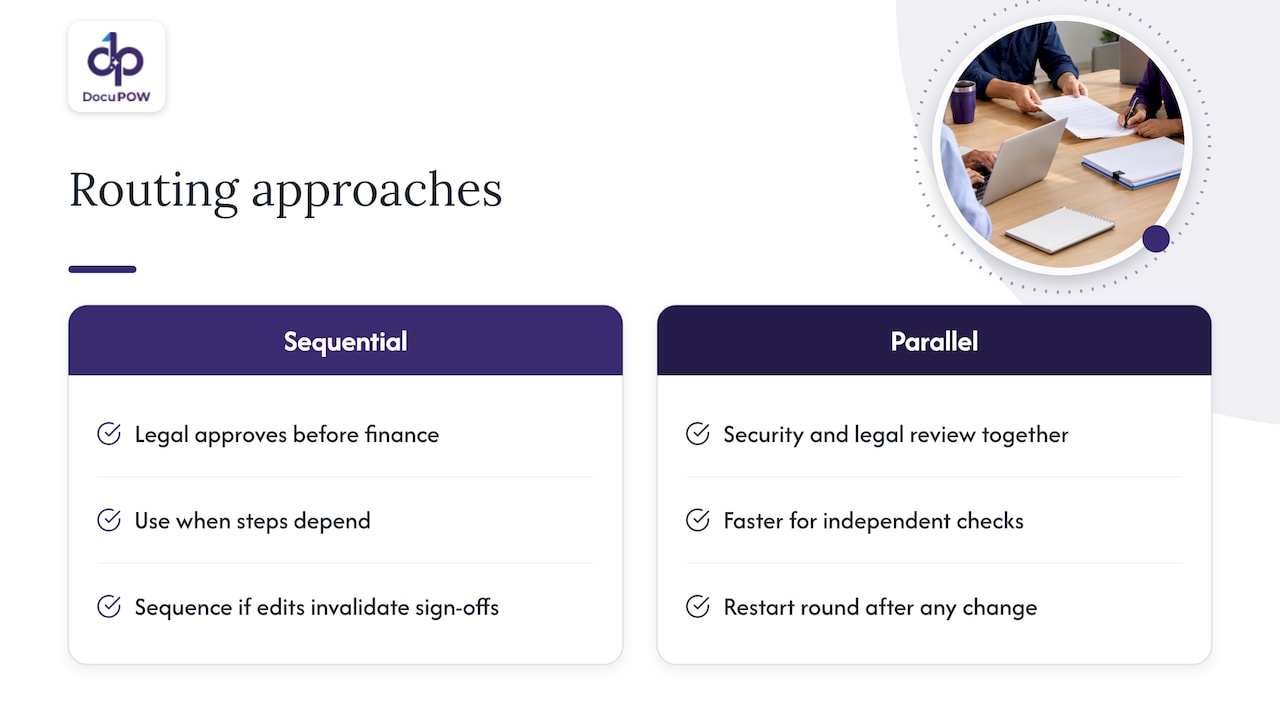
Sequential routing suits cases where each step depends on the one before it, such as finance approving only after legal. Parallel routing suits independent checks, such as security and legal reviewing a vendor agreement at the same time. Parallel is faster, but only when the reviewers do not need to see each other’s changes. If one reviewer’s edit can invalidate another’s sign-off, route in sequence or restart the parallel round after any change.
Conditional rules
Good workflows do not send every document through every gate. A $400 purchase should not need the same chain as a $400,000 one. Define thresholds (amount, document type, risk category, region) that add or remove approvers. Keep them in a table the business can read, not buried in someone’s head.
Four rules that keep approvals moving
1. One gate, one owner
The “shared responsibility” approach, where a group owns a gate, tends to produce delays because everyone assumes someone else will act. Moxo’s compliance automation guide recommends rotating the role or authority rather than the responsibility, so that every gate has one, and only one, named owner with explicit signing authority. When that person is out, a delegate inherits the authority by rule, not by a hallway request.
2. Put a clock on every gate
The same guide suggests committing to specific service levels, for example 1 to 2 business days for gates like Legal or Security, with automated escalation when a task ages past the threshold. Escalation should be boring and predictable: a reminder at the halfway point, a notice to the owner’s manager at the limit, a reassignment to the delegate after that.
Track two numbers to improve the process over time: cycle time (submission to final approval) and bottleneck frequency (which gate holds documents longest). The slowest gate is almost never the one people complain about.
3. Make rejection a first-class path
Most designs describe the happy path in detail and treat rejection as an exception. In practice, a large share of documents come back for changes. Define what a rejection must include (a reason code and a comment), who receives it, and whether the resubmission restarts the full chain or only the gate that rejected it.
4. Keep the work where people already are
Compliance automation specialists note that workflows succeed when they sync with the systems teams already use, such as CRMs and document management systems. This prevents shadow processes and lets metadata attach automatically to the parent account or engagement (Moxo). If approvers must log into a separate tool and re-key what they already have in your ERP, they will approve by email instead, and your audit trail has a hole in it.
Validation rules: fix the data before a human sees it
Most approval delays are not about judgment. They are about a reviewer finding that the invoice total does not match the purchase order, the contract date is missing, or the supplier’s tax ID has a digit too few. Each of those sends the document back to the start.
Document validation rules catch these before routing. Typical examples:
- Completeness: every required field is present (vendor name, amount, currency, effective date, signatory).
- Format: dates, tax IDs, IBANs and PO numbers match the expected pattern.
- Cross-checks: invoice totals equal line items plus tax; the PO number exists and has budget remaining; the vendor is on the approved list.
- Thresholds: amounts above a limit trigger an extra approver rather than a rejection.
- Consistency across documents: the same entity name and address appear in the contract, the W-9 and the invoice.
Validating in real time, at the moment a document arrives, means the submitter fixes problems while the context is fresh. It also means the approver’s queue contains only documents that are ready to decide.
The obstacle is that validation needs structured data, and most approval inputs are PDFs, scans and emailed attachments. That is where extraction comes in.
Where AI extraction fits in the workflow
Traditional capture tools rely on templates: you configure each vendor’s layout, and the setup breaks when the layout changes. That works for a handful of suppliers and falls apart for a manufacturer with thousands.
We built DocuPOW around a different approach. Autonomous agents read the document in context and extract the data without a fixed template, so a layout the system has never seen still yields usable fields. Those fields feed validation rules, then routing, then the approver’s screen, with the source document alongside. Our platform overview and the how it works page show the sequence from raw document to finished process.
Two features matter specifically for approvals:
- Human-in-the-loop review. When extraction confidence is low or a validation rule fails, the document goes to a person for audit review instead of silently passing through. The human step is a designed gate, not an afterthought.
- Conversational querying with source citations. An approver can ask a question about a document or a set of documents and see which passage the answer came from, which makes the check faster and the reasoning visible.
If you are deciding how much to automate, our overview of document workflow automation covers the building blocks in more detail.
Build the evidence trail before you build the flow
This is the step teams most often skip, and the one they regret.
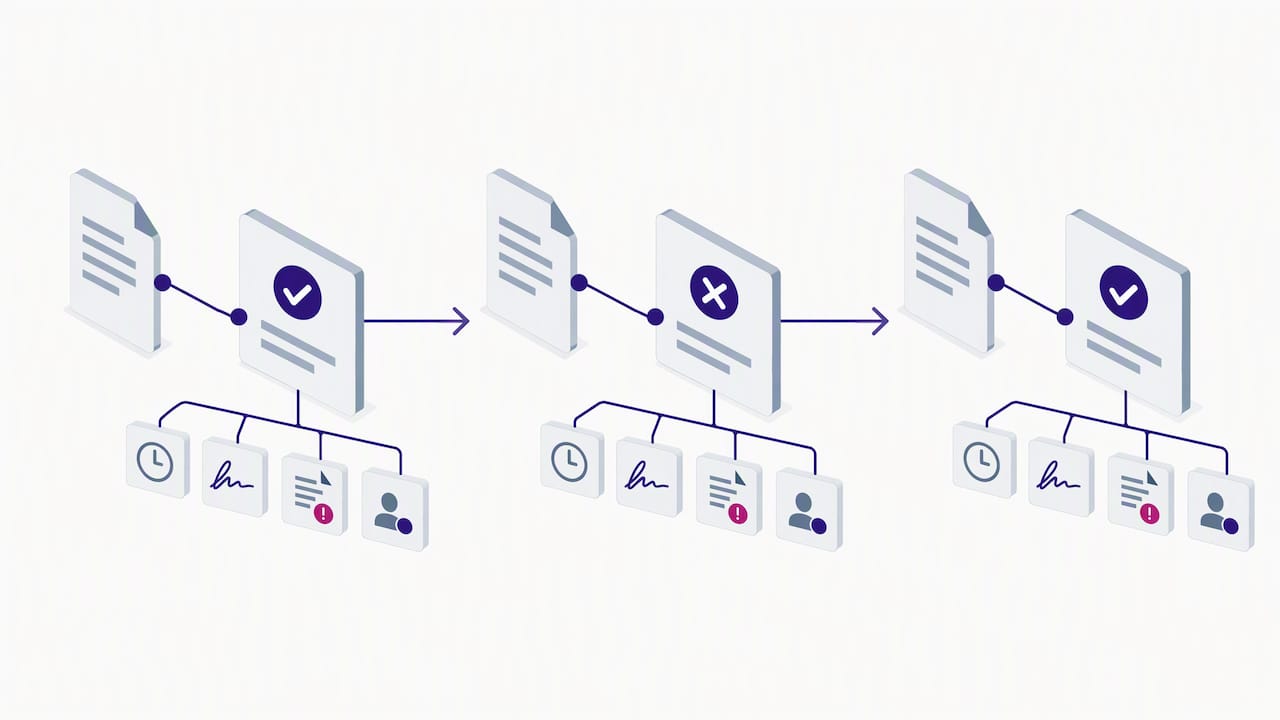
Process Street’s guidance on compliance as proof of control argues that approval should be treated as a data-collection phase, not an end state. Define the evidence artifact first. A timestamp and a signature are the minimum. A stronger record also captures the specific input that was reviewed, any exception notes and the owner of any remediation. Teams that do this move from preparing for audits after the fact to having continuous, built-in proof.
What regulators and frameworks expect
If you work in a regulated area, the expectations are concrete. For FDA-regulated records, 21 CFR Part 11 requires, for closed systems, secure, computer-generated, time-stamped audit trails that independently record actions that create, modify or delete electronic records. Changes must not obscure earlier entries, and the audit trail must be kept as long as the records themselves and be available for agency review and copying. Part 11 applies to records under FDA predicate rules, so confirm with your quality or regulatory lead whether it covers your documents.
More broadly, security teams use NIST SP 800-53 as a reference for access control and audit accountability. In practice that means your workflow should prove that only authorized people took an action and let you reconstruct who did what, and when, for every decision.
The practical consequence: approval evidence cannot sit in email threads or a shared folder of PDFs. The audit trail has to be inseparable from the workflow record, with submissions, reviews and changes tracked in time order. Our guide to document audit trails for compliance teams goes deeper on NIST and SEC expectations, and the audit preparation checklist for accounting teams turns it into a timeline.
A worked example: supplier contract approval
Here is how the pieces combine for a manufacturer onboarding a new supplier. This is an illustrative design, not a description of a specific customer.
- Intake. The supplier’s agreement, W-9 and insurance certificate arrive as PDFs from procurement.
- Extraction. The data is pulled without templates: legal entity name, tax ID, payment terms, liability cap, insurance expiry.
- Validation. The system checks that the entity name matches across all three documents, that insurance has not expired, and that payment terms fall within policy.
- Conditional routing. Standard terms go to the procurement manager. A liability cap above the policy limit adds legal as a gate with a 2 business day service level.
- Exceptions. A mismatched tax ID goes to a human reviewer with the source pages highlighted, not to the approver.
- Authorization. The named approver signs off. The system records the decision, the signer, the timestamp and the version reviewed.
- Storage and sync. The approved set is filed and key fields write back to the ERP through the API, so the vendor master record updates without re-keying.
Notice what the approver never does: read through scans looking for inconsistencies. They decide.
Our perspective
We see the same pattern across document-heavy teams. Companies invest in routing software and still stall, because the bottleneck sits upstream: the data inside the document is trapped in a file nobody can validate quickly. Once data is extracted and checked at the door, approvals become a short decision instead of a long investigation.
We also think automation should not remove people from the loop where judgment or compliance requires them. The goal is to spend human attention on the exceptions and the decisions, and let agents handle reading, matching and routing. That is why our platform pairs template-free extraction with auditable human review and keeps a record of each step, rather than promising a black box that approves everything.
Finally, we would start small. Pick one document type with a clear owner, a measurable cycle time and a painful backlog. Prove the design there, then widen it.
— Syed Naveed Abbas
Choosing tooling: what to ask
Whatever you buy or build, press on these points:
- Can it read documents it has never seen? If every new vendor layout requires configuration, maintenance will eat the savings.
- Does validation run before routing? Otherwise approvers become your data-quality team.
- Is the audit trail part of the workflow record? Ask to see the log for a rejected and resubmitted document.
- Does it integrate with your ERP or CRM through an API? Our guide on connecting document automation to existing systems lists what to check.
- Can you define thresholds and delegates without a developer? Policies change quarterly.
- Are security and access controls documented? Role-based access and encryption should be answerable questions, not sales promises.
If you also need industry-specific handling, see how we approach manufacturing and operations document flows.
Try it on your own documents
DocuPOW offers a Starter plan at $99 per month and a Professional plan at $499 per month, plus an Enterprise plan for which no price is published. Plans and credit options are on our pricing page. If you would rather see it with your own approval documents first, start from the DocuPOW homepage and request a trial or demo.
Common mistakes to avoid
- Approving by email “just this once.” Every exception becomes a gap in the record.
- Too many approvers. Each extra gate adds waiting time. Remove any approver who has never rejected or changed anything.
- No delegate rules. Vacations and travel are the most predictable cause of stuck documents.
- Automating a broken process. Map the current path first. If three gates do the same check, merge them before you automate.
- Ignoring versioning. An approval is only meaningful for the exact version reviewed. A changed file must restart the relevant gate.
FAQ
What is a document approval workflow?
It is the set of steps a document passes through before it is accepted as final: submission, review, revision, authorization and storage. It defines who reviews, who can approve and what happens when changes are requested. Done well, it also records evidence of each decision.
How do I create a document approval workflow?
Start by mapping your current path for one document type. Then name one owner per gate, set a time limit and escalation rule for each, and define the evidence you want captured (decision, approver, timestamp, version). Add validation rules before the first gate, and only then choose or configure the tool.
What is the difference between document review and document approval?
Review is advisory: a person checks content and suggests changes. Approval is binding: an authorized person accepts the document as final. Keeping them separate prevents the situation where many people comment and no one can sign off.
Does my approval workflow need to meet 21 CFR Part 11?
Only if your records fall under FDA requirements that Part 11 covers, which is typical in life sciences and some manufacturing. Ask your quality or regulatory affairs lead to confirm scope. If it applies, the workflow needs secure, time-stamped audit trails that preserve the history of changes.
Sources
- How to craft and improve your document approval process, PandaDoc
- Document compliance automation guide, Moxo
- Compliance as Proof of Control, Process Street
- 21 CFR Part 11 Subpart B, Electronic Records, eCFR
- NIST SP 800-53 Rev. 5, Security and Privacy Controls
Recommended
See DocuPOW on your documents.
Stop building templates. Start extracting data.