Category: Blog

Your blog category

  • AI Integration Service for Business Document Workflows

    AI Integration Service for Business Document Workflows


    TL;DR:

    • AI integration embeds trained models into business systems to automate workflows and improve accuracy. Most projects stall in production due to operational gaps like poor observability, fallback logic, and data readiness. Starting with no-code platforms and following a structured lifecycle enhances success and sustainability.

    An AI integration service is the process of embedding trained artificial intelligence technologies, including machine learning models and AI agents, into existing business systems to automate and improve operational accuracy. The industry term for this practice is AI system integration, and it is distinct from AI development. AI integration focuses on operationalizing models within live workflows, not building them from scratch. For businesses managing high volumes of documents, this distinction matters enormously. Getting AI into production inside your ERP, CRM, or document processing platform is where real efficiency gains appear. Yet 70–80% of AI and ML projects never reach production, most often because of poor integration planning rather than weak models.

    What are the key technologies in an AI integration service?

    AI integration covers far more than plugging a model into an app. A full integration layer includes API integration, authentication, data flow design, latency management, cost engineering, and production deployment. Each of these components must work together before your AI delivers measurable value.

    The systems most commonly connected through AI integration include:

    • ERP platforms (such as SAP or Oracle) for financial and supply chain data
    • CRM systems for customer interaction and sales pipeline data
    • Document processing platforms for invoice capture, contract review, and compliance checks
    • Cloud AI services from providers like Google Cloud AI, AWS AI Services, and Azure AI
    • Machine learning pipelines that handle data preprocessing, model inference, and output routing

    Model registries and version control sit at the center of any production-grade setup. A centralized model registry with multiple versions allows safe testing, staged rollouts, and full audit trails. That auditability is not optional for enterprise teams. Regulators and internal compliance teams expect it.

    Observability tools track model behavior after deployment. Cost controls cap API spend before it spirals. Authentication layers protect sensitive document data at every handoff point. These are not afterthoughts. They are the engineering disciplines that separate a working prototype from a production system your finance or operations team can rely on daily.

    Hands collaborating on AI model registry

    Pro Tip: Before selecting an AI service provider, ask specifically about their observability stack and fallback logic. If they cannot explain both clearly, the integration will likely stall before it reaches your users.
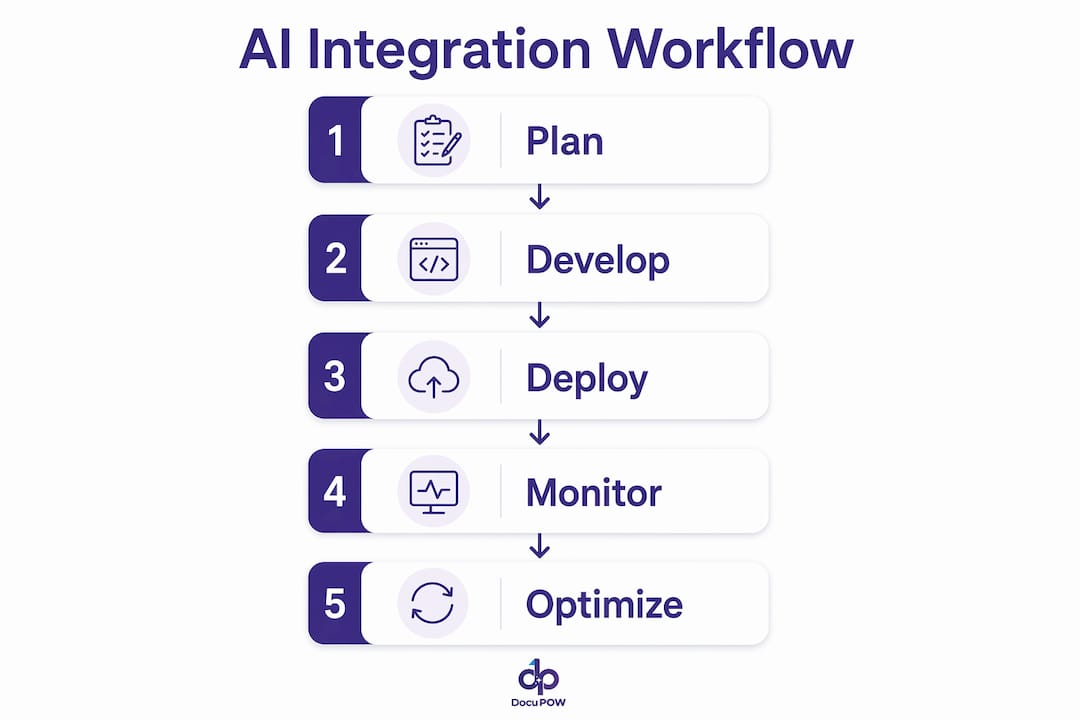
    Infographic showing AI integration workflow steps

    Why do most AI integration projects stall before reaching production?

    The failure rate for AI projects is not a secret, but the reason behind it surprises most teams. Eight out of 10 AI projects experience significant delays or stalls during the transition from prototype to production. The model itself is rarely the problem.

    The real causes cluster around operational gaps:

    1. No observability plan. Teams build the model but skip telemetry. Without visibility into what the model is doing in production, errors compound silently.
    2. Missing fallback logic. When an AI model returns a low-confidence result or fails entirely, the system needs a defined fallback. Without one, the workflow breaks.
    3. Poor data readiness. Documents fed into AI systems are often inconsistent in format, quality, or completeness. The model cannot compensate for bad input data.
    4. Cost management gaps. Cloud AI inference costs scale with usage. Teams that do not set cost controls early face budget overruns that freeze projects mid-deployment.
    5. Governance gaps. No version control means no audit trail. Regulated industries cannot accept that.

    “Operational surface areas like telemetry, fallback mechanisms, and cost controls need to be designed early and owned end-to-end to avoid the common six-week stall in AI production deployment.”

    The six-week stall is a real pattern. Teams reach a near-production state and then spend weeks firefighting issues that should have been designed out from the start. The fix is not more engineering hours after the fact. The fix is treating observability, fallback logic, and cost controls as first-class requirements from day one, not features to add later.

    Pro Tip: Map your operational surface areas before writing a single line of integration code. Define who owns telemetry, who owns fallback behavior, and who owns cost alerts. Assign those owners in week one.

    How do AI integration services connect with existing business systems?

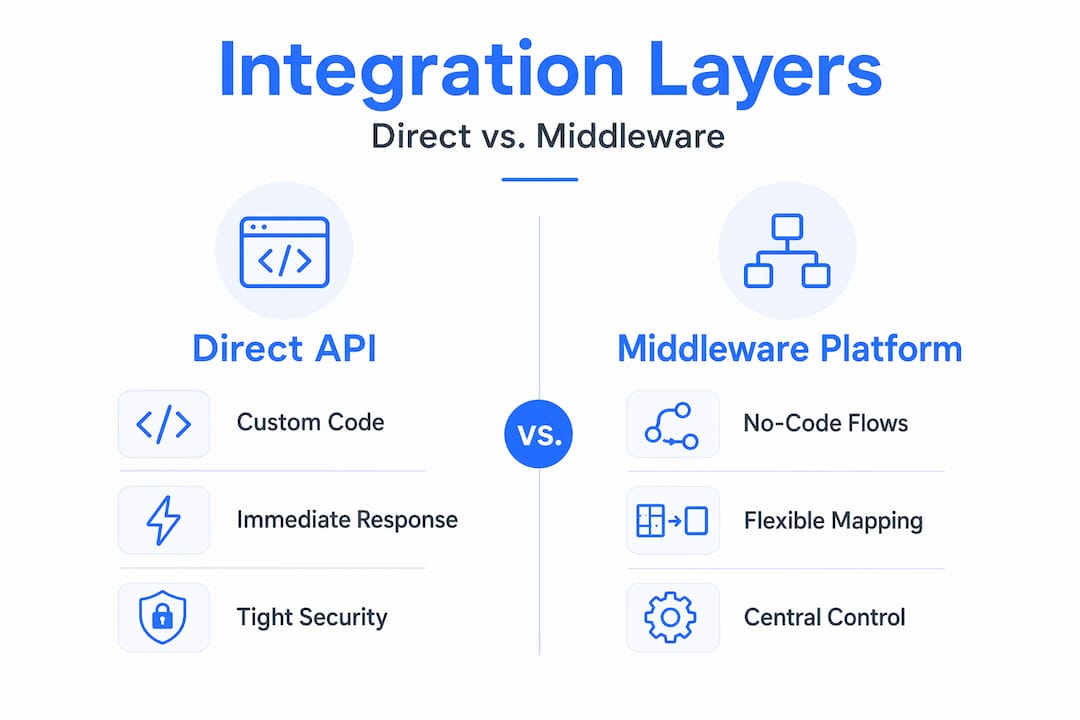
    Connecting AI to your existing systems happens through three main approaches, and the right choice depends on your technical capacity and timeline.

    API-based integration

    API-based integration is the most common method. Your business system calls an AI model through a standardized API endpoint, receives a structured response, and routes that output into the appropriate workflow step. This approach works well for document classification, data extraction, and approval routing. The challenge is that raw API integration requires engineering work to handle authentication, error states, and data transformation.

    No-code and low-code platforms

    No-code AI agent platforms have changed the speed equation for many teams. Top-tier platforms support 100 to 1,500+ pre-built application connectors, which means your team can wire AI into existing apps without writing custom integration code. This matters for document workflows where speed of deployment directly affects how quickly you recover costs. No-code platforms also support multi-agent orchestration, allowing multiple AI agents to handle different document types or workflow stages in parallel.

    Custom integration layers

    Custom integration is the right choice when your document workflows involve proprietary systems, unusual data formats, or compliance requirements that pre-built connectors cannot meet. Custom work takes longer and costs more upfront, but it gives your team full control over data flow, security, and performance tuning.

    The table below compares these three approaches across the factors that matter most for document workflow teams:

    Factor API-based integration No-code platforms Custom integration
    Speed to deploy Moderate Fast Slow
    Engineering required Medium Low High
    Flexibility Medium Limited Full
    Cost to start Low Low to medium High
    Best for Standard document tasks Rapid deployment Complex or regulated workflows

    For most organizations starting their AI technology implementation journey, a no-code or API-based approach delivers the fastest path to a working system. Custom integration becomes necessary as document complexity and compliance requirements grow.

    Pro Tip: Start with a no-code platform to prove the workflow concept. Once you know exactly what the AI needs to do, you can decide whether a custom layer is worth the investment.

    What are the best practices for a successful AI integration deployment?

    A structured lifecycle is the single most reliable predictor of a successful AI integration. The ML lifecycle covers development, staging, and production, and each stage has specific requirements that teams skip at their peril.

    1. Development stage. Build and test your AI model against representative document samples. Define your success metrics before you start. Accuracy alone is not enough. Measure latency, cost per inference, and error rate.
    2. Staging stage. Deploy to a staging environment that mirrors production. Run the full integration layer, not just the model. Test authentication, fallback logic, and observability tools here. Fix issues before they reach live documents.
    3. Production stage. Deploy with version control active from day one. Register your model in a central registry so you can roll back instantly if performance degrades. Set cost alerts and latency thresholds.
    4. Continuous monitoring. AI models drift over time as document formats and business rules change. Schedule regular performance reviews. Treat model monitoring as an ongoing operational task, not a one-time setup.
    5. Auditability and governance. Every model version, every inference decision, and every configuration change should be logged. For teams in regulated industries, this is a compliance requirement. For everyone else, it is the fastest way to diagnose problems when they appear.

    The AI data extraction guide from DocuPOW covers how these lifecycle stages apply specifically to document processing workflows, including invoice capture and contract data extraction. The principles are the same, but the document context adds specific data quality and format considerations that generic ML guides often miss.

    Key Takeaways

    Successful AI integration requires operational discipline at every stage, not just a well-trained model.

    Point Details
    Integration differs from development Embedding AI into live systems is a separate discipline from building AI models.
    Most projects stall in production 70–80% of AI/ML projects fail to reach production, primarily due to operational gaps.
    Observability is non-negotiable Design telemetry, fallback logic, and cost controls before writing integration code.
    No-code platforms accelerate deployment Platforms with 1,500+ connectors cut deployment time without sacrificing core functionality.
    Lifecycle structure drives success Development, staging, and production stages with version control prevent costly late-stage rework.

    What I have learned from watching AI integration projects succeed and fail

    Working across multiple AI integration projects, the pattern that separates success from failure is almost never about the AI model itself. Teams spend months selecting the right model, fine-tuning it, and benchmarking its accuracy. Then they hit production and discover the real problem: nobody designed the observability layer, the fallback logic is missing, and the cost per inference is three times the budget estimate.

    The uncomfortable truth is that most AI integration failures are project management failures dressed up as technology failures. The technology works. The operational discipline does not.

    I have also watched the no-code AI agent space mature faster than most enterprise teams expected. Two years ago, connecting AI to an ERP required a dedicated integration engineer and weeks of custom work. Today, platforms with extensive pre-built connectors let a technically capable operations manager wire up a document extraction workflow in days. That shift is real, and it is accelerating.

    My recommendation for teams just starting their AI integration work: resist the urge to build everything custom from day one. Use a no-code or API-based approach to get something working in production quickly. Learn from real document data. Then invest in custom integration where the workflow genuinely requires it. The teams that try to design the perfect system before deploying anything are the ones still in planning mode two years later.

    The other thing I would push back on is the idea that AI integration is a one-time project. It is an ongoing operational function. Models drift. Document formats change. Business rules evolve. The organizations that treat AI integration as a living system, with monitoring, versioning, and regular review cycles, are the ones that compound their efficiency gains over time instead of watching them erode.

    — Sameer

    DocuPOW and AI integration for document workflows

    Document workflows create some of the most demanding AI integration challenges in any business. Invoices, contracts, purchase orders, and compliance forms arrive in dozens of formats, and the data inside them drives financial decisions.
    https://docupow.ai

    DocuPOW addresses this directly. Its autonomous AI agents understand document context without relying on rigid templates, which means the system adapts to new document formats without manual reconfiguration. The platform includes built-in observability, cost controls, and version management, covering the operational surface areas that cause most AI projects to stall. For teams ready to move from manual document processing to a production-grade AI system, the AI automation services guide outlines exactly how to plan and execute that transition. You can also explore document process automation benefits to see how AI integration translates into measurable operational gains for your team.

    FAQ

    What is an AI integration service?

    An AI integration service embeds trained AI models and agents into existing business systems, such as ERPs, CRMs, and document platforms, to automate workflows and improve operational accuracy. It is distinct from AI development, which focuses on building models rather than deploying them into live systems.

    Why do AI integration projects fail so often?

    70–80% of AI and ML projects fail to reach production, most often because of missing observability, poor fallback logic, and inadequate data quality rather than model performance issues.

    How long does AI integration take?

    A no-code AI integration using pre-built connectors can reach production in days. A custom integration for a complex or regulated document workflow typically takes weeks to months, depending on system complexity and data readiness.

    What systems can AI be integrated with?

    AI integration works with ERP platforms, CRM systems, document management platforms, cloud storage, and workflow automation tools. Enterprise AI API integration examples show how these connections are structured at scale.

    What is the role of a model registry in AI integration?

    A model registry stores and versions every AI model deployed in a system. It enables safe rollbacks, staged rollouts, and full audit trails, which are requirements for enterprise governance and regulatory compliance.


  • Agentic AI Companies: Top Picks for Document Automation

    Agentic AI Companies: Top Picks for Document Automation


    TL;DR:

    • Agentic AI companies embed autonomous, goal-directed AI agents into workflows to automate document processing and improve efficiency. Their systems make decisions independently, maintain long-term context, and handle complex tasks without continuous human input.

    Agentic AI companies specialize in embedding autonomous, context-aware AI agents directly into business workflows to automate document processing and improve operational efficiency. Unlike traditional automation tools that follow rigid rules, these self-directed AI organizations make decisions, maintain context across sessions, and execute multi-step tasks without human prompting at every stage. The industry term for this category is “agentic AI,” referring to systems that operate with goal-directed autonomy rather than simple input-output responses. For decision-makers evaluating AI startups in document processing, the distinction matters: autonomous AI firms deliver measurable reductions in manual effort, error rates, and processing time that passive AI tools simply cannot match.

    Hands annotating AI document workflow printout

    1. What are agentic AI companies and why do they matter?

    Agentic AI companies build systems where AI agents perceive inputs, reason about goals, and take actions across workflows without waiting for human instruction at each step. This is the “Sense-Think-Act” model: the agent reads a document, determines what needs to happen, and executes the next step automatically. The result is continuous throughput rather than batch processing with human checkpoints.

    The business case is direct. Healthcare organizations using agentic AI achieved a 92% reduction in manual effort and an 80% reduction in manual errors during document and care reviews. That same data shows 78% less time per case and an 85% boost in case review efficiency. Those numbers represent real headcount reallocation, not marginal gains.

    For decision-makers, the key question is not whether agentic AI works. The question is which firms have moved past proof-of-concept into production-grade deployment at enterprise scale.

    2. Top agentic AI companies in document automation

    The leading autonomous AI firms in document processing share a common architecture: AI-native design, memory layers that persist context, and agents scoped to specific business processes rather than general tasks.

    Autonomize AI focuses on healthcare document workflows. Its platform deploys autonomous agents that handle care reviews, prior authorizations, and clinical documentation. The 92% manual effort reduction cited above comes directly from its production deployments.

    DeepJudge targets legal document retrieval. Founded by former Google researchers, it reports 80–90% active usage rates among elite law firms including Freshfields and Holland & Knight. That usage rate is exceptional. Most enterprise software struggles to reach 40% active adoption within the first year.

    Tidalwave applies agentic AI to mortgage processing, automating the document-heavy steps that typically create the longest delays in loan origination. Bretton AI handles financial crime compliance documentation, a domain where manual review creates both cost and regulatory risk.

    DocuPOW takes a template-free approach to intelligent document automation, deploying autonomous agents that understand document context without requiring predefined extraction rules. This matters for organizations processing varied document formats across operations, real estate, and manufacturing workflows.

    The common thread across all leading AI companies in this space: they replace template-based extraction with agents that reason about document structure and content dynamically.

    3. Key features that define leading agentic AI firms

    Not all autonomous AI firms are built the same. The features below separate production-ready platforms from research-stage tools.

    Continuity layer. Stateful AI agent systems maintain context across sessions through advanced memory infrastructures. This prevents the context loss problem that plagues session-based AI, where each new interaction starts from scratch. For long-running document workflows, continuity is not optional. It is the difference between an agent that completes a multi-day process and one that forgets what it was doing overnight.

    Sense-Think-Act architecture. The most reliable agentic platforms embed AI as a 24/7 operating system layer with auditability and security built in. The agent senses inputs, reasons about the goal, and acts, then logs every decision for audit purposes.

    Specialized autonomous expert agents. Strictly constrained agents scoped to specific processes, such as claim processing or trade execution, achieve better auditability and reduce unpredictable behavior compared to general-purpose agents. Narrow scope means predictable outputs.

    Identity and governance frameworks. AI agents executing multi-step workflows at scale require dedicated identity, credentialing, and accountability infrastructure. Multiple companies raised $278M specifically to build observability and governance tools for AI agents. Enterprises that skip this layer create security and compliance exposure.

    Pro Tip: Before signing any contract with an agentic AI vendor, ask for their agent identity and audit log architecture. If they cannot show you how every agent action is logged and attributed, the platform is not enterprise-ready.

    4. How agentic AI companies reduce errors and improve efficiency

    The efficiency gains from agentic AI in document processing are not theoretical. They are measurable and reproducible across industries.

    “Healthcare organizations using agentic AI recorded a 92% reduction in manual effort, an 80% drop in manual errors, 78% less time per case, and an 85% boost in case review efficiency. These results come from production deployments, not controlled pilots.”

    In legal services, DeepJudge’s 80–90% active usage rate among top-tier law firms signals that attorneys find the tool genuinely useful, not just technically impressive. Adoption at that level means the tool fits real workflows rather than requiring lawyers to change how they work.

    In financial services, agentic AI reduces bottlenecks by automating document-heavy compliance tasks in areas like mortgage origination and financial crime review. These are processes where a single missed document can trigger regulatory penalties.

    Sector Primary use case Key result
    Healthcare Care and document reviews 92% reduction in manual effort
    Legal Document retrieval and review 80–90% active usage at elite firms
    Financial services Mortgage and compliance docs Reduced bottlenecks in high-volume processing
    Real estate Transaction document automation Faster data extraction without templates

    Pro Tip: When evaluating a vendor’s efficiency claims, ask for pilot-to-production conversion data, not just pilot results. A platform that converts 80% of pilots to full deployments is far more reliable than one with impressive pilot numbers and low follow-through.

    5. How to choose the right agentic AI company for your needs

    Choosing among leading AI companies requires more than comparing feature lists. The criteria below reflect what separates a successful deployment from an expensive experiment.

    1. Commercial maturity. Startups with higher commercial maturity show a 64% likelihood of closing follow-on equity rounds, compared to 31% for less mature peers. That gap reflects market confidence. A vendor with proven traction is less likely to pivot or shut down mid-deployment.

    2. Auditability and compliance. Regulated industries, including healthcare, legal, and finance, require every agent decision to be traceable. Prioritize platforms that log agent actions at the step level, not just the output level.

    3. Deployment model fit. Cloud-native platforms offer faster setup and lower infrastructure cost. On-premises deployments give enterprises full data control, which matters for organizations handling sensitive documents. Hybrid models split the difference. Match the deployment model to your data governance requirements before evaluating features.

    4. Domain specialization. A platform built for healthcare document workflows will outperform a general-purpose agent in clinical settings. The same logic applies to legal, financial, and real estate document processing. Specialized agents produce more predictable, auditable results than broad-purpose tools.

    5. Integration depth. The best agentic AI platform is the one that connects to your existing systems without a six-month integration project. Evaluate enterprise AI API integration capabilities early in the selection process.

    6. Pilot conversion rate. Ask every vendor what percentage of pilots convert to full production deployments. This single metric reveals more about real-world performance than any benchmark test.

    Key takeaways

    Agentic AI companies that deliver production-grade document automation combine continuity layers, specialized agents, and enterprise governance into a single deployable system.

    Point Details
    Continuity layer is non-negotiable Agents without persistent memory cannot handle multi-day or multi-step document workflows reliably.
    Specialization beats generality Narrowly scoped agents produce more auditable, predictable results than general-purpose AI tools.
    Commercial maturity signals reliability Vendors with proven traction show a 64% follow-on funding rate versus 31% for less mature peers.
    Governance infrastructure is required Enterprise deployments need agent identity, credentialing, and audit logging to meet compliance standards.
    Pilot conversion rate is the real test High pilot-to-production conversion rates reveal whether a platform performs in real workflows, not just demos.

    What I’ve learned from watching agentic AI deployments succeed and fail

    The biggest mistake I see decision-makers make is treating agentic AI as a software purchase rather than an operating model change. You are not buying a tool. You are embedding a persistent, autonomous layer into your business processes. That shift requires governance thinking from day one, not as an afterthought after the first audit finding.

    The firms that get the most value from autonomous AI treat the agent as a permanent team member with a defined scope, a traceable decision log, and a clear escalation path when it encounters something outside its parameters. The firms that struggle deploy agents broadly, skip the governance layer, and then spend months trying to explain agent decisions to compliance teams.

    The rise of multi-agent systems adds another layer of complexity. When multiple autonomous agents hand off tasks to each other, accountability gaps appear quickly. The vendors building identity and observability infrastructure for agent-to-agent interactions are the ones worth watching in 2026.

    My honest advice: ignore the hype metrics and focus on two numbers. What is the vendor’s pilot conversion rate? And what percentage of their clients are in production after 12 months? Those two figures tell you everything the demo will not.

    — Sameer

    DocuPOW brings agentic AI to your document workflows

    DocuPOW deploys autonomous agents that extract data from documents without templates, making it a practical choice for organizations processing high volumes of varied formats. Its agents understand document context rather than matching fixed fields, which means they handle real-world document variation without constant reconfiguration.

    https://docupow.ai

    For operations teams, real estate professionals, and back-office functions handling large document volumes, DocuPOW’s platform connects directly to existing systems and delivers document process automation benefits without requiring a full infrastructure overhaul. Teams looking to move from manual review to autonomous processing can also explore the AI automation services guide to map out a practical deployment path.

    FAQ

    What is an agentic AI company?

    An agentic AI company builds systems where AI agents autonomously perceive inputs, make decisions, and execute multi-step tasks without human prompting at each stage. These firms differ from standard AI vendors by embedding goal-directed autonomy directly into business workflows.

    How do agentic AI companies reduce document processing errors?

    Agentic AI companies reduce errors by replacing manual review steps with autonomous agents that apply consistent logic at every document. Healthcare deployments have recorded an 80% reduction in manual errors using this approach.

    What industries benefit most from agentic AI document automation?

    Healthcare, legal, financial services, and real estate see the strongest results because their workflows involve high document volumes, strict compliance requirements, and significant manual review costs.

    How do I evaluate an agentic AI vendor’s reliability?

    Check the vendor’s pilot-to-production conversion rate and their 12-month retention among enterprise clients. Vendors with higher commercial maturity show a 64% likelihood of closing follow-on funding rounds, a strong proxy for market-validated reliability.

    What is a continuity layer in agentic AI?

    A continuity layer is a memory infrastructure that maintains an AI agent’s context across sessions, preventing the loss of prior interaction data. It enables agents to handle long-running, multi-step workflows without restarting from scratch each session.

  • Intelligent Document Processing Explained for Decision-Makers

    Intelligent Document Processing Explained for Decision-Makers

    Most businesses are drowning in documents. Invoices, contracts, purchase orders, patient forms, shipping manifests. The instinct is to throw OCR at the problem and call it automation. But intelligent document processing, known in the industry as IDP, goes far beyond converting pixels to text. IDP is an AI-powered technology that reads, understands, extracts, and routes document data into your business systems with a level of accuracy and contextual understanding that basic text extraction simply cannot deliver. This article breaks down exactly how it works, why it matters, and how to put it to use.

    Table of Contents

    Key takeaways

    Point Details
    IDP is not just OCR IDP combines OCR, NLP, machine learning, and computer vision to understand documents, not just digitize them.
    End-to-end workflow automation IDP handles the full pipeline from document ingestion and extraction through validation and system integration.
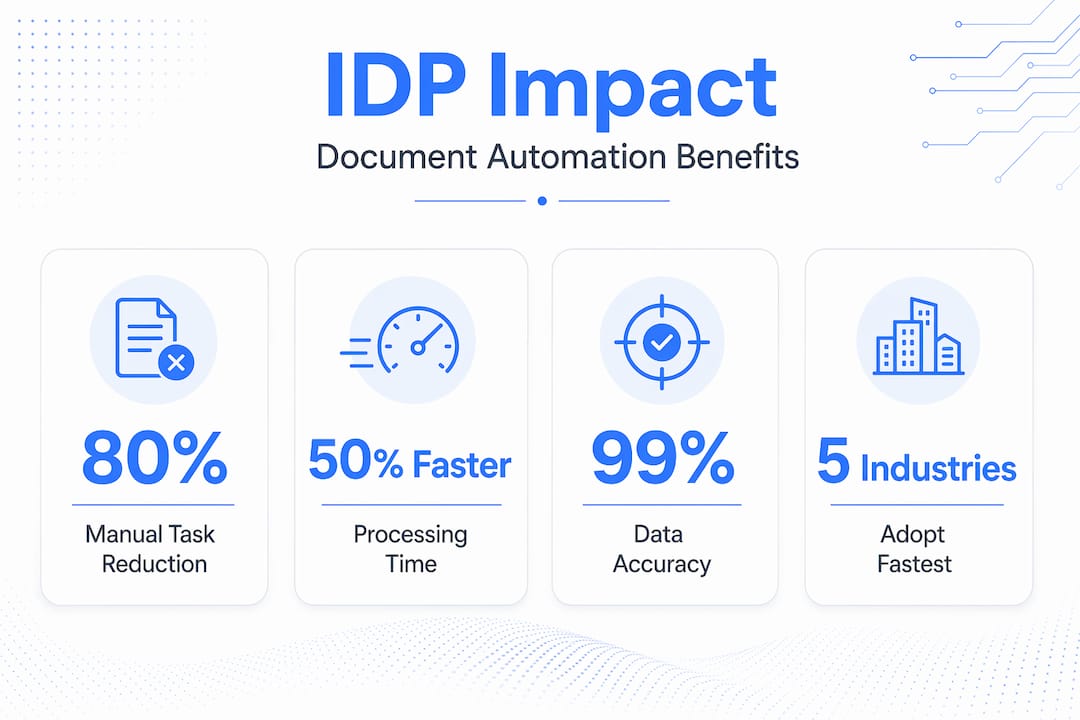
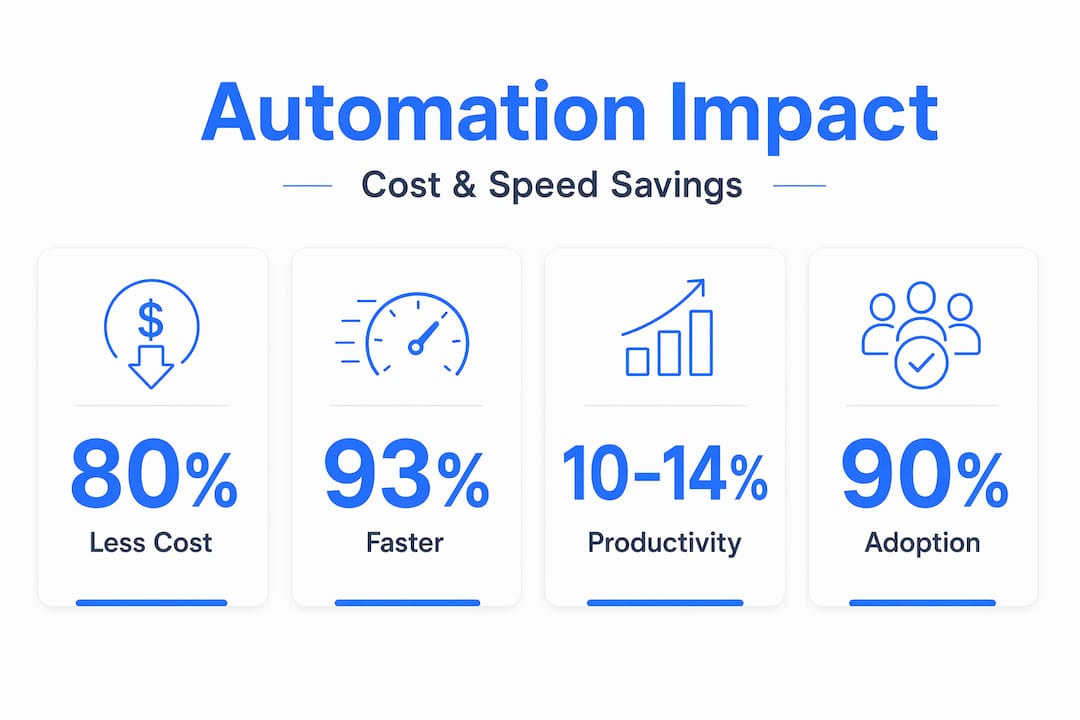
    Measurable cost and time savings Automating document workflows with AI can cut processing costs by up to 40% and turnaround times by up to 70%.
    Human oversight stays in the loop Human-in-the-loop validation keeps accuracy near 100% by routing uncertain outputs for human review.
    Integration determines success Connecting IDP outputs to ERP, CRM, and workflow systems is what turns extracted data into business value.

    Intelligent document processing explained: what it actually is

    OCR has been around for decades. It converts scanned images or PDFs into machine-readable text. That is useful, but it is a starting point, not a solution. OCR does not know the difference between a vendor name and a product description. It cannot determine that a particular figure on page three of a contract is the total contract value rather than a line-item price. It just sees characters.

    Stat infographic showing document processing benefits

    IDP adds the intelligence layer on top. The term covers AI-powered systems that process structured, semi-structured, and unstructured documents and convert their content into structured data that downstream systems can actually use. Think of structured documents as standard bank statements with fixed field positions. Semi-structured documents include invoices from hundreds of different vendors, each formatted differently. Unstructured documents are things like legal contracts, emails, or clinical notes where data appears in free-form prose.

    Here is where IDP earns its name. A well-built IDP system can:

    • Identify the document type without being told what it is
    • Locate and extract specific data fields regardless of layout variations
    • Understand context, so it knows “net 30” refers to payment terms, not a date
    • Validate extracted values against business rules or external databases
    • Route the structured output to the right system or workflow automatically

    Industries running on high document volumes have adopted IDP fastest. Financial services use it for loan origination and KYC. Healthcare uses it for prior authorizations and medical records. Manufacturing and supply chain operations use it for purchase orders and shipping documents. Anywhere that data is trapped in paper or PDFs, IDP can unlock it.

    How IDP works: the technology and the pipeline

    Understanding how document processing works at each stage helps you evaluate vendors and set realistic expectations for implementation. The pipeline typically follows these steps:

    1. Document ingestion. Documents arrive from email, file shares, scanners, APIs, or web portals. Pre-processing cleans the image or file, correcting skew, low resolution, or noise before any extraction begins.
    2. OCR and text extraction. The base layer converts the document into machine-readable text. Modern OCR engines handle handwriting, printed text, tables, and mixed layouts with high reliability.
    3. Document classification. Machine learning models identify what type of document this is. An invoice, a contract, a driver’s license, a customs form. Classification determines which extraction rules or models to apply next.
    4. Data extraction with NLP. Natural language processing models read the classified text and pull out the fields your business needs. Vendor name, invoice total, line items, dates, policy numbers. NLP understands relationships between words, not just pattern matches.
    5. Validation and human-in-the-loop review. Extracted data is checked against business rules, expected formats, or reference data. Low-confidence outputs are flagged and routed to human reviewers, whose corrections feed back into the model to improve future accuracy.
    6. Structuring and routing. Validated data is formatted to match the target system and pushed to ERP, CRM, RPA bots, or workflow orchestration tools.
    7. Integration and downstream automation. RPA tools or API connections carry the structured data into your core business systems, triggering next steps like payment approvals, record updates, or compliance checks.

    Pro Tip: Before evaluating any intelligent document processing vendors, map your highest-volume document workflows first. The clearer your baseline, the faster you will identify which pipeline stage is causing the most friction and where automation will return the most value.

    The intelligence in IDP comes from understanding and structuring document content, not just digitizing it. That distinction is what separates IDP from a glorified scanner.

    Colleagues process printed forms in shared workspace

    Business benefits you can measure

    The gap between knowing that IDP exists and understanding why it matters to your bottom line is where most technology briefings fall short. Let’s close that gap.

    “McKinsey estimates that automating document workflows with AI can reduce processing costs by up to 40% and turnaround times by up to 70%.”

    Those numbers are not theoretical. They reflect what happens when you remove manual keying, routing delays, and error correction cycles from high-volume processes. The direct benefits of intelligent document automation include:

    • Speed. Documents that took hours or days to process manually move through the pipeline in seconds or minutes at any volume.
    • Accuracy. AI validation and human-in-the-loop review produce fewer errors than manual entry, which compounds over time into cleaner data across your systems.
    • Scalability. IDP handles document spikes without hiring. A seasonal surge in insurance claims or purchase orders does not require temporary staff.
    • Cost reduction. Fewer manual steps mean lower labor costs per transaction. Compliance fines from processing errors also drop significantly.
    • Auditability. Every extraction decision is logged. Compliance teams get a traceable record of what was extracted, who reviewed it, and when it was routed.
    • Better analytics. When document data flows automatically into your systems, your reporting and forecasting become more current and more accurate.

    For global manufacturers specifically, the impact hits financial visibility hardest. Purchase orders, goods receipts, and invoices reconciled automatically mean finance teams spend time on analysis instead of data entry. That shift from reactive to proactive decision-making is where IDP pays back the most.

    Where IDP is heading: AI advancements worth knowing

    The IDP category has moved fast over the past three years, and the next wave of capability is already in production at leading organizations. Understanding these trends helps you evaluate whether a vendor is selling yesterday’s technology or genuinely current capabilities.

    LLMs and generative AI have added capabilities that traditional extraction models could not touch:

    • Zero-shot and few-shot learning allow IDP systems to handle new document types without weeks of training data. You show the model a handful of examples, and it adapts.
    • Summarization and risk flagging. Generative AI can read a contract and surface the renewal date, the liability cap, and any non-standard clauses in plain language, not just extract fields.
    • Natural language querying. Users can ask the system questions directly: “Which invoices from this supplier in Q1 had payment terms over 60 days?” The system queries the extracted data and returns an answer.
    • Context-aware extraction. Modern models understand that the same phrase means different things in different document contexts, reducing the false positives that plagued earlier extraction models.

    Pro Tip: When reviewing intelligent document processing IDP services, ask vendors specifically how their system handles documents it has never seen before. The answer reveals whether they use rigid templates or genuine AI-based understanding, which is the single most important distinction for long-term flexibility.

    The trajectory points toward near-100% accuracy with continuous improvement loops, and setup times measured in days rather than months for standard document types.

    Practical steps for adopting IDP in your organization

    Technology selection is only about 20% of a successful IDP rollout. The other 80% is process design, integration planning, and governance. Here is how to approach adoption without the mistakes that derail most projects:

    • Start with your highest-value workflows. Do not attempt to automate everything at once. Identify the document type that creates the most manual work or the most downstream errors and build your first use case there.
    • Plan integration early. Integration with ERP, CRM, and workflow systems is not a post-launch activity. It determines what data you extract, in what format, and how it triggers business rules in your existing systems.
    • Build human-in-the-loop into your design. Do not treat it as a workaround. HITL is a quality control mechanism that also generates training data to improve your models over time.
    • Take security seriously from day one. Encryption, access controls, and retention policies are not optional add-ons. Documents often contain PII, financial data, or regulated health information. Compliance requirements must shape your IDP architecture, not be bolted on after deployment.
    • Choose your deployment model deliberately. Cloud deployments offer speed and scalability. On-premises gives you full data control. Hybrid approaches balance both. Your data governance policies and regulatory environment should drive this decision.
    • Commit to continuous improvement. Treat IDP as a living program that requires monitoring, not a one-time implementation. Model performance drifts as document formats change. Regular feedback loops and rule updates sustain the accuracy gains you built at launch.

    My perspective on what actually makes IDP work

    I have watched organizations spend significant budget on IDP platforms and end up with an expensive OCR upgrade. The technology was fine. The implementation was the problem.

    In my experience, the single biggest mistake is treating IDP as a point solution rather than a workflow transformation. Teams install an extraction tool, connect it to one folder, and declare victory. But the real value is in what happens after extraction. If the structured data lands in a spreadsheet that someone still reviews manually, you have not automated the process. You have just moved the bottleneck.

    What I have learned is that successful IDP implementations require two things that no vendor demo will show you: clear process ownership and a willingness to redesign the workflow around what AI can actually do, not what it used to do five years ago. The teams that get this right stop asking “how do we automate what we do today?” and start asking “what should our process look like if the data was already structured and validated?”

    Vendor selection matters too. There is a wide gap between vendors selling template-based extraction wrapped in AI marketing and those running genuinely context-aware models. Ask for a live test on your actual documents. Watch how the system handles a document layout it has never seen. That test tells you more than any feature comparison sheet.

    The future of document work is not fewer humans. It is humans spending their time on decisions, not on data entry.

    — Vivek

    How Docupow approaches intelligent document automation

    https://docupow.ai

    If you have gotten this far, you already understand the technology well enough to ask the right questions of any provider. Docupow is built specifically for organizations that need more than a template-dependent extraction tool. Its AI-powered platform uses autonomous agents that understand the context of any document without requiring rigid templates or extensive configuration. That means your team can handle invoices, contracts, purchase orders, insurance claims, and construction documents with the same system, regardless of layout variation.

    Docupow serves industries including insurance, real estate, healthcare, manufacturing, and BPO operations, connecting directly to ERP, CRM, and back-office systems so extracted data flows into your processes automatically. For organizations serious about reducing manual errors and accelerating document workflow automation, Docupow delivers real-time analytics and predictive insights that shift your team from reactive to proactive. Explore the full platform at Docupow’s AI product page to see how it fits your specific workflows.

    FAQ

    What is intelligent document processing?

    Intelligent document processing (IDP) is an AI-powered technology that extracts, classifies, validates, and routes data from structured, semi-structured, and unstructured documents into business systems. It combines OCR, NLP, machine learning, and computer vision to understand document content, not just digitize it.

    How is IDP different from OCR?

    OCR converts document images into machine-readable text but has no understanding of what that text means or how it should be used. IDP adds classification, context-aware extraction, validation, and workflow integration on top of OCR output, turning raw text into structured, actionable business data.

    What documents can IDP process?

    IDP handles structured documents like bank statements, semi-structured documents like vendor invoices, and unstructured documents like contracts, medical records, and emails. Modern IDP systems using LLMs can adapt to new document types with minimal training examples.

    What are the main benefits of document processing with AI?

    The primary benefits include faster processing times, significantly lower error rates, reduced labor costs, and automatic auditability. McKinsey research points to cost reductions up to 40% and turnaround time improvements up to 70% for organizations that automate document workflows with AI.

    How do I choose between intelligent document processing vendors?

    Test any shortlisted vendor against your actual documents, including layouts the system has not been trained on. Prioritize vendors whose systems use context-aware AI rather than template matching, and confirm their integration capabilities with your existing ERP or CRM systems before making a commitment.

  • High-Volume Document Automation: What You Need to Know

    High-Volume Document Automation: What You Need to Know

    Most organizations have no idea how much money they leave on the table processing documents manually. We’re talking about invoice stacks, onboarding packets, delivery notes, and contracts that employees touch one by one, copy-pasting data into systems and chasing approvals through email chains. High-volume document automation, known in enterprise technology circles as intelligent document processing (IDP), is the practice of using AI to automatically extract, classify, validate, and route data from large quantities of business documents at scale. This guide explains exactly how it works, where it delivers the most impact, and how to avoid the mistakes that derail most implementations.

    Table of Contents

    Key Takeaways

    Point Details
    IDP goes beyond OCR High-volume automation uses AI, NLP, and machine learning to convert unstructured documents into validated business data.
    ROI arrives fast Organizations commonly see 200-300% ROI within the first 12 months of deployment.
    Start with your highest-volume documents Piloting with standardized, frequent document types reduces risk and delivers measurable wins within months.
    Metadata governance is non-negotiable Setting up audit trails and metadata structure from day one determines whether your automation scales or stalls.
    Broken processes need fixing first Automating flawed workflows accelerates errors. Re-engineer your process before you automate it.

    What high-volume document automation actually means

    The phrase “document automation” gets applied to everything from a Word mail merge to a full AI-powered processing pipeline. That ambiguity causes real damage when organizations invest in the wrong tool. High-volume document automation, more precisely called intelligent document processing, refers to the automated handling of large quantities of documents using AI to extract, classify, validate, and route the data they contain.

    This is categorically different from basic document management or OCR-only scanning tools. A scanner converts a paper page to a digital image. OCR reads the characters on that image. Neither understands what those characters mean or how they relate to your business logic. IDP does. It knows that the number in the upper right of a vendor invoice is the invoice number, not a phone number, and that the line items below it need to be matched against a purchase order in your ERP before any approval can move forward.

    The technology stack powering modern IDP combines four capabilities:

    • Optical Character Recognition (OCR): Converts scanned or digital documents into machine-readable text
    • Natural Language Processing (NLP): Interprets the meaning and context of that text
    • Machine learning: Improves extraction accuracy over time by learning from corrections and new document patterns
    • Workflow automation: Routes validated data to the right systems and people based on predefined business rules

    Together, these components turn what used to be a manual data-entry burden into a structured business data pipeline that feeds your ERP, CRM, or finance platform directly.

    Approach What it does What it misses
    Manual processing Reads and enters data by hand Slow, error-prone, doesn’t scale
    Basic OCR Converts images to text No context, no validation, no routing
    Template-based automation Extracts fields from fixed layouts Breaks on format changes
    Intelligent document processing Extracts, classifies, validates, and routes Requires initial setup and governance

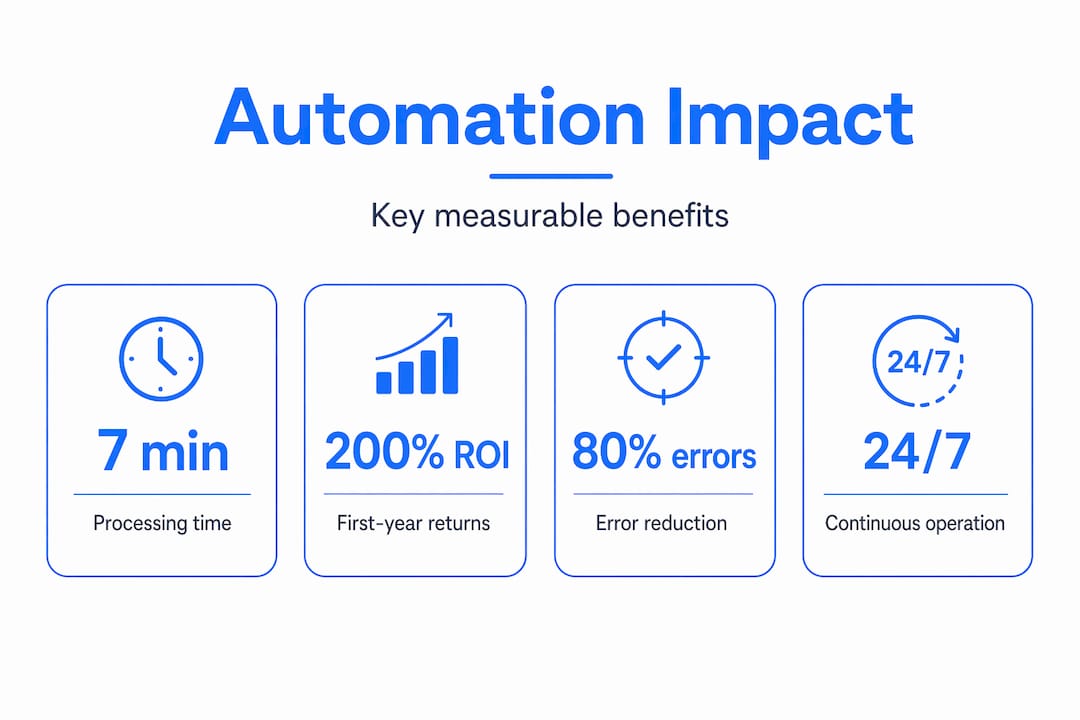
    Infographic showing core automation benefits and statistics

    Real document automation benefits you can measure

    Time savings alone justify most automation investments. Processing time drops from an average of seven minutes per document to under thirty seconds after automation goes live. For an organization handling ten thousand invoices a month, that math is immediate.

    The financial case is equally direct. Organizations implementing IDP typically report 200-300% ROI within the first twelve months. That figure accounts for reduced labor costs, fewer exceptions requiring manual correction, and the compounding effect of faster cash cycles and payment processing.

    Here is where the document automation benefits show up most clearly:

    • Labor cost reduction: Staff hours previously spent on data entry shift to higher-value analysis and exception handling
    • Error reduction: Automated validation catches mismatches between invoice amounts and POs before they cause payment errors or audit problems
    • Faster retrieval: Knowledge workers spend 20-30% of their time searching for documents. Integrated automation reduces retrieval times by up to 40%
    • Scalability: Month-end volume spikes that would overwhelm a manual team get absorbed without additional headcount or overtime
    • Compliance readiness: Automated metadata tagging creates audit trails that would take weeks to reconstruct manually

    Pro Tip: Before you calculate your projected ROI, count the actual documents your team processes per month across every type. Most decision-makers underestimate this number by 40% or more, which means they also underestimate the returns.

    Common pitfalls when automating large documents at scale

    The organizations that get the least out of automation share one thing in common. They automate the process exactly as it exists today, broken steps and all. If your current invoice approval workflow involves three redundant sign-offs because nobody trusted the data entry, automating it will just produce three automated redundant sign-offs. The inefficiency survives.

    The other consistent failure pattern involves document complexity catching teams off guard mid-project. Documents with tables, handwritten annotations, or non-standard layouts often require more processing effort and cost more per document than standard typed forms. Without clear pricing negotiation upfront, these edge cases cause budget overruns that kill momentum.

    Four issues that cause high-volume document solutions to underdeliver:

    1. Skipping process re-engineering: Map your current workflow before you touch any technology. Identify where errors originate, where approvals stall, and which steps exist only because of a previous manual bottleneck.
    2. Ignoring metadata governance: Without a structured tagging schema from day one, your digital repository becomes unsearchable. Metadata-driven systems deliver 65% better AI-powered search and 75% higher workflow efficiency, but only if the governance is in place.
    3. Underestimating format drift: Vendors change invoice layouts. Partners update form templates. Without a system that adapts to layout changes, your extraction accuracy degrades silently over time.
    4. Treating automation as a one-time purchase: Document automation must be approached as continuous process transformation, not a software install. Teams that stop investing in template expansion and data quality quickly see efficiency gains erode.

    Pro Tip: Negotiate volume-based or blended-rate pricing with your vendor before signing. Flat per-page pricing looks simple but becomes punishing at scale, especially with complex document types.

    Industries and use cases getting the most from IDP

    The organizations with the most to gain from document processing automation share a common profile. They handle large quantities of standardized but information-dense documents, and delays in processing those documents directly delay revenue, compliance, or operations.

    The document types with the highest automation ROI tend to be:

    • Invoices and purchase orders: High volume, standardized structure, direct financial impact from processing delays
    • Contracts and lease agreements: Critical data extraction points that feed CRM and legal review workflows
    • Onboarding forms: Identity verification, compliance checks, and system provisioning all depend on accurate data capture
    • Delivery notes and bills of lading: Supply chain accuracy depends on matching these against inventory and shipping systems in near real time

    Across industries, the impact is concrete. In insurance, claims processing automation reduces cycle times from days to hours. In real estate, lease abstraction tools extract key dates, rent escalation clauses, and tenant obligations without manual review. In manufacturing, automated goods receipt and invoice matching prevents payment errors and keeps supplier relationships intact.

    Industry Primary document types Core automation benefit
    Manufacturing Purchase orders, delivery notes Faster matching, fewer payment disputes
    Legal Contracts, discovery documents Faster review, compliance tracking
    Finance Invoices, statements, reports Error reduction, cycle time compression
    Insurance Claims forms, policies Faster payouts, reduced fraud risk
    Real estate Leases, inspection reports Accurate data extraction, faster closings

    Insurance professional reviewing document automation results

    When automation outputs connect directly to your ERP or CRM through system integration, the data does not just get processed. It drives decisions. Your finance team sees cash flow impacts in real time. Your procurement team gets automatic alerts on contract expirations. The AI workflow automation layer is what separates document processing from genuine operational intelligence.

    How to start automating your documents effectively

    Getting started does not require overhauling everything at once. The organizations that see the fastest returns take a focused, incremental approach.

    1. Identify your highest-volume, most standardized document types first. Invoices, purchase orders, and onboarding forms are prime candidates. Most firms automate their top five document types within two to three months and achieve up to 90% processing time savings on those types alone.

    2. Audit your current process before you configure anything. Document where data comes from, where it goes, and where errors or delays typically occur. This step is where you find the broken steps worth fixing before they get automated.

    3. Set up metadata governance on day one. Decide how documents will be tagged, classified, and stored. Define who owns each document type and what audit trail data you need for compliance. Changing this schema after thousands of documents are processed is expensive and disruptive.
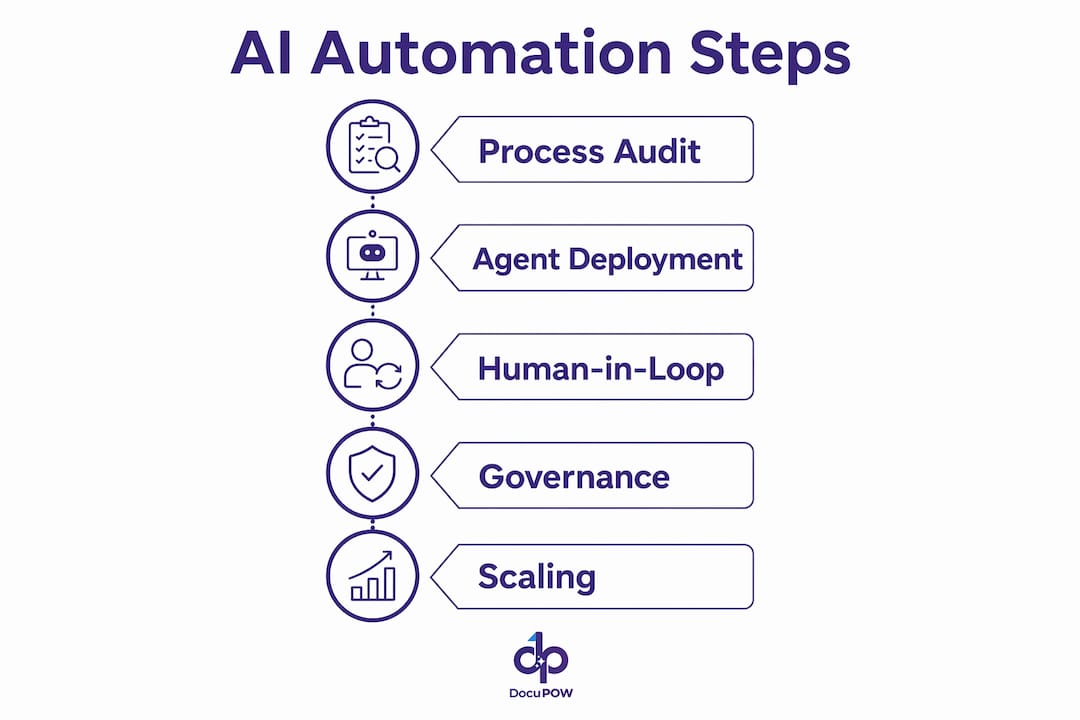
    4. Plan your system integration from the start. Automation that ends with a processed PDF sitting in a folder solves only half the problem. Connecting outputs to your ERP, accounting platform, or CRM is what turns document processing into connected business intelligence.

    5. Budget for continuous improvement, not just implementation. Allocate resources for template expansion, exception handling review, and accuracy monitoring after launch. The teams that build this into their operating model consistently outperform those who treat automation as a finished project.

    Pro Tip: When evaluating vendors, ask specifically how their system handles format changes and new document layouts. A solution that requires manual reconfiguration every time a supplier updates their invoice template will consume the labor savings it created.

    The M-Files TEI study found that context-first systems, where business metadata and logic are embedded into the document management layer, deliver over 300% ROI and significantly improve AI model accuracy. That outcome depends entirely on the governance decisions made at the start of the project.

    My perspective on where the real value lies

    I’ve watched more automation projects stall at the 60% mark than I can count, and the failure pattern is almost always the same. The technology worked. The business case was real. But the organization treated deployment as the finish line instead of the starting point.

    In my experience, the teams that realize lasting value from high-volume document automation are the ones who understood from day one that they were buying a transformation program, not a product. They appointed someone responsible for data quality. They built metadata governance before they processed their first batch. They reviewed exception reports monthly and kept improving their models.

    What I’ve learned is that the context embedded in your documents is worth more than the documents themselves. A processed invoice that sits as a PDF is trivia. That same invoice, with its data validated, matched to a PO, tagged with vendor and cost center metadata, and pushed into your finance system, is an input to a business decision. The difference between those two outcomes is not the OCR engine. It is the business logic and governance wrapped around it.

    The teams I’ve seen struggle are the ones who automated their broken process and expected better results. The teams winning with this technology did the hard thinking about what the data needs to do before they touched a single workflow setting. That shift in mindset is what separates a cost center from a competitive advantage.

    — Vivek

    How Docupow powers high-volume automation for your business

    https://docupow.ai

    If you’re ready to move from manual document handling to AI-driven processing, Docupow is built specifically for this challenge. The platform uses autonomous AI agents that understand the context and structure of your documents, extracting and validating data without relying on rigid templates. That means format changes from your vendors or partners do not break your pipeline.

    Docupow serves teams across manufacturing, real estate, insurance, and financial operations, connecting automation outputs directly to ERP and CRM systems. For organizations managing thousands of documents monthly, the Docupow product platform gives you real-time analytics, predictive insights, and the workflow orchestration layer that turns processed documents into business intelligence. Start with the 2026 best practices guide to understand exactly how to structure your implementation for maximum return.

    FAQ

    What is high-volume document automation?

    High-volume document automation, also called intelligent document processing (IDP), is the use of AI, OCR, and machine learning to automatically extract, classify, validate, and route data from large quantities of business documents without manual data entry.

    How is IDP different from basic OCR?

    OCR converts document images to text. IDP goes further by understanding the context of that text, validating it against business rules, and routing it to the appropriate system or workflow automatically.

    What ROI can businesses expect from document automation?

    Organizations typically see 200-300% ROI within the first twelve months, driven by labor savings, error reduction, and faster processing cycles.

    Which document types are best suited for automation?

    Invoices, purchase orders, contracts, onboarding forms, and delivery notes are the highest-ROI candidates because of their high volume and relatively standardized structure.

    Why do some document automation projects fail?

    The most common reason is automating a flawed manual process without redesigning it first. Early standardization and metadata governance are what determine whether automation scales or stalls over time.

  • Top 6 staple.ai Alternatives for Document Processing 2026

    Top 6 staple.ai Alternatives for Document Processing 2026

    Extracting structured data from diverse and complex documents often bogs teams down with manual entry, inconsistent results, or brittle template configurations that break as formats change. Many document processing tools either require labor-intensive setup, keep advanced features behind pricey enterprise tiers, or limit automation and integration flexibility for nontechnical users. This comparison clarifies which intelligent document processing platforms offer accurate extraction, flexible integrations, and approachable pricing so you can pick an alternative that works for your workflows without hidden pitfalls.

    Table of Contents

    DocuPOW

    https://docupow.ai

    At a Glance

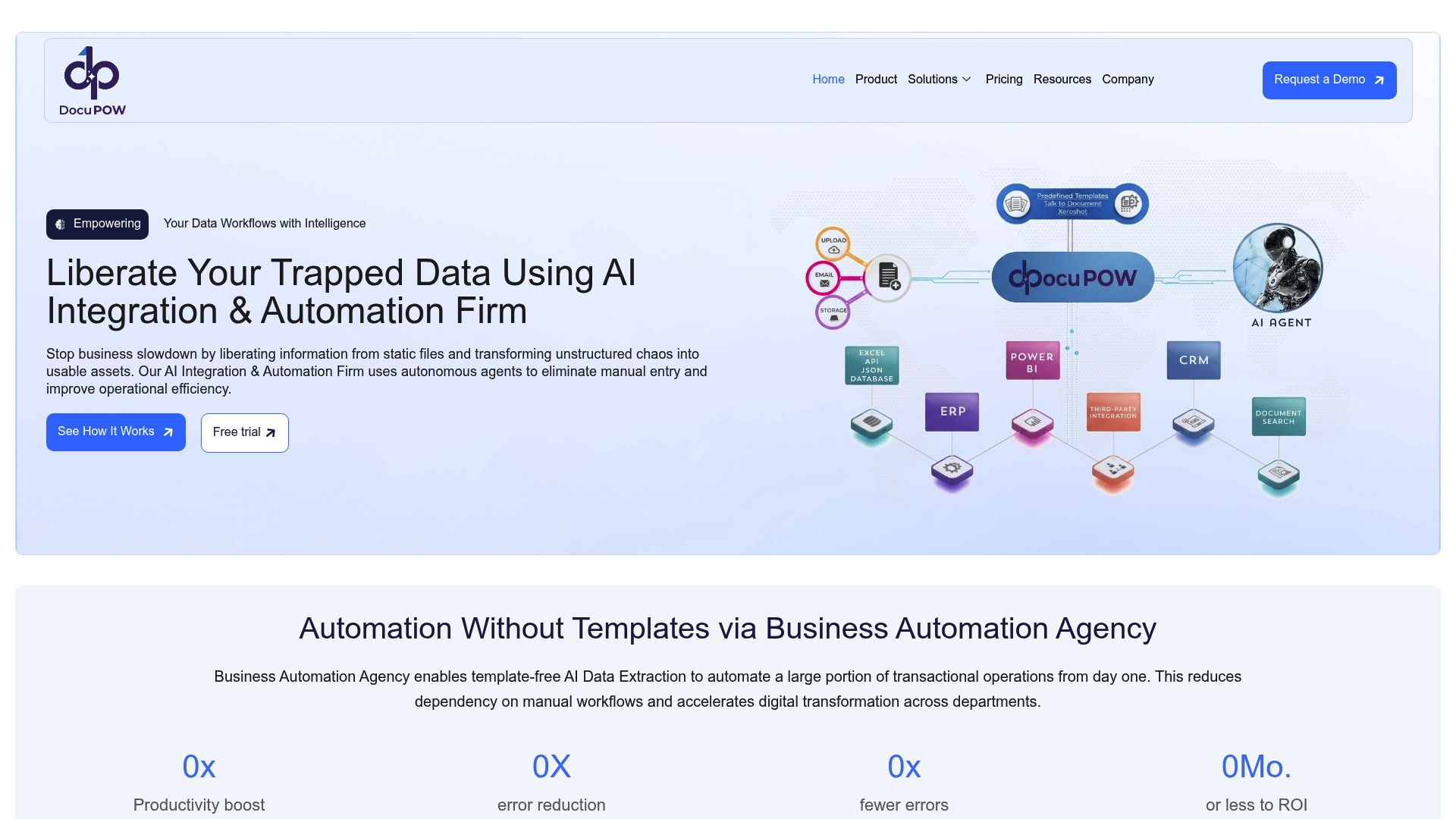
    DocuPOW’s marketing materials describe a ZeroShot extraction capability that works without templates and autonomous agents that interpret context to push extracted data into downstream systems. That combination promises template-free handling of PDFs, images, and mixed-format documents at scale.

    Core Features

    • ZeroShot data extraction from structured, semi-structured, and unstructured documents without templates.
    • Autonomous data validation and enrichment that flags anomalies and fills missing fields before export.
    • Real-time analytics and insights for live visibility into document flows and data quality.
    • API-based integration paths to feed ERP, CRM, and other enterprise systems directly.
    • Support for PDFs, JPEGs, PNGs, and common document formats used across finance, healthcare, and logistics.

    Key Differentiator

    That ZeroShot claim is the single technical hinge. Instead of building templates or training per document type, the vendor positions the model to identify and extract fields immediately across varied formats. For teams that handle dozens of document layouts, that approach removes recurring template maintenance.

    Pros

    • Highly accurate automation for high-volume document work. The vendor highlights scalable extraction and validation that reduces manual entry across finance and supply chain processes.
    • Template-free processing means less ops overhead. You do not need a growing library of layout templates for every vendor or form.
    • Deep system connectivity via APIs accelerates handoffs to ERP and CRM systems so extracted data becomes operational data quickly.
    • Real-time analytics and predictive insights give visibility into processing queues and data quality, helping prioritize exception handling.
    • Built with enterprise controls in mind; the product data lists security and compliance features suitable for regulated environments.

    Cons

    • Initial setup and customization can be complex; buyer feedback in the product data indicates organizations often need technical support to align connectors and rules.

    Who It’s For

    Large organizations and enterprise teams that process high volumes of heterogeneous documents and need direct integration into backend systems. Particularly relevant to finance, legal, healthcare, and logistics groups that want to cut manual reconciliation and accelerate data-driven decisions.

    Unique Value Proposition

    Those autonomous agents that push contextual data straight into ERP and CRM change where value sits: documents stop being a static archive and become live inputs for procurement, billing, and patient workflows. For procurement teams, that means fewer late fees and faster visibility into spend without adding manual reconciliation headcount.

    Real World Use Case

    A global manufacturer replaced manual document sorting with live spend analytics by routing extracted invoice data into its ERP. The result, as described in the vendor example, was fewer late payments and faster procurement decisions because exceptions surfaced in real time rather than after batch processing.

    Pricing

    Pricing is not publicly listed. DocuPOW requests prospects contact sales for tailored quotes based on volume, connectors, and required security controls. Expect enterprise licensing and implementation services rather than a per-seat self-serve plan.

    Website: https://docupow.ai

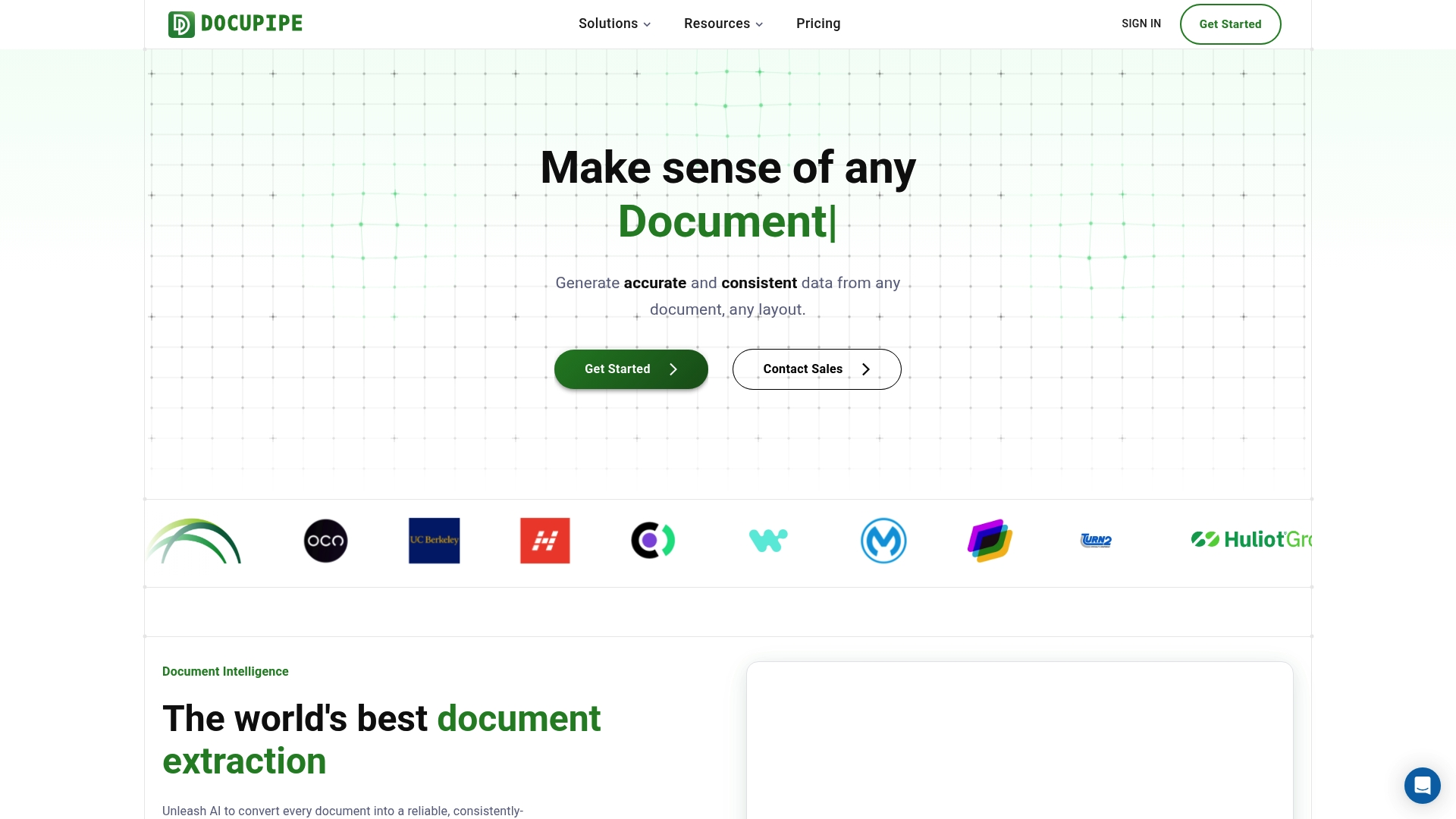
    DocuPipe

    https://docupipe.ai

    At a Glance

    Free users get 100 credits per month, which makes evaluation possible without a credit card. The vendor advertises a 4.9/5 rating on G2, a self-reported satisfaction figure that speaks to early user enthusiasm. DocuPipe targets enterprise document extraction workflows.

    Core Features

    • Accurate data extraction from any document and layout. Handles varied templates, multi-column invoices, and forms with mixed content types.
    • Custom definitions for business-specific data. You map fields and enforce schemas so extracted values match finance, clinical, or legal workflows.
    • Supports handwritten, complex, and multilingual documents. Useful for claims, medical charts, and international invoices.
    • The vendor advertises SOC‑2, ISO 27001, and HIPAA compliant infrastructure, and offers full API access with parse and standardize pipeline steps.

    Key Differentiator

    DocuPipe centers on schema-based, customizable AI extraction that plugs into existing business rules and downstream systems. Rather than forcing a generic output model, it lets you codify field definitions so the extraction aligns with ERP, EHR, or contract review workflows.

    Pros

    • Powerful extraction with configurable schemas. Custom field definitions cut manual post-processing and reduce reconciliation work between systems.
    • Scalable plans that span from a free tier to enterprise contracts, giving teams a low-friction path from pilot to production.
    • The free plan with 100 credits per month lets you validate accuracy on real documents before committing to paid volume.
    • Strong security posture and privacy controls. Those certification claims support procurement reviews for regulated buyers.
    • Full API workflows for parse and standardize steps make automation practical for engineering teams integrating with back-office systems.

    Cons

    • Third-party review detail is limited; the review score above is vendor reported rather than independently verified.
    • Enterprise pricing for very large volumes is custom and requires direct engagement with sales, which can slow procurement cycles.
    • The product description omits interface specifics, so initial setup complexity and the learning curve for nontechnical users are unclear.

    When It May Not Fit

    If independent user testimonials or public case studies are mandatory for procurement, DocuPipe may feel risky because third-party reviews beyond the advertised rating are sparse. Also, buyers who require published enterprise price brackets will need to budget for a sales discussion.

    Who It’s For

    Organizations that must extract structured data from diverse document types at scale. Typical buyers include finance teams automating invoice processing, healthcare groups digitizing records, insurers handling claims, and legal teams analyzing contracts.

    Real World Use Case

    A logistics operator fed varied shipping manifests, bills of lading, and carrier invoices into DocuPipe. The team mapped required fields once, then used the API to push standardized records into the TMS, cutting manual entry and speeding exception handling.

    Pricing

    Free plan with 100 credits per month. Paid plans start at $99/month for 2,500 credits with overage options. Enterprise volume and customization are available via sales for large deployments.

    Website: https://docupipe.ai

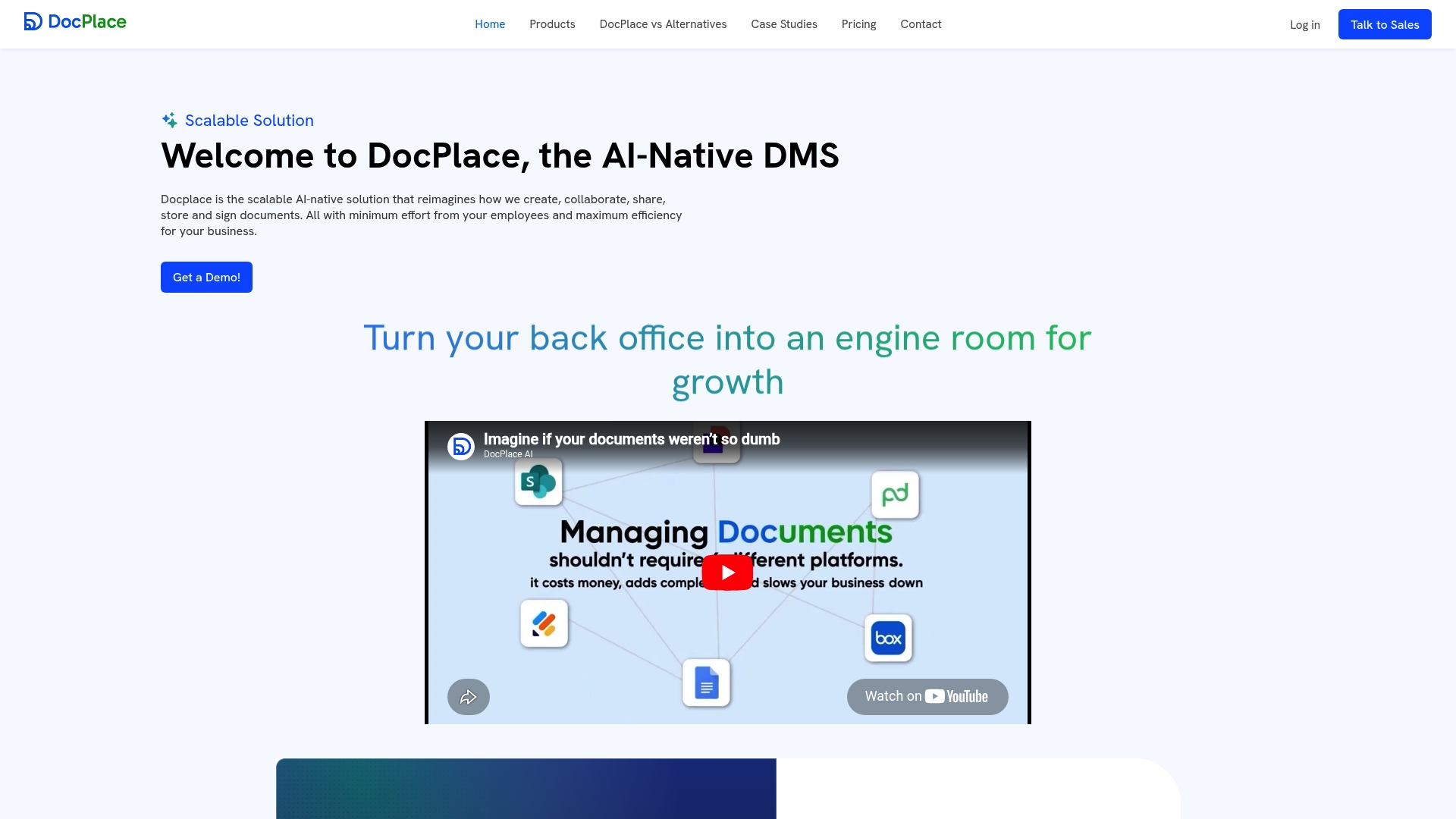
    DocPlace

    https://docplace.ai

    At a Glance

    DocPlace’s vendor materials position it as an AI-native document management system that bundles native eSignature with predictive document intelligence. The vendor reports a 50% reduction in document processing time for a deployed customer; that figure is self-reported.

    Core Features

    Automatic document classification and smart tagging speed filing and discovery across large archives.

    Natural language search and AI-driven indexing let teams find context, not just filenames. Version control and audit logs support compliance workflows.

    Built-in workflow automation, a forms template builder, and contextual data extraction reduce manual handoffs during approvals.

    Key Differentiator

    DocPlace combines semantic understanding, workflow automation, and native eSignature in a single platform. That pairing reduces the number of handoffs between signing, storage, and compliance checks compared with a DMS that relies on separate signing tools.

    Pros

    • The vendor advertises HIPAA-ready cloud storage and role based access control, which is useful for regulated teams that handle protected data.

    • AI-powered classification and smart metadata extraction cut time spent on manual tagging and findability, especially for large backfiles.

    • Reusable document models and predictive intelligence surface bottlenecks and likely compliance issues before they block approvals.

    • A user-friendly interface with drag-and-drop folder structures makes the platform approachable for non-technical staff.

    • Native integrations with productivity suites reduce export and import steps when moving documents between systems.

    Cons

    • Several users in third-party channels report a learning curve when adopting the AI features; initial training investment is often required.

    • Some advanced capabilities are gated behind higher tiers, which can push costs up for smaller teams that need AI compliance checks.

    • Independent, third-party reviews are limited, making external validation of long-term reliability harder to find.

    When It May Not Fit

    If you need a plug-and-play DMS with minimal setup, DocPlace may not be ideal. Expect a meaningful implementation phase to tune classification rules and workflows.

    Small teams with tight budgets could find key automation features inaccessible on lower-cost plans. If your organization requires an independent body of reviews before purchase, the current public record may feel thin.

    Notable Integrations

    • Google Drive
    • Microsoft OneDrive
    • Gmail and Outlook
    • Slack
    • Salesforce
    • SharePoint

    These integrations support both ingestion and downstream notifications without custom connectors for many common stacks.

    Who It’s For

    Medium to large organizations that need an AI-forward DMS with compliance controls and enterprise connectors. It suits Legal, Finance, Healthcare, and Procurement teams that handle high volumes of contracts and regulated records.

    Real World Use Case

    The vendor reports a financial services firm used DocPlace to automate contract approvals, run compliance auto-checks, and enable instant retrieval of client records. According to the company, that deployment cut document processing time by 50 percent.

    Pricing

    The vendor lists plans beginning at $90 per user per month for Business Essential. Enterprise and government tiers are available for higher security and advanced automation features; exact pricing requires contacting sales.

    Website: https://docplace.ai

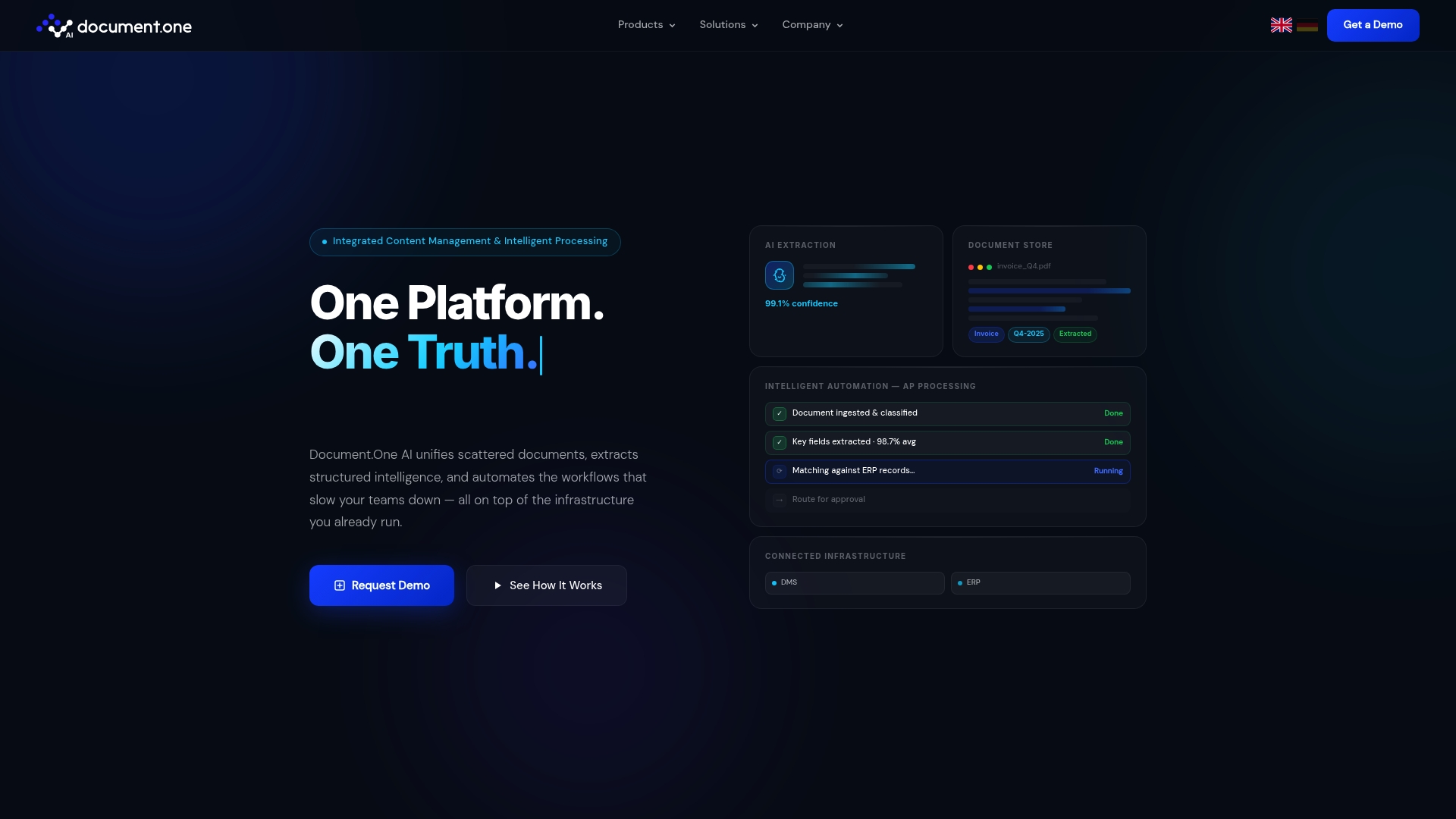
    Document.One AI

    https://document-one.ai

    At a Glance

    The vendor advertises 99.1% extraction confidence in an industrial invoice automation example, a headline metric that will catch procurement and AP leaders. Document.One AI supports both on-premise and cloud deployment while connecting to existing enterprise systems without replacing them.

    Core Features

    • Content Hub for centralised enterprise content management that indexes documents, metadata, and media for search and governance.
    • AI-powered extraction that pulls structured data from documents, images, videos, and attached metadata to populate downstream systems.
    • Purpose-built connectors that link to DMS, ERPs, CRMs, and other enterprise applications without heavy migration.
    • End-to-end workflow automation that routes documents, triggers approvals, and logs audit trails across regulated processes.
    • Hybrid deployment options letting teams run a POC on cloud then switch parts of workload on-premise if required.

    Key Differentiator

    Document.One AI’s practical advantage is its integration-first design. The platform is built to integrate directly with existing DMS and ERP landscapes and to run on-premise or in cloud environments, so projects rarely force a full platform replacement.

    Pros

    • No public positive third-party reviews were located during our research, which is a transparent gap in available social proof.

    • The product emphasizes integration flexibility and automation efficiencies for regulated workflows, a fit for organizations that cannot lift and shift legacy systems.

    • A single Content Hub plus extraction layer reduces the number of point tools needed to capture and route document data.

    • Hybrid deployment support lets security teams keep sensitive content behind firewalls while scaling less-sensitive flows in cloud environments.

    • Modular licensing lets teams start with one automation use case and expand connectors or modules as ROI is demonstrated.

    Cons

    • No substantive negative third-party reviews were found either; overall public evaluation material is sparse, limiting independent validation.

    • The vendor’s public collateral has few case studies and limited third-party benchmarks, so due diligence will require direct references and pilot tests.

    • Pricing is bespoke and based on users, connectors, and scale, which means procurement cycles often include deeper RFP work and vendor engagement to clarify total cost.

    Notable Integrations

    Document.One AI lists connectors for major enterprise systems: DMS, ERPs, CRMs, plus HCMs and cloud storage providers. These connectors are offered as purpose-built links rather than generic file-transfer adapters.

    Who It’s For

    Large enterprises and regulated industry organisations that need scalable document automation without ripping out existing infrastructure. Ideal for teams with security or compliance requirements that demand on-premise options alongside cloud pilots.

    Real World Use Case

    The vendor describes an industrial deployment that cut invoice processing time by 92% while the extraction model hit 99.1% confidence in that project. Those figures come from the company’s account of the deployment and should be validated during a pilot.

    Pricing

    Licensing is flexible and quoted based on user count, number of connectors, and deployment scale. Options exist for a POC engagement before committing to full deployment, so budgeting typically proceeds after initial pilot sizing.

    Website: https://document-one.ai

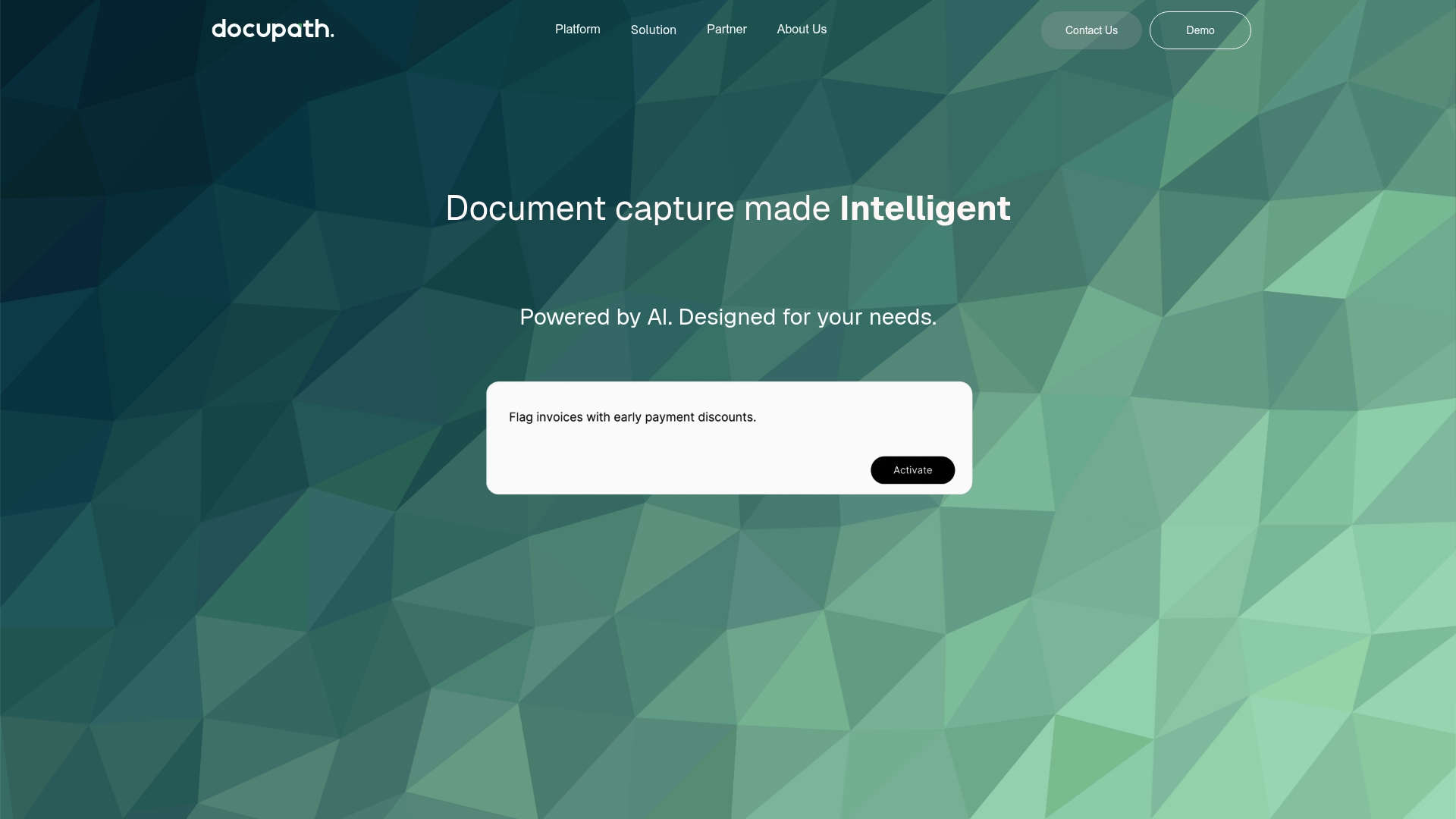
    Docupath

    https://docupath.ai

    At a Glance

    The product’s pricing page returns a 404 error, which is the most immediate operational detail you need to know before evaluating costs. Docupath supports multiple input channels and natural language prompts for on-the-fly corrections, so test intake flows early.

    Core Features

    • AI-powered document capture that accepts uploads, email, mobile scan, and API intake.
    • Extracts data from messy PDFs, scans, and images without templates and offers natural language prompts for corrections.
    • Real-time validation with anomaly alerts, fraud detection, and automated routing of approvals into workflows.

    Test each input method and prompt-driven correction during your trial period.

    Key Differentiator

    Docupath’s angle is practical flexibility: it handles a broad set of intake methods and lets nontechnical users correct or enrich data using plain-language prompts. That makes it useful where documents arrive from many channels and business users need to tweak extractions without engineering help.

    If your team needs centralized capture plus ad hoc corrections from finance or legal staff, put Docupath high on the shortlist.

    Pros

    • The vendor’s site includes user testimonials that describe the product as modern and easy to set up, suggesting a short ramp for business teams.
    • Tailored solutions for finance, legal, and customer service mean prebuilt mappings and validation rules for common workflows.
    • Natural language prompts let reviewers transform or correct fields without editing extraction templates, reducing back-and-forth with engineers.
    • Real-time validation combined with fraud detection provides immediate flags and automated routing for exceptions, which speeds exception handling.

    Run a short pilot with sample invoices or contracts to verify setup time and prompt accuracy.

    Cons

    • There are no detailed third-party user reviews on major platforms, which limits independent verification of long term reliability.
    • Several product pages, including pricing, are inaccessible; the 404 error on pricing makes cost modeling impossible without a sales conversation.
    • The public listing shows no integrations, so you will need to confirm connectors to your ERP or DMS directly with the vendor.

    Ask for a reference call, an integration checklist, and a sample run on your documents before contracting.

    Who It’s For

    Teams that need AI-driven document automation for finance, legal, or customer service workflows and that receive documents from email, mobile, or APIs. Docupath fits groups that want prompt-based corrections from domain experts rather than heavy template engineering.

    Compare against Docupow if you need autonomous agent behavior and deeper contextual understanding across large, heterogeneous document fleets.

    Real World Use Case

    A finance team routes vendor invoices via email and a mobile scanning kiosk into Docupath. The system extracts line items, validates totals, flags anomalies with fraud rules, and pushes cleaned data into accounting. Manual entry falls sharply and approvals move faster.

    Request a demo that processes a representative batch of your invoices.

    Pricing

    The vendor’s site shows the pricing page as a 404 error, so public pricing is not available. Docupath requires a direct sales engagement to get quotes, tiers, and SLA details.

    Contact sales and request a written price quote plus a proof-of-value trial before budgeting.

    Website: https://docupath.ai

    Docugami

    https://docugami.com

    At a Glance

    Docugami converts whole, complex documents into interconnected knowledge graphs that map relationships inside contracts, policies, and forms. The vendor’s marketing materials state the platform scales across thousands of document types and industries, which is central to its enterprise pitch.

    Core Features

    • Transforms documents into data graphs that preserve context and relationships, not just flat key value pairs.

    • Autonomously learns business rules so templates need less manual tuning over time.

    • Extracts structured fields from contracts, insurance forms, invoices, clinical trial files, HR records, and property documents.

    • Provides no-code interfaces aimed at business users and connectors for enterprise file systems and automation platforms.

    Key Differentiator

    Docugami’s standout mechanism is its emphasis on document-level knowledge graphs rather than isolated extractions. That design helps teams query relationships across documents, for example linking clauses, dates, and counterparties across a contract corpus. The approach favors enterprise cases where context and interdocument links matter.

    Pros

    • The product positions itself for enterprise scalability, with features targeted at high-volume, multi-document projects and sector-specific needs.

    • Business users can use the no-code interfaces to set rules and corrections without constant engineering support, which lowers handoffs between teams.

    • Strong connector coverage keeps files where they already live; built-in links to common enterprise tools reduce migration friction.

    • The vendor highlights industry focus areas such as commercial real estate, insurance, and life sciences, which shortens time to value when you have domain-specific documents.

    Cons

    • Independent, third-party user reviews were not located on major platforms; this gap makes independent assessment of UX and long term reliability harder.

    • The platform’s emphasis on knowledge graphs adds modeling complexity; smaller teams with simple one-off extraction needs may find it heavier than necessary.

    • Pricing details are not published in the provided data, so procurement teams will need vendor conversations to understand total cost and deployment model.

    When It May Not Fit

    If you need a lightweight extractor for a handful of templates or you require public reviews to validate vendor claims, Docugami may not be the best match. Teams that prefer per-field OCR tooling without interdocument reasoning will likely find the graph approach overengineered.

    Notable Integrations

    Docugami lists connectors for SharePoint, Word, Excel, Google Drive, OneDrive, Zapier, Power Automate, and Box. Those integrations support ingest, export, and automation with common enterprise storage and workflow tools.

    Who It’s For

    Medium to large enterprises in insurance, healthcare, real estate, and professional services that need deep document understanding across many file types. Useful when relationships across documents drive decisions, compliance, or underwriting.

    Real World Use Case

    A commercial insurance team feeds thousands of policy and claim documents into Docugami to extract policy terms, quotes, and claim attributes. The output links clauses to claim records, speeding underwriting decisions and reducing manual reconciliation.

    Pricing

    The product data lists pricing as informational only and does not provide public tier or per-seat numbers. Expect procurement discussions to surface licensing, deployment, and implementation costs for enterprise deployments.

    Website: https://docugami.com

    Intelligent Document Processing Assessment

    Organizations seeking efficient and scalable ways to automate document workflows encounter varied options, each tailored to specific use cases and user needs. Here, we weigh the strengths and tradeoffs of several competitors in this space.

    Integration and Template-Free Operation

    DocuPOW distinguishes itself with its ZeroShot extraction technology, enabling immediate utilization across diverse document layouts. This capability proves essential for teams managing unstructured information where predefined templates can limit agility. In contrast, while competitors like DocuPipe allow custom schemas, the reliance on manual field definitions may introduce operational overhead.

    Customization and Industry Focus

    Competing solutions such as DocuPipe and DocPlace emphasize configurable schemas and domain-specific features. This customization meets compliance needs for finance or healthcare sectors but may require a steeper onboarding period compared to DocuPOW’s template-free approach, which minimizes initial setup.

    Best Fit Scenarios

    • Choose DocuPOW for enterprises needing agile, template-free document extraction without predefined configurations.
    • Opt for DocPlace when native eSignature integration and advanced compliance auditing fit within your workflow priorities.
    • Utilize DocuPipe’s free-tier credits to conduct pilot projects geared toward validating AI capabilities at lower entry costs.

    Our Pick

    For teams requiring scalable, autonomous document processing suitable for various formats and structures, DocuPOW’s technology offers a compelling package. However, organizations valuing on-demand customization or extended compliance features may explore DocuPipe or DocPlace for their nuanced offerings.

    Intelligent Document Processing Platforms Comparison

    The following comparison outlines key features, differentiators, and considerations to help organizations select an intelligent document processing platform that meets their operational needs.

    Platform Core Feature Key Differentiator Best for Pricing Notable Limitation
    Docupow ZeroShot data extraction Autonomous data processing agents Multi-format document processing Not disclosed Initial setup requires technical support
    DocuPipe Extensive document type support Schema-based customizable AI extraction Organizations with varied templates Free tier, $99/month paid plans Vendor-reported reviews without external validation
    DocPlace AI classifications and eSignature Bundles document intelligence and eSignature Teams needing integrated compliance $90/user/month Advanced features gated behind higher-tier plans
    Document.One AI Hybrid cloud and on-premise deployment Integration-first design Enterprises with existing infrastructures Custom quotes based on project scale Sparse public evaluations
    Docupath Multi-channel AI capture Supports natural language corrections Finance, legal, and service workflows Not disclosed Pricing information is inaccessible
    Docugami Knowledge graph creation Deep context and relationship mapping Enterprises needing interdocument context Informational only Modeling complexity for smaller teams

    Choose Docupow for Smarter Document Processing Beyond Staple.ai Alternatives

    Organizations facing complex document workflows often struggle with managing diverse formats and layouts, causing frustrating template maintenance and manual data entry. Docupow solves this by using autonomous agents that extract data without templates, delivering accurate results across PDFs, images, and mixed documents. This eliminates bottlenecks in your financial or procurement processes and provides real-time analytics to anticipate and resolve exceptions faster.

    https://docupow.ai

    Explore how Docupow’s AI-driven automation can reduce errors and accelerate your document operations starting now. Visit Docupow to see how you can integrate autonomous extraction and predictive insights that deliver faster spend visibility and minimize manual reconciliation.

    Frequently Asked Questions

    How does Docupow’s ZeroShot extraction capability benefit users?

    Docupow offers a ZeroShot data extraction capability that enables processing without templates, making it particularly useful for teams managing diverse document layouts. This feature allows rapid identification and extraction of data from structured, semi-structured, and unstructured documents, reducing operational overhead significantly. Prospective users can expect streamlined document handling and less manual intervention.

    What is the difference between Docupow and DocuPipe in terms of customizability?

    DocuPipe allows users to create custom definitions for business-specific data, which can be beneficial for specialized workflows. In contrast, Docupow’s strength lies in its template-free processing, which simplifies handling large volumes of heterogeneous documents without the ongoing maintenance of custom schemas. Buyers should evaluate their needs; if customizability is a priority, DocuPipe may be advantageous, while Docupow simplifies extraction across varied formats.

    Which platform offers better API integration for enterprise systems?

    Docupow features API-based integration paths, enabling swift transfers to ERP, CRM, and other systems, which is ideal for users needing rapid deployment into existing infrastructures. This compatibility is pivotal for ensuring extracted data is quickly operationalized across enterprise environments. Companies planning to integrate document processing into existing software should consider this feature in their selection process.

    Can I trust Docupow for compliance and security needs?

    Docupow includes enterprise controls and highlights its security and compliance features, making it suitable for regulated industries. This aspect is crucial for organizations that require not only effective document processing but also adherence to stringent data protection regulations. Users can rely on Docupow for secure handling of sensitive information while automating their document workflows.

    How does the setup complexity of Docupow compare to that of Document.One AI?

    Setting up Docupow can be complex and often requires technical support to align connectors and rules, making initial implementation potentially daunting for some users. In comparison, Document.One AI emphasizes the ability to integrate with existing systems without needing a complete overhaul, which may reduce setup friction in legacy environments. Evaluating team technical capabilities can help users choose the right platform for their integration needs.

  • The Role of Automation in Reducing Operational Costs

    The Role of Automation in Reducing Operational Costs

    Most business leaders think about automation as a way to replace workers. That framing misses most of the value. The real role of automation in reducing operational costs is far broader: it removes friction from workflows, catches errors before they compound, and lets your organization scale output without scaling headcount proportionally. This guide covers the mechanisms that actually drive cost reduction, what the evidence says about measurable impact, and where leaders typically go wrong when they expect automation to pay for itself without changing how work actually happens.

    Table of Contents

    Key takeaways

    Point Details
    Automation reduces more than labor costs It lowers error rates, rework, processing time, and overtime, not just headcount.
    Workflow embedding multiplies ROI AI tools embedded in existing processes produce 10–14% productivity gains, while isolated deployments underperform.
    Real-world results are substantial AI invoice processing cut per-invoice costs by 80% and delivered a 767% first-year ROI.
    Technology alone is not enough Most organizations spend 93% of AI budgets on technology and only 7% on people and process change, limiting actual savings.
    Measure with operational KPIs Track cycle time, throughput, and error rates rather than vague “time saved” estimates to confirm real impact.

    The role of automation in reducing operational costs

    Automation’s cost-reducing power comes from a set of specific mechanisms, not from a single silver bullet. Understanding them gives you a cleaner picture of where to invest and what to expect.

    End-to-end workflow execution. Automation handles entire task sequences rather than isolated steps. When a purchase order arrives, an automated system can validate it, match it against contract terms, route it for exception handling, and log the transaction, all without a human touching the file. This end-to-end process execution reduces the per-transaction cost because fewer handoffs mean less coordination overhead and fewer delays.

    Error reduction and rework elimination. Manual data entry produces errors at predictable rates. Those errors create downstream costs: corrections, disputes, delayed payments, and audit time. Automation embeds validation rules at the point of data capture, catching problems immediately rather than three invoice cycles later.

    Administrator reducing invoice data entry errors

    Continuous operation without overtime. Automated systems process tasks around the clock. For organizations with high-volume workflows, this removes the need for extended shifts or peak-period staffing. Capacity expands without adding to your labor bill.

    Scalability without proportional cost growth. This is where reducing overhead with automation gets particularly compelling. When transaction volume doubles, a manual operation roughly doubles its labor requirement. An automated operation handles that growth with marginal additional cost, because the fixed investment in the automation infrastructure gets spread across a larger output base.

    • Validates data at ingestion, preventing downstream rework
    • Removes bottlenecks caused by manual handoffs and approval queues
    • Runs outside business hours without overtime premiums
    • Scales throughput without linear headcount increases
    • Standardizes outputs, reducing quality variation and its associated costs

    Pro Tip: Before automating anything, map the workflow end to end. Automating a broken process makes it fail faster and at scale. Fix the process logic first, then apply automation.

    Real-world results: what the data actually shows

    The impact of automation on costs becomes concrete when you look at specific deployments rather than vendor claims.

    Invoice processing: a clear benchmark

    One of the most documented cases involves AI-powered invoice processing. The numbers are striking. Per-invoice processing cost dropped from €15 to €3, an 80% reduction. Processing speed improved by 93%. Straight-through processing, meaning invoices handled with zero human intervention, reached 75%, with accuracy above 99%. First-year ROI came in at 767%, with additional savings from early payment discount capture and duplicate payment prevention totaling over €2 million.

    Infographic shows automation impact statistics

    Those figures are not from a theoretical model. They reflect what happens when automation is embedded into a real document workflow with proper validation rules and exception handling built in.

    AI in developer workflows

    A Deloitte pilot embedding AI tools directly into developer workflows showed a 10–14% productivity lift and 90% adoption rates. The key factor was that the tools were integrated into existing work patterns, not offered as separate applications that employees could ignore.

    The cost math follows naturally. When scale amortizes fixed investment, the comparative cost advantage of automated operations compounds over time. A company processing 10,000 invoices annually and one processing 200,000 annually both pay roughly the same fixed automation setup cost. The larger organization’s per-unit cost benefit is proportionally far greater.

    Metric Before automation After automation
    Cost per invoice €15 €3
    Processing time Baseline 93% faster
    No-touch processing rate Low 75%
    First-year ROI — 767%
    Accuracy rate Variable 99%+
    • Cost reductions scale with volume, making automation more valuable as operations grow
    • Embedded tools outperform standalone deployments across every measured category
    • Early payment discounts and error prevention add secondary financial benefits beyond direct labor savings

    Why automation doesn’t always deliver cost savings

    This is the part most vendor presentations skip. The benefits of automation in operations are real, but they depend heavily on how you implement, not just what you implement.

    The most consistent finding from deployment research is that AI budgets skew 93% toward technology and only 7% toward the people and process changes that determine whether the technology actually gets used. That imbalance is why so many automation projects produce modest returns despite significant investment.

    There is also the infrastructure cost problem. AI infrastructure budgets are expected to more than triple over three years, with 86% of organizations anticipating increases. That ongoing spend directly affects your net savings calculation. An automation system that saves $500,000 annually in labor but requires $300,000 in infrastructure, governance, and support produces $200,000 in actual savings, not $500,000. Few financial plans account for this accurately at the outset.

    Leadership and culture are not soft factors here. They are determinants of adoption rates, and adoption rates determine whether the productivity and cost benefits materialize.

    Pro Tip: Calculate total cost of ownership before projecting savings. Include infrastructure, vendor contracts, internal support, governance overhead, and training. The net figure will be lower than the gross savings estimate, and that is the number your financial plan should use.

    Here are the most common reasons automation projects underdeliver:

    • Process was not redesigned before automation was applied
    • Change management was treated as optional rather than a core workstream
    • Leadership did not model adoption or set clear usage expectations
    • Infrastructure and ongoing operational costs were excluded from ROI calculations
    • Success was measured by “time saved” rather than operational KPIs like cycle time or error rate

    How to implement automation that actually cuts costs

    Knowing where the value lives and where the risks hide gives you a framework for moving forward deliberately.

    1. Identify the right processes first. Not every workflow is worth automating. Focus on processes that are high volume, rule-based, and currently dependent on manual data handling. Accounts payable, order processing, compliance documentation, and report generation are reliable starting points. The workflow automation benefits compound fastest in these areas because the error and volume characteristics make automation economics strong.

    2. Embed tools into existing workflows. The research is unambiguous on this point. Automation deployed as a separate application that employees access optionally will underperform. Tools integrated into the platforms your teams already use produce dramatically higher adoption and measurably better results.

    3. Invest in change management proportionally. If your technology budget is $1 million, allocate meaningful resources to training, communication, and leadership alignment. The 93/7 split is a common failure pattern, not a recommended practice.

    4. Set measurable KPIs before you launch. Define what success looks like in operational terms: cycle time for invoice approval, error rate per thousand transactions, throughput during peak periods, overtime hours per month. Vague metrics like “efficiency improvements” make it impossible to evaluate whether the investment is working.

    5. Plan for total cost of ownership from day one. Include infrastructure, security, compliance, vendor support, and internal operational costs in your financial model. Automation and cost efficiency are real, but the math only holds up if you are tracking the full picture.

    Pro Tip: Run a 90-day pilot on a single high-volume process before committing to a broader rollout. You will learn more about your specific workflow constraints in those 90 days than in any planning exercise.

    Automation benefits by industry and function

    Does automation lower operational costs equally across industries? Not exactly. The mechanisms are the same, but the impact profile varies significantly by context.

    Industry Primary cost lever Key automation benefit
    Manufacturing Equipment uptime, throughput Bottleneck removal, real-time process monitoring
    Finance and accounting Document processing, compliance Speed, accuracy, audit readiness
    Logistics Exception handling, routing Workflow orchestration, fewer manual interventions
    Customer service Response time, case resolution Faster routing, reduced manual administration

    Industry-specific automation benefits vary because the types of friction differ. Manufacturing environments often deal with coordination bottlenecks between equipment and data systems. Finance functions carry significant document handling burdens where errors generate regulatory and financial consequences. Logistics operations deal with high exception rates that consume disproportionate manual effort.

    Supply chain functions, in particular, benefit from AI-powered data extraction applied to vendor documents, shipping records, and compliance certificates. When data extraction is automated across those document types, procurement teams spend less time on manual reconciliation and more time on supplier relationship decisions that actually require human judgment.

    What the evidence consistently shows is that automation redesigns operations for agility and scalability, not just for cost reduction. The cost reduction is the result of improved consistency, reduced friction, and better resource utilization. The industries that realize the most benefit are typically those where document-heavy, rule-bound processes create predictable friction at scale.

    My take on automation and cost savings

    I have watched organizations invest heavily in automation technology and walk away with results far below what the business case projected. And I have seen leaner deployments produce outsized returns. The difference almost always comes down to one thing: whether the organization treated automation as a tool purchase or as a redesign of how work happens.

    When a team drops an AI tool on top of a broken approval process, the automation makes the broken process run faster. The underlying cost driver, the rework, the exceptions, the manual escalations, is still there. The tool just handles it with slightly less human time.

    What actually works is starting with the workflow. Map every step, find where decisions get delayed, where data gets re-entered, where errors concentrate. Then automate the redesigned version. The organizations that do this consistently see the results the case studies describe. The ones that skip it are the ones wondering why their automation spend did not produce the projected savings.

    I am also skeptical of any cost-saving projection that excludes infrastructure and governance. The AI infrastructure costs are rising fast, and they compound. Get the total cost of ownership right before you commit to a business case number. You will have more credibility with your finance team, and you will build a more honest case for the investment.

    — Vivek

    How Docupow helps you cut operational costs

    https://docupow.ai

    If your organization processes high volumes of documents, from invoices and purchase orders to compliance certificates and shipping records, manual handling is likely one of your largest hidden cost drivers. Docupow’s AI-powered platform applies intelligent automation directly to those workflows, extracting data from unstructured documents without rigid templates, reducing manual entry, and feeding clean data into your existing systems in real time.

    The document and workflow automation services Docupow provides are purpose-built for industries where document complexity creates operational friction. Manufacturing, logistics, construction, and financial operations teams use Docupow to reduce processing costs, improve data accuracy, and get financial visibility they could not achieve with manual workflows. If you want to see where document automation would have the most impact on your cost structure, Docupow offers consultations to map your current workflow gaps and project realistic savings.

    FAQ

    What is the primary role of automation in reducing operational costs?

    Automation reduces operational costs by executing routine tasks end to end, eliminating manual errors, reducing processing time, and enabling organizations to scale output without proportional increases in labor costs.

    How much can automation reduce invoice processing costs?

    AI-powered invoice processing has demonstrated an 80% reduction in per-invoice cost and 93% faster processing, with a first-year ROI of 767% in documented deployments.

    Why do some automation projects fail to deliver cost savings?

    Most automation projects underdeliver because organizations invest heavily in technology while underinvesting in workflow redesign and change management. Research shows that 93% of AI budgets go to technology and only 7% to people and process changes, which limits actual adoption and results.

    What operational KPIs should you track to measure automation impact?

    Track cycle time, throughput, and error rates per process rather than vague “time saved” metrics. These KPIs give you a clear picture of whether automation is producing measurable operational improvement.

    Does automation lower operational costs in all industries equally?

    No. The cost reduction mechanisms are consistent, but the magnitude of impact varies by industry. Document-heavy functions like finance and logistics typically see the sharpest reductions because the automation directly addresses high-volume, error-prone manual processes.

  • Document Automation’s Role in Customs Clearance

    Document Automation’s Role in Customs Clearance

    The role of document automation in customs clearance is widely misunderstood. Most professionals assume it means replacing licensed brokers with software. The reality is more useful and more nuanced. Intelligent document processing, the industry’s standard term for this technology, works by extracting and validating data from commercial invoices, packing lists, and certificates of origin, then pushing that structured data into customs filing systems. The broker stays in the loop. The paperwork grind does not. This article breaks down how it works, what it actually delivers, and where the limits are.

    Table of Contents

    Key takeaways

    Point Details
    Automation augments, not replaces Document automation handles data extraction and validation, while brokers retain legal accountability for filings.
    Significant time savings AI pipelines can reduce filing time by 70%, shifting broker focus to classification and exceptions.
    Compliance requires human oversight HS code suggestions from AI always need broker review due to legal liability risks.
    Auditability is non-negotiable Every extracted field must be traceable back to source documents for compliance and investigations.
    Emerging trends accelerate adoption Centralized clearance models and interoperable digital platforms are reshaping customs workflows in 2026.

    How document automation works in customs clearance

    Intelligent document processing integrates into customs workflows through a defined pipeline, not a single magic step. Understanding each stage helps you evaluate whether a solution will actually fit your operation.

    Here is how a typical automation workflow runs from document receipt to customs filing:

    1. Document ingestion. The system receives documents, whether scanned PDFs, email attachments, or EDI files, and identifies each document type. A commercial invoice is treated differently from a phytosanitary certificate or a bill of lading. The AI pipeline classifies each document type first, then applies the appropriate extraction model.

    2. Data extraction. The system pulls specific fields: shipper name, consignee, country of origin, commodity description, declared value, weight, and quantity. Unlike older template-based tools that break when a supplier changes their invoice layout, context-aware AI reads the document the way a trained human would, understanding field relationships rather than just field positions.

    3. Validation and confidence scoring. Extracted data is checked against expected formats, cross-referenced across documents, and flagged when values conflict. A declared weight on the invoice that does not match the packing list gets routed for human review, not silently passed through.

    4. Pre-population of customs declarations. AI can pre-populate 80 to 90% of customs declaration fields automatically, eliminating the manual re-keying that consumes hours of broker time per shipment.

    5. Push to customs platforms. Validated data flows directly into systems like CargoWise, Descartes, or government single-window portals, ready for broker review and final submission.

    The practical impact of eliminating manual re-keying is larger than it sounds. A broker handling 50 shipments a day, each requiring data entry across five or six document types, can spend the majority of their shift on pure transcription. That is not where their expertise adds value.

    Pro Tip: When evaluating any automation solution, ask specifically how it handles document type variability. A system that requires template setup for every new supplier format will create more maintenance work than it eliminates.

    Infographic outlining automation steps in customs clearance

    Benefits for compliance and operational efficiency

    The document automation benefits that matter most to customs professionals fall into three categories: accuracy, speed, and compliance visibility.

    Manager verifying customs data in logistics office

    On accuracy, automation reduced document-error-related incidents by up to 34% at the US-Mexico border, while simultaneously cutting the manual effort required to upload and process documents by hours each week. Fewer errors mean fewer holds, fewer amended entries, and fewer penalty exposure events.

    On speed, the gains compound quickly:

    • Pre-populated declarations mean brokers spend minutes reviewing rather than hours entering data.

    • Real-time validation catches discrepancies before submission, not after a customs query arrives.

    • Automated document uploads eliminate the back-and-forth of manual downloads from email and carrier portals.

    • Faster first-time-right filings reduce dwell time at ports and border crossings.

    On compliance visibility, this is where automation changes the conversation most significantly. When every extracted field is traceable to its source document, your audit trail builds itself. You know exactly what data was used, when it was extracted, and whether it was flagged for review. That traceability matters enormously during post-entry audits or government inquiries.

    Automation also supports centralized clearance models, where a single team handles declarations across multiple entry points rather than duplicating effort at each location. This approach reduces repeated document submission and processing overhead, and pilot implementations planned for 2026 in several jurisdictions are already demonstrating faster clearance times.

    One underappreciated benefit: automation frees experienced brokers to concentrate on the work that actually requires their expertise. HS classification decisions, binding ruling applications, and exception handling demand judgment that no software can replicate. When data entry is handled automatically, that judgment gets applied where it belongs.

    Challenges and real limits of automation

    Automation does not make customs clearance simple. It makes the data-handling portion faster and more accurate. The regulatory and legal dimensions remain fully in human hands.

    Licensed brokers retain final accountability for every submission in the US, regardless of how the data was assembled. The software does not hold a license. The broker does. That distinction is not a technicality. It shapes how automation must be designed and how workflows must be structured.

    “AI-suggested HS codes always require broker review with confidence scoring due to legal liability risks. The broker finalizes classification despite automated suggestions.” — FreightMynd, 2026

    This matters for implementation decisions. Any workflow that routes HS classification suggestions directly to submission without broker review is not just operationally risky. It is a compliance failure waiting to happen.

    The other major challenge is exception handling. Automation performs well on clean, complete, standard documents. It performs less well when a supplier submits a handwritten certificate, a document is partially legible, or a shipment involves a commodity with complex classification rules. Automation designs must enable auditability and exception routing so that every extracted field can be traced back and every anomaly gets human attention.

    Common implementation pitfalls include:

    • Treating confidence scores as approvals rather than signals for review

    • Failing to configure exception queues, so flagged documents get stuck rather than escalated

    • Underinvesting in staff training on how to handle automation outputs and override incorrect extractions

    Pro Tip: Build your exception workflow before you deploy automation, not after. Knowing exactly what happens when a document fails extraction is more important than knowing what happens when it succeeds.

    The technology is moving fast, and several shifts in 2026 are worth tracking closely.

    Trend What it means for brokers
    Centralized clearance models Single-team processing across entry points reduces duplication and speeds filings
    ASYCUDA and interoperable platforms Online pre-declaration allows filing before cargo arrives, cutting delays significantly
    Confidence scoring advances AI now provides field-level confidence scores, making exception routing more precise
    Automated denied party screening Fuzzy matching against sanctions lists catches restricted parties that manual checks miss
    Supply chain IT integration Automation connects directly to TMS, ERP, and WMS platforms, creating end-to-end data flow

    The UNCTAD emphasis on interoperability is particularly significant. Automation value increases with standardization and online pre-declaration capabilities, meaning the more your systems talk to each other, the more you extract from any single automation investment.

    Denied party screening automation deserves special attention. Manual screening against sanction lists is error-prone and time-consuming. Automated screening using fuzzy matching algorithms catches name variations and partial matches that a human reviewer scanning a list would miss. For brokers handling high volumes of international shipments, this is a material compliance improvement.

    Practical implementation guidance

    Getting automation right in a customs environment requires more than selecting a capable tool. The workflow design and governance structure matter just as much as the technology.

    When building your implementation approach, focus on these priorities:

    • Platform integration first. Choose solutions that connect directly to your existing customs filing platform. Data that has to be manually transferred between systems defeats the purpose of automation. Docupow’s AI-powered data extraction is built to integrate with logistics and customs platforms rather than operate as a standalone tool.

    • Audit trail by design. Configure your system so that every extracted field retains a link to its source document. This is not optional for customs compliance. It is the foundation of defensible filings.

    • Broker review stages are mandatory. Automation should reduce the time brokers spend on data entry, not eliminate their review of the output. Design review checkpoints into every workflow, especially for classification and valuation fields.

    • Train for exceptions, not just normal flow. Your team needs to know how to handle flagged documents, override incorrect extractions, and escalate ambiguous classifications. Exception handling competence is what separates a well-run automated workflow from a liability.

    • Measure what matters. Track time per declaration, error rates before and after automation, and the number of shipments requiring amended entries. These metrics tell you whether automation is delivering real value or just shifting where the work happens.

    Pro Tip: Start with a document type that is high volume and relatively standardized, like commercial invoices from your top five suppliers. Prove the workflow there before expanding to more complex document types.

    My take on automation and broker expertise

    I have spent enough time working with customs workflows to have a strong opinion on this: the professionals who fear automation are solving the wrong problem, and the ones who trust it blindly are creating new ones.

    What I have seen work is treating automation as a capable but junior team member. It processes documents faster than any human, catches formatting inconsistencies reliably, and never gets tired at the end of a long shift. What it cannot do is understand why a particular commodity classification matters in the context of a trade agreement, or recognize when a supplier’s description is technically accurate but commercially misleading.

    The brokers I have seen thrive with automation are the ones who redesigned their workflows around it rather than just adding it on top of existing processes. They moved their attention upstream, to pre-shipment document quality, and downstream, to classification review and compliance monitoring. They stopped being data entry professionals and started being compliance professionals.

    The uncomfortable truth is that automation augments broker workflows in ways that make experienced brokers more valuable, not less. The junior staff who spent their days re-keying data are the ones whose roles change most significantly. That is a workforce planning conversation worth having before you deploy, not after.

    My advice: implement with intention, govern with rigor, and never let a confidence score substitute for professional judgment.

    — Tasnim

    How Docupow handles customs document processing

    https://docupow.ai

    Customs document workflows generate exactly the kind of high-volume, format-variable, compliance-critical data that Docupow was built to handle. The platform uses autonomous AI agents that understand document context rather than relying on rigid templates, which means it adapts when suppliers change their invoice formats without requiring manual reconfiguration.

    For logistics professionals and customs brokers, Docupow extracts data from commercial invoices, packing lists, and certificates of origin, validates it across documents, and pushes structured outputs to your customs filing platform. Every extraction is traceable. Every exception is routable. If you are ready to move from manual data entry to intelligent document automation, Docupow is worth a close look. You can also explore high-volume processing strategies built specifically for customs and logistics scale.

    FAQ

    What is the role of document automation in customs clearance?

    Document automation, formally called intelligent document processing, extracts and validates data from shipping documents and pre-populates customs declarations. It reduces manual entry and errors while brokers retain full legal accountability for filings.

    Does automation replace licensed customs brokers?

    No. Automation handles data extraction but cannot replace the legal judgment and regulatory accountability that licensed brokers provide, particularly for HS classification and compliance decisions.

    How much time can automation save in customs filings?

    AI-powered pipelines can reduce customs filing time by up to 70%, primarily by eliminating manual re-keying of data from commercial invoices, packing lists, and certificates of origin.

    What documents does customs document automation typically process?

    Most systems handle commercial invoices, packing lists, bills of lading, certificates of origin, and phytosanitary certificates. The best platforms adapt to format variations without requiring template reconfiguration for each supplier.

    How does automation support customs compliance?

    Automation improves compliance through real-time cross-document validation, automated denied party screening using fuzzy matching, and full audit trails that trace every extracted field back to its source document.

  • High-Volume Document Processing Best Practices in 2026

    High-Volume Document Processing Best Practices in 2026

    Managing document volumes at scale is one of the most underestimated operational challenges in modern business. Whether you’re processing thousands of invoices monthly or handling insurance claims across multiple regions, high-volume document processing best practices separate teams that scale efficiently from those that drown in backlogs and errors. The difference is rarely about working harder. It’s about building the right architecture, calibrating automation intelligently, and governing your data with precision.

    Table of Contents

    Key Takeaways

    Point Details
    Build for burst capacity Use event-driven queues and autoscaling to absorb document intake spikes without downstream failures.
    Calibrate human review thresholds Set field-specific confidence thresholds conservatively at first, then tune based on real reviewer metrics.
    Preprocess before you extract De-skewing and denoising improve OCR accuracy but carry processing costs that require tradeoff analysis.
    Govern metadata from day one Tag documents with class labels, sensitivity levels, and provenance before scaling automation.
    Match technology to workload Serverless and microservices architectures reduce cost and complexity for variable-volume document pipelines.

    1. High-volume document processing best practices start with architecture

    Before you touch a single document, your pipeline architecture determines whether you scale or stall. Most teams underestimate how uneven document intake actually is. Month-end invoice runs, open enrollment periods in insurance, and quarterly audits all create sudden spikes that flat architectures cannot absorb without dropping documents or degrading accuracy.

    The fix is an event-driven design with durable ingress queues that buffer incoming documents before routing them to processing stages. Queue depth alerts and retry logic with idempotency protection keep downstream systems stable during those spikes. Without this, a surge in intake can cascade into failed extractions and corrupted records.

    Each stage in your pipeline, ingestion, OCR, natural language processing, and verification, carries a different compute and latency profile. Separating these stages by workload profile avoids costly overprovisioning and allows you to scale each step independently. You don’t need the same compute resources for file ingestion as you do for GPU-bound layout inference.

    Pro Tip: Build your queue routing logic to classify document types at ingestion. A tax form and a handwritten claim note require completely different downstream resources. Routing them identically wastes budget and slows throughput.

    Capacity planning should be grounded in real metrics: page sizes, language distribution, skew rates, and handwriting prevalence. Modeling peak workloads from these measurements prevents both overprovisioning and the more dangerous problem of underprovisioning during critical processing windows.

    2. Use micro-batching to maximize throughput without sacrificing latency

    Micro-batching is one of the most practical document processing optimization techniques available, yet most teams either skip it entirely or implement it poorly. The idea is straightforward: instead of processing documents one at a time or waiting to fill a large batch, you accumulate small groups and flush them within defined latency windows.

    Engineer monitoring micro-batch processing dashboard

    Micro-batching improves GPU utilization and lowers cost per page in high-volume OCR and layout inference pipelines. At millions of pages per month, even a modest reduction in cost per page compounds into significant savings. The key is calibrating your batch size and flush interval to match your latency requirements. A finance team processing overnight invoice batches can tolerate larger windows. A logistics team tracking real-time shipment documents cannot.

    The deeper benefit is GPU idle time reduction. When you pair micro-batching with multi-threaded pipelines and bounded queues with backpressure, CPU-bound parsing and GPU-bound inference overlap rather than wait on each other. That overlap is where throughput gains actually come from.

    3. Optimize preprocessing steps for OCR accuracy

    Garbage in, garbage out is never more true than in document extraction. Preprocessing steps like de-skewing, denoising, and contrast correction increase OCR confidence, but they add processing cost. The tradeoff is real and must be validated statistically for each document type in your pipeline.

    Here is a practical breakdown of preprocessing techniques and their typical impact:

    Technique Primary benefit Cost consideration
    De-skewing Reduces character misreads on rotated scans Low to moderate CPU overhead
    Denoising Improves accuracy on fax or low-resolution scans Moderate, scales with resolution
    Contrast correction Helps with faded or low-contrast documents Low overhead, high ROI on aged files
    Binarization Converts grayscale to black/white for faster OCR Minimal cost, significant speed gain

    Don’t apply every preprocessing step to every document. A clean, high-resolution PDF from a modern scanner needs none of these. Applying them anyway wastes compute. Build a document quality classifier at ingestion to route documents to the appropriate preprocessing path.

    Pro Tip: Run A/B tests on a representative sample of your document types before enabling preprocessing in production. Accuracy lifts vary significantly by document class, and the compute cost may not justify the improvement for some categories.

    4. Cache geometry and spatial indices to cut postprocessing latency

    Once OCR runs, the postprocessing stage, reading order reconstruction, table extraction, and layout analysis, is where many pipelines quietly bleed performance. The most common mistake is recomputing spatial relationships and reading order every time a page is processed.

    Caching geometry and spatial indices eliminates repeated expensive computations during layout postprocessing and reduces per-document latency substantially. At scale, avoiding even 50 milliseconds of redundant computation per page across millions of monthly documents translates to real cost reduction. This is budget-critical at scale, not a minor optimization.

    Table extraction deserves particular attention. Tables in financial documents, purchase orders, and contracts are structurally complex. Pre-indexing cell boundaries and column alignments during an initial parse pass, then reusing that index for subsequent field extraction, cuts processing time without sacrificing accuracy.

    For teams using Python-based pipelines, the TurboDocling project demonstrates practical implementations of spatial caching that are worth studying before building your own solution.

    5. Balance automated extraction with human-in-the-loop review

    Full automation is a worthy goal, but it’s not the right configuration for most document types in most organizations. Human-in-the-loop (HITL) review should be conservatively configured at first, with field-specific confidence thresholds, then adjusted as you gather real performance data.

    Here’s a practical sequence for setting up HITL review:

    1. Identify high-risk fields first. Payment amounts, legal entity names, and tax identifiers carry more business risk than document dates or reference numbers. Trigger human review on these fields at lower confidence thresholds.

    2. Set conservative thresholds at launch. Start with a threshold that sends more documents to review than you expect to need. This protects accuracy during the initial rollout period.

    3. Measure reviewer throughput. Reviewer throughput benchmarks around 120 documents per hour, with 15 to 45 seconds per document. Use this to size your review team and set realistic queue expectations.

    4. Track escalation rates by document type. If one document class consistently exceeds your escalation threshold, that’s a signal to retrain your extraction model, not to add more reviewers.

    5. Feed corrections back into training. Active learning from corrections turns every human correction into a labeled training example. Over months, this incrementally improves model precision and reduces review load.

    Pro Tip: Design your review interface to surface the specific field that triggered the review, not the entire document. Reviewers who scan full documents for a single uncertain value are slower and more error-prone than those who see the flagged field in context.

    6. Enforce metadata tagging and lifecycle governance

    This is the area where most teams cut corners early and pay for it later. Machine-readable metadata including class labels, sensitivity levels, currency flags, and provenance records are not optional in a compliant, auditable document pipeline. They are the foundation that makes every downstream process trustworthy.

    Lifecycle governance adds another layer. Documents that were accurately extracted six months ago may carry stale data if the underlying records have changed. Confidence decay functions flag documents whose extracted data may no longer reflect current reality, prompting re-verification before the data is used in financial reporting or compliance submissions.

    For security, multi-tenant workloads must be isolated at the infrastructure level. A shared processing queue that handles documents from multiple business units or clients is a compliance risk. Logical separation is insufficient for sensitive document classes. Physical or cryptographic isolation is required.

    ISO 27001 Annex A.8.15 requires centralized logging with defined retention periods and automated alerting. Aligning your document pipeline logging to this standard gives you audit trails that hold up under regulatory scrutiny and support incident response when extraction errors or data breaches occur.

    7. Evaluate technology choices against your actual workload

    Efficient document handling techniques depend heavily on matching your technology stack to your actual workload profile, not the workload you expect to have in three years. Here are the key decisions to get right:

    • Scanning hardware: For high-volume physical document intake, production-grade scanners with automatic document feeders and duplex capability reduce per-page scan time by 40 to 60 percent compared to flatbed alternatives. The upfront cost is justified at volumes above 10,000 pages per month.

    • Cloud-based serverless architectures: Serverless functions with microservices design let you scale individual processing stages independently and pay only for what you use. For variable-volume pipelines, this consistently beats fixed-infrastructure costs.

    • ERP and CRM integration: Your extracted data has no value sitting in a processing system. Direct API integration with your ERP or CRM eliminates manual re-entry and closes the loop between document processing and business operations. Teams using Docupow’s AI workflow automation benefit from pre-built connectors that reduce integration time significantly.

    • Budget-conscious alternatives: For organizations not yet at enterprise scale, open-source OCR engines like Tesseract combined with lightweight orchestration tools can handle moderate volumes. The tradeoff is engineering time versus licensing cost. At high volumes, purpose-built platforms almost always win on total cost of ownership.

    For industry-specific considerations, logistics document workflows and insurance pipelines have distinct compliance and throughput requirements that generic solutions often miss.

    My honest take on scaling document processing

    I’ve spent years watching organizations invest heavily in document automation and still end up with fragile, expensive pipelines. The pattern is almost always the same. Teams rush to automate everything, skip the metadata governance work because it feels unglamorous, and then discover six months later that their extracted data can’t be trusted for financial reporting.

    What I’ve learned is that the most durable document processing operations are built incrementally. You don’t need a perfect architecture on day one. You need one that is observable, meaning you can see exactly where documents fail and why, and one that is adjustable without a full rebuild.

    The other mistake I see constantly is over-automating human review too quickly. Dropping HITL thresholds to reduce reviewer workload before your model has enough correction data is a false economy. You save reviewer hours in the short term and spend weeks cleaning up downstream errors in your ERP or financial records.

    Start with metadata governance. Tag every document class, sensitivity level, and provenance source from the first day of production. It feels like overhead until the first audit, and then it feels like the smartest decision you made. The teams that get this right early are the ones that can actually trust their automation outputs, and that trust is what lets you scale confidently.

    — Sameer

    How Docupow helps you put these practices to work

    https://docupow.ai

    Docupow is built specifically for organizations that process documents at scale and need accuracy they can stake financial decisions on. Unlike template-dependent tools, Docupow uses autonomous AI agents that understand document context, which means your pipeline adapts to new document formats without manual reconfiguration.

    For operations and finance teams, Docupow’s document automation platform covers the full pipeline: ingestion, extraction, HITL review routing, and ERP integration. Industry-specific solutions for real estate and insurance come with compliance and auditability features built in. Real-time analytics give your team visibility into queue health, extraction confidence, and reviewer throughput without custom dashboards. If you’re ready to move from reactive document handling to a pipeline you can actually rely on, Docupow is worth a close look.

    FAQ

    What is the biggest risk in high-volume document processing?

    The most common risk is accuracy degradation at scale, where low-confidence extractions pass through without review and corrupt downstream financial or operational records. Setting field-specific HITL thresholds and logging all extraction confidence scores mitigates this.

    How many documents can a human reviewer process per hour?

    Research benchmarks reviewer throughput at approximately 120 documents per hour, with 15 to 45 seconds per document depending on complexity. Use this figure to size your review team and set queue depth alerts.

    When should I use serverless architecture for document processing?

    Serverless works best for variable-volume pipelines where document intake fluctuates significantly. It reduces idle infrastructure costs and scales individual processing stages independently, which is difficult to achieve with fixed-server architectures.

    What metadata should every processed document carry?

    At minimum, tag each document with its class label, sensitivity level, processing timestamp, extraction confidence score, and data provenance. This supports auditability, compliance reporting, and confidence decay tracking over time.

    How does active learning improve document extraction accuracy?

    Every correction made during human review becomes a labeled training example. Over months of consistent correction feedback, the extraction model incrementally improves precision on the specific document types and fields your organization processes most frequently.

  • How to Connect Document Automation to Existing Systems

    How to Connect Document Automation to Existing Systems

    Most organizations already have the pieces in place: a CRM, an ERP, HR software, and a handful of approval workflows. What they lack is the connective tissue. When you try to connect document automation to existing systems without a clear integration plan, you end up with duplicated data entry, broken handoffs, and documents that live in email threads instead of structured records. This guide gives you the architectural patterns, preparation steps, and troubleshooting knowledge to actually wire these systems together and get reliable, end-to-end document workflows running.

    Table of Contents

    Key takeaways

    Point Details
    Map your data flows first Audit every system your documents touch before writing a single API call or building a connector.
    Match execution patterns to use cases Use synchronous APIs for instant generation and webhooks for signing events to avoid brittle workflows.
    Metadata beats filenames Track documents through their lifecycle using structured metadata fields, not filename conventions.
    Test in parallel, not in isolation Run new automation pipelines alongside existing workflows before cutting over to catch errors early.
    Audit logs are non-negotiable Capture signer identity, timestamps, and lifecycle events to meet compliance requirements from day one.

    How to connect document automation to existing systems

    Before you touch a single API, you need an honest picture of what you already have. That means mapping every system your documents currently flow through: your CRM (Salesforce, HubSpot), your ERP (SAP, Oracle, Microsoft Dynamics), HR platforms, custom-built apps, and any shared drives or SharePoint libraries acting as de facto document stores.

    The goal is to understand the data contract each system expects. As one practical framework puts it, reliable automation depends more on understanding what data fields your templates require and what downstream systems need than on the document generation capability itself. A contract template that pulls 40 fields from Salesforce will break silently if even one field mapping is wrong.

    Once you have that map, you need to answer four planning questions:

    • What triggers document creation? A form submission, a CRM stage change, a signed approval, or a scheduled batch job.

    • What data sources feed the document? Single system or multiple, real-time or cached.

    • Where does the finished document live? SharePoint library, ERP record attachment, cloud storage bucket.

    • What happens after the document is created? Review queue, e-signature routing, compliance archival, or all three.

    You also need to identify your integration layer. Most enterprises use one of three options: direct API calls from a custom application, a middleware platform like Microsoft Power Automate or Zapier, or an orchestration layer built into the document automation platform itself. Each has trade-offs around flexibility, maintenance burden, and cost.

    Security deserves explicit attention at this stage. Workflows crossing multiple systems require careful permission scoping so that the automation service account can read CRM data and write to SharePoint without having admin rights across your entire tenant.

    Infographic comparing direct API to middleware integration

    Pro Tip: Before building any integration, create a one-page data flow diagram showing every system, every trigger, and every output. Teams that skip this step spend three times as long debugging misfired automations later.

    Integration patterns and architectural approaches

    With your planning done, you can choose the right architectural pattern. The wrong choice here is the most common source of integration failures.

    Embedding automation as a reusable layer

    The most durable approach is to treat document automation as a reusable embedded layer inside the systems where your teams already work, rather than a separate application they have to switch to. When automation runs programmatically within your CRM or ERP, adoption follows naturally because the user never leaves their existing interface.

    Coworkers collaborating on automation tools

    Understanding API execution models

    This is where most integrations get into trouble. Document automation APIs use three distinct execution patterns, and treating them interchangeably breaks workflows:

    1. Synchronous generation. The API call returns the finished document immediately. Use this for simple, fast document creation where the caller can wait a few seconds.

    2. Asynchronous processing with polling. You submit a job, receive a task ID, and poll a status endpoint until the document is ready. Use this for complex PDF operations, large batch jobs, or any processing that takes more than a few seconds.

    3. Webhook-driven events. The system calls back to your endpoint when an event completes, such as a signature being applied. Use this for e-signature workflows where completion time is unpredictable.

    The table below maps common enterprise use cases to the right execution model:

    Use case Execution model Why it fits
    Generate a quote from CRM data Synchronous Fast, single-record, caller waits
    Convert and compress large PDF batches Async with polling Processing time varies by file size
    Route contracts for e-signature Webhook callback Signer response time is unpredictable
    Trigger downstream ERP update on signing Webhook callback Event-driven, not time-driven

    A real-world example: SharePoint and Power Automate

    SharePoint Online supports structured document generation by turning Word templates into AI-powered forms. When a user submits the form, the document saves automatically to a library with all field values mapped. From there, a Power Automate flow picks up the document, routes it to DocuSign for signing, and writes the signed document back to the originating ERP record.

    This pattern works because each step has a clear handoff. The metadata fields on the SharePoint document carry signer names, email addresses, and record IDs so that the signed document maps back to the correct ERP record without any manual matching.

    Pro Tip: When designing flows that cross more than two systems, assign a unique correlation ID to each document at creation time and pass it through every API call. This makes debugging a failed workflow a matter of filtering logs, not guessing.

    Common integration pitfalls and how to avoid them

    Even well-planned integrations run into predictable problems. Knowing them in advance saves significant rework.

    • Assuming all API calls are synchronous. If your workflow calls a PDF processing API and expects an immediate response, it will time out under load. Always check the API documentation for execution model before building the flow.

    • Skipping idempotency. If a webhook fires twice due to a network retry, a naive integration creates two signed documents or triggers two ERP updates. Build idempotency keys into every write operation so duplicate events produce no effect.

    • Filename-based document matching. Relying on filenames to map a returned signed document to its source record is fragile. Use structured metadata fields like signer email and record ID instead. Filenames get changed; metadata fields do not.

    • Skipping parallel testing. Running new automation pipelines alongside existing RPA workflows before full cutover lets you compare outputs, catch field mapping errors, and identify cost drivers before they affect production.

    • Broad permission scopes for AI agents. If you are connecting document automation to AI agents, use constrained permission models. Model Context Protocol allows scoped document operations for AI-driven workflows, limiting what an agent can do to only the actions it genuinely needs.

    The most expensive integration mistakes are not technical failures. They are design failures: workflows built on assumptions about API behavior that nobody verified before go-live.

    Measuring success and maintaining reliable workflows

    Getting the integration running is step one. Keeping it reliable and improving it over time is the real work.

    Audit trails are the foundation. Capturing document lifecycle events including signer identity, timestamps, and status changes is required for GDPR compliance and gives you the traceability to diagnose any workflow issue after the fact. Store this data in your own systems alongside provider-generated logs so you retain portability if you ever change vendors.

    When you scale to thousands of documents per day, a few practices become critical:

    • Monitor queue depths and processing times, not just success or failure counts.

    • Set up alerts for documents stuck in pending states beyond a defined threshold.

    • Log every state transition explicitly so you can reconstruct the full lifecycle of any document on demand.

    • Review failed document events weekly and categorize them by root cause to spot systemic issues early.

    Continuous improvement comes from treating your document workflows like software. Collect user feedback from the teams submitting and approving documents. Track where delays occur. The analytics from an integrated document automation platform will surface patterns you cannot see when documents are moving through email threads.

    Pro Tip: Set a quarterly review cadence specifically for your document automation workflows. Pull the error logs, review processing times, and ask the teams using the system what still feels manual. The answer usually points to the next integration worth building.

    The efficiency gains from a properly connected system are substantial. Organizations that automate existing workflows across their document lifecycle consistently report faster cycle times, fewer data entry errors, and better visibility into where approvals are stalling. The key is measuring these outcomes from baseline so you can demonstrate the value of the integration investment.

    My take on integrating document automation in enterprise environments

    I have watched organizations spend months building document automation tools as standalone applications, only to see adoption stall because users had to leave their CRM or ERP to generate a document. The insight that changed how I think about this is simple: embedding automation inside systems where work happens removes the friction that kills adoption. The document gets created in context, and nobody has to remember to use a separate tool.

    The second thing I have learned is that API design quality matters more than feature lists. I have seen integrations built on well-documented, stable APIs that ran for three years without a maintenance call. I have also seen integrations built on underdocumented APIs that required constant patching. Before you commit to a document automation platform, test the API with real data from your systems. Check how it handles errors, what the retry behavior looks like, and whether the async patterns match what your workflows need.

    My strongest recommendation for anyone starting this work: do not try to automate everything at once. Pick one high-volume, high-friction document workflow, integrate it properly with full metadata tracking and audit logging, measure the improvement, and then scale. The teams that try to connect every system in a single project almost always end up with a fragile, partially working integration that nobody trusts. Start small, prove it works, and build from there.

    — Vivek

    See how Docupow handles the integration work for you

    If you have mapped your workflows and know what you need to connect, the next question is which platform makes that integration practical rather than painful.

    https://docupow.ai

    Docupow is built API-first, which means you can embed it directly into your CRM, ERP, HR system, or custom application without rebuilding your existing processes around it. Pre-built connectors for Microsoft Power Automate and Zapier cover the most common enterprise workflow patterns out of the box. For teams in logistics or insurance, Docupow offers industry-specific workflow configurations that account for the document volumes and compliance requirements those environments demand. If your use case is more complex, the Docupow product supports full custom API integration with the autonomous AI agents that understand document context, not just field positions.

    FAQ

    What does it mean to connect document automation to existing systems?

    It means wiring your document generation, review, and signing workflows directly into the platforms your team already uses, such as your CRM, ERP, or SharePoint, so documents are created, routed, and stored automatically without manual steps between systems.

    What API execution model should I use for e-signature workflows?

    Use webhook callbacks for e-signature workflows. Since signer response time is unpredictable, webhook-driven events let the signing platform notify your system when the event completes rather than requiring your application to poll repeatedly.

    How do I prevent duplicate documents when integrating automation tools?

    Build idempotency keys into every write operation in your workflow. This way, if a webhook or API call fires more than once due to a network retry, the duplicate event has no effect and only one document is created or updated.

    What is the best way to track signed documents back to source records?

    Use structured metadata fields such as signer email and record ID rather than filename matching. Metadata-based tracking is reliable because those fields travel with the document through every system, while filenames are easily changed or duplicated.

    How do I keep AI agents secure when connecting them to document automation?

    Constrain what each AI agent can do using a scoped permission model. Model Context Protocol lets you define exactly which document operations an agent is allowed to perform, reducing the risk of unintended actions across your document workflows.

  • AI Workflow Automation Services: 2026 Enterprise Guide

    AI Workflow Automation Services: 2026 Enterprise Guide


    TL;DR:

    • AI workflow automation services use artificial intelligence to execute and manage business processes with minimal human intervention. They increase efficiency, reduce manual work, and provide scalable, secure governance frameworks for enterprises.

    AI workflow automation services are software systems that use artificial intelligence to execute, route, and manage business processes with minimal human intervention. The industry term for the broader category is intelligent process automation, which combines robotic process automation, machine learning, and agentic AI into a single operational layer. Enterprises adopting these services report measurable gains in speed, accuracy, and cost control across finance, HR, supply chain, and operations. Centralized governance models such as the Automation Center of Excellence set the standard for scaling these programs without creating security gaps. DocuPOW applies this same architecture to document-heavy workflows, freeing teams from manual data entry and giving decision-makers real-time visibility into their operations.


    What are AI workflow automation services and how do they work?

    AI workflow automation services combine three distinct technologies: rule-based automation for predictable tasks, machine learning for pattern recognition, and agentic AI for context-dependent decisions. Each layer handles a different level of process complexity. Rule-based automation handles invoice routing. Machine learning classifies incoming documents. Agentic AI decides what to do when a document does not match any known pattern.

    Hands typing on laptop in tech office

    Agentic AI uses intent-based design, meaning the system reads the full context of a request before acting. This is fundamentally different from a conditional script that checks one field and fires a response. The result is fewer dropped handoffs between systems and fewer exceptions that require human escalation.

    Integration is the backbone of any working automation program. Modern platforms connect to ERP systems, CRM platforms, and legacy databases through APIs, which means your existing tools do not need to be replaced. Enterprise API integration examples from 2026 show that most production deployments connect four or more core business systems in a single workflow.

    Infographic outlining AI workflow automation process steps

    Security and auditability are built into the architecture, not added later. Features like role-based access control, model version control, and full audit trails allow compliance teams to trace every automated decision back to its source. SOC 2 compliance is the baseline standard most enterprise buyers require before signing a contract.

    Key components every enterprise automation platform must include:

    • Agentic AI engine that reads context and makes decisions without rigid templates
    • API integration layer connecting ERP, CRM, and document management systems
    • Intelligent document processing for extracting structured data from unstructured files
    • Audit trail and version control for compliance and model governance
    • Multi-tenant governance supporting multiple business units under one security policy

    Pro Tip: Before evaluating any platform, ask vendors to demonstrate how their system handles a document it has never seen before. That single test reveals whether you are buying true agentic AI or a sophisticated template matcher.


    How do these services improve efficiency and reduce manual workload?

    The productivity case for intelligent workflow services is concrete and fast. Managed AI workflow automation deploys production-ready agents within weeks, reducing manual workflow touches by 30–50% and recovering 10–25 or more working hours weekly per team. That is not a long-term projection. Teams see those numbers within the first month of deployment.

    The gains show up differently across departments, but the pattern is consistent.

    • Finance teams eliminate manual invoice matching, three-way PO reconciliation, and exception coding
    • HR departments automate onboarding document collection, compliance checks, and benefits enrollment routing
    • Sales operations route contracts through approval chains without human coordination
    • Supply chain teams extract data from supplier documents and update inventory systems automatically

    Human-in-the-loop architecture is what makes these gains sustainable. Routing low-confidence tasks to human reviewers with the right context prevents errors from compounding downstream. The AI handles the high-volume, high-confidence work. Humans handle the exceptions that require judgment. This division of labor is what separates reliable automation from brittle automation.

    Automated AI business processes also reduce the cost of errors. When a human manually keys data from a PDF into an ERP system, the error rate is measurable and cumulative. Automated extraction with confidence scoring catches discrepancies before they reach the ledger. DocuPOW applies this model specifically to document workflows, using autonomous agents that understand document context rather than matching fields to a fixed template.


    What governance frameworks ensure scalable, secure automation?

    Governance is the part of AI workflow automation for enterprises that most teams underestimate until something breaks. The Automation Center of Excellence (CoE) is the organizational model that prevents that outcome. Enterprises with a centralized CoE achieve 60% faster time-to-value and 40% lower maintenance costs for automation projects. Those numbers reflect the compounding benefit of having one team own standards, tooling, and deployment practices.

    Without a CoE, enterprises fail to scale and face fragmented AI adoption that creates security and compliance failures. The failure mode is predictable: individual departments deploy their own agents, governance breaks down, and the organization ends up with shadow AI that bypasses security controls.

    Agent sprawl is the primary cause of AI automation failure. It happens when AI agents multiply without central oversight, each one operating under different rules, accessing different data, and logging activity in different places. The fix is not technical. It is organizational.

    A working governance framework includes four practices:

    1. Centralized agent registry listing every deployed agent, its owner, its data access scope, and its last audit date
    2. Role-based access control preventing any agent from accessing data outside its defined scope
    3. Model version control so every change to an agent’s logic is tracked and reversible
    4. Continuous monitoring dashboards showing agent performance, error rates, and escalation frequency in real time
    Governance element Purpose Risk if absent
    Agent registry Tracks all deployed agents Shadow AI, unaudited access
    Role-based access Limits data exposure Compliance violations
    Version control Tracks logic changes Untraceable errors
    Monitoring dashboards Flags performance issues Silent failures

    Pro Tip: Assign a named owner to every AI agent at deployment. Ownerless agents are the first ones to go unmonitored and the first ones to create compliance problems.


    How to plan and implement AI workflow automation successfully

    The most common implementation mistake is automating a broken process. Process mining and converting fragmented SOPs into explicit decision logic must happen before any AI agent touches a live workflow. If your current process has undocumented exceptions, workarounds, and tribal knowledge baked in, the AI will inherit all of it.

    Start with a process audit. Map every step, every decision point, and every exception path. Turn that map into explicit rules before selecting an automation model. This work is not glamorous, but it determines whether your deployment succeeds or fails.

    Not every process needs autonomous AI. Determining where rule-based automation ends and agentic reasoning begins is one of the most valuable decisions in your implementation plan. A vendor invoice with a fixed format and predictable fields does not need an agentic system. A complex supplier contract with variable clauses and conditional obligations does.

    Staged deployment is the safest path to scale. Run a pilot on one process, one team, and one data source. Measure error rates, escalation frequency, and time savings against your baseline. Use those results to refine the model before expanding. Modern agent management platforms cut development time for complex workflows by over 65%, which means the iteration cycle is fast enough to course-correct without major cost.

    Key steps for a successful rollout:

    • Audit first. Document every process step and exception before writing a single automation rule.
    • Classify by complexity. Separate rule-based tasks from those requiring contextual judgment.
    • Pilot on low-risk processes. Choose a workflow where errors are visible and recoverable.
    • Define escalation triggers. Set confidence thresholds that route uncertain decisions to human reviewers.
    • Integrate incrementally. Connect one system at a time to reduce disruption and isolate issues.

    Operational reporting workflows are a strong pilot candidate for most enterprises. They are high-frequency, data-intensive, and the output is easy to validate against existing reports.


    Key Takeaways

    AI workflow automation services deliver the fastest, most durable results when governance, process clarity, and agentic AI design work together from the start.

    Point Details
    Audit before automating Map every process step and exception path before deploying any AI agent.
    Match AI type to task complexity Use rule-based automation for predictable tasks and agentic AI for context-dependent decisions.
    Build a governance CoE A centralized Automation Center of Excellence cuts maintenance costs by 40% and speeds time-to-value by 60%.
    Design human-in-the-loop triggers Set confidence thresholds so low-certainty decisions route to human reviewers automatically.
    Prevent agent sprawl Maintain a central agent registry with named owners to stop shadow AI before it starts.

    Why most automation programs stall before they scale

    I have watched well-funded automation programs collapse under their own weight, and the cause is almost never the technology. The technology works. What fails is the assumption that deploying agents is the same as building a program.

    The teams that succeed treat automation as an operational discipline, not a one-time project. They assign owners. They set standards. They review agent performance the same way they review employee performance. The teams that fail treat it as an IT deployment and move on.

    The human-in-the-loop question is where I see the sharpest disagreement. Some leaders want full automation because they equate human review with inefficiency. That is the wrong frame. Designing escalation paths based on confidence thresholds is not a concession to the technology’s limits. It is how you build a system that gets smarter over time without creating liability.

    My honest advice: start with the governance structure before you buy a single license. Know who owns the agents, who audits them, and who has authority to shut one down. That clarity will save you more time and money than any feature comparison ever will. The AI agents in operational decisions conversation is maturing fast, and the organizations winning are the ones treating it as a management challenge, not a software challenge.

    — Sameer


    DocuPOW: purpose-built for document-heavy automation

    Enterprises that process high volumes of documents face a specific problem that general automation platforms do not fully solve. Invoices, contracts, purchase orders, and compliance forms contain data locked in unstructured formats that rule-based tools cannot reliably extract.

    https://docupow.ai

    DocuPOW addresses this directly. Its autonomous agents read document context without relying on fixed templates, which means new document formats do not require manual reconfiguration. Teams get document process automation benefits from day one, including real-time analytics, audit trails, and integration with existing ERP and CRM systems. For organizations ready to move from reactive data entry to proactive decision-making, the 2026 AI automation services guide outlines exactly where to start.


    FAQ

    What are AI workflow automation services?

    AI workflow automation services are software systems that use artificial intelligence to execute, route, and manage business processes with minimal human input. They combine rule-based automation, machine learning, and agentic AI to handle tasks across finance, HR, operations, and supply chain.

    How quickly can enterprises see results from AI process automation?

    Managed AI workflow automation services deploy production-ready agents within weeks, with teams recovering 10–25 or more working hours weekly after initial deployment.

    What is agent sprawl and why does it matter?

    Agent sprawl is the unmanaged proliferation of AI agents across an organization without central oversight. It creates security risks, compliance gaps, and operational inefficiencies that are difficult to reverse once established.

    Do all business processes need agentic AI?

    No. Rule-based automation handles predictable, structured tasks effectively. Agentic AI is best reserved for processes that require contextual judgment, variable inputs, or multi-step decision-making.

    What is an Automation Center of Excellence?

    An Automation Center of Excellence is a centralized team that owns governance standards, platform selection, and deployment practices for all AI automation across an enterprise. Organizations with a CoE achieve 60% faster time-to-value and 40% lower maintenance costs compared to decentralized approaches.