Author: Naveed Abbas

  • AI-Powered Workflows: The 2026 Guide for US Businesses

    AI-Powered Workflows: The 2026 Guide for US Businesses


    TL;DR:

    • AI-powered workflows automate business processes using artificial intelligence to interpret inputs, make decisions, and execute actions across multiple systems without continuous human intervention. They handle unstructured data, adapt to variability, and integrate human oversight, significantly surpassing traditional automation in scope. For document-heavy tasks, platforms like DocuPOW provide specialized, context-aware extraction that general tools struggle to achieve.

    AI-powered workflows are end-to-end automated business processes that use artificial intelligence to interpret inputs, make decisions, and execute actions across multiple systems without continuous human intervention. Unlike traditional rule-based automation, which breaks the moment an input falls outside its predefined script, AI-driven workflows adapt. They handle unstructured data, learn from feedback, and route exceptions intelligently. An invoice arrives, gets classified by an AI model, triggers a three-way match against the purchase order and receipt, flags any discrepancy for human review, and posts the result to the ERP. No one touched it. That is the core idea.

    AI workflows handle 60–80% of business tasks, while traditional automation typically reaches only 20–30%. This capability stems from AI’s ability to process variable and unstructured data formats. That difference traces back to one capability: the ability to process variability. Support tickets, vendor contracts, scanned receipts, and customer emails all arrive in formats that rigid rules cannot parse. AI can.

    Key characteristics that separate AI-powered workflows from legacy automation:

    • Event-driven triggers: A real-time event (an email, a file upload, a form submission) kicks off the workflow automatically.
    • Adaptive decision-making: Machine learning models classify, score, and route data based on learned patterns, not hardcoded conditions.
    • Multi-system orchestration: A single workflow can touch a CRM, an ERP, a cloud storage service, and a communication platform in one pass.
    • Human-in-the-loop design: Exceptions and low-confidence decisions escalate to a human reviewer rather than failing silently.
    • Closed-loop learning: Outcomes feed back into the model, improving accuracy over time.

    How AI-powered workflows actually work

    The architecture of an AI workflow has distinct layers, and understanding them separates teams that deploy successfully from those stuck in perpetual pilots.

    Colleagues discussing layered AI workflow designs

    The core technology stack draws on four AI disciplines working together. Machine learning handles classification and prediction. Natural language processing (NLP) parses unstructured text, whether that is a vendor email or a customer complaint. Computer vision reads scanned documents, images, and PDFs. Decision intelligence ties the outputs of those models to business rules and routes the result to the right action or person.

    Those disciplines sit inside a layered workflow architecture:

    1. Event trigger layer: Monitors data sources and fires the workflow when a condition is met.
    2. Integration API layer: Connects the workflow to external systems, pulling and pushing data in real time.
    3. AI model layer: Classifies, extracts, scores, or generates content from the incoming data.
    4. Business rules layer: Applies deterministic guardrails (approval thresholds, compliance checks, routing logic) on top of the probabilistic AI output.
    5. Exception handling layer: Catches low-confidence results and routes them to a human reviewer.
    6. Feedback loop: Captures reviewer decisions and retrains or fine-tunes the model over time.

    The distinction between layers four and three is worth dwelling on. Mature AI workflows do not run on AI alone. They blend probabilistic models with deterministic rules precisely because a model that is 94% accurate on invoice classification still fails on 6% of invoices, and in a high-volume finance operation, that 6% is thousands of documents a month. The business rules layer catches those cases before they reach the ERP.

    Data quality is the variable most teams underestimate. An AI model trained on incomplete or inconsistent internal data will produce unreliable outputs regardless of how sophisticated the model is. A meaningful share of any AI implementation budget should go toward data quality activities before the first model is trained. Teams that skip this step tend to find their pilots never graduate to production.

    Observability is the other non-negotiable. Enterprise-grade workflows need full trace logs of every AI input, decision, and output. Without that audit trail, compliance teams cannot sign off, and operations teams cannot diagnose failures. The “black box” problem is not a philosophical concern; it is a practical blocker to production deployment.

    Pro Tip: Before selecting any AI workflow platform, ask the vendor to show you a sample trace log from a live workflow. If they cannot produce one, observability is not a first-class feature in their product.

    The 30% rule holds that AI should automate approximately 70% of repetitive, data-heavy tasks while humans retain the remaining 30% involving creativity, judgment, and ethical oversight. This balance maintains productivity gains without removing human accountability from high-stakes decisions.
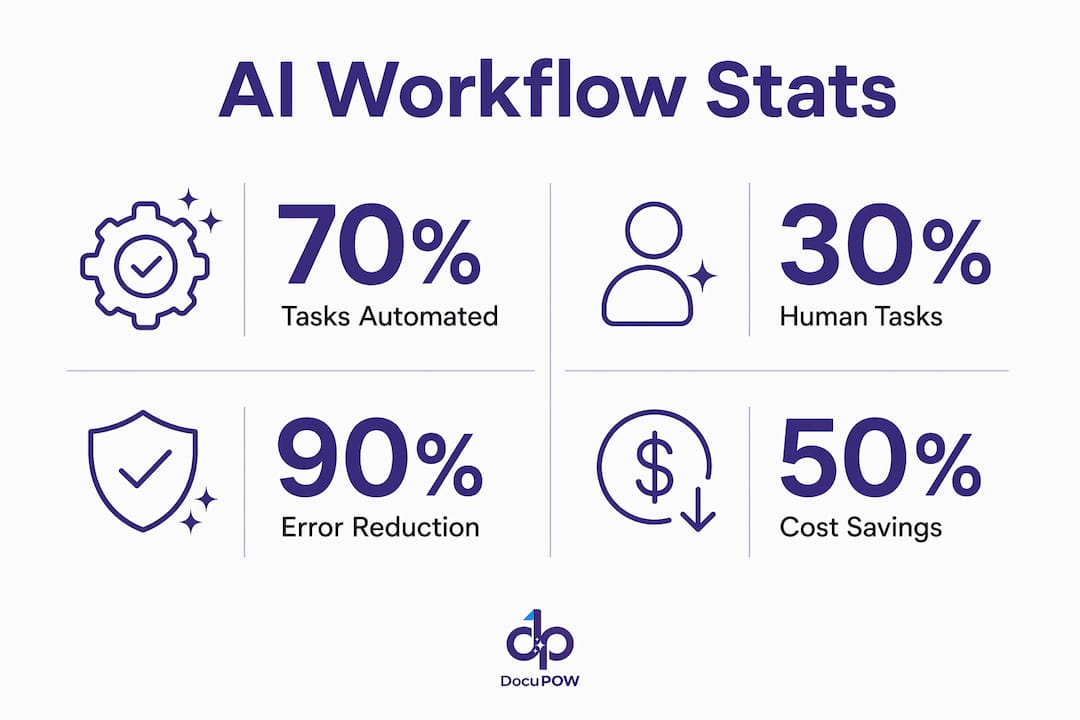
    Infographic with key AI workflow automation statistics

    What are the best AI workflow automation tools in 2026?

    Nineteen platforms dominate the US market for AI workflow automation in 2026, spanning no-code builders, developer-first tools, enterprise RPA suites, and specialized document intelligence platforms. The right choice depends on your team’s technical depth, your existing software stack, and how much workflow complexity you need to handle.

    The canonical comparison across features, pricing tier, best-fit use case, integration breadth, and ease of use:

    Tool Key Capabilities Pricing Model Best For Integrations Ease of Use
    Gumloop Event-driven orchestration, API connectors Tiered SaaS Flexible AI integration across diverse workflows Strong API ecosystem Moderate
    Zapier Low-code triggers, AI steps, extensive app connections Free tier; paid from $20/mo SMBs automating everyday tasks Extensive app connections Very easy
    n8n Open-source, self-hostable, code-optional nodes Free self-hosted; cloud plans available Custom, extensible AI workflows Community-driven connectors Moderate
    Make Visual drag-and-drop builder, AI decision modules Free tier; paid plans available Teams wanting a visual workflow builder Wide SaaS coverage Easy
    ChatGPT LLM agents, scheduled tasks, file/tool access Plus/Team/Enterprise tiers LLM-powered workflow planning and execution Business tool integrations Easy
    Relay.app AI-enhanced event-driven flows, SaaS orchestration Tiered SaaS Enterprises integrating AI across SaaS platforms Multi-SaaS focus Easy
    Pipedream Code-first, extensive API connectors, serverless Free tier; paid plans Technical teams building custom AI workflows Extensive API library Technical
    Lindy AI Adaptive ML decision-making, process automation Tiered SaaS Process-intensive industries needing dynamic flows Growing connector set Moderate
    Vellum AI Analytics-embedded workflow tuning Tiered SaaS Data-driven workflow optimization Analytics integrations Moderate
    StackAI Observability, compliance monitoring, reporting Tiered SaaS End-to-end workflow insight and control Enterprise connectors Moderate
    Workato Enterprise connector library, governance, recipes Enterprise pricing Large enterprises with complex integration needs Extensive connectors Moderate
    Domo BI plus embedded workflow automation Enterprise pricing Combining reporting with automated workflows Data source integrations Moderate
    ServiceNow IT/business process automation, AI service mgmt Enterprise pricing IT service and business operations automation Deep enterprise stack Complex
    UiPath RPA plus AI extensions, document understanding Free community; enterprise tiers Expanding RPA programs to AI workflows Strong enterprise connectors Moderate
    Automation Anywhere RPA plus AI, cloud-native bots Enterprise pricing Integrating AI into existing automation pipelines Comprehensive enterprise Complex
    Microsoft Power Automate Low-code, Azure AI, Microsoft 365 native Included in M365; standalone plans Businesses in the Microsoft ecosystem Microsoft 365, Azure Easy
    ProcessMaker Flexible process modeling, AI decision layers Tiered SaaS Customizable process automation with AI Broad API support Moderate
    Wrk Rapid deployment, operations-focused automation Tiered SaaS Operations teams reducing repetitive workflows Growing integrations Easy
    Tray.ai AI decision nodes, scalable integrations Enterprise pricing Scalable AI-powered integrations at enterprise scale Powerful connector library Moderate

    A few distinctions worth calling out in prose, because the table cannot capture everything.

    Zapier remains the fastest path from zero to a working automation for non-technical teams. Its G2 reviews consistently highlight the breadth of its app library and the speed of setup. The trade-off is depth: complex conditional logic and custom AI model integration push against Zapier’s limits quickly.

    n8n sits at the opposite end of the control spectrum. Self-hosting means your data never leaves your infrastructure, which matters for healthcare, finance, and government workflows. The community-driven development model produces a fast-moving connector library, though you need engineering resources to get the most out of it.

    Microsoft Power Automate is the default choice for any organization already running Microsoft 365. Azure AI Services plug in natively, and the licensing is often already paid for. The Capterra reviews for Make tell a similar story on the visual side: teams that want to see their workflow as a diagram rather than a list of steps tend to prefer Make’s canvas.

    ServiceNow and Workato target enterprises where workflow governance, audit trails, and multi-department orchestration are non-negotiable. Both carry enterprise price tags, but they also carry the connector libraries and compliance features that mid-market tools cannot match.

    UiPath and Automation Anywhere are the right answer when you already have an RPA program and want to layer AI on top. UiPath’s Document Understanding module, for example, handles invoice and contract extraction without requiring a separate AI platform.

    ChatGPT’s Work mode deserves a specific mention. OpenAI’s agent framework lets you build workflows that run on schedules, connect to business tools, and execute complex multi-step tasks asynchronously, using your organization’s own files and context. For teams already using ChatGPT Enterprise, this is a low-friction entry point into agentic automation.

    Pro Tip: Match the tool to your team’s weakest link, not its strongest. A developer-friendly platform like Pipedream is wasted on a team without engineering support. A no-code tool like Zapier or Make will frustrate a team that needs custom logic. Audit your internal skills before shortlisting vendors.

    How to implement AI workflow automation effectively

    Implementation fails more often at the organizational layer than the technical one. The architecture can be sound, the tool well-chosen, and the pilot impressive, yet the workflow never reaches production because the data was not ready, the legacy system could not be integrated, or the team was not trained. Here is how to avoid each of those outcomes.

    Planning and deployment steps

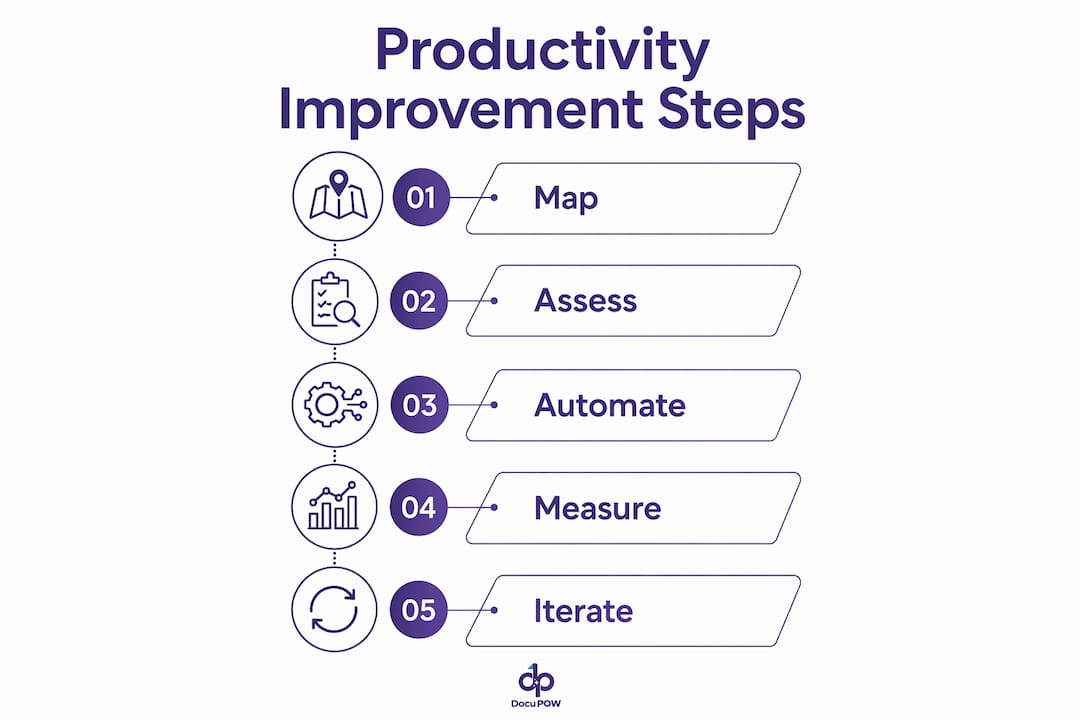
    1. Map the process before touching a tool. Document every step, every decision point, and every system involved in the target workflow. Identify where humans currently intervene and why.
    2. Assess data readiness. Audit the data sources the AI will consume. Inconsistent formats, missing fields, and duplicate records will degrade model performance. Budget time and resources for cleanup before model training begins.
    3. Select the tool based on integration depth. The platform that connects most cleanly to your existing stack is usually the right one, even if a competitor has a more impressive feature list.
    4. Run a scoped pilot. Pick one workflow, one business unit, and a defined success metric. A pilot that tries to automate everything at once teaches you nothing useful.
    5. Build in human-in-the-loop checkpoints. Define which decision types require human review and at what confidence threshold the AI should escalate. Do not skip this step in the name of speed.
    6. Instrument for observability from day one. Configure trace logging before the pilot goes live. You will need those logs to diagnose failures and satisfy compliance requirements.
    7. Scale with governance. Before rolling out to additional workflows or departments, establish a workflow governance policy: who can publish a workflow, who reviews changes, and how exceptions are tracked.

    Addressing enterprise fragmentation

    Enterprise system fragmentation is the single most common reason AI workflow projects stall. Organizations running SAP, Salesforce, a legacy ERP, and three different document management systems face a genuine integration challenge that no single AI platform solves out of the box. The practical answer is to treat integration as a first-class workstream, not an afterthought. Assign an integration architect to the project early, map every API endpoint the workflow will touch, and test connectivity before the pilot begins.

    Change management is the other underestimated variable. Research from Harvard Business Review shows that AI initiatives succeed when everyone is brought on board early, not just the technical team. End users who understand why a workflow is being automated, and who have input into its design, adopt it faster and flag edge cases that the technical team would have missed.

    Training should be role-specific. Finance staff running an automated AP workflow need to know how to handle escalations, not how the underlying model works. IT staff need to understand the trace logs and alert thresholds. Executives need the dashboard metrics that show ROI. One generic training session serves none of those audiences well.

    Pro Tip: Run a “failure mode” workshop before go-live. Ask the team to list every way the workflow could produce a wrong result, and build an exception-handling rule for each one. This exercise surfaces edge cases faster than any QA process.

    Measuring ROI and performance

    The metrics that matter most in the first 90 days are cycle time reduction, error rate, and exception volume. Cycle time tells you whether the automation is actually faster than the manual process. Error rate tells you whether the AI model is performing as expected. Exception volume tells you whether your confidence thresholds are calibrated correctly. A high exception rate usually means the model needs more training data or the threshold is set too conservatively.

    Longer-term ROI metrics include cost per transaction, headcount redeployment, and compliance audit pass rate. AI tools improve speed, accuracy, and insight generation across administrative and knowledge workflows, but the gains compound over time as the model improves through closed-loop feedback. Set a 12-month review cadence to reassess model performance and retrain where accuracy has drifted.

    Security and compliance considerations

    AI workflows that touch financial data, personally identifiable information, or regulated content require explicit compliance controls. Data residency, encryption in transit and at rest, role-based access controls, and audit logging are baseline requirements. For workflows subject to SOX, HIPAA, or GDPR, the observability layer described earlier is not optional. Every AI decision that affects a regulated output needs a traceable record.

    Vendor due diligence should include a review of the platform’s SOC 2 Type II certification, data processing agreements, and model training data policies. Some platforms train their models on customer data by default; others offer data isolation. Know which category your vendor falls into before you sign.

    How DocuPOW approaches document workflow automation

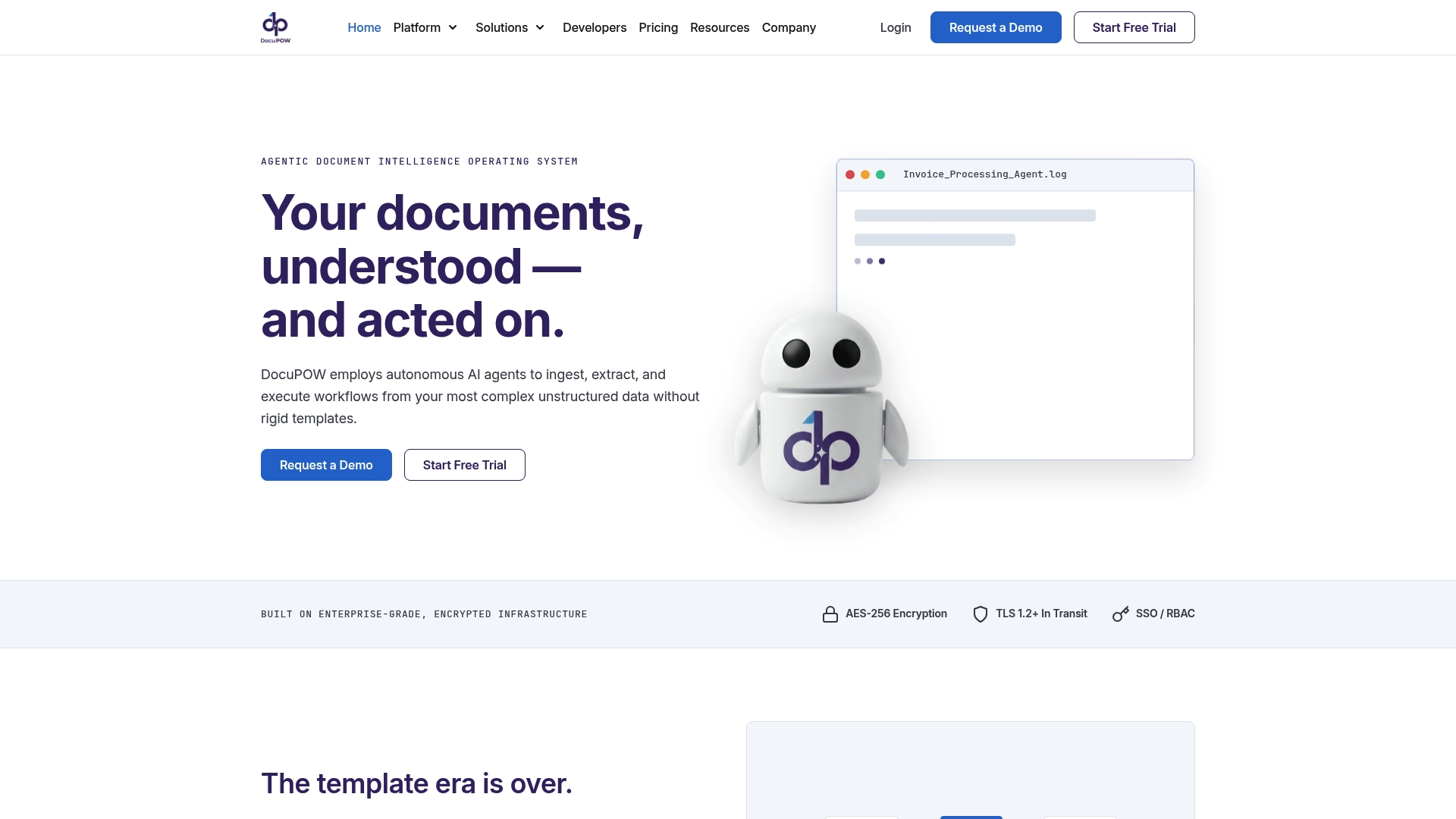
    DocuPOW occupies a specific and well-defined position in the AI workflow space: it focuses on document-centric workflows, the category where most enterprise automation projects hit their hardest wall. Invoices, purchase orders, contracts, shipping manifests, and compliance certificates arrive in dozens of formats, and most automation platforms require a rigid template for each one. DocuPOW’s autonomous agents read document context rather than matching against a fixed template, which means a new vendor invoice format does not break the workflow.

    For global manufacturers, the practical impact shows up in accounts payable and financial reporting. When an invoice arrives, DocuPOW extracts the relevant fields, validates them against the purchase order and receipt, flags discrepancies, and feeds clean data to the ERP. The real-time analytics layer surfaces exceptions and trends as they happen, giving finance teams visibility they previously had to build manually in spreadsheets.

    The platform’s AI integration architecture connects via API to existing enterprise systems, which means it does not require replacing the ERP or the document management system. It sits between the document source and the downstream system, handling the extraction and validation layer that those systems were never designed to perform.

    Pro Tip: If your organization processes more than a few hundred documents per month across multiple formats, template-based extraction tools will create ongoing maintenance overhead every time a vendor changes their invoice layout. Context-aware extraction eliminates that maintenance cycle.

    Real-time predictive insights let operations teams shift from reactive to proactive. Instead of discovering a batch of misclassified invoices at month-end close, the team sees the anomaly flagged in the dashboard the day it occurs. That shift from reactive to proactive is where the cost reduction actually materializes, not just in labor hours saved, but in the downstream errors that never happen.

    DocuPOW’s approach aligns directly with the enterprise AI workflow guide principle that the most durable automation targets specific, high-volume bottlenecks with a purpose-built intelligence layer rather than trying to automate everything with a general-purpose platform.

    DocuPOW handles what general workflow tools miss

    If the tools compared above are your primary candidates for broad workflow automation, DocuPOW is worth considering as a complementary layer for the document-heavy processes those platforms struggle with.
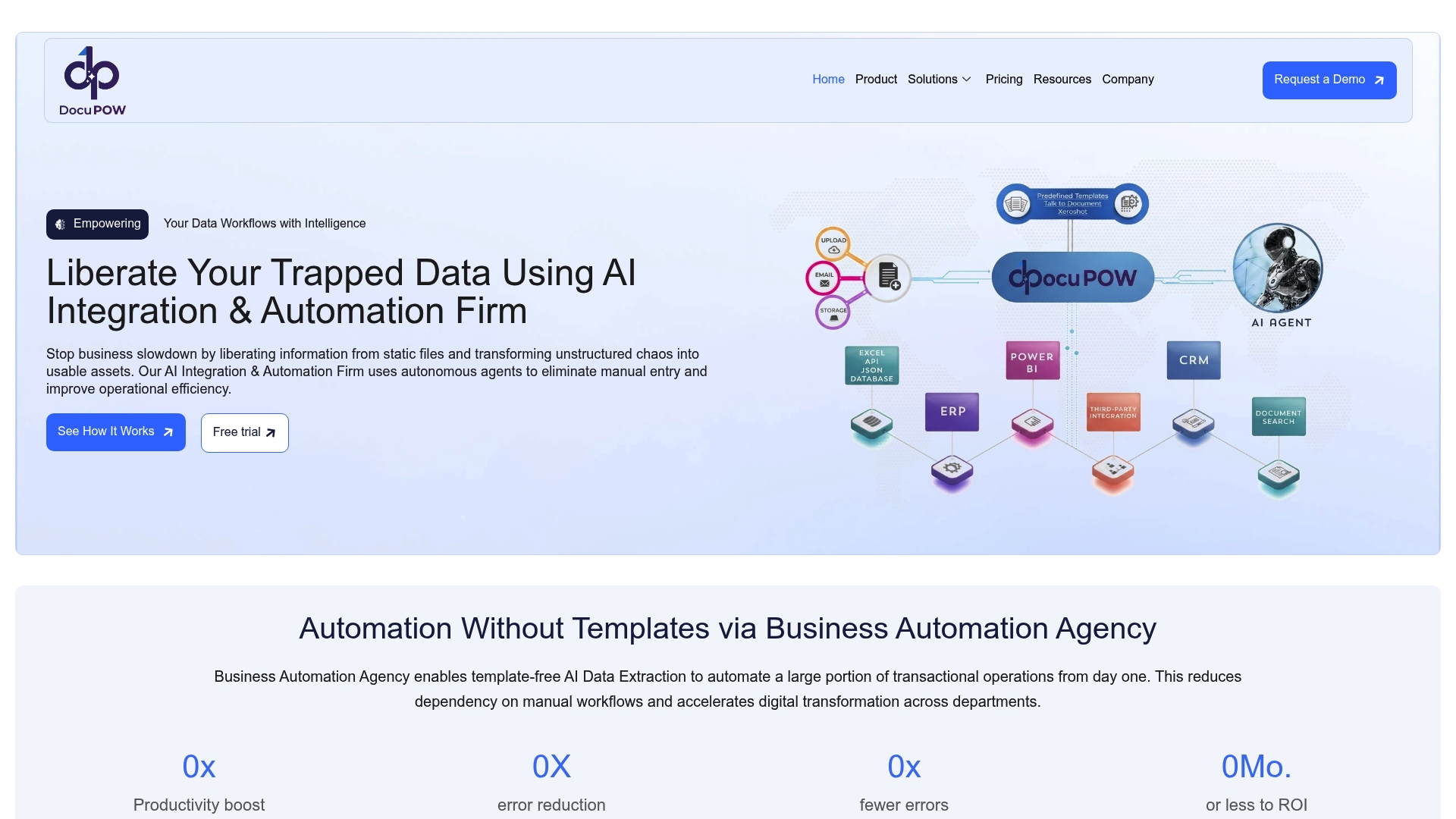
    https://docupow.ai

    General-purpose platforms like Zapier, Make, or even Workato handle trigger-action logic well. Where they fall short is in reading a scanned PDF invoice from a vendor you have never seen before and extracting the right fields with high confidence. That is a document intelligence problem, and it requires a different kind of AI than a workflow orchestration engine provides. DocuPOW’s back office automation fills that gap directly, handling high-volume document processing for operations teams that need accuracy at scale.

    For manufacturers, distributors, and any organization running a high-volume AP or procurement operation, the combination of a general workflow platform for orchestration and DocuPOW for document intelligence tends to outperform either tool alone. You get the breadth of a platform like Workato or Power Automate and the depth of a purpose-built document AI. The document process automation benefits are most visible in finance and operations, where document volume is high and error costs are real.

    Key Takeaways

    AI-powered workflows deliver their greatest value when AI decision-making is combined with deterministic business rules, human-in-the-loop exception handling, and full observability across every step.

    Point Details
    AI vs. traditional automation AI workflows handle 60–80% of business tasks; traditional automation typically reaches only 20–30%.
    The 70/30 design rule Automate roughly 70% of repetitive tasks with AI; keep the remaining 30% involving judgment with humans.
    Observability is required Full trace logs of AI decisions are non-negotiable for compliance and production deployment.
    Tool selection principle Match the platform to your integration stack and team’s technical depth, not just the feature list.
    DocuPOW’s role For document-intensive workflows, DocuPOW’s context-aware extraction handles formats that template-based tools cannot.

    FAQ

    What are AI-powered workflows?

    AI-powered workflows are automated business processes that use artificial intelligence to interpret inputs, make decisions, and execute actions across multiple systems without continuous human intervention. They differ from traditional automation by handling unstructured data and adapting through machine learning feedback.

    What is the 30% rule for AI?

    The 30% rule holds that AI should automate approximately 70% of repetitive, data-heavy tasks while humans retain the remaining 30% involving creativity, judgment, and ethical oversight. This balance maintains productivity gains without removing human accountability from high-stakes decisions.

    Can ChatGPT create workflows?

    Yes. ChatGPT’s Work mode lets you build workflows that run on schedules, connect to business tools, and execute multi-step tasks asynchronously using your organization’s own files and context. OpenAI’s agent framework supports recurring business deliverables without manual triggering.

    What are the best AI workflow tools for US businesses in 2026?

    The strongest options depend on use case: Zapier and Make for no-code simplicity, n8n for open-source control, Workato and ServiceNow for enterprise governance, UiPath and Automation Anywhere for RPA-to-AI expansion, Microsoft Power Automate for Microsoft 365 environments, and DocuPOW for document-intensive back office workflows.


  • Productivity Improvement Strategies for Teams in 2026

    Productivity Improvement Strategies for Teams in 2026


    TL;DR:

    • Productivity improvement involves applying strategies and tools to increase efficiency and reduce waste in workflows.

    • Successful methods require systemic change, precise measurement of key metrics, and consistent framework application.


    Productivity improvement is the systematic application of strategies and tools to increase work efficiency and output while reducing waste and delays. For professionals and teams, this means more than working harder. It means working within systems that eliminate friction, protect focus, and measure what actually matters. Structured productivity methods can achieve 15–30% operational cost reduction and 40–60% cycle time improvement within 8–16 weeks. That kind of result does not come from individual productivity hacks. It comes from coordinated, system-level change.

    How can productivity improvement be measured effectively?

    Why measuring productivity fails | Deloitte Insights

    Measurement is where most teams go wrong first. They pick one number, usually output volume, and optimize for it. The problem is that single-metric approaches invite gaming the system. A sales rep who closes 50 deals with a 40% refund rate is not productive. A developer who ships 20 features with a 60% bug rate is not productive either.

    The metrics that matter most fall into five categories:

    • Output volume: Units produced, tasks completed, or transactions processed per period

    • Cycle time: How long a process takes from start to finish

    • Quality rate: Defect rate, rework percentage, or error frequency

    • Focus time: Hours spent on high-value, uninterrupted work

    • Utilization rate: Percentage of available capacity actually applied to productive work

    Presence-based measures, like hours logged or meetings attended, tell you almost nothing about real output. They reward visibility over results. Teams that track these five categories together get a far more accurate picture of where efficiency breaks down.

    Pro Tip: Run a two-week audit before changing anything. Track output, cycle time, and error rate simultaneously. You will almost always find that the bottleneck is not where managers assumed it was.

    A balanced scorecard approach blends quantitative data (cycle time, defect rate) with qualitative signals (team feedback, process friction reports). This combination catches problems that numbers alone miss, like a process that looks fast on paper but burns out the people running it.

    Infographic outlining key productivity improvement steps

    What are the most effective frameworks to boost productivity?

    The right framework depends on the type of work, not on what is trending. Teams that chase every new methodology end up with more process overhead than productivity gain. The goal is to pick one primary framework, apply it consistently, and layer in tools only after the system is working.

    Framework Best for Core mechanism
    OKRs Goal alignment across teams Quarterly objectives with measurable key results
    Kanban Continuous flow work Visual board limiting work in progress
    Scrum Project-based delivery Two-week sprints with defined ceremonies
    Getting Things Done (GTD) Individual knowledge workers Capture, clarify, organize, reflect, engage
    Time blocking Deep work protection Calendar-based scheduling of focus periods

    OKRs work best when teams need to align effort across departments. Kanban suits operations teams handling ongoing requests, like IT support or document processing. Scrum fits product and engineering teams building in defined cycles. GTD and time blocking are individual techniques that complement any team framework.

    Scaling individual productivity hacks without team coordination causes friction. A developer using GTD while their team runs unstructured sprints creates misaligned handoffs. The individual gains disappear in the coordination gaps. Standardized workflows and clear role ownership are what convert individual effort into team-level output.

    Pro Tip: Before adopting a new framework, map your current workflow for two weeks. You will likely find that the problem is not the framework. It is undefined ownership at specific handoff points.

    Standardized workflows also reduce onboarding time significantly. When every step has a defined owner and a documented process, new team members reach full productivity faster. That is a compounding gain that most teams undercount.

    How does technology and AI enhance productivity while avoiding common pitfalls?

    Technology does not fix broken processes. It accelerates them, including the broken parts. Teams must map, mine, and understand current performance deeply before applying automation. Skipping this step is the most common and most expensive mistake in productivity technology projects.

    Process mining should come first. This means analyzing actual workflow data, not the idealized version in the process documentation, to find where delays, rework, and exceptions cluster. Once the real bottlenecks are visible, automation targets become obvious.

    Here is the sequence that works:

    1. Map actual workflows. Document what really happens, including exceptions, workarounds, and shadow processes. These unofficial workarounds often reveal the highest-leverage improvement opportunities.

    2. Identify bottlenecks. Use process mining tools to find where cycle time inflates and errors concentrate.

    3. Redesign before automating. Fix the process logic first. Automating a flawed process just produces flawed results faster.

    4. Apply AI to the redesigned process. AI mapping tools can reduce documentation and analysis time by up to 90%. That frees teams to focus on higher-value decisions.

    5. Deploy agentic AI for dynamic workflows. AI agents manage complex multi-step workflows dynamically, adapting in real time when conditions change. This improves both speed and resilience.

    The payoff from this sequence is significant. Eliminating non-value-adding steps and automating reduces cycle time by 30–50% and errors by over 70%. That is not a marginal gain. It is a structural shift in how much a team can accomplish with the same headcount.

    DocuPOW applies exactly this model. Its autonomous agents understand document context without relying on rigid templates, which means they adapt when document formats change. Teams processing high volumes of invoices, purchase orders, or contracts see the biggest gains because those workflows combine high frequency with high error risk.

    What practical steps can teams take to implement sustainable productivity improvements?

    Sustainable improvement requires more than a good launch. Most initiatives lose momentum within weeks because ownership is unclear and measurement stops after the first review. Ownership assigned to every workflow step is essential. Without it, accountability drifts and the process reverts to its old state.

    The steps that produce lasting results:

    • Document actual workflows, not ideal ones. Documenting exceptions and shadow processes reveals the real bottlenecks that management-approved process maps miss entirely.

    • Assign a named owner to every step. Ownership is not a team. It is a specific person responsible for that step’s performance and improvement.

    • Protect focus time aggressively. Employees lose an average of 32 workdays annually due to context switching between applications. Reducing that number through calendar discipline and tool consolidation is one of the fastest ways to increase work output.

    • Reduce context switching. Consolidate tools, batch similar tasks, and set communication windows. Focus time is the most valuable skill for modern knowledge workers, and it requires deliberate protection.

    • Review metrics weekly, not quarterly. Weekly reviews catch drift early. Quarterly reviews catch it after the damage is done.

    The continuous improvement culture matters as much as the initial process redesign. Teams that treat their workflows as permanent tend to calcify. Teams that treat them as living systems, subject to regular review and adjustment, compound their gains over time.

    Key Takeaways

    Sustainable productivity improvement requires system-level coordination, accurate measurement, and technology applied only after workflows are fully understood and redesigned.

    Point Details
    Measure with balance Track output, cycle time, quality, focus time, and utilization together, never just one metric.
    Choose one framework Pick OKRs, Kanban, Scrum, GTD, or time blocking based on your work type, then apply it consistently.
    Diagnose before automating Map and mine actual workflows, including exceptions, before applying any automation or AI.
    Assign clear ownership Every workflow step needs a named owner or improvement initiatives stall within weeks.
    Protect focus time Context switching costs teams up to 32 workdays per employee per year. Reduce it deliberately.

    The uncomfortable truth about productivity I keep seeing teams ignore

    Most productivity initiatives fail not because the framework was wrong or the technology was immature. They fail because nobody dealt honestly with the human side of the change.

    I have watched teams adopt OKRs, Kanban, and AI automation tools in sequence, each time with genuine enthusiasm, and still end up back where they started six months later. The pattern is always the same. The process gets redesigned. The tools get deployed. The ownership chart gets drawn. Then the first difficult conversation arrives, someone’s workflow changes in a way they did not expect, and the path of least resistance is to quietly revert.

    Human resistance to change is the main barrier in process redesign. That is not a soft observation. It is the most reliable predictor of whether an improvement initiative survives contact with reality.

    What actually works is treating the change management as a first-class deliverable, not an afterthought. That means explaining the “why” before the “what,” involving the people closest to the work in the redesign, and giving them real authority to flag when the new process is not working. It also means protecting deep work blocks even when the calendar pressure is intense. Technology can handle more of the routine cognitive load than most teams realize. The job of leadership is to create the conditions where people can do the work that only humans can do.

    The teams I have seen sustain real productivity gains share one trait. They are honest about what is actually happening in their workflows, not what the process documentation says should be happening.

    — Sameer

    How DocuPOW accelerates productivity gains for operations teams

    Teams that have done the hard work of mapping their workflows and identifying bottlenecks often hit the same wall: document-heavy processes that resist automation because every file looks slightly different. That is exactly the problem DocuPOW was built to solve.

    https://docupow.ai

    DocuPOW’s AI agents extract data from invoices, contracts, and operational documents without templates, adapting to format variations automatically. For teams running high-volume document workflows, this translates directly into the cycle time reductions and error rate improvements that structured productivity methods promise. The AI workflow automation guide covers how enterprise teams are applying these capabilities in 2026. For teams specifically focused on document process automation benefits, DocuPOW’s platform connects document intelligence with operational reporting in a single system.

    FAQ

    What is productivity improvement in a business context?

    Productivity improvement is the systematic process of increasing work output and efficiency while reducing waste, delays, and errors. It applies to individuals, teams, and entire organizations through frameworks, measurement, and process redesign.

    How long does it take to see results from productivity improvement initiatives?

    Structured methods can deliver 40–60% cycle time improvement within 8–16 weeks when workflows are properly diagnosed and ownership is clearly assigned before implementation begins.

    What is the biggest mistake teams make when trying to improve productivity?

    The most common mistake is applying technology or new frameworks before mapping actual workflows. Automating a broken process accelerates the problems rather than fixing them.

    Why does focus time matter so much for productivity?

    Context switching between applications costs employees an average of 32 workdays per year. Protecting large, uninterrupted blocks of time for high-value work is the single fastest way to increase meaningful output.

    How do OKRs differ from Kanban for team productivity?

    OKRs align teams around quarterly goals with measurable outcomes, making them best for cross-functional coordination. Kanban manages continuous flow work through visual boards that limit work in progress, making it better suited for operations and support teams.

  • OCR Automation for Business: The 2026 Enterprise Guide

    OCR Automation for Business: The 2026 Enterprise Guide


    TL;DR:

    • OCR automation converts images into structured data with over 98% accuracy, integrated into enterprise systems. Success depends on data quality, workflow redesign, and proper system integration, not just OCR capability. Most project failures stem from inadequate system and master data management rather than OCR technology itself.

    OCR automation is defined as the process of using optical character recognition combined with AI to convert image-based documents into structured, machine-readable data that feeds directly into enterprise systems. Modern platforms go far beyond simple text extraction. Enterprise-grade AI systems achieve over 98% accuracy for critical fields, requiring only 1–3% human review to maintain regulatory compliance. That level of accuracy makes OCR automation the foundation of any serious document management strategy, whether your teams process invoices, contracts, purchase orders, or compliance records. Integrating OCR output directly into ERP and CRM systems is what separates true automation from a digitization project.

    How does OCR automation work?

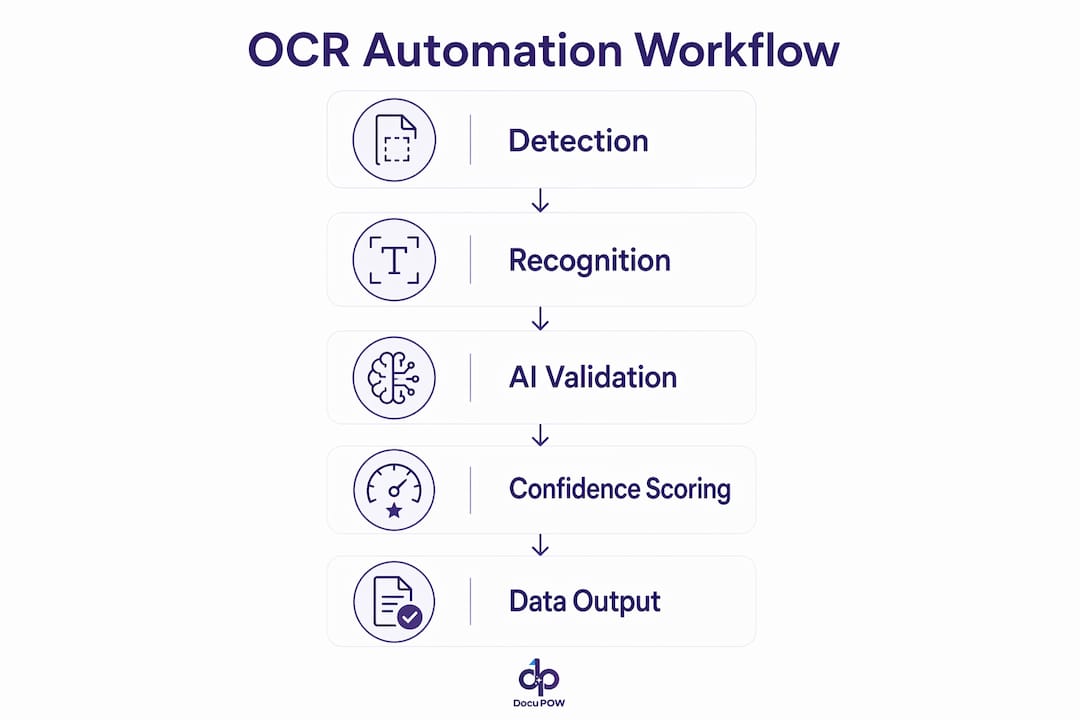
    OCR automation follows a defined pipeline. The system first detects text regions in an image or scanned document, then applies recognition algorithms to convert those regions into character strings. Layout analysis follows, mapping where each string sits within the document structure. Semantic understanding is the final step, where the system interprets what each piece of text means in context, such as identifying a number as an invoice total rather than a phone number.

    Hands sorting documents over table with scanner

    Modern systems use AI enhancements that traditional optical character recognition never had. Vision transformers and multimodal language models such as LayoutLM process both the visual layout and the text content simultaneously. This allows the system to understand a table of line items on an invoice the same way a trained accountant would. Intelligent document processing platforms extract validated data including invoice totals and line items rather than just raw text strings.

    Confidence scoring is the mechanism that keeps accuracy high at scale. Every extracted field receives a confidence score. Fields that score below a defined threshold route automatically to a human reviewer. Embedding OCR inside large multimodal language models simplifies architecture but reduces explainability, which limits its use in high-compliance workflows. For regulated industries, a dedicated OCR engine paired with a validation layer is the more auditable choice.

    Integration is where the pipeline closes. Processed data exits the system as JSON payloads delivered through APIs, webhooks, or pre-built connectors to ERP, accounting, and CRM platforms. Manual file uploads limit automation benefits significantly. A well-designed integration architecture is what makes the difference between a document scanning solution and a true end-to-end workflow.

    • Text detection: Locates text regions in scanned images or PDFs.
    • Character recognition: Converts detected regions into character strings using trained models.
    • Layout analysis: Maps text to its structural position, such as header, line item, or footer.
    • Semantic extraction: Assigns meaning to each field based on document type and context.
    • Confidence scoring: Flags low-confidence fields for human review before data enters downstream systems.

    Pro Tip: Set your confidence thresholds by field type, not by document type. An invoice total may require 99% confidence before auto-posting, while a secondary reference field may be acceptable at 90%.

    What are the benefits of OCR automation over manual methods?

    Infographic illustrating steps of OCR automation workflow

    The most direct benefit of automated text recognition is speed. A human data entry operator processes one document at a time. An OCR automation system processes thousands simultaneously, with no fatigue and no shift constraints. Manual data entry carries a 2–3% error rate, while AI-validated automation pushes accuracy above 99%. That gap translates directly into fewer reconciliation cycles, fewer compliance exceptions, and lower correction costs.

    Compliance is a second major gain. Every extracted field carries a timestamp, a confidence score, and an audit trail. Human reviewers leave no such record by default. Automated workflows create the documentation that auditors and regulators require, without additional effort from your teams. This is particularly valuable in accounts payable, contract management, and regulated manufacturing environments.

    Organizations that redesign workflows around OCR output achieve up to 80% reduction in manual data entry and faster financial close cycles. That figure only applies when teams redesign the process end-to-end, not when they simply add OCR to an existing manual workflow. The distinction matters enormously for ROI calculations.

    Modern machine learning OCR systems also handle document variety that would overwhelm a template-based approach. Handwritten text, mixed-language documents, variable table layouts, and non-standard formats are all within scope for AI-powered systems. That flexibility makes them practical for global operations where document formats change by vendor, region, or document type.

    • Speed: Thousands of documents processed per hour versus dozens per operator per day.
    • Accuracy: AI validation pushes field-level accuracy above 99%, far beyond manual entry rates.
    • Compliance: Automated audit trails satisfy regulatory requirements without extra documentation effort.
    • Flexibility: AI-based image to text conversion handles handwriting, tables, and variable layouts natively.
    • Productivity: Teams shift from data entry to exception handling and analysis, higher-value work.

    What are the best practices for implementing OCR automation at scale?

    Implementation failures in OCR automation rarely come from the OCR engine itself. They come from the systems around it. Master data quality significantly impacts OCR automation success, and organizations should allocate 20–30% of project time to data cleansing and normalization before go-live. A dirty vendor list or an invalid cost center code will cause a correctly extracted invoice to fail downstream, regardless of how accurate the OCR was.

    The following steps represent a proven implementation sequence for enterprise deployments:

    1. Audit master data first. Clean vendor lists, GL codes, and cost center data before connecting any OCR output to your ERP or accounting system.
    2. Define confidence thresholds by field. Set strict thresholds for high-risk fields such as payment amounts, and more permissive thresholds for reference fields. Thresholds of 99% for invoice totals and 90% for secondary fields are a documented starting point.
    3. Design exception routing before launch. Every document that falls below threshold needs a defined path to a human reviewer, with a response SLA attached.
    4. Replace template-based systems with AI models. Template-based OCR silently breaks when vendor invoice formats change. Template-agnostic AI models with confidence monitoring are more resilient and require less maintenance.
    5. Engineer integrations for production reliability. Most production failures occur at integration points. Design for idempotency, retry logic, and stable webhook handling from day one.
    6. Build feedback loops into the workflow. Machine learning OCR systems improve from human corrections over time. Capture reviewer decisions and feed them back into the model to reduce future review volume.

    Pro Tip: Never configure automatic retries for permanent errors such as authentication failures or malformed documents. Track retries by error cause to prevent duplicate transactions from entering your ERP.

    The table below summarizes the most common implementation risks and the controls that address them.

    Risk Control
    Poor master data quality Allocate 20–30% of project time to data cleansing before integration
    Template drift from vendor format changes Deploy template-agnostic AI extraction with confidence monitoring
    Integration failures and duplicate transactions Design idempotency and retry logic into all API and webhook connections
    Low confidence fields entering downstream systems Define field-level confidence thresholds and route exceptions to human review
    Model degradation over time Implement feedback loops that train the model on reviewer corrections

    How do you measure and maximize ROI from OCR automation?

    ROI from OCR workflow automation is measurable from the first month of production. The key performance indicators that matter most are accuracy rate per field type, the percentage of documents requiring manual review, throughput in documents per hour, and cost per document processed. Tracking these four metrics gives a clear picture of where the system performs well and where it needs adjustment.

    Confidence policy tuning is the primary lever for improving ROI after go-live. A policy set too conservatively routes too many documents to human review, which defeats the purpose of automation. A policy set too loosely allows errors into downstream systems, which creates reconciliation costs. The right balance depends on your risk tolerance by document type and the cost of an error in each workflow.

    Redesigning business workflows around OCR output rather than layering OCR onto existing manual processes is the single most important factor in maximizing return. Consider accounts payable as a concrete example. A team that adds OCR to a manual approval process still routes paper through the same steps. A team that redesigns the process around straight-through processing, with OCR as the entry point, eliminates most of those steps entirely.

    Contract management is a second high-value use case. Extracting key dates, obligation clauses, and counterparty names from contracts at ingestion means legal and operations teams work from structured data rather than searching PDFs. That shift reduces risk and accelerates decision-making without adding headcount. For teams exploring AI-powered data extraction, the contract management use case often delivers the fastest visible ROI.

    • Accuracy rate: Measure field-level accuracy, not document-level. A document can pass while containing a critical field error.
    • Manual review percentage: Target below 5% for mature deployments. Above 10% signals a confidence policy or data quality problem.
    • Throughput: Documents processed per hour, tracked against volume peaks to identify bottlenecks.
    • Cost per document: Total system cost divided by volume. This metric drops as volume scales and model accuracy improves.

    Key Takeaways

    OCR automation delivers maximum business value when AI-validated extraction, well-designed confidence policies, and end-to-end workflow redesign work together from the start.

    Point Details
    Accuracy above 99% is achievable AI validation combined with confidence scoring pushes field accuracy well beyond manual entry rates.
    Workflow redesign drives ROI Adding OCR to an existing manual process yields modest gains. Redesigning the process around OCR output delivers up to 80% reduction in manual entry.
    Master data quality is foundational Allocate 20–30% of project time to cleaning vendor lists and GL codes before connecting OCR to any downstream system.
    Confidence thresholds must be field-specific Invoice totals require stricter thresholds than reference fields. Define policies before go-live, not after.
    Integration engineering prevents production failures Idempotency, retry logic, and stable webhook design stop duplicate transactions and transient failures from corrupting data.

    Why I think most OCR projects underdeliver, and what actually fixes it

    Most OCR automation projects I have seen fail for the same reason. Teams treat OCR as a drop-in replacement for a data entry clerk rather than as the foundation for a redesigned process. The technology works. The workflow design does not.

    The shift from basic optical character recognition to intelligent document processing is real and significant. Modern AI models that combine OCR, layout analysis, and semantic extraction in a single pass are genuinely more capable than anything available five years ago. But capability does not equal deployment success. Integration quality and master data sanitation determine outcomes far more than the choice of OCR engine.

    The emerging trend worth watching is multimodal AI models that process documents without a separate OCR step. These systems are faster to deploy and require less infrastructure. The tradeoff is reduced explainability, which matters in regulated industries. For high-volume document processing in finance or manufacturing, a dedicated extraction layer with auditable confidence scores remains the more defensible architecture.

    My honest recommendation is to resist the temptation to automate everything at once. Start with one high-volume, well-defined document type. Measure accuracy and review rates for 60 days. Then expand. Teams that follow this sequence build confidence in the system and catch integration problems before they scale.

    Human review is not a failure state. For critical fields in regulated workflows, a 1–3% human review rate is the correct target, not a problem to eliminate. The goal is to make that review fast, well-informed, and exception-driven rather than routine.

    — Sameer

    DocuPOW brings enterprise-grade document automation to your workflows

    DocuPOW is built for organizations that need AI-powered document processing at scale, without the template maintenance and integration fragility that plague older systems. Its autonomous agents understand document context without rigid templates, extracting structured data from invoices, contracts, and operational records with high accuracy.

    https://docupow.ai

    DocuPOW connects directly to ERP, accounting, and CRM systems through APIs and pre-built connectors, closing the loop between document ingestion and business action. Teams in real estate, construction, and operations use DocuPOW to cut manual entry, improve compliance, and accelerate financial close. The platform’s built-in confidence policies and real-time analytics give operations leaders the visibility they need to manage exceptions and track performance. Explore the AI workflow automation guide to see how enterprise teams are structuring their deployments, or review DocuPOW’s operations solutions for workflow-specific details.

    FAQ

    What is OCR automation?

    OCR automation is the use of optical character recognition technology combined with AI to convert scanned or image-based documents into structured data that integrates directly into business systems such as ERP or CRM platforms.

    How accurate is AI-powered OCR automation?

    Enterprise-grade AI OCR systems achieve over 98% accuracy for critical fields, with AI validation pushing field-level accuracy above 99% and requiring only 1–3% human review for compliance.

    What is the difference between traditional OCR and intelligent document processing?

    Traditional OCR extracts raw text strings from images. Intelligent document processing validates extracted data, handles variable layouts and handwriting, and delivers structured outputs ready for downstream systems.

    Why do OCR automation projects fail?

    Most failures occur at integration points or due to poor master data quality. Dirty vendor lists and invalid cost center codes cause correctly extracted data to fail in downstream systems, regardless of OCR accuracy.

    How do I set confidence thresholds for OCR workflows?

    Set thresholds by field type based on risk. A documented starting point is 99% confidence for invoice totals and 90% for secondary reference fields, with documents below 97% overall routed for human review.

  • HR Document Automation: A 2026 Guide for HR Teams

    HR Document Automation: A 2026 Guide for HR Teams


    TL;DR:

    • HR document automation uses digital tools to generate, route, sign, and retain HR documents, reducing manual work and compliance risk. It enforces deadlines, maintains audit-ready records, and improves accuracy, especially for critical forms like I-9 and W-4. Implementing full lifecycle automation enhances HR efficiency and legal compliance across organizational workflows.
    HR document automation is the process of using digital tools to automatically create, route, sign, track, and retain critical HR documents, cutting manual work and compliance risk at the same time. Manual administrative tasks consume up to 57% of HR professionals’ time. That figure alone explains why automated HR paperwork has moved from a nice-to-have to a core operational requirement. Federal mandates like I-9, W-4, FMLA, and OSHA recordkeeping each carry their own retention deadlines and audit exposure. Automation enforces those deadlines automatically, so HR teams stop relying on calendar reminders and spreadsheet trackers to stay compliant.

    What is HR document automation and why does it matter?

    HR document automation covers the full document lifecycle: generation, distribution, signature collection, compliance tracking, and archiving. The industry term for this discipline is document workflow automation, and it goes well beyond simply digitizing paper forms. A true automated system routes documents to the right people in the right sequence, enforces completion deadlines, and stores records in audit-ready format.

    The compliance stakes are concrete. I-9 violations carry fines from $288 to $2,861 per violation, and ICE audits can arrive with very short notice. W-4 forms must be retained for four years, ACA and FMLA records for three years, and OSHA logs for five years. Missing any of these windows creates direct legal exposure. Automation enforces destruction and retention schedules without requiring HR staff to track each document type manually.

    Accuracy improves just as dramatically as speed. Manual offer letter creation produces errors 5–15% of the time. Automated generation drops that error rate to near zero by pre-populating fields from HRIS data and applying state-specific validation rules. The result is fewer corrections, fewer delays, and fewer compliance gaps.

    What tools and features are essential for effective HR document automation?

    The most common mistake HR teams make is treating e-signature software as a complete automation solution. E-signature platforms alone do not manage retention schedules, enforce compliance deadlines, or produce audit-ready exports. Those capabilities require a dedicated HR document workflow platform.

    The table below outlines the functional categories every HR team should evaluate when selecting a platform.

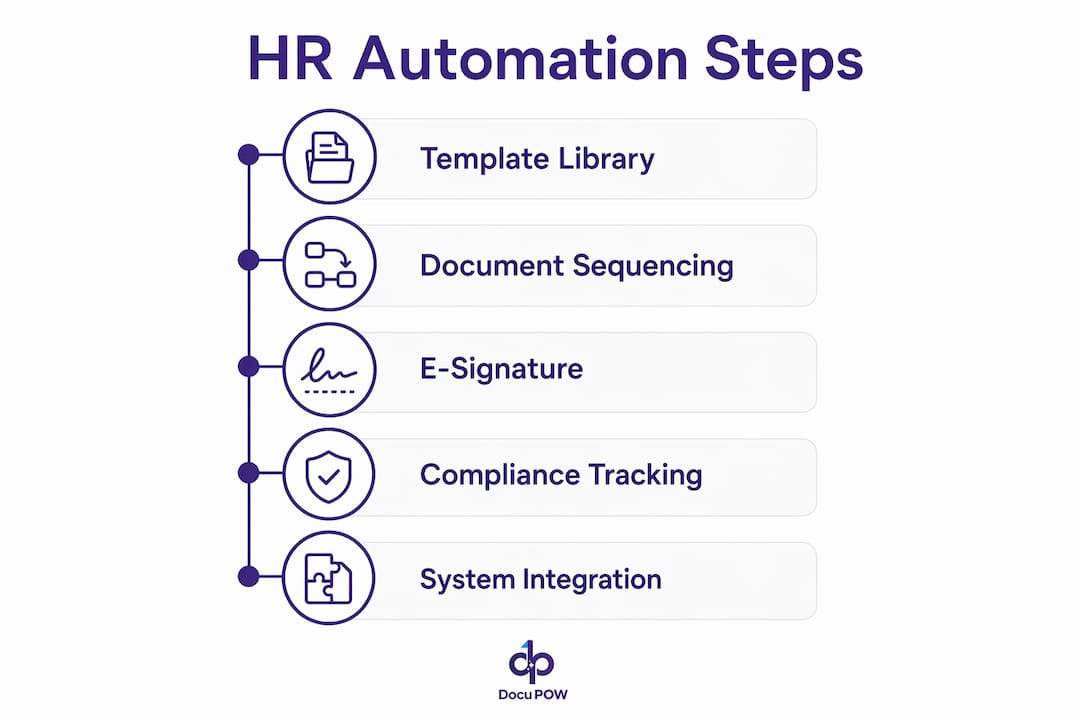
    Infographic showing key HR automation steps

    Feature Category What to Look For
    Template library Pre-built, legally reviewed templates for offer letters, I-9, W-4, and policy acknowledgments
    Compliance enforcement Automated deadline blocks, retention scheduling, and destruction alerts
    E-signature integration Native or API-connected signing with audit trail and timestamp
    HRIS and ATS integration Bi-directional data sync to pre-populate fields and reduce manual entry
    Access controls Role-based permissions, encrypted storage, and SOC 2 or ISO 27001 certification
    Audit-ready exports One-click compliance reports and document history logs
    Exception handling Escalation queues and manager alerts for incomplete or overdue documents

    HR-specific automation platforms sequence documents by dependency, meaning an employee cannot advance to benefits enrollment until their I-9 and W-4 are complete. Generic tools do not enforce that logic. Scalability also matters: a platform that works for 50 employees must handle 5,000 without requiring manual reconfiguration of every workflow.

    Security is non-negotiable. HR documents contain Social Security numbers, compensation data, and medical information. Any platform you select must offer role-based access, encrypted storage, and a clear data residency policy.

    Pro Tip: Choose platforms that include in-house legal review of their template libraries. A template built by a vendor’s legal team is far less likely to create jurisdiction-specific liability than one your HR team drafts from scratch.

    Which HR document workflows should organizations prioritize for automation?

    Not every HR process delivers equal return when automated. The workflows below produce the highest compliance and efficiency gains based on industry data, ranked by impact.

    • New hire onboarding packets. Offer letters, I-9 Section 1 and 2, W-4, state tax forms, and policy acknowledgments. I-9 Section 2 must be completed within three business days of the start date, and W-4 must be processed before the first payroll run. Automation enforces both deadlines automatically.
    • Annual policy acknowledgments. Employee handbooks, code of conduct, and harassment prevention policies. Automated reminders and escalations push completion rates above 95%, compared to 70–80% with manual email follow-up.
    • Benefits enrollment and election confirmation. Open enrollment windows are short and non-negotiable. Automation sends timed reminders, captures elections, and archives confirmation documents before the window closes.
    • Performance review documentation. Self-assessments, manager evaluations, and improvement plans. Routing logic sends each form to the right reviewer in sequence and timestamps every action.
    • Leave of absence paperwork. FMLA certifications, state leave forms, and return-to-work clearances. Retention requirements differ by document type, and automation tracks each one separately.
    • Disciplinary documentation. Written warnings, corrective action plans, and acknowledgment signatures. Timestamped records protect the organization in the event of a wrongful termination claim.
    • Offboarding and separation agreements. Final pay acknowledgments, non-disclosure agreements, and COBRA election notices. Automation triggers the correct document set the moment a termination is recorded in the HRIS.

    Manual workflows lose 10–25% of documents due to inefficiencies like email attachment errors, lost paper forms, and missed follow-ups. Automating the workflows above eliminates most of that loss at the source.

    The KYC and onboarding automation tools built into platforms like DocuPOW handle I-9 and W-4 collection with built-in deadline enforcement, removing the most common compliance failure point in new hire processing.

    Team handling manual HR documents

    How to design and implement a successful HR document automation workflow

    A phased implementation produces better results than a full cutover. Follow these steps to build a workflow that holds up under audit and scales with headcount growth.

    1. Audit your current document inventory. List every HR document type, its source, its required signatories, and its retention period. Identify where documents are currently lost, delayed, or incorrectly filed.
    2. Map the document lifecycle. For each document type, define the trigger event (hire date, open enrollment start, termination), the routing sequence, the completion deadline, and the archive destination.
    3. Select and configure your platform. Choose a platform with the feature categories listed earlier. Configure templates using HRIS data fields so forms pre-populate on generation.
    4. Define compliance triggers and escalation steps. Set deadline alerts at 48 hours before due dates. Build escalation rules that notify managers when employees miss completion windows.
    5. Run a pilot with a single workflow. Start with new hire onboarding. Measure completion rates, error rates, and time-to-completion before expanding to other document types.
    6. Train HR staff and employees. HR teams need to understand exception handling and audit export procedures. Employees need a clear, simple interface for signing and submitting documents.
    7. Monitor, audit, and update. Review completion reports monthly. Update templates whenever federal or state law changes. Schedule an annual audit of retention schedules against current regulatory requirements.

    HRIS and ATS integration is the single biggest time saver in this process. When your automation platform pulls employee data directly from your HRIS, offer letters, tax forms, and acknowledgments generate in seconds with no manual data entry.

    Pro Tip: Build a dedicated exception queue that routes incomplete or flagged documents to a single HR administrator each morning. Unmanaged exceptions are the most common reason automation projects fail to sustain high completion rates.

    What common challenges occur in HR document automation, and how do you fix them?

    Even well-designed systems encounter problems. Knowing the most common failure points lets HR teams resolve them before they become compliance liabilities.

    Incomplete signatures are the most frequent issue. The fix is automated reminder sequences with hard deadline blocks. If a document is not signed by the due date, the system should prevent the next workflow step from proceeding and alert the employee’s manager.

    System integration mismatches occur when HRIS data fields do not map cleanly to document templates. The result is blank fields or incorrect data in generated documents. Resolve this during the pilot phase by running test documents against real employee records and correcting field mapping before full deployment.

    Template drift is a slow-moving risk. Labor laws change at the federal, state, and local level every year. A template that was compliant in january may be non-compliant by october. Assign a specific HR team member to monitor regulatory updates and flag templates for legal review on a quarterly schedule.

    The most underestimated risk in HR document automation involves AI-generated content. Public AI tools used for HR documents create discoverable records in litigation and lack attorney-client privilege protection. That exposure can directly harm an employer’s legal defense.

    Using a public AI platform to draft an employee handbook or separation agreement means your prompts, the AI’s responses, and any personnel data you shared could be subpoenaed in litigation. These interactions carry no legal privilege. HR teams should use only private, enterprise-grade AI environments with documented data handling policies for any document that touches employment decisions.

    Legal experts warn that AI-generated employee handbooks must be reviewed carefully for jurisdiction-specific compliance before distribution. The technology accelerates drafting. It does not replace legal review.

    Understanding why IT teams manage document automation alongside HR is also worth examining. IT controls data security, integration architecture, and access permissions. HR controls content and compliance logic. Both functions must collaborate for an automation system to work correctly and securely.

    Key Takeaways

    HR document automation delivers measurable compliance and efficiency gains only when it covers the full document lifecycle, not just e-signatures.

    Point Details
    Automate the full lifecycle True automation covers generation, routing, signing, retention, and audit exports, not just digital signatures.
    Prioritize onboarding first I-9 and W-4 deadlines carry direct financial penalties, making new hire workflows the highest-priority automation target.
    Enforce retention schedules W-4s require four years of retention; OSHA logs require five. Automated schedules prevent costly audit failures.
    Avoid public AI for HR documents Public AI interactions lack legal privilege and create discoverable records that can harm employer defenses in litigation.
    Monitor completion rates monthly Automated systems should sustain above 95% completion; rates below that signal a broken escalation or reminder sequence.

    Where I’ve seen HR automation actually change operations

    The most impactful automation projects I’ve observed share one characteristic: they started with onboarding and built outward. Teams that tried to automate everything at once almost always stalled on integration problems and staff resistance. Teams that automated I-9 and W-4 processing first saw immediate, measurable results, which built the internal credibility to expand the program.

    The harder truth is that most HR teams underestimate how much of their compliance risk lives in their templates, not their processes. A perfectly automated workflow built on a legally outdated offer letter template still creates liability. The technology is only as good as the content it distributes.

    I’ve also seen organizations treat the 95% completion rate benchmark as a ceiling rather than a floor. The 5% of employees who don’t complete documents on time are almost always the same employees who create compliance problems later. Building escalation logic that reaches their managers within 24 hours of a missed deadline is not optional. It’s the difference between a clean audit and a corrective action plan.

    The compliance complexity around state-specific labor law is accelerating. Pay transparency requirements, predictive scheduling laws, and expanded leave mandates are adding new document types every year. HR teams that build flexible, template-driven automation systems now will adapt to those changes far faster than teams still running manual processes.

    — Sameer

    How DocuPOW supports compliant HR document workflows

    HR teams that need to move beyond manual paperwork and basic e-signature tools have a clear next step. DocuPOW’s AI-powered platform handles document generation, routing, compliance enforcement, and audit-ready archiving in a single environment. Its autonomous agents understand document context without relying on rigid templates, which means the system adapts as your document types and compliance requirements evolve.

    https://docupow.ai

    DocuPOW connects directly with existing HRIS systems to pre-populate fields, enforce I-9 and W-4 deadlines, and produce one-click audit exports. For HR teams managing high volumes of employee documents, the document process automation benefits are immediate: fewer errors, faster onboarding cycles, and a compliance record that holds up under scrutiny. Explore the full platform at DocuPOW to see how it fits your organization’s document workflow needs.

    FAQ

    What is HR document automation?

    HR document automation is the use of digital tools to generate, route, sign, track, and retain HR documents automatically. It replaces manual processes like email follow-up and paper filing with rule-based workflows that enforce deadlines and maintain audit-ready records.

    How is HR document automation different from e-signature software?

    E-signature software collects digital signatures but does not manage retention schedules, enforce compliance deadlines, or sequence documents by dependency. Full HR document automation handles all of those functions in addition to signature collection.

    Which HR documents have the strictest compliance deadlines?

    I-9 Section 2 must be completed within three business days of an employee’s start date. W-4 forms must be processed before the first payroll run. Missing either deadline can trigger federal fines and audit exposure.

    Is it safe to use public AI tools to draft HR documents?

    No. Public AI platforms do not protect HR data with attorney-client privilege, and those interactions can become discoverable records in litigation. Use only private, enterprise-grade AI environments for any document involving employment decisions.

    What completion rate should automated HR document workflows achieve?

    Well-configured automated systems achieve completion rates above 95% by combining deadline blocks, automated reminders, and manager escalation alerts. Manual email-based processes typically plateau at 70–80% completion.

  • Document Intelligence: The 2026 Enterprise Guide

    Document Intelligence: The 2026 Enterprise Guide


    TL;DR:

    • Document intelligence uses AI to classify, extract, and validate data from documents at scale, improving efficiency. It combines NLP, ML, and computer vision to understand document meaning, not just text. Organizations see significant reductions in processing time and high accuracy, transforming enterprise data management.

    Document intelligence is defined as the AI-powered process of classifying, extracting, and validating data from structured and unstructured documents at scale. It goes far beyond optical character recognition (OCR) by combining natural language processing (NLP), machine learning (ML), and computer vision to understand what a document means, not just what it says. Organizations processing invoices, contracts, purchase orders, or compliance forms now treat document intelligence as a core operational capability. Companies implementing these systems report processing time reductions of 60–70% and extraction accuracy up to 99%. Those numbers represent a fundamental shift in how enterprises manage information.

    What is document intelligence and how does it work?

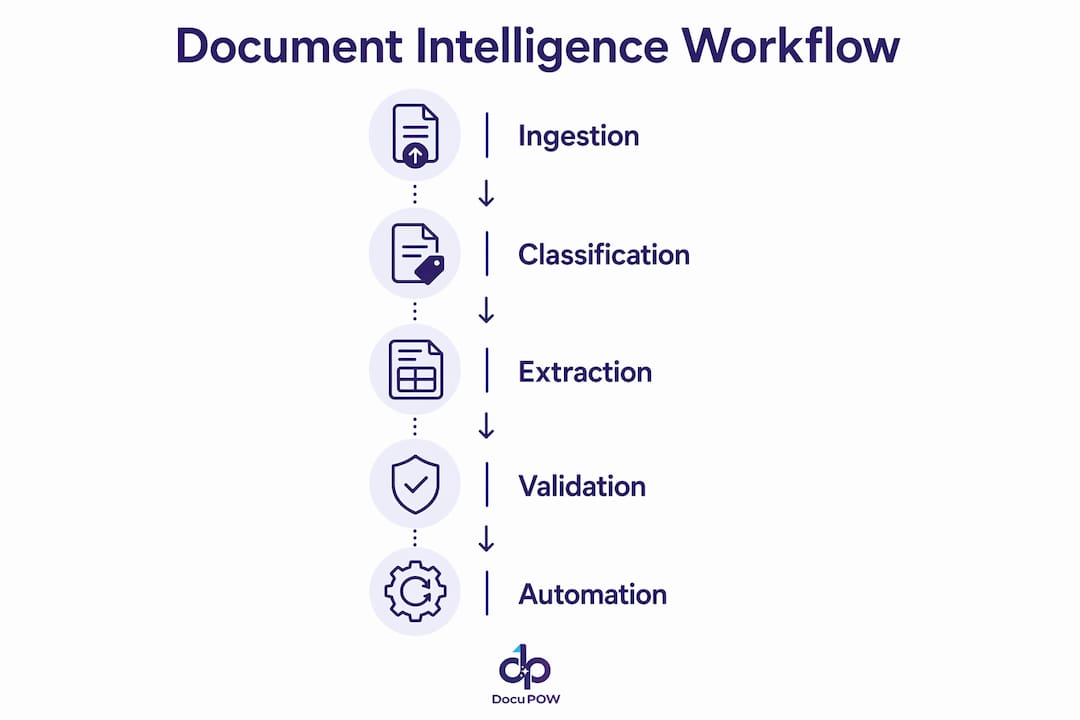
    Document intelligence is the technical discipline behind intelligent document processing (IDP). IDP is the recognized industry term for the full pipeline: ingestion, classification, extraction, validation, and integration. The two terms are used interchangeably in enterprise contexts, but IDP is the more precise label when describing the end-to-end system.

    The pipeline begins at ingestion. Documents arrive from email, scanners, APIs, web portals, and enterprise resource planning (ERP) systems in formats including PDF, TIFF, DOCX, and XML. The system classifies each document by type, such as invoice, bill of lading, or insurance claim, before any data extraction begins. Classification accuracy at this stage determines everything downstream.

    Extraction is where the technology diverges most sharply from legacy approaches. Traditional OCR reads pixels and returns text strings with no understanding of context. Template-based systems map fields to fixed coordinates on a page, which breaks the moment a vendor changes their invoice layout. Schema-driven AI extraction defines fields in plain language, allowing the model to generalize across new formats without retraining. That adaptability is the core advantage over rigid template systems.

    Validation is the stage most teams underestimate. Business-rule checks and cross-document consistency catch errors that perfect extraction still misses. A correctly extracted invoice total that does not match the purchase order is a production failure. Validation layers prevent that failure before data reaches your ERP or finance system.

    Capability OCR only RPA with templates AI-native IDP
    Handles varied layouts No No Yes
    Understands document context No No Yes
    Requires retraining for new formats N/A Yes No
    Validates against business rules No Limited Yes
    Supports human-in-the-loop review No Manual only Built-in

    Pro Tip: Run a document variety audit before selecting a processing approach. If your document types vary by vendor, region, or version, schema-driven AI extraction will outperform any template-based system within the first month.

    Infographic illustrating document intelligence process steps

    What are the best practices for implementing document intelligence?

    The single most reliable implementation strategy is to start narrow. Pick one high-volume, well-defined document type, invoices being the most common, and build your first production pipeline around it. Narrowly scoped IDP pilots on high-volume documents improve ROI and reduce deployment risk. Once that pipeline runs reliably, expanding to contracts or shipping documents becomes a configuration exercise rather than a full rebuild.

    Human-in-the-loop design is a feature, not a fallback. Routing low-confidence outputs for human review rather than forcing full automation is what makes enterprise-grade IDP reliable. The goal is not to eliminate human judgment. The goal is to direct human attention only where it adds value. Staff who previously entered data manually shift to reviewing edge cases, correcting exceptions, and improving the model over time.

    Integration depth determines long-term value. An IDP system that extracts data accurately but dumps it into a spreadsheet creates a new bottleneck. The extracted, validated data must flow directly into your ERP, CRM, or finance platform. That integration layer is where automated information management delivers its full return.

    Common pitfalls to avoid:

    • Skipping the document audit. Teams that deploy without cataloging their actual document variety discover edge cases in production, not in testing.
    • Treating change management as optional. Redefining roles for manual data entry staff toward exception handling and governance is commonly underestimated and frequently causes adoption failure.
    • Setting accuracy expectations too high at launch. A 95% straight-through processing rate on day one is a strong result. Continuous feedback loops from human reviews improve that figure over weeks, not days.
    • Ignoring audit trail requirements. Every extraction decision should be traceable for compliance purposes. Build logging into the pipeline from the start.
    • Underestimating volume thresholds. Document intelligence becomes cost-effective at roughly 1,000 documents per month for a given document type. Below that threshold, manual processes often cost less.

    Pro Tip: Map your exception routing before go-live. Define which document types go to which reviewer, what the escalation path looks like, and how corrections feed back into the model. Teams that skip this step spend their first month firefighting.

    What ROI and business benefits can organizations expect?

    The financial case for document intelligence is well established. Companies implementing IDP report an average ROI of 200–300% within the first year. That return comes from three sources: labor cost reduction, error elimination, and cycle time compression.

    Accounts payable provides the clearest example. Manual invoice processing typically takes 19.5 days from receipt to payment approval. AI-powered processing compresses that to 3.2 days. Faster cycle times mean fewer late payment penalties, more early payment discounts captured, and better cash flow visibility.

    “The organizations seeing the highest returns from document intelligence are not the ones with the most documents. They are the ones with the clearest process definitions and the strongest integration between their IDP pipeline and their core business systems.”

    Compliance and risk reduction add a benefit that does not always appear in ROI calculations. Every manually processed document carries human error risk. Automated validation against business rules and regulatory requirements reduces that risk systematically. For industries like insurance, financial services, and healthcare, that reduction in compliance exposure has direct dollar value.

    Department Primary document types Key benefit
    Finance Invoices, purchase orders Faster cycle times, fewer errors
    HR Onboarding forms, contracts Reduced processing time, compliance
    Insurance Claims, policies Faster adjudication, fraud detection
    Legal Contracts, NDAs Faster review, obligation tracking
    Logistics Bills of lading, customs forms Real-time shipment visibility

    The volume threshold matters for planning. Below 1,000 monthly documents of a given type, model building and maintenance costs can exceed the savings from automation. Organizations should prioritize document types that clear that threshold before expanding scope. For high-volume document processing, the economics improve sharply as volume grows.

    How is document intelligence evolving with AI-native technology?

    The 2026 market standard has shifted decisively toward AI-native, model-based IDP. Vision-language models read documents as a human would, combining layout understanding with text comprehension. A model that understands a table is a table, regardless of its position on the page, outperforms any coordinate-based template system on varied document formats.

    Large language models (LLMs) can interpret new document types without retraining, which is a genuine capability leap. The trade-off is cost. LLM-based extraction runs at higher per-document cost than classical OCR or fine-tuned ML models. The right architecture depends on document complexity and volume. Financial, legal, and compliance documents with dense contextual requirements justify the LLM cost. High-volume, standardized documents like purchase orders often do not.

    Hands typing on keyboard in home study

    Agentic AI represents the next capability layer. Rather than executing a fixed extraction pipeline, agentic systems make decisions autonomously: routing documents, requesting missing information, triggering downstream workflows, and escalating exceptions. Human governance remains essential, but the human role shifts from processing to oversight.

    Key trends shaping enterprise document intelligence through 2026 and beyond:

    • Multimodal models that process text, tables, images, and handwriting within a single document in one pass.
    • Agentic workflows that connect document extraction to downstream business processes without manual handoffs.
    • Compliance-by-design architectures that embed audit trails, data lineage, and regulatory validation into the extraction pipeline.
    • Hybrid model stacks that route simple documents to fast, low-cost models and complex documents to LLMs, balancing accuracy and cost.
    • Continuous learning loops where human corrections automatically improve model performance over time.

    The shift to template-free extraction is not a future trend. It is the current baseline for any enterprise-grade IDP deployment in 2026.

    Key Takeaways

    Document intelligence delivers its highest ROI when organizations combine AI-native extraction, business-rule validation, and human-in-the-loop governance within a tightly integrated enterprise workflow.

    Point Details
    Start narrow, then scale Pilot on one high-volume document type like invoices before expanding to other categories.
    Validation matters as much as extraction Business-rule checks and cross-document consistency prevent production failures that accurate extraction alone cannot catch.
    Human-in-the-loop is a design feature Routing low-confidence outputs for review improves reliability and builds model accuracy over time.
    ROI requires volume Document intelligence becomes cost-effective at roughly 1,000 documents per month per document type.
    AI-native models outperform templates Schema-driven and vision-language models generalize across new document formats without retraining.

    Why I think most organizations are still thinking about this wrong

    Most teams I talk to frame document intelligence as a cost-cutting project. They calculate labor hours saved, divide by salary cost, and present a payback period. That framing is not wrong, but it misses the larger opportunity.

    The real value is not in replacing data entry. It is in what becomes possible when data arrives in your systems in hours instead of days. A finance team that knows its payables position in real time makes different decisions than one waiting for end-of-week batch processing. A logistics operation that sees customs document exceptions the moment they occur resolves them before they delay shipments.

    I have seen organizations deploy technically sound IDP systems and still fail to capture that value. The reason is almost always integration depth. The extraction pipeline works, but the data lands in a staging table that someone checks twice a day. The bottleneck just moved.

    The organizations that get this right treat document intelligence as an enterprise information automation initiative, not a document scanning project. They map the downstream decisions that depend on document data and build the integration backward from those decisions. That approach changes the scope, the success metrics, and the organizational buy-in.

    Change management is the other underestimated factor. The staff who previously entered data are not eliminated. They become the people who catch what the model misses and teach it to do better. That repositioning requires deliberate communication and role design. Teams that skip it face resistance that slows adoption more than any technical challenge.

    — Sameer

    DocuPOW: Purpose-Built for Enterprise Document Workflows

    Organizations processing high volumes of invoices, contracts, shipping documents, or compliance forms need more than a generic automation tool. DocuPOW’s AI-powered platform uses autonomous agents that understand document context without relying on rigid templates, extracting data accurately across varied formats from day one.

    https://docupow.ai

    DocuPOW connects directly to ERP, CRM, and finance systems, so extracted data reaches the teams and tools that need it without manual handoffs. The platform’s real-time analytics give operations and finance teams the visibility to act on document data as it arrives. For teams ready to move from reactive processing to proactive decision-making, the AI workflow automation guide covers the full implementation path. Organizations in construction, real estate, and high-volume manufacturing can review industry-specific document automation solutions built for their workflows.
    FAQ

    What is document intelligence in simple terms?

    Document intelligence is the use of AI to automatically read, classify, and extract data from documents like invoices, contracts, and forms. It replaces manual data entry with accurate, automated processing that feeds directly into business systems.

    How accurate is AI document extraction?

    AI-native document intelligence systems achieve extraction accuracy up to 99% on well-defined document types. Accuracy depends on document variety, model quality, and the strength of the validation layer applied after extraction.

    When does document intelligence become cost-effective?

    Document intelligence becomes cost-effective for organizations processing at least 1,000 documents per month of a given type. Below that volume, model building and maintenance costs can exceed the savings from automation.

    What is the difference between OCR and document intelligence?

    OCR converts document images into text strings with no understanding of meaning or context. Document intelligence uses NLP, ML, and vision-language models to classify documents, extract structured data, and validate it against business rules.

    How long does it take to see ROI from document intelligence?

    Companies implementing IDP report 200–300% ROI within the first year, driven by processing time reductions of 60–70% and near-elimination of manual data entry errors.

  • Top 4 Virtual Assistant Dallas Software 2026

    Top 4 Virtual Assistant Dallas Software 2026

    Managing high volumes of invoices, contracts, and business records slows down Dallas operations when handled with basic assistant tools or manual processes. Many platforms demand costly contracts or require complex integration, which smaller teams cannot justify. This review compares automation features, pricing, and workflow controls across four alternatives so enterprise teams can choose the right fit without wasteful trial periods.

    Table of Contents

    DocuPOW

    https://docupow.ai

    At a Glance

    DocuPOW reports zero shot extraction of 100+ fields without templates. The platform uses autonomous AI agents to ingest and interpret complex unstructured documents across finance, healthcare, logistics, and legal. If your Dallas team handles varied invoices, contracts, or KYC packets, this can reduce manual rekeying and review steps.

    Core Features

    Autonomous AI agents handle document ingestion, parsing, and extraction while adapting to new formats without per template setup. The platform pairs natural language queries through Infinity with a visual workflow builder called Flow to orchestrate multistep automation across teams. Security and operations include encryption, role based access control, single sign on, real time validation with confidence scores, audit trails, and human in the loop review interfaces.

    Key Differentiator

    The platform replaces rigid template OCR by combining template free, zero shot extraction with visual workflow orchestration and verifiable answer sourcing. That means teams do not rebuild extraction templates when a vendor changes a form. For Dallas operations that process many unique vendor documents, this reduces onboarding time for new formats.

    Pros

    Template free, adaptive document understanding removes manual template maintenance and speeds format onboarding for new suppliers or forms. End to end automation links extraction to approvals or system entries through Flow, so extracted data triggers downstream processes without repeated manual handoffs. Enterprise grade controls such as encryption, RBAC, SSO, audit trails, and API connectivity support compliance and system integration.

    Cons

    • Pricing complexity might be a consideration for very small teams or low volume use cases.

    If your company runs low monthly document volume, compare credit consumption before committing.

    Who It’s For

    Enterprise teams in Dallas and beyond that process high volume, complex unstructured documents across finance, legal, procurement, or telecom. This fits organizations that need reliable extraction, confidence scoring, and workflow triggers rather than a basic OCR tool. Small single person shops with minimal monthly volume will likely find the platform more than they need.

    Unique Value Proposition

    The Flow visual builder lets teams map multi step approval, exception, and integration logic visually and attach extracted fields to downstream systems. That capability turns extracted data into immediate actions, cutting manual handoffs between departments. For mid market finance and procurement teams, Flow reduces work spent moving data between people and systems.

    Real World Use Case

    A financial institution automates processing thousands of loan agreements and invoices each month, extracting key fields and validating them with confidence scores. Validated data then triggers approval workflows and posts entries to core systems without manual rekeying. Human reviewers handle exceptions using the platforms review interface.

    Pricing

    Monthly plans start at $99 for 400 credits in the Starter tier and $499 for 2,500 credits in the Professional tier, with custom enterprise options available. Review your document volumes and expected credit burn before choosing a tier.

    Website: https://docupow.ai

    Rossum

    https://rossum.ai

    At a Glance

    Rossum reports support for 276 languages and handwriting, which helps multinational teams handle invoices and customs documents across markets. The platform pairs proprietary large language models with autonomous AI agents to capture, validate, and route transactional documents. That mix targets high-volume environments where integration with ERPs matters.

    Core Features

    Rossum ingests invoices, sales orders, and PDFs with optical character recognition and language models that learn from corrections. It cross-validates extracted fields against ERPs and third-party APIs and automates approvals, notifications, and exception handling through AI agents. A real-time dashboard provides metrics, an audit trail, and compliance controls while secure connectors link to major enterprise systems.

    Key Differentiator

    The standout element is continuous model learning driven by vendor proprietary models. That continuous learning improves understanding of unusual layouts and recurring vendor formats as teams correct extractions. For organizations that process complex transaction documents, this learning loop reduces repeat errors over time.

    Pros

    Rossum automates data capture across many document formats, cutting obvious manual entry workload and freeing AP and logistics teams to handle exceptions. It supports validation rules and cross-checks that enforce compliance and reduce invoice mismatches. Strong ERP connectors and enterprise security measures make it practical for companies that need tight system integration and an auditable trail.

    Cons

    • High cost. The platform may be expensive for small businesses or low-volume users.

    • Complex setup. Implementation can require dedicated technical resources and integration work.

    • Sensitivity to input quality. Low-quality scans or heavily formatted pages can still produce extraction errors.

    • Pricing and usage limits. High-volume operations may need larger plans with custom quotes.

    When It May Not Fit

    Rossum is a poor match for sole proprietors or very small teams that process a handful of documents monthly. If your organization lacks technical staff for an initial rollout, the implementation effort could delay business value. Firms that rely mostly on low-resolution scans will see limits to accuracy. If budget is constrained, smaller cloud OCR tools may be more cost effective.

    Notable Integrations

    • SAP

    • Coupa

    • NetSuite

    • Workday

    • Microsoft Dynamics

    Who It’s For

    Large enterprises and high-volume organizations that must process transactional documents across countries will get the most from Rossum. Teams running multiple ERPs or dealing with customs and complex supply chain paperwork will benefit from the integration capabilities. If your finance or operations group needs an auditable automation layer, this product fits that requirement.

    Real World Use Case

    According to the company, a multinational retail company automated invoice processing and reduced manual effort by over 90%. That result delivered faster approvals and clearer visibility into transaction workflows. The example illustrates how continuous learning and ERP cross-validation can cut touchpoints for recurring invoice formats.

    Pricing

    Pricing starts at $18,000 per year for the Starter plan. The vendor provides detailed quotes for Business, Enterprise, and larger plans tailored to volume and integration needs. Expect licensing plus implementation fees for complex deployments.

    Website: https://rossum.ai

    elDoc

    https://eldoc.online

    At a Glance

    Cloud and on premises deployment options support enterprise scale AI document processing and local data residency. The platform pairs document understanding with chat, workflow automation, eSignature, and secure file management to handle large volumes of enterprise records.

    Core Features

    elDoc applies AI / LLM document classification, indexing, summarization, and retrieval to large document collections and links those capabilities to workflow automation and chat for faster approvals. The product combines secure file storage and eSignature with role based access and encryption to keep sensitive records under governance. Built for enterprise document management, it also supports document generation and organized search across repositories.

    Key Differentiator

    The main distinction is a LLM agnostic, unified suite that bundles document processing, automation, and secure collaboration with both cloud and on premises deployment. Where DocuPOW emphasizes autonomous agents and extraction for manufacturers, elDoc prioritizes deployment flexibility and governance for regulated enterprises.

    Pros

    The interface is user friendly and practical, which shortens onboarding for administrative and legal teams. elDoc supports both cloud and on premises installs, which helps agencies and enterprises that need local control of sensitive data. The product pairs AI / LLM Document Classification and intelligent retrieval with workflow automation and eSignature, so teams can move documents from intake to approval without stitching multiple tools together. Security features such as role based access and encryption back the governance claims and suit regulated environments.

    Cons

    • Vendor materials list few user reported weaknesses. That makes independent tradeoffs harder to verify.

    • Public pricing is not published in detail. Assessing cost effectiveness requires direct vendor discussion.

    • Feature set favors organizations with structured document workflows. Small teams with ad hoc needs may find the suite heavier than required.
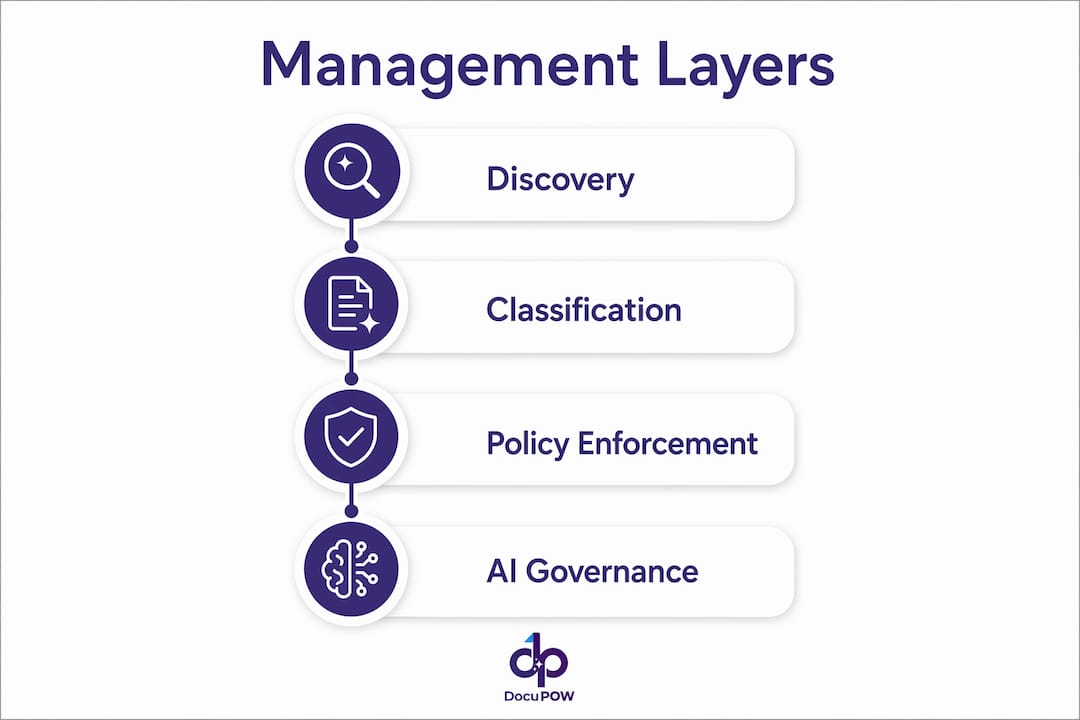
    Who It’s For

    Organizations that must process large volumes of regulated documents and keep a clear audit trail will find this a fit. Government agencies, legal departments, and enterprises that require on premises options and strict access controls match the target profile. Teams that need integrated eSignature and approval routing will gain immediate value.

    Real World Use Case

    A government agency routes incoming forms into elDoc, which classifies and extracts key fields, creates searchable indexes, and routes items to reviewers via automated approvals. Staff collaborate using the built in chat and finalize records with eSignature while encryption and role based controls preserve compliance.

    Pricing

    Not applicable — informational only. Exact pricing and licensing models are available from the vendor on request and will vary by deployment type and organizational scale.

    Website: https://eldoc.online

    SenseTask

    https://sensetask.com

    At a Glance

    SenseTask reports processing time savings of over 10x for some automated document flows. The platform combines adaptable AI classification with export connectors to ERPs and CRMs. That combination targets governed automation and auditability for mid to large enterprises.

    Core Features

    SenseTask delivers AI driven document classification and data extraction paired with automated workflows and approval chains. The platform groups related documents into collections, supports customizable validation rules, and offers a digital archive with advanced search and security controls. A flexible API and cloud scaling let teams push validated data into ERP, CRM, and accounting systems.

    Key Differentiator

    SenseTask adapts its classification models to varied document types and layouts while linking those results directly into enterprise systems. That focus on adaptable extraction plus system integration makes it a fit for organizations that require governed, exportable data flows rather than standalone capture tools.

    Pros

    SenseTask reduces repetitive manual work across invoices, contracts, and purchase orders, freeing finance and procurement teams to focus on exceptions. The platform supports approval workflows with audit logs and role based access, which helps compliance and control for regulated processes. Users report the platform learns from corrections, improving extraction accuracy over time and reducing review workload.

    Cons

    • Market awareness is still developing, so some buyers may hesitate when seeking widely referenced vendors.

    • The product needs further functional expansion to match deep specialty workflows used by very large enterprises.

    • Advanced integrations and niche features may require additional tuning and vendor support during rollout.

    When It May Not Fit

    If you run a very small business with minimal integration needs, SenseTask may exceed your complexity requirements. Organizations that require out of the box connectors to a niche ERP marketplace may find the integration catalog limited. Teams needing zero setup and no ongoing model tuning should consider simpler capture tools instead.

    Who It’s For

    Businesses in Dallas and beyond that process large volumes of invoices, contracts, or shipping documents will find SenseTask relevant. You should consider it if your team needs controlled approvals, audit trails, and ERP exports. The platform suits mid sized to large enterprises seeking scalable, governed document automation.

    Real World Use Case

    A logistics operator used SenseTask to automate invoices, shipping manifests, and customs paperwork. The system classified mixed layout forms, validated key fields, and routed exceptions to approvers. That workflow reduced review cycles and improved compliance with export controls.

    Pricing

    Starting at $99/month for the Starter plan with a 14-day free trial. Enterprise pricing is customized and includes additional features and support for large scale deployments. Contact the vendor for volume discounts and implementation packages.

    Website: https://sensetask.com

    Comparison of alternatives

    Document processing solutions vary significantly in their features and deployment goals. Below is a comparative assessment to assist in selecting the best platform for your objectives.

    Adaptive Processing and Accessibility

    DocuPOW excels in its AI-driven zero-shot document field extraction, eliminating the need for pre-defined templates. This makes onboarding and interfacing with new document formats immediate. Rossum offers a strong emphasis on multi-language document processing and handwriting detection, making it suitable for globalized operations with diverse language needs.

    Integration and Usability in Regulated Environments

    elDoc prioritizes security and governance through local data residency options and role-based encryption, which aligns with requirements in regulated sectors. SenseTask strikes a balance by coalescing adaptable extraction models with ERP integrations, which strengthens compatibility with varied data and operational workflows.

    Best fit

    • For enterprises processing high volumes of complex and unstructured documents, DocuPOW minimizes manual intervention and accelerates productivity continuously.

    • Multinational corporations requiring extensive language processing capabilities will find Rossum’s 276 language support.

    • Teams in highly regulated industries, such as government or finance, will appreciate elDoc’s focus on deployment options and strict compliance measures.

    • Businesses reliant on ERP integrations with scalable workflows benefit greatly from SenseTask’s flexible configuration.

    Our pick

    For flexibility and capability in handling diverse document processing needs, superior scalability, and advanced automation, DocuPOW is the recommended choice. Its template-free extraction and effective workflow integration deliver notable gains in operational efficiency. However, those prioritizing language support or stringent data governance should consider alternatives like Rossum or elDoc.

    Choosing the right document processing platform requires evaluating features like automation capabilities, integration, and pricing.

    Product Name Core Feature Key Differentiator Pricing Notable Limitation
    DocuPOW Autonomous AI agents and workflows Zero shot extraction with adaptive formats Starting at $99/month for 400 credits Pricing complexity for very small teams
    Rossum Multilingual OCR and validation Continuous learning-driven extraction Starting at $18,000/year High cost for small businesses
    elDoc Document classification and storage Unified LLM-agnostic suite Price not published Heavy for small teams with ad hoc workflows
    SenseTask Adaptive classification and workflows Integration with ERP and CRM systems Starting at $99/month with 14-day free trial Limited visibility among niche ERP marketplaces

    How Can Virtual Assistant Dallas Teams Reduce Document Processing Challenges?

    Many Virtual Assistant Dallas teams struggle with handling vast, complex documents that slow workflows and increase manual work. DocuPOW tackles this by using autonomous AI agents to extract over 100 fields without relying on templates. This approach cuts onboarding time for new document formats and lowers manual data entry errors.

    DocuPOW empowers teams by:

    • Automating extraction and approvals through a visual workflow builder

    • Providing real-time validation with confidence scores

    • Offering enterprise-grade security and audit trails

    Find out how companies manage document complexity with AI tools at the AI Archives – DocuPOW.

    https://docupow.ai

    Explore DocuPOW solutions at https://docupow.ai and connect your document workflows to reduce errors and accelerate approvals today.

    FAQ

    How does DocuPOW handle complex document types?

    DocuPOW uses autonomous AI agents to ingest and interpret complex unstructured documents across various fields. The platform’s zero shot extraction capability allows it to operate without predefined templates, making it ideal for diverse document types. If your team processes varied invoices, contracts, or KYC packets, this feature can greatly reduce manual entry work.

    What is the difference between Rossum and DocuPOW?

    Rossum stands out for its ability to support 276 languages and handwriting, making it suitable for multinational teams handling invoices. In contrast, DocuPOW excels in environments where teams need rapid adaptability to unique vendor documents without creating new templates, particularly beneficial for businesses focused on diverse document processing.

    Can I automate approval workflows with DocuPOW?

    Yes, DocuPOW links extraction directly to approvals through its Flow visual workflow builder. This allows teams to automate multi-step processes efficiently, eliminating repeated manual handoffs between departments.

    Does DocuPOW support security features?

    DocuPOW includes enterprise-grade security features such as encryption and role-based access control to ensure compliance. These controls help maintain the integrity and confidentiality of sensitive data during processing.

    How does DocuPOW compare in pricing?

    Pricing for DocuPOW starts at $99 per month for 400 credits in the Starter tier. Organizations should evaluate their document volumes to assess the most suitable pricing tier before committing.

  • Top 6 Ai Answering Service For Accountants Alternatives 2026

    Top 6 Ai Answering Service For Accountants Alternatives 2026

    Extracting structured data accurately from accounting documents without manual work or template setup wastes staff time and introduces errors. Many AI answering tools for accountants lock advanced automation behind opaque pricing or force teams to change their workflows. This comparison covers features, integrations, and automation controls for six document data extraction alternatives so accountants can match a product to their practice needs.

    Table of Contents

    DocuPOW

    https://docupow.ai

    At a Glance

    The vendor advertises zero-shot extraction of 100+ fields from unseen document types. The system automates ingestion, understanding, and workflow execution of complex, unstructured business documents without templates. It also supports conversational access through the Infinity AI assistant for document queries.

    Core Features

    The platform uses autonomous agents to extract, validate, and act on data across invoices, contracts, KYC records, and more. Confidence scored data supports review routing while human-in-the-loop interfaces provide full audit trails and version tracking. A visual workflow builder orchestrates multi-agent processes and pushes outcomes into enterprise systems.

    Key Differentiator

    Template-free, zero-shot semantic extraction that pairs with a visual process builder and an intelligent conversational assistant sets DocuPOW apart. That combination lets teams treat documents as active inputs rather than manual data sources.

    Pros

    Template-free extraction adapts to new document formats without building templates and delivers verifiable source citations for each extracted value. The visual workflow builder and multi-agent orchestration let you validate data and route exceptions before the system pushes records to ERPs or CRMs. Enterprise-grade security features include encryption and role management, and the Infinity AI assistant enables conversational queries across large repositories.

    Cons

    • Initial setup and integration can be complex for smaller teams or buyers without technical resources.

    Notable Integrations

    • ERP systems
    • CRM systems
    • APIs for custom integration

    Who It’s For

    Mid to large enterprises that handle high volumes of complex documents across finance, legal, HR, supply chain, or healthcare will get the most value. Teams that need end-to-end automation from extraction to final process completion benefit from the visual workflow and validation controls. Buyers with dedicated integration or IT support will implement faster.

    Unique Value Proposition

    The visual workflow builder that pushes validated, confidence scored data into downstream systems is the practical differentiator. Real-time analytics and predictive insights let finance and operations teams see processing status and exception trends without stitching dashboards together. That workflow focus turns document output into actionable system state.

    Real World Use Case

    A finance team automates invoice extraction and validation, reduces manual entry and errors, and routes exceptions to reviewers. Workflow automations then push validated fields into the ERP for near real-time processing and improved ledger visibility.

    Pricing

    Plans start at $99/month for 400 credits with annual billing. Higher volume and enterprise features require larger plans, and you must contact sales for custom enterprise pricing.

    Website: https://docupow.ai

    Combinely

    https://combinely.ai

    At a Glance

    SOC 2 Type II certification, GDPR compliance, and a clear policy that user data is not used to train models define Combinely’s security stance. The platform targets tax, audit, and accounting workflows. It offers Outlook and Excel add-ins to keep work inside familiar tools.

    Core Features

    Combinely automates repetitive accounting tasks with configurable workflows and provides AI-powered tax research and guidance. It adds Outlook and Excel integrations so you can extract and verify data without switching apps. The platform enforces data controls, includes source citations, and supports both UK and US standards.

    Key Differentiator

    Combinely pairs domain-specific automation with explicit compliance controls, centering firm-level data ownership and auditability. Compared with DocuPOW, Combinely serves a narrower audience focused on regulated accounting workflows and in-app Office integration. That focus makes it a fit for firms that prioritize documented controls and traceable outputs.

    Pros

    Deep Office integration reduces context switching by keeping work inside Outlook and Excel while automating common tasks. The platform emphasizes data governance with SOC 2 Type II and GDPR controls, plus a policy against training AI on customer data. Domain-specific features for tax, audit, and accounting mean guidance and workflows match common firm processes.

    Cons

    • No third-party user reviews are available, so real-world strengths and weaknesses remain unverified by independent sources.

    • Public pricing information is limited, suggesting a custom or enterprise sales model that may require a demo.

    • Smaller or less technical practices may find initial setup and workflow design complex.

    When It May Not Fit

    If you need transparent, self-serve pricing to compare options, this product may frustrate procurement teams. Firms seeking broad third-party validation will find limited independent reviews. Solo practitioners or micro firms with minimal IT support may struggle with initial deployment.

    Notable Integrations

    • Outlook

    • Excel

    • Web platforms

    Who It’s For

    Combinely fits accounting firms and teams that handle tax, audit, or bookkeeping at scale and need strong data controls. It suits mid-tier firms that use Office extensively and require audit trails for AI outputs. Buy-in from IT or operations helps unlock the platform’s workflow automation.

    Real World Use Case

    A mid-tier firm automates data extraction from client documents and verifies spreadsheet calculations inside Excel. The AI drafts tax opinions that include source citations for reviewers. Staff shift from low-value data entry to higher-value review and advisory work.

    Pricing

    Pricing is not publicly listed. The vendor positions the product for custom or enterprise agreements rather than off-the-shelf tiers.

    Website: https://combinely.ai

    Cranston

    https://cranstonai.com

    At a Glance

    Cranston bills per client book at $30 per month and charges $40 per return, with practice management included. The system runs AI agents that draft returns and bookkeeping entries overnight for licensed reviewers to approve. It ties directly into common CPA systems so firms keep existing workflows.

    Core Features

    Cranston automates tax preparation, bookkeeping, and client follow up while operating on top of tools you already use. A single workspace collects source documents, returns, emails, and requests so reviewers see everything in one place. The platform pulls bank feeds through QuickBooks or Xero, codes transactions automatically, and matches statements for monthly close and reconciliation.

    Key Differentiator

    What sets Cranston apart is that it performs AI drafting and workflow automation directly on top of a firms existing software stack. That design lets firms keep QuickBooks, Xero, CCH Axcess, or Drake and still gain overnight draft work. The model favors firms that want automation without migrating core accounting systems.

    Pros

    Automation removes repetitive setup tasks and cuts reviewer time by providing prepopulated drafts. Integration with multiple CPA systems avoids a full platform migration and keeps historical workflows intact. The single-client workspace improves reviewer focus by consolidating documents, requests, and return drafts in one place. Security features include AES-256 encryption and point in time backups, and the vendor says SOC 2 is in progress.

    Cons

    • Limited third party user reviews or detailed customer feedback are publicly available, which makes peer validation harder.
    • Firms must rely on their existing software familiarity and integrations to get full value; the product assumes those systems are already in place.
    • Specific feature limits and edge case behaviors are not fully detailed in available materials, leaving some workflow questions unanswered.

    When It May Not Fit

    If your firm does not use QuickBooks, Xero, CCH Axcess, Drake, or similar systems, Cranston may force a heavier integration lift. Small practices that want a standalone accounting suite instead of an overlay may find the model awkward. Also expect additional discovery time when documenting edge cases for unusual return types.

    Notable Integrations

    • QuickBooks
    • Xero
    • CCH Axcess
    • Drake
    • TaxDome
    • Gmail
    • Ultratax
    • Karbon

    Who It’s For

    Cranston fits CPA firms that want to automate tax prep, bookkeeping, and client workflow while keeping their current software stack. It suits firms aiming to increase capacity without hiring proportional staff. The product best serves practices that already use the listed integrations.

    Real World Use Case

    A mid sized CPA firm uses Cranston to collect client documents, draft returns overnight, and queue items for licensed reviewers each morning. Bank feeds sync automatically into the workspace and monthly reconciliations arrive coded and matched for review. The firm handles more clients without adding headcount.

    Pricing

    Pricing is per client book at $30 per month and per return at $40 flat, and the plan includes practice management features. The model lets firms choose the cost basis that matches their engagement mix. Large-scale pricing or enterprise discounts are not publicly listed.

    Website: https://cranstonai.com

    Nudge

    https://nudgetax.io

    At a Glance

    Nudge handles client questions, phone calls, and document requests after hours to keep firms responsive outside business hours. The product uses an AI assistant to collect documents, transcribe meetings, draft emails, and return sourced answers in the firms voice. It remains in private preview, so public case studies and broad user reviews are not yet available. That preview status means some features may change before general release.

    Core Features

    Nudge combines an AI front desk with an AI document collector and an AI note taker so a single assistant covers calls, document requests, and meeting transcription. The assistant also drafts emails in the firms voice and runs an AI search that returns sourced answers to client questions. These elements are tied into existing accounting workflows to reduce repeated manual steps.

    Key Differentiator

    Nudge focuses on deep integration with accounting workflows to keep client communication inside the firms existing processes. The vendor positions the tool as a single assistant that handles calls, document tracking, and meeting notes without forcing firms into separate tools. That focus aims to reduce the number of manual handoffs between reception, client service, and tax teams.

    Pros

    Automates routine client interactions so staff can spend more time on billable work rather than follow ups. The assistant works after hours to answer questions and collect documents without breaks. It consolidates multiple tasks in one assistant, covering voice calls, document tracking, meeting transcription, and email drafting. The product targets firms of all sizes, from solo practitioners to multi partner practices, which reduces the need to hire extra staff during busy seasons.

    Cons

    • Private preview stage. Full feature stability and long term reliability are not yet publicly verified.

    • No substantive third party reviews are available to confirm real world satisfaction or recurring issues.

    • Public documentation about limitations, failure modes, or edge cases is limited, making risk assessment harder for larger firms.

    Who It’s For

    Accountants, bookkeepers, and CAS practices that want to automate routine client interactions and increase capacity without hiring fit Nudges profile. Firms that handle high call volume during tax season or that spend substantial time chasing documents will see the most immediate value. Practices that require proven public references or audited reliability may prefer a later release.

    Real World Use Case

    During tax season a mid sized firm routes incoming client calls and document requests to Nudge after business hours. The assistant sends follow up requests, transcribes client meetings, and drafts reply emails in the firms voice. Staff return to organized, sourced answers and uploaded documents, which reduces manual chasing and improves response times.

    Pricing

    Pricing is not published for public consumption and the listing states Not applicable for informational only. Firms interested in private preview access will need to contact the vendor for pilot terms and any pilot pricing.

    Website: https://nudgetax.io

    Heyquin

    https://heyquin.io/roles/accountants

    At a Glance

    Heyquin’s marketing materials state it can reduce admin work by up to 10 hours weekly. The product targets the repetitive post meeting tasks that consume staff time. It focuses on converting meetings into notes, tasks, and follow up messages so accountants can spend more time on client work.

    Core Features

    Heyquin drafts follow up emails in the user’s voice and summarizes meeting notes into CRM or practice management records. It creates and assigns tasks from meeting outcomes and supports custom automation workflows for repetitive tasks. The tool integrates with email platforms and practice management systems to keep client records current without forcing new user workflows.

    Key Differentiator

    The standout is automation of the entire post meeting admin process from note capture to record updates and follow up messages. Heyquin performs those steps without asking staff to learn a separate workflow or replace existing systems. That approach lets firms add automation on top of current practice management tools.

    Pros

    Heyquin automates routine admin tasks, which reduces the hours staff spend drafting messages and updating records. It connects with popular practice management and email platforms so teams do not have to retrain around a new system. The interface is user friendly, supports shared tasks for collaboration, and produces context aware email drafts that reflect prior client interactions.

    Cons

    • No independent third party review sources were found to corroborate user feedback, so external validation is limited.
    • Full automation requires existing practice management and communication tools, which adds setup and maintenance work.
    • Highly customized or non standard workflows may need manual intervention or additional configuration.

    When It May Not Fit

    Firms without a supported practice management system will not get full automation from Heyquin. Teams that rely on bespoke workflows or heavy customization should expect extra configuration and occasional manual steps. Organizations seeking a solution that works without any connected systems are a poor fit.

    Notable Integrations

    • TaxDome
    • Karbon
    • Financial Cents
    • Jetpack Workflow
    • Salesforce
    • Zoho CRM
    • QuickBooks Online
    • Gmail and Outlook

    Who It’s For

    Accountants and tax professionals who want to reduce routine engagement and documentation time will get the most value. Small and midsize firms already using TaxDome, Karbon, Jetpack Workflow, or QuickBooks Online will find the integrations useful. Teams that prefer adding automation onto existing systems rather than replacing tools match this product.

    Real World Use Case

    A mid sized tax practice uses Heyquin to generate follow up messages and to update client files after calls. That reduces the administrative burden on preparers and client managers. The team keeps TaxDome and QuickBooks Online records current without extra manual entry.

    Pricing

    $49 per month, with a 14 day free trial and custom enterprise plans available. Small firms can test the standard plan during the trial period. Enterprise pricing is provided on request for larger deployments.

    Website: https://heyquin.io/roles/accountants

    Fignode

    https://fignode.com

    At a Glance

    The vendor lists the Full Node plan at $2,500/month and limits enrollment to five partners this quarter. The vendor claims a 100% accuracy guarantee by pairing AI agents with human verification. Fignode runs as a native desktop operating system that watches local folders and connects directly to ledgers.

    Core Features

    Fignode automates client follow up via WhatsApp, SMS, and email while watching local folders for new documents. It maintains a continuous cryptographic audit trail and offers real time general ledger connectivity with major accounting platforms. The native desktop apps include biometric security for sign in and a mobile companion for on the go tasks.

    Key Differentiator

    The platform pairs autonomous agents with human review to support its accuracy claim. That human in the loop model focuses human attention on exceptions while agents handle routine entry and reconciliation. This split of work targets lower error rates in day to day bookkeeping.

    Pros

    The vendor reports users save up to 40 hours per week, which firms cite as reclaimed billable time. Human verification reduces obvious misclassifications and helps when clients provide messy paperwork. Strong ledger connectivity keeps books current with QuickBooks, Xero, Sage, or NetSuite. Support for multi currency and crypto transactions lets firms record unusual flows without manual conversion.

    Cons

    • No substantive third party user reviews are available, so broader sentiment is unclear.
    • The product is desktop only, which may restrict remote staff who rely on browser access.
    • Firms unfamiliar with local desktop workflows or biometric sign in face a learning curve.
    • Limited public community means fewer peer resources for troubleshooting.

    When It May Not Fit

    Fignode is a poor match for firms that require pure browser access for remote teams. It may frustrate practices that prefer cloud native apps or that cannot install local software. Small practices that want abundant independent reviews before adoption will find limited social proof here.

    Notable Integrations

    • QuickBooks
    • Xero
    • Sage
    • NetSuite
    • Plaid
    • Stripe

    Who It’s For

    CPA firms and independent accountants who want to replace manual entry with desktop based automation. It fits practices that can run local apps, use biometric sign in, and want ledger sync with established accounting systems. It also serves firms with multi currency or crypto bookkeeping needs.

    Real World Use Case

    A mid-sized CPA firm runs Fignode to automate daily bookkeeping and reconcile client ledgers as transactions post. The system prompts clients for missing documents by SMS and email and flags exceptions for staff review. Teams then focus on resolving flagged items rather than entering receipts.

    Pricing

    Full Node costs $2,500/month and includes a junior accountant replacement, unlimited transactions, and desktop plus mobile apps. The vendor advertises limited availability for five partners this quarter, which may affect procurement timing.

    Website: https://fignode.com

    Comparison of alternatives

    The market offers a variety of AI-powered tools catering specifically to accounting needs, providing significant aids to professionals seeking efficiency in their workflows. Each option presents distinct advantages, paving the way for informed decision-making. Below, we analyze core differentiators among notable competitors to highlight their strengths and areas for improvement.

    Deep automation versus targeted integration

    While DocuPOW excels in automating complex document workflows using its template-free semantic extraction paired with visual process builders, Cranston focuses on offering prepopulated automated bookkeeping drafts integrated directly on existing software stacks like QuickBooks or Xero. On the other hand, Combinely caters specifically to tax, audit, and accounting workflows with deep integrations into familiar tools such as Excel and Outlook, facilitating user efficiency within already established systems. Firms already equipped with compatible systems may find Cranston’s or Combinely’s targeted integrations more aligned with their operational methodologies.

    Security and validation measures

    Accounting professionals highly value accuracy and auditability. Fignode stands out in this regard, combining AI-driven automation with human validation mechanisms to ensure precision and traceable outputs, an approach specifically advantageous for organizations requiring rigorous error-control mechanisms. In contrast, DocuPOW delivers verifiable source citations for each extracted value and confidence scoring, which streamlines review routing for human interactions. Both approaches serve specific needs effectively, offering distinguishable benefits.

    Best fit

    • Firms dealing with high volumes of unstructured data looking to automate workflows effectively will benefit greatly from DocuPOW’s advanced automation capabilities and versatile integration features.
    • Accounting teams that heavily use Office tools and require workflow automation with strong foundations in tax guidance will find Combinely’s domain-specific features beneficial.
    • Practices leveraging legacy accounting software like Xero or QuickBooks to support established workflows might prefer the unique integration proposition offered by Cranston.

    Our pick

    Based on detailed comparative evaluation, our recommendation acknowledges the unique strengths and applications of each tool. DocuPOW stands out for its ability to manage unstructured data with template-free extraction, combined with configurable workflows and cutting-edge technology. For organizations seeking a balance between automation and adaptability, DocuPOW is an excellent choice. Meanwhile, firms prioritizing narrow integrations or specific scenarios may find better alignment with tools like Combinely or Fignode.

    Here is a comparison of key features and offerings among document data extraction tools for accountants:

    Product Core Feature Key Differentiator Pricing Notable Limitation
    DocuPOW Template-free document extraction Zero-shot semantic extraction with process automation $99/month for 400 credits, custom enterprise plans Initial setup and require technical resources
    Combinely Automated accounting task workflows Office suite integrations for frictionless accounting Price not published Limited public user reviews and complex initial setup
    Cranston Tax and bookkeeping with overnight AI Operates within existing software systems $30/month per client book, $40/return Firms need supported accounting software for seamless functionality
    Nudge AI-driven client communication Consolidated client interaction through a single assistant Price not published Availability limited to private preview
    Heyquin Post-meeting administrative automation Automation of meeting notes and follow-up communication $49/month with free trial, custom enterprise plans Dependent on existing practice management systems for full automation
    Fignode Local software ledger synchronization Autonomous agents paired with human verification $2,500/month Desktop-only platform limits access for remote teams

    How Can Accountants Overcome Challenges with AI Answering Services?

    Accountants and bookkeepers face pressure to reduce manual data entry while managing client queries efficiently. Many Ai Answering Service For Accountants options simplify communication but fall short on integrating document processing deeply into workflows. DocuPOW addresses this by using autonomous AI agents to extract data from complex documents without templates. This minimizes errors and accelerates processing while supporting real-time review and routing.

    Using DocuPOW means your team spends less time chasing data and more time on meaningful work. Features like predictive analytics keep you informed without assembling separate dashboards. Visit DocuPow Archives, AI Archives, or start with the main site at https://docupow.ai to learn how your firm can push data faster into ERP or CRM systems.

    https://docupow.ai

    Reduce manual entry and improve data accuracy with DocuPOW’s autonomous extraction. Get a free demo and see how importing your documents leads to faster invoice processing and clearer financial visibility.

    FAQ

    How does DocuPOW handle template-free extraction for document types?

    DocuPOW automates ingestion, understanding, and workflow execution of complex, unstructured business documents without templates. This allows for zero-shot extraction of 100+ fields from unseen document types, making it adaptable to new formats. Users can expect a modern solution that minimizes the need for manual data entry, thus streamlining their workflows.

    What is the difference between Combinely and DocuPOW in terms of integrations?

    Combinely offers deep integration with Outlook and Excel, which allows users to extract and verify data directly within these familiar tools. In contrast, DocuPOW utilizes a visual workflow builder that orchestrates multi-agent processes, ideal for enterprises needing automated data handling across various documents. This makes DocuPOW a superior choice for teams focused on extensive document automation and data routing.

    Can I use DocuPOW if my team lacks technical resources?

    DocuPOW’s system can be complex to set up initially, especially for smaller teams or buyers without technical resources. However, once integrated, it provides a user-friendly interface for document data extraction, making it easier to manage documents actively.

    Does Cranston support integrations similar to DocuPOW?

    Cranston integrates with numerous CPA systems like QuickBooks and Xero, allowing firms to keep existing workflows. While DocuPOW supports enterprise system integrations for broader data validation, Cranston focuses more specifically on automating bookkeeping and tax preparation tasks in familiar software environments. This makes Cranston a suitable option for firms prioritizing their current systems.

    What unique feature does DocuPOW offer for data validation?

    DocuPOW provides confidence scored data that supports review routing, ensuring that validated results are promptly directed to the relevant team members. This functionality enhances data accuracy and operational efficiency, satisfying teams that require detailed oversight.

    DocuPOW is designed for mid to large enterprises handling high volumes of complex documents across sectors like finance, legal, and healthcare. The platform’s template-free extraction and automation features enable teams in these fields to boost efficiency and accuracy in their documentation processes.

  • Job Cost Reporting Services: A 2026 Financial Guide

    Job Cost Reporting Services: A 2026 Financial Guide


    TL;DR:

    • Effective job cost reporting provides real-time project expense visibility with standardized codes, rapid data integration, and weekly updates. Organizational discipline, including alignment meetings and weekly reviews, outweighs software features in ensuring reliable financial control. Accurate, timely data relies on proper setup, field-to-finance communication, and calibrated implementation periods of 30 to 60 days.

    Job cost reporting services are the systems and workflows that give financial managers real-time visibility into project expenses, variance trends, and forward-looking cost estimates. Without them, project budgets drift silently until the damage is irreversible. The most effective services combine a standardized cost code structure of 20–40 unique codes, near-real-time ERP integration, and weekly reporting cycles that turn raw cost data into decisions. Northstar Financial Advisory, The Construction CFO, and Profit.co all point to the same conclusion: job costing is an organizational discipline first and a software problem second.

    1. What are the key features of job cost reporting services?

    Effective job cost reporting services share a specific set of capabilities. Miss one, and the entire reporting chain breaks down.

    Team discussing job cost reporting workflows in meeting room

    Standardized cost code structure. A 20–40 code framework covering labor, materials, subcontractors, equipment, and overhead is the baseline for meaningful analysis. Frameworks like CSI MasterFormat give teams a consistent vocabulary for bid-to-actual variance comparisons across every project.

    Near-real-time ERP integration. Uninvoiced committed spend never appears in standard accounts payable reports. That gap creates hidden financial exposure that only surfaces when it is too late to act. Bidirectional data flow between your ERP and project management platform closes that gap.

    Weekly reporting cadence. Monthly reporting leaves project managers reviewing data that is 2–3 weeks old. Weekly cost entry cycles transform job costing from a historical record into an early warning system.

    Variance and forward-looking reports. Cost-to-date reports tell you where you have been. Estimate-at-completion and cost-to-complete reports tell you where you are heading. Both are required for real project financial management.

    Audit trails and commitment tracking. Every purchase order, subcontract, and change order must be visible before the invoice arrives. Automated audit trails support dispute resolution and give finance teams a complete picture of financial commitments at any point in time.

    Pro Tip: Build your cost code list before you configure your accounting system. Retrofitting codes after project data is already entered creates reconciliation problems that can take months to untangle.

    2. Which workflows drive better financial control?

    The right workflow turns a reporting tool into a control system. These five steps define the operational standard.

    1. Run an alignment meeting before project start. Misalignment between estimator budgets and accounting cost codes is the most common reason job costing setups fail. A mandatory pre-project meeting between the estimator and the accountant maps every estimate line to a cost code. Without it, bid-to-actual variance analysis is impossible.

    2. Enter costs weekly, not monthly. Labor, materials, equipment, and subcontract costs should be entered on a weekly cycle coordinated with payroll and procurement cutoffs. This keeps the data current and prevents the 2–3 week lag that hides margin problems.

    3. Hold weekly cost-to-complete reviews. Project managers update their cost-to-complete estimates every week based on current field reality. Weekly review sessions surface change order opportunities and flag slow-pay or schedule risks before they compound.

    4. Run monthly cross-department alignment meetings. Finance, field operations, and management review WIP schedules, change order logs, and productivity variances together. This meeting catches the issues that weekly reports flag but no single team can resolve alone.

    5. Use automated dashboards and exception alerts. Exception-based reporting pushes alerts when a cost code exceeds its budget threshold. Finance teams stop hunting for problems and start responding to them.

    Pro Tip: Assign one person to own the weekly cost entry deadline. When accountability is shared across a team, entries slip and the reporting cycle breaks within two months.

    3. How do job cost reporting services integrate with existing financial systems?

    Integration quality determines whether your cost data is trustworthy or merely approximate.

    Bidirectional API connections between ERP and project portfolio management platforms enable live financial data synchronization. When a purchase order is approved in the project system, the committed cost appears immediately in the ERP. That single capability eliminates the manual consolidation step that consumes hours of finance team time every week.

    Master data management is the hidden requirement most implementations underestimate. Cost codes must match exactly across every connected system. A single naming inconsistency, such as “Labor-Framing” in one system and “Framing-Labor” in another, breaks automated matching and forces manual reconciliation. Establish a master code list and enforce it as a system configuration rule, not a best practice.

    Committed cost visibility is the feature that separates capable platforms from basic ones. Costs become visible as soon as they are committed, removing manual consolidation delays entirely. This matters most for subcontract-heavy projects where the gap between commitment and invoice can span weeks.

    A unified platform outperforms a loosely connected stack in one specific way: exception management. When invoice data, purchase order data, and cost code data all live in the same environment, disputes are resolved with a single lookup. Across disconnected systems, the same lookup requires three separate queries and a spreadsheet. DocuPOW’s procure-to-pay automation addresses exactly this problem by connecting document extraction directly to cost tracking workflows.

    Pro Tip: Before selecting any integration approach, map every data handoff point between your estimating, project management, and accounting systems. Gaps in that map are where financial exposure hides.

    4. What are the common pitfalls in job cost reporting services?

    Most job costing failures are organizational, not technical. The software works. The process around it does not.

    • Skipping the alignment meeting. Without a pre-project alignment session, estimators and bookkeepers use different cost categories. The result is a variance report that compares incompatible numbers. This single omission makes the entire reporting setup unusable.

    • Staying on a monthly reporting cycle. Monthly reports arrive too late to change outcomes. By the time a cost overrun appears in a monthly report, the work causing it is already complete. Weekly cycles give project managers time to act.

    • Ignoring the field-to-finance gap. Financial reporting lags when field-level insights are not translated into financial terms promptly. A foreman knows a concrete pour ran 15% over budget on day three. That information takes weeks to reach finance under a manual reporting model.

    • Underestimating the setup timeline. Reliable reports typically require 30–60 days of calibration after implementation. Finance teams that expect accurate data on day one make decisions on incomplete information during that window.

    • Neglecting variance documentation. When a cost code exceeds its budget, someone must document why. Without structured variance notes, the same overrun repeats on the next project because no one captured the lesson.

    “Most businesses fail to recognize job costing as an organizational discipline requiring alignment, training, and structured communication. Proper setup and calibration typically take 30–60 days after implementation before reliable reports are generated.” — The Construction CFO

    5. Which service levels fit different business sizes?

    Job cost reporting needs scale with business complexity. The right service level depends on your project volume, team size, and industry.

    • Small firms can start with QuickBooks class tracking or basic project accounting tools. A simplified structure with 10–15 cost codes covers most needs. The priority at this scale is consistency, not sophistication.

    • Mid-market businesses benefit from specialized platforms that support the full 20–40 code structure and a weekly reporting cadence. At this scale, the automation of cost entry and exception alerts pays for itself quickly by reducing manual reconciliation hours.

    • Large or regulated firms require deep ERP integration, real-time commitment tracking, and comprehensive audit trails. These organizations often manage dozens of active projects simultaneously. A one-day data lag at this scale can represent millions of dollars in untracked exposure.

    • Service businesses using job costing face a different challenge than construction firms. Billable hours and direct expenses must be tracked separately from overhead allocations. The cost code structure looks different, but the discipline of weekly entry and variance review applies equally.

    • Technology sector businesses often need job costing tied to project milestones and sprint cycles rather than physical work phases. DocuPOW’s high-tech solutions address this by connecting document-level cost data to project tracking systems.

    Early financial visibility, before project definitions are final, is the feature that separates proactive cost management from reactive damage control. Early cost visibility gives finance teams leverage on procurement and staffing decisions while options still exist.

    Key Takeaways

    Effective job cost reporting services require standardized cost codes, near-real-time ERP integration, weekly reporting cycles, and a dedicated field-to-finance communication process to deliver reliable project financial control.

    Point Details
    Standardize cost codes first Use a 20–40 code framework before configuring your accounting system to enable accurate variance analysis.
    Report weekly, not monthly Weekly cost entry prevents 2–3 week data lags that hide margin problems until they are unrecoverable.
    Run the alignment meeting Map estimator categories to accounting codes before project start or bid-to-actual comparisons become meaningless.
    Close the field-to-finance gap Assign a translator role to convert field observations into financial data promptly and accurately.
    Integrate committed costs Ensure your platform shows committed but uninvoiced spend to avoid hidden financial exposure.

    Why organizational discipline beats software features every time

    I have seen finance teams spend six figures on project cost management platforms and still produce reports nobody trusts. The software was fine. The process was not.

    The single most underrated factor in job cost reporting is the alignment meeting. Every implementation I have worked with that skipped this step produced the same result: a variance report comparing numbers that were never designed to match. Estimators build budgets in one language. Accountants record costs in another. Without a structured handoff, the two never reconcile.

    Weekly reporting cycles changed how I think about project oversight entirely. Monthly reports feel like reading yesterday’s newspaper. Weekly cost-to-complete reviews give project managers a live picture of where a job is heading, not where it has been. The teams I have seen adopt this cadence consistently catch overruns two to three weeks earlier than those on monthly cycles.

    The field-to-finance translator role is the piece most organizations resist because it does not fit neatly into an org chart. But software alone does not close this gap. Someone must convert a foreman’s judgment about crew productivity into a revised cost-to-complete estimate. That conversion requires both operational knowledge and financial literacy. It is a rare skill set, and the teams that invest in it produce the most reliable reports I have seen.

    The 30–60 day calibration period is real. Do not make major financial decisions based on reports generated in the first month after implementation. Use that window to validate code mappings, fix entry errors, and train the team. The reports that come out of month two are the ones worth trusting.

    — Sameer

    DocuPOW’s approach to project financial visibility

    Financial managers who need accurate, timely cost data cannot afford to wait for manual data entry cycles to catch up with project reality.

    https://docupow.ai

    DocuPOW extracts cost data directly from invoices, purchase orders, and subcontract documents using AI agents that understand document context without rigid templates. That data feeds directly into your ERP and project management systems, eliminating the manual consolidation step that delays reporting. The result is committed cost visibility that updates as documents are processed, not as accountants find time to enter them. Finance teams working on construction projects and real estate portfolios use DocuPOW to close the gap between field activity and financial reporting without adding headcount.

    FAQ

    What is job cost reporting?

    Job cost reporting is the process of tracking all costs assigned to a specific project or job, including labor, materials, subcontractors, and overhead, and comparing them against the original budget. It gives financial managers real-time visibility into project profitability and cost variances.

    How often should job cost reports be generated?

    Weekly reporting is the industry standard for well-run organizations. Monthly cycles leave project managers reviewing data that is 2–3 weeks old, which is too late to prevent most cost overruns.

    What causes job costing setups to fail?

    The most common cause is misalignment between estimator budget categories and accounting cost codes. Without a pre-project alignment meeting, bid-to-actual variance analysis becomes impossible because the two data sets are incompatible.

    What is committed cost visibility and why does it matter?

    Committed cost visibility means your reporting system shows costs as soon as a purchase order or subcontract is approved, before the invoice arrives. Without it, uninvoiced spend creates hidden financial exposure that does not appear in standard accounts payable reports.

    How long does it take to get reliable job cost reports after implementation?

    Reliable reports typically require 30–60 days of calibration after implementation. Use that period to validate cost code mappings, correct entry errors, and train the team before making major financial decisions based on the output.

  • Top 3 Ai Billing Software Options 2026

    Top 3 Ai Billing Software Options 2026

    Managing billing, contract extraction, and financial reconciliation across different systems slows revenue teams and creates billing gaps. Most tools demand switching software or lengthy setup, which forces teams to invest extra time and resources. This comparison helps finance and revenue teams match an AI billing software to their contract needs and workflow integration without losing revenue transparency.

    Table of Contents

    DocuPOW

    https://docupow.ai

    At a Glance

    The vendor advertises zero-shot extraction of 100+ fields without templates. DocuPOW uses autonomous agents to ingest unstructured documents, extract data, and run workflows across files. Enterprises in finance, healthcare, logistics, and manufacturing use it for high-volume document automation and improved financial visibility.

    Core Features

    DocuPOW runs autonomous AI agents that read diverse documents and extract nested tables and complex structures without prior training. A visual builder ties multiple agents into validation and approval flows, while the Infinity AI assistant answers questions with grounded citations. The system includes encrypted infrastructure and role based access for enterprise deployment.

    Key Differentiator

    The singular technical advantage is the zero-shot extraction approach that claims to understand any document format instantly without templates or per-format training. That capability shifts work from manual data mapping to configuring validation steps and exceptions.

    Pros

    No templates are required, so you can onboard new document types faster than with template-based extractors. The visual workflow builder lets operations teams model multi-step processing and approvals without heavy engineering. Infinity AI returns source-cited answers to queries, which helps reconciliation and audit trails, and the encrypted infrastructure supports role based controls for sensitive data.

    Cons

    • Buyer perception of high complexity may require dedicated onboarding and AI operations resources.

    Notable Integrations

    • API

    • MCP (Model Context Protocol) support for external AI assistants

    Who It’s For

    DocuPOW fits enterprise teams handling complex, unstructured documents that need scale and security. Finance and procurement groups that process invoices, purchase orders, and nested tables will gain the most. Legal and compliance teams can use the extraction and citation features for contract review.

    Unique Value Proposition

    The Infinity AI assistant delivers conversational queries with source citations, which reduces time spent tracing data back to original documents. That conversational layer combined with visual workflow orchestration shortens exception handling and speeds decision cycles for finance teams.

    Real World Use Case

    A healthcare provider uses DocuPOW to automate patient onboarding, claims processing, and legal document review. Agents extract structured fields and nested tables from forms and insurer statements, while workflows route exceptions to clerks. The result is less manual entry and improved compliance accuracy.

    Pricing

    Pricing is credit based with plans starting at $99/month, plus a free trial and scalable credits for larger deployments. Enterprise customers can negotiate custom, credit scaled solutions for higher volume and advanced support.

    Website: https://docupow.ai

    Niora AI

    https://niora.ai

    At a Glance

    Niora reports onboarding typically completes within 48 hours. This quick setup pairs with automated contract to cash workflows and live revenue visibility. The product focuses on subscription and services billing while flagging early churn and upsell signals for revenue teams.

    Core Features

    Niora combines AI Contract Automation that extracts key terms, Automated Billing & Invoicing that triggers invoices from subscriptions, and predictive analytics for churn and upsell. The platform also delivers revenue intelligence and natural language access to contract and revenue data through the Niora AI assistant. These capabilities tie contracts, billing, and reporting into one revenue operations workflow.

    Key Differentiator

    Built with AI at the core, Niora unifies contract extraction, invoicing, and revenue analysis in near real time. That focus makes it a revenue operations tool rather than a general purpose ERP or CRM add on. The product aims to give CFOs and revenue teams direct answers from contracts without heavy configuration.

    Pros

    The platform reduces manual billing and contract work by centralizing contracts, invoices, and metrics in one place. It ships AI features for contract extraction and predictive signals, which helps revenue leaders spot churn and upsell opportunities sooner. Niora reports fast onboarding and modest implementation effort, which shortens the time to value for scaling SaaS and service businesses.

    Cons

    • Integration detail is limited to major ERPs and CRMs, and the vendor says options are still expanding.

    • Pricing is custom, which means you must request a demo to compare costs directly.

    • As an early stage platform, some advanced features are still under development and may change.

    • Third party reviewers note a learning curve for users who want to extract full value from the AI features.

    When It May Not Fit

    If you need an out of the box, turn key ERP replacement, Niora may not match that scope. Buyers without an engineering resource should expect to allocate time for data connection setup and initial configuration. Organizations that need every advanced feature immediately might prefer a more mature product while Niora continues to add capabilities.

    Notable Integrations

    • Fortnox

    • Kleer

    • Visma

    • Xero

    • Salesforce

    • Hubspot

    • Gmail

    • BigQuery

    Who It’s For

    Scaling SaaS companies, professional services firms, CFOs, and revenue teams will find the feature mix relevant. Leadership teams that need faster visibility into ARR, churn, and upsell signals benefit most. Companies that want billing automation plus contract intelligence get the closest fit.

    Real World Use Case

    A mid stage SaaS vendor used Niora to extract contract terms and auto generate invoices from subscription events. That change cut manual entry for billing and produced instant revenue forecasts for monthly leadership reviews. The predictive signals helped the team prioritize accounts with early churn indicators.

    Pricing

    Niora uses custom pricing rather than published tiers. You must contact sales for a tailored quote based on your contract volume and integration needs.

    Website: https://niora.ai

    LedgerUp

    https://ledgerup.ai

    At a Glance

    Ari manages contract analysis, invoice creation, collections, and revenue reconciliation across CRM, billing, and general ledger systems. The agent works inside Slack and can submit invoices to enterprise portals such as Coupa and Ariba, reducing manual handoffs and improving visibility.

    Core Features

    LedgerUp reconciles CRM, billing, and general ledger data on a daily basis and automatically sends invoices when deals close. The platform calculates usage based billing for metered, tiered, and milestone models, extracts contract and billing terms, and answers billing questions inside Slack. It also runs polite, persistent collections follow ups and routes complex edge cases into AI driven escalation and approval workflows.

    Key Differentiator

    The product centers on a single AI agent, Ari, that performs judgment heavy tasks across the contract to cash lifecycle while leaving existing CRM, ERP, billing, and payment systems in place. That approach lets teams keep current systems and add automated decisioning where manual review used to sit.

    Pros

    LedgerUp automates complex revenue tasks that typically require manual review, which reduces repetitive work and shortens payment cycles. Deep connections to popular platforms let you keep NetSuite, QuickBooks, Salesforce, and other systems rather than replace them. The vendor reports compliance with SOC 2 and GDPR, and the platform records a full audit trail for every action, which helps during audits and internal reviews.

    Cons

    • Pricing details are not listed. Negotiated enterprise plans are common and may require a consultation.

    • Implementation can be complex for highly customized workflows and may require professional support.

    • Some third party reviews indicate that extremely complex edge cases still need manual intervention rather than full autonomy.

    When It May Not Fit

    If your company needs transparent, off the shelf pricing with minimal onboarding, LedgerUp may not match that preference. Organizations with very small billing volumes and no appetite for a multi week implementation will find the platform heavier than necessary. If you lack Slack adoption, you will lose one of LedgerUp’s main workflow advantages.

    Notable Integrations

    Salesforce, HubSpot, Attio, Stripe, QuickBooks, NetSuite, Xero, Chargebee, Sage Intacct, Slack, Coupa, Ariba, DocuSign, PandaDoc.

    Who It’s For

    Mid to large sized B2B SaaS and enterprise companies with complex contract terms and mixed billing models benefit most. Teams that already use Slack and rely on systems like NetSuite or Salesforce will gain faster adoption. Finance leaders focused on reducing days sales outstanding and improving auditability will find the controls useful.

    Real World Use Case

    LedgerUp’s marketing materials state a 35% reduction in DSO. A SaaS vendor automatically extracts billing terms from signed contracts, issues invoices when deals close, and runs personalized collections messages inside Slack. The same deployment reconciles revenue between NetSuite and QuickBooks, cutting administrative hours and lowering reconciliation backlogs.

    Pricing

    Pricing is available upon consultation. The vendor lists a starter plan around $500/month for lighter use and custom enterprise pricing for larger or more complex deployments.

    Website: https://ledgerup.ai

    Comparison of alternatives

    Enterprises seeking to optimize unstructured document processing will find competing strengths across these advanced AI billing solutions, each addressing unique operational needs.

    Deployment and ease of integration

    DocuPOW offers processing capabilities, but Niora AI surpasses it with its rapid onboarding process. Enterprises requiring swift integration may prefer Niora AI’s approach.

    Advanced integration support and compatibility

    LedgerUp supports extensive compatibility with established CRMs and general ledger systems, offering targeted functionality for companies relying on complex existing infrastructures. Its Slack embedding feature streamlines communication.

    Best fit

    • Enterprises handling large volumes of diverse, unstructured documents with complex table inclusion find DocuPOW indispensable.

    • Organizations requiring rapid deployment and integration capabilities will benefit from Niora AI’s 48-hour onboarding.

    • CFOs desiring advanced subscription and revenue forecasting features will appreciate the tools provided by Niora AI.

    • Finance teams integrated into Slack will achieve enhanced communication and task automation with LedgerUp.

    Our pick

    DocuPOW proves best for finance enterprises seeking document extraction capabilities alongside secure and workflow automation. However, simpler document handling needs might be addressed more affordably with other products.

    Which product provides the most comprehensive document automation features?

    Product Core Features Key Differentiator Best For Pricing Notable Limitation
    DocuPOW Autonomous document processing; Infinity AI Assistant Zero-shot extraction capabilities Finance procurement and legal teams Starts at $99/month, free trial Some onboarding complexity for high volume setups
    Niora AI Contract automation; predictive analytics Unified contract and revenue workflows SaaS companies; revenue teams Price not published Limited advanced feature availability at early stage
    LedgerUp AI-driven contract and billing reconciliation Keeps current systems in operation B2B SaaS; enterprise finance teams Starts at $500/month Complex customization may need professional support

    Solutions for Complex Ai Billing Software Challenges

    Handling complex, unstructured documents creates major obstacles for finance and procurement groups. Manual data entry slows billing and invoice processing while increasing errors. DocuPOW addresses these challenges by using autonomous AI agents that extract data from diverse document formats without templates. This speeds onboarding of new document types and reduces manual work.

    Key benefits include:

    • Zero-shot extraction of 100+ fields, including nested tables

    • Visual workflow builder for multi-step validation and approvals

    • Secure infrastructure with role-based controls

    Learn how DocuPOW can improve financial visibility and automate billing workflows. Visit DocuPOW Uncategorized Archives or the DocuPOW homepage to start importing your files and see faster invoice processing with accurate data extraction.

    FAQ

    How quickly can DocuPOW onboard new document types?

    DocuPOW allows for rapid onboarding of new document types, as it does not require templates. This feature enables enterprises to adapt quickly to new document formats, enhancing overall efficiency in financial document processing.

    What is the difference between DocuPOW and Niora AI?

    Niora AI excels in automating contract-to-cash workflows, which is beneficial for subscription-focused businesses. In contrast, DocuPOW’s zero-shot extraction capability makes it ideal for enterprises needing to process diverse and complex documents without templates.

    Can LedgerUp users manage invoice creation through Slack?

    Yes, LedgerUp automates invoice creation and notifications directly within Slack, enhancing collaboration and visibility. However, DocuPOW offers a visual workflow builder that integrates multiple workflows while delivering zero-shot extraction, providing businesses with a robust solution for managing various document types.

    Does DocuPOW support complex financial document types?

    DocuPOW supports complex financial documents, including nested tables and unique structures. This feature is critical for enterprises managing a high volume of complex paperwork, enabling streamlined processing and improved financial visibility.

    What integration options does DocuPOW offer?

    DocuPOW includes API and Model Context Protocol (MCP) support for external AI assistants. This makes it a versatile solution for enterprises looking to integrate with other systems and tools effectively.

  • Unstructured Data Management Service: 2026 Guide

    Unstructured Data Management Service: 2026 Guide


    TL;DR:

    • Unstructured data management involves systems that discover and classify data like emails, images, and documents, which comprise most enterprise data. Most organizations lack full visibility into their unstructured data, increasing risks of security breaches, compliance failures, and AI project failures. Effective governance requires continuous, automated processes and clear ownership to adapt to evolving regulations and AI needs.

    Unstructured data management service is defined as the systematic set of processes and technologies that organizations use to discover, classify, govern, and extract value from data that doesn’t fit neatly into rows and columns. Emails, contracts, PDFs, images, audio files, and chat logs all fall into this category. They make up the vast majority of enterprise data, yet 56% of organizations report only partial visibility into where that data actually lives. That blind spot creates real exposure: compliance failures under GDPR and HIPAA, security breaches, and AI projects that collapse before they deliver results.

    What challenges does unstructured data management service solve?

    The most immediate problem is visibility. When your team can’t see where sensitive data sits, you can’t protect it or govern it. Partial data visibility affects 56% of enterprises, meaning more than half of all organizations are making compliance and security decisions with incomplete information. That’s not a technology gap. It’s a governance gap.

    Unmanaged unstructured data creates four distinct categories of business risk:

    • Security exposure: Files with sensitive personal or financial data sit in shared drives with overly broad access permissions, violating the Principle of Least Privilege.

    • Compliance failures: Privacy laws like GDPR and HIPAA require documented records retention and deletion schedules. Without them, audits become crises.

    • Storage cost bloat: Organizations pay to store and back up data they no longer need, including files past their legal retention date.

    • AI project failure: Approximately 60% of AI pilot projects fail because the unstructured data feeding those models is ungoverned, stale, or mislabeled.

    “The core barrier to effective unstructured data governance is not a lack of tools. It is a lack of integration, automation, and clear ownership across environments. Organizations that treat governance as a one-time project rather than a continuous workflow consistently fall short.”

    That last point deserves attention. AI failure rates tied to data readiness are not a technical problem you can solve by buying another platform. They reflect a foundational decision about whether governance is a priority or an afterthought.

    How do modern frameworks enable effective unstructured data services?

    The old approach was to catalog everything. That approach stalls. A complete catalog of all files overwhelms governance teams and produces diminishing returns. The modern alternative is continuous, automated discovery combined with targeted classification based on business impact.

    Infographic showing unstructured data management layers

    A well-designed unstructured data service operates across three layers.

    Discovery and classification

    Automated tools scan on-premises file servers, cloud storage buckets, SharePoint libraries, and email archives continuously, not just during annual audits. They apply metadata tags based on content sensitivity, data type, and regulatory category. Unified sensitivity models and data lineage tracking are foundational to managing hybrid environments where data moves between cloud and on-premises systems regularly.

    The Best 4 Automated Data Classification Tools - Numerous.ai

    Policy enforcement

    Classification without enforcement is just labeling. Effective unstructured data processing requires automated policy execution: access controls that restrict who can read or edit sensitive files, retention schedules that trigger archiving or deletion at defined dates, and defensible deletion workflows. Automated retention policies that enforce deletion after legal or business expiry reduce storage costs and legal exposure more effectively than indefinite archiving.

    AI governance integration

    Modern data governance services must account for AI agents that read and act on unstructured files. Every file an AI agent touches needs traceable lineage so you can audit what the model consumed, when, and why. Integrated unstructured data governance improves AI output trustworthiness and satisfies regulatory requirements like Article 12 source traceability under emerging AI compliance frameworks.

    Pro Tip: When evaluating data management solutions, ask vendors specifically how their platform handles AI agent lineage. If they can’t show you a file-to-agent audit trail, their governance story is incomplete.

    The fragmentation problem is also worth naming directly. 32% of enterprises use 11 or more tools to manage unstructured data, and 12% use more than 21. That level of fragmentation makes consistent policy enforcement nearly impossible. A unified platform that applies a single sensitivity model across all environments is not a luxury. It’s the only way to govern at scale.

    Capability Entry-level approach Enterprise-grade approach
    Discovery Manual scans, scheduled quarterly Continuous automated scanning across all environments
    Classification File type only Content-aware, sensitivity-based metadata tagging
    Policy enforcement Manual access reviews Automated Principle of Least Privilege with audit logs
    Retention Ad hoc deletion Defensible deletion triggered by legal/business expiry
    AI governance None File-to-agent lineage tracing with compliance reporting

    How to implement unstructured data management services effectively

    The most effective implementation follows a phased approach. Trying to govern everything at once produces paralysis. A 90-day governance playbook moves organizations from reactive storage to proactive governance in three structured phases.

    1. Days 1–30: Map your repositories. Identify every location where unstructured data lives, including shadow IT storage, personal drives, and legacy archives. Run an automated discovery scan and produce a risk-ranked inventory. Flag repositories with sensitive data and no access controls as immediate priorities.

    2. Days 31–60: Audit access and classify high-risk data. Apply sensitivity classification to your highest-risk repositories first. Conduct access reviews and remove permissions that violate the Principle of Least Privilege. Assign data owners to each repository. Clearly defined data owners are necessary to complement technology. Without stewardship, automated tools generate exceptions that nobody resolves.

    3. Days 61–90: Enforce policies and establish monitoring. Activate retention schedules, automated deletion workflows, and access alerts. Set KPIs for risk reduction, storage cost savings, and compliance audit readiness. Connect your governance layer to any AI systems that consume unstructured files, and establish lineage tracking from day one.

    Pro Tip: Don’t start with your largest data repository. Start with the one that feeds your most critical AI workflow or carries the highest regulatory risk. Early wins in high-impact areas build the organizational support you need to scale governance across the enterprise.

    Governance is not a project with an end date. Governance policies require ongoing iteration as regulations change and AI use cases expand. Build a quarterly review cycle into your operating model from the start. Assign domain accountability so that each business unit owns the data it generates, rather than pushing all responsibility to a central IT team.

    Measuring outcomes matters as much as the implementation itself. Track three KPIs from the beginning: the percentage of repositories with full sensitivity classification, the volume of data deleted under defensible deletion policies, and the time required to produce a compliance audit report. These three metrics tell you whether your unstructured data analysis is producing real governance or just documentation.

    How does unstructured data management future-proof your organization?

    AI regulation is moving faster than most organizations expect. Emerging frameworks already require organizations to demonstrate that AI outputs are traceable to specific source documents. That requirement makes AI data governance a compliance obligation, not just a best practice. Organizations that can’t show which files trained or informed an AI decision face regulatory exposure that grows with every new AI deployment.

    The future-proofing case for strong unstructured data services rests on four realities:

    • AI accuracy degrades with stale data. Models trained on outdated or mislabeled unstructured files produce unreliable outputs. Continuous governance keeps training data current and correctly labeled.

    • Regulatory scope is expanding. GDPR and HIPAA already impose data management obligations. AI-specific regulations are adding source traceability and sensitive data handling requirements on top of those.

    • Cold storage must stay accessible. Cold storage solutions must allow user access without manual rehydration delays. Governance strategies that archive data into inaccessible silos create operational bottlenecks when that data is needed for audits or AI training.

    • Governance enables agility. Organizations with clean, classified, well-governed unstructured data can deploy new AI agents faster because the data foundation is already in place.

    Connecting your unstructured data governance layer to a document automation platform accelerates all of these outcomes. When documents are processed, classified, and routed automatically, governance becomes part of the workflow rather than a separate overhead function. That integration is where AI integration for document workflows produces the most measurable return.

    Key Takeaways

    Effective unstructured data management requires continuous governance, not periodic audits, and that governance must extend to every AI system consuming your files.

    Point Details
    Visibility is the first problem 56% of enterprises lack full visibility into unstructured data, creating security and compliance exposure.
    AI projects depend on governance 60% of AI pilots fail due to ungoverned unstructured data feeding the models.
    Phased implementation works A 90-day playbook moves organizations from reactive storage to active governance with measurable KPIs.
    Ownership is non-negotiable Automated tools require dedicated data owners to resolve exceptions and maintain metadata quality.
    Governance must be continuous Regulations and AI use cases evolve constantly, requiring quarterly policy reviews and living workflows.

    Where most organizations get unstructured data governance wrong

    I’ve watched organizations invest in classification tools and then wonder why their governance program stalled six months later. The technology was fine. The problem was that nobody owned the exceptions.

    Automated classification gets you 80% of the way there. The remaining 20% requires human judgment: files that don’t fit clean categories, access requests that need context, retention decisions that depend on legal input. When those exceptions pile up with no assigned owner, the backlog grows and confidence in the entire program erodes. The fix is not a better algorithm. It’s assigning a named person to each data domain before you turn on the automation.

    The other mistake I see consistently is treating governance as a data team problem. Unstructured data governance touches legal, finance, operations, HR, and every business unit that generates documents. When the data team owns it alone, they lack the authority to enforce policies across those domains. The most successful programs I’ve seen treat governance as a cross-functional operating model with executive sponsorship, not a technical project managed by IT.

    Start with the data that matters most. Prioritizing AI agent lineage over a complete catalog is the pragmatic path to scalable governance. You will never finish cataloging everything. You can finish governing the data that drives your most critical decisions.

    — Sameer

    DocuPOW: built for the unstructured data challenge

    Managing unstructured data at scale requires more than a governance policy. It requires a platform that extracts, classifies, and routes document data automatically, without rigid templates or manual entry.

    https://docupow.ai

    DocuPOW uses autonomous AI agents that understand document context, pulling structured data from contracts, invoices, reports, and operational files across your entire document ecosystem. The result is improved compliance readiness, lower storage costs, and AI models that run on clean, current data. For organizations in manufacturing, construction, or finance, DocuPOW’s document processing capabilities show exactly how this works in practice across real operational environments. See how DocuPOW’s intelligent document processing fits your governance and automation goals.

    FAQ

    What is an unstructured data management service?

    An unstructured data management service is a set of technologies and processes that discover, classify, govern, and extract value from data stored in non-database formats such as documents, emails, and images. It addresses security, compliance, and AI readiness challenges that structured data tools cannot solve.

    Why do 60% of AI projects fail due to unstructured data?

    AI models trained on ungoverned, stale, or mislabeled unstructured data produce unreliable outputs. Without classification, lineage tracking, and access controls on source files, AI systems lack the data quality needed to perform accurately.

    How long does it take to implement unstructured data governance?

    A phased 90-day playbook can move an organization from reactive storage to active governance, covering repository mapping, access audits, policy enforcement, and continuous monitoring within that window.

    What is defensible deletion and why does it matter?

    Defensible deletion is an automated policy that purges data after its legal or business retention period expires. It reduces storage costs and legal exposure compared to retaining all data indefinitely, and it demonstrates regulatory compliance during audits.

    How does data governance affect compliance with GDPR and HIPAA?

    GDPR and HIPAA both require documented retention schedules, access controls, and the ability to locate and delete specific personal data on request. Without a functioning unstructured data governance program, meeting these requirements during an audit is operationally impossible.