Author: Naveed Abbas

  • Barcode Extraction From Documents: Pixels to Workflows for Developers

    Barcode Extraction From Documents: Pixels to Workflows for Developers

    Barcode extraction automatically detects, decodes, and parses barcodes embedded in PDFs, scanned pages, and images, turning them into structured data a system can act on. The output typically lands as JSON, which drives document separation, routing, and ingestion into downstream systems. For low-volume or latency-sensitive jobs, an SDK fits best; for scalable managed extraction, an API usually wins; for end-to-end automation with human review, an agentic document processing platform is the stronger fit.


    TL;DR:

    • Scan at 300 DPI, preserve the blank margin around each code, limit JPEG compression, and test every adjustment against difficult real scans.
    • GS1 workflows need Application Identifier parsing, correct FNC1 separators, and check digit validation; decoding a string alone does not produce usable fields.
    • Use an SDK locally when latency or data control dominates, but your team owns upkeep; cloud APIs shift it to the provider.
    • Log raw decoded values and send unreadable codes to manual review rather than dropping them; pilot with representative documents before wider rollout.

    DocuPOW
    Move Document Data Into Workflows
    DocuPOW uses context-aware AI agents to extract data from static documents and automate workflows without relying on rigid templates.

    Request a demo

    Table of Contents

    What barcode extraction is and how the workflow runs

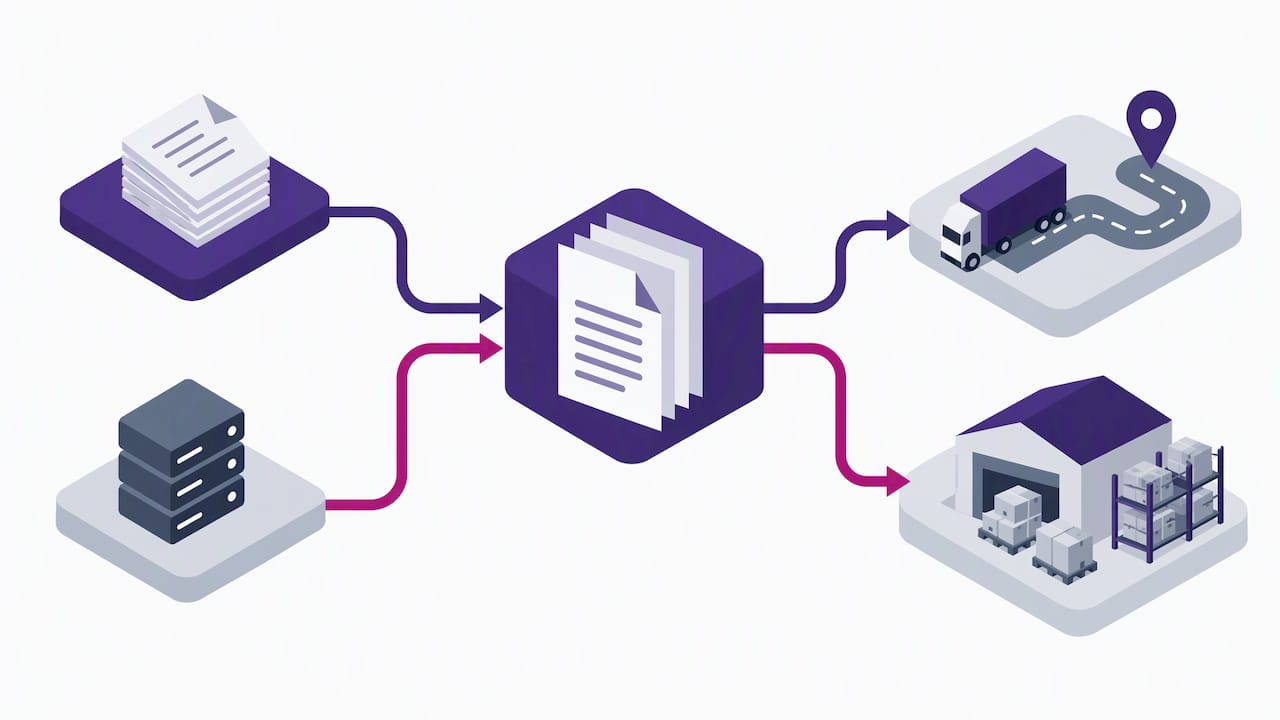
    Barcode extraction is a pipeline, not a single step. A system detects a barcode region in an image or page, isolates it from surrounding content, decodes the pixel pattern into raw data, parses that data into meaningful fields, and exports the result to a database, workflow engine, or ERP.

    This pipeline shows up across industries in different shapes:

    • Inventory teams scan shipping labels to update stock counts without retyping SKUs.
    • Accounts payable departments pull invoice barcodes to match documents to purchase orders.
    • Logistics providers decode shipping barcodes to route packages and update tracking status.
    • Healthcare facilities extract codes from patient wristbands or lab labels to reduce manual ID entry.

    Each case replaces a manual lookup, where a person reads a code, types it, or re-keys it into another system, with automatic decoding that feeds structured data straight into a workflow. The payoff grows with volume: a handful of documents a day barely justifies automation, but thousands of pages make manual entry both slow and error-prone.

    How detection and decoding actually work

    Barcode detection relies on image analysis that finds patterns distinct from surrounding text and graphics. OpenCV’s barcode detection tutorial describes methods that analyze gradient orientation coherence across small patches of an image, since the parallel bars of a linear barcode produce a consistent gradient direction that text and photos do not.

    Once a candidate region is found, decoding depends on a few processing steps:

    • Binarization (often Otsu’s method or adaptive local thresholding) converts grayscale pixels into clean black and white before decoding.
    • Super-scaling enlarges small or low-resolution codes so fine bar widths become distinguishable.
    • Morphological operations and rotation correction clean up noise and straighten skewed codes.

    Decoder libraries like zxing-cpp implement a multi-format reader that cycles through symbology-specific decoders and supports a “try harder” mode that trades speed for accuracy on difficult images. Built-in check digits then confirm the decoded value matches the symbology’s error-checking rule.

    Pro Tip: Enable “try harder” mode only on your first decode pass across a batch; running it on every image adds latency without much benefit on clean scans.

    Supported barcode types and GS1 parsing considerations

    Documents commonly carry a mix of 1D and 2D symbologies, and a capable reader needs to recognize all of them rather than one or two:

    • UPC-A and UPC-E, common on retail products.
    • EAN-8 and EAN-13, the international retail equivalents.
    • Code 39 and Code 128, frequent on shipping and inventory labels.
    • QR codes, Data Matrix, PDF417, and Aztec, used for denser data payloads on forms, IDs, and parcels.
    • MaxiCode, used in parcel sortation.

    Recognizing the symbology is only half the job. The GS1 Barcode Syntax Resource explains that structured retail and logistics barcodes encode data using Application Identifiers (AIs), short numeric prefixes that label each data segment, such as batch number, expiration date, or GTIN. A raw decoded string without AI parsing is just a block of digits; parsing it against the GS1 syntax dictionary is what makes the batch, lot, and expiry fields usable downstream.

    GS1’s own syntax dictionary and conformance tests exist specifically because AI parsing errors break downstream systems; validating parsed output against those tests catches malformed strings before they reach inventory or compliance records.

    Validation should also check FNC1 separator placement between variable-length AI fields and confirm check digits on the encoded identifier itself, not just the barcode’s own checksum.
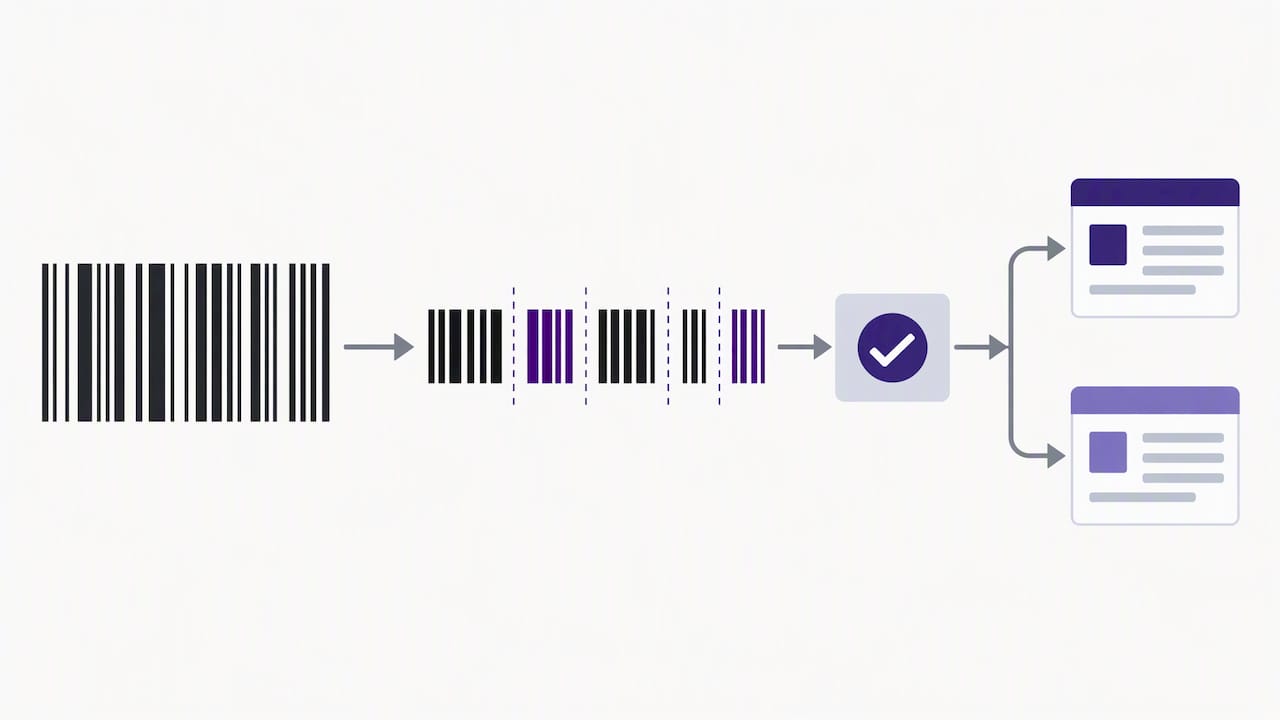
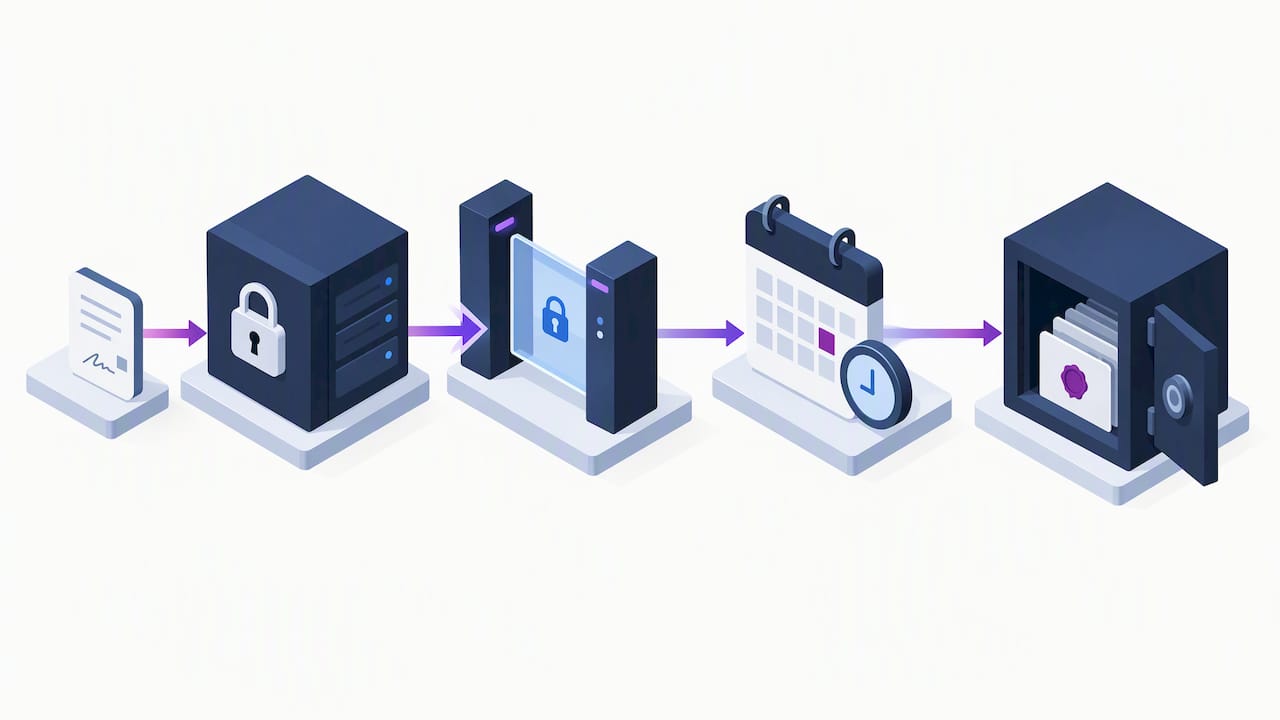
    Illustrated validation of GS1 barcode fields

    Practical setup: scanning and preprocessing for better results

    Extraction accuracy often has less to do with the decoder and more to do with the image quality feeding it. A few parameter choices make a measurable difference before any code changes:

    1. Scan at 300 DPI for most barcode sizes, and consider up-sampling small or dense codes like Data Matrix rather than scanning at a fixed low resolution.
    2. Keep color mode and compression settings conservative; heavy JPEG compression introduces artifacts along bar edges that confuse decoders.
    3. Preserve the quiet zone, the blank margin around a barcode, since cropping too tightly is a common cause of failed reads.
    4. Run a preprocessing sequence of deskew, denoise, binarize, and morphological cleanup before cropping the barcode region.
    5. Tune parameters iteratively against a representative sample set rather than a single test image, since scanner variance affects real-world results more than lab conditions suggest.

    Pro Tip: Keep a small folder of your worst-performing scans and rerun every parameter change against that set first; it surfaces regressions faster than testing on clean samples.

    Integration options: SDKs, APIs, and workflow automation

    Three implementation routes cover most use cases, and the right one depends on where control and maintenance should sit. An embedded SDK runs on-premises or at the edge, which keeps data local and avoids network latency, but it puts ongoing maintenance on your own team. A cloud API shifts that maintenance burden off your plate and scales elastically, at the cost of sending documents to an external service and accepting its latency profile.

    Decoded output typically arrives as a JSON object containing a few consistent fields:

    • The decoded payload string itself.
    • The symbology identified (QR, Code 128, Data Matrix, and so on).
    • A bounding box marking the barcode’s location on the page.
    • The page number, for multi-page documents.

    In practice, these fields feed workflow logic. The Ricoh CloudStream workflow manual shows barcode values used as separation triggers that split a multi-document batch into individual files, as variables that carry metadata between steps, and as routing conditions that send a document to a specific queue or reviewer based on its decoded content. Multi-barcode pages need clear ordering rules and sanitization before those values populate downstream fields.

    Common pitfalls and a troubleshooting checklist

    Most decoding failures trace back to a short list of causes, and checking them in order saves time:

    • Resolution too low for the barcode’s module size, especially on dense 2D codes.
    • Heavy scan compression that blurs bar edges.
    • Rotated, skewed, or partially occluded barcodes on the page.
    • Missing or cropped quiet zones around the code.
    • Poor contrast from faded printing or colored backgrounds.

    Parsing failures are a separate category: a malformed Application Identifier, a missing FNC1 separator, or a check-digit mismatch will produce a decoded that looks successful but carries unusable data.

    Symptom Likely cause Fix
    No barcode detected Resolution or contrast too low Rescan at higher DPI, improve lighting
    Decode fails intermittently Rotation or compression artifacts Add deskew step, reduce compression
    Decoded but data looks wrong Check-digit mismatch Re-validate against symbology checksum
    GS1 fields missing AI parsing error Validate against GS1 syntax dictionary

    Operational teams reduce repeat failures by logging raw payloads for every document, tuning parameters against real samples rather than guesses, and routing unreadable codes to a manual QC queue instead of silently dropping them.

    How DocuPOW applies agentic AI to barcode extraction

    We built our platform around template-free, agentic extraction that adapts to a document’s layout instead of requiring a predefined template for every format. That matters for barcode-heavy workflows, where label placement, page order, and symbology mix vary constantly between vendors, shipments, or departments.

    Our agents handle the full sequence inside one workflow:

    • Detect and decode barcodes alongside surrounding text and structured fields.
    • Validate decoded values and route exceptions to a human-in-the-loop audit step when confidence drops or compliance requires review.
    • Feed validated data into real-time analytics so teams see extraction results without a separate reporting step.

    Manufacturing teams processing labels and shipping documents at scale can see a practical example on our manufacturing solutions page, and our AI document processing case studies walk through similar end-to-end automation scenarios.

    Choosing between a managed platform and embedded SDKs

    Deployment speed, control, and long-term maintenance pull in different directions, and the right call depends on who owns the outcome. Compliance-driven buyers tend to prefer a managed platform with built-in audit trails; engineering teams with tight latency needs often prefer an SDK they can tune directly. Either way, run a pilot on a representative document sample before committing to a wide rollout. A clean test set hides problems a messy real-world batch will expose immediately.

    — Syed Naveed Abbas

    How DocuPOW can help with barcode-heavy document automation

    We designed our platform for teams whose documents mix barcodes, printed text, and variable layouts across vendors, locations, or departments. Because our extraction is agentic and template-free, you avoid building and maintaining a separate template for every label format, and our workflow orchestration handles extraction, validation, routing, and human-in-the-loop audit in one connected process rather than a stack of disconnected tools.

    DocuPOW

    If you are evaluating how this fits your own document volume, our pricing page lists the Starter plan starting at $99 per month and the Professional plan starting at $499 per month, with Enterprise pricing available on request. You can also review our high-volume document processing guide before requesting a demo.

    FAQ

    How can I convert a PDF file to a barcode?

    Converting a PDF into a barcode means generating a new barcode image encoding specific data, then placing it on the PDF page, which is the reverse of extraction. Most barcode generation libraries or online tools accept a text string and output a barcode image in a chosen symbology, which you then embed into the PDF layout.

    How can I extract data from documents?

    Document data extraction combines techniques like OCR for text, barcode decoding for encoded labels, and layout analysis for tables and form fields, depending on what the document contains. Platforms like ours use agentic, template-free extraction to pull structured data from mixed-content documents without building a separate template for each layout.

    How do I convert data into a barcode?

    You convert data into a barcode using an encoding library that maps your input string into the bar or module pattern defined by a chosen symbology, such as Code 128 or QR. The resulting image must preserve quiet zones and sufficient module size so a decoder can later read it reliably.

    How can I extract a QR code from a PDF document?

    Extracting a QR code from a PDF requires rendering the PDF page to an image, then running a QR-capable decoder, such as a multi-format reader, against that image to locate and decode the code. Pages scanned at adequate resolution with intact quiet zones around the QR code decode more reliably than low-resolution or cropped scans.

    What barcode formats should extraction software support?

    Capable extraction software should support common 1D formats like UPC, EAN, and Code 128, alongside 2D formats like QR, Data Matrix, PDF417, and Aztec, since documents often mix several types. Enterprise and retail workflows also need GS1 Application Identifier parsing to make the decoded data usable in inventory and compliance systems.

    Sources

    A few references cover the technical and standards ground this guide draws on. The OpenCV barcode detection tutorial documents the detection and decoding algorithm itself. The GS1 Barcode Syntax Resource is the standards authority for Application Identifier parsing and conformance testing. The zxing-cpp project offers an open-source, multi-format decoder implementation worth reviewing directly. The Ricoh CloudStream manual shows how barcode variables and separation steps work inside a production document workflow. If you are planning a pilot, MyTekRescue’s guide to piloting workflow automation outlines a practical approach to proving ROI before a wider rollout.

  • Document Knowledge Graph: 5 Checks for Hybrid GraphRAG

    Document Knowledge Graph: 5 Checks for Hybrid GraphRAG

    A document knowledge graph is a traceable graph of entities, relations, and provenance extracted from a document corpus, built to support GraphRAG-style multi-hop retrieval. The most practical production pattern is a hybrid pipeline: deterministic NLP extraction for scale, paired with limited LLM verification and schema induction for coverage, so you get structured, auditable retrieval without the full cost of LLM-only extraction.


    TL;DR:

    • Set chunk sizes at 800 to 1,200 tokens with 50 to 100 tokens of overlap, preserving page and layout metadata for tables, forms, and figures.
    • Route only chunks with low parser confidence, dense jargon, or implicit relations to an LLM; deterministic parsing handles routine extraction at scale.
    • Cluster entity mentions by embedding similarity, start with a merge threshold between 0.85 and 0.92, then tune it against a labeled sample.
    • Attach confidence scores and source spans to every edge, and enforce source document access controls on graph neighborhoods and provenance records.
    • RAKG reported 95.91% accuracy on MINE versus 89.71% for a GraphRAG baseline, but validate extraction and downstream question answering on your own documents.

    DocuPOW
    docupow.ai
    Turn Documents Into Usable Data
    DocuPOW uses AI agents to extract context from static files, helping teams automate document workflows and improve data visibility.

    Request a demo

    Table of Contents

    Why document knowledge graphs matter for GraphRAG retrieval

    A vector index answers “what sounds similar to this query.” A knowledge graph answers “what connects to this entity, and through how many steps.” That distinction matters for any question that spans multiple documents or requires reasoning across relationships rather than semantic proximity alone.

    GraphRAG formalizes this with several retrieval modes built on top of an extracted entity graph and community summaries: global search for corpus-wide themes, local search for entity-centered questions, DRIFT for a blend of the two, and basic search as a vector-only fallback. Each mode draws on the same underlying graph, just at different scopes.

    The practical benefits show up quickly once a document set grows past a handful of files:

    • Multi-hop reasoning: a graph lets you answer “which vendors supply parts affected by the recall mentioned in contract X” without the model guessing at an implicit chain.
    • Auditability: every edge can carry a pointer back to the sentence or paragraph it came from, so an answer is checkable.
    • Community summaries: clustering related entities produces corpus-level summaries that a pure vector store cannot generate on its own.
    • Structured queries: once relations are typed, you can run graph queries (shortest path, neighborhood expansion) instead of relying only on similarity search.

    Legal discovery, technical documentation spanning multiple product versions, and multi-document research synthesis are the cases where a document knowledge graph clearly outperforms plain retrieval. A single contract clause rarely matters in isolation; what matters is how it connects to obligations defined three documents away; that is exactly the query pattern a graph is built to serve.

    LLM-first, NLP-first, or hybrid: choosing a construction approach

    The decision that shapes everything downstream is how you extract entities and relations in the first place. Three approaches dominate current practice, and each has a different cost and accuracy profile.

    LLM-first extraction prompts a large language model to read chunks and emit entities and relations directly, often with function calling or structured output schemas. It handles ambiguous phrasing and implicit relations well, and it adapts to new domains without retraining. The tradeoffs are real: hallucinated relations, inconsistent entity naming across calls, and a compute bill that scales linearly with document volume. For a corpus in the millions of pages, that cost becomes the binding constraint.

    NLP or dependency-parser-first extraction uses tools like SpaCy, spaCy’s dependency parser, or custom rule-based extractors to identify entities and syntactic relations deterministically. It is fast, reproducible, and cheap to run at scale, and it produces identical output for identical input, which matters for auditing. The ceiling is lower on relations that depend on context the parser cannot see, like coreference across paragraphs or implied causality.

    Hybrid pipelines run deterministic extraction first, then route a smaller fraction of chunks, typically the ones with low parser confidence or ambiguous entity boundaries, through an LLM for verification and schema induction. Engineering reports on enterprise GraphRAG deployments describe dependency-based pipelines reaching roughly 94% of LLM-generated knowledge graph quality while cutting compute and indexing cost substantially, which is the core argument for hybrid designs in production.

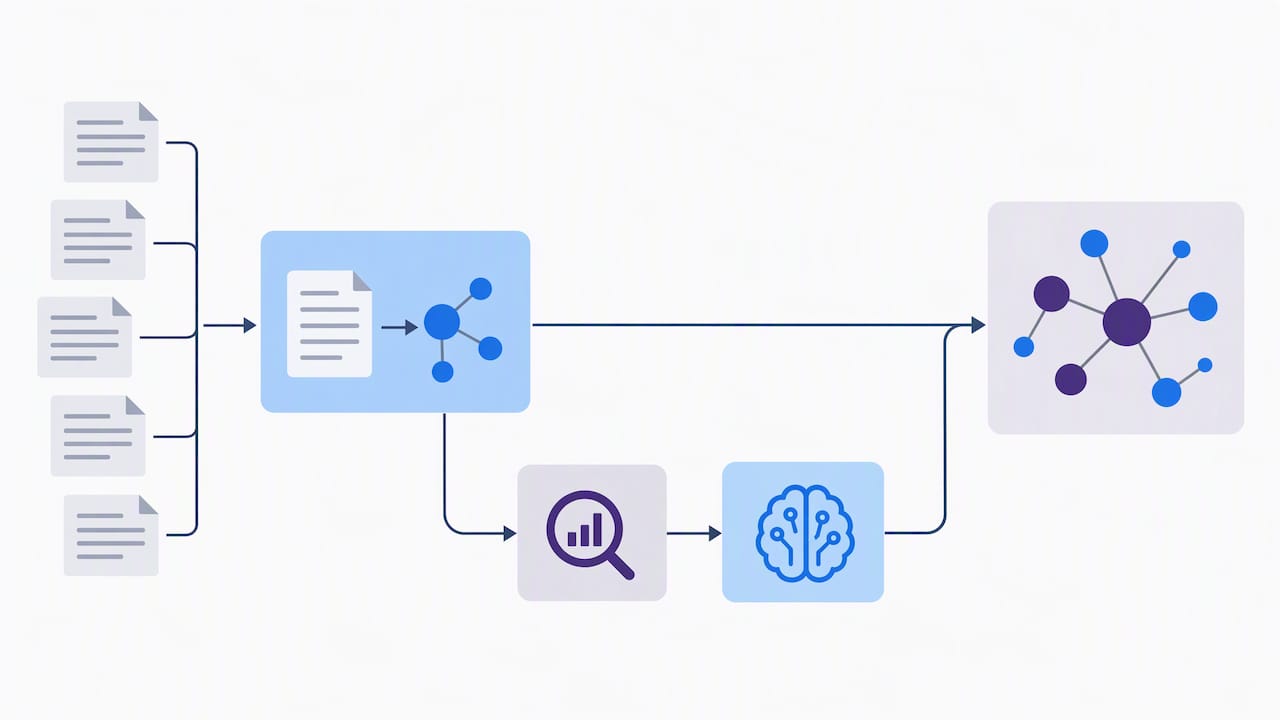
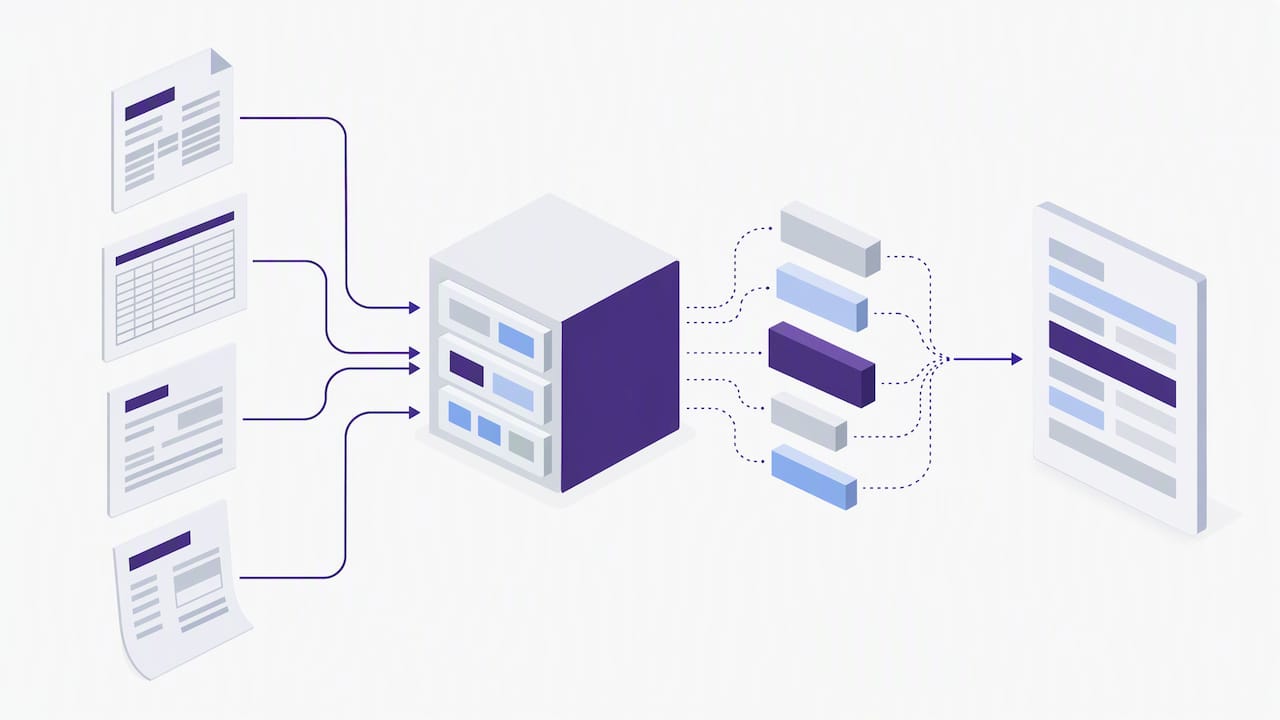
    Hybrid extraction routes uncertain chunks for verification

    Statistic: Hybrid dependency-parser plus LLM-verification pipelines reach near-LLM extraction accuracy at a fraction of the indexing cost, a meaningful gap when a corpus runs into the millions of pages.

    Mapped against the dimensions that matter for a production decision:

    Approach Cost/compute Scalability Traceability Multi-doc performance
    LLM-first High, scales with volume Limited by API throughput and budget Depends on prompt discipline Strong on nuanced relations
    NLP/dependency-first Low, fixed per document High, parallelizes easily High, deterministic output Weaker on implicit, cross-sentence relations
    Hybrid Moderate, LLM used selectively High, LLM calls bounded High, with explicit verification step Strong, combines both strengths

    For most production teams, hybrid wins on the combination of cost and traceability, which is why it shows up repeatedly in recent systems work rather than as a theoretical compromise.

    Building the pipeline: chunking, extraction, consolidation, and indexing

    A document knowledge graph pipeline has five stages, and the engineering decisions at each stage determine whether the graph is usable at scale or collapses into noise.

    1. Chunking. Split documents into passages of roughly 800 to 1,200 tokens with 50 to 100 tokens of overlap, so entities and relations spanning a chunk boundary are not lost. For documents with tables, forms, or figures, preserve layout metadata, page numbers and bounding boxes, rather than flattening to plain text, since that metadata becomes the provenance anchor later.
    2. Extraction. Run named entity recognition and relation extraction per chunk. SpaCy or a custom extractor handles the bulk of mentions and syntactic relations; route chunks with low parser confidence, dense jargon, or likely implicit relations to an LLM prompt using function calls that return a fixed schema (entity, relation, evidence span).
    3. Consolidation. Different chunks will mention the same entity with different surface forms. Embed entity mentions, cluster by cosine similarity, and merge clusters above a chosen threshold, often somewhere in the 0.85 to 0.92 range depending on domain vocabulary density. TRACE-KG describes this pattern explicitly: embedding and clustering for canonicalization, followed by constrained LLM-guided resolution for cases the clustering leaves ambiguous, producing a schema that is induced from the data rather than defined upfront.
    4. Materialization and storage. Store the graph structure, nodes, typed edges, and community assignments, in a graph database or an in-memory graph structure for smaller corpora. Store dense embeddings in a vector database for semantic lookup. Each edge should carry a confidence score and a provenance pointer back to the originating chunk and span; this is the reification pattern that practitioner guidance on provenance recommends for anything that will face human review later.
    5. Indexing and retrieval heuristics. Combine a one-hop traversal from the query’s matched entities with a vector-based re-ranking pass on candidate subgraphs. This hybrid retrieval, graph structure for reach, vector similarity for relevance ranking, tends to outperform either method alone on multi-document questions.

    Pro Tip: Keep a compact graph skeleton for one-hop traversal and a lightweight bipartite text-keyword graph alongside it; this dual-index pattern keeps global queries affordable without sacrificing local precision, an approach described in hybrid indexing research.

    Schema choice runs through all five stages. An ontology-driven schema, defined before extraction, gives you consistent entity types and faster downstream queries, but it breaks on document sets that do not fit the ontology cleanly. A schema-free or induced-schema approach, letting the schema emerge from clustering and LLM-assisted resolution, adapts better to heterogeneous collections at the cost of some upfront unpredictability. Most production systems converge on induced schema with a small set of fixed top-level types (person, organization, date, monetary amount) and open-ended relation types that get consolidated during the clustering step.

    A minimal developer checklist for prototyping a document knowledge graph

    The fastest path to a working prototype follows a straight line: ingest, parse layout, chunk, extract, consolidate, index, query. Each step maps to a small, swappable component, which matters because you will want to replace pieces as you learn what your document set actually looks like.

    A minimal generic stack looks like this:

    • Tokenizer and encoder: any sentence-transformer or OpenAI-compatible embedding model for chunk and entity embeddings.
    • Extractor: SpaCy for dependency parsing and baseline NER, with a custom extractor or LLM function-calling step for relations the parser misses.
    • Vector store: a dedicated vector database for embedding lookup, separate from the graph store.
    • Graph store: a graph database for production, or an in-memory adjacency structure (a Python dict of nodes and edges works for prototypes under a few thousand documents).
    • Verification layer: an LLM call gated to low-confidence extractions only, not the full corpus.

    Concrete thresholds worth starting from: chunk size of 800 to 1,200 tokens, overlap of 50 to 100 tokens, embedding dimension matched to whatever model you pick (384 or 768 dimensions cover most open-source sentence encoders), and an entity-merge similarity threshold starting around 0.88, tuned against a small labeled sample before you scale up.

    Operationally, three habits save significant rework later:

    • Batch and stream. Process documents in batches for the initial backfill, then switch to incremental, streaming indexing for new documents so the graph never needs a full rebuild.
    • Sample for QA. Pull a random sample of extracted triples each week and have a human reviewer check them against the source span; this catches drift in extraction quality before it compounds.
    • Version your schema. Even an induced schema changes as new document types arrive, so track schema versions alongside the graph data to avoid silent incompatibilities.

    Pro Tip: Start with a single document type and a few hundred files. Measure extraction precision by hand before scaling the pipeline to the full corpus; thresholds tuned on a small sample rarely transfer cleanly to a messier, larger one without adjustment.

    Measuring quality: metrics, benchmarks, and what the numbers mean for production

    A document knowledge graph is only as useful as its measurable accuracy, and three axes matter: node and edge precision and recall against a labeled sample, topology coverage (does the graph capture the relations a human reader would expect), and downstream task performance, usually measured as QA accuracy or mean reciprocal rank on retrieval tasks built from the graph.

    Statistic: RAKG reports 95.91% accuracy on the MINE dataset, compared with 89.71% for a GraphRAG baseline, a gap of roughly 6.2 percentage points that suggests retrieval-informed, LLM-augmented construction can meaningfully improve knowledge graph construction accuracy over a purely graph-extraction baseline.

    That result is encouraging, but it comes from a specific benchmark and construction method, so treat it as evidence that the approach is promising rather than a guarantee that it transfers unchanged to your document set. A few things to check before trusting an academic figure in production:

    • Confirm the evaluation task matches your use case. Accuracy on a QA benchmark does not automatically mean the underlying graph is complete or well-typed.
    • Run sample-based human verification on your own extracted triples rather than assuming a published number applies.
    • Use downstream QA metrics as a gate, not just construction-time precision, since a graph can look clean structurally and still fail to answer real questions well.
    • Check provenance coverage separately: a graph can score well on accuracy while still missing evidence spans that a reviewer would need to trust the output.

    How DocuPOW fits as the extraction and provenance layer

    We built our platform as a template-free, agentic extraction layer that reads unfamiliar document layouts without a rigid schema, which maps directly onto the extraction and consolidation stages a document knowledge graph pipeline needs. Our human-in-the-loop auditing gives you the verification step that hybrid pipelines rely on, and API access lets you push incremental updates into a graph as new documents arrive rather than rebuilding from scratch. Real-time analytics and predictive insights sit on top of the same extracted data, which is useful once the graph is feeding more than retrieval.

    Connecting a document knowledge graph to your existing systems

    A document knowledge graph rarely stands alone. The practical integration points are an ERP or CRM feeding structured records that the graph should reconcile against, a vector database already in use for other retrieval tasks, and whatever orchestration layer runs your LLM calls today.

    The cleanest integration pattern treats the graph as an additional index alongside your existing data layer rather than a replacement for it. Entity resolution against ERP master data, for instance, lets you match a “Supplier A” mentioned in a contract to the exact vendor record in your procurement system, turning a document-only insight into something a finance or operations team can act on directly. API-based incremental updates matter here: a graph that only refreshes on a nightly batch job will lag behind a live ERP feed, so streaming updates as documents arrive keeps the two systems aligned.

    For teams already running a GraphRAG-style retrieval layer, the graph becomes the connective tissue between unstructured document content and structured business systems, which is the integration case most enterprise deployments are actually solving for. Our knowledge discovery resources and enterprise knowledge base guidance go deeper on how extracted document data flows into these downstream systems.

    Scaling a document knowledge graph across large, mixed document collections

    Scale breaks a document knowledge graph in predictable ways. Entity resolution gets harder as vocabulary diversity grows across document types, a scanned invoice and a legal brief describe entities very differently. Indexing cost grows with graph size, and a naive one-hop traversal over a graph with millions of nodes becomes slow without a compact skeleton index.

    The practical fixes map to each failure point:

    • Heterogeneous formats: separate extraction pipelines per document type (scanned forms, structured PDFs, plain text) that converge on a common entity schema downstream, rather than one extractor forced to handle everything.
    • Entity resolution at scale: tiered merging, cheap embedding-based clustering first, LLM-based disambiguation only for the ambiguous remainder, keeps cost bounded as volume grows.
    • Indexing cost: a dual-index pattern, a compact graph skeleton for traversal plus a lightweight bipartite text-keyword graph for broader coverage, keeps global queries affordable even as the full graph grows large.
    • Incremental growth: streaming updates with periodic consolidation passes avoid the need for full graph rebuilds as new documents arrive continuously.

    Heterogeneity is less a single problem than a compounding one: each new document type adds vocabulary the schema has not seen, which is exactly why an induced-schema approach tends to age better than a fixed ontology once a collection grows past a handful of document types.

    Keeping a document knowledge graph secure in corporate environments

    A document knowledge graph often contains more sensitive detail than the documents it was built from, because relations between entities can expose connections that no single source document states outright. That makes access control and data handling a first-class design concern, not an afterthought.

    Encryption at rest and in transit for both the graph store and the vector store is the baseline. Beyond that, access control should operate at the subgraph level where possible, so a user querying the graph only retrieves neighborhoods tied to documents they are already permitted to see, mirroring the access rules of the source document management system rather than granting blanket graph access.

    Provenance data, the evidence spans and source pointers attached to each edge, needs the same access controls as the source documents themselves, since a reification record effectively repeats the sensitive content it points to. For regulated industries, audit logging on graph queries matters as much as logging on document access, since a well-constructed graph can let a user infer information they were never granted direct access to by combining permitted fragments.

    Our document lifecycle governance guidance covers the broader governance patterns that apply equally to a knowledge graph built from the same document set.

    Production pragmatism versus research prototypes

    Most document knowledge graph research optimizes for benchmark accuracy on a fixed dataset. Production engineering optimizes for something different: predictable cost, auditable output, and graceful degradation when extraction gets something wrong. Those goals pull in different directions, which is why a paper’s reported accuracy rarely survives contact with a messy, growing document set.

    Choose hybrid extraction by default, reserve LLM-first for small, high-value document sets where cost is not the constraint, and roll out incrementally with human review sampling and SEO guidance before trusting the graph for anything consequential. Measure downstream QA performance, not just construction-time precision, because that is the number that tells you whether the graph is actually useful.

    — Syed Naveed Abbas

    Get a working extraction and provenance layer running with DocuPOW

    If the pipeline above sounds right but the extraction and consolidation stages are the part you would rather not build from scratch, that is the layer we focus on. Our agentic, template-free extraction reads document layouts without a predefined schema, so new document types do not require new extraction rules before they can feed your graph.

    DocuPOW

    What this looks like in practice:

    • Template-free extraction adapts to unseen layouts without manual setup for each new document type.
    • Human-in-the-loop auditing gives you the verification checkpoint a hybrid pipeline needs before data reaches your graph.
    • API access for incremental updates keeps a live graph in sync with new documents as they arrive, rather than waiting on batch rebuilds.
    • Conversational querying with source citations gives you a provenance trail that lines up with the reification practices a production graph needs.

    Our Starter plan runs $99 per month, and Professional runs $499 per month; Enterprise pricing is available on request through the same page. Check current plan details and trial options to see which tier fits the document volume you are working with.

    FAQ

    What is a document knowledge graph used for?

    A document knowledge graph structures entities, relations, and their source evidence extracted from a document corpus, so retrieval systems can answer multi-hop questions that span several documents rather than relying on similarity search alone. It is the structural backbone behind GraphRAG-style retrieval, supporting local, global, and hybrid query modes.

    How do you build a knowledge graph from documents?

    The core pipeline chunks documents, extracts entities and relations with NLP tools or LLM prompts, consolidates duplicate mentions through embedding clustering, and materializes the result into a graph database with provenance attached to each edge. A hybrid approach, deterministic extraction paired with selective LLM verification, tends to balance cost and accuracy better than either method alone, according to engineering reports on enterprise GraphRAG deployments.

    Is LLM-based extraction more accurate than NLP-based extraction?

    LLM-based extraction handles ambiguous and implicit relations better, but dependency-parser pipelines can reach roughly 94% of LLM-generated knowledge graph quality at a fraction of the compute and indexing cost. For most production use, a hybrid pipeline captures most of the accuracy gain without the full cost of LLM-only extraction.

    What is the RAKG benchmark result and why does it matter?

    RAKG reported 95.91% accuracy on the MINE dataset, compared with 89.71% for a GraphRAG baseline, suggesting that retrieval-informed, LLM-augmented construction can improve knowledge graph accuracy over a standard graph-extraction baseline. The result comes from one benchmark and construction method, so production teams should still validate against their own document set before assuming the improvement transfers directly.

    Can DocuPOW feed an existing GraphRAG pipeline?

    Our platform extracts structured data from documents without requiring a predefined template, and our API supports incremental updates, which fits the extraction and provenance layer a GraphRAG pipeline needs upstream of graph construction. Pricing starts at $99 per month for the Starter plan, with Professional at $499 per month.

  • Touchless Invoice Processing: Finance Benchmarks Beyond OCR

    Touchless Invoice Processing: Finance Benchmarks Beyond OCR

    Touchless invoice processing is when an invoice moves from receipt to scheduled payment without manual data entry or routing, as long as it passes the configured business rules. The main payoff is fewer manual touches, fewer keying and matching errors, and a shorter cycle from receipt to payment. The sections below cover the common blockers that keep invoices from going touchless and a practical roadmap for raising your rate.


    TL;DR:

    • PO matched invoices and structured eInvoices are the easiest candidates; one off service bills and judgment calls usually still require human review.
    • Clean supplier records and configure approvals inside the workflow before expanding automation, because missing remittance details and disconnected systems send invoices back to manual queues.
    • Pilot intelligent capture with your 20 highest volume suppliers, keep human review for exceptions, and expand only after the pilot’s exception rate stabilizes.
    • Track touchless rate, exception rate, cycle time, and cost per invoice monthly; workflow tools reach about 70% of organizations, while eInvoicing adoption is 67%.

    DocuPOW
    Move Invoices Beyond Manual Entry
    DocuPOW uses context-aware AI agents to extract invoice data from documents, helping finance teams reduce manual entry and processing errors.

    Request a demo

    Table of Contents

    What touchless invoice processing actually means

    Touchless processing is not the same as having automation software installed. It is a measurable outcome: the percentage of invoices that complete the full cycle, from capture through approval to payment scheduling, without a person keying a field, hunting for an approver, or correcting a mismatch.

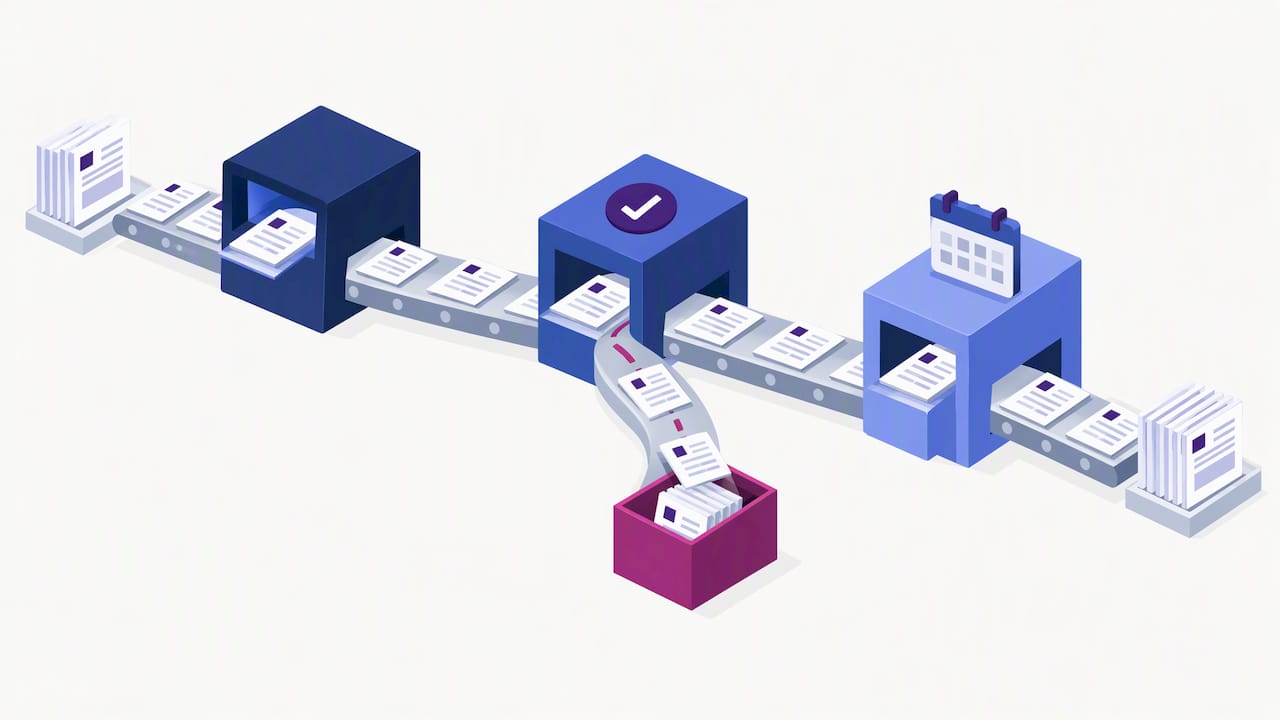
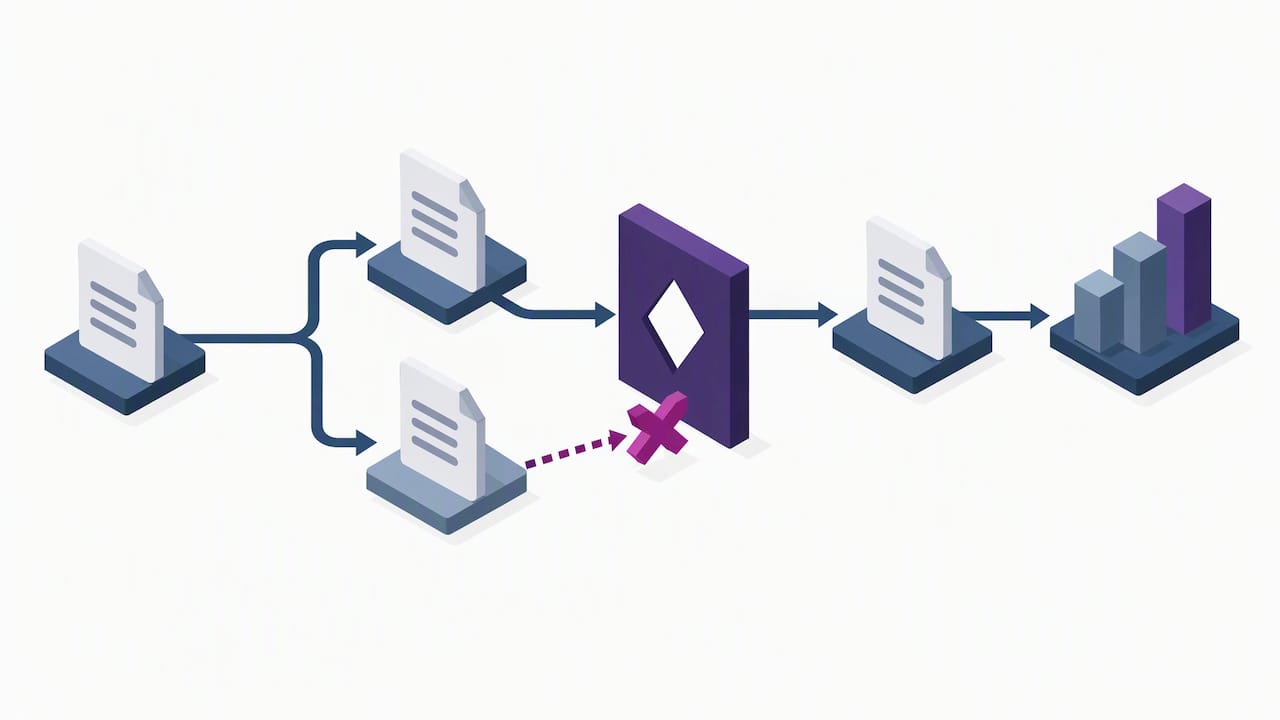
    Invoices completing stages with few manual interventions

    Some invoices are natural candidates. PO-matched invoices and structured eInvoices tend to go touchless because their data already lines up with a purchase order or a standard schema. Complex non-PO invoices, one-off service bills, and anything requiring judgment calls usually still need a human somewhere in the chain.

    A few terms are worth knowing before you dig further:

    • OCR/IDP: optical character recognition and intelligent document processing extract data from scanned or digital invoice files.
    • Three-way match: the system compares the invoice, the purchase order, and the receiving record before approving payment.
    • Business-rule engine: the logic that decides whether an invoice passes automatically or needs a human review.

    How automation differs from true touchless processing

    Plenty of software gets marketed as “automated” while still requiring a person to fix fields, confirm a match, or push an invoice through an approval step by hand. That is assisted work, not touchless processing. The distinction matters because it changes what you should measure and what you should expect to pay for.

    1. Assisted automation speeds up a task but still needs a human decision somewhere in the flow, such as correcting a misread field on a scanned invoice.
    2. Touchless processing means an invoice that satisfies all configured rules clears the entire cycle with zero manual intervention.
    3. Decisive factors are rule coverage and supplier data quality: incomplete rules or messy supplier records force exceptions back into a queue a person has to clear.

    What blocks invoices from going touchless

    Even strong automation stalls when the underlying data or process has gaps. The usual culprits show up again and again across AP teams.

    • Exceptions and variances: price, quantity, or tax mismatches against the purchase order or receiving record trigger a manual review.
    • Approval bottlenecks: ad-hoc signoffs outside the configured workflow stall invoices waiting on a person’s attention.
    • Inconsistent supplier data: missing remit-to details, inconsistent naming, or nonstandard formats break automated matching.
    • Disconnected systems: invoices stuck in email inboxes or standalone tools never reach the ERP integration that drives straight-through processing.

    Pro Tip: Fix supplier master data before you add more automation. Clean data prevents exceptions that no amount of software logic can catch after the fact.

    How AI and intelligent data capture raise touchless rates

    Modern intelligent data capture closes many of the gaps that used to force manual review. Instead of relying on rigid templates tied to a single supplier’s invoice layout, template-free extraction adapts to new formats as they arrive, which matters when you work with hundreds of suppliers who each format invoices differently.

    • Template-free, agentic extraction reads varying invoice layouts without a maintenance cycle every time a supplier changes its format.
    • Natural language processing maps fields semantically, so a line labeled “Bill-To” and one labeled “Customer” are recognized as the same data point.
    • Predictive matching suggests likely purchase order matches before an exception is routed to a person, cutting the queue down.
    • Human-in-the-loop auditing keeps a reviewer in the loop on edge cases while the system learns from corrections over time.

    Nearly 70% of AP leaders make decisions based on inaccurate internal assumptions because the metrics they track measure activity rather than actual performance against peers, according to IOFM’s benchmarking research. That gap is exactly where better data capture and clearer metrics make the most difference: teams that cannot see their real exception rate cannot fix it.

    Benefits and KPIs that prove the business case

    Raising your touchless rate only matters if you can show the effect in numbers finance leadership cares about. A handful of KPIs cover most of what you need.

    • Touchless rate: the share of invoices completing the cycle with no manual intervention.
    • Cost per invoice and cycle time: both typically fall as touchless rates climb, since fewer invoices sit in a human queue.
    • Invoice volume per FTE and exception rate: together they show whether your team can absorb volume growth without adding headcount.
    • DSO and fraud exposure: faster, rule-based processing can shorten days sales outstanding on the payables side and reduce the manual steps where fraud typically slips through.

    Routing and approval workflow solutions are used by about 70% of organizations, and eInvoicing adoption sits around 67%, both of which materially enable straight-through processing when suppliers participate, according to Ardent Partners’ State of ePayables research. Report these KPIs on a recurring cadence to finance leadership rather than as a one-time project update.

    A step-by-step roadmap to raise your touchless rate

    Getting from a low touchless rate to a high one is a sequence, not a single software purchase. The order matters because each step depends on the one before it.

    1. Run a benchmarking assessment using IOFM’s AP benchmarking metrics to find out where your invoice cycle time, cost per invoice, and exception rate actually stand against peers.
    2. Push supplier adoption of eInvoicing and standard formats, since technology alone does not guarantee touchless rates without supplier participation, per Ardent Partners.
    3. Prioritize business-rule configuration for your highest-volume invoice types first, since that is where small rule improvements have the biggest cumulative effect.
    4. Pilot an intelligent data capture approach that keeps a human-in-the-loop review step for exceptions, then expand scope once the pilot’s exception rate stabilizes.
    5. Monitor and scale by tracking the KPIs above monthly and widening rule coverage to more invoice types and more suppliers over time.

    Pro Tip: Pilot with your top 20 suppliers by invoice volume first. A smaller, high-impact group surfaces data and rule gaps faster than spreading a pilot thin across hundreds of low-volume vendors.

    Realistic benchmarks from industry research

    Setting a target touchless rate without context leads to disappointment either way: too low a goal leaves savings on the table, too high a goal sets your team up to fail. Peer benchmarking research gives a sturdier starting point than guesswork.

    • IOFM’s year-long study of more than 600 AP teams found that leaders frequently rely on misleading internal metrics instead of peer benchmarking data, which skews expectations in both directions.
    • Routing and approval workflow solutions let PO-based invoices that pass pre-configured rules move straight through, while exceptions route for resolution, per Ardent Partners.
    • Stage your targets around supplier onboarding milestones and rule coverage expansion rather than a single fixed deadline.

    How agentic document automation supports touchless goals

    Template-free, agentic extraction adapts to unseen invoice layouts without the template maintenance cycle that slows down traditional OCR setups, which matters most for manufacturers and multi-supplier environments where formats shift often. End-to-end workflow orchestration paired with real-time analytics helps AP teams resolve exceptions faster and spot where rule coverage needs work before it becomes a recurring bottleneck.

    • Template-free extraction reduces setup and ongoing maintenance as supplier invoice formats change.
    • Workflow orchestration connects capture, matching, and approval into one continuous process instead of separate manual handoffs.
    • Real-time analytics surface exception patterns and improvement opportunities as they happen rather than at month-end close.
    • Human-in-the-loop auditing preserves a compliance checkpoint while the system improves from each correction.

    Vendors handling financial data are increasingly expected to carry SOC assurance that documents how they control access to sensitive invoice and payment information, a relevant checkpoint when evaluating any platform touching your AP data.

    Setting realistic expectations for the rollout

    Touchless processing is not a flip-the-switch outcome. Start with supplier onboarding and your highest-volume invoice types, since that combination delivers the fastest visible lift. Expect incremental gains through a series of pilots rather than one dramatic jump, and treat cross-team governance between AP, procurement, and IT as just as important as the software itself.

    — Syed Naveed Abbas

    Ready to reduce manual invoice handling?

    If your team is stuck correcting fields and chasing approvals, agent-based extraction that adapts to new invoice layouts without a template rebuild can help close that gap. A platform that pairs template-free data capture with workflow orchestration and human-in-the-loop review can help resolve exceptions without slowing the invoices that should already be moving straight through.

    DocuPOW

    Compare Starter, Professional, and Enterprise plans or start a 30 to 60 day proof of concept to see how your own invoice volume performs before committing to a full rollout.

    FAQ

    Can AI be used for invoice processing?

    Yes, AI is commonly used for invoice processing through intelligent data capture that reads fields from scanned or digital invoices, matches them against purchase orders, and routes exceptions for review. Template-free, agentic approaches extend this by adapting to new supplier invoice layouts without manual template setup.

    Is Vim part of SAP?

    Vendor Invoice Management (VIM) is a document and workflow module built to run alongside SAP, not a native SAP component itself. It is typically layered on top of an SAP environment to handle invoice capture, workflow, and approval routing.

    What are the three types of invoices?

    The three common invoice types AP teams work with are standard invoices, PO-based invoices matched against a purchase order, and recurring invoices for repeat charges like subscriptions or service contracts. PO-based invoices are generally the easiest to push toward touchless processing since they already have structured data to match against.

    What is the best automated invoice processing software?

    The right choice depends on your invoice volume, supplier mix, and how varied your invoice formats are. Teams dealing with nonstandard, frequently changing invoice layouts across many suppliers tend to benefit from a template-free, agentic extraction approach that adapts without constant reconfiguration, rather than a template-based tool that needs setup work for every new format.

    Sources

  • I-9 Document Automation: Produce I-9 Records for ICE in 3 Business Days

    I-9 Document Automation: Produce I-9 Records for ICE in 3 Business Days

    Yes, U.S. employers can automate I-9 completion and verification while staying audit-ready, as long as the workflow preserves Section 2 timing, retention requirements, and DHS/E-Verify rules. Done right, automation cuts completion time, reduces data entry errors, and produces the kind of audit trail that ICE inspections expect to see. Done wrong, it just moves paper errors into a digital file.


    TL;DR:

    • Section 1 is due by the employee’s first workday; Section 2 follows promptly, but hires working fewer than three business days need same day completion.
    • Remote examination requires enrollment and good standing in the federal employment verification program, live video review, and consistent retention of both sides of each document.
    • ICE gives employers at least three business days to produce requested forms, plus a separate 10 business day window to correct technical or procedural errors.
    • Because employers remain liable for designated document examiners, require systems to record each representative’s identity and signature and export a timestamped log of edits.

    DocuPOW
    Reduce Manual Work in Document Processing
    DocuPOW uses AI agents to extract data from documents without rigid templates, helping teams reduce manual entry across document workflows.

    Request a demo

    Table of Contents

    What Form I-9 requires and the critical timelines employers must meet

    Every employer must complete a Form I-9 for each person hired after November 6, 1986, under the Immigration Reform and Control Act. Section 1 is the employee’s responsibility, completed by the first day of work. Section 2 is the employer’s job: an authorized representative must physically or remotely examine original documents and complete this section promptly after the employee’s start date. Employees hired for fewer than three business days must have Section 2 completed by their first day.

    Employers stay on the hook for mistakes made by whoever they designate to examine documents, even a notary or coworker standing in for HR, according to USCIS guidance on Section 2. That liability is one reason automated workflows need to capture the representative’s identity and signature on every form, not just the employee’s.

    Retention follows a simple formula, but it trips up a lot of teams:

    • Keep each Form I-9 for a period required by federal recordkeeping standards, which is generally several years after hire or termination, whichever is later, per the M-274 Handbook for Employers.
    • Electronic copies can replace paper originals if the system preserves the original signature and meets federal recordkeeping standards.
    • When ICE issues a Notice of Inspection, employers get three business days to produce requested I-9s, with a 10-business-day window to fix technical or procedural errors.

    How digital I-9 automation works: features HR should require

    Automation only helps if it enforces the same rules a well-trained HR coordinator would. That means the software has to understand what “compliant” actually looks like on a government form, not just digitize a PDF.

    1. Guided completion flows that block submission until required Section 1 and Section 2 fields are filled correctly, catching the kind of date mismatches and missing document numbers that trigger technical violations.
    2. Tamper-evident storage that logs every edit, timestamp, and signature, producing the audit trail examiners look for during a Notice of Inspection.
    3. Remote examination support that handles live video interaction and stores front-and-back document images, matching what USCIS requires for the alternative procedure.
    4. E-Verify case management that submits cases automatically and tracks outcomes, reducing the manual handoffs where errors creep in.
    5. Integrations with ATS and HRIS platforms so hire data flows into the I-9 workflow without rekeying names, dates, or document numbers.

    Electronic signature systems also need to meet the federal standard under 8 C.F.R. § 274a.2, which means the platform cannot alter the form’s data sequence or instructions, a requirement spelled out in USCIS’s own guidance on electronic I-9s.

    Pro Tip: Ask any vendor to show you an audit export before you sign a contract. If it does not clearly separate who signed what and when, it will not hold up during an inspection.

    Remote document examination, E-Verify, and what audits look for

    Remote examination is only available to employers enrolled in E-Verify and in good standing. Under the DHS-authorized alternative procedure, that means a live video interaction with the employee, plus retained copies of the front and back of every document examined. Once an employer starts retaining those copies for any hires, it has to apply the same practice consistently across that hiring site. Stopping for some employees and not others creates a discrimination risk under the same USCIS guidance.

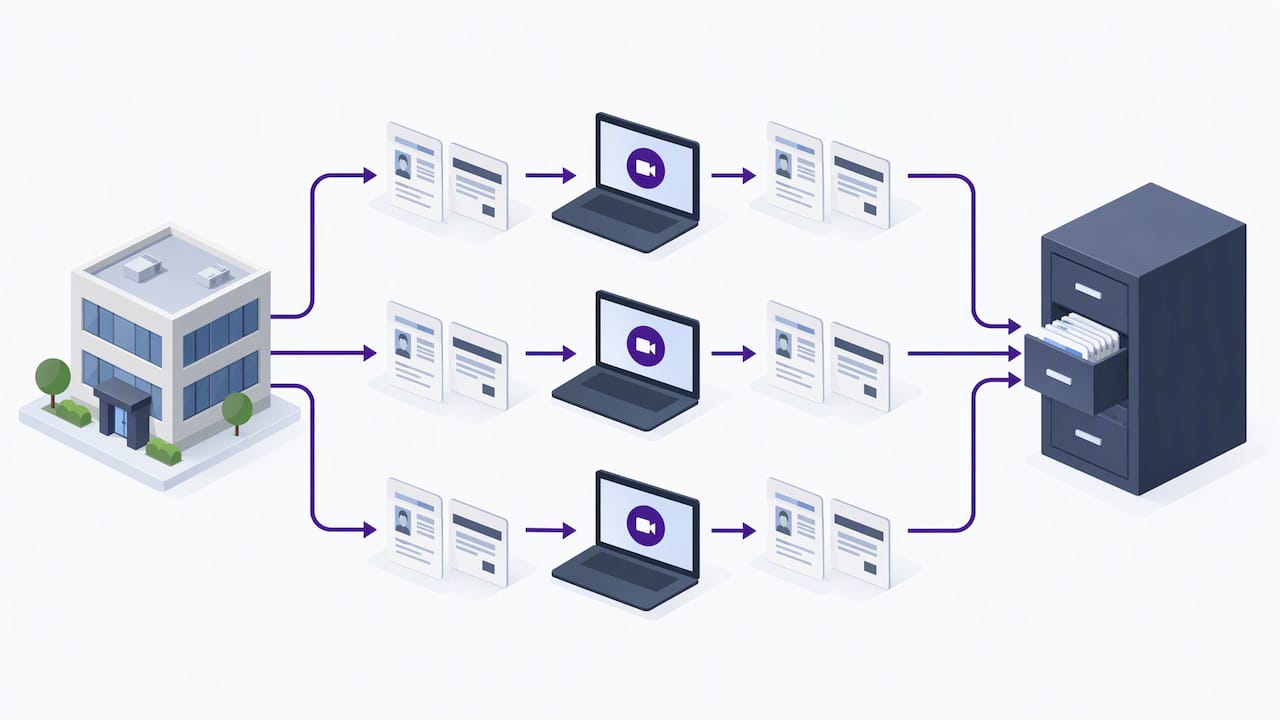
    Remote I-9 examination and consistent document retention

    When ICE opens an inspection, it issues a Notice of Inspection and typically requests I-9s along with supporting payroll and business records. Employers get at least three business days to produce the requested Forms I-9, and a separate 10-business-day window applies if ICE flags technical or procedural failures that need correcting, per the ICE factsheet on Form I-9 inspections.

    Automated workflows that combine guided forms, E-Verify submission, and audit logging materially reduce the risk of substantive violations and speed up NOI responses, according to E-Verify’s guidance on integrated compliance tools.

    Internal audits, while not mandatory, help catch problems before ICE does. The ICE guidance on internal I-9 audits recommends neutral selection criteria, employee notice before corrections, and documented remediation, never retaliatory action against the employee flagged.

    Benefits HR can measure after automating I-9s

    Automation only earns its budget line when HR can point to numbers that moved. A few worth tracking:

    • Time-to-complete Section 2, from hire date to signed form, should shrink once guided flows replace manual data entry.
    • I-9 error rates, especially missing dates and document number mismatches, drop when the system blocks incomplete submissions.
    • Audit findings per inspection cycle become easier to track when every form has a consistent, exportable trail.
    • NOI response time improves when records are centralized instead of scattered across file cabinets or shared drives.

    These metrics double as the business case for renewing or expanding a platform contract, and they give HR leadership something concrete to report besides “it feels faster.”

    Implementation checklist: evaluate, pilot, and scale I-9 automation safely

    Rolling out I-9 automation works best as a staged project, not a single switch-flip.

    1. Map your current process first: who serves as authorized representative at each hiring site, how documents are examined today, and what your retention policy already looks like.
    2. Set selection criteria around E-Verify support, secure storage with exportable audit trails, remote exam capability, and integration with your existing HRIS or ATS.
    3. Run a pilot at one hiring site, tracking completion time, error rate, and staff feedback before expanding further.
    4. Train everyone who touches Section 2, including temporary or rotating authorized representatives, on the new workflow and its documentation requirements.
    5. Build an incident process for corrections, discovered errors, and employee notifications that matches the neutral, documented approach ICE recommends for internal audits.
    6. Assign ongoing ownership across HR, Legal, and IT so SOPs get updated when rules change and someone owns the NOI response plan.

    Pro Tip: Keep your pilot small enough that a mistake stays contained, but long enough to cover at least one full hiring cycle, including reverification for any expiring work authorization documents.

    Teams building out onboarding workflows more broadly may find it useful to look at employee onboarding automation practices alongside the I-9-specific steps above.

    How DocuPOW supports compliant I-9 document automation

    We built our platform around the same problem this checklist solves: getting data out of documents accurately without forcing HR teams into rigid templates. Our autonomous agents handle template-free extraction, so a scanned passport, a state ID, or a receipt for a pending document all get processed without manual reconfiguration.

    For I-9 workflows, that translates into:

    • Guided capture that adapts to different document types without a new template for every form.
    • Secure, auditable storage with the kind of trail an NOI response needs.
    • Human-in-the-loop review for cases that need a second set of eyes before submission.
    • Integration paths into existing HR systems through our platform’s workflow orchestration.

    Teams evaluating custom connectors for E-Verify or HRIS integration may also find value in this partner guide on automating compliance workflows.

    Author perspective: compliance-first automation for HR

    Automation does not transfer liability. Employers stay responsible for their authorized representatives, so the technology only helps if it enforces good habits, not just faster ones. I favor a pilot-first rollout with HR, Legal, and IT at the same table from day one, measuring real compliance KPIs before scaling anywhere. The goal is not speed for its own sake. It is a record you would not mind showing an inspector.

    — Syed Naveed Abbas

    DocuPOW: how to get started

    DocuPOW

    If you are evaluating I-9 automation, ask any platform to show you live extraction on a real document, a full audit export, and how it handles retention policies before you commit. We built our platform to answer all three clearly.

    • See current plans on our pricing page for the latest pricing details.
    • Request a walkthrough of audit trail exports and human-in-the-loop review before your next hiring cycle.
    • Check Enterprise pricing directly with our team for larger, multi-site rollouts.

    FAQ

    Do US citizens need I-9 verification?

    Yes. Every employee hired in the United States after November 6, 1986, including U.S. citizens, must complete Form I-9, and the employer must complete Section 2 within the required timeframe. Citizenship status does not exempt anyone from the verification requirement.

    Are there new I-9 requirements for 2026?

    The most significant recent shift is the normalization of remote document examination for E-Verify-enrolled employers in good standing, which requires live video interaction and retained copies of examined documents. Employers using this alternative procedure must apply it consistently across a hiring site rather than selectively.

    Can ICE ask for I-9 documents?

    Yes. ICE can issue a Notice of Inspection and request Forms I-9, giving employers at least three business days to produce them. A separate 10-business-day window applies for correcting technical or procedural failures identified during the inspection.

    Can I-9 documents be verified remotely?

    Employers enrolled in E-Verify and in good standing can use the DHS-authorized alternative procedure to examine documents remotely, provided they use live video and retain copies of the documents reviewed. This procedure must be applied consistently to avoid discrimination concerns.

    Sources

  • Contract Data Extraction: Weeks to Hours, With Buyer Checks

    Contract Data Extraction: Weeks to Hours, With Buyer Checks

    Contract data extraction uses AI to turn clause text, dates, and party names buried in contract files into structured fields that feed CLM, ERP, and CRM systems. It cuts weeks of manual review down to hours, and the practical approach now favored by most teams combines automated extraction with human review on the fields that carry the most risk.


    TL;DR:

    • Define a field taxonomy and risk tiers before vendor demos, then label a representative test set that includes your oldest, messiest scanned contracts.
    • Verify party names, auto renewal clauses, and payment obligations manually before extracted values enter downstream systems, where errors can trigger billing mistakes or unwanted renewals.
    • Measure precision, recall, and F1 for each field, then route low confidence results for review and record the approver, timestamp, source, and model version.
    • Confirm vendor data use in writing, including whether customer contracts train models, and negotiate subprocessors, export formats, deletion timelines, and exit assistance before signing.
    • Use template based extraction only for standardized layouts; varied contracts favor template free methods, while scanned files first need OCR and messy examples in a pilot.

    DocuPOW
    docupow.ai
    Extract Contract Data Without Templates
    DocuPOW uses autonomous AI agents to extract data from varied documents, helping teams reduce manual entry and improve accuracy.

    Request a demo

    Table of Contents

    What to Extract From Contracts: Fields, Clauses, and Priority Items

    Not every data point in a contract matters equally, so the first task is deciding what to pull and in what order. Most extraction programs start with core metadata: contracting parties, effective date, expiration date, signature date, and a unique contract identifier. These fields populate dashboards and trigger renewal alerts, so they are usually the first targets.

    Beyond metadata, certain clauses carry outsized operational and legal weight:

    • Renewal and auto-renewal terms, which determine whether a contract rolls over without action
    • Termination notice periods, which set the window for exiting an agreement
    • Payment terms, including amounts, schedules, and penalties for late payment
    • Indemnities and liability caps, which define financial exposure
    • Confidentiality obligations and governing law, which shape dispute resolution

    Party names, auto-renewal clauses, and payment obligations deserve immediate human verification before any downstream system treats them as fact. A misread party name or missed renewal date can cascade into a billing error or a contract that renews when nobody intended it to.

    How Modern Extraction Methods Work: OCR, NLP, and Agentic Approaches

    Extraction starts with getting readable text out of the document. Scanned contracts need optical character recognition (OCR) to convert images into machine-readable text, while digital-born PDFs and Word files can often be parsed directly, preserving more structure and accuracy from the start.

    Once text is available, the extraction model itself can take a few forms:

    • Prebuilt models trained on common contract types, ready to use with little setup
    • Custom-trained or fine-tuned models, built on labeled examples from your own contract library
    • Template-based extraction, which relies on fixed layouts and breaks when a new format appears
    • Template-free or agentic extraction, which reads context and clause meaning rather than fixed positions, adapting to layouts it has never seen

    Research on contract datasets shows that larger, expert-labeled corpora materially improve how well these models generalize, which is why labeling effort during a pilot pays off later (CUAD). Hybrid systems that combine machine learning with rule-based post-processing and layout analysis have reported strong results on scanned contract extraction tasks (OCRMiner research).

    Once fields are extracted, they need a canonical format, typically JSON or CSV, mapped to the field names your CLM or ERP expects.

    Pro Tip: Run a small batch of your messiest, oldest scanned contracts through any tool you evaluate before trusting it on clean digital files.

    Implementation Checklist: Moving From Pilot to Production

    A pilot that skips steps tends to stall at the review stage, so it helps to follow a sequence rather than jumping straight to a vendor demo.

    1. Inventory your contract documents and classify them by format: scanned, native PDF, or Word, then sample a representative set across contract types.
    2. Define a field taxonomy covering the metadata and clauses you need, and label a test set against that taxonomy.
    3. Run a pilot: choose a prebuilt or custom-trained model, set acceptance criteria for accuracy before expanding scope.
    4. Build human-in-the-loop gates for high-risk fields like auto-renewals and payment terms, capturing who approved each one and when.
    5. Integrate extracted outputs into CLM, ERP, or CRM systems with explicit field mapping and defined error handling for mismatches.
    6. Set up ongoing monitoring: track field-level accuracy, watch for model drift, and schedule periodic revalidation against fresh samples.

    The GAO notes that AI can help analyze contract data and match terms at scale. However, outputs need to stay traceable to source documents, and human review remains necessary because of the risk of automation bias in AI-assisted contracting tasks.

    Statistic Callout: Representative, documented test sets are central to demonstrating that an extraction model generalizes beyond its training data, according to NIST’s AI Risk Management Framework. Skipping this step is one of the most common reasons pilots look good in a demo but underperform in production.

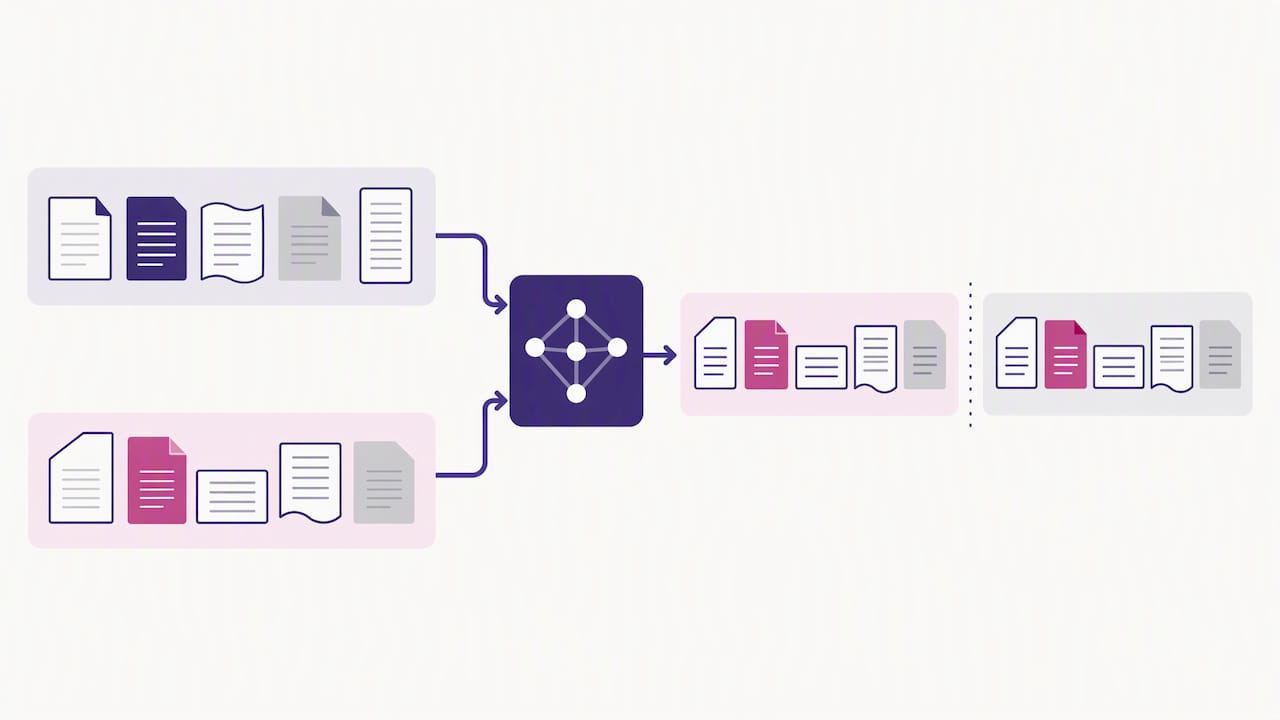
    Held-out contract samples compared against reference results

    Accuracy, Validation, and Governance: Metrics, Test Sets, and Audit Trails

    Trusting extracted data in production means measuring it the same way you would measure any other business-critical system. Field-level precision, recall, and F1 scores tell you how often a model gets a given field right, and setting confidence thresholds per field lets you route uncertain extractions to a human reviewer automatically rather than guessing.

    NIST’s framework recommends pairing these computational metrics with documented, representative test sets and human-AI teaming rather than relying on accuracy numbers alone (NIST AI RMF). In practice, that means:

    • Testing against a sample that reflects your actual contract mix, not just clean examples
    • Logging a named reviewer’s approval on high-risk fields, timestamped and linked to the source document
    • Keeping audit logs of which model version produced which extraction
    • Maintaining data lineage so any downstream figure can be traced back to its source clause

    Named-reviewer provenance matters because it prevents automation bias, the tendency to accept a model’s output simply because it was produced by a system rather than a person. Documented test methodology and version history also make it far easier to answer an auditor’s questions later.

    Vendor Evaluation: Privacy, Subprocessors, and Exit Rights

    Choosing a contract extraction vendor is as much a procurement and legal exercise as a technical one. The FTC’s 2024 guidance makes clear that companies offering AI services cannot use customer data to train models without clear, conspicuous notice and affirmative express consent, and that disclosures hidden behind hyperlinks or fine print do not satisfy that bar. Confirm in writing how a vendor handles your contract data before you sign.

    Beyond data-use commitments, a thorough evaluation checks for:

    • Disclosure of subprocessors, cloud hosts, and underlying model providers, with notice before any change
    • Clear exit rights, including data export formats, deletion timelines, and transition assistance
    • Contractual audit rights and service-level agreements tied to accuracy, not just uptime
    • Enforceable restrictions on how extracted data can be used or shared

    A structured vendor checklist built around these domains, including security posture and procurement controls, mirrors guidance used in legal-sector AI evaluations (AI Product Evaluation Checklist). For teams building out a broader vendor security review, a practical guide to assessing supplier risk is a useful companion to this checklist (vendor risk guide).

    Pro Tip: Ask for exit terms in writing before you sign, not after you decide to leave. Switching costs tend to surface only once a vendor relationship is already deep.

    DocuPOW’s Approach: Agentic, Template-Free Extraction in Practice

    We built our extraction engine around agentic, template-free processing, meaning it reads the context of a contract rather than matching it against a fixed layout. That removes the setup and maintenance burden that comes with template-based tools, since a new contract format does not require retraining before it can be processed.

    Enterprise teams have reported significant reductions in processing time, which we attribute to skipping the template-matching step entirely. Our conversational querying feature lets reviewers ask a document questions directly and get answers with source citations, which keeps extracted data auditable as it flows into analytics and downstream systems.

    What the Research Gets Right, and What It Misses

    The volume of guidance on contract data extraction tends to overweight model selection and underweight governance design. Picking between a prebuilt model and a custom-trained one matters less than most vendor pitches suggest, because both approaches fail the same way when nobody defines what “accurate enough” means for a given field before the pilot starts.

    The conventional advice to “test accuracy and compare vendors” is incomplete without a parallel track on exit rights and data use commitments, since a model that performs well but locks your contract data into a proprietary format has just traded one risk for another. Teams that treat vendor evaluation and accuracy testing as a single, combined checklist tend to avoid both traps at once.

    If there is one place to start, it is defining your field taxonomy and risk tiers before evaluating any tool. A vendor demo looks convincing on any contract; it is your own messiest, oldest documents that reveal whether an approach actually holds up.

    — Syed Naveed Abbas

    See How Template-Free Extraction Fits Your Contract Workflow

    The checklist above only works if the underlying extraction adapts to your actual contract mix instead of forcing you to rebuild templates every time a new format shows up. That is the gap our agentic, template-free approach closes: we extract from any document layout without the setup cycle that template-based tools require, while keeping human-in-the-loop review on the fields that need it.

    DocuPOW

    If this matches a gap in how your team currently handles contracts, our pricing page lays out the Starter, Professional, and Enterprise plans, and our platform overview walks through how the extraction and integration pieces connect end to end.

    FAQ

    What is an example of data extraction?

    A common example is pulling the renewal date, payment terms, and contracting parties out of a signed PDF and turning them into structured fields a spreadsheet or database can use. Contract data extraction applies this same process specifically to legal agreements, converting clause language into fields that feed CLM or ERP systems.

    Can ChatGPT analyze a contract?

    General-purpose language models can summarize or answer questions about a contract’s text, but they are not purpose-built for structured field extraction at scale or for the audit trails that enterprise workflows require. Purpose-built extraction tools add field-level confidence scoring, provenance tracking, and system integrations that a general chat interface does not provide by default.

    What does contract data mean?

    Contract data refers to the structured information embedded in an agreement, including party names, dates, payment terms, and clauses like termination or indemnification. Once extracted, this data can populate dashboards, trigger alerts, and feed reporting across procurement, legal, and finance systems.

    What is the best tool for data extraction?

    The right tool depends on your document mix: template-based tools work for highly standardized forms, while template-free, agentic extraction tends to perform better across varied or unfamiliar contract layouts without retraining. We use the agentic, template-free approach specifically to handle that variability while keeping human review in the loop for high-risk fields.

    Sources

  • Logistics Pilot: Template Free Shipping Document Automation Before ACE

    Logistics Pilot: Template Free Shipping Document Automation Before ACE

    Shipping document automation uses AI-powered intelligent document processing to extract, validate, and route bills of lading, invoices, packing lists, and manifests so operations teams move shipments faster and with fewer errors. The core technologies are optical character recognition, machine learning, and natural language processing, which together read documents without rigid templates. We built our platform around an agentic, template-free approach that adapts to new layouts instead of breaking on them.


    TL;DR:

    • House bills of lading are often the strongest first pilot because their volume and format variability are high, while key fields remain well defined.
    • Set a four to eight week pilot for one document type, defining target exception rate, key field accuracy, and a decision point before launch.
    • Compare template based and semantic extraction on the same document batch, especially its messiest carrier formats, before choosing an approach for broader use.
    • Cross check extracted fields against live ERP, TMS, or WMS records, and route mismatches to human reviewers instead of silently approving or rejecting them.
    • During discovery, include real edge cases and confirm API or EDI access to TMS and WMS; late integration gaps can delay execution.

    DocuPOW
    Automate Shipping Documents Without Templates
    DocuPOW uses context-aware AI agents to extract data from shipping documents without rigid templates, helping teams reduce manual entry and improve accuracy.

    Request a demo

    Table of Contents

    How AI-powered document processing extracts and validates shipping data

    Shipping documents arrive from everywhere: email attachments, carrier portals, scanned paper, EDI feeds. A working automation setup starts by centralizing that intake, then runs image cleanup and optical character recognition to turn scans and PDFs into machine-readable text before any field gets pulled.

    From there, three extraction approaches compete for the job. Template-based tools match documents against a fixed layout and break the moment a new forwarder or carrier changes a form. Machine learning models generalize better but still need retraining as document populations shift. Semantic, zero-shot extraction reads a document the way a person would, identifying a consignee or container ID by context rather than position on the page, which matters most for operations juggling dozens of carrier formats.

    Once fields are pulled, validation checks them against existing records in the ERP, TMS, or WMS: does the purchase order number match an open order, does the HS code fall within an expected range, does the declared weight align with the shipment history. Rule engines catch obvious mismatches automatically, while genuine exceptions route to a human reviewer rather than getting silently approved or silently rejected.

    The last step is action: populating downstream systems, triggering the next workflow step (release for customs filing, flag for freight audit), and notifying the people who need to know.

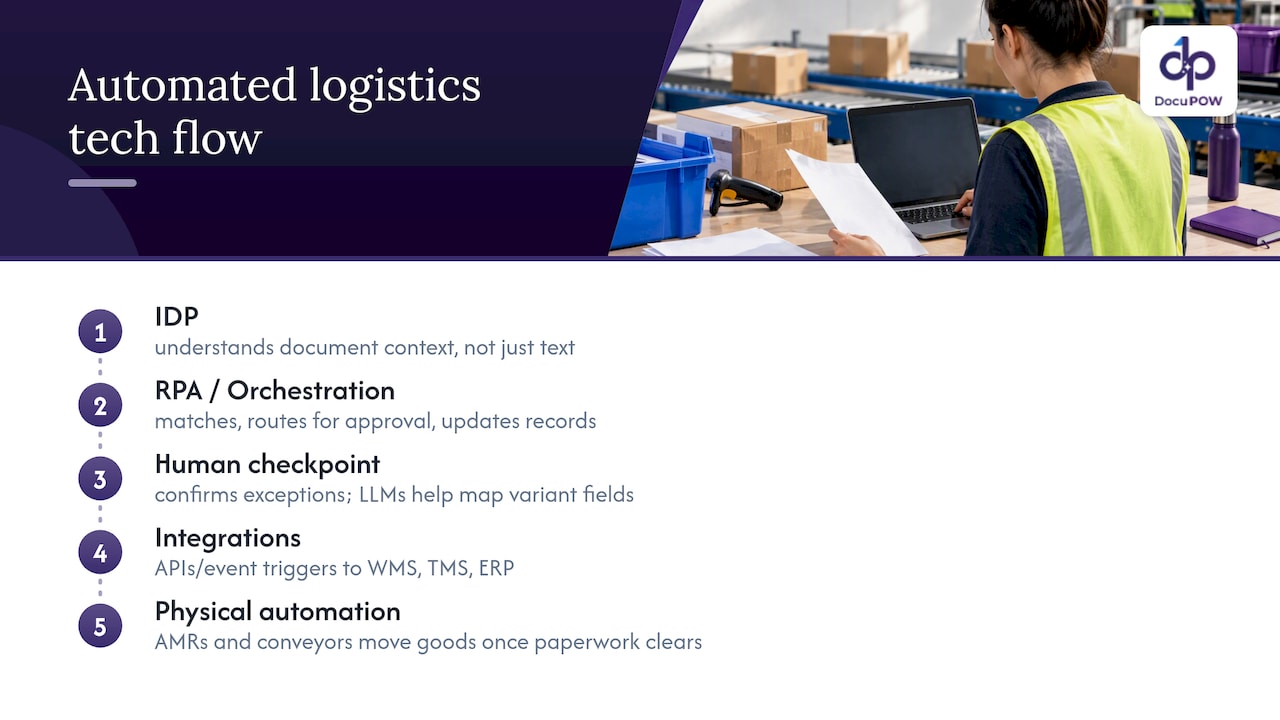
    • Capture consolidates every intake channel into one processing queue.
    • Extraction turns unstructured documents into structured, field-level data.
    • Validation cross-checks extracted fields against live system records.
    • Actioning pushes clean data into ERP, TMS, or WMS and notifies stakeholders.

    Pro Tip: Run a side-by-side test of template-based and semantic extraction on the same document batch before committing to either approach; the gap shows up fastest on your messiest carrier formats.

    Which shipping documents to automate first

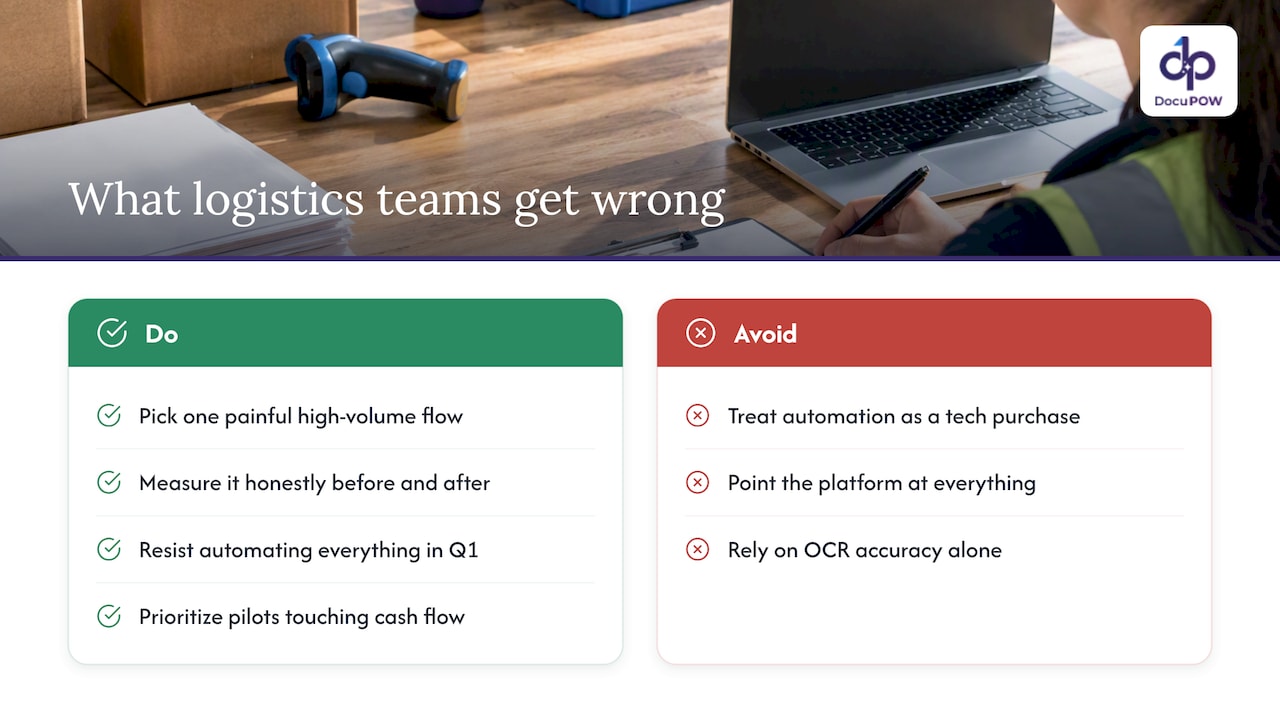
    Not every document deserves pilot status. The right starting point is usually the document type with the highest volume and the highest exception rate, since that combination produces the clearest before-and-after numbers and the fastest payback on setup time.

    1. Bills of lading (master and house): capture consignee, notify party, SCAC code, BL number, and container IDs, the fields that most often cause downstream matching errors.
    2. Packing lists and packing slips: pull SKU-level counts, weights, and dimensions, which feed directly into warehouse receiving and freight audit.
    3. Commercial and freight invoices: extract HS codes, declared value, currency, and incoterms, since errors here trigger duty disputes and payment delays.
    4. Manifests, air waybills, and proofs of delivery: capture timestamps and signatures that serve as the evidentiary backbone for customs and claims.

    For most logistics operations, house bills of lading make the strongest first pilot: volume is high, variability across forwarders is high, and the fields that matter are well defined. A narrower starting scope, rather than an attempt to automate every document type at once, keeps the first project small enough to finish and measure.

    What success looks like: benefits and the KPIs that prove it

    Automation earns its budget line through measurable operational gains, not a general sense of improvement. The KPIs that matter most to logistics operations are documents processed per hour, exception rate (the share of documents a human has to touch), time-to-clearance for customs-bound shipments, and invoice days payable or receivable.

    Fewer manual touches on a document also means fewer disputes: a correctly extracted weight or SKU count reduces repacking requests and invoice corrections that otherwise consume a specialist’s afternoon. Faster, cleaner data also tightens the link between a shipment leaving the dock and the invoice landing in the right queue.

    • Track docs per hour processed before and during the pilot, same document type, same team.
    • Measure exception rate weekly to see whether the model is learning or plateauing.
    • Log time-to-clearance separately for automated versus manually processed shipments.
    • Watch invoice days payable or receivable as a downstream signal of cleaner data.

    One of the clearest signals in a short pilot is a falling exception rate week over week, since a stable or rising rate usually points to a document type that is too variable for the current configuration rather than a tooling failure.

    A realistic 4 to 8 week pilot sets success criteria before day one: a target exception rate, a minimum accuracy threshold on key fields, and a clear go or no-go decision point rather than an open-ended trial.

    Pilot-to-scale roadmap for shipping document automation

    A pilot that skips discovery tends to stall in integration. The sequence below keeps each phase short and each decision reversible.

    1. Discovery (1 to 2 weeks): inventory document volumes by type, map system endpoints (ERP, TMS, WMS), pull a representative sample set including messy edge cases, catalog recurring exception types, and name the stakeholders who sign off on go-live.
    2. Pilot (4 to 8 weeks): scope one document type, agree on success metrics in advance, collect a clean baseline of current manual processing time, then run the automation against live or recent documents while comparing output to the manual result.
    3. Iteration: tune extraction models against the exceptions the pilot surfaced, tighten validation rules, build out the exception-handling workflow so a flagged document reaches the right reviewer, and define service-level agreements for turnaround time.
    4. Scale: add governance (who owns model performance, who approves rule changes), stand up monitoring dashboards against the KPIs from the pilot, and run change management and training so the wider team trusts the new workflow instead of working around it.

    The most common pitfalls are a sample set that excludes the messy, real-world documents the system will actually face, and an integration plan that assumes a system endpoint exists when it has to be built. Both surface fastest during discovery, which is why that phase is worth protecting even when the pressure is to start the pilot immediately.

    Pro Tip: Ask your IT team to confirm API or EDI access to the TMS and WMS before the pilot start date, not during week one of execution; integration gaps found late cost the most time.

    API and EDI paths connecting logistics systems

    A 4 to 8 week pilot structure built around one document type gives a team a clean, comparable before-and-after instead of a sprawling, hard-to-measure rollout.

    Integration patterns and data formats to plan for

    Extracted data is only useful once it lands correctly in the systems that run daily operations: the ERP for financial records, the TMS for movement tracking, the WMS for inventory, and the customs broker’s own filing system. Each of these expects its own field names and formats, so mapping work happens before go-live, not after.

    Shipping data still moves heavily through EDI, particularly ANSI X12 transaction sets, alongside XML, REST APIs, and plain CSV for simpler integrations. Manifest-specific formats, including X12 309 transactions, have their own field and record requirements that an automation layer needs to translate rather than bypass.

    • Webhooks suit near-real-time needs, pushing extracted data the moment a document clears validation.
    • Batch imports suit end-of-day reconciliation, where volume matters more than immediate delivery.
    • An EDI translation layer bridges modern APIs with legacy X12 partners who are not moving off EDI soon.
    • Role-based access, encryption in transit and at rest, audit logs, and defined retention periods are baseline requirements, not optional extras, given the financial and customs data involved.

    Getting these choices right early avoids a second integration project six months after the first one ships.

    CBP modernization and manifest automation: what operations must know

    Manifest filing is shifting from paper and ad hoc electronic formats toward a single standard. U.S. Customs and Border Protection is piloting an Electronic Export Manifest to collect pre-departure manifest data electronically, with the eventual goal of mandatory electronic submission through ACE across multiple transport modes.

    That shift has concrete implications for document automation projects. CBP’s own materials describe the EEM and ACE integration as a way to eliminate redundant data elements and improve accuracy and timeliness, which in practice means fewer duplicate filings and less amendment work once a shipment’s data is captured correctly the first time.

    • Map required manifest fields against the ACE development and deployment schedule, which lists portal features and automated validation steps affecting cargo release.
    • Treat X12 309 and CATAIR record structures as a technical and regulatory checklist together, since mapping to them often surfaces missing operational data that has to be collected upstream.
    • Build in time for ACE integration testing rather than assuming a direct pass-through from your current system.
    • Where eligible, participate in CBP pilot programs directly to get ahead of mandatory electronic submission timelines.

    **CBP’s own guidance frames EEM and ACE integration as a way to cut redundant filings and improve accuracy, which is the regulatory tailwind behind manifest automation projects generally, not a vendor claim.

    DocuPOW’s approach to shipping document automation

    Our platform is built around agentic, zero-shot extraction: documents get read and understood without a pre-built template, which supports logistics operations juggling dozens of carrier and forwarder formats that never stay still. Every extracted field can pass through human-in-the-loop auditing to ensure flagged mismatches reach a reviewer instead of silently entering the record.

    We apply this approach to the document types that create the most friction for global manufacturers and high-volume shippers: customs clearance paperwork, high-volume invoice reconciliation, and the day-to-day flow of bills of lading and packing lists across a manufacturing supply chain.

    • We reduce manual entry by using extraction models that adapt to unseen layouts without requiring new templates for every new carrier.
    • We aim to improve financial visibility by facilitating faster entry of clean invoice and shipment data into finance systems.
    • We support faster, data-driven decisions by shortening the gap between document arrival and data usability.

    Our supply chain solutions page outlines these capabilities in more depth for teams evaluating a pilot.

    Three recommendations for operations teams starting out

    Pick a high-volume, high-exception document for the first pilot: house bills of lading or packing lists usually give the clearest signal fastest. Secure IT integration resources and a representative sample set, edge cases included, before the pilot clock starts, not after. Define your success metrics and governance model (who approves model changes, who owns the exception queue) before day one, since a pilot without a predefined finish line tends to drift.

    — Syed Naveed Abbas

    Start a DocuPOW pilot for your shipping documents

    We offer a 4 to 8 week pilot built around one document type to provide a clean before-and-after comparison instead of a sprawling rollout with no clear finish line. Expect sample document collection, agreed KPIs up front, and a working demo against your own data by the end of the pilot window, not a generic sandbox.

    DocuPOW

    Current pricing details including plan costs are available on our pricing page. For teams managing freight risk alongside document volume, a transportation-focused broker like Geneva Insurance Group is worth a parallel conversation. When you are ready to scope a pilot, our logistics data entry automation page walks through what to expect.

    FAQ

    What are some examples of document automation?

    Common examples include extracting fields from bills of lading, invoices, and packing lists, routing proofs of delivery for signature verification, and auto-populating ERP or TMS records from scanned manifests. Document automation also covers exception routing, where a mismatched field goes to a human reviewer instead of blocking the whole batch.

    What is shipping automation and how does it work?

    Shipping automation applies optical character recognition, machine learning, and natural language processing to read shipping documents, validate the extracted fields against existing system records, and push clean data into the systems that run day-to-day logistics. Human review handles exceptions the validation rules flag rather than letting them through unchecked.

    What is the fastest way to ship a document?

    For physical document delivery, direct carrier services and electronic transmission (EDI, API, or secure email) are both faster than postal mail, with electronic transmission typically the quickest when the receiving system accepts digital submissions. DOT guidance permits electronic records and signatures for many regulatory requirements, which removes the need for physical delivery in those cases.

    How do I automate a documentation process?

    Start with discovery: inventory document volumes, map the systems the data needs to reach, and pull a representative sample set including messy edge cases. Run a short pilot, typically 4 to 8 weeks, on one document type with clear success metrics, then iterate on validation rules and exception handling before scaling to additional document types.

    Sources

  • Meet §371.3: Template Free Rate Confirmation Automation for Brokers

    Meet §371.3: Template Free Rate Confirmation Automation for Brokers

    Rate confirmation automation turns inbound rate offers and carrier documents into verified, auditable load confirmations without manual data entry. It fits brokerages handling repeatable lanes with high email or EDI volume, where speed to confirm and a clean audit trail matter more than one-off customization. This guide covers the workflow, the regulatory backdrop, and a pilot structure for testing it in your operation.


    TL;DR:

    • Automated rate confirmation systems quickly ingest and validate load details from multiple formats, reducing manual entry and minimizing errors.
    • Pilot programs lasting 4 to 8 weeks focus on routine lanes, ensuring reliable extraction and threshold tuning before full deployment.
    • Template-free extraction and human-in-the-loop review are key to adapting to carrier format changes without extensive setup.
    • Automation primarily boosts capacity for growth by reallocating staff to carrier management rather than reducing headcount.
    • Maintaining an audit trail and electronic records enables brokers to meet regulatory requirements and respond to transaction inquiries rapidly.

    DocuPOW
    docupow.ai
    Automate Template Free Document Processing
    DocuPOW uses autonomous AI agents to extract and validate document data without rigid templates, helping teams process rate confirmations faster.

    Request a demo

    Table of Contents

    What rate confirmation automation actually does

    A rate confirmation, or RateCon, is the document that locks in agreed terms between a broker and a carrier: rate, pickup and delivery windows, equipment type, accessorials, and reference numbers tying the load back to the shipper’s order. Getting these fields wrong causes billing disputes and payment delays, which is why accuracy here carries more weight than speed alone.

    Automation ingests RateCons from wherever they arrive: email attachments, EDI feeds, PDF uploads, or carrier portal submissions. Once ingested, the system extracts the key fields, checks them against the original rate quote and load tender, and flags mismatches before anything moves forward. Clean records get an automated acknowledgment back to the carrier and a load creation event in your transportation management system.

    The core sequence looks like this:

    • Ingest the document regardless of channel or format.
    • Extract rate, dates, equipment, and reference fields.
    • Validate extracted data against the original quote or tender.
    • Trigger an acknowledgment and hand off to TMS and accounts payable.

    Each step produces a timestamped record, which becomes relevant later when we discuss recordkeeping obligations.

    Benefits and ROI for brokerages and operations teams

    The business case rests on three things: speed, accuracy, and headcount leverage. Manual rate confirmation work ties up coordinators who could be managing carrier relationships or chasing exceptions instead. Automating the repeatable parts shifts that balance.

    Automation tends to increase capacity for growth rather than simply cutting headcount, according to industry analysis from Transport Topics, which found that brokerages redeploy time saved toward carrier relationship management and exception handling instead of reducing staff. That reframes the ROI conversation: the win isn’t fewer people, its more volume handled by the same team.

    Other operational gains worth tracking:

    • Faster time-to-confirm shortens the gap between tender and dispatch.
    • Fewer manual-entry errors mean fewer billing disputes downstream.
    • Consistent validation rules catch rate mismatches before they become disputes.
    • A unified audit trail replaces scattered email threads and spreadsheets.

    There’s also a regulatory angle. Brokers who keep clean, searchable electronic records are better positioned to respond quickly if proposed FMCSA amendments requiring transaction records within 48 hours of a request move forward. Manual, paper-based systems make that turnaround much harder to hit consistently.

    Core features and technical components to require

    Not every “rate confirmation software” claim holds up under scrutiny. The difference between a system that works on day one and one that needs months of setup usually comes down to how it extracts data.

    Documents transformed into structured rate data

    Template-based OCR requires you to build a parsing template for every carrier’s document layout, which breaks the moment a carrier changes their format. Template-free, zero-shot extraction reads fields by context and labeling rather than fixed position, so it adapts to new layouts without rebuilding anything.

    When evaluating a system, require these capabilities:

    • Template-free extraction that handles format variation without manual template setup.
    • Agentic rules for routing exceptions to a human instead of guessing.
    • Carrier vetting checks, including authority and insurance credential validity.
    • Native integration with your TMS, EDI feeds, load boards, and accounting or AP systems.
    • A complete audit log tying every extraction, validation, and acknowledgment to a timestamp.

    Pro Tip: Start your auto-accept thresholds conservative; widen them only after a few weeks of clean validation data.

    Integrations matter as much as extraction accuracy, as shown by fleet GPS data integration examples for fleet managers. A system that extracts perfectly but can’t hand data to your TMS or AP workflow just creates a second manual step instead of removing the first one.

    Implementation checklist: how to pilot and deploy rate confirmation automation

    Rolling out rate confirmation automation works best as a scoped pilot before any broader commitment. Here’s the order that avoids the most common missteps:

    1. Pick repeatable lanes. Choose load types and carrier relationships with consistent volume, not edge cases.
    2. Scope the pilot to 4 to 8 weeks. This window is long enough to surface format variations without dragging on indefinitely.
    3. Map input formats. Inventory which RateCons arrive by email, EDI, PDF, or portal, and confirm integration requirements for each.
    4. Define acceptance rules. Decide what counts as a clean match versus a flagged exception before you start testing.
    5. Set human-in-the-loop thresholds. Route anything outside your confidence band to a reviewer, not an automatic accept.
    6. Run integration and reconciliation tests. Confirm data lands correctly in your TMS and reconciles against AP records.
    7. Track KPIs throughout. Measure time-to-confirm, error rate, and hours saved against your pre-pilot baseline.
    Pilot phase Typical duration Primary goal
    Lane and format mapping Week 1 Confirm input channels and volume
    Rule and threshold setup Weeks 2 to 3 Define acceptance and escalation rules
    Live extraction testing Weeks 3 to 6 Validate accuracy against baseline
    Reconciliation and KPI review Weeks 6 to 8 Confirm integration and measure results

    A pilot this short works because it forces a narrow scope. Trying to automate every lane and document type at once usually means no single workflow gets properly tuned before leadership asks for results.

    Real pilot evidence from agentic, template-free extraction

    Pilot engagements for document automation commonly run 4 to 8 weeks, long enough to validate mapping rules across RateCon variations and tune human-in-the-loop thresholds before wider rollout. That timeline matters because it gives a brokerage enough live volume to catch format edge cases without committing to a long contract first.

    A few things tend to hold true across these pilots:

    • Template-free extraction cuts onboarding time for new carrier formats since there’s no per-carrier template to build first.
    • Human-in-the-loop review catches the ambiguous cases that automation alone would misread.
    • Autonomous agents that understand document context, not just layout position, adapt faster when a carrier changes how they format a RateCon.

    The practical lesson from most pilots: start narrow, tune thresholds early, and widen scope once the exception rate drops.

    When automation isn’t the right move

    Automation earns its keep on repeatable lanes, not one-off or highly irregular loads where every field needs a judgment call. Keep a human reviewing anything outside your defined rules, and set auto-accept thresholds conservatively at first. The audit trail matters more than the speed: a fast system that quietly accepts bad data costs more than a slightly slower one that flags it.

    — Syed Naveed Abbas

    How we approach rate confirmation automation at DocuPOW

    We built our platform around agentic, template-free extraction specifically because freight documents rarely follow one fixed layout. Our human-in-the-loop auditing catches the edge cases before they become disputes, and our logistics solutions connect directly into the systems brokerages already run.

    DocuPOW

    A 4 to 8 week proof-of-concept is how we test fit: we map your document formats, set validation rules against your lanes, and measure time saved and error reduction before you commit to anything larger.

    • Template-free extraction that adapts without manual setup per carrier.
    • Human-in-the-loop review built into every workflow, not bolted on after.
    • Integration with TMS, EDI, and AP systems commonly used in the industry.
    Plan Price Fit
    Starter See our pricing page for current details Smaller teams testing automation on a few lanes
    Professional See our pricing page for current details Growing brokerages scaling across more carriers
    Enterprise Price available on request Larger operations needing custom integration scope

    Check our pricing page for plan details, or start with a pilot scoped to your busiest lanes.

    FAQ

    What is the best CRM for a logistics company?

    The right choice depends on your brokerage’s size and existing TMS setup rather than any single universal answer. Most logistics teams prioritize CRMs that integrate directly with their TMS and document automation tools so carrier and shipper data stays in sync without duplicate entry.

    What does rate confirmation mean?

    A rate confirmation, or RateCon, is the document that finalizes agreed terms between a broker and carrier, including rate, pickup and delivery windows, equipment type, and reference numbers. It serves as the binding record both parties rely on if a billing or scheduling dispute comes up later.

    Why do many freight brokers struggle in their first year?

    New brokerages often underestimate the operational load of manual rate confirmation, carrier vetting, and recordkeeping on top of sales. Thin margins leave little room for the billing errors and disputes that manual, error-prone workflows tend to produce.

    What is logistics automation?

    Logistics automation applies software and AI to repeatable freight workflows like rate confirmation, carrier vetting, and document processing, replacing manual data entry with extraction and validation rules. It typically covers ingestion, verification, and handoff to systems like a TMS or accounting platform.

    Does rate confirmation automation help with regulatory compliance?

    Clean, searchable electronic records make it easier to respond to broker transaction record requests under 49 CFR §371.3, which requires brokers to retain records for three years and allow each party to review them. Automated systems that log every extraction and acknowledgment support that requirement more reliably than manual filing.

    Sources

  • Architects: Trace Event Driven Document Processing Without Templates

    Architects: Trace Event Driven Document Processing Without Templates

    Architects: Trace Event Driven Document Processing Without Templates

    Duplicate event stopped before downstream counting

    Event-driven document processing triggers extraction, review, and enrichment through asynchronous events rather than direct call, which lets systems scale independently and decouple producers from consumers. The pattern fits workloads with variable volume, multiple downstream consumers, or a need for near-real-time results. The tradeoff is real: you accept eventual consistency and take on the operational burden of schemas, retries, and dead-letter handling.


    TL;DR:

    • Event-driven document pipelines often involve multiple, independent consumers that can change without notification, complicating architecture documentation.

    • Schema drift and the lack of control flow visibility can lead to silent failures and data inconsistencies across different pipeline stages.

    • Using explicit, standardized diagrams with topic and schema details helps prevent confusion during incident troubleshooting and ongoing maintenance.

    • Implementing schema registries, idempotent consumers, and clear dead-letter queue policies reduces the risk of duplicated data and process failures.

    • Choosing the appropriate architecture—serverless, streaming, or microservices—depends on volume and latency needs, with each requiring thorough documentation.


    DocuPOW
    docupow.ai
    Modernize Document Processing
    DocuPOW uses autonomous AI agents to extract data from documents without rigid templates, helping teams improve workflow efficiency and accuracy.

    Request a demo

    Table of Contents

    Why event-driven document pipelines are hard to document and reason about

    A request-response diagram shows who calls whom. An event-driven diagram often shows a producer publishing into a void, because the consumers subscribing to that topic can change without the producer ever knowing. This many-to-many relationship is the first thing that breaks traditional architecture documentation, since a single document-uploaded event might trigger extraction, compliance logging, and billing updates from three teams who never talk to each other.

    Four problems recur across most document pipelines:

    • Invisible control flow: nobody can trace a document’s path by reading the producer’s code alone.

    • Schema drift: a field added or renamed by one team can silently break a consumer built months earlier.

    • Eventual consistency: a document can appear “processed” in one view and “pending” in another for seconds or minutes.

    • Failure ambiguity: retries can create duplicates, and out-of-order delivery can corrupt multi-step workflows.

    Event-driven architectures commonly rely on intermediate layers like Amazon SQS, Amazon Kinesis, or Azure Event Hubs to decouple producers from consumers, and that decoupling is exactly what makes the system harder to trace without deliberate documentation.

    Modeling event-driven document systems with the C4 model and event-first diagrams

    Standard C4 diagrams assume synchronous calls between boxes. For document pipelines, you need to adapt each level so brokers, topics, and event contracts stop being implementation details and become diagram citizens in their own right.

    • Treat the broker and its topics as first-class containers on system and container diagrams, not as a generic “messaging” cloud icon.

    • Attach event types, a sample schema snippet, and the current schema version to each component diagram that produces or consumes events.

    • Overlay the document lifecycle (uploaded, extracted, reviewed, published) across the diagram so a reader can trace one document’s journey, not just the static topology.

    • Standardize topic naming (domain.entity.action), document required headers, and label each flow with its delivery semantic: at-most-once, at-least-once, or exactly-once.

    A diagram that hides the topic name or the schema version is a diagram that will mislead the next engineer who has to debug a production incident.

    Documenting common event-driven patterns used in document processing

    Most document pipelines combine a small set of recognizable patterns, and each one needs its own documentation emphasis.

    1. Event sourcing: record every state change as an immutable event; document the retention window, the replay procedure, and how consumers rebuild state from the log.

    2. CQRS: separate to write path (ingestion and extraction) from read models (search indexes, dashboards); document how and when read models synchronize with the source of truth.

    3. Publish/subscribe: fan out a single event, such as document.extracted, to multiple independent consumers; document who owns each subscription and what happens if one falls behind.

    4. Streaming versus mediator topologies: a mediator orchestrates steps explicitly, while streaming lets consumers react independently; document which model governs each pipeline stage.

    A typical document flow maps cleanly onto these patterns: upload triggers an event-sourced log entry, extraction runs as a pub/sub consumer, review updates a CQRS read model, and publish fans out to downstream sinks.

    Operational and correctness concerns: schemas, idempotency, state, and failure handling

    The controls that keep a document pipeline correct rarely show up in a high-level diagram, but they belong in every runbook and architecture decision record.

    • Register every event schema in a centralized registry using Avro, Protobuf, or JSON Schema, and enforce backward or forward compatibility checks before deployment.

    • Assign a unique event ID to every message and design consumers as idempotent readers that detect and skip events they already processed.

    • Decide where workflow state lives: brokers are generally stateless, so multi-step document workflows usually need an external store to track progress between upload, extraction, review, and publish.

    • Define dead-letter queue policies explicitly: how many redrive attempts are allowed, who gets alerted, and whether a compensating transaction is needed to undo partial work.

    Pro Tip: Store processed event IDs with a time-to-live matched to your retry window, so duplicate detection does not grow unbounded.

    Skipping idempotency is the single most common cause of corrupted analytics in document pipelines, since a retried extraction event can silently double-count a line item or duplicate a record in a downstream system.

    Duplicate event stopped before downstream counting

    Implementation options and patterns for document pipelines

    The right architecture depends on volume, latency requirements, and how much operational overhead your team can absorb.

    • Serverless: a storage event (file uploaded to a bucket) triggers a function that extracts data and writes failures to a dead-letter queue; this fits bursty or moderate document loads where you want minimal infrastructure to manage.

    • Streaming: a platform like Kafka or Azure Event Hubs paired with a schema registry supports high-throughput, replayable processing when multiple consumers need the same event stream.

    • Containerized microservices: a Kubernetes deployment with dedicated consumer groups per service fits complex, multi-stage processing that needs independent autoscaling for extraction, review, and publishing stages.

    • Integration points: document where AI extraction engines plug into the flow, where a human-in-the-loop review step pauses the pipeline, and which downstream sinks (ERP, CRM, data warehouse) receive the final event.

    Each option needs a one-page record of why it was chosen, since teams rebuilding this decision from scratch during an incident waste hour that a short document would have saved.

    Schema and data-contract guidance specific to document payloads

    Document events carry a particular risk: the temptation to stuff full file content into the payload instead of a pointer. Keep the event itself lean.

    • Separate metadata (document type, timestamp, source system) from content pointers (a storage URL or object key) rather than embedding raw document bytes.

    • Include provenance and audit headers, such as the originating system and processing version, so any consumer can trace an event back to its source.

    • Choose a compatibility mode deliberately: backward compatibility lets new consumers read old events, forward compatibility lets old consumers survive schema changes.

    • Apply field-level redaction for personally identifiable information before publishing, and encrypt payloads in transit; for broader guidance on secure handling, see this overview of secure document sharing.

    Confluent’s event design guidance treats schemas as contracts, not documentation, meaning a schema registry enforces compatibility automatically rather than relying on a wiki page nobody reads.

    Monitoring, SLAs, and observability for event-driven document workflows

    A document pipeline without observability is a black box that fails quietly until a customer complains. The following signals belong in every runbook.

    • Track consumer lag, offset position, throughput, DLQ message counts, and retry rates for every topic in the pipeline.

    • Attach a correlation ID to each document at ingestion and propagate it through every event so you can trace a single file’s full lifecycle across services.

    • Set an explicit end-to-end latency target for the pipeline (upload to published result) and define what happens when that target is missed.

    • Write runbook steps for the three most common incidents: triaging a growing backlog, replaying a range of events, and remediating messages stuck in the dead-letter queue.

    Pro Tip: Alert on DLQ growth rate, not just absolute count, so a slow leak gets caught before it becomes a backlog crisis.

    Our own guidance on high-volume document processing covers how these metrics translate into practical SLA targets for larger pipelines.

    An architect’s take on template-free extraction in event flows

    Most event-driven document pipelines assume a rigid schema at the extraction boundary, which means every new document layout becomes a maintenance ticket. Our extraction engine works without fixed templates, so an unseen invoice or contract layout does not require a new mapping before it can enter the event stream. That reduces coupling for every consumer downstream of extraction, since the published event contract stays stable even as source document formats change.

    Human-in-the-loop review fits naturally as a documented handoff point in the event flow: a low-confidence extraction event routes to a review queue, and the reviewed result republishes as a new, versioned event. Real-time analytics and predictive insights then double as observability signals, surfacing drift in extraction confidence before it shows up as a downstream data quality incident.

    — Syed Naveed Abbas

    Putting these controls into practice with DocuPOW

    Every control covered here, schema stability, human review checkpoints, and observability into pipeline health, maps directly to how our platform operates. Our agentic extraction engine adapts to new document layouts without template rebuilds, our human-in-the-loop audit step gives you a documented review checkpoint, and our real-time analytics give you the visibility an event-driven pipeline otherwise hides.

    DocuPOW

    • Template-free extraction keeps your event contracts stable even as source documents vary.

    • Human-in-the-loop review gives you an auditable checkpoint inside the event flow.

    • Real-time analytics surface pipeline health without extra instrumentation work.

    If you are evaluating platforms to run this kind of pipeline, compare plans and pricing on our pricing page and see which tier fits your document volume.

    FAQ

    What is event-driven processing?

    Event-driven processing is an architectural style where services communicate by publishing and consuming asynchronous events instead of calling each other directly. AWS describes this model as relying on intermediate layers, such as queues or streams, to decouple producers from consumers.

    Can you give me an example of event-driven programming?

    A common example is a document-uploaded event: when a file lands in storage, that action publishes an event that triggers an extraction function, independent of whether any other service is listening. Additional consumers, like a compliance logger or a billing updater, can subscribe to the same event without the uploading service knowing they exist.

    Is Kafka an event-driven system?

    Kafka is a streaming platform commonly used to build event-driven systems, since it lets producers publish events to topics that multiple independent consumers read. Kafka’s delivery semantics (at-most-once, at-least-once, exactly-once) are a core design choice architects must document when using it.

    Is EDA suitable for microservices?

    Event-driven architecture is a natural fit for microservices because it lets services evolve and scale independently without direct dependencies on each other’s APIs. Microsoft’s guidance on integration events recommends eventual-consistency patterns over distributed transactions for this reason.

    How do dead-letter queues fit into document processing?

    A dead-letter queue captures events that fail processing after repeated retries, so a malformed or unprocessable document does not get lost or silently dropped. AWS recommends DLQs with automated redrive policies instead of manually tracing failed extraction attempts.

    Sources

  • Logistics Ops: Proof of Delivery Automation for Claims Ready Evidence

    Logistics Ops: Proof of Delivery Automation for Claims Ready Evidence

    Proof of delivery automation replaces manual, paper-based delivery confirmation with digital capture of signatures, GPS, timestamps and photos, verified the moment a shipment arrives. The direct payoff is faster order-to-cash and a defensible evidence package for freight claims, backed by legal footing under the E-SIGN Act and operational timelines like the Carmack claims window.


    TL;DR:

    • Signal and evidence collection should include GPS validation, photos, and sensor data to prevent single-point failures in disputes.
    • Integration with TMS, ERP, and factoring platforms enables instant evidence transfer, speeding invoice and claim processes.
    • Pilot programs must define mandatory signals, offline backup, and retention rules to prevent rollout failures.
    • Complete proof sets with signatures, GPS, timestamps, photos, and telematics improve claim success and operational KPIs.
    • Starting with small-scale plans and testing the full workflow reduces errors and ensures proof validity before wider deployment.

    DocuPOW
    Turn Delivery Documents Into Evidence
    DocuPOW uses AI agents to extract context from documents, helping logistics teams automate processing and improve visibility across workflows.
    • ✓AI-powered document data extraction
    • ✓Automation without rigid templates
    • ✓Real-time analytics and predictive insights
    • ✓Improved document workflow efficiency

    Request a free demo

    Table of Contents

    1. What proof of delivery automation covers and the main solution types

    Teams run into three shapes of ePOD, and picking the wrong one for your operation creates friction fast.

    • Mobile capture apps collect a signature and photo on a driver’s phone or handheld, suited to small carriers and owner-operators who need a quick digital upgrade from paper.
    • TMS-integrated ePOD ties delivery confirmation directly into dispatch and billing systems, fitting brokers and mid-size carriers running on an existing transportation management platform.
    • Evidence-package automation assembles signatures, GPS, photos and sensor data into a structured file the moment delivery closes, built for shippers and factoring companies that need claims-ready documentation without manual assembly.

    Whichever you choose, build in offline-capable capture with a paper-backup rule for dead zones. A driver without signal still needs to record delivery, and the data should sync automatically once connectivity returns.

    2. Core signals and evidence every automated POD should capture

    A signature alone rarely survives a disputed claim. Effective ePOD systems stack independent signals so no single point of failure can undermine the record.

    1. Signed proof with signer identity metadata, capturing who signed, not just that something was signed.
    2. GPS and geofence validation confirming the device was physically at the delivery address, paired with a server-side timestamp that cannot be edited on the device.
    3. Photos, including a contextual shot of the delivery location, a close-up of goods condition, and a signed bill of lading overlay, each file named to the shipment ID for retrieval.
    4. Sensor or telemetry data such as temperature or shock logs, linked back to the BOL or waybill for cold chain and fragile freight.
    5. Server-side validation that automatically flags a delivery missing any expected signal for manual review before it closes out.

    Pro Tip: For high-value loads, require every signal before the system releases the record; a delivery missing even one piece should quarantine itself for review rather than pass silently.

    3. How POD automation integrates with TMS, ERP, factoring and claims processes

    The value of a signed delivery record depends entirely on how fast it reaches billing, claims and analytics without someone re-keying it.

    • API and EDI connections push the completed POD straight into the TMS or ERP, attaching it to the load record as the single source of truth.
    • Portal integrations feed factoring companies directly, and practical ePOD guides show this can unlock same-day funding when the evidence is complete at delivery.
    • Automatic invoice triggers fire the moment POD evidence clears validation, cutting the gap between delivery and billing that manual paperwork used to stretch out, as outlined in purchase order automation strategies.
    • Evidence-package assembly for claims links the BOL, photos and telematics into one export, matching the documentation a formal freight claim requires within the claim’s filing window.
    • Retention and access controls keep the record auditable, since a factor or claims adjuster may request it months after delivery.

    This pattern mirrors what order-to-pay automation already does on the invoice side: close the loop between a confirmed event and the financial action it should trigger, without a human in the middle.

    4. Operational benefits and KPIs to track after deploying POD automation

    The first KPI worth watching is time between delivery and invoice. Integrating digital POD capture directly into TMS or ERP lets billing teams invoice the moment delivery confirms, instead of waiting for paper to travel back to the office.

    Attaching the signed POD directly to the load record lets that single file trigger both invoicing and claims evidence exports, cutting the chase time operations teams usually spend hunting down paperwork.

    Track these alongside order-to-cash time:

    • Claims cycle time, from incident to resolution.
    • Successful claim rate, tied to how complete the evidence package was at filing.
    • Percentage of loads with a complete evidence set at delivery close (monitored as an operational KPI).
    • Exceptions flagged per 1,000 stops, as a proxy for driver training gaps or signal failures.

    Run a before and after comparison over a fixed window, say 60 days pre-rollout against 60 days post, holding route mix roughly constant so the numbers reflect the system change rather than seasonal shifts. Document benefits further in our guide to operational gains from document process automation.

    5. Implementation checklist: pilot, rollout, and operational rules

    Most failed rollouts skip a step rather than choose the wrong software. Work through these in order.

    1. Design the evidence schema and exception rules first. Decide which signals are mandatory, which trigger a hold, and who reviews a flagged delivery before any pilot starts.
    2. Run a short pilot on a defined route set with clear success metrics: completion rate, exception rate, and time to invoice.
    3. Test offline behavior and paper backup in known dead zones, and confirm your factoring partner’s portal actually accepts the ePOD format and photo quality, not just the signature.
    4. Train drivers and receivers on a standardized photo and signature sequence so evidence looks the same across every load, not just the ones a supervisor happens to review.
    5. Define retention periods, audit access and a claims playbook before scaling, since a claim can surface months after delivery and the record needs to still be retrievable.

    Pro Tip: Include test claim submissions in your pilot, sending a handful of completed PODs through the actual claims or factoring workflow to confirm acceptance before you roll out fleet-wide.

    Data security deserves its own line item here: encrypted storage, role-based access and a clear retention schedule matter as much as capture quality, especially once auditors or opposing counsel request a record. The E-SIGN Act gives electronic signatures and records the same legal standing as paper, provided consent and access requirements are met, which is the legal footing the entire pilot rests on.

    Secure electronic proof of delivery record

    6. How DocuPOW’s agentic, template-free automation supports evidence assembly

    We built our platform around a different problem: most POD and freight documents never arrive in a consistent format, and rigid templates break the moment a carrier changes its BOL layout.

    • Our agentic extraction reads documents by context rather than fixed templates, so a new carrier form or an updated POD layout doesn’t require reconfiguration before it can be processed.
    • Our real-time analytics and predictive insights surface exceptions as they happen, so a missing signature or an incomplete evidence package gets caught before it stalls invoicing.
    • Our human-in-the-loop audit review keeps a person in the loop on edge cases, which matters when a flagged delivery needs a judgment call rather than an automated pass.

    For teams already extracting data across supply chain documents, our supply chain data extraction approach applies the same template-free logic to POD, BOL and waybill processing.

    7. Practitioner perspective: common pilot mistakes and corrective actions

    The pilots that stall almost always skip offline testing, assuming every stop has signal, then discover otherwise in rural routes. A close second mistake is launching without a defined evidence schema, so each driver decides on the fly what counts as proof. The costliest misstep treats a signature as sufficient evidence on its own. A signature confirms someone was present. It says nothing about condition, location or timing, and that gap is exactly where claims get denied.

    — Syed Naveed Abbas

    8. DocuPOW offers and next steps for your rollout

    If you’re ready to move past paper POD and manual evidence assembly, start small and scale once the pattern holds.

    DocuPOW

    • Our Starter plan fits a focused pilot on a limited document set before wider rollout.
    • Our Professional plan suits teams scaling extraction across multiple document types and higher volume.
    • Our Enterprise plan covers larger deployments with custom requirements, priced on request.

    A demo walks through your document types, maps them to our extraction model, and shows a sample evidence-package output so you can see how a real POD would process before committing.

    Plan Fits Price
    Starter Pilot programs $99 per month
    Professional Scaling teams $499 per month
    Enterprise Large deployments Available on request

    Visit our pricing page to compare plans or request a demo tailored to your delivery documentation.

    FAQ

    How can I obtain proof of delivery?

    Request it directly from the carrier or check your shipment tracking portal, since most carriers now issue a digital POD with a signature, timestamp and photo once delivery confirms. If a shipment used manual paper capture, the signed copy typically comes through the carrier’s back office on request.

    How do I create proof of delivery?

    Capture a signature, GPS location, timestamp and a photo of the delivered goods at the moment of handoff, either through a carrier’s mobile app or an integrated ePOD system. For disputed or high-value freight, attach a signed bill of lading image and any relevant sensor data to strengthen the record.

    Can you provide an example of proof of delivery?

    A complete POD typically includes the driver’s name, delivery date and time, address, piece count, goods condition, any exception notes and supporting photos, all attached to the load record for billing and claims use. A simple example is a signed BOL photo paired with a GPS-stamped delivery photo and a timestamp logged automatically by the capture app.

    What is the proof of delivery process?

    The process runs from pickup through delivery confirmation: the carrier captures signals at drop-off, the system validates them server-side, and a complete record attaches to the load for invoicing and, if needed, claims evidence. A formal freight claim built from that record generally needs to be filed within statutory timeframes, commonly within statutory timeframes under Carmack rules, with a full evidence package attached.

    Sources

  • Start Document First Logistics Workflow Automation Without Templates

    Start Document First Logistics Workflow Automation Without Templates

    Logistics workflow automation uses software to extract data from freight and warehouse documents, route it through approval and matching steps, and trigger the next action without someone retyping information. Done well, it speeds up receiving, settlement, and claims while cutting data entry errors. The first move is simple: audit where documents enter your operation, then run a small intelligent document processing pilot on your highest-volume, highest-error flow.


    TL;DR:

    • Automating invoice matching and bill of lading reconciliation offers the fastest ROI due to high volume and error-prone workflows.
    • Semantic understanding through agentic, template-free document processing handles diverse layouts and reduces recurring setup failures.
    • Pilots should focus on processes affecting cash flow, like carrier settlement and invoice matching, and be designed with clear success metrics.
    • Measuring processing time, error rate, and cost per document provides tangible evidence of automation benefits for scaling decisions.
    • Success depends on starting with high-volume, error-prone flows, engaging cross-departmental input, and maintaining human oversight during initial phases.

    DocuPOW
    docupow.ai
    Automate Logistics Documents Without Templates
    DocuPOW uses AI agents to extract context from varied logistics documents, helping teams reduce manual entry and improve workflow efficiency.

    Request a Free Demo

    Table of Contents

    Which documents and processes should you automate first?

    Most logistics operations run on a stack of recurring documents that still get touched by hand somewhere in the chain. Bills of lading, proofs of delivery, carrier invoices, rate sheets, and customs paperwork all show up at different points, often in different formats from different partners, which is exactly why they cause friction.

    These documents feed processes that stall when data is trapped in PDFs or scanned images:

    • Receiving: inbound shipments require matching a bill of lading against a purchase order before putaway can start.
    • Claims: proof-of-delivery discrepancies need fast document retrieval to resolve disputes with carriers or customers.
    • Carrier settlement: invoices must be reconciled against contracted rate sheets before payment goes out.
    • Customs clearance: cross-border shipments depend on accurate, time-stamped documentation for audits.

    The friction comes from unstructured inputs. A rate sheet from one carrier rarely looks like the next, exceptions are common, and a single shipment can generate paperwork in three or four different formats before it reaches a dock.

    What technologies power an automated logistics stack?

    Intelligent document processing (IDP) goes beyond basic optical character recognition by understanding context, not just characters. Traditional OCR reads text; IDP interprets what that text means on a given document, including line items on an invoice or a weight field on a bill of lading, even when the layout has never been seen before. That semantic, zero-shot approach matters because logistics documents rarely follow one template.

    Robotic process automation (RPA) and workflow orchestration take the extracted data and move it through the next steps: matching, routing for approval, or updating a record. Human-in-the-loop checkpoints catch the exceptions, flagging a mismatched quantity or an unreadable field for a person to confirm before it moves forward.

    None of this works in isolation. Integration with warehouse management systems, transportation management systems, and ERP platforms happens through APIs and event-driven triggers, so a confirmed receipt in a WMS can fire off an invoice match automatically. Physical automation, including autonomous mobile robots and conveyor systems, complements the document side by handling the physical movement once the paperwork clears.

    Large language models now handle the harder exceptions: mapping a field labeled “freight charges” on one carrier’s invoice to “transportation cost” on another, without a human writing a rule for every variation.

    Pro Tip: Start your integration mapping with the system that already holds your cleanest data, usually your TMS, and build outward from there.

    What technologies power an automated logistics stack? — overview diagram

    Where does automation deliver the fastest results?

    Some workflows pay back faster than others because they combine high volume with high error rates. Prioritize these:

    1. Invoice matching against rate sheets, which catches billing discrepancies before payment instead of after.
    2. Bill of lading reconciliation against purchase orders, cutting the manual lookup that slows receiving.
    3. Proof-of-delivery capture for claims, so disputes get resolved with a document pull instead of a phone chain.
    4. Inbound receiving and putaway confirmation, where a scanned document can trigger a warehouse task automatically.
    5. Returns processing, which often involves the messiest, least standardized paperwork in a warehouse.
    6. Cross-border customs synchronization, producing audit-ready digital records as compliance rules tighten. Mexico’s 2026 customs law reform, for instance, pushed Fr8Tech to launch automated SAT synchronization for digital customs document lifecycle management.
    7. Order-to-cash and carrier settlement, where faster document turnaround shortens the whole payment cycle.

    How do you plan a pilot that actually scales?

    Start by scoring your document flows on three factors: volume, error rate, and business impact. A process that is high-volume but low-error is a weaker candidate than one with moderate volume and frequent costly mistakes.

    Build a small governance group before you pick software. Operations, IT, finance, and compliance each see different risks, and skipping one of them tends to surface problems after launch rather than before.

    Design the pilot with clear boundaries:

    • Define success metrics up front: processing time, error rate, and cost per document.
    • Decide what data the pilot needs and where it will come from.
    • Set human-in-the-loop rules for which exceptions require review versus automatic approval.
    • Map integration points, security requirements, and compliance touchpoints before building anything.

    Commercial models like robotics- and software-as-a-service lower the upfront capital barrier for mid-market operators, which is part of why pilots are easier to justify now than they were a few years ago. Operations teams piloting adjacent technology, such as AI dispatching, use a similar approach: narrow scope, clear metrics, fast iteration.

    Expect phases rather than a single rollout: a scoping phase, a pilot of 4 to 8 weeks, then a scale decision gated on whether the pilot hit its targets. Training and change management matter as much as the technology, since a system nobody trusts gets routed around.

    How do you measure whether automation is working?

    Track a small set of KPIs instead of a long dashboard nobody checks:

    • Processing time per document, from receipt to completed action.
    • Error rate, measured against the manual baseline before automation started.
    • Cost per document, including labor and exception handling.
    • Throughput, or documents processed per period.
    • SLA compliance, especially for carrier settlement and claims deadlines.

    Collect a baseline before you launch anything, since “faster” only means something against a known starting point. ROI typically comes from three places: labor hours reclaimed, error-related costs avoided, and faster cash collection from quicker invoice turnaround. Report progress to stakeholders on a fixed cadence, monthly works for most teams, so the pilot’s case for scaling is backed by numbers rather than impressions.

    A practical path from pilot to scale with agentic extraction

    Traditional IDP tools rely on templates, which means a new carrier format or a redesigned invoice breaks the system until someone rebuilds the template. We built DocuPOW around agentic, template-free extraction instead, so our platform adapts to a document layout it has never seen without manual setup or maintenance.

    Human-in-the-loop auditing stays part of the process, giving compliance teams a review checkpoint before data moves downstream, and real-time analytics surface exceptions as they happen rather than at month-end. For logistics teams starting out, the clearest entry point is usually carrier invoice and rate sheet matching, a high-volume flow where template rigidity causes the most recurring breakage. From there, the same document automation and workflow orchestration extends naturally into bill of lading and proof-of-delivery handling.

    What logistics teams get wrong about automation

    The common mistake is treating automation as a technology purchase instead of a documents-and-process decision. Teams buy a platform, point it at everything, and wonder why exceptions pile up. The teams that succeed pick one painful, high-volume document flow, measure it honestly before and after, and resist the urge to automate everything in the first quarter.

    What logistics teams get wrong about automation — overview diagram

    The other overrated idea is that OCR accuracy alone solves the problem. Reading text correctly is table stakes. The harder, more valuable work is semantic understanding: knowing that a field means “weight” or “freight charge” regardless of where it sits on the page or what the carrier calls it. That is where template-based tools keep failing and where newer, context-aware extraction earns its keep.

    If you take one thing from this guide, prioritize the pilot that touches cash flow, usually invoice matching or carrier settlement, over the one that looks the most impressive in a demo.

    — Syed Naveed Abbas

    Try template-free document automation on your next pilot

    We built our platform so logistics teams can skip template setup entirely: point our agents at a bill of lading, invoice, or customs document and extraction starts working without configuration, while workflow orchestration handles the matching and routing behind it.

    DocuPOW

    Check our pricing page to compare the Starter and Professional plans, or explore how the platform works before you request a demo.

    FAQ

    What are the 7 C’s of logistics?

    The 7 C’s are a planning framework covering the right customer, product, condition, quantity, cost, time, and place, used to evaluate whether a logistics operation is delivering value consistently. They work as a checklist for diagnosing gaps rather than a measurement standard with fixed figures.

    What are some examples of logistics automation?

    Examples include intelligent document processing for invoices and bills of lading, autonomous mobile robots for warehouse picking, and automated carrier settlement that matches invoices against contracted rates. Warehouse automation growth in North America is being driven largely by e-commerce volume and labor shortages, with AMRs identified as the fastest-growing segment.

    What is a logistics workflow?

    A logistics workflow is the sequence of steps a shipment, document, or order moves through, from receiving and putaway to settlement and delivery confirmation. Automating a workflow means software handles the data capture and handoffs between those steps instead of a person doing it manually.

    What are examples of workflow automation?

    Common examples include routing an extracted invoice for approval without manual entry, triggering a warehouse putaway task once a receipt is confirmed, and automatically flagging a proof-of-delivery mismatch for review. Template-free extraction platforms like DocuPOW extend this further by letting the same workflow adapt to new document formats without reconfiguration.

    How much does logistics workflow automation software cost?

    Pricing varies by platform and usage. Our own plans start at $99 per month for the Starter tier and $499 per month for the Professional tier, with Enterprise pricing available on request.

    Sources